bedHedd's NixOS Adventure

replacing peak windows with minimize all windows

I wanted to have kde minimize all windows instead of show desktop

I reused the same process of setting it in the gui, then dumping the config, only this time for minimize windows. Then I had chatgpt give the updated entry

issues building rocm

I have been getting issues building rocm when I try to update my flake. First it was this error

(buildPhase): ValueError: Cannot register /loky-71561-czmiym1q for automatic cleanup: unknown resource type semlock

Asking chatgpt, it was able to find this github issue, which has a similar

it was apparently fixed here

Chatgpt suggested the following

Doing some more digging, I found the commit that had the change applied

I asked chatgpt the following

it suggested the following

I checked the nixpkgs entry in flake.lock and it returned the following:

...
    "nixpkgs": {
      "locked": {
        "lastModified": 1760524057,
        "narHash": "sha256-EVAqOteLBFmd7pKkb0+FIUyzTF61VKi7YmvP1tw4nEw=",
        "owner": "NixOS",
        "repo": "nixpkgs",
        "rev": "544961dfcce86422ba200ed9a0b00dd4b1486ec5",
        "type": "github"
      },

I then ran chatgpt suggeste I run this flake command

nix flake lock \
  --update-input nixpkgs \
  --override-input nixpkgs github:NixOS/nixpkgs/1b3f5cfe80ed35a6f25e884abe291e224560d2f5

which returned the following output

warning: '--update-input' is a deprecated alias for 'flake update' and will be removed in a future version.
warning: Git tree '/home/bedhedd/Documents/development_projects/bedhedd_projects/nix-config-local' is dirty
warning: updating lock file '"/home/bedhedd/Documents/development_projects/bedhedd_projects/nix-config-local/flake.lock"':
• Updated input 'nixpkgs':
    'github:NixOS/nixpkgs/544961dfcce86422ba200ed9a0b00dd4b1486ec5?narHash=sha256-EVAqOteLBFmd7pKkb0%2BFIUyzTF61VKi7YmvP1tw4nEw%3D' (2025-10-15)
  → 'github:NixOS/nixpkgs/1b3f5cfe80ed35a6f25e884abe291e224560d2f5?narHash=sha256-xa7%2BXcnBxrWFN9UWAM8wY9Ub4/sLq1sggKFosZsaXcc%3D' (2025-10-16)
warning: Git tree '/home/bedhedd/Documents/development_projects/bedhedd_projects/nix-config-local' is dirty

I then ran

sudo nixos-rebuild switch --flake .#master-of-cooling

which the error went away

grouping librewolf windows by profile

I have multiple librewolf profiles to allow me to have separate browsing profiles for research and hobbies.
image
By default, wayland and kde’s window grouping will merge all librewolf windows together.

separating the profiles

If you want to see the config, it is here

I started by asking chatgpt how to add multiple librewolf profiles to launch specific profiles. It suggested I create a profile then apply these home manager configs.

The config worked in setting up new shortcuts from the start menu. After realizing the xdg configs, I decided it would be a good idea to consolidate all my xdg configs into a single place. You can find the file here

Once I got it all consolidated into the xdg file, I then wanted to fix the taskbar to also be separated. Chatgpt suggested I use xwayland, but I wanted to set it up for the long term

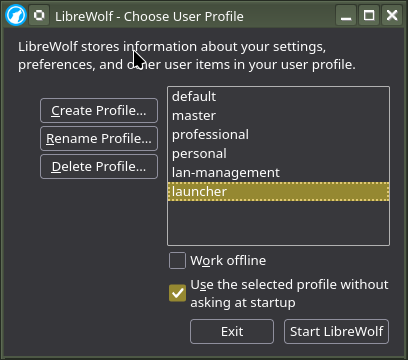
While checking the two options, I kept getting a bug where launching the individual profile would always start the choose profile
image

the solution chatgpt suggested was

This got it working
image

changing and recoloring the librewolf icons

I was hoping that the librewolf icons would be in a svg format as it is easier to swap colors out.

looking at the files in /nix/store/r1qc6s4mgapnbhzx10gi8g0rvw82g0m1-librewolf-143.0.3-1/share/icons/hicolor

tree /nix/store/r1qc6s4mgapnbhzx10gi8g0rvw82g0m1-librewolf-143.0.3-1/share/icons/hicolor

.
├── 128x128
│   └── apps
│       └── librewolf.png -> /nix/store/1yy909syv1dhb5y5v4zjg5kddw80l0m5-librewolf-unwrapped-143.0.3-1/lib/librewolf/browser/chrome/icons/default/default128.png
├── 16x16
│   └── apps
│       └── librewolf.png -> /nix/store/1yy909syv1dhb5y5v4zjg5kddw80l0m5-librewolf-unwrapped-143.0.3-1/lib/librewolf/browser/chrome/icons/default/default16.png
├── 32x32
│   └── apps
│       └── librewolf.png -> /nix/store/1yy909syv1dhb5y5v4zjg5kddw80l0m5-librewolf-unwrapped-143.0.3-1/lib/librewolf/browser/chrome/icons/default/default32.png
├── 48x48
│   └── apps
│       └── librewolf.png -> /nix/store/1yy909syv1dhb5y5v4zjg5kddw80l0m5-librewolf-unwrapped-143.0.3-1/lib/librewolf/browser/chrome/icons/default/default48.png
└── 64x64
    └── apps
        └── librewolf.png -> /nix/store/1yy909syv1dhb5y5v4zjg5kddw80l0m5-librewolf-unwrapped-143.0.3-1/lib/librewolf/browser/chrome/icons/default/default64.png

Unfortunately, it is only a png. I tried having chatgpt write code to recolor the icons. It would either leave a blue outline, miss the wolf icon, or miss the wolf and still have a blue icon
image

code it generated if you want it
{ config, lib, pkgs, ... }:

let
  # Your palette
  colorPersonal     = "#8d4953";
  colorProfessional = "#5b7b65";
  colorMaster       = "#0e0e0e";

  sizes = [ 16 32 48 64 128 256 512 ];
  candidateBlues = [ "#00acff" "#00a9e0" "#23a3dc" "#1ea0db" ];

  # Prefer SVG if present (sharper at big sizes); else choose the largest PNG available.
  svgPath = "${pkgs.librewolf}/share/icons/hicolor/scalable/apps/librewolf.svg";
  pngCandidates =
    map (sz: "${pkgs.librewolf}/share/icons/hicolor/${sz}/apps/librewolf.png")
      [ "512x512" "256x256" "128x128" "64x64" "48x48" "32x32" ];

  baseIsSvg = builtins.pathExists svgPath;
  basePng =
    let xs = builtins.filter (p: builtins.pathExists p) pngCandidates;
    in if xs == [] then
         throw "LibreWolf icon PNG not found under ${pkgs.librewolf}"
       else
         builtins.head xs;

  mkPngSet = name: hex:
    pkgs.runCommand "icons-${name}" {
      buildInputs = [ pkgs.imagemagick pkgs.librsvg pkgs.coreutils ];
    } ''
      set -eu
      outdir="$out/share/icons/hicolor"
      mkdir -p "$outdir"

      # Nix-escaped values
      HEX=${lib.escapeShellArg hex}

      render_base () {
        # $1 = target size (e.g. 128)
        # print path to a temp PNG at that size
        sz="$1"
        tmp="$(mktemp --suffix=.png)"
        if ${lib.boolToString baseIsSvg}; then
          ${pkgs.librsvg}/bin/rsvg-convert -w "$sz" -h "$sz" ${lib.escapeShellArg svgPath} -o "$tmp"
        else
          ${pkgs.imagemagick}/bin/convert ${basePng} -resize ''${sz}x''${sz} "$tmp"
        fi
        printf "%s\n" "$tmp"
      }

      recolor_into () {
        # $1 = inpng, $2 = outpng
        inpng="$1"; outpng="$2"
        # Work on RGB only; keep alpha untouched to avoid halos
        work="$(mktemp --suffix=.png)"
        cp "$inpng" "$work"

        # Slightly stricter fuzz to avoid re-coloring greys/whites unintentionally
        for BLUE in ${lib.concatStringsSep " " (map (b: "'${b}'") candidateBlues)}; do
          ${pkgs.imagemagick}/bin/convert "$work" \
            -alpha on -channel RGB -fuzz 20% -fill "$HEX" -opaque "$BLUE" +channel \
            "$work"
        done
        mv "$work" "$outpng"
      }

      for sz in ${lib.concatStringsSep " " (map toString sizes)}; do
        dir="$outdir/''${sz}x''${sz}/apps"
        mkdir -p "$dir"
        base_png="$(render_base "$sz")"
        recolor_into "$base_png" "$dir/librewolf-${name}.png"
      done
    '';

  pngPersonal     = mkPngSet "personal"     colorPersonal;
  pngProfessional = mkPngSet "professional" colorProfessional;
  pngMaster       = mkPngSet "master"       colorMaster;

  mkXdgPngFiles = name: drv:
    lib.listToAttrs (map (sz: {
      name  = "icons/hicolor/${toString sz}x${toString sz}/apps/librewolf-${name}.png";
      value = { source = "${drv}/share/icons/hicolor/${toString sz}x${toString sz}/apps/librewolf-${name}.png"; };
    }) sizes);

in {
  xdg.dataFile =
    mkXdgPngFiles "personal"      pngPersonal
    // mkXdgPngFiles "professional" pngProfessional
    // mkXdgPngFiles "master"        pngMaster;
}

image

code it generated if you want it
let
  # … your colors …
  candidateBlues = [
    # originals
    "#00acff" "#00a9e0" "#23a3dc" "#1ea0db"
    # common ring/halo variants (lighter/darker cyans)
    "#00b4ff" "#00bfff" "#00c0ff" "#00ccff" "#00d4ff" "#00e5ff" "#18ffff"
    "#26c6da" "#29b6f6" "#33b5e5" "#40c4ff" "#4dd0e1" "#80deea"
  ];

  mkPngSet = name: hex:
    pkgs.runCommand "icons-${name}" {
      buildInputs = [ pkgs.imagemagick pkgs.librsvg pkgs.coreutils ];
    } ''
      set -eu
      outdir="$out/share/icons/hicolor"
      mkdir -p "$outdir"

      HEX=${lib.escapeShellArg hex}

      # 1) Make a large master (do this once)
      master="$(mktemp --suffix=.png)"
      if ${lib.boolToString (builtins.pathExists svgPath)}; then
        ${pkgs.librsvg}/bin/rsvg-convert -w 1024 -h 1024 ${lib.escapeShellArg svgPath} -o "$master"
      else
        ${pkgs.imagemagick}/bin/convert ${basePng} -resize 1024x1024 "$master"
      fi

      # 2) Recolor ONCE at full res: broader fuzz to catch halo pixels; RGB only to preserve alpha
      work="$(mktemp --suffix=.png)"
      cp "$master" "$work"
      for BLUE in ${lib.concatStringsSep " " (map (b: "'${b}'") candidateBlues)}; do
        ${pkgs.imagemagick}/bin/convert "$work" \
          -alpha on -channel RGB -fuzz 40% -fill "$HEX" -opaque "$BLUE" +channel \
          "$work"
      done

      # Optional: clamp tiny remaining cyan halos by desaturating very-blue remnants a touch
      ${pkgs.imagemagick}/bin/convert "$work" \
        -alpha on -modulate 100,98,100 +alpha "$work"

      # 3) Downscale the recolored master to all sizes (no new blue is introduced)
      for sz in ${lib.concatStringsSep " " (map toString sizes)}; do
        dir="$outdir/''${sz}x''${sz}/apps"
        mkdir -p "$dir"
        ${pkgs.imagemagick}/bin/convert "$work" \
          -filter Lanczos -define filter:lobes=3 -resize ''${sz}x''${sz} \
          "$dir/librewolf-${name}.png"
      done
    '';

image

code it generated if you want it

mkPngSet = name: hex:
pkgs.runCommand “icons-${name}” { buildInputs = [ pkgs.imagemagick pkgs.coreutils ]; } ‘’
set -eu
outdir=“$out/share/icons/hicolor”
mkdir -p “$outdir”

  # 1) Make a single high-res recolor using a mask (preserves anti-aliasing)
  workdir="$(${pkgs.coreutils}/bin/mktemp -d)"
  master="$workdir/master.png"
  mask="$workdir/mask.png"
  tmp="$workdir/tmp.png"

  # Start from the best available base (your basePng), do NOT resize yet.
  ${pkgs.coreutils}/bin/cp ${basePng} "$master"

  # Build a mask that ORs all candidate blues together, with a small blur to soften edges.
  # Result: white where the cyan stroke is, black elsewhere.
  ${pkgs.imagemagick}/bin/convert -size "$(${pkgs.imagemagick}/bin/identify -format '%wx%h' "$master")" xc:black "$mask"
  for BLUE in ${lib.concatStringsSep " " (map (b: "'${b}'") candidateBlues)}; do
    ${pkgs.imagemagick}/bin/convert "$master" \
      -colorspace sRGB -fuzz 18% -fill white -opaque "$BLUE" \
      -alpha extract -threshold 50% "$tmp"
    ${pkgs.imagemagick}/bin/convert "$mask" "$tmp" -compose Lighten -composite "$mask"
  done
  # Feather the mask slightly to avoid crunchy edges.
  ${pkgs.imagemagick}/bin/convert "$mask" -morphology close disk:1 -blur 0x0.6 "$mask"

  # Create a solid color layer and copy the mask into its alpha, then composite over original.
  ${pkgs.imagemagick}/bin/convert "$master" -fill '${hex}' -colorize 100 "$tmp"
  ${pkgs.imagemagick}/bin/convert "$tmp" "$mask" -compose CopyOpacity -composite "$tmp"
  ${pkgs.imagemagick}/bin/convert "$master" "$tmp" -compose Over -composite "$workdir/recolored.png"

  # 2) Now generate all sizes from the recolored master (better resampling, consistent edges).
  for sz in ${lib.concatStringsSep " " (map toString sizes)}; do
    dir="$outdir/''${sz}x''${sz}/apps"
    ${pkgs.coreutils}/bin/mkdir -p "$dir"
    ${pkgs.imagemagick}/bin/convert "$workdir/recolored.png" \
      -filter Lanczos -define filter:lobes=3 \
      -resize ''${sz}x''${sz} \
      -unsharp 0x0.75+0.75+0.02 \
      "$dir/librewolf-${name}.png"
  done
'';

After getting nowhere with having chatgpt write code to recolor the png, I decided to have it write code to modify the librewolf svg from wikipedia

I used the dev tools to get the svg code and passed this prompt to chatgpt

I tested the code and it worked

I then added the librewolf icons to my user import

in

f3 - Fight Flash Fraud

I wanted a linux equivalent of H2testw from windows

based on the suggestions from reddit and ask ubuntu channel
https://old.reddit.com/r/linux4noobs/comments/14zjcfu/how_to_test_real_capacity_of_an_internal_drive/jry2z5f/

F3 was suggested
https://fight-flash-fraud.readthedocs.io/en/stable/usage.html

Since I didn’t feel like adding it to my config, I ran it in a nix shell

nix-shell -p f3

I then looked for sd card using the volume using the properties to find where it is mounted

After finding the path, I then ran

f3write /run/media/bedhedd/1D07-3000/
f3 write output
F3 write 9.0
Copyright (C) 2010 Digirati Internet LTDA.
This is free software; see the source for copying conditions.

Removing old file 1.h2w ...
Removing old file 2.h2w ...
Removing old file 3.h2w ...
Removing old file 4.h2w ...
Removing old file 5.h2w ...
Removing old file 6.h2w ...
Removing old file 7.h2w ...
Removing old file 8.h2w ...
Removing old file 9.h2w ...
Removing old file 10.h2w ...
Removing old file 11.h2w ...
Removing old file 12.h2w ...
Removing old file 13.h2w ...
Removing old file 14.h2w ...
Removing old file 15.h2w ...
Removing old file 16.h2w ...
Removing old file 17.h2w ...
Removing old file 18.h2w ...
Removing old file 19.h2w ...
Removing old file 20.h2w ...
Removing old file 21.h2w ...
Removing old file 22.h2w ...
Removing old file 23.h2w ...
Removing old file 24.h2w ...
Removing old file 25.h2w ...
Removing old file 26.h2w ...
Removing old file 27.h2w ...
Removing old file 28.h2w ...
Removing old file 29.h2w ...
Removing old file 30.h2w ...
Removing old file 31.h2w ...
Removing old file 32.h2w ...
Removing old file 33.h2w ...
Removing old file 34.h2w ...
Removing old file 35.h2w ...
Removing old file 36.h2w ...
Removing old file 37.h2w ...
Removing old file 38.h2w ...
Removing old file 39.h2w ...
Removing old file 40.h2w ...
Removing old file 41.h2w ...
Removing old file 42.h2w ...
Removing old file 43.h2w ...
Removing old file 44.h2w ...
Removing old file 45.h2w ...
Removing old file 46.h2w ...
Removing old file 47.h2w ...
Removing old file 48.h2w ...
Removing old file 49.h2w ...
Removing old file 50.h2w ...
Removing old file 51.h2w ...
Removing old file 52.h2w ...
Removing old file 53.h2w ...
Removing old file 54.h2w ...
Removing old file 55.h2w ...
Removing old file 56.h2w ...
Removing old file 57.h2w ...
Removing old file 58.h2w ...
Removing old file 59.h2w ...
Removing old file 60.h2w ...
Removing old file 61.h2w ...
Removing old file 62.h2w ...
Removing old file 63.h2w ...
Removing old file 64.h2w ...
Removing old file 65.h2w ...
Removing old file 66.h2w ...
Removing old file 67.h2w ...
Removing old file 68.h2w ...
Removing old file 69.h2w ...
Removing old file 70.h2w ...
Removing old file 71.h2w ...
Removing old file 72.h2w ...
Removing old file 73.h2w ...
Removing old file 74.h2w ...
Removing old file 75.h2w ...
Removing old file 76.h2w ...
Removing old file 77.h2w ...
Removing old file 78.h2w ...
Removing old file 79.h2w ...
Removing old file 80.h2w ...
Removing old file 81.h2w ...
Removing old file 82.h2w ...
Removing old file 83.h2w ...
Removing old file 84.h2w ...
Removing old file 85.h2w ...
Removing old file 86.h2w ...
Removing old file 87.h2w ...
Removing old file 88.h2w ...
Removing old file 89.h2w ...
Removing old file 90.h2w ...
Free space: 232.19 GB
Creating file 1.h2w ... OK!                           
Creating file 2.h2w ... OK!                           
Creating file 3.h2w ... OK!                           
Creating file 4.h2w ... OK!                           
Creating file 5.h2w ... OK!                           
Creating file 6.h2w ... OK!                           
Creating file 7.h2w ... OK!                           
Creating file 8.h2w ... OK!                           
Creating file 9.h2w ... OK!                           
Creating file 10.h2w ... OK!                           
Creating file 11.h2w ... OK!                           
Creating file 12.h2w ... OK!                           
Creating file 13.h2w ... OK!                           
Creating file 14.h2w ... OK!                           
Creating file 15.h2w ... OK!                           
Creating file 16.h2w ... OK!                           
Creating file 17.h2w ... OK!                           
Creating file 18.h2w ... OK!                           
Creating file 19.h2w ... OK!                           
Creating file 20.h2w ... OK!                           
Creating file 21.h2w ... OK!                           
Creating file 22.h2w ... OK!                           
Creating file 23.h2w ... OK!                           
Creating file 24.h2w ... OK!                            
Creating file 25.h2w ... OK!                            
Creating file 26.h2w ... OK!                            
Creating file 27.h2w ... OK!                            
Creating file 28.h2w ... OK!                            
Creating file 29.h2w ... OK!                            
Creating file 30.h2w ... OK!                            
Creating file 31.h2w ... OK!                            
Creating file 32.h2w ... OK!                            
Creating file 33.h2w ... OK!                            
Creating file 34.h2w ... OK!                            
Creating file 35.h2w ... OK!                            
Creating file 36.h2w ... OK!                            
Creating file 37.h2w ... OK!                            
Creating file 38.h2w ... OK!                            
Creating file 39.h2w ... OK!                            
Creating file 40.h2w ... OK!                            
Creating file 41.h2w ... OK!                            
Creating file 42.h2w ... OK!                            
Creating file 43.h2w ... OK!                            
Creating file 44.h2w ... OK!                            
Creating file 45.h2w ... OK!                            
Creating file 46.h2w ... OK!                            
Creating file 47.h2w ... OK!                            
Creating file 48.h2w ... OK!                            
Creating file 49.h2w ... OK!                            
Creating file 50.h2w ... OK!                            
Creating file 51.h2w ... OK!                            
Creating file 52.h2w ... OK!                            
Creating file 53.h2w ... OK!                            
Creating file 54.h2w ... OK!                            
Creating file 55.h2w ... OK!                            
Creating file 56.h2w ... OK!                            
Creating file 57.h2w ... OK!                            
Creating file 58.h2w ... OK!                            
Creating file 59.h2w ... OK!                            
Creating file 60.h2w ... OK!                            
Creating file 61.h2w ... OK!                            
Creating file 62.h2w ... OK!                            
Creating file 63.h2w ... OK!                            
Creating file 64.h2w ... OK!                            
Creating file 65.h2w ... OK!                            
Creating file 66.h2w ... OK!                            
Creating file 67.h2w ... OK!                            
Creating file 68.h2w ... OK!                            
Creating file 69.h2w ... OK!                            
Creating file 70.h2w ... OK!                            
Creating file 71.h2w ... OK!                            
Creating file 72.h2w ... OK!                            
Creating file 73.h2w ... OK!                            
Creating file 74.h2w ... OK!                            
Creating file 75.h2w ... OK!                            
Creating file 76.h2w ... OK!                            
Creating file 77.h2w ... OK!                            
Creating file 78.h2w ... OK!                            
Creating file 79.h2w ... OK!                            
Creating file 80.h2w ... OK!                            
Creating file 81.h2w ... OK!                            
Creating file 82.h2w ... OK!                            
Creating file 83.h2w ... OK!                            
Creating file 84.h2w ... OK!                            
Creating file 85.h2w ... OK!                            
Creating file 86.h2w ... OK!                            
Creating file 87.h2w ... OK!                            
Creating file 88.h2w ... OK!                            
Creating file 89.h2w ... OK!                            
Creating file 90.h2w ... OK!                            
Creating file 91.h2w ... OK!                            
Creating file 92.h2w ... OK!                            
Creating file 93.h2w ... OK!                            
Creating file 94.h2w ... OK!                            
Creating file 95.h2w ... OK!                            
Creating file 96.h2w ... OK!                            
Creating file 97.h2w ... OK!                            
Creating file 98.h2w ... OK!                            
Creating file 99.h2w ... OK!                            
Creating file 100.h2w ... OK!                            
Creating file 101.h2w ... OK!                            
Creating file 102.h2w ... OK!                            
Creating file 103.h2w ... OK!                            
Creating file 104.h2w ... OK!                            
Creating file 105.h2w ... OK!                            
Creating file 106.h2w ... OK!                            
Creating file 107.h2w ... OK!                            
Creating file 108.h2w ... OK!                            
Creating file 109.h2w ... OK!                            
Creating file 110.h2w ... OK!                            
Creating file 111.h2w ... OK!                            
Creating file 112.h2w ... OK!                            
Creating file 113.h2w ... OK!                            
Creating file 114.h2w ... OK!                            
Creating file 115.h2w ... OK!                            
Creating file 116.h2w ... OK!                            
Creating file 117.h2w ... OK!                            
Creating file 118.h2w ... OK!                            
Creating file 119.h2w ... OK!                            
Creating file 120.h2w ... OK!                            
Creating file 121.h2w ... OK!                            
Creating file 122.h2w ... OK!                            
Creating file 123.h2w ... OK!                            
Creating file 124.h2w ... OK!                            
Creating file 125.h2w ... OK!                            
Creating file 126.h2w ... OK!                            
Creating file 127.h2w ... OK!                            
Creating file 128.h2w ... OK!                            
Creating file 129.h2w ... OK!                            
Creating file 130.h2w ... OK!                            
Creating file 131.h2w ... OK!                            
Creating file 132.h2w ... OK!                            
Creating file 133.h2w ... OK!                            
Creating file 134.h2w ... OK!                            
Creating file 135.h2w ... OK!                            
Creating file 136.h2w ... OK!                            
Creating file 137.h2w ... OK!                            
Creating file 138.h2w ... OK!                            
Creating file 139.h2w ... OK!                            
Creating file 140.h2w ... OK!                            
Creating file 141.h2w ... OK!                            
Creating file 142.h2w ... OK!                            
Creating file 143.h2w ... OK!                            
Creating file 144.h2w ... OK!                            
Creating file 145.h2w ... OK!                            
Creating file 146.h2w ... OK!                            
Creating file 147.h2w ... OK!                            
Creating file 148.h2w ... OK!                            
Creating file 149.h2w ... OK!                            
Creating file 150.h2w ... OK!                            
Creating file 151.h2w ... OK!                            
Creating file 152.h2w ... OK!                            
Creating file 153.h2w ... OK!                            
Creating file 154.h2w ... OK!                            
Creating file 155.h2w ... OK!                            
Creating file 156.h2w ... OK!                            
Creating file 157.h2w ... OK!                            
Creating file 158.h2w ... OK!                            
Creating file 159.h2w ... OK!                            
Creating file 160.h2w ... OK!                            
Creating file 161.h2w ... OK!                            
Creating file 162.h2w ... OK!                            
Creating file 163.h2w ... OK!                            
Creating file 164.h2w ... OK!                            
Creating file 165.h2w ... OK!                            
Creating file 166.h2w ... OK!                            
Creating file 167.h2w ... OK!                            
Creating file 168.h2w ... OK!                            
Creating file 169.h2w ... OK!                            
Creating file 170.h2w ... OK!                            
Creating file 171.h2w ... OK!                            
Creating file 172.h2w ... OK!                            
Creating file 173.h2w ... OK!                            
Creating file 174.h2w ... OK!                          
Creating file 175.h2w ... OK!                          
Creating file 176.h2w ... OK!                          
Creating file 177.h2w ... OK!                          
Creating file 178.h2w ... OK!                          
Creating file 179.h2w ... OK!                          
Creating file 180.h2w ... OK!                          
Creating file 181.h2w ... OK!                          
Creating file 182.h2w ... OK!                          
Creating file 183.h2w ... OK!                          
Creating file 184.h2w ... OK!                          
Creating file 185.h2w ... OK!                          
Creating file 186.h2w ... OK!                          
Creating file 187.h2w ... OK!                          
Creating file 188.h2w ... OK!                          
Creating file 189.h2w ... OK!                          
Creating file 190.h2w ... OK!                          
Creating file 191.h2w ... OK!                          
Creating file 192.h2w ... OK!                          
Creating file 193.h2w ... OK!                          
Creating file 194.h2w ... OK!                          
Creating file 195.h2w ... OK!                          
Creating file 196.h2w ... OK!                          
Creating file 197.h2w ... OK!                          
Creating file 198.h2w ... OK!                          
Creating file 199.h2w ... OK!                          
Creating file 200.h2w ... OK!                          
Creating file 201.h2w ... OK!                          
Creating file 202.h2w ... OK!                          
Creating file 203.h2w ... OK!                          
Creating file 204.h2w ... OK!                          
Creating file 205.h2w ... OK!                          
Creating file 206.h2w ... OK!                          
Creating file 207.h2w ... OK!                          
Creating file 208.h2w ... OK!                          
Creating file 209.h2w ... OK!                          
Creating file 210.h2w ... OK!                          
Creating file 211.h2w ... OK!                          
Creating file 212.h2w ... OK!                          
Creating file 213.h2w ... OK!                          
Creating file 214.h2w ... OK!                          
Creating file 215.h2w ... OK!                          
Creating file 216.h2w ... OK!                          
Creating file 217.h2w ... OK!                          
Creating file 218.h2w ... OK!                          
Creating file 219.h2w ... OK!                          
Creating file 220.h2w ... OK!                          
Creating file 221.h2w ... OK!                          
Creating file 222.h2w ... OK!                          
Creating file 223.h2w ... OK!                          
Creating file 224.h2w ... OK!                         
Creating file 225.h2w ... OK!                         
Creating file 226.h2w ... OK!                         
Creating file 227.h2w ... OK!                         
Creating file 228.h2w ... OK!                         
Creating file 229.h2w ... OK!                         
Creating file 230.h2w ... OK!                         
Creating file 231.h2w ... OK!                         
Creating file 232.h2w ... OK!                         
Creating file 233.h2w ... OK!                        
Free space: 0.00 Byte
Average writing speed: 17.08 MB/s

After F3 finished the write, I then ran f3read

 f3read /run/media/bedhedd/1D07-3000
f3 read output
F3 read 9.0
Copyright (C) 2010 Digirati Internet LTDA.
This is free software; see the source for copying conditions.

                  SECTORS      ok/corrupted/changed/overwritten
Validating file 1.h2w ... 2097152/        0/      0/      0
Validating file 2.h2w ... 2097152/        0/      0/      0
Validating file 3.h2w ... 2097152/        0/      0/      0
Validating file 4.h2w ... 2097152/        0/      0/      0
Validating file 5.h2w ... 2097152/        0/      0/      0
Validating file 6.h2w ... 2097152/        0/      0/      0
Validating file 7.h2w ... 2097152/        0/      0/      0
Validating file 8.h2w ... 2097152/        0/      0/      0
Validating file 9.h2w ... 2097152/        0/      0/      0
Validating file 10.h2w ... 2097152/        0/      0/      0
Validating file 11.h2w ... 2097152/        0/      0/      0
Validating file 12.h2w ... 2097152/        0/      0/      0
Validating file 13.h2w ... 2097152/        0/      0/      0
Validating file 14.h2w ... 2097152/        0/      0/      0
Validating file 15.h2w ... 2097152/        0/      0/      0
Validating file 16.h2w ... 2097152/        0/      0/      0
Validating file 17.h2w ... 2097152/        0/      0/      0
Validating file 18.h2w ... 2097152/        0/      0/      0
Validating file 19.h2w ... 2097152/        0/      0/      0
Validating file 20.h2w ... 2097152/        0/      0/      0
Validating file 21.h2w ... 2097152/        0/      0/      0
Validating file 22.h2w ... 2097152/        0/      0/      0
Validating file 23.h2w ... 2097152/        0/      0/      0
Validating file 24.h2w ... 2097152/        0/      0/      0
Validating file 25.h2w ... 2097152/        0/      0/      0
Validating file 26.h2w ... 2097152/        0/      0/      0
Validating file 27.h2w ... 2097152/        0/      0/      0
Validating file 28.h2w ... 2097152/        0/      0/      0
Validating file 29.h2w ... 2097152/        0/      0/      0
Validating file 30.h2w ... 2097152/        0/      0/      0
Validating file 31.h2w ... 2097152/        0/      0/      0
Validating file 32.h2w ... 2097152/        0/      0/      0
Validating file 33.h2w ... 2097152/        0/      0/      0
Validating file 34.h2w ... 2097152/        0/      0/      0
Validating file 35.h2w ... 2097152/        0/      0/      0
Validating file 36.h2w ... 2097152/        0/      0/      0
Validating file 37.h2w ... 2097152/        0/      0/      0
Validating file 38.h2w ... 2097152/        0/      0/      0
Validating file 39.h2w ... 2097152/        0/      0/      0
Validating file 40.h2w ... 2097152/        0/      0/      0
Validating file 41.h2w ... 2097152/        0/      0/      0
Validating file 42.h2w ... 2097152/        0/      0/      0
Validating file 43.h2w ... 2097152/        0/      0/      0
Validating file 44.h2w ... 2097152/        0/      0/      0
Validating file 45.h2w ... 2097152/        0/      0/      0
Validating file 46.h2w ... 2097152/        0/      0/      0
Validating file 47.h2w ... 2097152/        0/      0/      0
Validating file 48.h2w ... 2097152/        0/      0/      0
Validating file 49.h2w ... 2097152/        0/      0/      0
Validating file 50.h2w ... 2097152/        0/      0/      0
Validating file 51.h2w ... 2097152/        0/      0/      0
Validating file 52.h2w ... 2097152/        0/      0/      0
Validating file 53.h2w ... 2097152/        0/      0/      0
Validating file 54.h2w ... 2097152/        0/      0/      0
Validating file 55.h2w ... 2097152/        0/      0/      0
Validating file 56.h2w ... 2097152/        0/      0/      0
Validating file 57.h2w ... 2097152/        0/      0/      0
Validating file 58.h2w ... 2097152/        0/      0/      0
Validating file 59.h2w ... 2097152/        0/      0/      0
Validating file 60.h2w ... 2097152/        0/      0/      0
Validating file 61.h2w ... 2097152/        0/      0/      0
Validating file 62.h2w ... 2097152/        0/      0/      0
Validating file 63.h2w ... 2097152/        0/      0/      0
Validating file 64.h2w ... 2097152/        0/      0/      0
Validating file 65.h2w ... 2097152/        0/      0/      0
Validating file 66.h2w ... 2097152/        0/      0/      0
Validating file 67.h2w ... 2097152/        0/      0/      0
Validating file 68.h2w ... 2097152/        0/      0/      0
Validating file 69.h2w ... 2097152/        0/      0/      0
Validating file 70.h2w ... 2097152/        0/      0/      0
Validating file 71.h2w ... 2097152/        0/      0/      0
Validating file 72.h2w ... 2097152/        0/      0/      0
Validating file 73.h2w ... 2097152/        0/      0/      0
Validating file 74.h2w ... 2097152/        0/      0/      0
Validating file 75.h2w ... 2097152/        0/      0/      0
Validating file 76.h2w ... 2097152/        0/      0/      0
Validating file 77.h2w ... 2097152/        0/      0/      0
Validating file 78.h2w ... 2097152/        0/      0/      0
Validating file 79.h2w ... 2097152/        0/      0/      0
Validating file 80.h2w ... 2097152/        0/      0/      0
Validating file 81.h2w ... 2097152/        0/      0/      0
Validating file 82.h2w ... 2097152/        0/      0/      0
Validating file 83.h2w ... 2097152/        0/      0/      0
Validating file 84.h2w ... 2097152/        0/      0/      0
Validating file 85.h2w ... 2097152/        0/      0/      0
Validating file 86.h2w ... 2097152/        0/      0/      0
Validating file 87.h2w ... 2097152/        0/      0/      0
Validating file 88.h2w ... 2097152/        0/      0/      0
Validating file 89.h2w ... 2097152/        0/      0/      0
Validating file 90.h2w ... 2097152/        0/      0/      0
Validating file 91.h2w ... 2097152/        0/      0/      0
Validating file 92.h2w ... 2097152/        0/      0/      0
Validating file 93.h2w ... 2097152/        0/      0/      0
Validating file 94.h2w ... 2097152/        0/      0/      0
Validating file 95.h2w ... 2097152/        0/      0/      0
Validating file 96.h2w ... 2097152/        0/      0/      0
Validating file 97.h2w ... 2097152/        0/      0/      0
Validating file 98.h2w ... 2097152/        0/      0/      0
Validating file 99.h2w ... 2097152/        0/      0/      0
Validating file 100.h2w ... 2097152/        0/      0/      0
Validating file 101.h2w ... 2097152/        0/      0/      0
Validating file 102.h2w ... 2097152/        0/      0/      0
Validating file 103.h2w ... 2097152/        0/      0/      0
Validating file 104.h2w ... 2097152/        0/      0/      0
Validating file 105.h2w ... 2097152/        0/      0/      0
Validating file 106.h2w ... 2097152/        0/      0/      0
Validating file 107.h2w ... 2097152/        0/      0/      0
Validating file 108.h2w ... 2097152/        0/      0/      0
Validating file 109.h2w ... 2097152/        0/      0/      0
Validating file 110.h2w ... 2097152/        0/      0/      0
Validating file 111.h2w ... 2097152/        0/      0/      0
Validating file 112.h2w ... 2097152/        0/      0/      0
Validating file 113.h2w ... 2097152/        0/      0/      0
Validating file 114.h2w ... 2097152/        0/      0/      0
Validating file 115.h2w ... 2097152/        0/      0/      0
Validating file 116.h2w ... 2097152/        0/      0/      0
Validating file 117.h2w ... 2097152/        0/      0/      0
Validating file 118.h2w ... 2097152/        0/      0/      0
Validating file 119.h2w ... 2097152/        0/      0/      0
Validating file 120.h2w ... 2097152/        0/      0/      0
Validating file 121.h2w ... 2097152/        0/      0/      0
Validating file 122.h2w ... 2097152/        0/      0/      0
Validating file 123.h2w ... 2097152/        0/      0/      0
Validating file 124.h2w ... 2097152/        0/      0/      0
Validating file 125.h2w ... 2097152/        0/      0/      0
Validating file 126.h2w ... 2097152/        0/      0/      0
Validating file 127.h2w ... 2097152/        0/      0/      0
Validating file 128.h2w ... 2097152/        0/      0/      0
Validating file 129.h2w ... 2097152/        0/      0/      0
Validating file 130.h2w ... 2097152/        0/      0/      0
Validating file 131.h2w ... 2097152/        0/      0/      0
Validating file 132.h2w ... 2097152/        0/      0/      0
Validating file 133.h2w ... 2097152/        0/      0/      0
Validating file 134.h2w ... 2097152/        0/      0/      0
Validating file 135.h2w ... 2097152/        0/      0/      0
Validating file 136.h2w ... 2097152/        0/      0/      0
Validating file 137.h2w ... 2097152/        0/      0/      0
Validating file 138.h2w ... 2097152/        0/      0/      0
Validating file 139.h2w ... 2097152/        0/      0/      0
Validating file 140.h2w ... 2097152/        0/      0/      0
Validating file 141.h2w ... 2097152/        0/      0/      0
Validating file 142.h2w ... 2097152/        0/      0/      0
Validating file 143.h2w ... 2097152/        0/      0/      0
Validating file 144.h2w ... 2097152/        0/      0/      0
Validating file 145.h2w ... 2097152/        0/      0/      0
Validating file 146.h2w ... 2097152/        0/      0/      0
Validating file 147.h2w ... 2097152/        0/      0/      0
Validating file 148.h2w ... 2097152/        0/      0/      0
Validating file 149.h2w ... 2097152/        0/      0/      0
Validating file 150.h2w ... 2097152/        0/      0/      0
Validating file 151.h2w ... 2097152/        0/      0/      0
Validating file 152.h2w ... 2097152/        0/      0/      0
Validating file 153.h2w ... 2097152/        0/      0/      0
Validating file 154.h2w ... 2097152/        0/      0/      0
Validating file 155.h2w ... 2097152/        0/      0/      0
Validating file 156.h2w ... 2097152/        0/      0/      0
Validating file 157.h2w ... 2097152/        0/      0/      0
Validating file 158.h2w ... 2097152/        0/      0/      0
Validating file 159.h2w ... 2097152/        0/      0/      0
Validating file 160.h2w ... 2097152/        0/      0/      0
Validating file 161.h2w ... 2097152/        0/      0/      0
Validating file 162.h2w ... 2097152/        0/      0/      0
Validating file 163.h2w ... 2097152/        0/      0/      0
Validating file 164.h2w ... 2097152/        0/      0/      0
Validating file 165.h2w ... 2097152/        0/      0/      0
Validating file 166.h2w ... 2097152/        0/      0/      0
Validating file 167.h2w ... 2097152/        0/      0/      0
Validating file 168.h2w ... 2097152/        0/      0/      0
Validating file 169.h2w ... 2097152/        0/      0/      0
Validating file 170.h2w ... 2097152/        0/      0/      0
Validating file 171.h2w ... 2097152/        0/      0/      0
Validating file 172.h2w ... 2097152/        0/      0/      0
Validating file 173.h2w ... 2097152/        0/      0/      0
Validating file 174.h2w ... 2097152/        0/      0/      0
Validating file 175.h2w ... 2097152/        0/      0/      0
Validating file 176.h2w ... 2097152/        0/      0/      0
Validating file 177.h2w ... 2097152/        0/      0/      0
Validating file 178.h2w ... 2097152/        0/      0/      0
Validating file 179.h2w ... 2097152/        0/      0/      0
Validating file 180.h2w ... 2097152/        0/      0/      0
Validating file 181.h2w ... 2097152/        0/      0/      0
Validating file 182.h2w ... 2097152/        0/      0/      0
Validating file 183.h2w ... 2097152/        0/      0/      0
Validating file 184.h2w ... 2097152/        0/      0/      0
Validating file 185.h2w ... 2097152/        0/      0/      0
Validating file 186.h2w ... 2097152/        0/      0/      0
Validating file 187.h2w ... 2097152/        0/      0/      0
Validating file 188.h2w ... 2097152/        0/      0/      0
Validating file 189.h2w ... 2097152/        0/      0/      0
Validating file 190.h2w ... 2097152/        0/      0/      0
Validating file 191.h2w ... 2097152/        0/      0/      0
Validating file 192.h2w ... 2097152/        0/      0/      0
Validating file 193.h2w ... 2097152/        0/      0/      0
Validating file 194.h2w ... 2097152/        0/      0/      0
Validating file 195.h2w ... 2097152/        0/      0/      0
Validating file 196.h2w ... 2097152/        0/      0/      0
Validating file 197.h2w ... 2097152/        0/      0/      0
Validating file 198.h2w ... 2097152/        0/      0/      0
Validating file 199.h2w ... 2097152/        0/      0/      0
Validating file 200.h2w ... 2097152/        0/      0/      0
Validating file 201.h2w ... 2097152/        0/      0/      0
Validating file 202.h2w ... 2097152/        0/      0/      0
Validating file 203.h2w ... 2097152/        0/      0/      0
Validating file 204.h2w ... 2097152/        0/      0/      0
Validating file 205.h2w ... 2097152/        0/      0/      0
Validating file 206.h2w ... 2097152/        0/      0/      0
Validating file 207.h2w ... 2097152/        0/      0/      0
Validating file 208.h2w ... 2097152/        0/      0/      0
Validating file 209.h2w ... 2097152/        0/      0/      0
Validating file 210.h2w ... 2097152/        0/      0/      0
Validating file 211.h2w ... 2097152/        0/      0/      0
Validating file 212.h2w ... 2097152/        0/      0/      0
Validating file 213.h2w ... 2097152/        0/      0/      0
Validating file 214.h2w ... 2097152/        0/      0/      0
Validating file 215.h2w ... 2097152/        0/      0/      0
Validating file 216.h2w ... 2097152/        0/      0/      0
Validating file 217.h2w ... 2097152/        0/      0/      0
Validating file 218.h2w ... 2097152/        0/      0/      0
Validating file 219.h2w ... 2097152/        0/      0/      0
Validating file 220.h2w ... 2097152/        0/      0/      0
Validating file 221.h2w ... 2097152/        0/      0/      0
Validating file 222.h2w ... 2097152/        0/      0/      0
Validating file 223.h2w ... 2097152/        0/      0/      0
Validating file 224.h2w ... 2097152/        0/      0/      0
Validating file 225.h2w ... 2097152/        0/      0/      0
Validating file 226.h2w ... 2097152/        0/      0/      0
Validating file 227.h2w ... 2097152/        0/      0/      0
Validating file 228.h2w ... 2097152/        0/      0/      0
Validating file 229.h2w ... 2097152/        0/      0/      0
Validating file 230.h2w ... 2097152/        0/      0/      0
Validating file 231.h2w ... 2097152/        0/      0/      0
Validating file 232.h2w ... 2097152/        0/      0/      0
Validating file 233.h2w ...  403968/        0/      0/      0

  Data OK: 232.19 GB (486943232 sectors)
Data LOST: 0.00 Byte (0 sectors)
	       Corrupted: 0.00 Byte (0 sectors)
	Slightly changed: 0.00 Byte (0 sectors)
	     Overwritten: 0.00 Byte (0 sectors)
Average reading speed: 21.21 MB/s

Once it finished, I formatted the microsd with gnome disks so that the camera would be ready to use it

Maybe try this tool? Not sure if it’s legitimate but it sounds like it is:

1 Like

I didn’t see it on the nix packages search, also f3 was nice because it won’t overwrite any files. It took about a day to run write and read, but it worked good enough that I didn’t feel the need to look for alternatives

unable to sleep and suspend to ram with latest update

I had some issues with my computer not sleeping properly after a recent nix flake update. It would be unresponsive and broken. The about this system that had issues was:

Operating System: NixOS 25.11
KDE Plasma Version: 6.5.1
KDE Frameworks Version: 6.19.0
Qt Version: 6.10.0
Kernel Version: 6.17.7 (64-bit)
Graphics Platform: Wayland
Processors: 16 × AMD Ryzen 7 5800X3D 8-Core Processor
Memory: 64 GiB of RAM (62.7 GiB usable)
Graphics Processor: AMD Radeon RX 7900 XTX
Manufacturer: Micro-Star International Co., Ltd
Product Name: MS-7C02
System Version: 1.0

Fortunately I had committed my flake lock file to github so I was able to revert to a previously working version. Here’s what the panel reported

Operating System: NixOS 25.11
KDE Plasma Version: 6.4.5
KDE Frameworks Version: 6.18.0
Qt Version: 6.9.2
Kernel Version: 6.16.9 (64-bit)
Graphics Platform: Wayland
Processors: 16 × AMD Ryzen 7 5800X3D 8-Core Processor
Memory: 64 GiB of RAM (62.7 GiB usable)
Graphics Processor: AMD Radeon RX 7900 XTX
Manufacturer: Micro-Star International Co., Ltd
Product Name: MS-7C02
System Version: 1.0

debugging with chatgpt why the sleep caused issues

While retreading the threads for other people reporting issues with sleep/suspend

I came across this thread

Which had a good command to check for what a proper suspend log looks like

journalctl -b -xu systemd-suspend
Nov 04 20:48:05 master-of-cooling systemd[1]: Starting System Suspend...
░░ Subject: A start job for unit systemd-suspend.service has begun execution
░░ Defined-By: systemd
░░ Support: https://lists.freedesktop.org/mailman/listinfo/systemd-devel
░░ 
░░ A start job for unit systemd-suspend.service has begun execution.
░░ 
░░ The job identifier is 3753.
Nov 04 20:48:05 master-of-cooling systemd-sleep[10895]: Successfully froze unit 'user.slice'.
Nov 04 20:48:05 master-of-cooling systemd-sleep[10895]: Performing sleep operation 'suspend'...
░░ Subject: System sleep state suspend entered
░░ Defined-By: systemd
░░ Support: https://lists.freedesktop.org/mailman/listinfo/systemd-devel
░░ 
░░ The system has now entered the suspend sleep state.
Nov 04 20:48:20 master-of-cooling systemd[1]: systemd-suspend.service: Deactivated successfully.
░░ Subject: Unit succeeded
░░ Defined-By: systemd
░░ Support: https://lists.freedesktop.org/mailman/listinfo/systemd-devel
░░ 
░░ The unit systemd-suspend.service has successfully entered the 'dead' state.
Nov 04 20:48:20 master-of-cooling systemd[1]: Finished System Suspend.
░░ Subject: A start job for unit systemd-suspend.service has finished successfully
░░ Defined-By: systemd
░░ Support: https://lists.freedesktop.org/mailman/listinfo/systemd-devel
░░ 
░░ A start job for unit systemd-suspend.service has finished successfully.
░░ 
░░ The job identifier is 3753.

In my case, when I had the latest update, I got a no entries output

journalctl -b -xu systemd-suspend
-- No entries --

To see if I could get some logs for why it bugged out, I purposefully updated my flake using nix flake update to pull the latest version. I rebuilt my system using sudo nixos-rebuild switch --flake .#master-of-cooling. To fully check it, I rebooted.

I had a previous chat with chatgpt, but I decided to retry with the journalctl -b -xu systemd-suspend to see if it could help me debug futher

I tried running the commands and passed it to chatgpt to interpret

I ran the command journalctl --list-boots, found the latest boot and sent it to chatgpt

I decided to run journalctl -k -b -1 -o short-iso | sed -n '/PM: suspend entry/,$p' and
journalctl -k -b -1 -o short-iso | tail -n 200 to see what it could gleam from it

chatgpt then suggested I check the pstore

I ran sudo ls -l /sys/fs/pstore like it suggested

it suggested I run the following

echo N | sudo tee /sys/module/printk/parameters/console_suspend

sudo dmesg -n 8
sudo sysctl kernel.printk='8 8 1 7'

I then posted the outputs and asked for a fish equivalent command

I ran the fish suggestion

for s in freezer devices platform processors
    echo $s | sudo tee /sys/power/pm_test
    echo mem | sudo tee /sys/power/state
end
echo none | sudo tee /sys/power/pm_test

When I ran the fish version this was the log.

I passed it to chatgpt, and it interpreted it as the first stage working

I rebooted and let it know it had a blinking cursor.

Chatgpt suggested running the following

# Test "platform" only (ACPI/PCIe/GPU handoff)
echo platform | sudo tee /sys/power/pm_test
echo mem      | sudo tee /sys/power/state

running sudo tee /sys/power/state caused the system to hang. I decided to hard reboot and get it the output of journalctl -k -b -1 -o short-iso | tail -n 200

I passed this in

chatgpt identified the error as a amd issue

2025-11-04T20:32:14-06:00 master-of-cooling kernel: [drm:amdgpu_job_submit [amdgpu]] *ERROR* Trying to push to a killed entity

After fixing kernel issues from last time, I haven’t had too many major updates to my config.

A couple weeks back I started migrating my windows drive games drive to linux so that I can start using NixOS full time.

Recently I feel chatgpt’s responses for 5.1 have gotten much worse. It has suggested me commands and configs that have shot me in the foot faster than before. I’m not sure if the cause is the model or if it is the custom instructions, but I had to roll back to a backup after messing up nix pretty bad

nixos living room pc

After crashing out about Fedora a couple of nights ago, I put my money where my mouth was and took time to get NixOS setup

For reference this is my home theater living room pc

This update corresponds to these commits on November 22nd

getting nixos installed

I started by using the graphical installer and burning the image to a usb with fedora media writer
https://search.nixos.org/packages?channel=25.05&query=fedora+media+writer
I also tried out the setup wizard that @progressEdd pushed a while back where running
nix run .#setup-wizard
would start up the script

Unfortunately, the default nixos installation did not have flakes enabled, so I kept getting the error

--experimental-features next command is disabled 

The solution was to change the system configuration to the one

using the parameters from the wiki

  nix.settings.experimental-features = [ "nix-command" "flakes" ];

I probably should have instructions similar to this shell script if I ever package up my install

from

getting my nvidia 2070 working

Nvidia has always been a challenge on Fedora as it needed the proprietary drivers and a kernel mod

I started by applying this config from the thread here

{ pkgs, config, lib, inputs, ... }: {
  imports = [
    inputs.nixos-hardware.nixosModules.common-gpu-nvidia

    # TODO: why do I get the below error?
    # error: The option `hardware.intelgpu.loadInInitrd' in `/nix/store/4mgg9mrh8g0qj4g3z9zvqhrniig10bsn-source/systems/evo/hardware/gpus.nix' is already declared in `/nix/store/75hvhrfigcnckibdlg877157bpwjmy85-source/common/gpu/intel'.
    # Where is the other coming from?g
    # inputs.nixos-hardware.nixosModules.common-gpu-intel
  ];

  boot = {
    # TODO: confirm this works
    # https://forums.developer.nvidia.com/t/550-54-14-cannot-create-sg-table-for-nvkmskapimemory-spammed-when-launching-chrome-on-wayland/284775/26
    initrd.kernelModules = [ "nvidia" "i915" "nvidia_modeset" "nvidia_uvm" "nvidia_drm" ];
    # extraModulePackages = [ config.boot.kernelPackages.nvidia_x11 ];
    kernelParams = [ "nvidia-drm.fbdev=1" ];
  };

  hardware = {
    # deprecated for graphics.enable
    # opengl = {
    #   enable = true;
    #   # extraPackages = [ pkgs.intel-media-driver pkgs.vaapiVdpau ];
    # };

    graphics = {
      # For 32 bit applications
      # enable32Bit = true;
      enable = true;
    };

    nvidia = {
      # Modesetting is required.
      modesetting.enable = true;

      # Nvidia power management. Experimental, and can cause sleep/suspend to fail.
      # Enable this if you have graphical corruption issues or application crashes after waking
      # up from sleep. This fixes it by saving the entire VRAM memory to /tmp/ instead
      # of just the bare essentials.
      powerManagement.enable = true;

      # Fine-grained power management. Turns off GPU when not in use.
      # Experimental and only works on modern Nvidia GPUs (Turing or newer).
      powerManagement.finegrained = false;

      # Use the NVidia open source kernel module (not to be confused with the
      # independent third-party "nouveau" open source driver).
      # Support is limited to the Turing and later architectures. Full list of
      # supported GPUs is at:
      # https://github.com/NVIDIA/open-gpu-kernel-modules#compatible-gpus
      # Only available from driver 515.43.04+
      # Currently alpha-quality/buggy, so false is currently the recommended setting.
      open = false;

      forceFullCompositionPipeline = true;

      prime = {
        intelBusId = "PCI:0:2:0";
        nvidiaBusId = "PCI:1:0:0";
        offload = {
          enable = true;
          enableOffloadCmd = true;
        };
        # Make the Intel iGP default. The NVIDIA Quadro is for CUDA/NVENC
        # reverseSync.enable = true;
        # sync.enable = true;
      };
      nvidiaSettings = true;

      # Optionally, you may need to select the appropriate driver version for your specific GPU.
      package = config.boot.kernelPackages.nvidiaPackages.beta;
    };
  };

  services.xserver.videoDrivers = [ "nvidia" ];

}

After a rebuild worked. I moved on to getting steam to launch

getting steam to launch

Although I was able to boot into desktop, steam refused to startup. When I launched it from the terminal, I got these logs

steam
steam.sh[32374]: Running Steam on nixos 25.11 64-bit
steam.sh[32374]: STEAM_RUNTIME is enabled automatically
setup.sh[32430]: Steam runtime environment up-to-date!
steam.sh[32374]: Log already open
steam.sh[32374]: Steam client's requirements are satisfied
CProcessEnvironmentManager is ready, 6 preallocated environment variables.
[2025-11-21 21:03:59] Startup - updater built Nov 21 2025 01:25:02
[2025-11-21 21:03:59] Startup - Steam Client launched with: '/home/bedhedd/.local/share/Steam/ubuntu12_32/steam' '-srt-logger-opened'
11/21 21:03:59 minidumps folder is set to /tmp/dumps
11/21 21:03:59 Init: Installing breakpad exception handler for appid(steam)/version(1763757504)/tid(32473)
Looks like steam didn't shutdown cleanly, scheduling immediate update check
CProcessEnvironmentManager is ready, 6 preallocated environment variables.
[2025-11-21 21:03:59] Process started with command-line: '/home/bedhedd/.local/share/Steam/ubuntu12_32/steam' '-child-update-ui' '-child-update-ui-socket' '8' '-srt-logger-opened'
11/21 21:03:59 minidumps folder is set to /tmp/dumps
[2025-11-21 21:03:59] Using update UI: xwin
11/21 21:03:59 Init: Installing breakpad exception handler for appid(steam)/version(0)/tid(32474)
[2025-11-21 21:03:59] Create window
[2025-11-21 21:03:59] Loading cached metrics from disk (/home/bedhedd/.local/share/Steam/package/steam_client_metrics.bin)
[2025-11-21 21:03:59] Failed to load cached hosts file (File 'update_hosts_cached.vdf' not found), using defaults
[2025-11-21 21:03:59] Using the following download hosts for Public, Realm steamglobal
[2025-11-21 21:03:59] 1. https://client-update.steamstatic.com, /, Realm 'steamglobal', weight was 1, source = 'baked in'
[2025-11-21 21:03:59] Checking for update on startup
[2025-11-21 21:03:59] Set percent complete: 0
[2025-11-21 21:03:59] Checking for available updates...
[2025-11-21 21:03:59] Downloading manifest: https://client-update.steamstatic.com/steam_client_ubuntu12
[2025-11-21 21:03:59] Manifest download: send request
[2025-11-21 21:03:59] Set status message: Checking for available updates...
[2025-11-21 21:03:59] Set percent complete: -1
[2025-11-21 21:04:00] Manifest download: waiting for download to finish
[2025-11-21 21:04:00] Manifest download: finished
[2025-11-21 21:04:00] Download skipped: /steam_client_ubuntu12 version 1763757504, installed version 1763757504, existing pending version 0
[2025-11-21 21:04:00] Nothing to do
[2025-11-21 21:04:00] Verifying installation...
[2025-11-21 21:04:00] Verifying all executable checksums
[2025-11-21 21:04:00] Set percent complete: -1
[2025-11-21 21:04:00] Set status message: Verifying installation...
[2025-11-21 21:04:00] Verification complete
UpdateUI: skip show logo
[2025-11-21 21:04:00] Destroy window
[2025-11-21 21:04:00] Shutdown

Steam logging initialized: directory: /home/bedhedd/.local/share/Steam/logs

XRRGetOutputInfo Workaround: initialized with override: 0 real: 0xf6187370
XRRGetCrtcInfo Workaround: initialized with override: 0 real: 0xf6185cc0
11/21 21:04:01 minidumps folder is set to /tmp/dumps
11/21 21:04:01 Init: Installing breakpad exception handler for appid(steamsysinfo)/version(1763757504)/tid(32483)
Running query: 1 - GpuTopology
CVulkanTopology: failed create vulkan instance: -9
CVulkanTopology: failed to create vulkan instanceFailed to query vulkan gpu topology

Failed to query vulkan gpu topology
Response: 
Exit code: -2
Fontconfig warning: line 5: unknown element "description"
Fontconfig warning: "/etc/fonts/conf.d/10-hinting-slight.conf", line 4: unknown element "description"
Fontconfig warning: "/etc/fonts/conf.d/10-scale-bitmap-fonts.conf", line 4: unknown element "description"
Fontconfig error: "/etc/fonts/conf.d/10-scale-bitmap-fonts.conf", line 72: non-double matrix element
Fontconfig warning: "/etc/fonts/conf.d/10-scale-bitmap-fonts.conf", line 80: saw unknown, expected number
Fontconfig warning: "/etc/fonts/conf.d/10-sub-pixel-none.conf", line 4: unknown element "description"
Fontconfig warning: "/etc/fonts/conf.d/10-yes-antialias.conf", line 4: unknown element "description"
Fontconfig warning: "/etc/fonts/conf.d/11-lcdfilter-default.conf", line 4: unknown element "description"
Fontconfig warning: "/etc/fonts/conf.d/20-unhint-small-vera.conf", line 4: unknown element "description"
Fontconfig warning: "/etc/fonts/conf.d/30-metric-aliases.conf", line 4: unknown element "description"
Fontconfig warning: "/etc/fonts/conf.d/40-nonlatin.conf", line 4: unknown element "description"
Fontconfig warning: "/etc/fonts/conf.d/45-generic.conf", line 4: unknown element "description"
Fontconfig warning: "/etc/fonts/conf.d/45-latin.conf", line 4: unknown element "description"
Fontconfig warning: "/etc/fonts/conf.d/48-spacing.conf", line 4: unknown element "description"
Fontconfig warning: "/etc/fonts/conf.d/49-sansserif.conf", line 4: unknown element "description"
Fontconfig warning: "/etc/fonts/conf.d/50-user.conf", line 4: unknown element "description"
Fontconfig warning: "/etc/fonts/conf.d/51-local.conf", line 4: unknown element "description"
Fontconfig warning: "/etc/fonts/conf.d/60-generic.conf", line 4: unknown element "description"
Fontconfig warning: "/etc/fonts/conf.d/60-latin.conf", line 4: unknown element "description"
Fontconfig warning: "/etc/fonts/conf.d/65-nonlatin.conf", line 4: unknown element "description"
src/vgui2/src/surface_linux.cpp (1956) : glXChooseVisual failed
src/vgui2/src/surface_linux.cpp (1956) : Fatal assert; application exiting
11/21 21:04:01 Init: Installing breakpad exception handler for appid(steam)/version(1763757504)/tid(32473)
steamwebhelper.sh[32487]: Starting steamwebhelper under bootstrap steamrt steam runtime via: /home/bedhedd/.local/share/Steam/steamrt64/steam-runtime-steamrt/_v2-entry-point
steamwebhelper.sh[32487]: Starting steamwebhelper with steamrt steam runtime at /home/bedhedd/.local/share/Steam/steamrt64/steam-runtime-steamrt/_v2-entry-point
assert_20251121210401_9.dmp[32519]: Uploading dump (out-of-process)
/tmp/dumps/assert_20251121210401_9.dmp
bedhedd@HT-RL06-PC ~> assert_20251121210401_9.dmp[32519]: Finished uploading minidump (out-of-process): success = yes
assert_20251121210401_9.dmp[32519]: response: CrashID=bp-14cb03b0-144b-43e1-8efc-8ba1a2251121
assert_20251121210401_9.dmp[32519]: file ''/tmp/dumps/assert_20251121210401_9.dmp'', upload yes: ''CrashID=bp-14cb03b0-144b-43e1-8efc-8ba1a2251121''
pressure-vessel-wrap[32487]: W: Using libGLX_mesa.so.0 from provider system for some but not all architectures! Will take /usr/share/drirc.d from provider.
pressure-vessel-wrap[32487]: W: "run/opengl-driver/share/drirc.d" is unlikely to appear in "/run/host"
exec ./steamwebhelper -nocrashdialog -lang=en_US -cachedir=/home/bedhedd/.local/share/Steam/config/htmlcache -steampid=32473 -buildid=1763757504 -steamid=0 -logdir=/home/bedhedd/.local/share/Steam/logs -uimode=7 -startcount=0 -steamuniverse=Public -realm=Global -clientui=/home/bedhedd/.local/share/Steam/clientui -steampath=/home/bedhedd/.local/share/Steam/ubuntu12_32/steam -launcher=0 -use_xcomposite_workaround --valve-initial-threadpool-size=4 --valve-enable-site-isolation --enable-smooth-scrolling --disable-gpu-compositing --disable-gpu --password-store=basic --log-file=/home/bedhedd/.local/share/Steam/logs/cef_log.txt --disable-quick-menu --disable-component-update --gaia-url=http://disabled.invalid --disable-features=WinRetrieveSuggestionsOnlyOnDemand,SpareRendererForSitePerProcess,DcheckIsFatal,BlockPromptsIfIgnoredOften,ValveFFmpegAllowLowDelayHEVC

I passed the log into chatgpt which was able to identified these issues

I then passed my config from the nvidia section

Chatgpt suggested the following:

You can see the git commit and diff here

The relevant lines are here

getting my xbox dongle working

I bought the microsoft third party adapter and got it working with steamos

It has been a while since I last got it setup, so the arch wiki’s section on the different drivers were helpful in figuring out which packages I needed
https://wiki.archlinux.org/title/Gamepad#Xbox_Wireless_Controller_/_Xbox_One_Wireless_Controller

I needed the xpadneo and xone. While looking for relevant install configs, I came across this post which helped explain xone further
https://old.reddit.com/r/NixOS/comments/1inbiy5/getting_xbox_controllers_to_work_on_nixos/mcatp5f/

xpadneo config parameters

This post was helpful in figuring out what I needed for xpadneo to work
https://old.reddit.com/r/NixOS/comments/1ch5d2p/help_needed_to_install_and_debug_xpadneo_xbox/lkbabax/

xone config

I had some issues consistently getting 4 controllers to pair with the dongle. Fortunately this config worked
https://old.reddit.com/r/NixOS/comments/ywzo6t/anyone_know_how_to_the_get_the_xone_driver_to/iwmykia/

You see the commits here
xpad neo

xone

1 Like

The config worked and I had no issues with the controllers in my work area, but I kept getting controller drop outs with the dongle in the living room. I suspect the batteries were causing the drop outs, so until the replacement rechargeable batteries arrive, I looked into updating the controller firmware. I recalled that the arch wiki had this section

learning virtualization in NixOS

The arch wiki suggested using qemu and virtualbox.

I started by adding virtualbox to my packages, but I got the following vboxdrv error:

VirtualBox kernel driver not Installed. The vboxdrv kernel module was either not loaded, /dev/vboxdrv is not set up properly, or you are using EFI Secure Boot and the module is not signed in the right way for your system. If necessary, try setting up the kernel module again by executing '/sbin/vboxconfig' as root (VERR_VM_DRIVER_NOT_INSTALLED).
Result Code:
NS_ERROR_FAILURE (0x80004005)
Component:
ConsoleWrap
Interface:
IConsole {6ac83d89-6ee7-4e33-8ae6-b257b2e81be8}

I asked chatgpt which suggested the following

Since chatgpt 5.1 has hallucinated more recently, I decided to look it up and found this thread

When I launched virtuabox again, I got the following error

AMD-V is disabled in the BIOS (or by the host OS) (VERR_SVM_DISABLED).
Result Code:
NS_ERROR_FAILURE (0x80004005)
Component:
ConsoleWrap
Interface:
IConsole {6ac83d89-6ee7-4e33-8ae6-b257b2e81be8}

chatgpt recommended I enable it in my motherboard. Looking back, it must have gotten disabled when I flashed the new bios.

After enabling virtualization I got the following error:

Failed to acquire display parameter.
Unsupported resolution for screen shot: 0x0 (screen 0).
Result Code:
NS_ERROR_INVALID_ARG (0x80070057)
Component:
DisplayWrap
Interface:
IDisplay {14fd6676-ee6b-441a-988b-c83025ab693a}

At this point I decided it was more effort to setup virtualbox, so I pivoted to qemu. While reading the the nixos wiki page, I came across the section on quickemu

The wiki setup looked pretty straightforward, so I went ahead and followed the instructions

The defaults worked for windows 10, but my xbox controller didn’t show up in the xbox accessories app in windows 10.

patch for windows 11

This section might be outdated, as there seems to be a new patch, but at the time of writing, the nix package hadn’t been updated

I decided to try again with windows 11 but I encountered some issues getting it installed to the vm
The first issue was booting into the installer.
I modified the windows-11 conf per the suggestion of this post

This is the conf that worked

#!/etc/profiles/per-user/bedhedd/bin/quickemu --vm
guest_os="windows"
disk_img="windows-11/disk.qcow2"
iso="windows-11/Win11_25H2_EnglishInternational_x64.iso"
# fixed_iso="windows-11/virtio-win.iso"
disk_size="64G"
tpm="on"
secureboot="off"

I was able to get into the installer, but then encountered the same issue of hardware recognition

I ran the script and selected the fixed drive. To launch the script I used this command with the suggestions
from

quickemu --vm windows-11.conf  --extra_args "--drive media=cdrom,index=3,file=windows-11/virtio-win.iso" -display spice

When selecting the driver, I picked the NetKVM drivers from the cd from the am64 folder. After applying these patches, I was able to boot into windows. When I tried passing my xbox controller with spice, Windows detected it initially then stopped working. Pairing with the bluetooth dongle worked, but I couldn’t update the controller firmware.