I get the Errors that the modules “ati” “fbdev” & “vesa” do not exist.
i created a file in /etc/X11/xorg.conf.d/ to identifiy Card and driver but didnt help.
startx returns with xinit giving up and connection refused
I get the Errors that the modules “ati” “fbdev” & “vesa” do not exist.
i created a file in /etc/X11/xorg.conf.d/ to identifiy Card and driver but didnt help.
startx returns with xinit giving up and connection refused
You could. Delete the kernel from /boot (make sure to delete the correct one) and run
grub2-mkconfig -o /boot/efi/EDI/fedora/grub.cfg
This will remake the grub config based on the kernels available in /boot
What are you using to install the pro drivers?
You should only have three. By default Fedora will keep 3 kernel releases in case one fails.
You can edit the number it keeps via /etc/dnf/dnf.conf
installonly_limit is what you want to change.
Oh right, it’s three, I was counting vmlinuz-0-rescue too, I didn’t realize this is done so if something fails I can quickly boot into a previous kernel version and still have a working system, good to know. I’m actually going to keep it default, because 3 is fine(I thought there is no limit).
i use dnf to install amdgpu-pro driver. i reinstalled the 16.60 pro driver along side the lib and dkms.
i ran fpaste but it takes forever
What repo did you get it from?
This isn’t a pleasant task at the command line, but the grub-customizer package should help w/o too much drama.
i dont know the standard repo i suppose. i didnt add any repos on this machine
Its not in the standard repo.. So i’ve no idea what you isntalled.
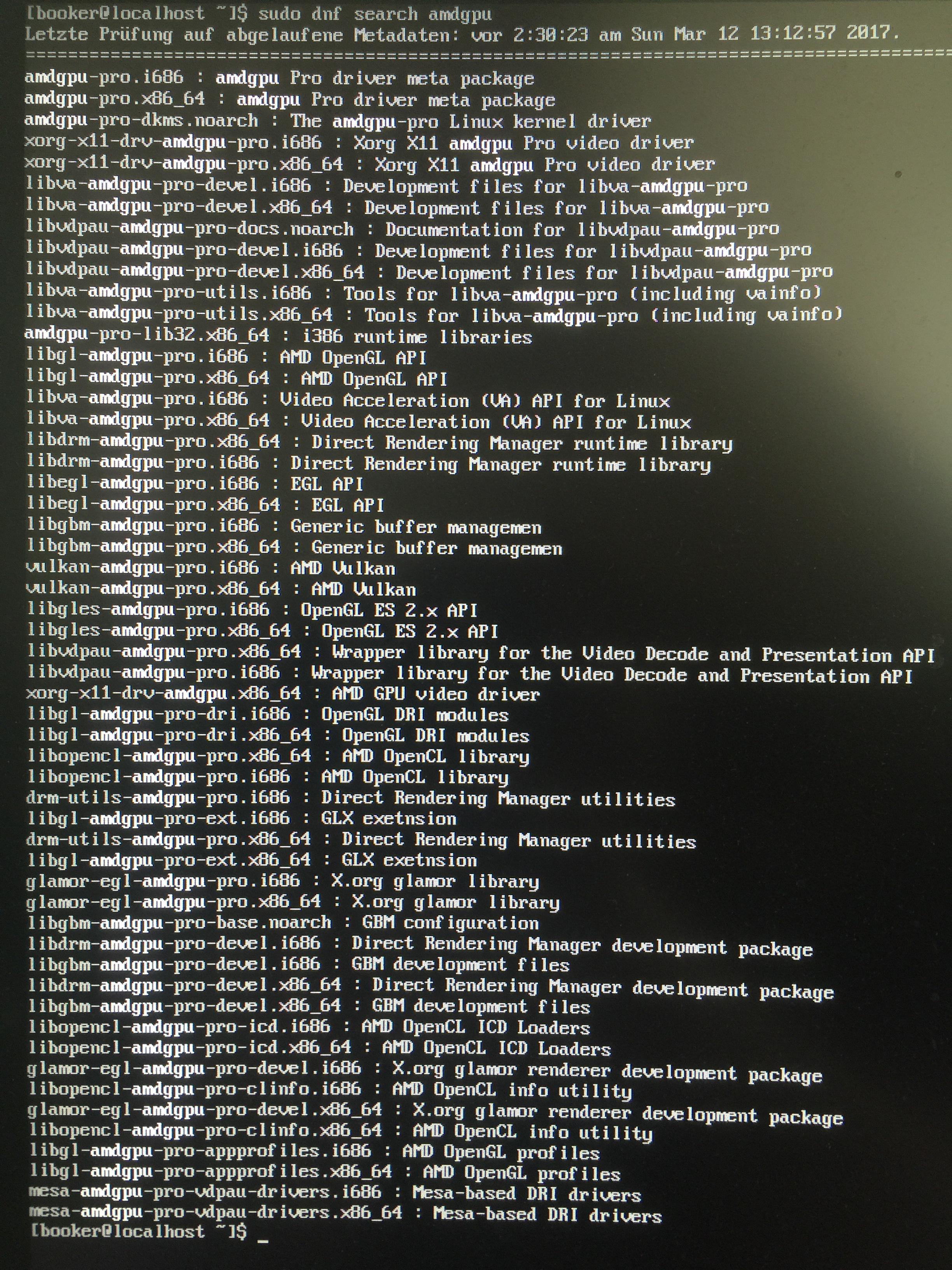
# dnf search amdgpu
Last metadata expiration check: 2:56:40 ago on Sun Mar 12 11:35:26 2017 GMT.
============================= N/S Matched: amdgpu ==============================
xorg-x11-drv-amdgpu.x86_64 : AMD GPU video driver
Post the link for the following
fpaste --sysinfo
This is the output from “dnf search amdgpu”
fpaste --sysinfo is still running waiting for any output
I dunno. Don’t use wayland straight.
I have 3 drives
Drive A, ssd for windows (boot)
Drive B, Hard drive for windows (MassStorage)
Drive C, m.2 for linux
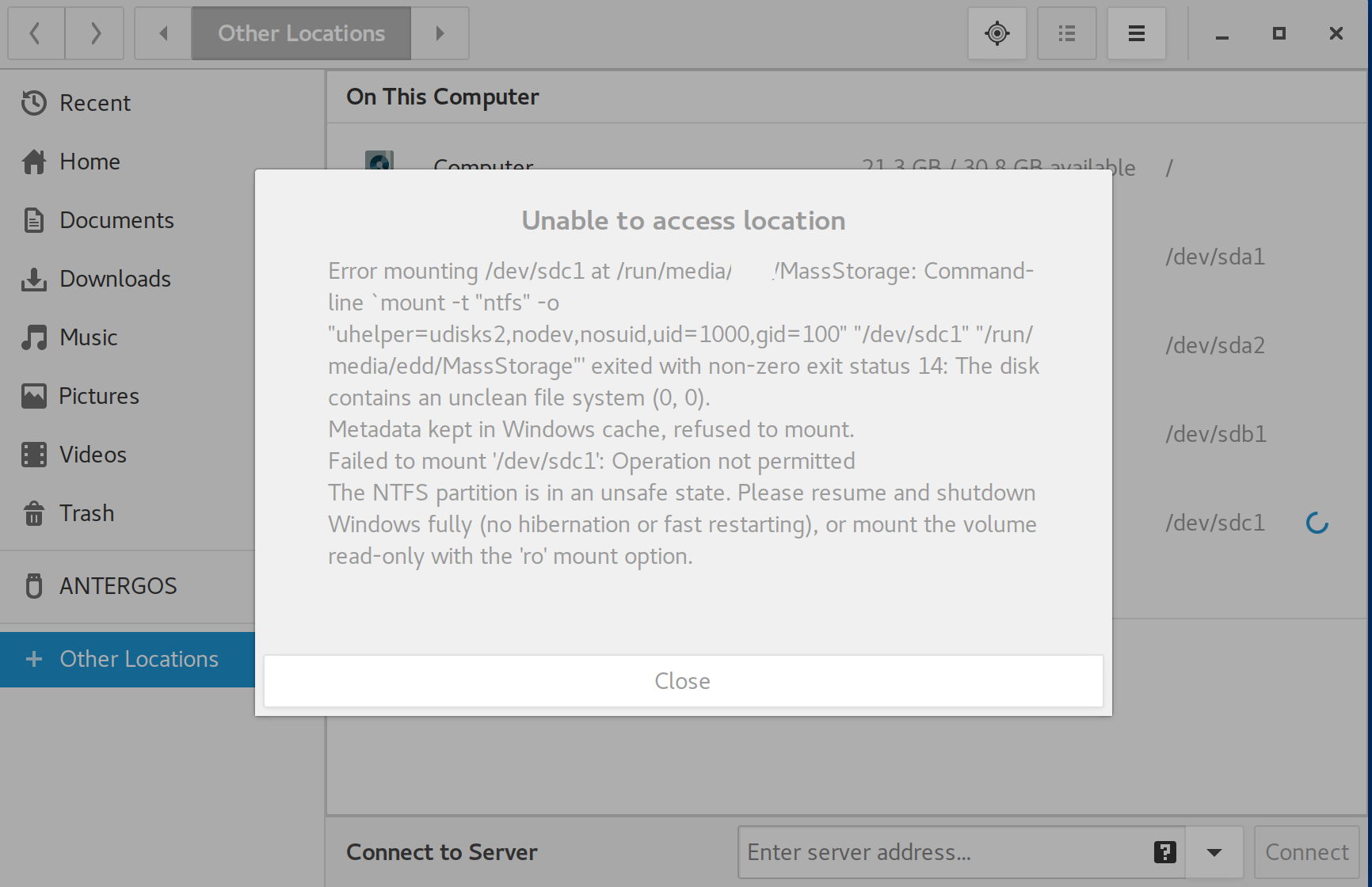
Currently I am mounting Drive B to view files every time I startup linux on Drive C. Is there a way where I don’t have to remount the drive every time a restart my computer?
Is there any way for me to Share Drive B between linux and windows? I want to use Drive B’s folders as the default locations for Linux’s documents, downloads, music, etc.
Example situations
So if I download something from the internet, it will go into the downloads folder in Drive B and will be acessible by Linux and Windows.
If I want to listen to music, I can go to the Music folder in Drive B and open the files from that drive.
I have a problem I posted here a few minutes ago that may be considered small to you more knowledgeable folk.
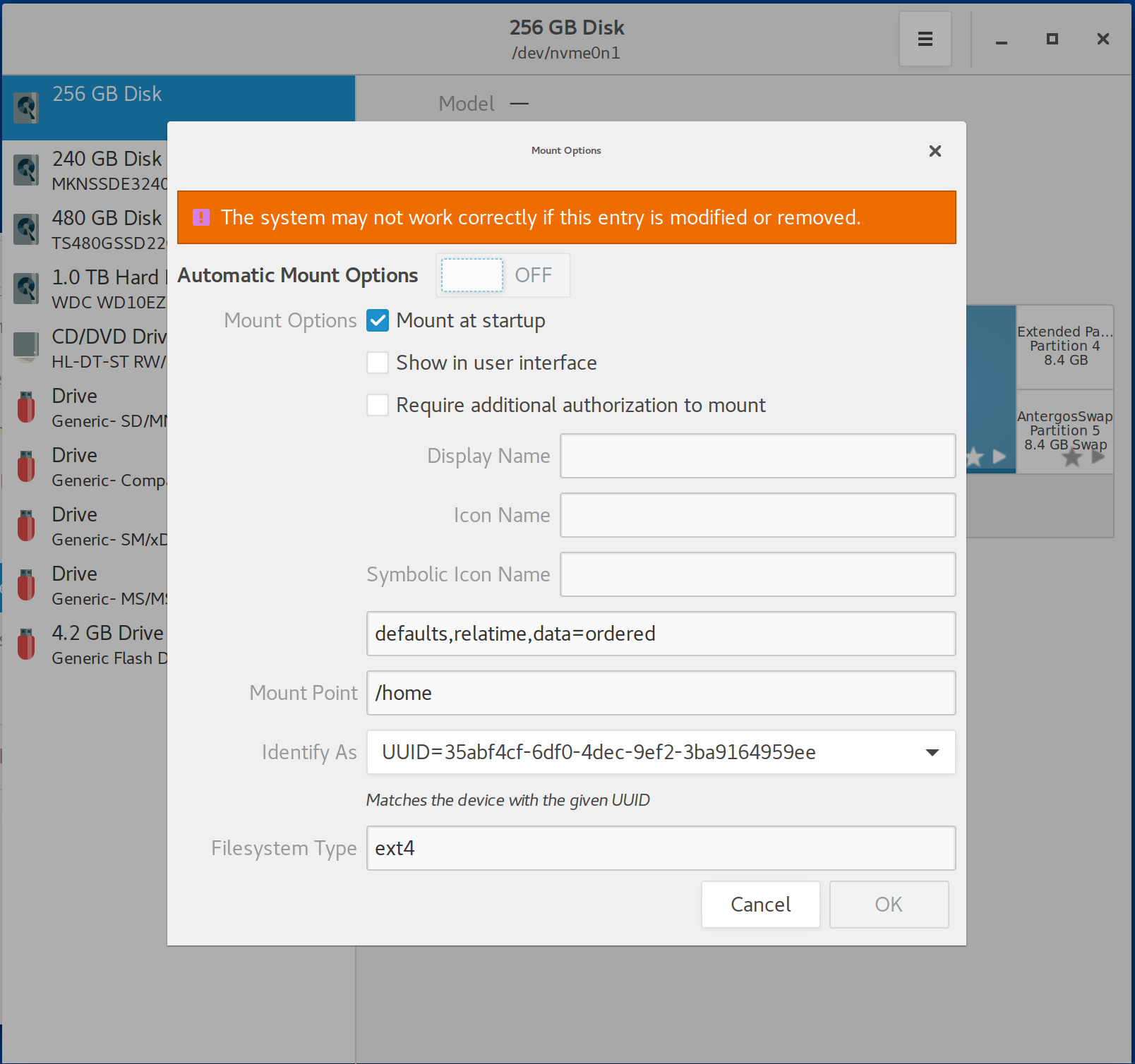
Gnome has a tool called Disks, click on your Activities tab and search for it, when you open it, select the disk drive on the left you want to use, then select which file system on it you would like to mount. There will be two wheels below the Volumes section - “Additional partition options”, click on that then Edit Mount Options, untick Auto Mount Options, below you can specify the mount point you want to use, in your case you can use /home or some folder in /home. Make sure “Mount on Startup” is selected. Reboot and your B drive should be automatically mounted to where your specified.
Also someone correct me if I’m wrong, but I believe Linux could read ntfs, but the opposite isn’t possible if you were trying to access a filesystem coming from Linux on Windows, say btrfs or ext4.
How do you have so many packages  All I’m finding is xorg-x11-drv-amdgpu.x86_64 : AMD GPU video driver, this is on Fedora 25 with only the polaris-gfx copr repo added.
Turn off fast startup on windows.
Windows doesn’t actually shut down the system properly these days to try and improve startup speed.
Once you’ve done that you can add the drive to your /etc/fstab safely
nvm some how got turned on by windows
Should be under the Boot section in UEFI, it might also be called fast boot
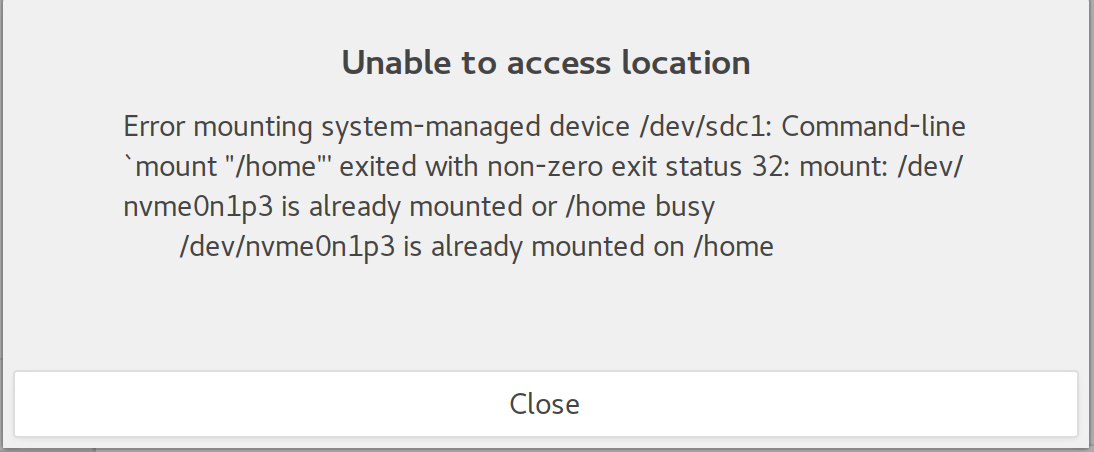
do i just go to the disks and unmount the home partition?