I got the GOG version and tried fiddling around with it but I’m not really sure which config files I need to put those lines of parameters into. I’ll just wait till you can get back to your PC and share your setup for it in more detail.
For now I’m going to focus on Unreal Engine and making some sort of dual GPU demo through the multi-process rendering nDisplay offers, hopefully I can cook up something good, nDisplay is rather flexible so hopefully I’ll be able to boost the FPS more than the 40 extra I got last night with my SFR setup.
Dual GPU unreal project is on a bit of a pause until I can get this setup / config file from you. I tried fiddling with it but wasn’t able to get anything to work. If I get the config information I should be able to make a unreal project on the version that supports it for a multi GPU game.
Alternatively I’ve been thinking about digging into world of graphics programming, maybe mess around with DX12’s built in mGPU support and try to make a real time path / ray tracer.
So… A problem has been encountered (and solved) in the 72.xxx to 81.xxx drivers from nvidia in regard to any 5.xxx series GPU, please follow the bouncing ball.:
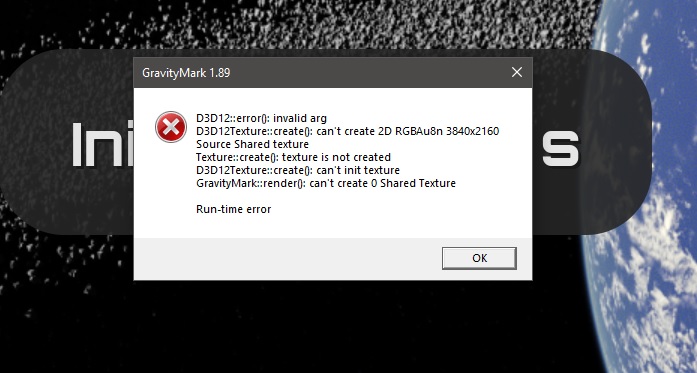
When trying to run Direct X (instead of Vulkan) I get this error every time, but vulkan runs fine.
The 2.xxx, 3.xxx, and 4.xxx series GPUs work on multi GPU mode for VK and DX12, however
the 5.xxx series GPUs only work in VK and not DX12 due to a driver issue with nvidia.
This for DX12 mGPU and is not referencing SLI
AMD GPUs do not have an issue in mGPU for DX12 or VK
The issue, repeat, is unique to nvidia 5.xxx series cards andDX12 due to a driver issue.
The issue has been reported many times but nvidia has been silent on responses, zero feedback
This was also reported on other forums - again nvidia has been silent.
The error manifests in applications aor games that can take advantage of DX12 mGPU and VK
Examples would be Ashes of the Singularity and GravityMark
Ashes of the Singularity crashes when selecting DX12 mGPU in the Ashes menu
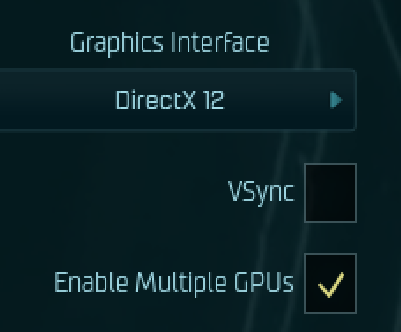
Gravity mark crashes when selecting DX12 instead of VK
Strange Brigade works on mGPU and Vulkan but crashes on DX12 and mGPU
D3D12 WARNING: ID3D12Device::RemoveDevice: Device removal has been triggered for the following reason (DXGI_ERROR_DRIVER_INTERNAL_ERROR
Ashes of the Singularity crashes the same way when selecting DX12 and mGPU:
The issue was also reported on the developer forum:
truncated:
//*********************************************************
//
// Copyright (c) Microsoft. All rights reserved.
// This code is licensed under the MIT License (MIT).
// THIS CODE IS PROVIDED AS IS WITHOUT WARRANTY OF
// ANY KIND, EITHER EXPRESS OR IMPLIED, INCLUDING ANY
// IMPLIED WARRANTIES OF FITNESS FOR A PARTICULAR
// PURPOSE, MERCHANTABILITY, OR NON-INFRINGEMENT.
//
//*********************************************************
// Enumerate adapters to use for heterogeneous multiadaper. Use_decl_annotations
HRESULT D3D12HeterogeneousMultiadapter::GetHardwareAdapters(IDXGIFactory2* pFactory, IDXGIAdapter1** ppPrimaryAdapter, IDXGIAdapter1** ppSecondaryAdapter)
{
if (pFactory == nullptr)
{
return E_POINTER;
}
// Adapter 0 is the adapter that Presents frames to the display. It is assigned as
// the "secondary" adapter because it is the adapter that performs the second set
// of operations (the blur effect) in this sample.
// Adapter 1 is an additional GPU that the app can take advantage of, but it does
// not own the presentation step. It is assigned as the "primary" adapter because
// it is the adapter that performs the first set of operations (rendering triangles)
// in this sample.

ThrowIfFailed(pFactory->EnumAdapters1(0, ppSecondaryAdapter));
DXGI_ADAPTER_DESC1 descSecondary;
ThrowIfFailed((*ppSecondaryAdapter)->GetDesc1(&descSecondary));

*ppPrimaryAdapter = nullptr;
ComPtr<IDXGIAdapter1> adapter;

ComPtr<IDXGIFactory6> factory6;
if (SUCCEEDED(pFactory->QueryInterface(IID_PPV_ARGS(&factory6))))
{
    for (UINT adapterIndex = 0; DXGI_ERROR_NOT_FOUND != factory6->EnumAdapterByGpuPreference(adapterIndex, DXGI_GPU_PREFERENCE_HIGH_PERFORMANCE, IID_PPV_ARGS(&adapter)); ++adapterIndex)
    {
        DXGI_ADAPTER_DESC1 descPrimary;
        ThrowIfFailed(adapter->GetDesc1(&descPrimary));
        if (descPrimary.AdapterLuid.HighPart != descSecondary.AdapterLuid.HighPart || descPrimary.AdapterLuid.LowPart != descSecondary.AdapterLuid.LowPart)
        {
            break;
        }
    }
    *ppPrimaryAdapter = adapter.Detach();
}
else
{
    ThrowIfFailed(pFactory->EnumAdapters1(1, ppPrimaryAdapter));
}
return S_OK;
}
Summary:
Issue is localized to 5.xxx series nVidia GPUs on DX12 mGPU (non SLI)
This is 100% reproducible on 5.xxxx GPUs and mGPU/DX12
Additionally, the issue is independent an non-relevant to any BIOS setting or motherboard
tested on Asus WS PRO, Asus Sage Gigabyte MZ72 series and MZ73 series.
OS was fully patched Windows 11, and Windows Data Center 2022 and 2025
All GPUs tested were the Founders Edition, except for the AMD GPUs of course
This applies to all drivers so far from 572.16 to 581.15
The Omniverse Kit has worked fine with the dual 5.xxx series cards in DX12 applications
I’ll repeat that:
ONLY the Omniverse Kit has worked fine with the dual 5.xxx series cards in DX12 applications.
So I went on a deep dive of the profile parameters in profile inspector for the Omniverse Kit.
There are several unique modifications compared to other profiles and so I tested each to eliminating the key that makes or breaks Dual 5.xxx series cards from working in mGPU mode in DX12.
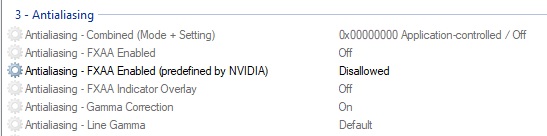
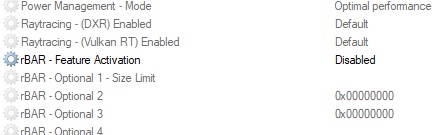
The only differences, but effective are:
and
That was all it took.
REGARDLESS if those feature flags are used or not, they have to be disabled (both) in the profile of the app/game for DX12, or mGPU will not work
I expected something more elaborate as I was diligently eliminating Omniverse specific keys, but alas, turns out only these two variables need to be set.
What makes NO SENSE is a side effect of some benchmarks having higher scores in Single GPU from those variables being set.
Obviously there is a significant issue in the nvidia drivers from 72.xx to 81.xx and this is just a work around, hopefully nvidia will fix it soon …
~unless it was deliberate
.
.
.
…
in making the workaround for the issues (above) in the nvidia driver when using dual 5.xxx series GPUs. there was also a side effect of performance improvement in some dual and single GPU cases.
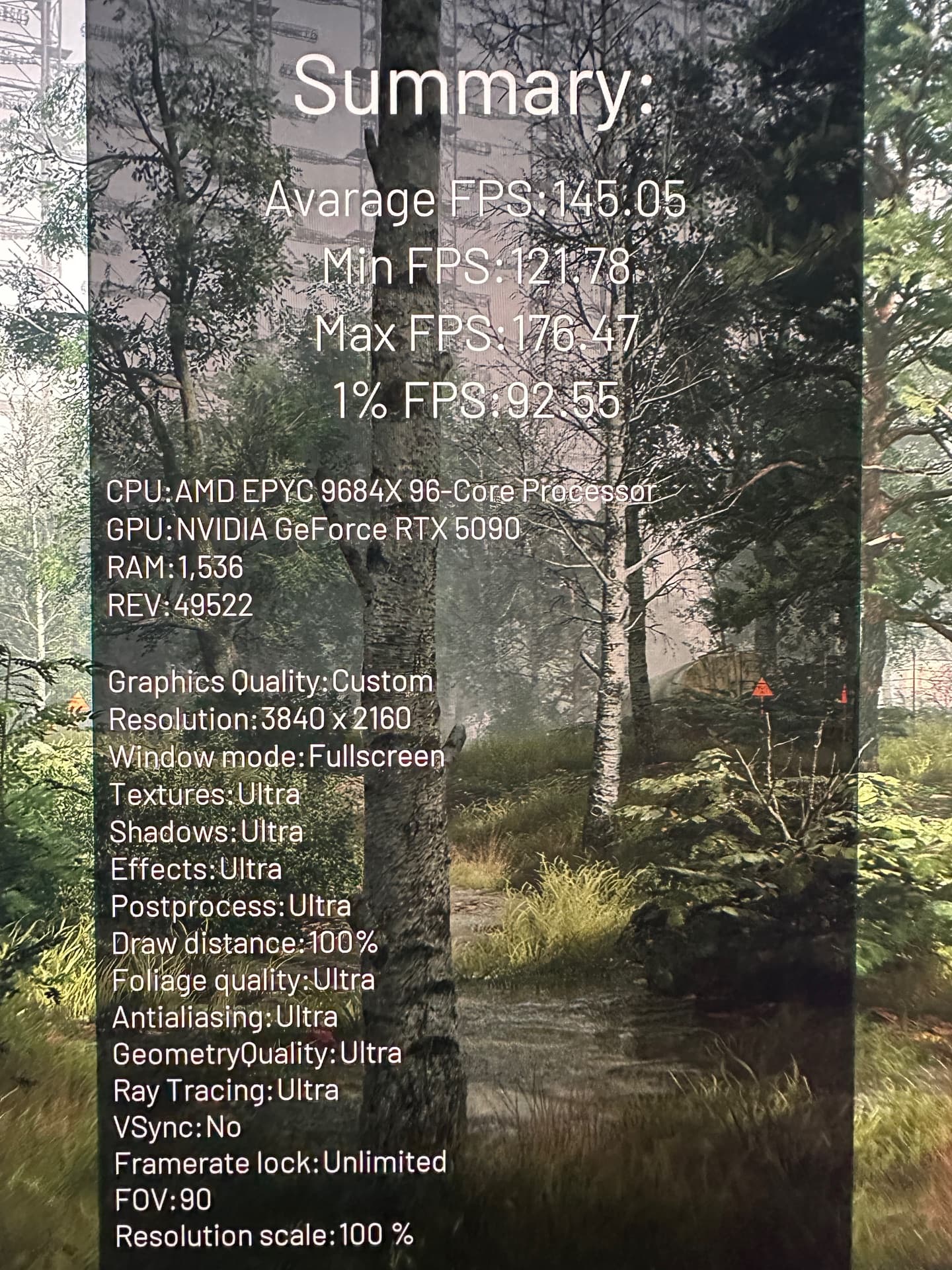
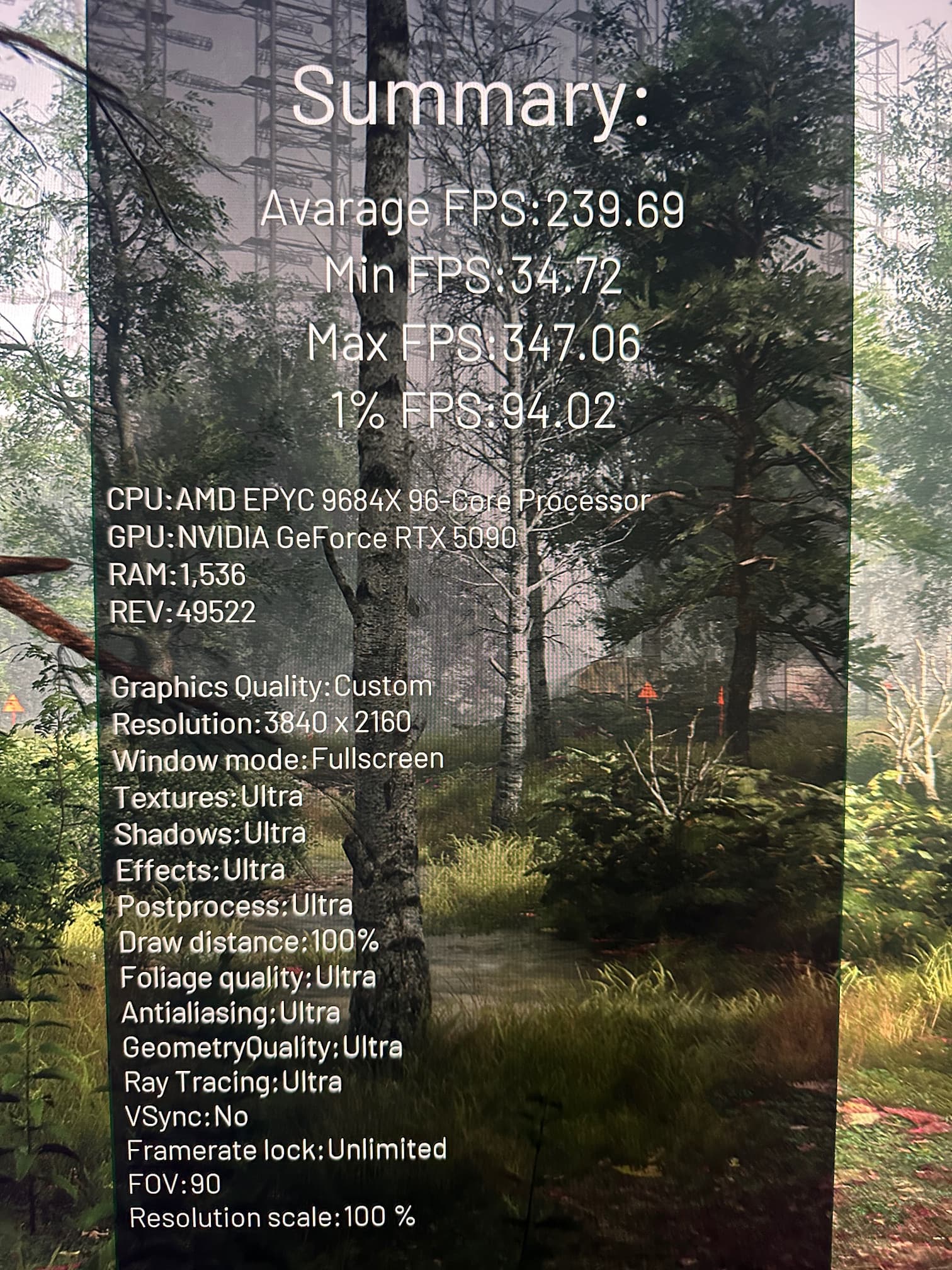
Chernobylite has an extensive and well thought out internal benchmark. It displays the settings used in the benchmark and they are displayed in the in the foreground while the benchmark continues in the background/
At max settings Max Ray-tracing, Max visuals, 4K, no DLSS, no Frame Gen:
That looks the classic issue of Rebar = bad for mGPU. On AMD’s side you can’t enable mGPU without disabling rebar/SAM in bios on the Rx 6,000 series. It’s even listed in AMD’s notes about mGPU.
All the drivers are now tuned for single card high cache cpus like x5800x 3D, 7800x 3D, & 9800x 3D.
Even my single card scores in are higher in benchmarks with a single card on my two RTX 2080 ti’s in S.L.I setup with a 5800x 3D. The games however are NOT the same. A higher clock cpu, as I’ve had a 5600x in here that clocked to a 4.85ghz vs this 3D caches measly 4.50ghz-4.55ghz. The 5600x scores slower on benchmarks, but gets higher fps during regular game play. ¯_(ツ)_/¯ The
1% lows & 0.1% lows are only issue if they become an average low fps by comparison.
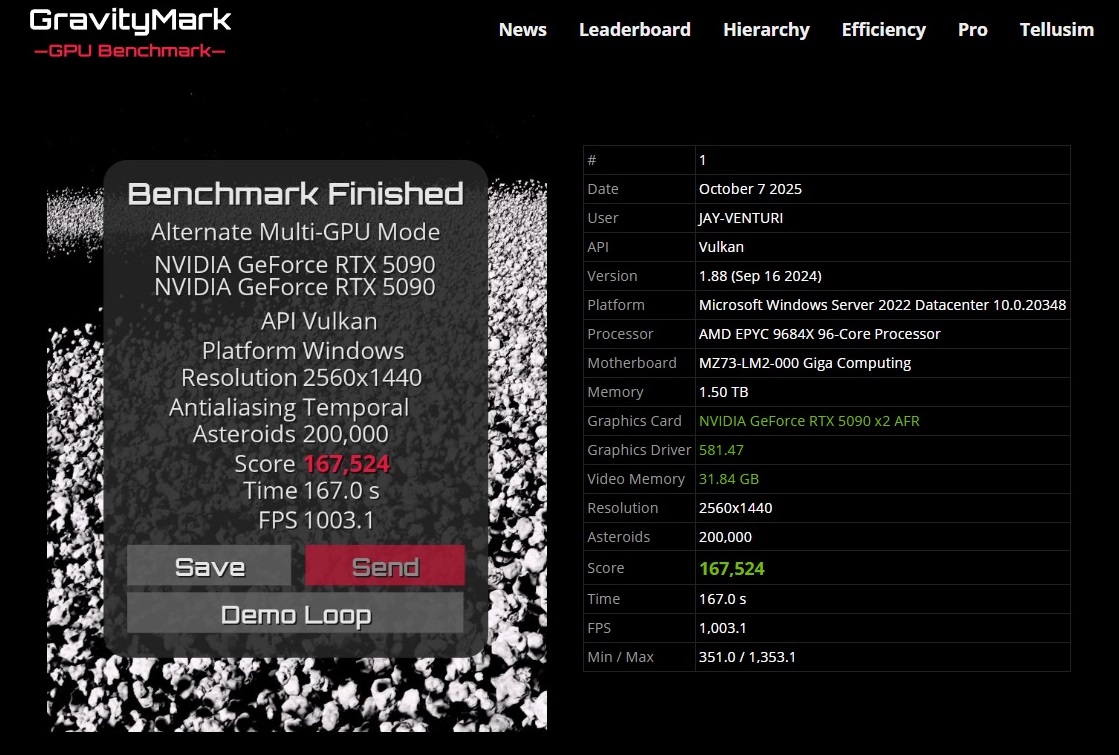
Thanks for posting the fix! Whenever you get around to it post your run sometime, I’m curious with DX12 and your more optimized / better hardware system if you might be able to push 1000+ FPS on GravityMark. I was just barely able to beat your best Vulkan run by using DX12 and overclocking the hell out of both of my 5090 FE’s (+700MHz Memory Clock, +370MHz GPU Core Clock).
I haven’t done much with my second GPU since getting it except using some local AI (gpt-oss-120b mostly) and enjoying much faster blender renders. In other news I have contacted the developer of GameTechBench and asked if they could provide one of the older builds that still has mGPU support, I am waiting to hear back, hopefully they respond soon.
Also if you can get around to it if you could post your Engine.ini file or similar configuration file for Chernobylite that would be sick, I really want to try running a actual unreal engine game with mGPU but even with all the fiddling I’ve tried I cannot figure out how to do it.
Sir,
that is a great score you have there!! That’s great for DX121 You really over locked those Fees to the max .
the DX12 benchmark will always be slower than the Vulkan, unless Tellusim provides some optimizations. The best I could do was just to solve the nvidia block on DX 12 MGPU, but Vulkan seems overall better in mGPU.
As DX12 scores go, what you did was amazing!!
I’ve tried , but my DX12 runs seem to not break 161xxx
I’ll have to see if I can find those Chernobyl ini files, and post them for you.
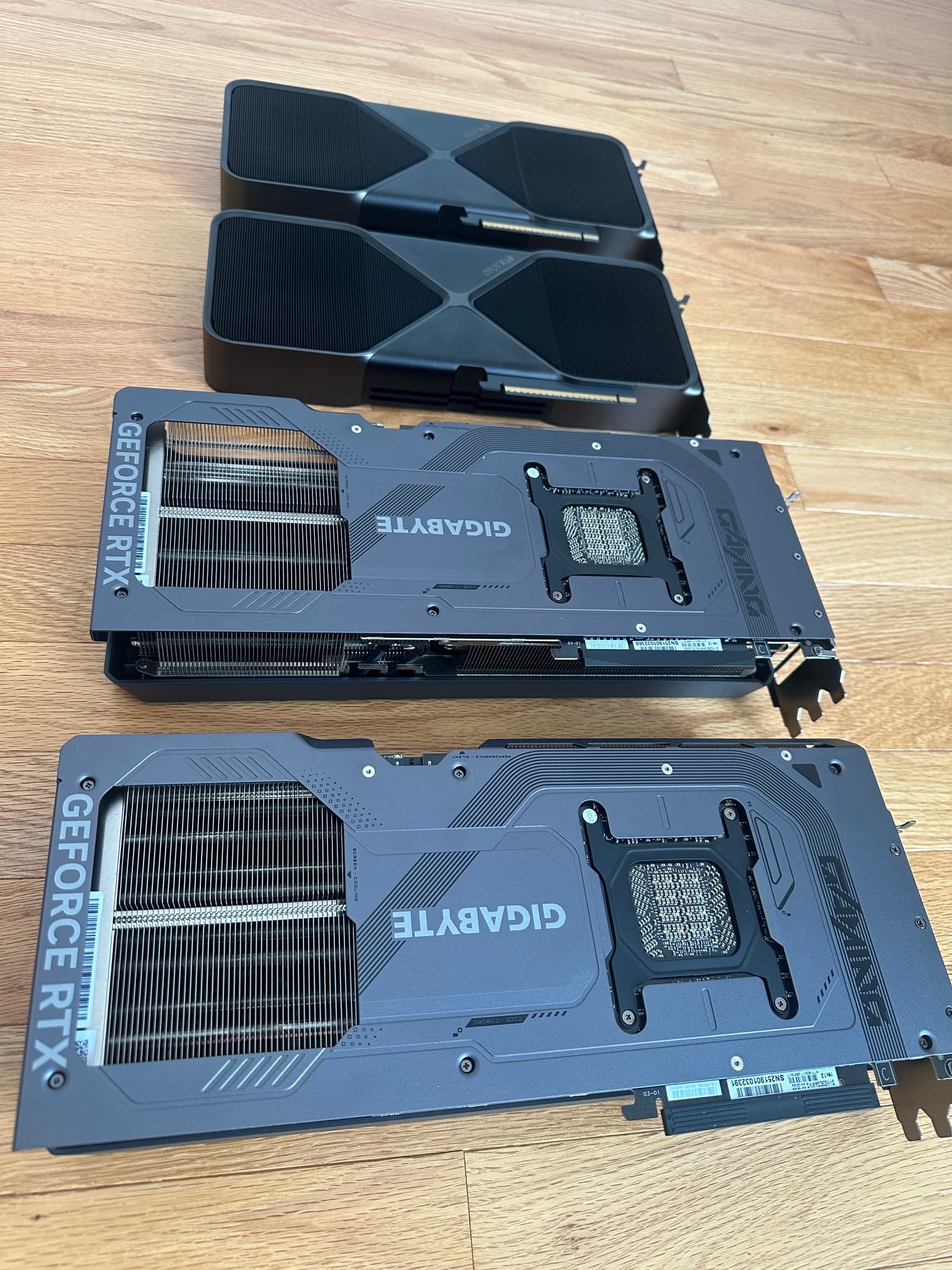
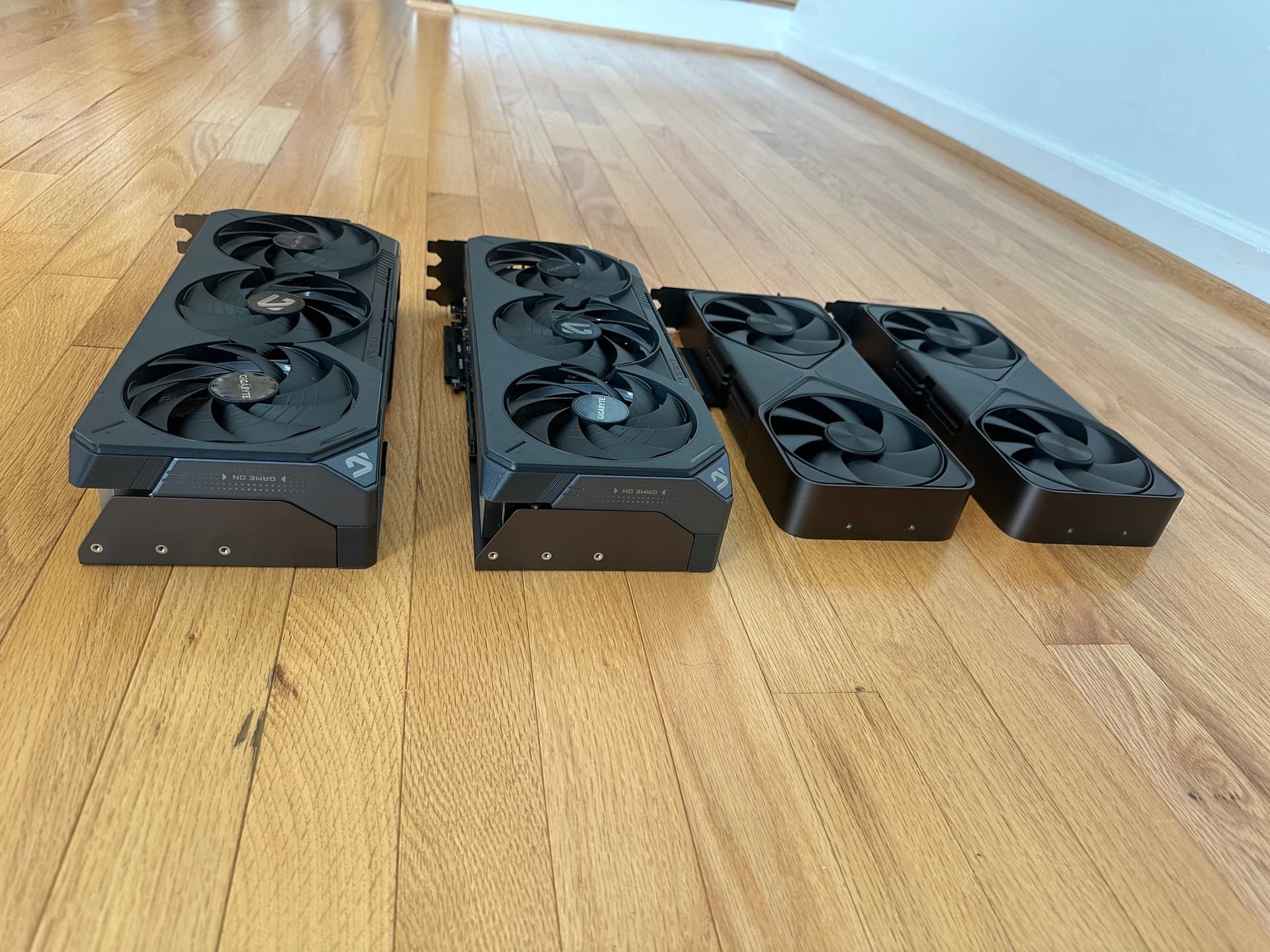
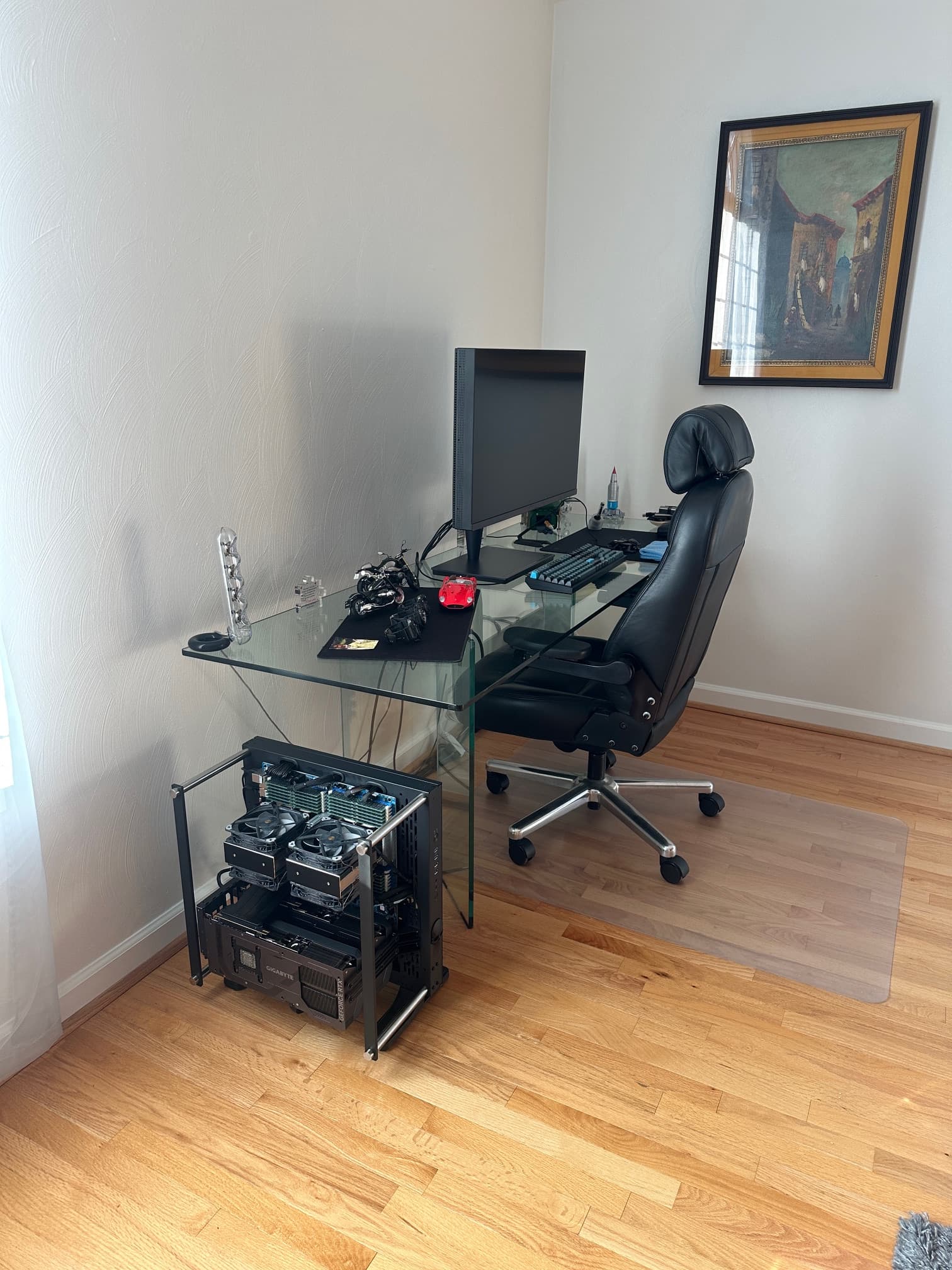
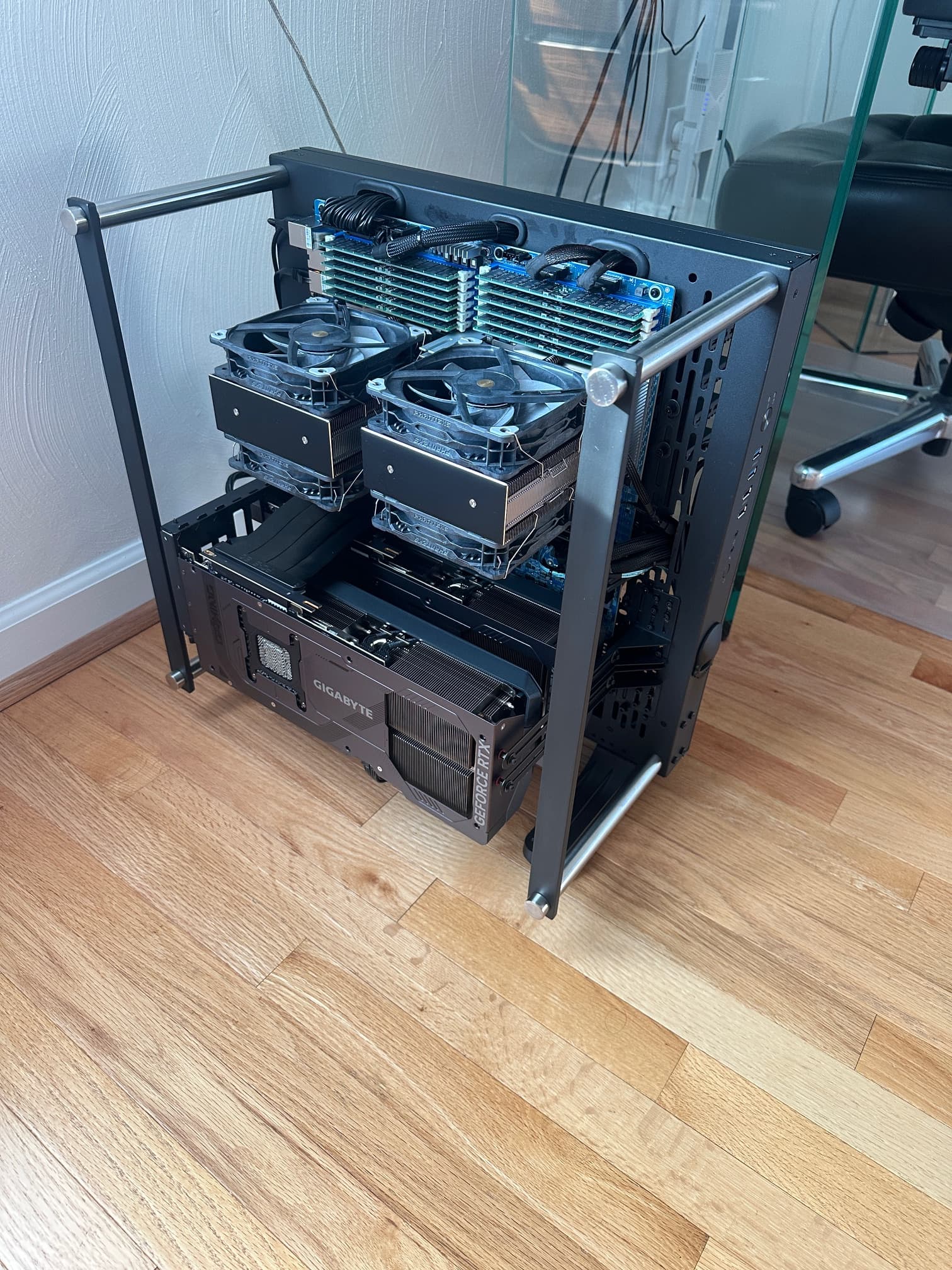
So this required modding the PC, you can see the modding on this thread:
The final product runs silent (in most cases, unless a heavy gaming session, but even then its not loud)
Under load the cards peak at 68-70C, which was lower than the Founders Edition, but more importantly, when the video card fans are not going, the cards stayed around 39C in a room that is normally about 71F.
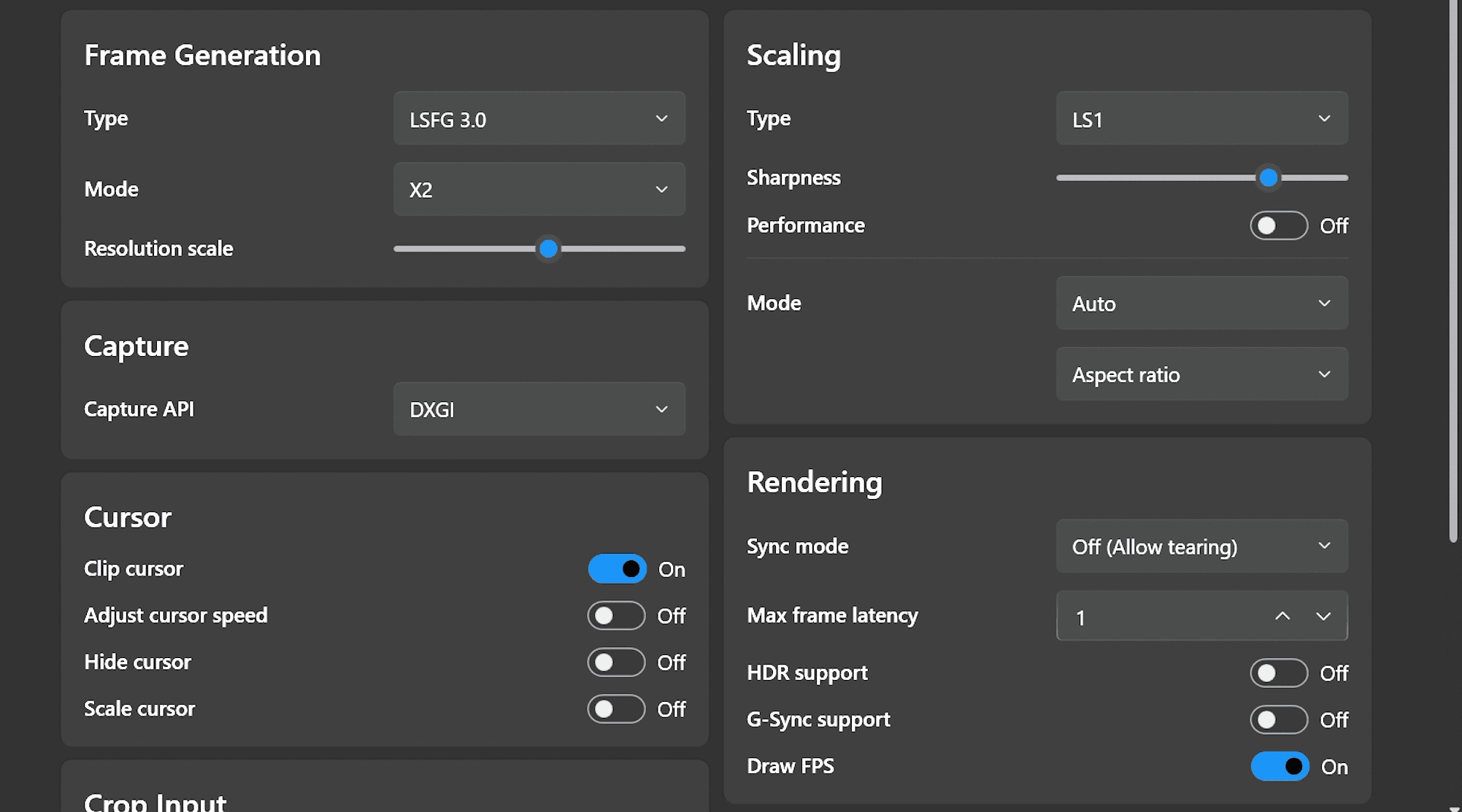
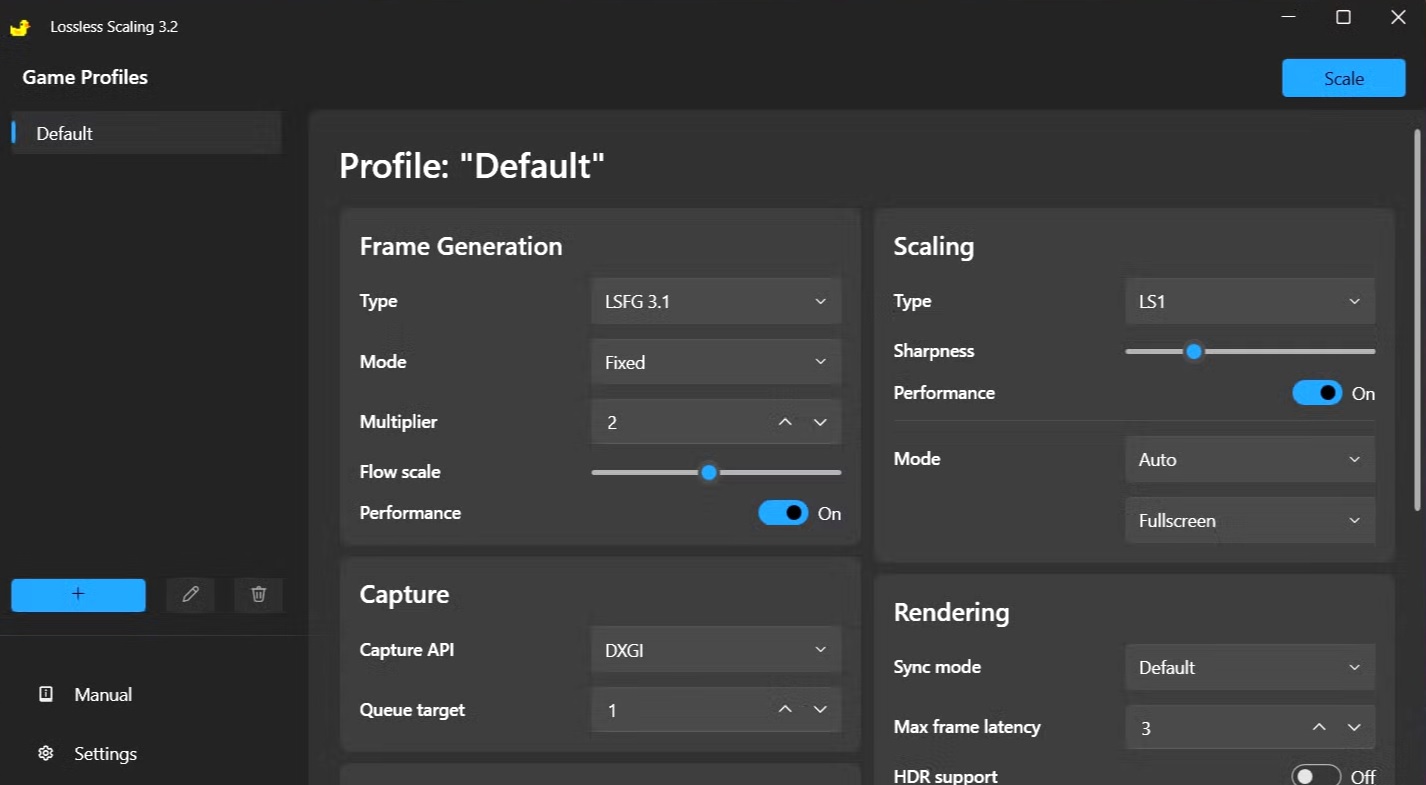
I could provide a lot of tweaking suggestions but there are so many mega -threads on lossless scaling, I figured you can sample everyone else’s advice and come to your own preferences.
I would suggest limiting the FG to just 1, and not be temped by 2x, 3x, and 4x, but I’m more of a visual stickler than most.
I don’t Steam, so I got my stand alone copy of Lossless Scaling from Humble Bundle for $6.99
been messing with lossless scaling and UE4 and UE5 titles
for unreal 4 and 5 engine games, use this for the default engine as a catch all, also remember to modify your shortcut to " -DX12 -MaxGPUCount=2" or " -DX12 -MaxGPUCount=4"
you can also use the lossless scaling
parameters that are not applicable, are ignored, it should provide a boost, just disable streaming. Make sure you haver at least 16 cores
[Core.Log]
Global=all off
LogAI=all off
LogAnalytics=all off
LogAnimation=all off
LogAudio=all off
LogAudioCaptureCore=all off
LogAudioMixer=all off
LogBlueprint=all off
LogChaosDD=all off
LogConfig=all off
LogCore=all off
LogDerivedDataCache=all off
LogDeviceProfileManager=all off
LogEOSSDK=all off
LogFab=all off
LogFileCache=all off
LogInit=all off
LogInput=all off
LogInteractiveProcess=all off
LogLevelSequenceEditor=all off
LogLinker=all off
LogMemory=all off
LogMemoryProfiler=all off
LogMeshMerging=all off
LogMeshReduction=all off
LogMetaSound=all off
LogNFORDenoise=all off
LogNetwork=all off
LogNetworkingProfiler=all off
LogNiagara=all off
LogNiagaraDebuggerClient=all off
LogNNEDenoiser=all off
LogNNERuntimeORT=all off
LogOnline=all off
LogOnlineEntitlement=all off
LogOnlineEvents=all off
LogOnlineFriend=all off
LogOnlineGame=all off
LogOnlineIdentity=all off
LogOnlinePresence=all off
LogOnlineSession=all off
LogOnlineTitleFile=all off
LogOnlineUser=all off
LogPakFile=all off
LogPhysics=all off
LogPluginManager=all off
LogPython=all off
LogRenderTargetPool=all off
LogRenderer=all off
LogRendererCore=all off
LogShaderCompiler=all off
LogShaderCompilers=all off
LogSlate=all off
LogSourceControl=all off
LogStreaming=all off
LogStudioTelemetry=all off
LogTargetPlatformManager=all off
LogTelemetry=all off
LogTemp=all off
LogTextureEncodingSettings=all off
LogTextureFormatManager=all off
LogTextureFormatOodle=all off
LogTimingProfiler=all off
LogUObject=all off
LogUObjectArray=all off
LogUsd=all off
LogVRS=all off
LogVirtualization=all off
LogWindows=all off
LogWindowsTextInputMethodSystem=all off
LogWorldPartition=all off
LogXGEController=all off
LogZenServiceInstance=all off
PixWinPlugin=all off
RenderDocPlugin=all off
LogLinker=All Off
Global=Off
bEnableCrashReport=False
My very high level understanding is that DX12 it provides some tools to essentially allow developers themselves to handle how they deal with multiple GPU’s instead of the traditional SLI/Crossfire implementations.
Some do, many do not.
But do we know exactly what they do?
My take would be that if they are intelligently splitting the load it could be pretty good.
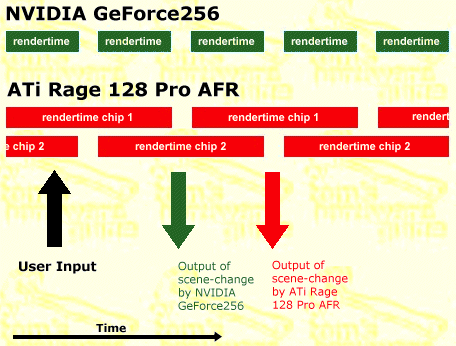
But if instead they are just alternating frames (AFR) like where almost all SLI and Crossfire implementations eventually landed, it is mostly useless.
I would choose lower frame rates on a single GPU 100 times out of 100, if all the multiple GPU’s were used for was AFR. AFR gives you better “averages” than with a single GPU, but those averages are not reflective of actual experience. Firstly it increases input lag something awful.
Toms Hardware explained this best in an illustration from back when he compared the Ati Rage Fury Maxx (Dual GPU) to the GeForce 256 SDR way back in 1999:
AFR also tends to have great framerates on simple scenes, but grind to a halt on more complex ones, meaning, when you could use it the most, it performs not much better than single GPU.
Now if there are mGPU implementations that intelligently split the load of a given frame across multiple GPU’s, that is way more interesting.
Hi,
I spent a while writing the answer to your question, 3 hours later (Sponge Bob announcer voice) I realized I was writing a summary dissertation on the subject.
The short answer is that it may be AFR, but more than likely an SFR implementation or direct controlled load balancing by the application itself as this is on lower level API.
Here are some links , to start with that would save me from another dissertation (this forum doesn’t provide post graduate credits… or would they?)
I’ll include the intel example where SFR is one technique, but its really up to the developer, Ashes of the Singularity had their own approach and load balancing.
Also, while easily implemented, I don’t consider lossless scaling to be a true mGPU part as they are not real frames/new content.
Yes, 16x is still broken in Blackwell, supposed to get fixed in 585, 587 or 591,… supposed to be fixed that is.
It would be nice to have the performance of 572, features of 590, fixes of 581, and 16x AF fixed…
…I ask so little, and boy do I get it!
~in my ecosystem, the difference between 572.16 and 581.47 is about 5%-ish drop in performance, come on nvidia! Let’s get the performance back!
~now I do use my rig for ML/CNN algorithms and there where other reasons to go to 5090, but IF this was about gaming alone:
I don’t overclock, but I could overclock my 4090s to get the gap, and saved money on skipping the 5090s when the difference is 5% in performance! (no DLSS)
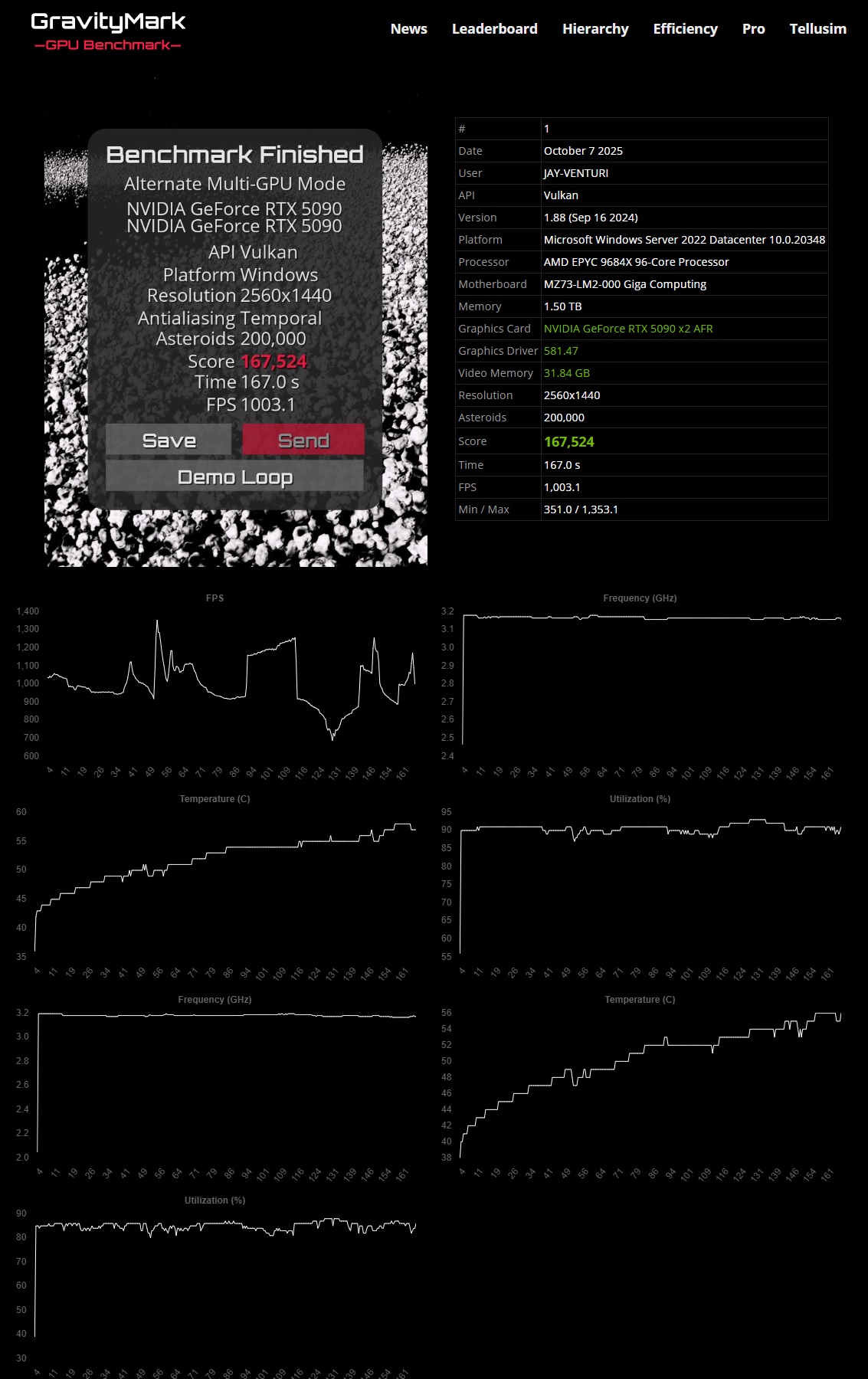
Before I make an inaccurate blanket statement, the 5090s overclock amazingly well without under-volting or power changes so I can’t fault that, and temps stay reasonable the whole time on a long bench loop at max/high utilization . Check the data here:
Frequencies stayed between 3,189 and 3.224 the whole time.
Temps never got warmer than 57’C for the whole run
Utilization stayed between 87% and 93% till completion
Frequencies, Temps, and Utilization are reported independently for both cards.
(changes in FPS are due to 9 different scene/load changes within the bench)
…you might want to try Gravitymark yourself as it is a good way to bench and hone you GPUs. Can use any/all the APIs (DX12/Vulkan etc)
but it also is a great stability and benchmark to root out driver issues etc as benches can be customized and allow for scene increases including objects and processing
Go see how you do!
Lastly, 2 things:
I trim the drivers as explained above
no app
I have the nvidia container service set to manual, so its not running in the background (slight higher benchmarks)
~rather → I use inspector/profiles, faster, more convenient, no issues, nothing running in background
.
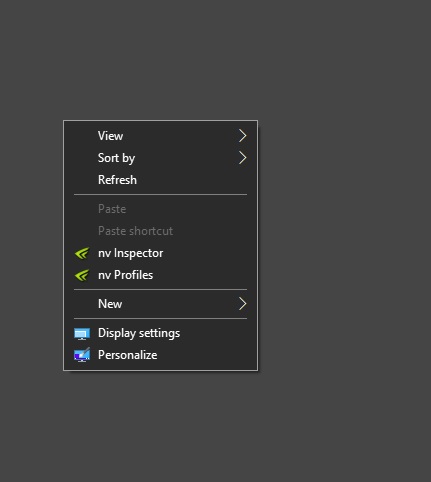
Example, here is my Right-Click:
.
.
One more thing, my gaming benchmarks use MAX visuals , this includes the Global Setting to HIGH QUALITY for texture filtering, and NO Shader Cache, (and No DLSS anywhere) please take that into consideration while doing benchmarks:
and
.
.
Please remember to use correct ReBar size limits in the relative app/game:
I would ask you if you’ve personally evaluated any upscale or framegen tech.
While I understand that these things aren’t necessarily for you, at least on a philosophical level, I would love to hear your thoughts on Lossless Scaling results, in particular with your dual-5090s.
I’d also love to hear your thoughts on heterogenuous load, both in your mGPU straight render and in something like Lossless where the load is split not within the frame but within the pipeline from engine to screen.
Sir,
yes, I have personnally evaluated, tried and tested upscaling and framegen tech.
IMHO:
I find lossless scaling to do, in fact, the thing(s) most folks seek: provided higher FPS and reduce some stutters.
But that is more of a visual lie and other compromises do take place.
However, LS does not render any real “new” frames and does suffer from various visual anomalies , artifacts as well.
With the hardware/software, for gaming, I would rather, see more AFR or SNR than lossless scaling.
If lossless scaling is here to stay, it would be better for AMD and Nvidia to include it with the driver control panel (not an app) and make it selectable and more polished, for all GPUs.
I did/manage to implement, successfully, lossless scaling for dual 5090s and be able to inject LF into most games, successfully. However, I am also keen to see the many visual aberrations from the process.
Example, if I was getting 200-300 FPS in max visuals from a game with mGPU, with LF implemented, I can get 400-500+ FPS.
BUT visually it is a deprecation, lastly if I am already getting 200-300 FPS (my monitor only goes to 144hz) than why bother trying to get 500FPS?
Unbiasedly, ~Lossless scaling’s niche if for folks that need to get up to or above 60FPS or specifically, the gap from where the game is limiting in FPS so that with with LF help → get up to the refresh rate of the monitor. Most folks that use LF are also probably folks that would also use DLSS.
So Lossless Scaling’s forte is going to be raising FPS to someone’s monitor refresh rate when the game optimizations and DLSS can’t close the gap independently.
.
.
with that said, the elegance is the brute force of rendering every frame, with no DLSS and no Frame Gen, at 4K+, without using any driver gimmicks (resolution reduction) techniques. That improvement over every card generation is/would be what would validate a purchase to an upgrade.
HOWEVER, manufacturers such as nVidia, may not be able or willing in a price point category to provide consumer level improvements from generation to generation to a 20-40% - leaving driver gimmicks to close the gap, such as
~DLSS (screen resolution reduction)
~FG (fake frames)
~Lossless scaling, (more fake frames)
~developers reducing detail, textures, lighting, effects etc for optimization after a game is released, due to lackluster performance and inefficiencies, rather than actually fix core issues.
these are all placebo replacing RAW performance improvements
Further:
in example. nvidia software/driver limits FG and DLSS modes to newer products and deprecates features for prior products, this makes Lossless Scaling ideal for folks who want the FG but don’t have the most recent hardware.
Where Lossless scaling can benefit is if the pipeline (using your term) is part of the load balancing to mimic true SFR or AFR… well… I’m in favor of that, more so towards SFR
Again, this is all IMHO
respectfully
.
.
… Lastly:
if this was just about gaming, then I am definitely the POT calling the Kettle black because I AM guilty of having to use a second card to make up for a lack of performance from a single card. So it is all a matter of perspective, and one justifying their own point of view. Maybe my logic is only logical to me and is biased, …or maybe its not.
Idk if acc precision is that important for your models, but given that Nvidia artificially caps the tensor rates for fp16 with fp32 acc, you could try using fp16 acc for a ~2x boost in compute.
That’s really easy to do if you’re using pytorch, see the following as a reference:
A simple torch.backends.cuda.matmul.allow_fp16_accumulation = True allowed me to have double the throughput in FP16 GEMMs with my 2x3090s.
(I know that you already saw this in the other forum, so feel free to ignore it, just posting it here for future reference to others)
I’m definitely coming from a perspective of “I want to play games and do cool stuff” so your more zen-science based approach is a lovely thing to see. That’s the kind of diversity of thought that - even if a Witch Hunter - we certainly need here.
Thank you for all your efforts, and I am looking forward to what’s coming next from you.
I just want to mention some of Nvidia’s profiles do split load but they favor the single card for lower power usage.
Example here is an old DX11 game from 2016/(2022 for definition edition) Outward when running just normal S.L.I profile on two RTX 2080 ti’s the driver will load one card main card all the way up to 99% the other card then gets the slip over. Which could anywhere from 0% up to about the highest I’ve ever seen was 35% on this game. However this doesn’t mean I’m getting better performance or better scaling. The game went from about 60fps to 75fps sometimes 90fps
When I go in the control panel & set it on to A.F.R 2 the game runs at a massive 120-140fps in the same area, but the GPU load is now around 65%-85% on both cards. Most reviewers would say that’s bad, because both GPU’s aren’t a 99% now.
In my opinion & from experience older driver done Crossfire S.L.I & mGPU are game engine dependant.
I think Quake II RTX is the on mGPU I got work with these cards that’s Vulkan & it’s much better than DX12. Seem like DX12’s got some bottleneck issues compared to games that have the ability to use other DX12 or Vulkan. Vulkan just runs better smooth & fast most of the time