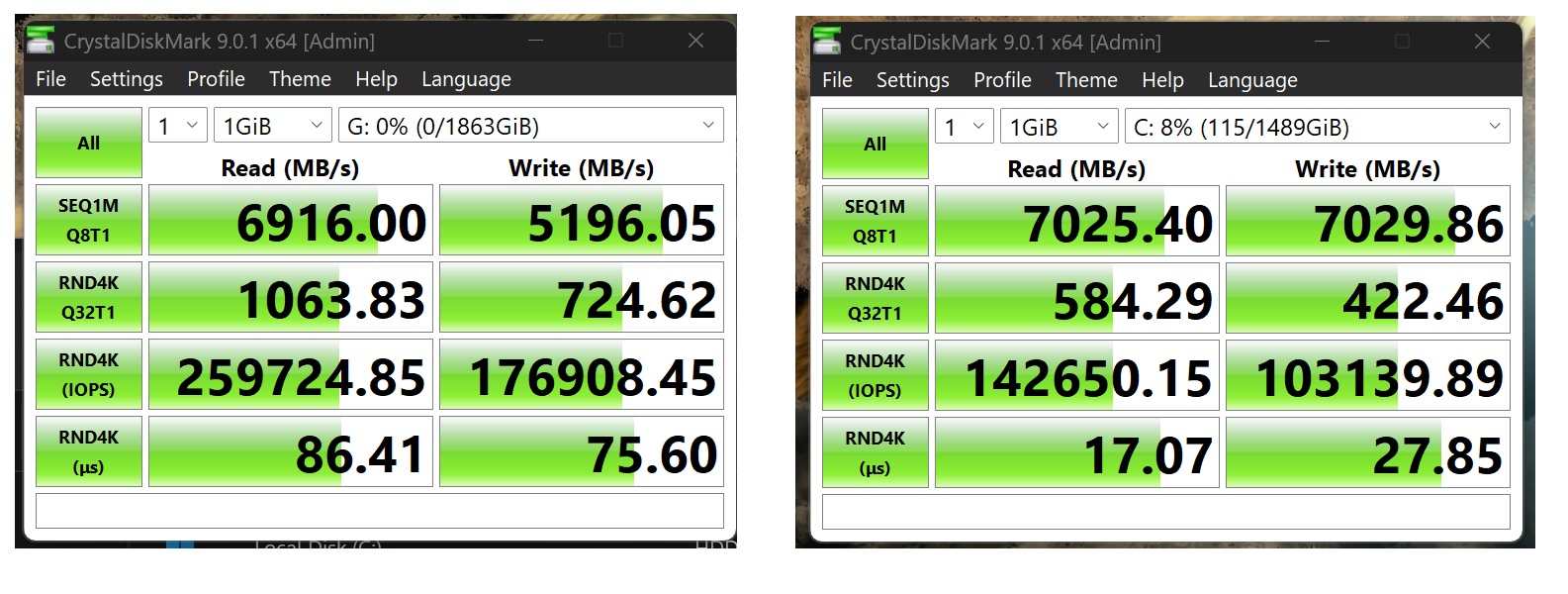
Yes. PCIe lanes directly connected to the CPU perform best. Chipset lanes, or other components in the signal path reduce latency.
The result is not earth-shattering though.
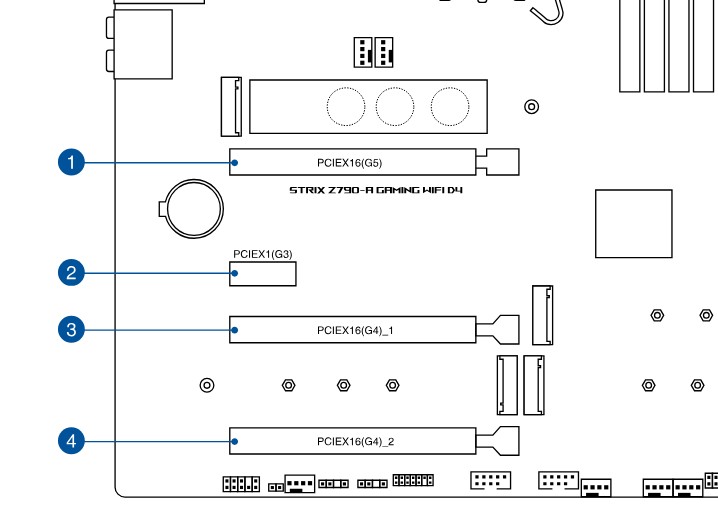
Got my gpu in the main slot, so either leave it in the bottom slot confirmed running at 4x4 or try out the janky m.2 nvme to u.2 for better latency/speed…
Not really an expectation but more just trying to make sure that I am getting the fastest speeds capable for this drive and build.
Im using a pcie to u.2 adapter which uses only chipset lanes.
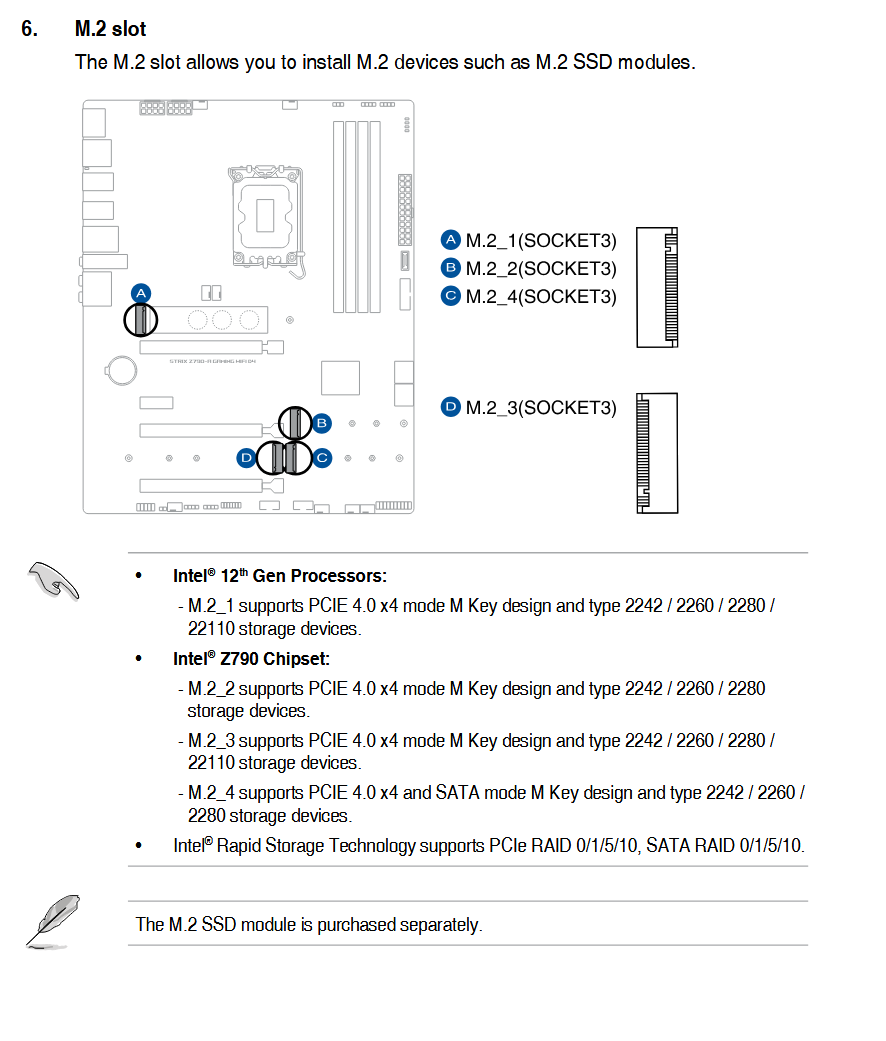
An nvme m.2 to u.2 adapter in the m.2 slot 1 which can use CPU lanes, might eek out more performance…?
I am just wondering if it will be a big difference or if its only something like less than 1% etc. I have no idea if I am missing something or if its negligible.
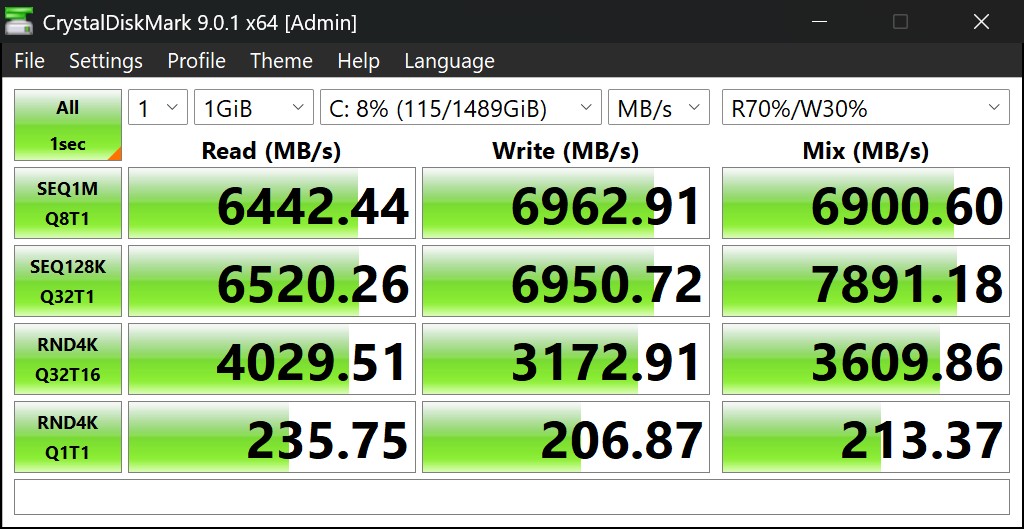
Your random 4k numbers look about 75-100MB/s slow, even on windows. Windows 11 has decreased performance of everything but it looks a little bit slow & your latency is not great at 17/27. I think you should expect to see ~300/300 random 4k and 12/12us.
I am running a p5800x with the same glotrends pcie 4.0x4 adapter that is linked above. It should work better than the screenshot you posted. Do you have a lot of stuff connected to the chipset? Does your chipset have a pci express 4.0 connection to the cpu?
Actually it looks like windows is getting pretty shitty. My performance is not actually that good anymore. Only like 265/265 MB/s with 15us of latency… Windows has really gotten shitty now that most of the code is written by Actual Indians.