ZFS High Availability in 2026 - Full How-to and helper scripts

ZFS-HA: Active/Standby File Server on a Shared SAS Disk Shelf (open source)

huge thanks to MICROCENTER for sponsoring this project!

Micro Center is THE AI Destination: https://micro.center/c07d51
Sign up for a FREE 128 gig flash drive at Micro Center Austin: https://micro.center/e1ae53
Shop Micro Center Ubiquiti Products: https://micro.center/60a478
Visit Micro Center News: https://micro.center/be3f27
TL;DR: Two commodity hosts, one SAS disk shelf, one ZFS pool that is
always imported on exactly one host at a time. NFS (and SMB!) failover via the ZFS sharenfs property. Pacemaker/corosync two-node cluster. Everything is open source and documented \Uffffffff repo with full how-to, validation record, and test harness: [TODO GITHUB]

What’s this running on?

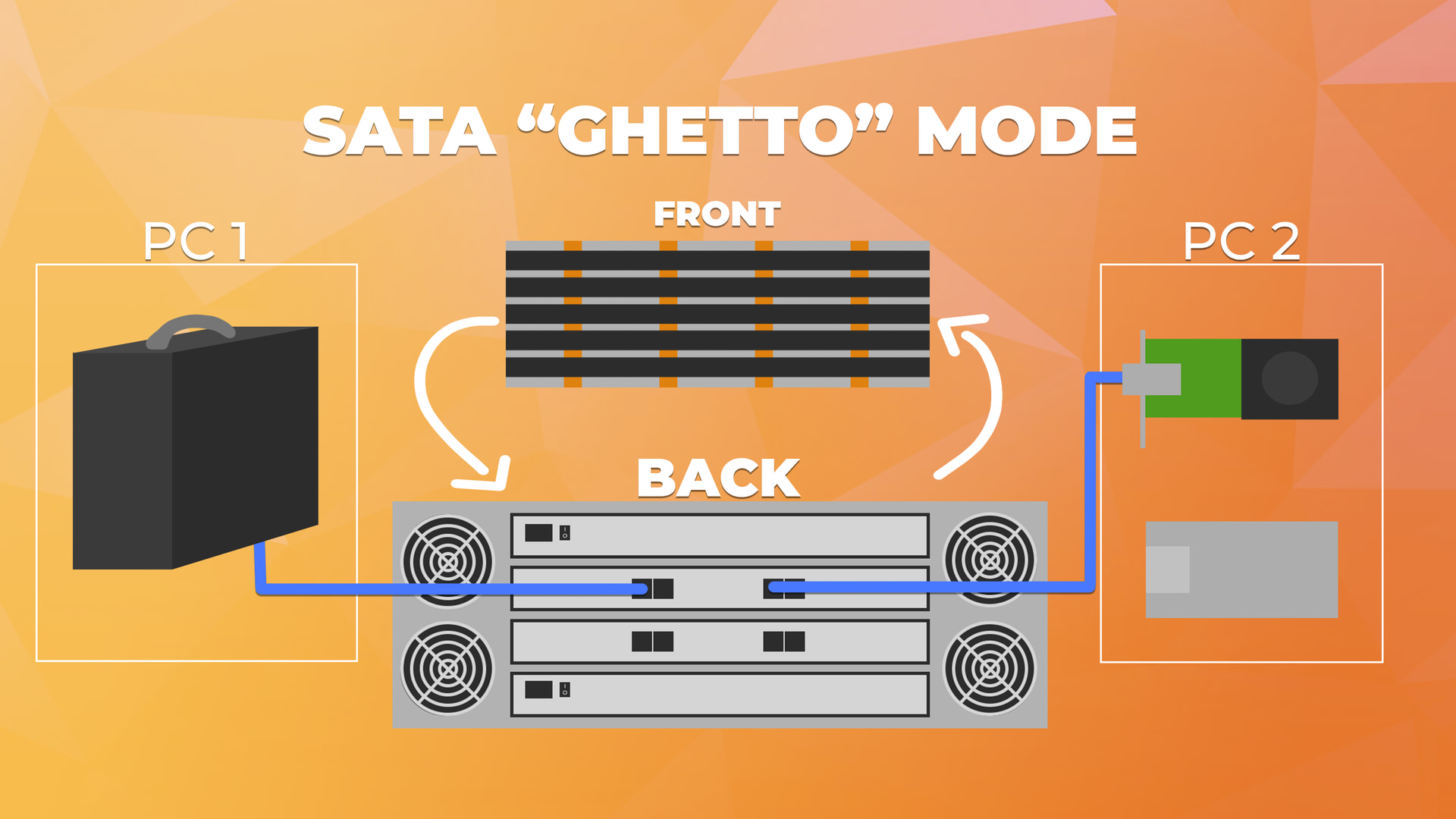
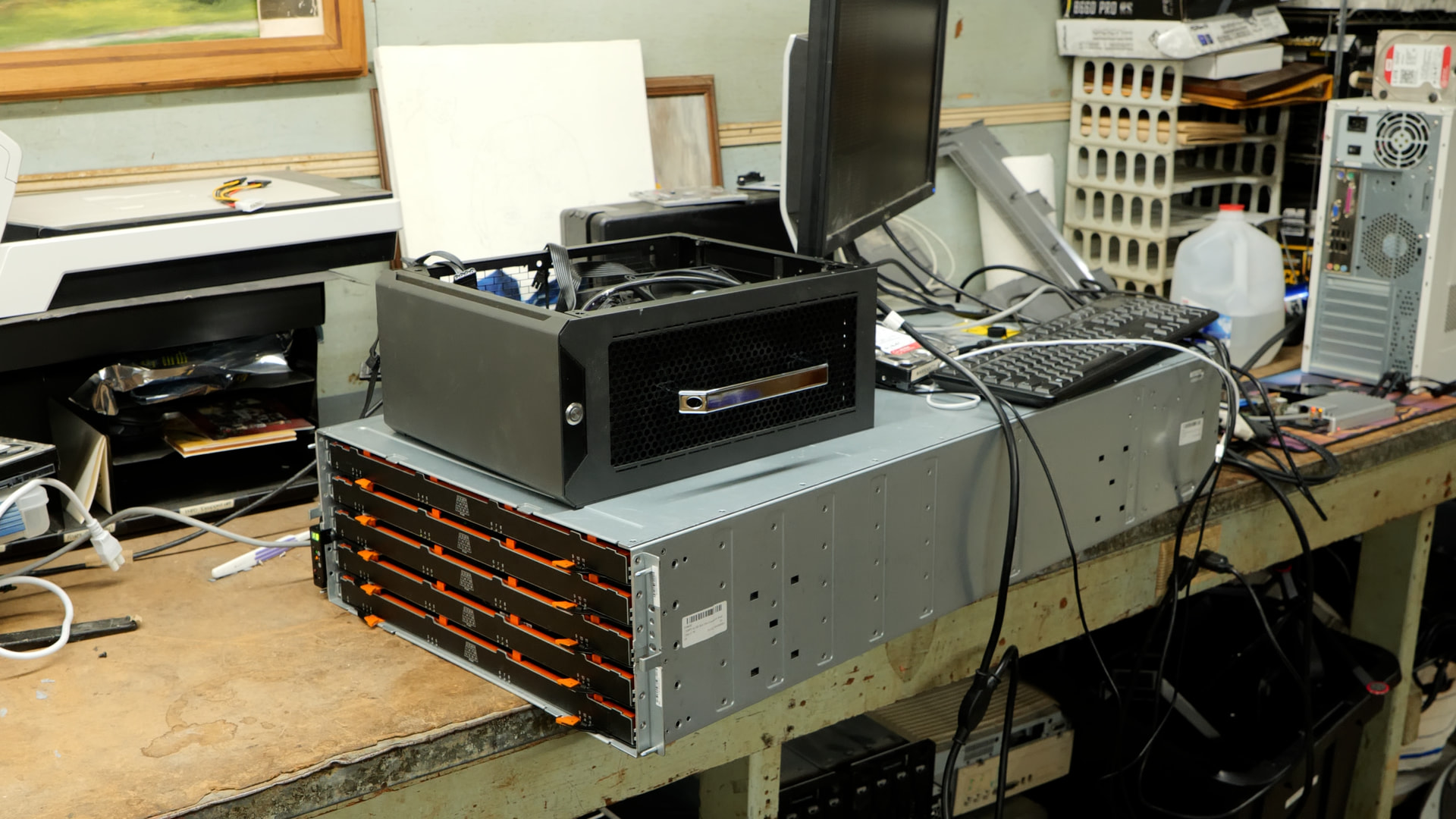
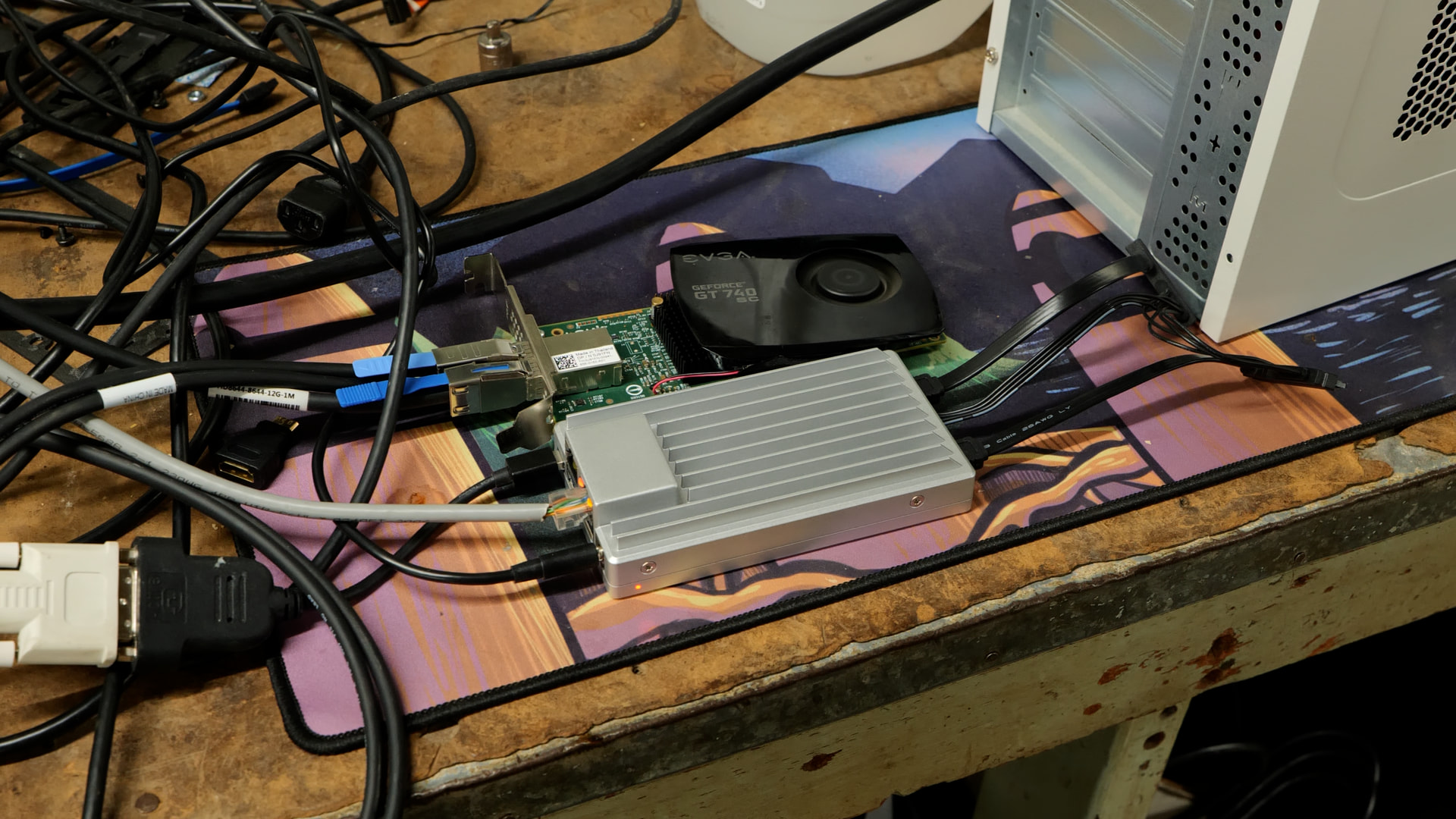
For this video, in addition to the disk shelf, the two computers in question are just what I had for testing: An AM4 system and a Zimaboard system based on a quadcore Intel Atom. Both of these have LSI 9006-8e controllers in them, attached to the disk shelf.


The problem this solves

You want HA storage on the cheap: two used servers, one used disk shelf
(eBay NetApp DS460C, HP D2600, Dell MD1200 all work), ZFS for data
integrity, and automatic failover when a host dies. Commercial HA-ZFS
products charge $25-30k for this; the parts cost under $4k.

The catch depends on your disks:
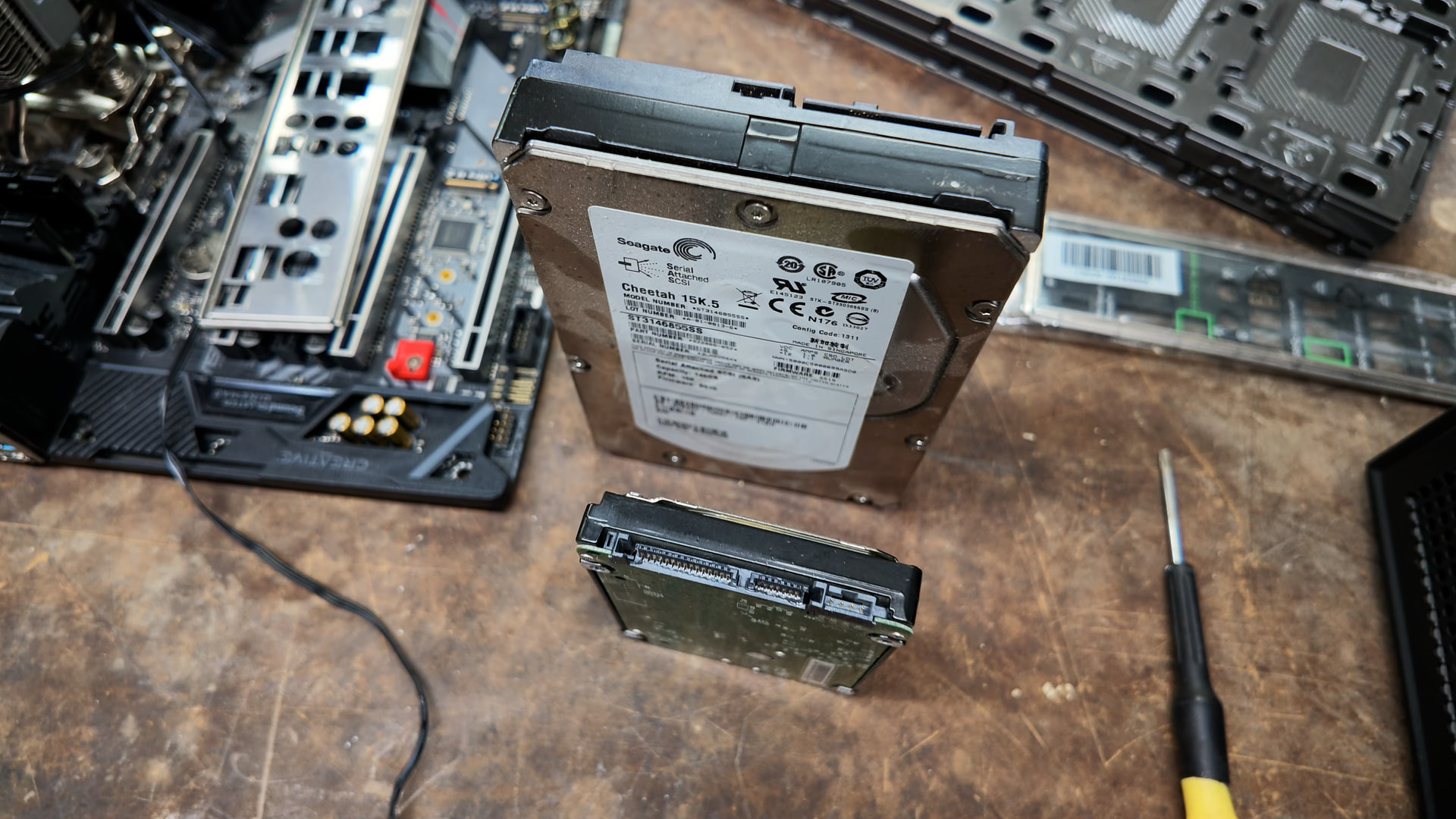
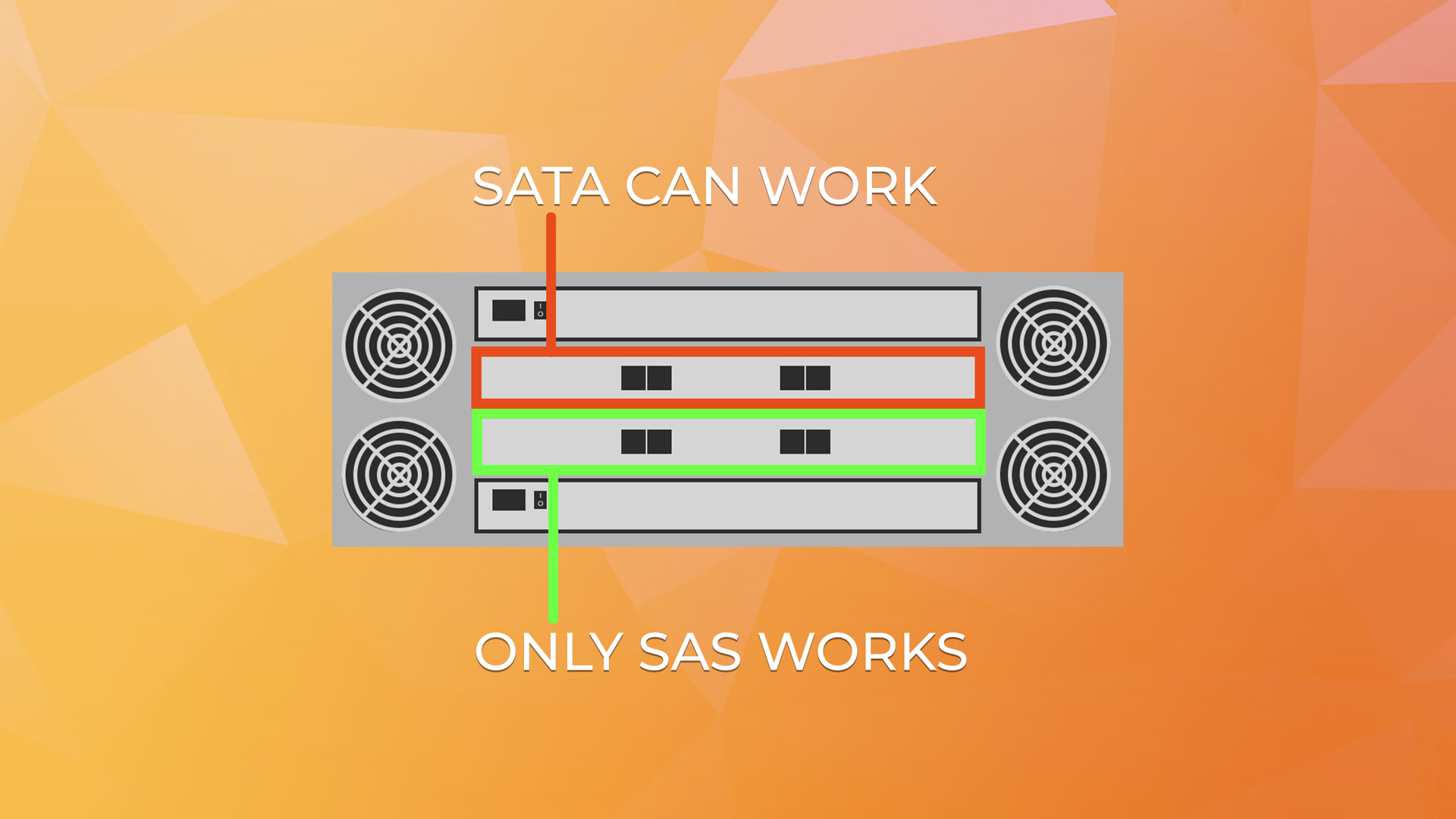
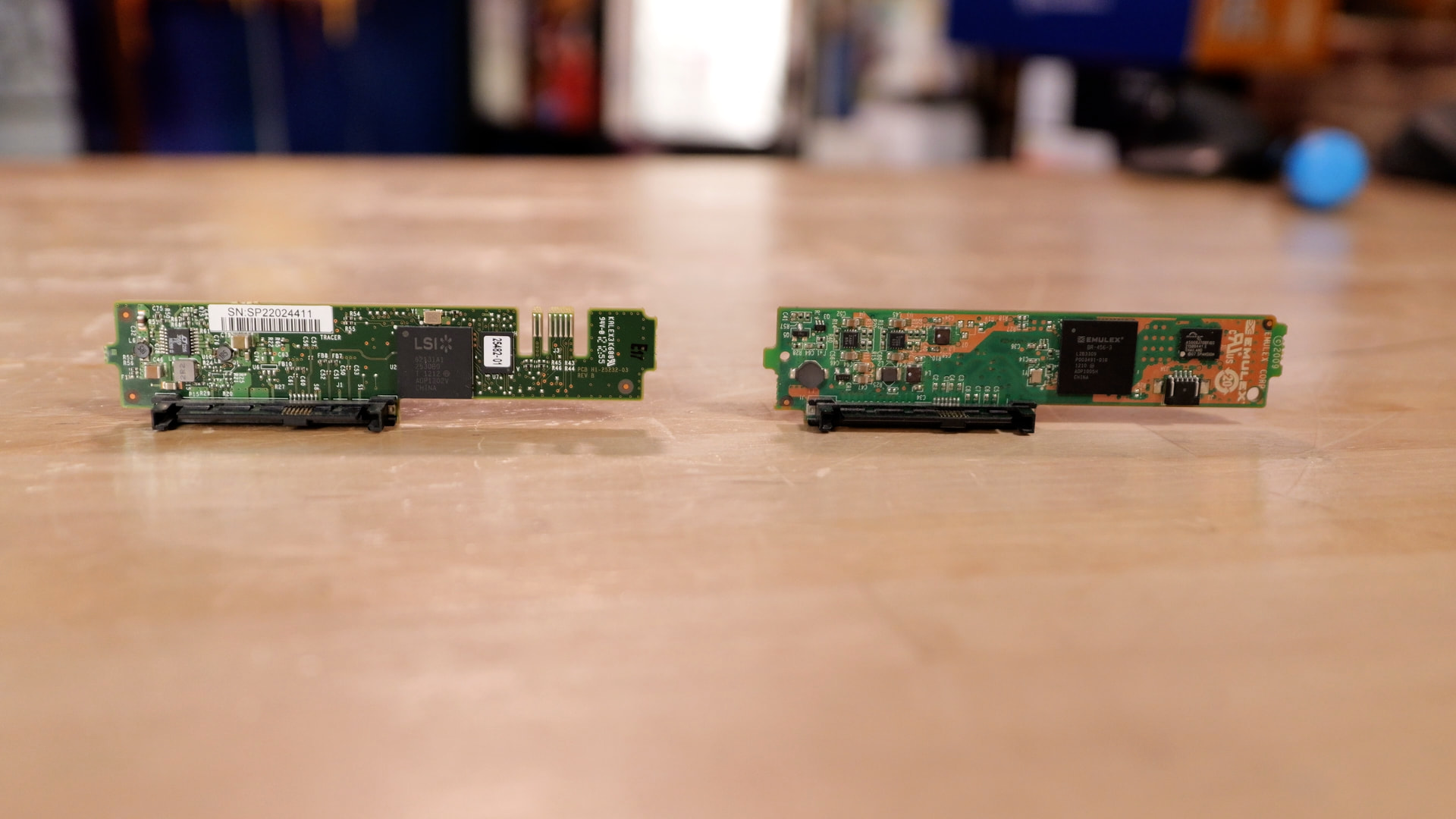
  • SATA disks behind a SAS expander can only be owned by one host at a
    time (SATA Tunneling Protocol affiliation). The shelf enforces it, which
    is actually good (hardware split-brain protection), but failover
    requires actively releasing the affiliation.
  • SAS disks (or SATA behind good interposers) have no such exclusivity:
    both hosts can always issue I/O. You must add your own fencing.

The repo solves both paths.
What the repo provides

  • The handoff primitive: SMP PHY CONTROL operations through the
    expander to release/acquire disk affiliations. Validated end-to-end with
    data integrity checks (5GB dataset, sha256, across multiple failovers).
  • An OCF resource agent (ocf:zfsha:Pool) that does the full sequence:
    rescan ? verify exclusivity evidence ? import on start; unmount NFS ?
    export ? quiesce ? release on stop.
  • Pluggable handoff strategies (strategies.d/): stp (SATA
    affiliation dance), sas (SCSI persistent reservations), null
    (MMP-only with fencing), auto (probes the disk and picks).
  • SCSI persistent reservation fencing (zfs-ha-pr): per-host stable
    keys, register/reserve/release/preempt. The disk itself enforces single
    ownership: every write from a non-owner gets RESERVATION CONFLICT at
    drive firmware level, independent of both OSes. Validated on a
    dual-controller shelf.
  • Controlled cutover protocol (zfs-ha-cutover): for disks with no
    transport exclusivity (plain SATA, no interposers). Ordered
    release/acquire with settle delays, preflight checks on both sides,
    refuses to run if the peer is unreachable or still holds the pool.
    Three consecutive full round-trips verified with data checks.
  • Boot-time device quiesce: a udev rule deletes the HA pool’s devices
    the instant they appear at boot, so a booting host never probes the
    peer’s disks (no I/O error spam, no racy re-affiliation).
  • NFS failover via sharenfs: the ZFS property carries the NFS export
    with the pool import. No separate NFS resource agents. Measured cutover:
    zero gaps > 2s for a 1-record/second NFS client through the floating VIP.
  • A shelf health checker (shelf-health.py): SES-based, reports PSU/
    fans/temperature/voltage/slots/IOM status, console + JSON output for
    monitoring tools.
  • A test harness: six cutover scenarios (clean move, crash, power loss,
    network partition, stuck export, simultaneous boot) with a durability-
    verifying write client.
The tricky parts (learned the hard way)


  1. Stale affiliations after a crash. If the owning host dies, its
    affiliation persists. The survivor must hard-reset the disk’s phy
    (SMP PHY CONTROL op=2) to release it. A simple clear (op=6) is refused
    while the dead host’s phys are still electrically up.

  2. Boot-time probing. A host that boots while the peer owns the disks
    gets I/O errors and the kernel drops the disks from discovery. The fix:
    delete the devices from the OS before anything probes them (udev rule),
    and recover with a host-level reset when promoted.

  3. MMP (multihost) protection. ZFS’s multihost=on detects ambiguous
    ownership and suspends the pool. Great safety net… but a suspended
    import can deadlock both hosts. The handoff procedure sequences around
    this: export ? quiesce? release? wait for disks to settle? import.

  4. ESTALE vs connection drop. The VIP must tear down before the pool
    stops, or NFS clients get ESTALE errors instead of a clean connection
    drop that hard mounts retry silently.

What’s validated

On a NetApp DS460C (IOM12) with SATA disks behind interposers and LSI
SAS3008 HBAs, Rocky Linux 10.2, OpenZFS 2.2.11, pacemaker 3.0.1 /
corosync 3.1.10:

  • Clean handoff A?B?A with byte-identical data (sha256)
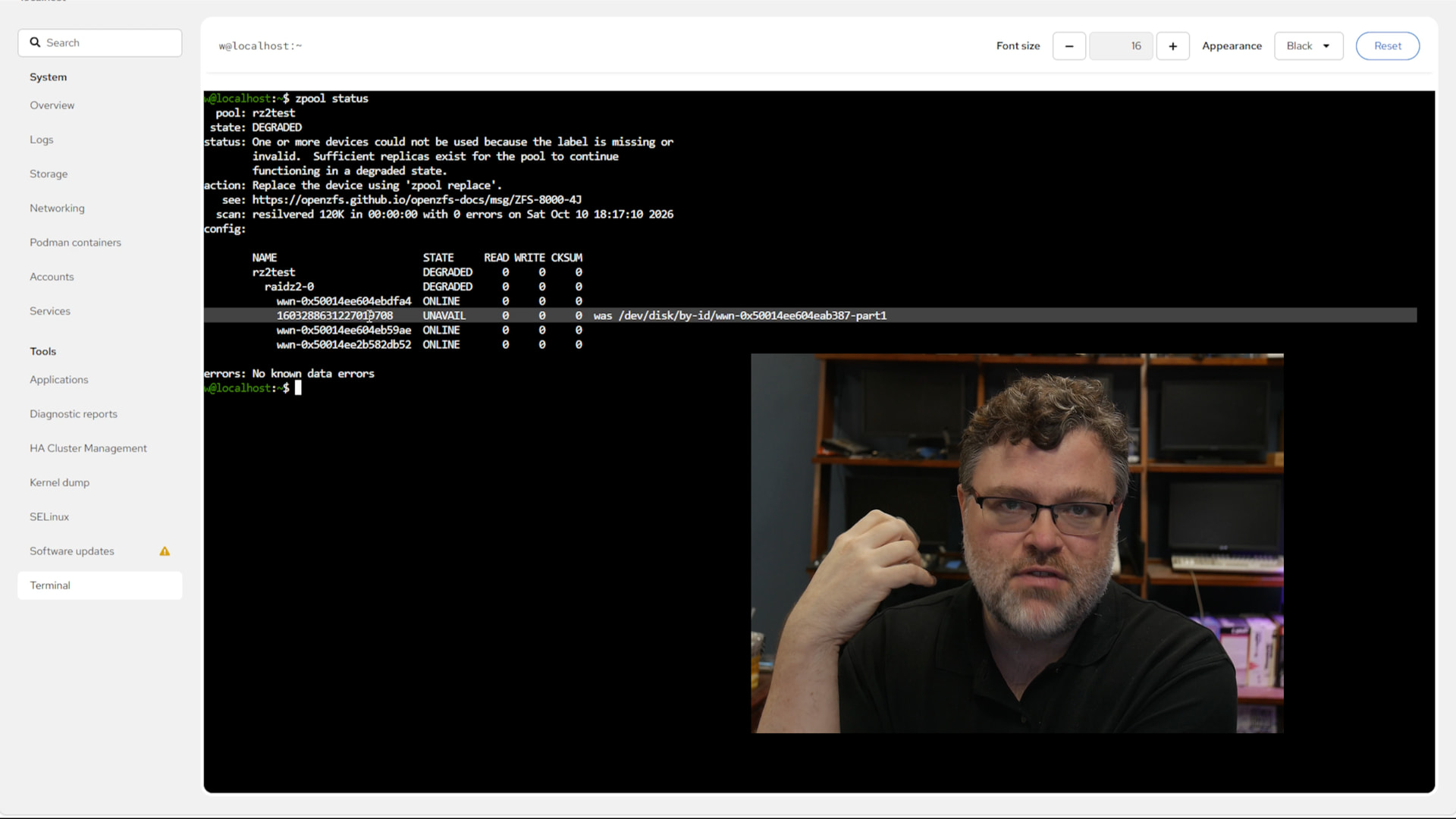
  • Crash recovery (wedged driver ? phy hard reset ? takeover)
  • Power-loss recovery path (nexus-loss detection)
  • NFS cutover with zero measurable client gaps
  • SCSI persistent reservation fencing: peer writes blocked at drive
    firmware while owner holds the reservation
  • Controlled cutover: 3 consecutive full round-trips of a 4x3TB raidz1,
    data markers intact in both directions, ~30-40s per direction
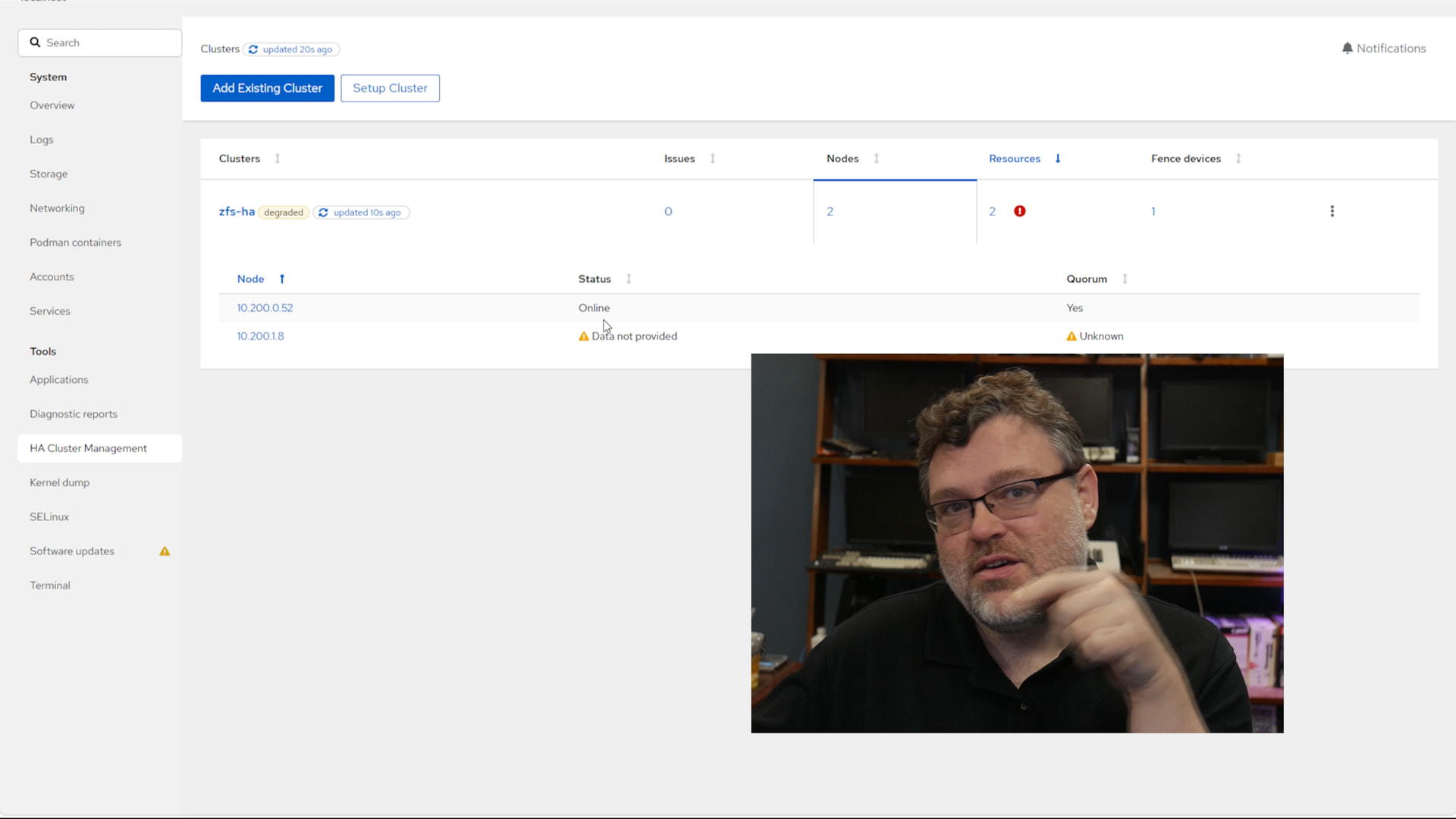
  • Dual-ring corosync (LAN + private subnet), two-node quorum
  • Pacemaker resource failover with VIP colocation
  • Boot-time quiesce (udev rule) on both hosts
  • 5GB dataset integrity across all scenarios

Full validation record with commands and outputs: docs/VALIDATION.md in
the repo. Field notes (failure modes that cost the most time): docs/ HOWTO.md

Hardware notes (all three paths validated)

  • SATA disks, native (affiliation enforced by the shelf): the STP
    handoff machinery solves it completely.
  • SAS disks / SATA behind good interposers: no transport exclusivity
    use SCSI persistent reservation fencing (zfs-ha-pr, fencing=pr).
    Verified: the peer’s writes get RESERVATION CONFLICT while the owner
    holds the reservation; reads still pass (type 5 WE-R).
  • Plain SATA without interposers (no transport release at all): use
    the controlled cutover protocol (zfs-ha-cutover) for planned
    maintenance when both hosts are healthy. Not an emergency-failover tool.
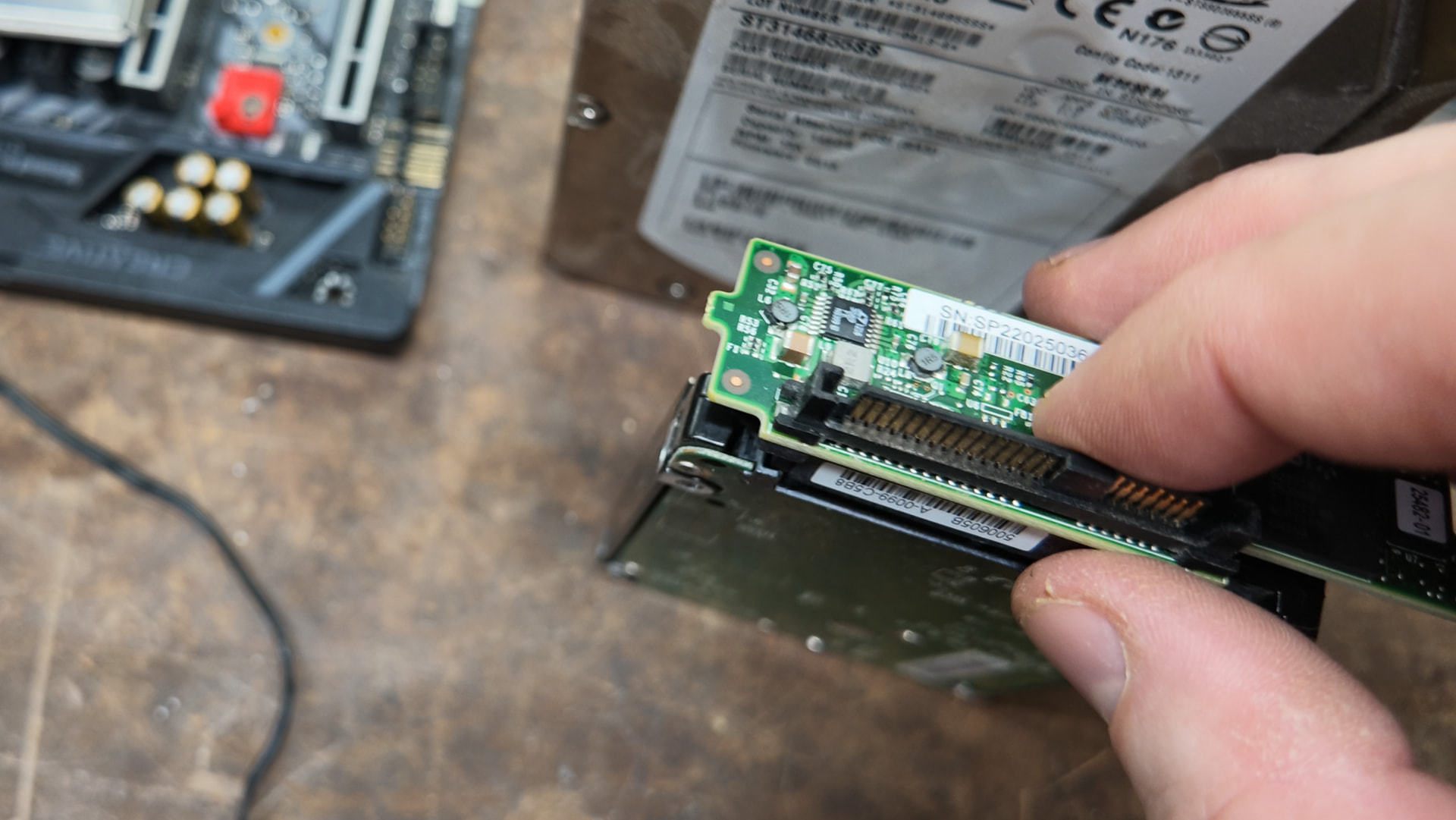
  • Interposer quality matters enormously. Bad interposers mask the
    drive serial, fabricate SAS addresses, and collapse throughput under
    load (150 MB/s ? under 2 MB/s, constant “Power-on or device reset”
    storms). Good ones pass through the real identity and run at full speed.
    Fast diagnostic: check sas_address OUI and serial visibility.
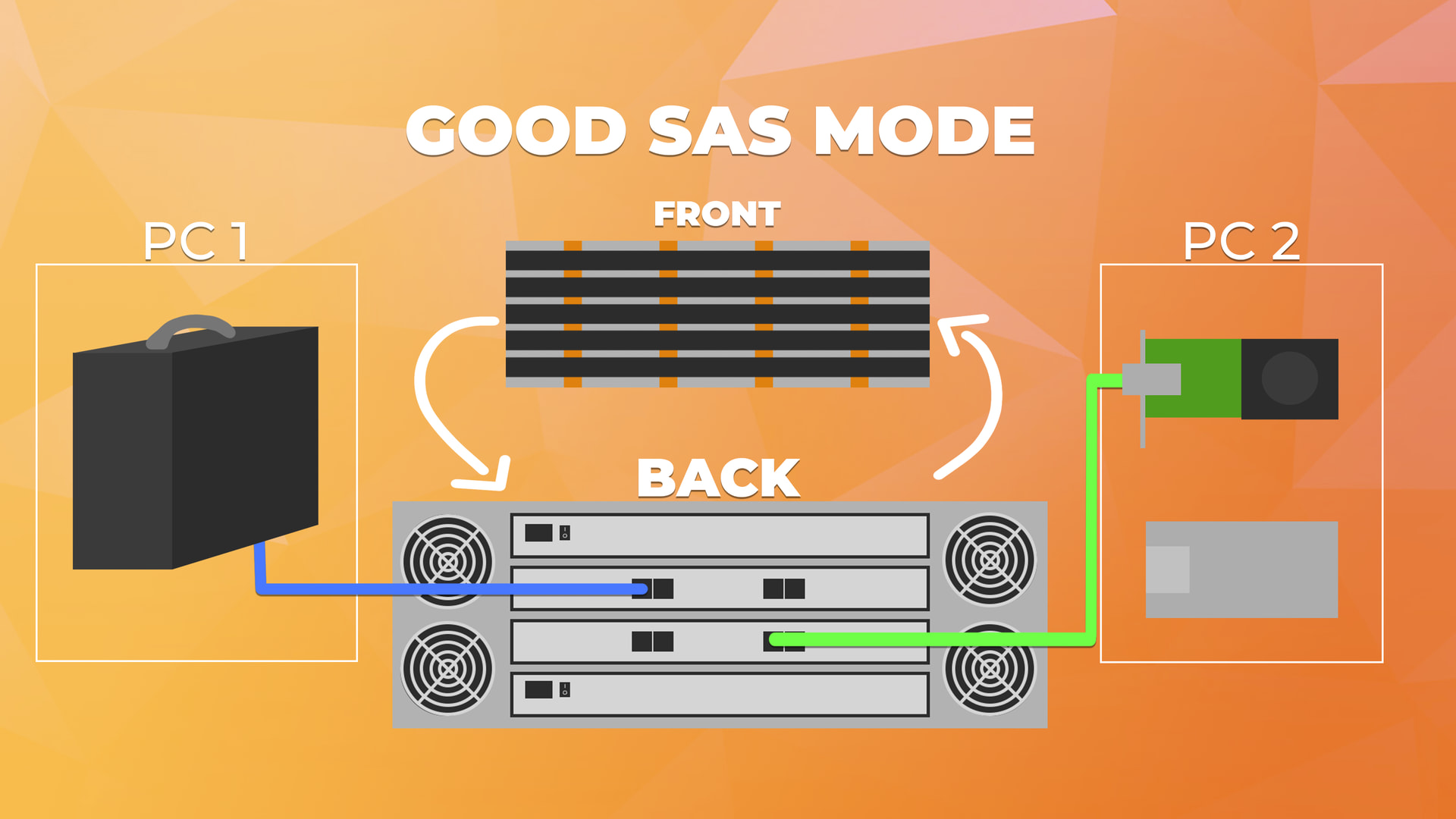
  • Cabling: recommend one host per controller. Dual-cabling both hosts
    to both controllers works but forces multipath (each disk appears twice
    per host a same-disk-twice corruption hazard if you get it wrong).
  • Compatible shelves: anything with SAS expanders and SES NetApp DS460C,
    HP D2600/D2700/D3600, Dell MD1200, DataON, etc.

What’s NOT solved

  • Automatic failover is not wired to the cluster yet. The cutover
    protocol is proven (3 verified round-trips) but is currently a manual
    command, not a pacemaker resource. The OCF agent exists; wiring it into
    a running pacemaker/corosync pair is the remaining step.
  • Emergency failover with no transport release (plain SATA, owner
    dead) has no clean answer without PR support there is nothing to
    preempt. Fence the dead host, then rescan and import; MMP is the
    corruption backstop.
  • SBD requires a shared-block-capable disk (SAS, not SATA-tunneled);
    the mailbox heartbeat design is stubbed but not yet deployed.
  • Marginal shelves eat disks. Four disks dropped off the reference
    shelf during the build (link negotiates, device never enumerates) and
    none were recoverable from the host side all needed physical reseats.
    Budget for this when buying used hardware.

Getting started


The repo has a complete deployment guide (docs/HOWTO.md), the canonical
handoff algorithm (docs/HANDBOFF.md), and a test harness
(tests/). Start with the HOWTO: it’s shelf-agnostic and covers
everything from package installs to the pacemaker resource definitions.

And remember mostly the pacemaker, corosync, HA stuff is what RedHat was designed to support. We really aren’t doing anything super special here.

Repo: [TODO]

GitHub: GitHub - wendelltron/zfs-ha: ZFS HA notes and scripts (homelab type context) ¡ GitHub

Questions/corrections welcome – particularly interested in hearing from
anyone who’s run SAS disks (native or interposer) on a shared shelf like we’re doing here. I was sort of disappointed sata-native (no interposer) was so flaky (Proxmox likes to email me about 1-2 SATA command errors a week without the interposers. Harmless, and this only happens under extreme load. One or two transport errors a week is.. tolerable, but annoying. An interposer seems to fix this kind of failure.)
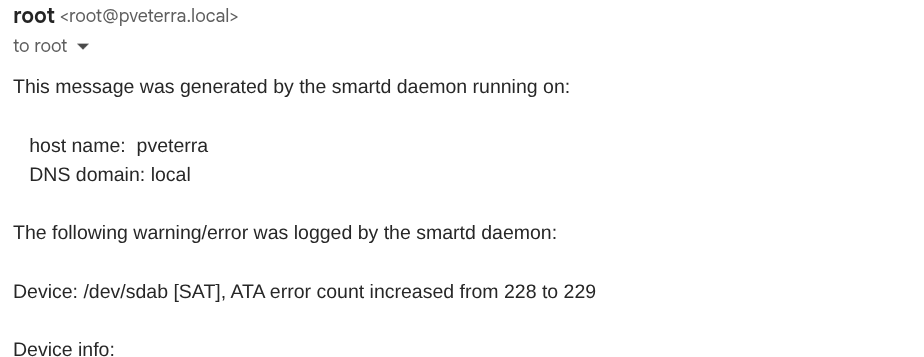
Oh, did it increase by one? did it now? Okay…

These are pretty cheap on ebay:

combo SAS + IB mellanox/infiniband (10/sometimes 40 gbe) pretty cheap on ebay
6 Likes

FP video here: Floatplane

   +-------------------------------------------------------------+

   |             HOST TARGETCLI MACHINE (FC Target)               |
   |  [Port 1]        [Port 2]         [Port 3]        [Port 4]  |
   +-----+--------------+----------------+---------------+-------+

         |              |                |               |
         | Fabric A     | Fabric B       | Fabric A      | Fabric B
         |              |                |               |
   +-----+--------------+----+     +------+--------------+-----+

   |   FC SWITCH A (300B)    |     |    FC SWITCH B (300B)     |
   |      [2x Ports In]      |     |       [2x Ports In]       |
   +------------+------------+     +-------------+-------------+

                |                                |
     ISOLATED   |                                |   ISOLATED
     FABRIC A   |                                |   FABRIC B
     LINKS      |                                |   LINKS

                |                                |
   +------------+------------+     +-------------+-------------+

   |   CLIENTS 1 - 5         |     |   CLIENTS 6 - 10          |
   |   (Single-Port HBAs)    |     |   (Single-Port HBAs)      |
   |   [ 1 Port per Host ]   |     |   [ 1 Port per Host ]     |
   +------------+------------+     +-------------+-------------+

                |                                |
                |      +------------------+      |
                +------+  CLIENTS 11 - 13 |------+

                       |  (Dual-Port HBAs)|
                       |  [Port 1] [Port 2|
                       +------------------+

I have a 24disk HPE machine with all SSD ZFS 1x(3x8) array. no hot spares on a 4xport FC card ZVOL mutilpath to two 300B FC switches. Even with a 40gb data backend I like the FC stuff. separated 1gb LAN for OCFS2 so all machines access the ZVOL at the same time with a lock. I tried both ZFS and mdadm RAID. ZFS runs full speed. mdadm not so much. even with CPU offload. The backplane will saturate quick though… still works well. its neat to use an NVME to pcie slot adapter and run a FC/HBA line to a Pi. Each client needs a multipath.conf, and ocfs2/cluster.conf but fun. host runs targetcli. Emulex cards are auto detect for target mode. qlogic see the qlini_mode. 8gb FC stuff is CHEAP !!!

So this might have been covered and i missed it, but if data is actively being written like say the NFS client is a proxmox host with VM virtual disks on the zfs pool, would yanking the power on the active node result in data loss, corruption, or a need to scrub those virtual disks post-switchover? Is that a scenario you would be willing to test and see what would happen? I don’t have any shelves to test this with currently.

I was actually looking into this as I have come into a number of pLX 88096 pcie switches I plan to implement for NVME storage upgrades in the future, and was salivating over the non-transparent-bridging support combined with controller to controller DMA for heartbeat and shared state mapping. This would remove the sata/scsi/sas from the equation entirely and let me dual attach JBOF’s to multiple pcie switches connected to multiple hosts.

1 Like

My next project is a Quanta a 12xNVME all flash 1U server with NVMEoFC. I will need to update to 16gb HBA/Switches. I would be glad to share info on Fibre Channel. It is not as outdated as it may seem. 128Gb is already roadmapped.

if the nfs honors write-out, it works. On vmware nfs this didn’t result in corruption in the “good” sas path and the host would hitch for a sec on writes. the nfs stack on vmware would retry the write “because nfs”

Hi Wendell

What a great project! I have been thinking of this for some time too… I am actually so old, that I have worked with systems using PSCSI Adaptec HBAs typically HVD “High Voltage Differential” in order to use longer cable runs, and Clariion storage systems (later became EMC)… this was just before FibreChannel became a thing…

(I have an is still working with NetApp storage systems professionally (not employed by NetApp)… so I also have a lot of older gear in stock :wink:

…anyway…

I can tell you that your “shelf-health” script works fine on my DS4246 (with IOM12), and on my system with 3 DS212C shelfs it also works, but I have to feed it the SED for the other shelfs which you can find with a little sg_scan -i ….

I have been using the “vdev_id.conf” to add some alias to the disks based on the channel, and I actually though it queried the shelf for its location in the shelf, so you you get a nice zpool ouput where each disk was called something like “0a-00” where 0a- was based on the channel, and the 00 was the disk slot… (using the slot-bay option), but I recently had to move a shelf where I pulled all the disks and inserted then again in “random” order, and now the zpool status is no longer in order… actually not investigated it that much, but something broke…

It may just be a question of zpool export and “zpool import -d /dev/disk/by-vdev”, but the system is currently in use to I cannot test it…

I was thinking of a script which could query which disk WWN was in which disk slot, and added this as a simple alias to the vdev_id.conf file… the issue is of cause to run this at boot time before zfs mounts its pools…

Then I have also though about multipathing the shelfs, in which case an alias script becomes even more important as the devices are called something like /dev/mpatha.. unless you tweak the mpathd.conf with aliases… so I guess it can become alias if aliases… hmmm :slight_smile:

On the NetApp shelfs (and most others) there is also the posibility to turn on a LED for each slot… https://github.com/amarao/sdled

So a little script which looked at the zpool status, and was able to light up a failed disk, would be very nice :slight_smile:

I know this is slightly out of topic, but still I link that someone reuses the old NetApp equipment as it is just bullitproof hardware…

As always, great work!

/B

2 Likes

Watching the video right now.

Is there a way to ‘split’ the DS460C to have several disks from it work with one server while other disks work on another server? There won’t be drive access mixing between the servers.

Most of my disks are SAS but I do have some SATA that I’ve been using with Unraid for years.

I was hoping to have the DS460C ‘host’ all of the hdds I have, and have two separate servers interact with a subset of the disks. No HA/multipath or sharing intended.

Thanks for another great video!

I’ve ran the health script on my DS460C, this is what I get:

./shelf-health.py --ses /dev/sg31
==============================================================
 SAS Shelf Health: NETAPP DS46012IOM12A
==============================================================
  SES device:    /dev/sg31
  Enclosure ID:  500a0980XXXXXXX
  Serial:        SHJXXXXXXXXX
  FW revision:   0001
  Overall:       DEGRADED

 Power Supply:
  [  ] overall: Unsupported
  [OK] #0: OK
  [OK] #1: OK

 Cooling:
  [  ] overall: Unsupported
  [OK] #0: OK
  [OK] #1: OK
  [OK] #2: OK
  [OK] #3: OK
  [OK] #4: OK
  [OK] #5: OK
  [OK] #6: OK
  [OK] #7: OK

 Temp Sensor:
  [  ] overall: Unsupported
  [OK] #0: OK
  [OK] #1: OK
  [OK] #2: OK
  [OK] #3: OK
  [OK] #4: OK
  [OK] #5: OK
  [OK] #6: OK
  [OK] #7: OK
  [OK] #8: OK
  [OK] #9: OK
  [OK] #10: OK
  [OK] #11: OK
  [OK] #12: OK
  [OK] #13: OK
  [OK] #14: OK
  [OK] #15: OK
  [OK] #16: OK
  [OK] #17: OK
  [OK] #18: OK
  [OK] #19: OK
  [OK] #20: OK
  [OK] #21: OK
  [OK] #22: OK
  [OK] #23: OK
  [OK] #24: OK
  [OK] #25: OK
  [OK] #26: OK
  [OK] #27: OK
  [OK] #28: OK

 Voltage Sensor:
  [  ] overall: Unsupported
  [OK] #0: OK
  [OK] #1: OK
  [OK] #2: OK
  [OK] #3: OK

 Current Sensor:
  [  ] overall: Unsupported
  [OK] #0: OK
  [OK] #1: OK
  [OK] #2: OK
  [OK] #3: OK

 Controller:
  [  ] overall: Unsupported
  [OK] #0: OK
  [OK] #1: OK

 Device Slot:
  [  ] overall: Unsupported  [slot 0]
  [OK] #0: OK  [slot 0]
  [OK] #1: OK  [slot 1]
  [  ] #2: Not  [slot 2]
  [OK] #3: OK  [slot 3]
  [OK] #4: OK  [slot 4]
  [  ] #5: Not  [slot 5]
  [OK] #6: OK  [slot 6]
  [!!] #7: Critical  [bypassB, slot 7]
  [  ] #8: Not  [slot 8]
  [OK] #9: OK  [slot 9]
  [OK] #10: OK  [slot 10]
  [  ] #11: Not  [slot 11]
  [OK] #12: OK  [slot 0]
  [OK] #13: OK  [slot 1]
  [  ] #14: Not  [slot 2]
  [OK] #15: OK  [slot 3]
  [OK] #16: OK  [slot 4]
  [  ] #17: Not  [slot 5]
  [OK] #18: OK  [slot 6]
  [!!] #19: Critical  [bypassB, slot 7]
  [  ] #20: Not  [slot 8]
  [OK] #21: OK  [slot 9]
  [OK] #22: OK  [slot 10]
  [  ] #23: Not  [slot 11]
  [OK] #24: OK  [slot 0]
  [OK] #25: OK  [slot 1]
  [  ] #26: Not  [slot 2]
  [OK] #27: OK  [slot 3]
  [OK] #28: OK  [slot 4]
  [  ] #29: Not  [slot 5]
  [OK] #30: OK  [slot 6]
  [OK] #31: OK  [slot 7]
  [  ] #32: Not  [slot 8]
  [OK] #33: OK  [slot 9]
  [OK] #34: OK  [slot 10]
  [  ] #35: Not  [slot 11]
  [OK] #36: OK  [slot 0]
  [OK] #37: OK  [slot 1]
  [  ] #38: Not  [slot 2]
  [OK] #39: OK  [slot 3]
  [OK] #40: OK  [slot 4]
  [  ] #41: Not  [slot 5]
  [OK] #42: OK  [slot 6]
  [!!] #43: Critical  [bypassB, slot 7]
  [  ] #44: Not  [slot 8]
  [OK] #45: OK  [slot 9]
  [OK] #46: OK  [slot 10]
  [  ] #47: Not  [slot 11]
  [OK] #48: OK  [slot 0]
  [OK] #49: OK  [slot 1]
  [  ] #50: Not  [slot 2]
  [OK] #51: OK  [slot 3]
  [OK] #52: OK  [slot 4]
  [  ] #53: Not  [slot 5]
  [OK] #54: OK  [slot 6]
  [OK] #55: OK  [slot 7]
  [  ] #56: Not  [slot 8]
  [OK] #57: OK  [slot 9]
  [OK] #58: OK  [slot 10]
  [  ] #59: Not  [slot 11]

 Sas Connector:
  [  ] overall: Unsupported
  [OK] #0: OK
  [  ] #1: Not
  [  ] #2: Not
  [  ] #3: Not
  [  ] #4: Not
  [  ] #5: Not
  [  ] #6: Not
  [  ] #7: Not

 Enclosure:
  [  ] overall: Unsupported
  [OK] #0: OK

 Display:
  [  ] overall: Unsupported
  [OK] #0: OK

 SAS Connectors (cabling):
  SN=M250807XXXXXXX   ;VN=HEWLETT-PACKARD ;CT=0f0XXXX;PN=691970-001+E    ;AA=50060XXXXXXXXXXX;UA=1;AP=00;
  SN=;                VN=;                CT=;        PN=;                AA=;                UA=; AP=;
  SN=;                VN=;                CT=;        PN=;                AA=;                UA=; AP=;
  SN=;                VN=;                CT=;        PN=;                AA=;                UA=; AP=;
  SN=;                VN=;                CT=;        PN=;                AA=;                UA=; AP=;
  SN=;                VN=;                CT=;        PN=;                AA=;                UA=; AP=;
  SN=;                VN=;                CT=;        PN=;                AA=;                UA=; AP=;
  SN=;                VN=;                CT=;        PN=;                AA=;                UA=; AP=;
  FI=00;FM=10;SA=500A0XXXXXXXXXXX;FPI=IOM12A  ;
  FI=00;FM=10;SA=500A0XXXXXXXXXXX;FPI=IOM12A  ;
  OM=00:A0:98XXXXXXXX;
  OM=00:A0:98XXXXXXXX;
  SN=021842012707    ;PN=111-03261+B1    ;VN=NETAPP      ;DM=10/2018     ;FT=SASDRWR     ;FW=02010649;
  SN=021842012539    ;PN=111-03261+B1    ;VN=NETAPP      ;DM=10/2018     ;FT=SASDRWR     ;FW=02010649;
  SN=021842013089    ;PN=111-03261+B1    ;VN=NETAPP      ;DM=10/2018     ;FT=SASDRWR     ;FW=02010649;
  SN=021842012581    ;PN=111-03261+B1    ;VN=NETAPP      ;DM=10/2018     ;FT=SASDRWR     ;FW=02010649;
  SN=021842012534    ;PN=111-03261+B1    ;VN=NETAPP      ;DM=10/2018     ;FT=SASDRWR     ;FW=02010649;
  SN=021842012707    ;PN=111-03261+B1    ;VN=NETAPP      ;DM=10/2018     ;FT=SASDRWR     ;FW=02010649;
  SN=021842012539    ;PN=111-03261+B1    ;VN=NETAPP      ;DM=10/2018     ;FT=SASDRWR     ;FW=02010649;
  SN=021842013089    ;PN=111-03261+B1    ;VN=NETAPP      ;DM=10/2018     ;FT=SASDRWR     ;FW=02010649;
  SN=021842012581    ;PN=111-03261+B1    ;VN=NETAPP      ;DM=10/2018     ;FT=SASDRWR     ;FW=02010649;
  SN=021842012534    ;PN=111-03261+B1    ;VN=NETAPP      ;DM=10/2018     ;FT=SASDRWR     ;FW=02010649;

 WARNINGS:
  ?  vendor_specific_[0x8f][7]: NONCRITICAL
  ?  vendor_specific_[0x8f][8]: NONCRITICAL
  ?  vendor_specific_[0x8f][9]: NONCRITICAL

 Overall status: DEGRADED

I don’t have all the slots populated, and I did follow the U-pattern as stated in the manual.

I also have a DS224C and it reports healthy, both connected to same server same controller.

okay, but the utils directory is the most valuable contribution from this repository. That said, this is amazing, thank you!

I need to figure out how to get more info out of the MD1200 and the R730’s built-in backplane. It’s a different generation from what you built with, so I don’t expect to get all the info you do, but I want to figure out how to get more.

I read through the code. It actually does work for the MD1200, and the fields being reported as “Unsupported” come from the chassis, so that’s awesome, but sucky. Awesome that it works, sucky that the chassis doesn’t provide more info.

1 Like

Stream of thought things I wish I had known about before I ‘inherited’ some fairly large ‘two servers and a shelf’ setups, that eventually got moved to another group as part of shenanigans.

  • Log drives in a small SSF shelf (on an ssd mirror) can give a ton of speed. Might even be worth sacrificing a slot or two.
    • Though note that many shelves rely on the shape of a drive for airflow, so you might want a carrier that has sides (plenty of 3dp ones around)
  • If you built your machines from golden images:
    • Ensure that /etc/hostid is different (and present) on both systems.
      • Consider post-processing your images with virt-sysprep (or similar).
    • ZFS uses this to prevent accidents (if multihost=on)
  • Consider identifying disks by names generated from physical location. (e.g. s01d01)
    • For simple cases, zfs’s vdev id system can do this.
    • This allow autoreplace=on to automatically begin replcaing a dead drive when a new one is installed in the same place.
  • Consider ‘fencing’ topology, so that you can have it try less-destructive things first.
    • Also, consider setting up a watchdog one as well, because your current setup has only network-based fencing.
      • (Remember that loss of fencing capability results taking resources away.)
  • Scrubbing is not automatic on zfsonlinux.
    • scrubinterval= and lastscrub= might be there, but they don’t do anything (unless you import the pool into an illumos node or something like that)
    • There are multi-instance systemd timers provided
    • In the past, I used a clustercron controlled by a resource with a colocation+order on the pool being imported.
  • WRT/host comms with a SAS disk: SBD is kinda meant for that. It’s a minimal cluste filesystem for sending messages. It can also be used for fencing.
    • SBD = (Storage Based Death)
    • It’s the same daemon responsible for watchdog-based suicide.
  • Consider a qdevice running somewhere else.
    • Two-node corosync/pacemaker is cursed, even with disks as proxy votes.
    • The qdevice is really light. Works on a Pi2 well.
    • A qdevice can lend quorum to any number of clusters.
    • Note that a wyse 3040 specifically will not work on most distros. pacemaker-remote results in a sigill during self-tests in crypto.
  • If you have spare interfaces, consider multiring corosync.
    • Even if just a crossover cable, it prevents everything suiciding if you reload a switch.
    • You can have many.
  • If you start doing a ton of Pacemaker, consider remote nodes and a cluster that only does CS/PM.
    • Makes the quorum game for 2-head systems nicer.
    • Kinda-central management (still need something to ensure local configs match)
      • I miss pre-perforce puppet.
  • If your HBA comes with a bootrom disable it.
    • It may scan some subset of (or all) drives on startup.
    • It makes boots take FOREVER
    • Some firmware don’t like it when there are 120+ boot options. (or 120: BLKx: devices on EFI)
    • For LSI cards, there is a process to erase the bootrom only.
      • Their docs say you can do it from linux, but I had to use the EFI shell (they provide an EFI PE version of sas3flash.
  • NFS expects clients/servers to notify each other of restarts.
    • This takes place over randomly allocated ports (discovered with portmap), and is bidirectional.
    • You can set explicit numbers. Would suggest standardizing on something common.
    • NFS4 doesn’t have the portmap mess, but does store far more state on the server, so failover and recovery is more annoying (but it does explicitly support clientside failover and referrals)

Video pedantry:
Pacemaker is the resourse manager, corosync is the datastore and quorum engine it uses.
You have to pay extra for corosync+pacemaker on RH. A license to RH HA is more than twice that of RHEL itself (2 sockets).
Though you can just compile the rocky ones if you don’t need support for that.
WWN = World Wide Name

1 Like

Have you reinvented zfs-ha or is there something new here?

nah, I couldn’t be bothered to read that

oh wait

it’s listed in the read me! Whoopsiedoodle

..

Pfft, all the way at the bottom. My bad.

This project solves those problems for SATA disks

Ah, so.

The disk shelf diagnostics utility script is also kinda badass I’ve been told

1 Like

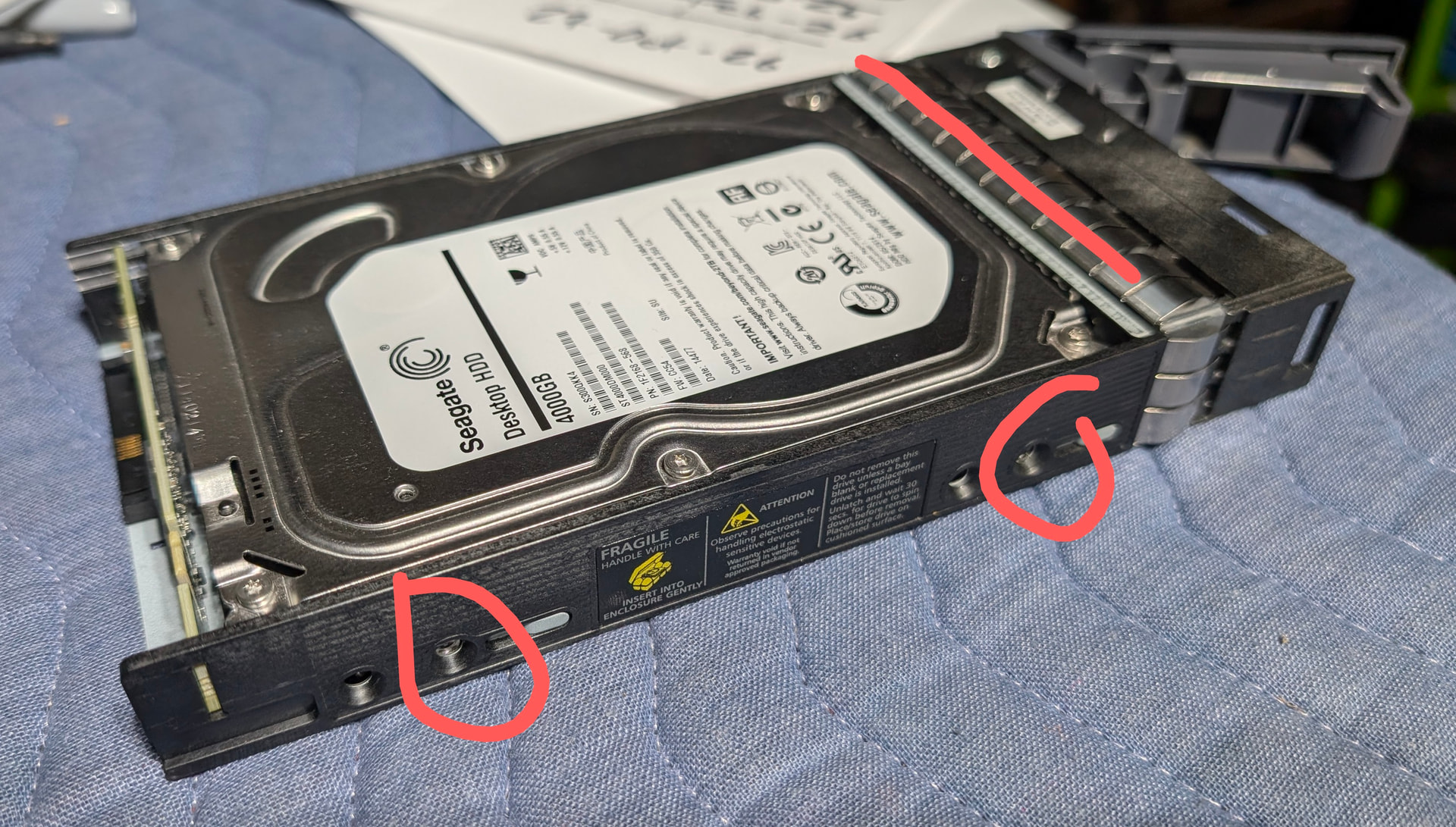
For anybody having trouble visualizing interposers, here’s a 3.5” drive installed in a NetApp caddy with and without an interposer card. If your caddies don’t have provisions for something similar and your shelf doesn’t have built-in interposers, you might be SOL for SATA multipath.

1 Like