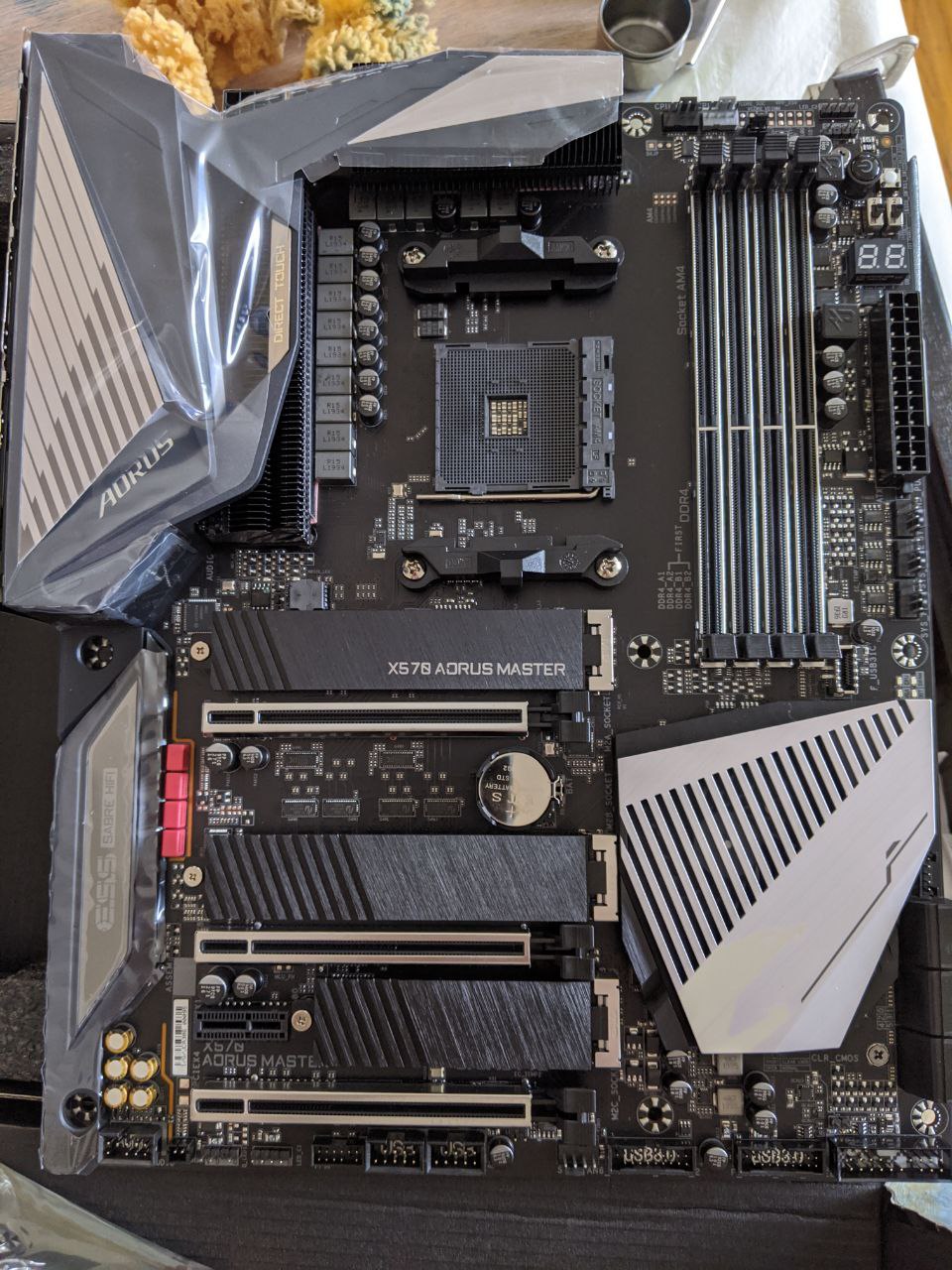
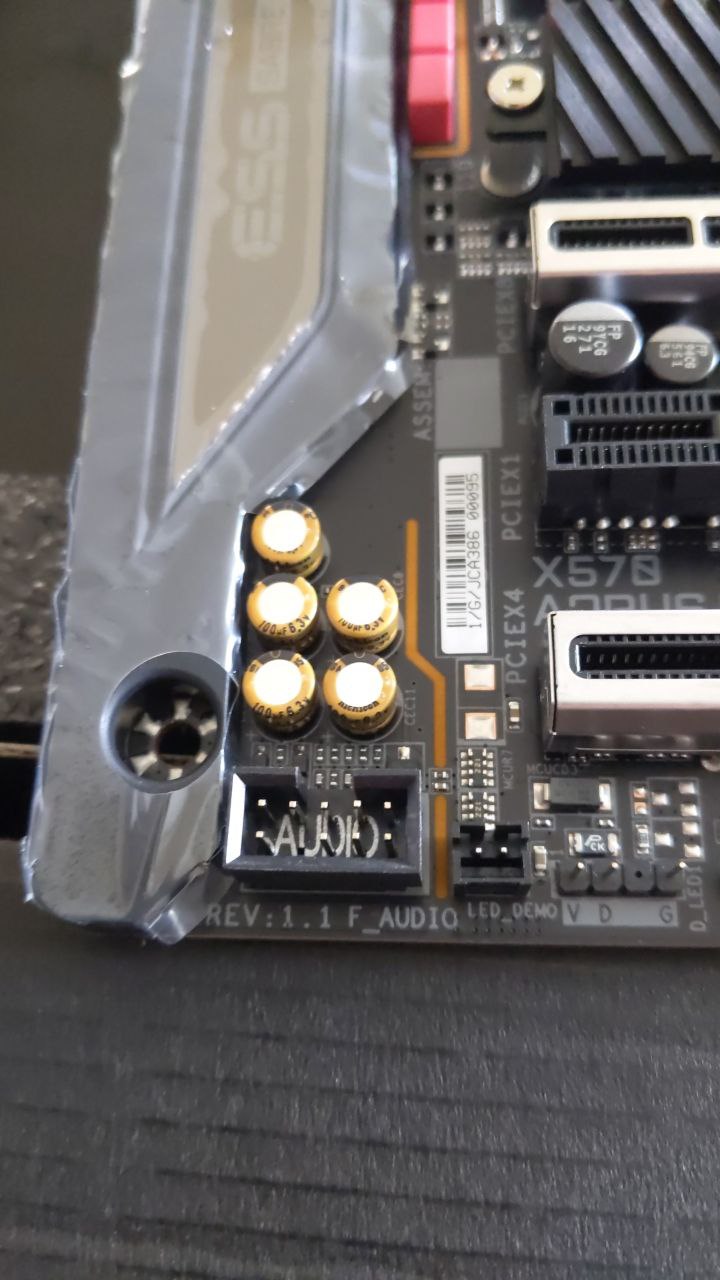
Since they now officially support TB3 and had the points for the pins before I wonder if it is a case of software update and soldering in pins to DIY a 1.1 board.
Not sure on that. Very least is the BIOS will have to be updated, and whether the version 1.1 BIOS can be installed who knows. Plus was TB3 Removed because of a hardware problem on pre 1.1 boards?? Don’t know.
1 Like
Oh boy, another Rev 1.0 vs 1.1 issue has cropped up… This means you are actually screwed if you’re on Rev 1.0. If you are on Rev 1.0, sell or return your mobo to exchange for a Rev 1.1 if you desperately need this feature.
What issue? I dont see anyone mentioning a 1.0 vs 1.1 issue? Or are you referring to the fact 1.0 doesn’t have the connector?
They often do this, and make other physical changes that means 1.1 works while 1.0 doesn’t work for certain CPUs. I have experienced this on Gigabyte boards in the past. If they released a 1.1, get it. Don’t assume the 1.0 version will support newer CPUs in that case too, so if Zen 3 comes out, Gigabyte are more likely to update 1.1 vs 1.0.
What that is stupid I hope that doesn’t happen. Is that even legal?
They already did it for X79 boards. The X79S-UP5 and X79-UP4 Rev 1.0 do not support Xeon V2 CPUs due to lack of physical modifications needed to run the processors.
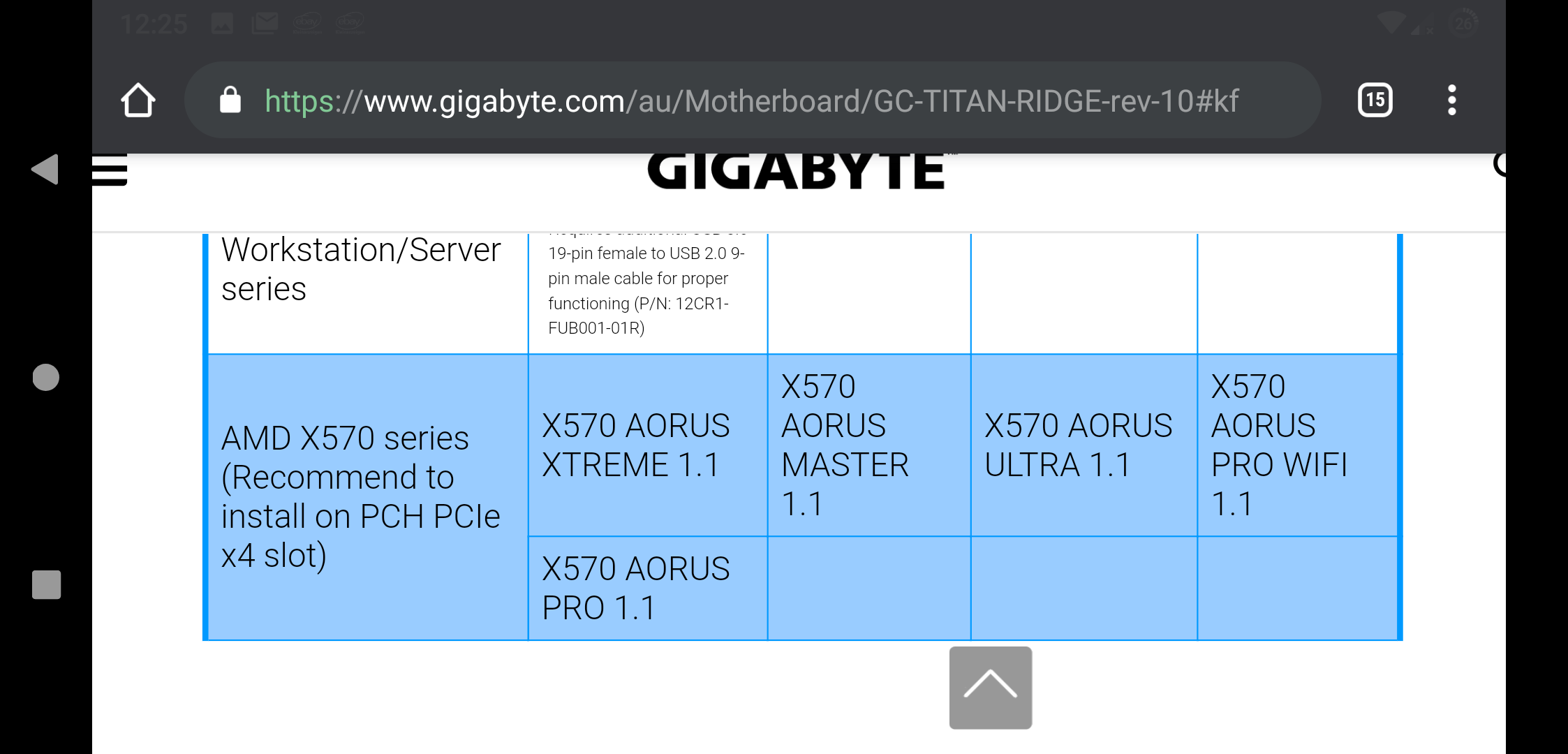
Thanks so much for asking. Which boards are effected by this change? Is there a list available?
Edit: Found it!
1 Like
I have been chatting with Gigabyte costumer support for a few days.
They have told me that rev 1.1 is scheduled for the end of March due to the close of the Chinese factory.
I was also told about the GC-Titan ridge that, and i quote:
"If you have titan ridge for the moment,
You can try to short connect the pin1 and 3 as photo, and connect your smartphone via type-c cable before booting your pc. It should work. "
With this picture attached
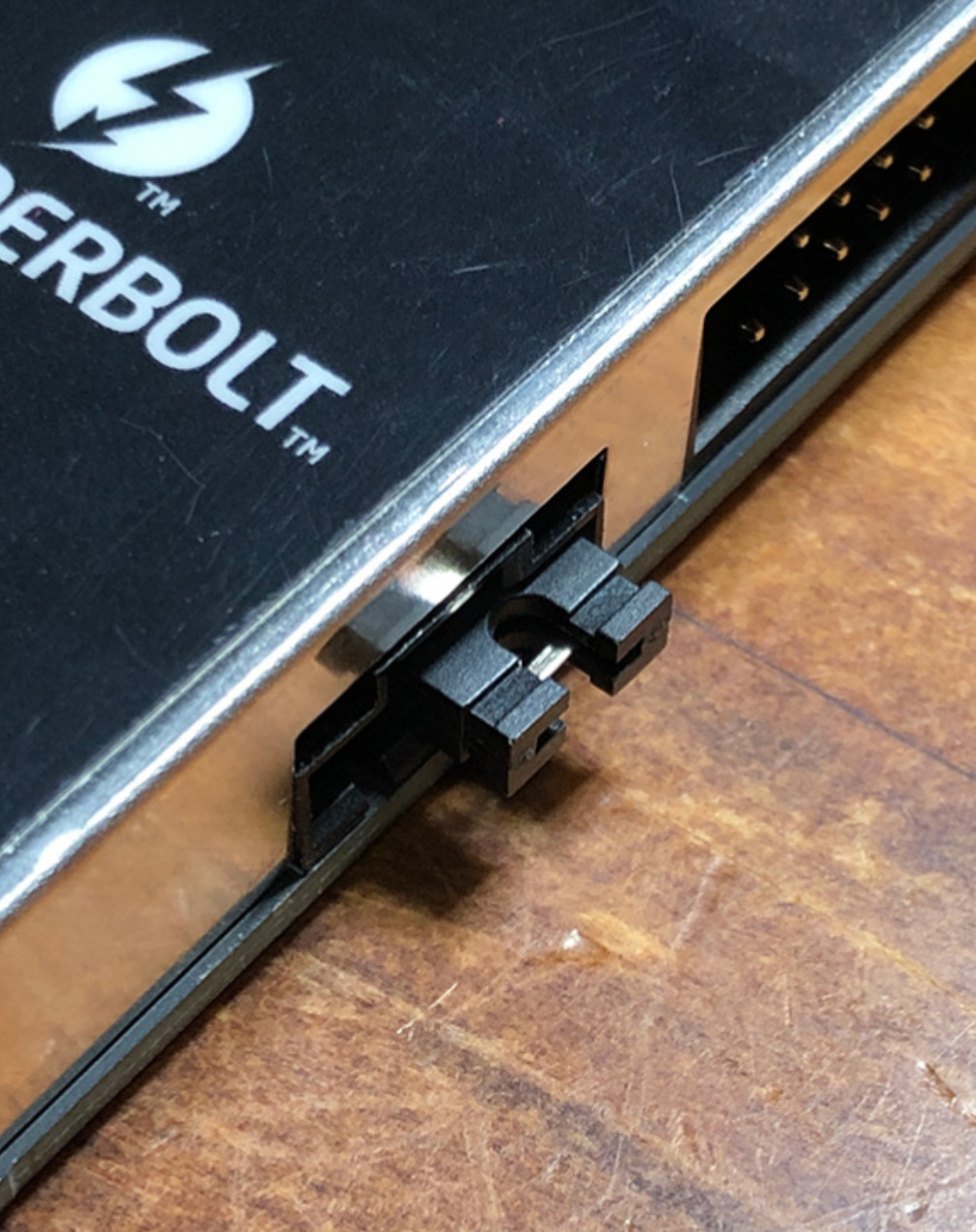
This thus seems different than the mod other people descriped with shorting pins 3 and 5. Is it different??
4 Likes
I’m curious about this…
Did the Gigabyte support specify if:
-
Hotplug works with this mod? I use a X570 Taichi with a BIOS Thunderbolt option and a Thunderbolt motherboard header, but to properly install the Thunderbolt drivers initially I also have to plug in an USB 3.x device when booting the system.
-
Does the GC-Titan Ridge need the updated firmware for this mod to work?
-
Does the current Gigabyte BIOS for the revision 1.0 motherboards show a Thunderbolt option?
Hello. My first post. I bought a master bord from ebay the other day. It was a used board. And i discovered that i have this header were it says thb3. I really need it to have it in my music studio so i can connect to my soundcard through tb, (Apollo x6 soundcard). I went in to bios but cant se any options about tb there. But also i have an old bios and right now i cant do much more cus my stupid keybord has not a usb connection just an old ps2 one…
Will it be safe to atleast connect my gigabyte alpine ridge aic and see what happens tomorrow when i have find me another keyboard
You need Revision 1.1 of the board because I doubt Revision 1.0 will allow flashing of the 1.1 BIOS if it’s a sensitive feature like Thunderbolt. Since you bought your board used, you’re in the same trap I managed to get in.
Sell the board, try to get a retailer to get you a revision 1.1 version of the board. There’s nothing else you can do other than hack the BIOS to add the Thunderbolt options.
Is there a guide somwhere i can follow to be able to hack the bios?
I regret now that i took the amd way. I shold have stayed at intel
Maybe you could consider to sell the Master board again,
and then go with the Asrock X570 Creator.
I believe this board comes with TB support onboard.
It’s a bit more expensive then the Master.
But if Thunderbolt is a necessity then the Asrock x570 Creator,
i believe is pretty much the only atx x570 board that has Thunderbolt type-C onboard.
1 Like
i see…BUT i have the thb3 header socket on my board. I couldent find an option of tb in bios. But i think it was an older bios and when i looked around on sites i found that after an update to bios, from(f10) i think there is an option now that says something like “pcie tbt support”. I dont know if there is even a small chanse it can work for me but i will give it a shoot when coming home from work and i got another keyboard in my hands now
Idk what the exact situation on TB3 support was back in the day.
I do know that the ES sample Aorus Master boards had the TB3 header onboard.
But some of the retail versions didn’t.
So i suppose that intel at some point revoked the TB license for AMD Ryzen.
But i believe recently there was an announcement that they,
now support the license to AMD boards…?
So it’s kinda likely, that on current boards that do have the header,
but no support option in bios to enable it.
That there might be a bios update soon to actually give the option to activate it.
And for the retail samples that didn’t come with the header,
well i believe there is a revision of the board announced for next month or so?
So i talked abit more with GIGABYTE support.
They state that they currently dont have an ETA on rev1.1 boards as production in china is not doing well due to corona.
I would imagine the config they send me as i talked about previously is not allowing hotplug since that would require resetting the pcie bus.
I mentioned to them that forums have shown shorting 3 and 5 instead of 1 and 3 allows booting, and that, in linux, resetting pcie bus after hotplugging will discover the new device.
The representative asked for forum sources, maybe they can implement it?
Just a tiny update
I can tell that i updated to latest bios (f11) and there is an option for THB…i applied this and started up my PC. Now everything works like a charm for me. Thunderbolt installed imideatley and i also installed my apollo x6 interface. cant be happier for that. Unfortunately my 2 uad solo dsp card is not recognized in windows, oh they are there in the device manager but its a sign there beside them and in the uad software only the apollo shows and not the dsp cards. but thats another problem to challange now
Wondering if anyone out there has tried this method, as shown in the photo. And I’m guess that’s a 2-pin header jumper?