Good to know that rev 1.1 is arriving with the header for thunderbolt 3. Just realising now that this will mean you loose a pci-e slot for a thunderbolt 3 card, I was under the impression you could just add a backplate with thunderbolt 3 ports, or am i wrong.
Yes you need a PCIe slot for the TB3 card
1 Like
You also need the Thunderbolt controller physically on the motherboard to support any onboard ports out the back I/O. And it’s not upgradable. With a AIC, you can upgrade that with newer revisions, like if you want to upgrade from Alpine Ridge to Titan Ridge.
I’ve been trying to get rev 1.1 of the Master for weeks now in the UK but all stock seems to be rev 1.0 at the moment. I contacted Gigabyte and they have started shipping rev 1.1 from now on.
Can any report getting hold of rev 1.1 of the Master?
I’ve finally got one on the way from Newegg Tecnos, at least I hope it’s v1.1 and not some old stock they found somewhere to pawn off. They went up for sale yesterday while I was at work. I’ve had a tab open for weeks just randomly F5ing throughout the day. Finally went from out of stock to add to cart so I jumped. Whatever amount of stock they had is gone now.
Tracking shows it arriving Wednesday. I’ll confirm back then with regards to v1.1.
Hello folks,
I´m bulding a new pc after almost 15 years with MAC and I need thunderbolt working because I have many devices with thunderbolt, for example a promise pegasus raid but I´m having problems selecting the motherboard for my build. I already have a 3950x and I like the MSI x570 creation but this mobo don´t have thunderbolt header. I would like to know if I buy the Titan thunderbolt pci and I do the pin 3 to 5 thing, will work with my mobo ? Or need to have yes or yes the header ? Many thanks !
You won’t have hotplug or actual controller configuration. You’d also be in the “no warranty” boat as it’s unofficial support.
Thank you for you answer. I really don´t need hotplug, just need to connect a promise pegasus r4 enclosure to the PCI and be able to work with it. PCI warranty is not a problem, so based in your experience, will work ?
Your best bet is to go to the egpu[dot]io forums as many people there will have external Thunderbolt RAID experience on Ryzen.
1 Like
subtle, are you in the UK?
I can’t get any retailer in the UK to confirm any of their new stock is rev 1.1 as they don’t seem to know what Gigabyte send them.
I’ve already returned one of these motherboards because it was rev 1.0 and it took two weeks to get my money back.
I’m guessing you didn’t get solid confirmation that the motherboard is rev 1.1 and you just assumed it is because it’s new stock?
eBuyer say their stock is ordered directly from Gigabyte so their new stock should be rev 1.1 but I’d rather be sure than go through the RMA process yet again.
Hopefully you will get rev 1.1, let us know how you get on 
Tecnos,
I’m in Texas and just received the Master this afternoon. It is indeed rev 1.1!
Best of luck with your search in the UK. I have a feeling moving forward they will all be the new revision.
1 Like
subtle,
That’s excellent news, I was beginning to believe rev 1.1 didn’t even exist.
I’m getting excited now, I have all the parts for my Ryzen 3950x build apart from the motherboard.
Any chance of a couple of pics showing the rev number and Thunderbolt header? 
Hi Subtle
What’s the size of the BIOS flash chip on your rev1.1 motherboard? I don’t know what tools can be used to check. I guess the model number of the flash chip would be able to tell.
I’m curious whether there is any other HW updates for rev1.1. Especially in light of the AMD BIOS size limit problem for the Zen3 support on older 400 series motherboards.
Thanks
So I’m in over my head, computer engineering isn’t really my thing, but i have a Thunderbolt SDI video input card and a 1.0 motherboard X570 Aorus Elite despite having just got it at the end of May. Is it still possible to get a thunderbolt pcie card and wire it to my motherboard and have it function despite having no header on the board? If so, can anyone point me to a guide on what I’m wiring where? I am competent with cables and soldering and such, just usually doing it with lighting, cameras and other electronics, not motherboards and general computers.
All you need is a jumper on specific pins:
Ultimately, the eGPU[dot]io forums would know which pins to use.
Damn, I would really love that 1.1 version. I miss my thunderbolt in the Z390 designare. I can almost swear that justa couple of minutes ago I’ve read in the new F20 bios a section with some Ttan Ridge reference, yet I can’t find it now after rebbot. Could it be erased because it detected that I have a Rev 1.0 X570 Master? and not the 1’1?..On the other hand I can still see PCIe Tbt support.
PD: some posts are talking about people adding a Thunderbolt header to the rev 1.0 boards like mine?
thanxs in advance
Looks like installing the latest bios (F20a) on the rev1.0 board exposes the titan ridge setting, does anyone have the HW to modify an rev1.0 and add the add in board ?
Looks like f20a might be a big deal, just loaded it up on my V1.0 Aorus Master.
First up, new AGESA so all the PCIe allocations are shuffled again. If you’re doing VFIO you need to fix your bindings. As with any new bios your tweaks get reset, so be prepared to rummage through the menus.
Which brings us to the AMD CBS menu. It’s had a complete overhaul and all the ACS/AER settings you need to get those sweet IOMMU groupings are now in the ‘NBIO Common’ submenu.
It looks like many more levers are exposed relating to memory configuration, SoC parameters, NUMA representation and lower level tweaks. Also per-core Pstate customization but that may have been there before? I don’t OC, but those inclined may be interested in what’s on offer, certainly seems to be more there. Or relocated from other areas of the BIOS.
The Titan Ridge controller now has its own menu and the Thunderbolt security policy can be changed, which Linux reflects via /sys/bus/thunderbolt/devices/domain0/security
For my purposes, the Akitio Node still works as it did back in F11, that is with the pin mod as shown in previous posts but having control over the security policy is a nice to have (though https://thunderspy.io/ kinda renders it moot, as with any kind of evil maid attack). I don’t have any other Thunderbolt devices to test.
Some screenshots:
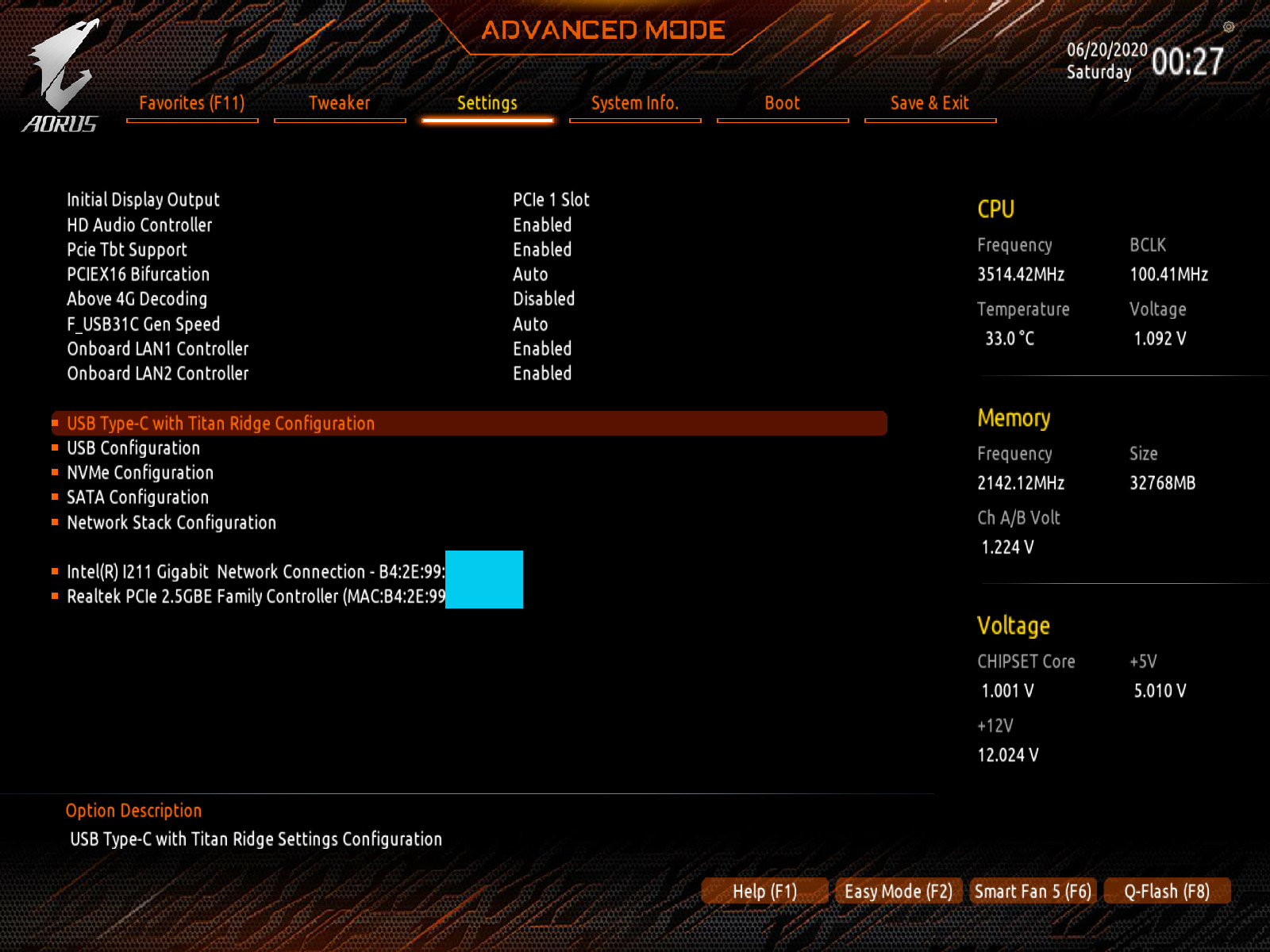
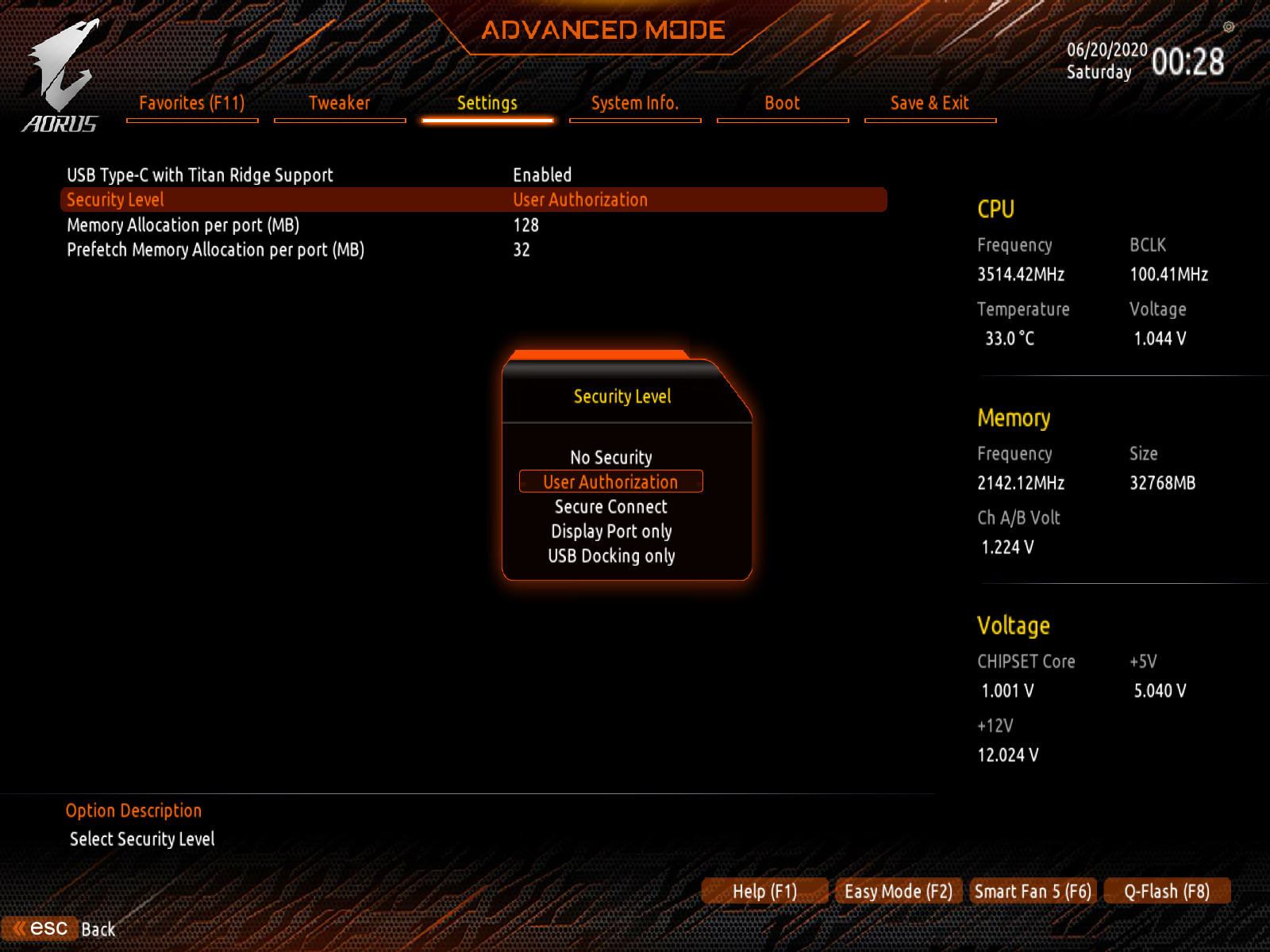
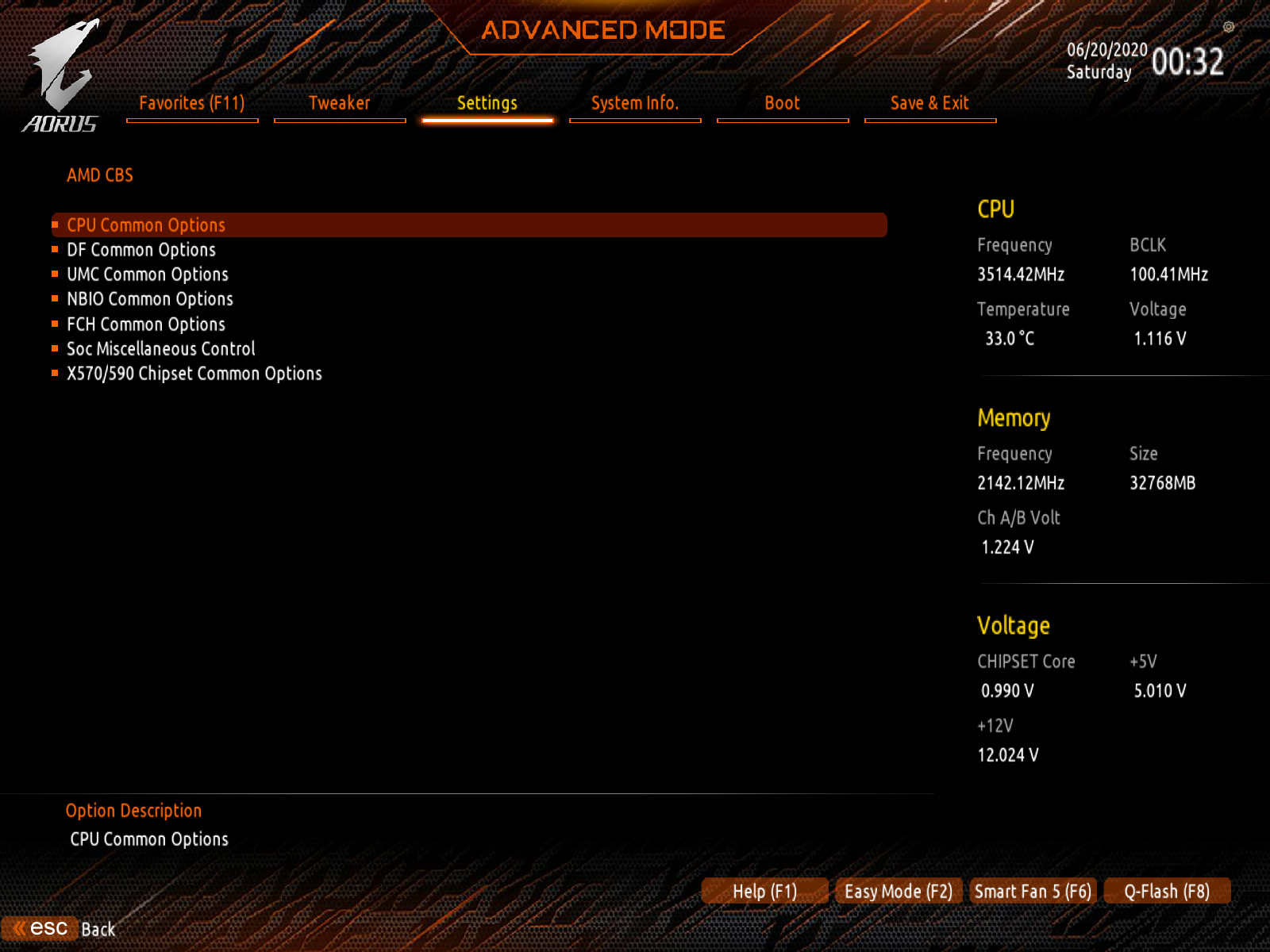

1 Like
I’ve tried, what’s in the picture can’t be a standard 100 mil jumper. I couldn’t get it to fit and short the requisite pins at the same time on the GC-TITAN RIDGE
Going by the motherboard pads, what I posted back in December appears to match. I run the GPIO cable from the Titan Ridge card and use some wire to short the pins on the end that would connect to the motherboard.
Just had contact with Gigabyte support and they confirmed to me twice that neither rev. 1.1 or 1.2 boards are actually being built and that it hasn’t even been decided yet if they will ever be built. I guess that might only be valid for the European market…as apparently at least one person in this thread in the US has a 1.1 board.
1 Like