I’m having massive issues with Virtual Machine Manager. For some reason, after starting it up, I now see a ‘Unable to connect to libvirt qemu:///system. Verify that the libvirtd daemon is running.’
Going into details this is what I see:
Unable to connect to libvirt qemu:///system.

Verify that the 'libvirtd' daemon is running.

Libvirt URI is: qemu:///system

Traceback (most recent call last):
  File "/usr/share/virt-manager/virtManager/connection.py", line 1036, in _do_open
self._backend.open(self._do_creds_password)
  File "/usr/share/virt-manager/virtinst/connection.py", line 144, in open
open_flags)
  File "/usr/lib/python2.7/dist-packages/libvirt.py", line 105, in openAuth
if ret is None:raise libvirtError('virConnectOpenAuth() failed')
libvirtError: Failed to connect socket to '/var/run/libvirt/libvirt-sock': No such file or directory
I have a reviewed a number of similar posts about this (though linking would be a not-so-great idea). And am a bit lost as to what to do to fix this. Any help is greatly appreciated.
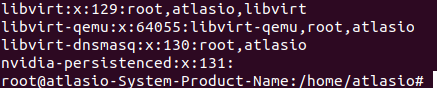
edit: List of files in /var/run/libvirt
Edit: I marked it as solved. But this wasn’t just 1 issue. There were a number of issues that cropped up. So to anyone out there who comes across this I encourage you to read this post all the way through, until the end.
Synchronizing state of libvirtd.service with SysV service script with /lib/systemd/systemd-sysv-install.
Executing: /lib/systemd/systemd-sysv-install enable libvirtd
Synchronizing state of virtlogd.service with SysV service script with /lib/systemd/systemd-sysv-install.
Executing: /lib/systemd/systemd-sysv-install enable virtlogd
The unit files have no installation config (WantedBy, RequiredBy, Also, Alias settings in the [Install] section, and DefaultInstance for template units).
This means they are not meant to be enabled using systemctl.
Possible reasons for having this kind of units are:
1) A unit may be statically enabled by being symlinked from another unit's  .wants/ or .requires/ directory.
2) A unit's purpose may be to act as a helper for some other unit which has a requirement dependency on it.
3) A unit may be started when needed via activation (socket, path, timer, D-Bus, udev, scripted systemctl call, ...).
4) In case of template units, the unit is meant to be enabled with some instance name specified.
Almost certainly Ubuntu, but the SysV init stuff looks like it was upgraded from an older release improperly. Looks like it’s trying to process SysV compatibility, but probably shouldn’t be.
apt install -f
Reading package lists... Done
Building dependency tree
Reading state information... Done
0 upgraded, 0 newly installed, 0 to remove and 0 not upgraded.
However I ran apt update && apt upgrade a few minutes before thinking it would be a good idea.
That SysV processing stuff looks suspicious to me.
18.04 should be completely moved over to Systemd, so that shouldn’t be happening.
If there’s a missing systemd service unit, or there’s leftover SysV scripts, I could see that happening. But there shouldn’t be a missing service unit (it would be a major bug), and you shouldn’t have SysV init scripts if it wasn’t upgraded from an older release.