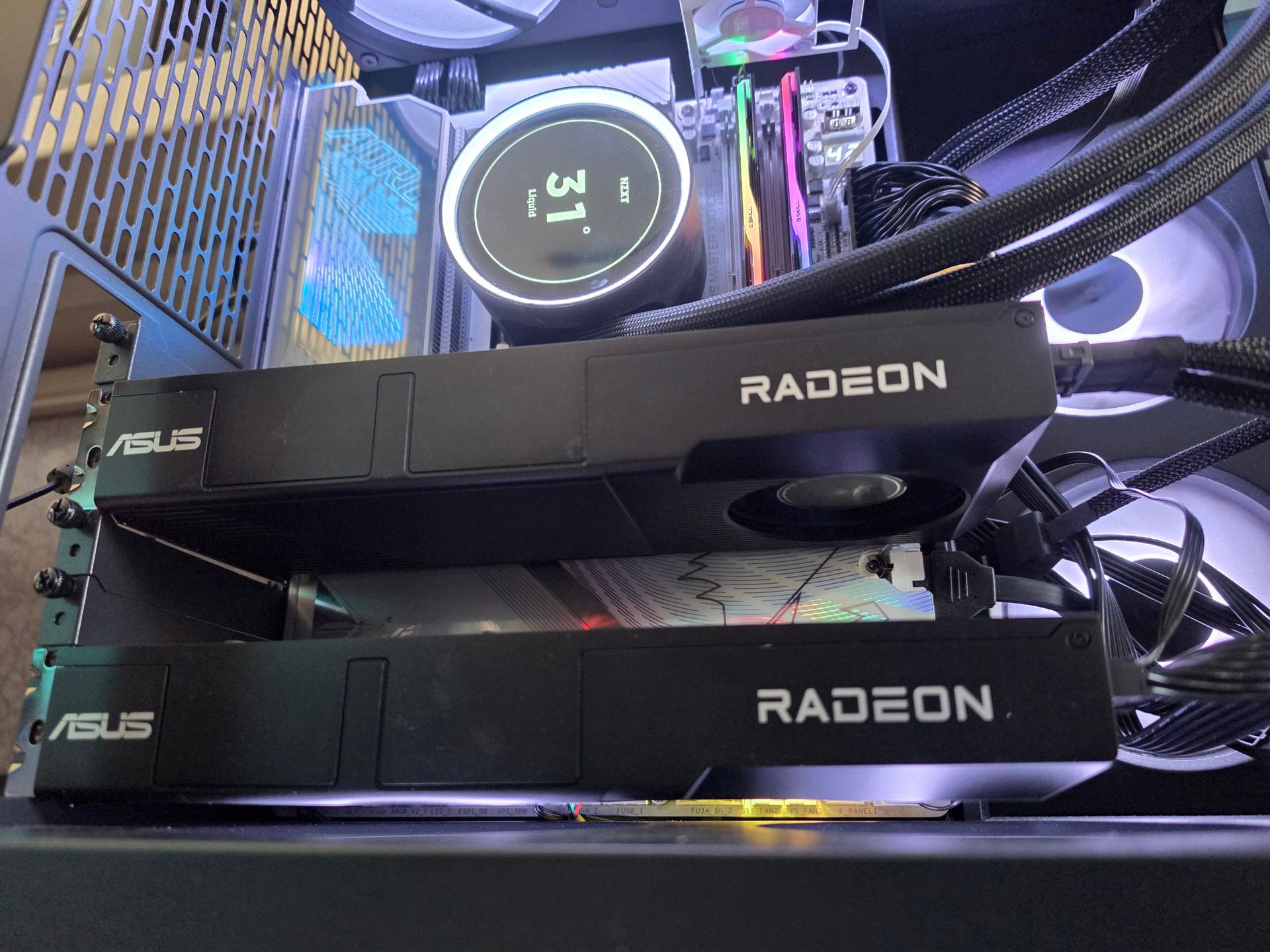
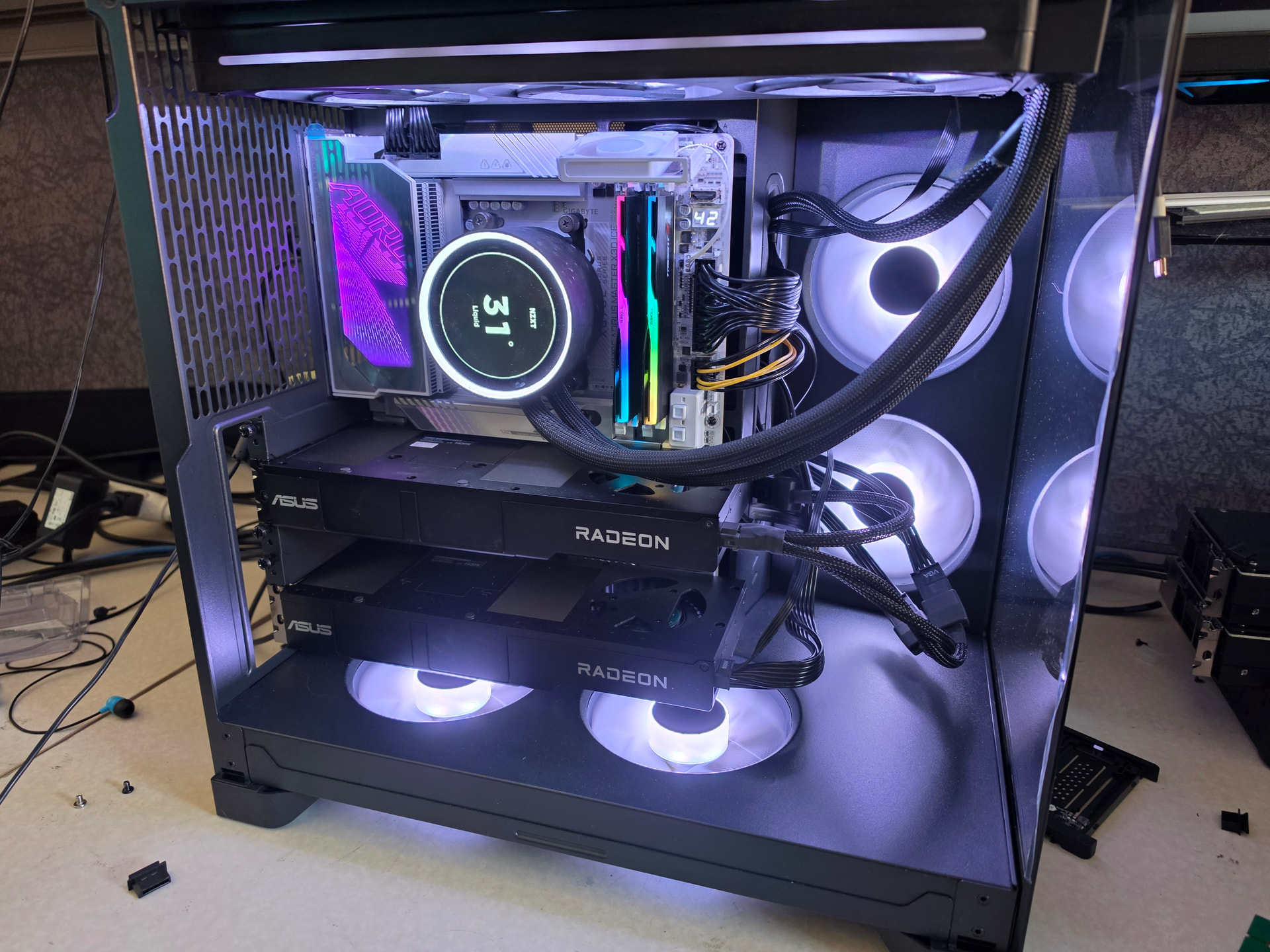
How-to: turn 2x R9700s into a fast local LLM rig (Qwen3.8-27B MXFP4, ~200 tok/s single, ~500 tok/s at 8 concurrent)
Radiance on 2x Radeon AI PRO R9700: A Setup and Benchmark Guide
The inference engine used here has an interesting lineage. The original project was vllm-radiance (StillDeadcode/vllm-radiance) – a patched fork of vLLM that added hand-written RDNA4 HIP kernels (libr4d) for attention, gated-delta-net, all-reduce, MXFP4, and DFlash speculative decoding. It worked well but seems like it was ultimately limited by being bolted onto vLLM’s Python/PyTorch stack. And there might have been some friction in the vLLM pull requests… haha.
The author then ditched vLLM entirely and rewrote everything from scratch as Radiance (StillDeadcode/radiance) – a modular C++/HIP inference engine with a plugin architecture. Model architectures, kernel libraries, and quantizers are all .so plugins loaded at runtime. The Docker image is just 423 MB (vs vLLM’s 13+ GB). The shared GPU kernel library libr4d which you might recognize from the vllm-radiance days (and is now bundled inside the new stand-alone Radiance).
The result is a lean, purpose-built engine for RDNA4 that delivers substantially better performance than any vLLM-based approach on these cards.
This is a step-by-step for a two-card AMD Radeon AI PRO R9700 host. By the end you will have a local OpenAI-compatible server running Qwen3.8-27B dense in MXFP4 with speculative decoding, and you will have run a real end-to-end coding benchmark (a Breakout clone from a 4,500-word spec) to prove it works. Everything here was run twice: once on my main box and once on a second, freshly set up 2x R9700 machine to make sure the steps actually replicate.
The short version of why this stack is fast: the R9700 has more compute than it can feed from its 32 GB of GDDR6, so the whole game is shrinking the bytes that move per token and getting more tokens out of each pass. MXFP4 quantization halves the weight bytes, a DFlash2 drafter gets ~3-4 accepted tokens per forward pass, and the radiance kernel stack keeps everything on the card’s own memory bus instead of crossing PCIe. Same model on llama.cpp or stock FP8 runs 17-23 tok/s single-stream; this config runs 150-200-280.
What you need
- 2x AMD Radeon AI PRO R9700 (32 GB, gfx1201/RDNA4). One card works too (TP1, smaller context);
the repo supports 1/2/4/8 foreshadowing. - A Linux host with the amdgpu kernel driver working (you can see /dev/kfd and /dev/dri). I
validated on CachyOS (kernel 7.1.5) and Ubuntu 24.04. You do NOT install ROCm on the host; the
ROCm userspace ships inside the container image. - Docker (or podman). Any recent version.
- ~60 GB free disk: 19 GB source checkpoint + 19 GB built checkpoint + 2 GB drafter + ~10 GB
image. The 19 GB source is deletable after setup and the script prints the command. - No host Python, no HuggingFace CLI, no build tools. Setup runs everything inside the image.
- ROCm vs Vulkan? ROCm here. It’s getting super legit on RDNA.
Step 1: sanity-check the GPUs
ls -la /dev/kfd /dev/dri
groups   # you want render and video in the list
If /dev/kfd is missing, the amdgpu driver is not loaded; fix that first, this guide cannot help
you there. If you are not in the render/video groups, add yourself and re-login.
Step 2: Pull the Radiance Image
docker pull stilldeadcode/radiance:latest
# ~423 MB
Step 3: Download a Model Container
Radiance uses .rad container files – single-file model packages with weights, config, and metadata baked in. Pre-built containers are on Hugging Face under StillDeadcode.
Option A: Qwen3.8-27B FP8 Dense (29 GiB) – Best single-stream
curl -L -o qwen3.8-27b-fp8.rad \
  https://huggingface.co/StillDeadcode/qwen3.8-27b-fp8/resolve/main/qwen3.8-27b-fp8.rad
Option B: Qwen3.8-27B MXFP4 Dense (18 GiB) – Smaller, similar speed
curl -L -o qwen3.8-27b-mxfp4.rad \
  https://huggingface.co/StillDeadcode/qwen3.8-27b-mxfp4/resolve/main/qwen3.8-27b-mxfp4.rad
Option C: Qwen3.8-Flash-Next FP8+IQ4R MoE (114 GiB) – Largest model, highest quality
curl -L -o qwen3.8-next-flash-fp8-iq4r-moe.rad \
  https://huggingface.co/StillDeadcode/qwen3.8-next-flash-fp8-iq4r-moe/resolve/main/qwen3.8-next-flash-fp8-iq4r-moe.rad
Step 4: Launch the Server
Qwen3.8-27B FP8 Dense (fastest single-stream, ~130 tok/s sustained)
RENDER_GID=$(getent group render | cut -d: -f3)
VIDEO_GID=$(getent group video | cut -d: -f3)

docker run -d \
  --device /dev/kfd --device /dev/dri \
  --group-add ${RENDER_GID} --group-add ${VIDEO_GID} \
  --ipc host --network host --shm-size 32g \
  --security-opt seccomp=unconfined --cap-add=SYS_PTRACE \
  --ulimit memlock=-1:-1 \
  -e HIP_VISIBLE_DEVICES=0,1 \
  -v /path/to/qwen3.8-27b-fp8.rad:/model.rad:ro \
  --name radiance \
  stilldeadcode/radiance:latest \
  --model /model.rad \
  --tp 2 --tp-wire wht6 \
  --max-model-len 262144 \
  --max-num-seqs 8 \
  --kv-cache-dtype fp8 \
  --gpu-headroom-mib 96 \
  --num-speculative-tokens 7 \
  --host 0.0.0.0 --port 8300
Qwen3.8-Flash-Next MoE (larger context, higher quality, ~125 tok/s)
RENDER_GID=$(getent group render | cut -d: -f3)
VIDEO_GID=$(getent group video | cut -d: -f3)

docker run -d \
  --device /dev/kfd --device /dev/dri \
  --group-add ${RENDER_GID} --group-add ${VIDEO_GID} \
  --ipc host --network host --shm-size 32g \
  --security-opt seccomp=unconfined --cap-add=SYS_PTRACE \
  --ulimit memlock=-1:-1 \
  -e HIP_VISIBLE_DEVICES=0,1 \
  -v /path/to/qwen3.8-next-flash-fp8-iq4r-moe.rad:/model.rad:ro \
  -v /home/w/.cache/huggingface:/root/.cache/huggingface \
  --name radiance-fn \
  stilldeadcode/radiance:latest \
  --model /model.rad \
  --tp 2 --tp-wire wht6 \
  --max-model-len 200000 \
  --max-num-seqs 8 \
  --kv-cache-dtype fp8 \
  --placement expert_tiered \
  --host-pool-mib 12288 \
  --gpu-headroom-mib 96 \
  --ngram-placement ram \
  --num-speculative-tokens 3 \
  --max-num-batched-tokens 2048 \
  --host 0.0.0.0 --port 8300
Note on first start: The first load reads the entire .rad file into VRAM and pinned host memory. For Flash-Next this is ~66 GiB of data at ~0.3 GB/s over NFS, taking about 4 minutes. Subsequent starts with the file cached by the OS are faster.
Step 5: Verify It’s Running
docker ps
curl http://localhost:8300/v1/models
# Expected: {"object":"list","data":[{"id":"qwen35","object":"model",...}]}
Step 6: Sanity Check
python3 -c "
import json, time, urllib.request
t0 = time.time()
req = urllib.request.Request(
  'http://localhost:8300/v1/chat/completions',
  data=json.dumps({
    'model': 'qwen35',
    'messages': [{'role': 'user', 'content': 'Write a short story about a sentient dot matrix printer.'}],
    'max_tokens': 512,
    'temperature': 0
  }).encode(),
  headers={'Content-Type': 'application/json'},
  method='POST'
)
resp = urllib.request.urlopen(req, timeout=300)
t1 = time.time()
result = json.loads(resp.read())
tokens = result['usage']['completion_tokens']
print(f'{tokens} tokens in {t1-t0:.1f}s = {tokens/(t1-t0):.1f} tok/s')
"
Reference Benchmarks (2x R9700, Radiance v1.2.3, 96 GiB DRAM)
All benchmarks use the OpenAI-compatible API with temperature 0. “Sustained decode” numbers use long generations (4096+ tokens) to amortize prefill overhead.
Qwen3.8-27B FP8 Dense (–num-speculative-tokens 7, DFlash2)
| Test | Result |
|---|---|
| Single stream, 512 gen | 111 tok/s (includes prefill) |
| Sustained decode, 8192 gen | 130 tok/s |
| Decode-only (1-token prompt) | 169 tok/s |
| conc=2 | 177 tok/s agg |
| conc=4 | 291 tok/s agg |
| conc=8 | 596 tok/s agg |
| 2K prompt decode | 23 tok/s |
| 200K prompt decode | 1.7 tok/s |
| VRAM used | 15.0 GiB/GPU |
Qwen3.8-27B MXFP4 Dense (–num-speculative-tokens 7, DFlash2)
| Test | Result |
|---|---|
| Single stream, 512 gen | 133 tok/s |
| conc=4 | 448 tok/s agg |
| conc=8 | 678 tok/s agg |
| VRAM used | 9.7 GiB/GPU |
Qwen3.8-Flash-Next FP8+IQ4R MoE (–num-speculative-tokens 3, MTP)
| Test | Result |
|---|---|
| Single stream, 512 gen | 125 tok/s |
| conc=4 | 513 tok/s agg |
| conc=8 | 879 tok/s agg |
| conc=16 | 1103 tok/s agg |
| 20K prompt decode | 25 tok/s |
| VRAM used | 21.9 GiB/GPU + 47.7 GiB host RAM (n-gram) |
In some very specific benchmaxxed configs its possible to break out (hah, get it) past 200 t/s but for real-world usage these number sare much more usable.
Over time, I also found the FP8 dense version better than MXFP4 dense.
Breakout coding benchmark (FP8 dense)
The breakout test is a 5,899-token programming task asking the model to build a complete Breakout game in a single HTML file.
| Model | tok/s | Wall time | Result |
|---|---|---|---|
| FP8 dense (this guide) | 125.7 | 260.8s | Complete, 32,768 tokens, hit max_tokens still generating |
| MXFP4 dense (old vllm-radiance) | 191.8 | 106.6s | Complete, 20,443 tokens, early EOS, other quirks |
| Flash-Next FP8 (old vllm-radiance TP8) | 42.4 | N/A | Failed – burned budget on planning |
The FP8 dense result is strong: the model stayed engaged for the full 32K budget, meaning it was productively generating code the whole time.
Flash-next FP8 can be good, but it’s much slower, spends much more time reasoning. I just included it for comparison. It is a much larger model, and will be shown in the 8xR9600D video.
Step 7: Run the Breakout Test
breakout_prompt.txt (28.9 KB)
Tuning Tips
Context length vs concurrency
The --max-model-len and --max-num-seqs flags trade off between deep context and concurrent users. The KV cache budget is roughly card_total - headroom - weights - activation_arena. For FP8 dense (15 GiB weights) at 262K context with 8 sequences, the pool backs about 37% of worst case. Reduce --max-model-len or --max-num-seqs to increase the backing ratio.
n-gram placement (Flash-Next only)
The 51B-parameter n-gram/PLE table is 47.68 GiB. Options:
--ngram-placement ram(recommended): Load into pinned host RAM. Requires ~48 GiB free DRAM. Fastest decode.--ngram-placement disk: Stream from disk via io_uring. Uses no RAM but adds latency.--ngram-placement vram: Put on GPU. Needs free VRAM (unlikely with 32 GB cards).
Lossy all-reduce
--tp-wire wht6 uses Walsh-Hadamard-rotated 6-bit quantization for cross-GPU communication. Lossy for messages >128 KiB (prefill and busy decode). Single-sequence decode is exact. Use --tp-wire exact for bit-exact reproducibility at ~5-10% throughput cost.
Troubleshooting
| Symptom | Likely cause | Fix |
|---|---|---|
E unknown option |
Typo in flag name in the radiance docs | Check docker run --rm stilldeadcode/radiance:latest --help |
libavx: cannot make a ring |
io_uring needs more locked memory | Add --ulimit memlock=-1:-1 to docker run |
| Container exits immediately | Missing --ulimit memlock or wrong flag |
Check logs with docker logs <container> |
400 invalid_request_error |
Prompt exceeds --max-model-len |
Shorten prompt or increase --max-model-len |
Resources
- Radiance engine: StillDeadcode/radiance: modular inference engine for people that want to get the most out of their hardware - Codeberg.org
- Docker image: stilldeadcode/radiance - Docker Image
- Model containers: StillDeadcode (StillDeadcode)
- Original vllm-radiance (archived): StillDeadcode/vllm-radiance: patched vllm shipped as a docker image for best possible performance on R9700 gpus - Codeberg.org
Footnote for the curious: the same guide validates on the ASRock 8x R9600D box (TP2 on 2 of the 8 cards, 4 sets, with model router) produced identical KV sizing and byte-identical benchmark output, within normal run-to-run variance on speed. Two cards are the sweet spot for this model; the rest of a bigger box is better spent on other instances, other models, or scaling for many MANY users. Video on that soon.


