You might not be able to read the DIMM temp without the help of ipmitool. The DRAM SMBUS will be switched to BMC by default after BIOS POST. You can also monitor the temp in the web UI.
2 Likes
I do see that a few of them are approaching high 70°s, I’ll definitely pont a fan at 'em.
Just install the spd5118 kernel module which reads and reports DDR5 SPD sensors.
sudo modprobe spd5118
spd5118-i2c-1-51
Adapter: SMBus PIIX4 adapter port 0 at 0b00
temp1: +50.8°C (low = +0.0°C, high = +55.0°C)
(crit low = +0.0°C, crit = +85.0°C)
spd5118-i2c-1-53
Adapter: SMBus PIIX4 adapter port 0 at 0b00
temp1: +48.5°C (low = +0.0°C, high = +55.0°C)
(crit low = +0.0°C, crit = +85.0°C)
2 Likes
So, I was having a hard time getting that to work, but I was able to do
sudo  ipmitool sensor 2>&1 |grep DDR5
TEMP_DDR5_A1     | 54.000     | degrees C  | ok    | na        | na        | na        | 84.000    | 85.000    | na
TEMP_DDR5_B1     | 57.000     | degrees C  | ok    | na        | na        | na        | 84.000    | 85.000    | na
TEMP_DDR5_C1     | 59.000     | degrees C  | ok    | na        | na        | na        | 84.000    | 85.000    | na
TEMP_DDR5_D1     | 58.000     | degrees C  | ok    | na        | na        | na        | 84.000    | 85.000    | na
TEMP_DDR5_E1     | 54.000     | degrees C  | ok    | na        | na        | na        | 84.000    | 85.000    | na
TEMP_DDR5_F1     | 60.000     | degrees C  | ok    | na        | na        | na        | 84.000    | 85.000    | na
TEMP_DDR5_G1     | 61.000     | degrees C  | ok    | na        | na        | na        | 84.000    | 85.000    | na
TEMP_DDR5_H1     | 56.000     | degrees C  | ok    | na        | na        | na        | 84.000    | 85.000    | na
I stuck that 120mm fan on the outside as an exhaust, and put the side 2x140mm fans up above the ram. During a speedtest, I’m still seeing pretty high temps on a few slots. Much better though.
sudo  ipmitool sensor 2>&1 |grep DDR5
TEMP_DDR5_A1     | 62.000     | degrees C  | ok    | na        | na        | na        | 84.000    | 85.000    | na
TEMP_DDR5_B1     | 67.000     | degrees C  | ok    | na        | na        | na        | 84.000    | 85.000    | na
TEMP_DDR5_C1     | 66.000     | degrees C  | ok    | na        | na        | na        | 84.000    | 85.000    | na
TEMP_DDR5_D1     | 63.000     | degrees C  | ok    | na        | na        | na        | 84.000    | 85.000    | na
TEMP_DDR5_E1     | 64.000     | degrees C  | ok    | na        | na        | na        | 84.000    | 85.000    | na
TEMP_DDR5_F1     | 72.000     | degrees C  | ok    | na        | na        | na        | 84.000    | 85.000    | na
TEMP_DDR5_G1     | 74.000     | degrees C  | ok    | na        | na        | na        | 84.000    | 85.000    | na
TEMP_DDR5_H1     | 68.000     | degrees C  | ok    | na        | na        | na        | 84.000    | 85.000    | na
I have seen a few mce L3 cache error logs, it said they were corrected. Also, memtest86+ is failing to complete without errors. I think this might be due to PBO being on. I’m not sure if it’s a big deal for my uses, but it exists.
[  987.965067] EDAC MC0: 1 CE on mc#0csrow#0channel#9 (csrow:0 channel:9 page:0x5ffff offset:0xeff grain:64 syndrome:0x20)
[  987.965386] [Hardware Error]: cache level: L3/GEN, tx: GEN, mem-tx: RD
[  987.965497] [Hardware Error]: Corrected error, no action required.
[  987.965604] [Hardware Error]: CPU:1 (1a:8:1) MC22_STATUS[Over|CE|MiscV|AddrV|-|-|SyndV|CECC|-|-|-]: 0xdc2040000400011b
[  987.965820] [Hardware Error]: Error Addr: 0x000000034720bf80
[  987.965928] [Hardware Error]: PPIN: 0x02b0e27041edc050
[  987.966034] [Hardware Error]: IPID: 0x0000009600350f00, Syndrome: 0x288300400a800300
[  987.966140] [Hardware Error]: FRU Text: Locator: P0MA0
[  987.966246] [Hardware Error]: Unified Memory Controller Ext. Error Code: 0
[  987.966251] EDAC MC0: 1 CE on mc#0csrow#0channel#3 (csrow:0 channel:3 page:0x5ffff offset:0xeff grain:64 syndrome:0x40)
[  987.966569] [Hardware Error]: cache level: L3/GEN, tx: GEN, mem-tx: RD
I’m going to go ahead and turn PBO off and test.
1 Like
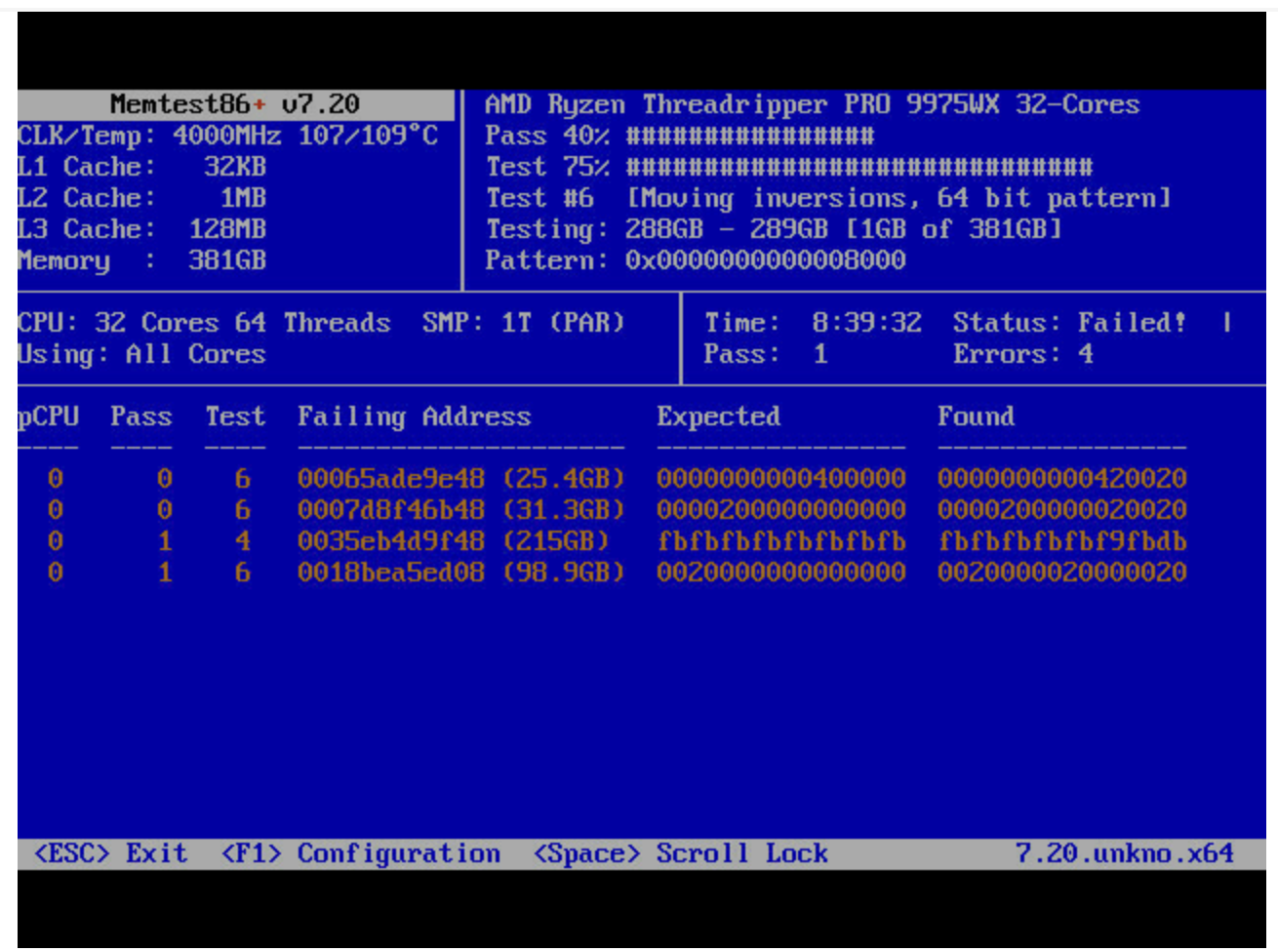
If that temp is accurate it would explain the errors. You’d want to drop the temp by 40-45C in order to get into the most stable region for the DRAM.
2 Likes
Yeah, I’m thinking that too. I wonder what I can do…
If you’ve got a 3d printer you could print some fan shrouds that direct air at the memory.
I’m still suprised there aren’t more companies selling aftermarket memory heatsinks, this use to be a thing back in the DDR2 days.
1 Like
I don’t have one yet, but maybe sometime soon.
You too can prevent forest fires!
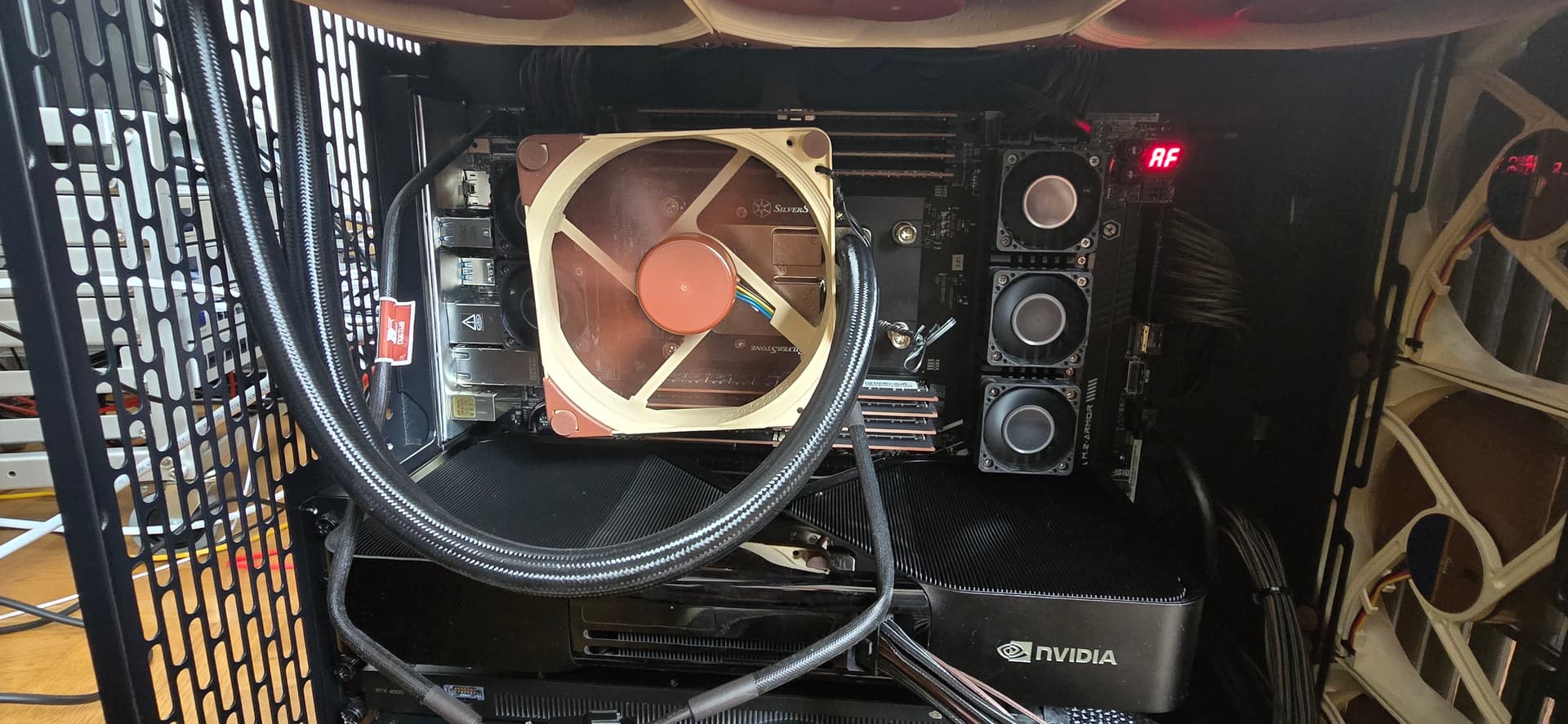
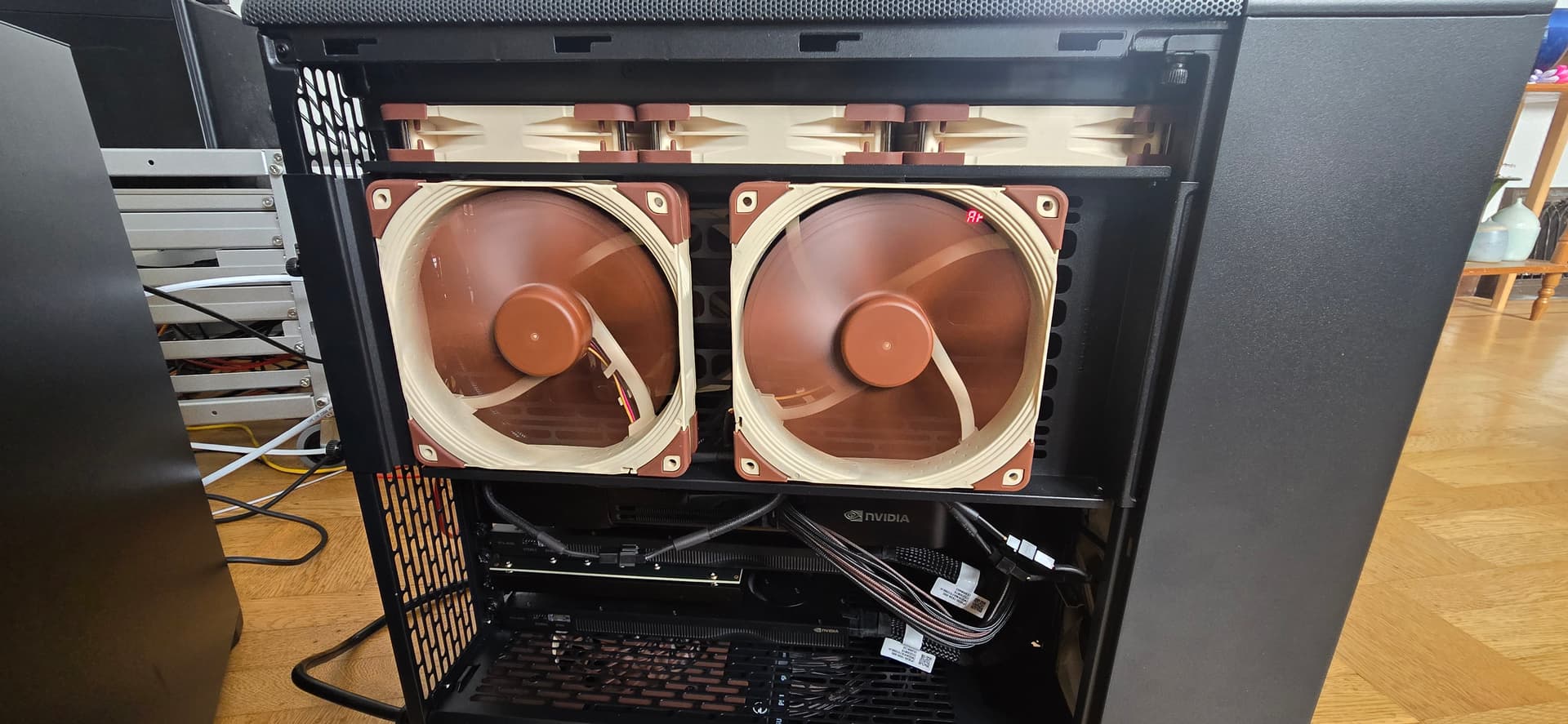
Maximum jank, let’s see what it does.
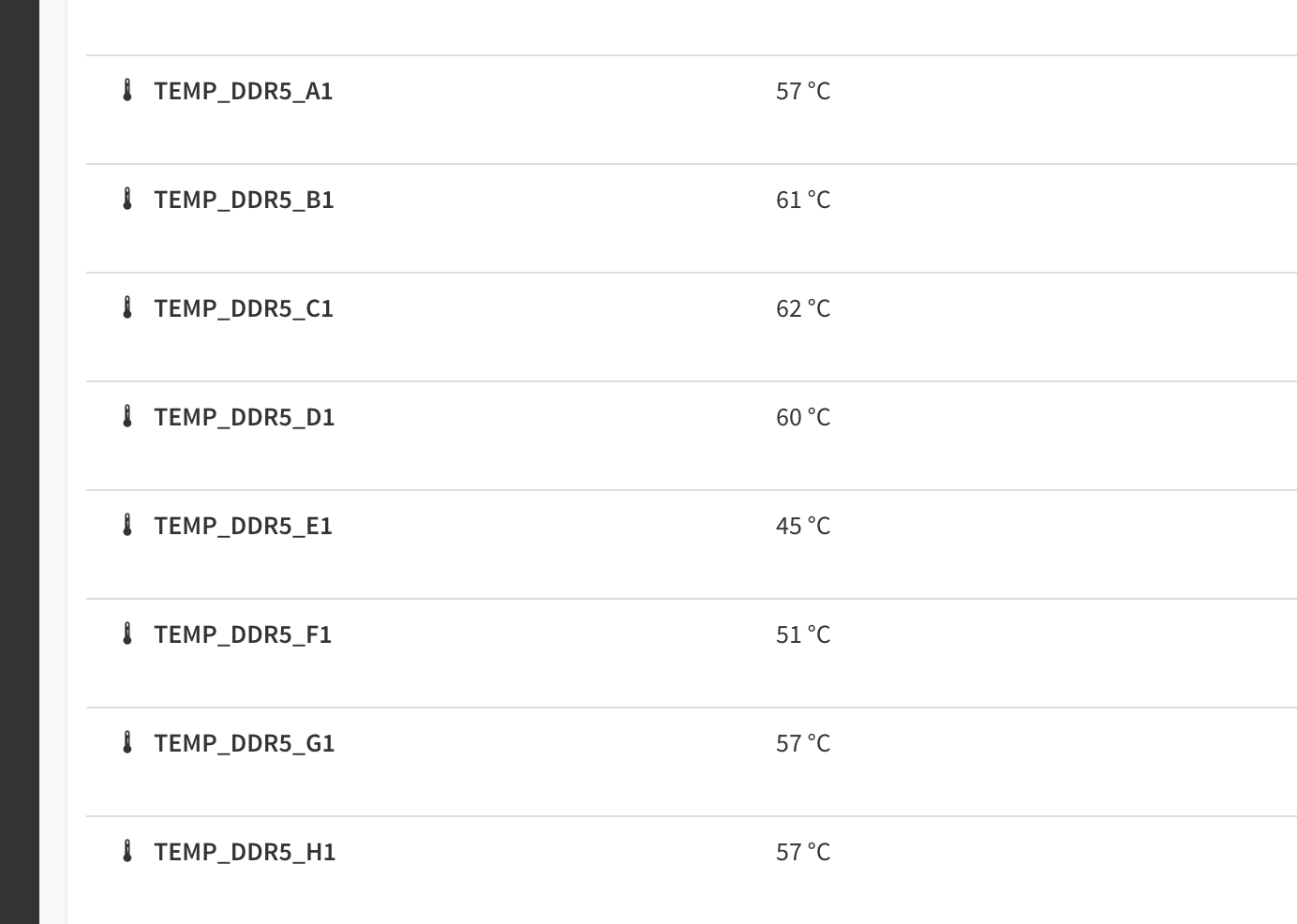
Just started another memtest. With those temps in 5 mins
5 Likes
Another thing to keep in mind is that the temperature of some of the DRAM packages can be a decent amount high than what the sensor on the RDIMM reports. I checked this on my RDIMMs with a thermal camera and saw a 5-15C higher temperature on the DRAM packages over what the software reported.
2 Likes
Yikes! hmm, what to do…
must liquid cool!! jkjk
2 Likes
Hahaha, almost thinking about it! I might try some Noctua 40mm fans and string them together or something. Let’s see if I can make it through this memtest now.
For my system with DDR5 64 GB 4800 MHz RDIMMs, I installed two 80 mm fans in front of the groups of modules to push air through the narrow gaps between the modules. With the fans, idle temperature stays around 20C, and under heavy load it goes up to about 55–58C. Without the fans, temperature quickly reaches 64~65C and throttling begins, even with an open case and an air-conditioned room maintained at 18C.
2 Likes
Kinda thinking about how I might mount a setup like that. Not much room in there, unfortunately. I’ll have to think about this for a bit…
Maybe 6800 was a bad idea!
I actually think 6800 MHz was a good choice. On a Threadripper-type system we can really get a big speedup from faster memory, so it’s great for squeezing out extra performance. I wish my system supported more than 4800 MHz…
For cooling, I think it is better to push air lengthwise through the gaps between the modules rather than blowing down from the top. Rack-style systems are designed that way for a reason. And, I’m using 80 mm fans, but I think that smaller, higher-pressure fans might be even more effective and will occupy smaller space.
Good luck with your setup!
2 Likes
To keep DDR5 RDIMM temps under control, DIMMS with actual heatspreaders on them are preferred over naked DIMMS. Wendell touched on this in his TRX50 HEDT reviews. The naked DDR5-8000 kits throttled really fast but the 7200 kit with heat spreaders did not.
There are several Github DDR5 RDIMM heat spreader projects with the design files to provide to your local CNC shop for manufacturing your own heat spreaders. Both air cooing and water cooling designs.
1 Like
Indeed, I read about that. V-color said somewhere on their site that there were space issues on WrlRX90 8 channel boards, so they put a small heat spreader on the controller chip instead.
I will take a look around at some card files.
Something like this?
https://www.reddit.com/r/Noctua/comments/1009rx2/nfa4x20_40mm_for_cooling_ram_in_my_build_xpost/
ASUS now ships a 40-50mm fan bracket with their TRX50 and WRX90 motherboards, and added a document recommending to use them with RAM: Q23909_DRAM_Fan_bracket_Insert_WEB_1.pdf
You can find them online on eBay, or some third parties like Living Green Technology (ASUS 13020-04480000).
1 Like