
1 Like
I've got all SSDs before this post put into the spreadsheet, I'll get the HDDs done shortly.
Anyways, I like the variety so far, it's a nice mix of brands and styles. Keep it coming!
If I get my drives tomorrow you should get some good benchmarks on tuesday
Awesome. It'll be interesting to see if there is any difference between your 850s and Rudster's.
Once I find my external drive I'm going to do a backup and then see about doing a RAID0 as well for gits and shiggles. Hopefully the C216 chipset I have can figure it out without too much sass.
Just for clarification the 16GB isn't an actual RAM disk, the benchmark software is reading and writing directly to RAM and then offloading it back onto the SSD with a 60s deferred re-write.
Thanks for the heads up, adjusted the spreadsheet to reflect it.
I still think it's pretty much magic.
Well I know some of you have been waiting for this and this will be very similar to NJM's benchmarks tomorow but here they are
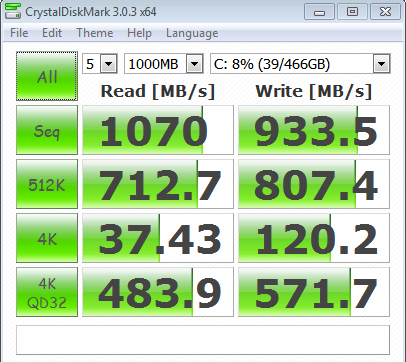
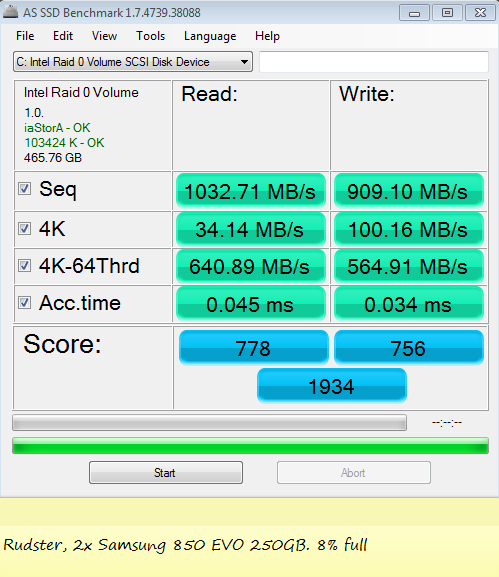
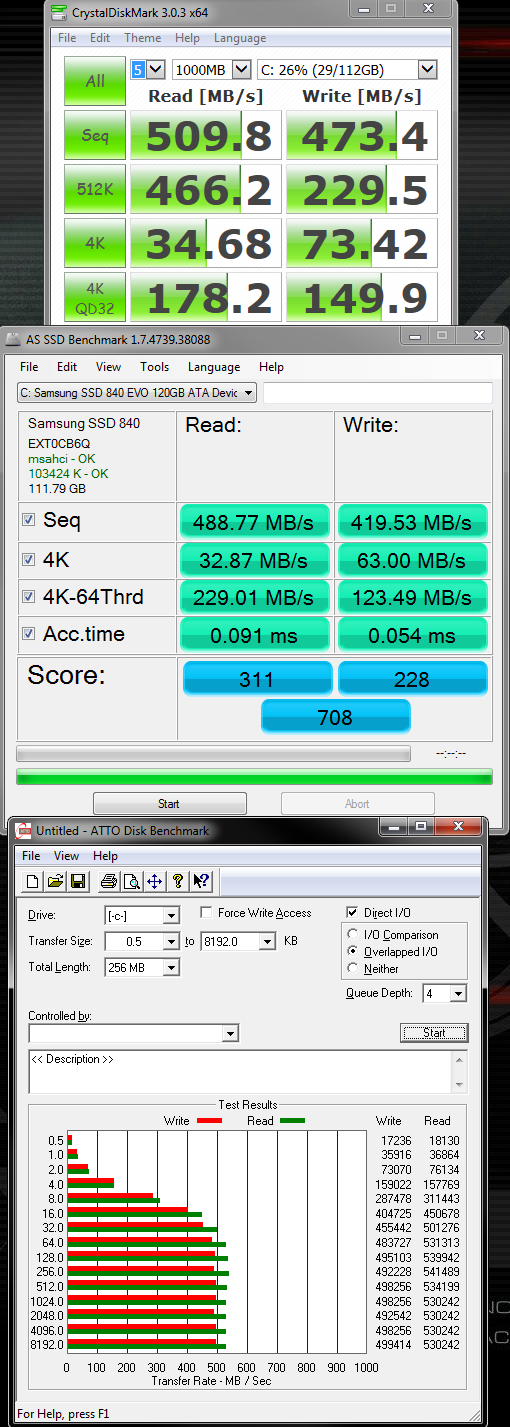
Im happy with the speed in relation to what Samsung advertise.
That access time though. Jesus I have never seen anything so quick.

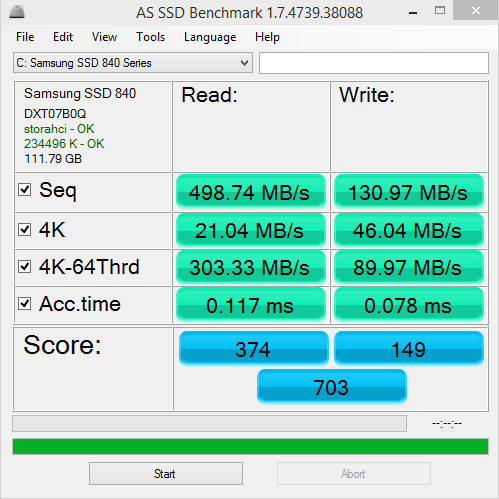
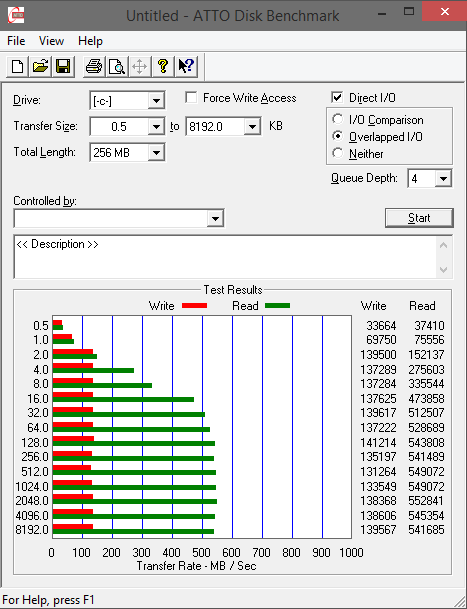
Tested: Samsung 840 120GB SSD
Not bad for a drive I got for free. Definitely seeing there is room for more speed though. :P
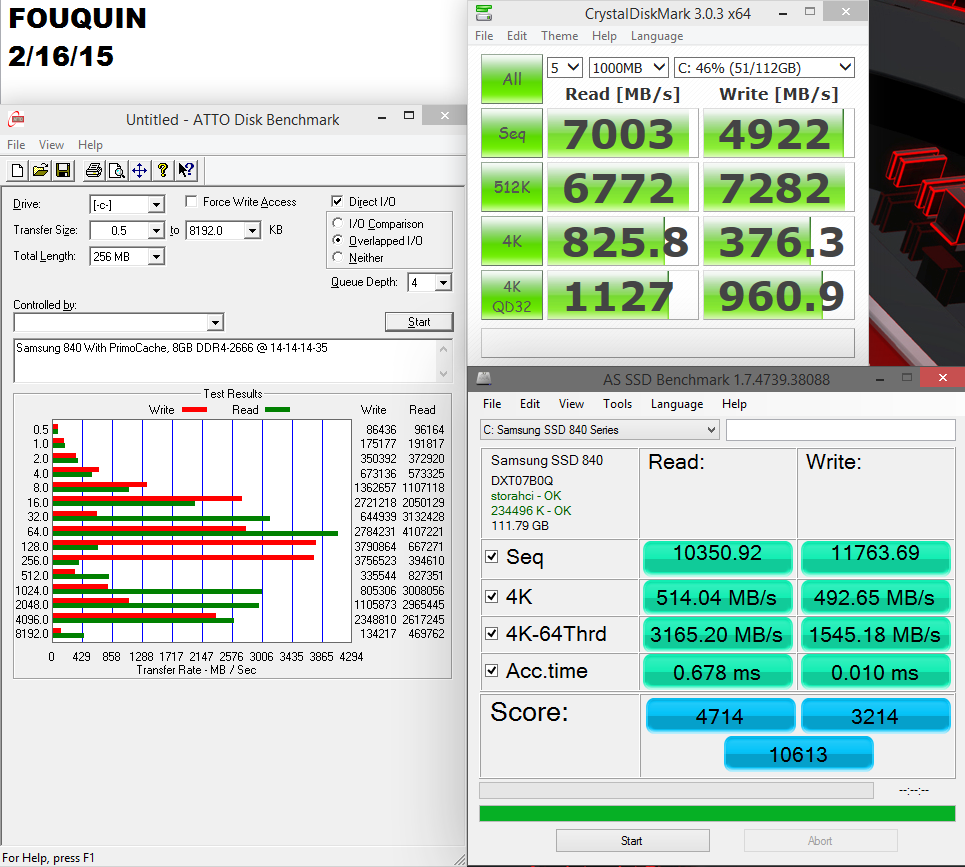
ok seeing how easy running a ram disk is to cashe your drive, i think we need to ignore all ram disk setups. Misses the point of this thread as most of the time, we ride off the performance of our main drives. Your not going to boot off of a ramdisk
Yeah it's like 2 minutes of setup and a restart. Too easy, but very fun to see the dramatic difference.
I like the pretty numbers. :P
I'll be Jimmy who brings the wrong toys to the playground :D
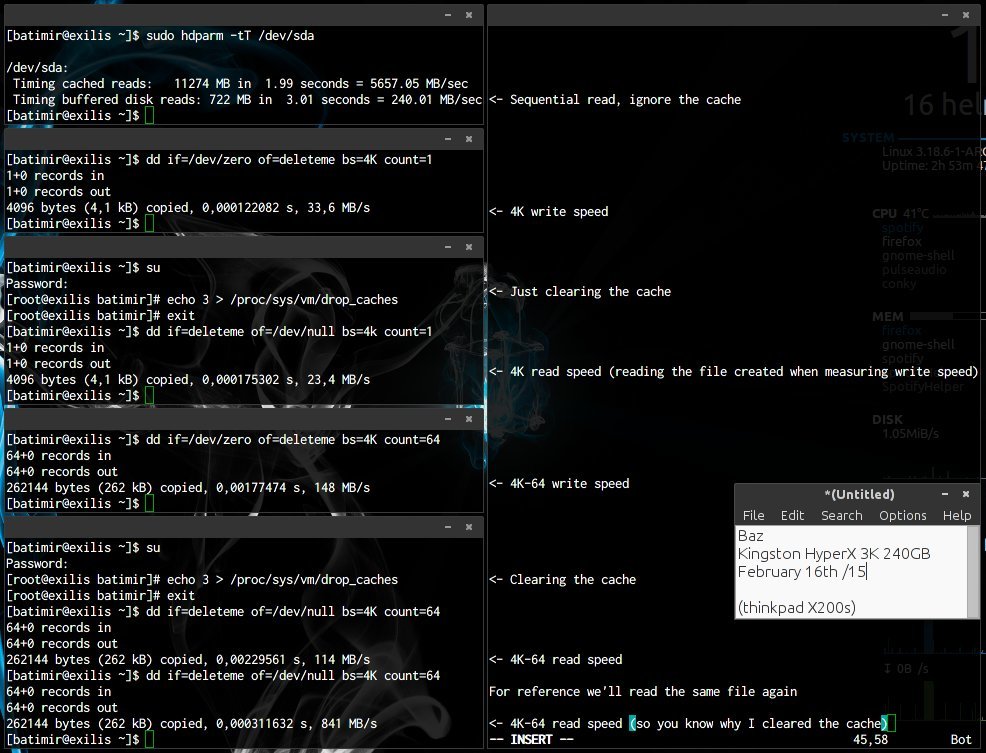
Guess it's time for me to learn more about I/O, haven't played with storage devices much, and since I can't run AS SSD or ATTO I'll do manual tests (sorry lol) and ask a question. All the benchmarks display the result of one testrun, so I ran the commands several times, and those numbers shown in the results are pretty average, and seems to make sense. Indeed not the fastest but I'm running an old crummy laptop after getting rid of my desktop a while back (was overkill lol).
Doing what AS SSD does
Checking with a bigger file, because bigger = more fun
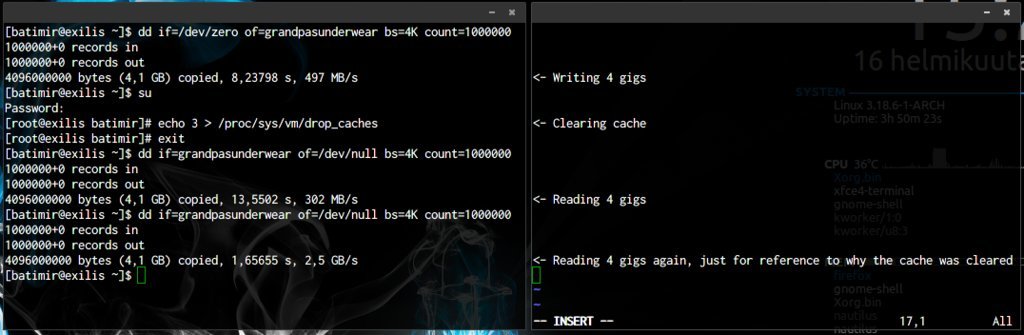
However since the disk is encrypted, and according to this benchmark I shouldn't exceed ~160MBps (serpent-xts, no crypto-accelerator), since it's here benchmarking the CPU & RAM, shouldn't the I/O be limited to these speeds?

Cheers
drive:Samsung XP941
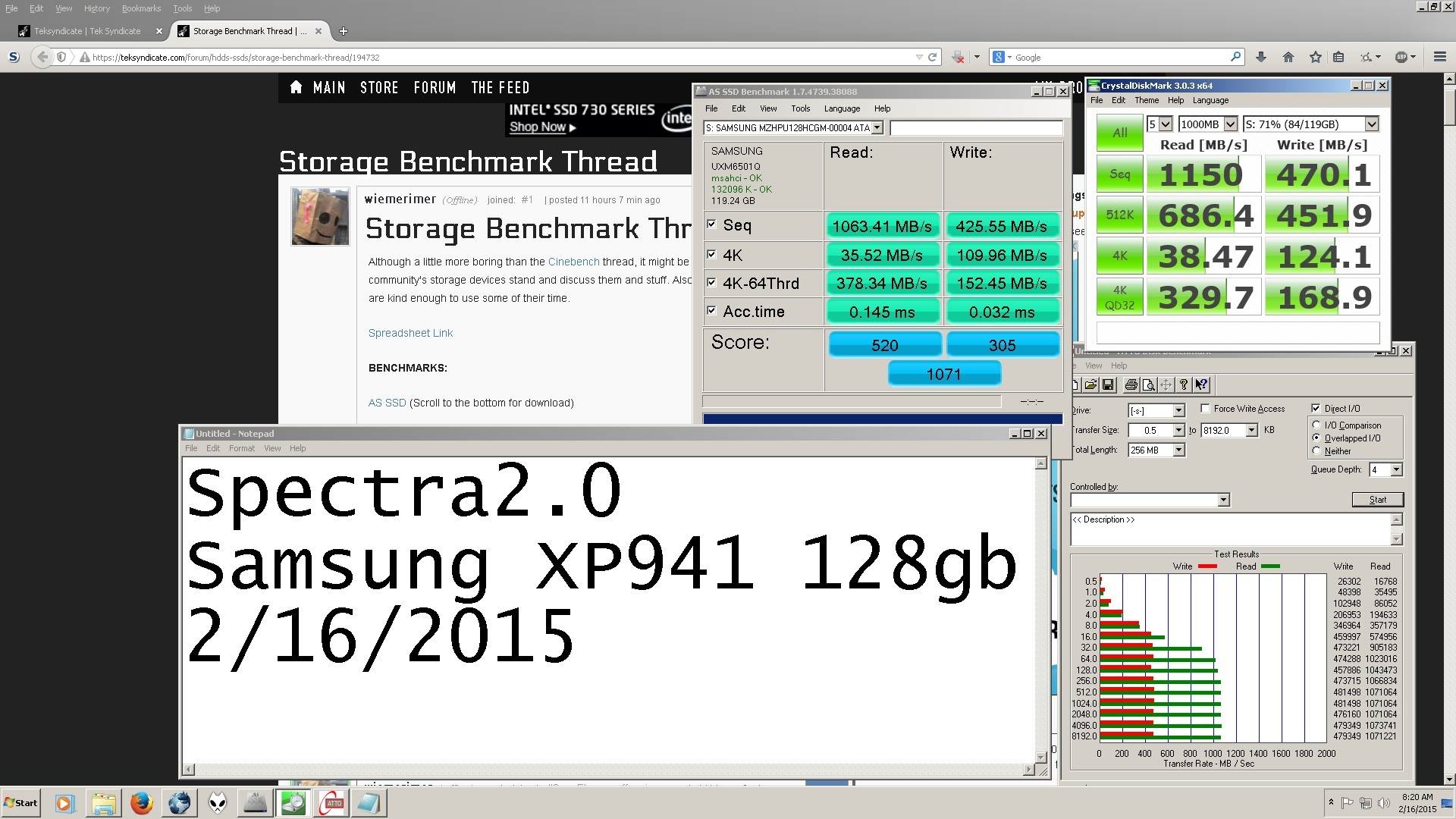
Mushkin Chronos thats been my boot drive since release day
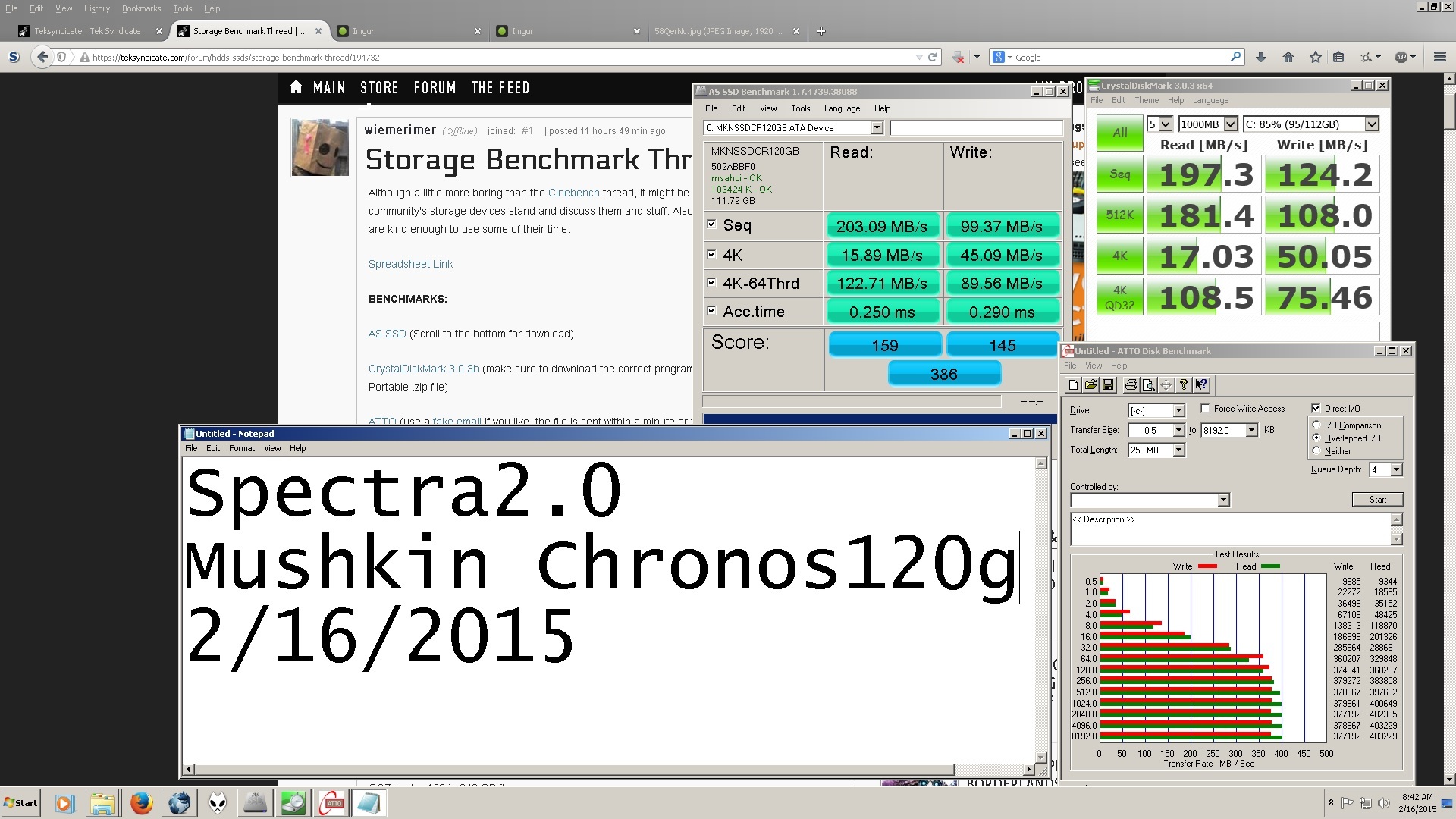
506 firmware ssdnow v300 from kingston fresh formatted
10gig Ram Disk

can check with ftp://supportdownload:[email protected]/SSD_Toolbox_20.exe
505 firmware is the good one 506 and 521 i think are the bad ones
as ssd will tell you the firmware version too.
Samsung 850 Pro 256GB checking in.
- 10% full
- Win8.1 Fresh Install
- Boot/System Drive
- No interfering Software like Ram Cache
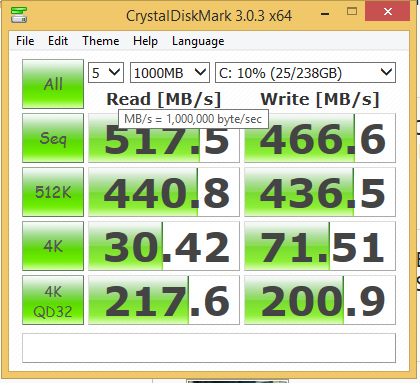
EDIT: I can run this on a 2TB Seagate Barracuda 7200 if you want that as well, I don't currently have my 500GB Seagate Barracuda hooked up.
Once I save up money for different drive to swich my system to, I will send it back to them, till then I will have to suffer that I took the low price bait.
Heres what my score is with the same SSD with Samsung RAPID mode ON.
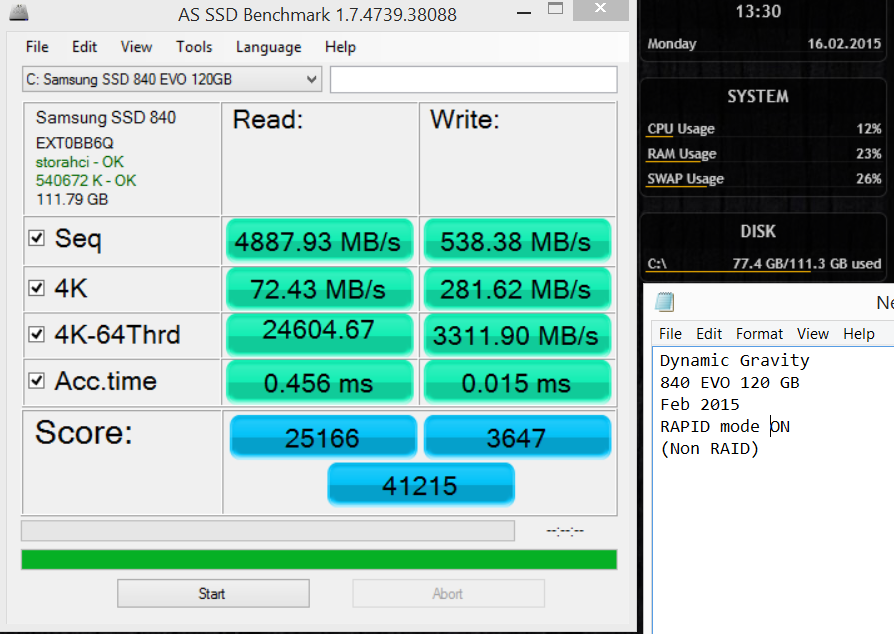
"When enabled, RAPID mode is inserted as a filter driver in the Windows storage stack. The driver actively monitors all storage-related activity between and among the operating system, user applications and the SSD. The RAPID technology analyzes system traffic and leverages spare system resources (DRAM and CPU) to deliver read acceleration through intelligent caching of hot data and write optimization through tight coordination with the SSD. "
https://www.samsung.com/global/business/semiconductor/minisite/SSD/downloads/document/Samsung_SSD_Rapid_Mode_Whitepaper_EN.pdf
for a moment I thought that was windows xp for a little bit there