Storage Benchmark Thread

Although a little more boring than the Cinebench thread, it might be interesting to see where the community's storage devices stand and discuss them and stuff. Also RAID vs. non-RAID if people are kind enough to use some of their time.

BENCHMARKS:

AS SSD (Scroll to the bottom for download)

CrystalDiskMark 3.0.3b (make sure to download the correct program. I recommend using the Portable .zip file)

ATTO (use a fake email if you like, the file is sent within a minute or two)

RULES:

Submission screenshot must be legible and contain the finished benchmarks.

Submission post must contain make, model, and capacity of the drive being tested.

Alternatively, if using a RAID setup, the submission post must also contain the make, model, and capacity of each drive being tested as well as the RAID level.


Spreadsheet

Example and first submission:

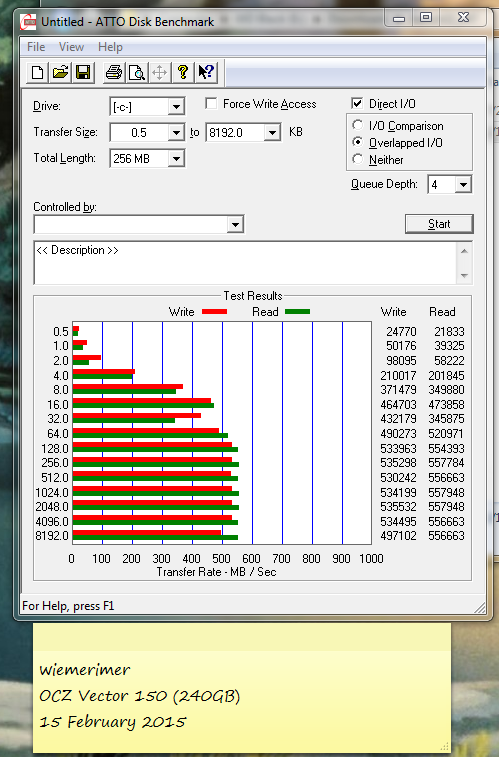
OCZ Vector 150 in 240 GB flavour.

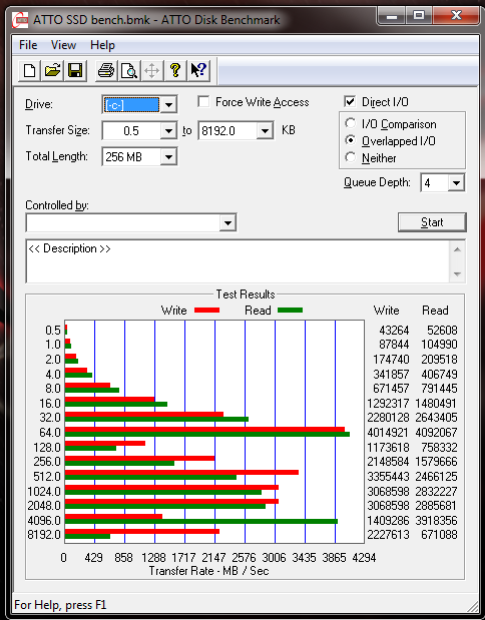
EDIT: Same drive, ATTO benchmark

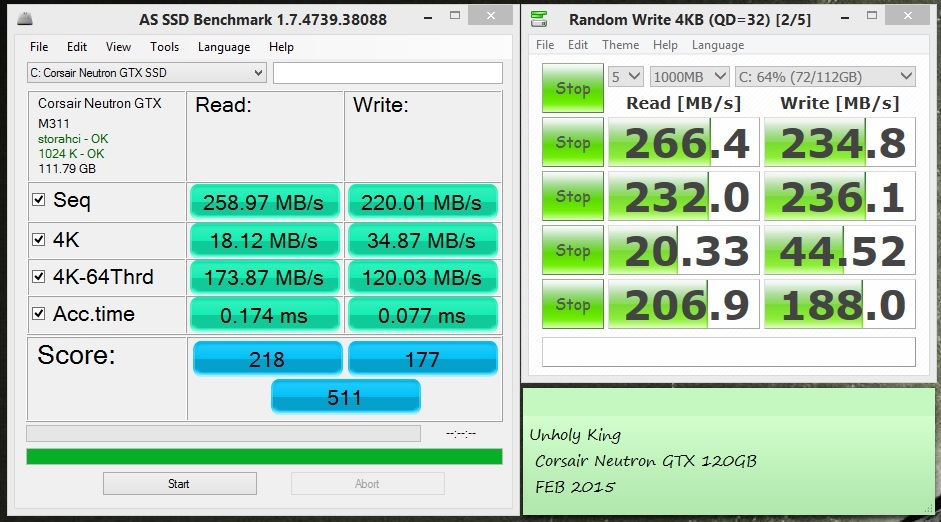
So, according to Corsair I should be getting 550Mb/s, something isn't right here. 

Yeah, that doesn't look right. Your 4K read looks like the only score that actually is close to specs. Everything else is nowhere near what it seemingly should be.

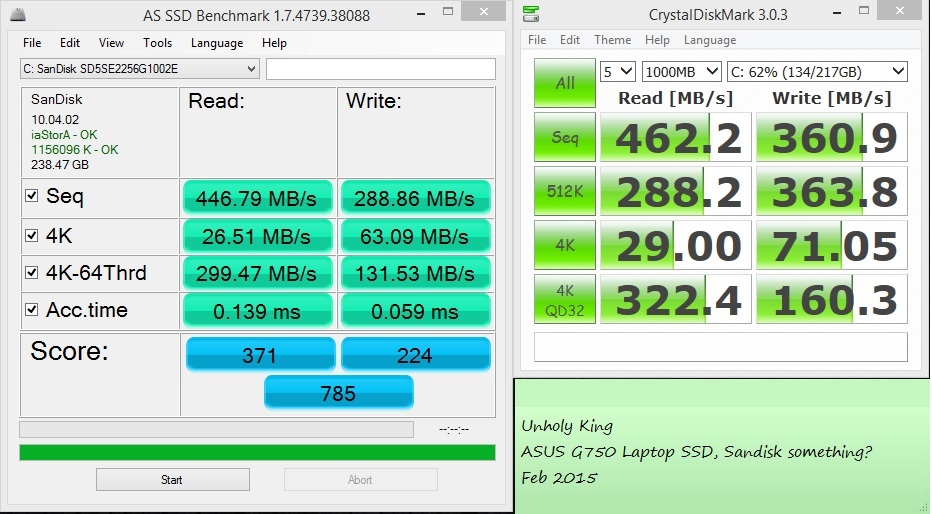
So I tested my laptop. Can't reference any spec sheets though

Not sure how to proceed with troubleshooting my Corsair SSD. 

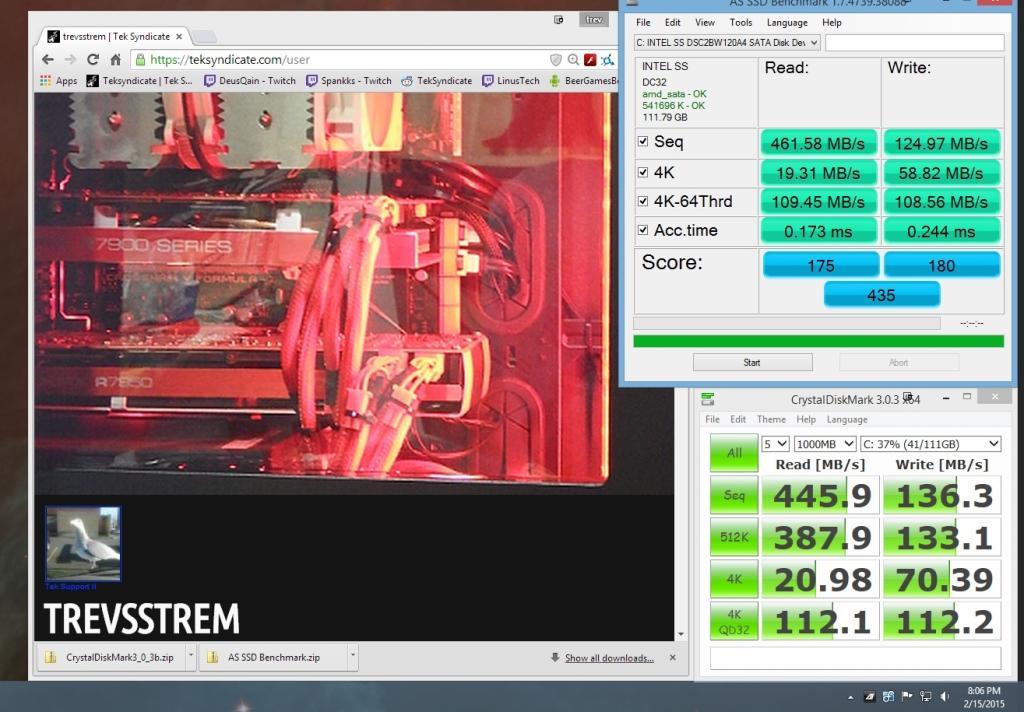
8 month old Intel 530 120gig with OS installed once

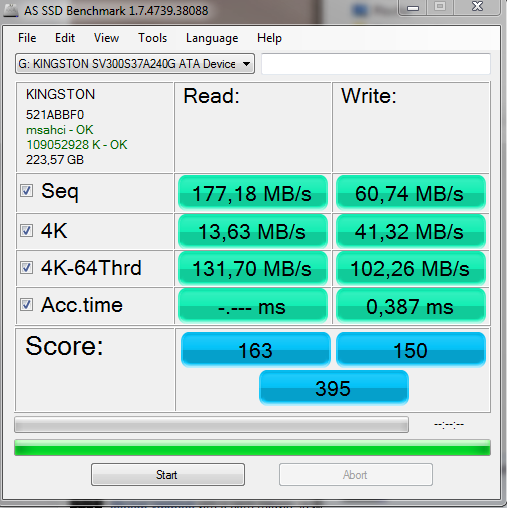
Kingston SSD V300 240GB

Result? Kingston brand goes to my list of do not buy ever again! Fuck you Kingston!


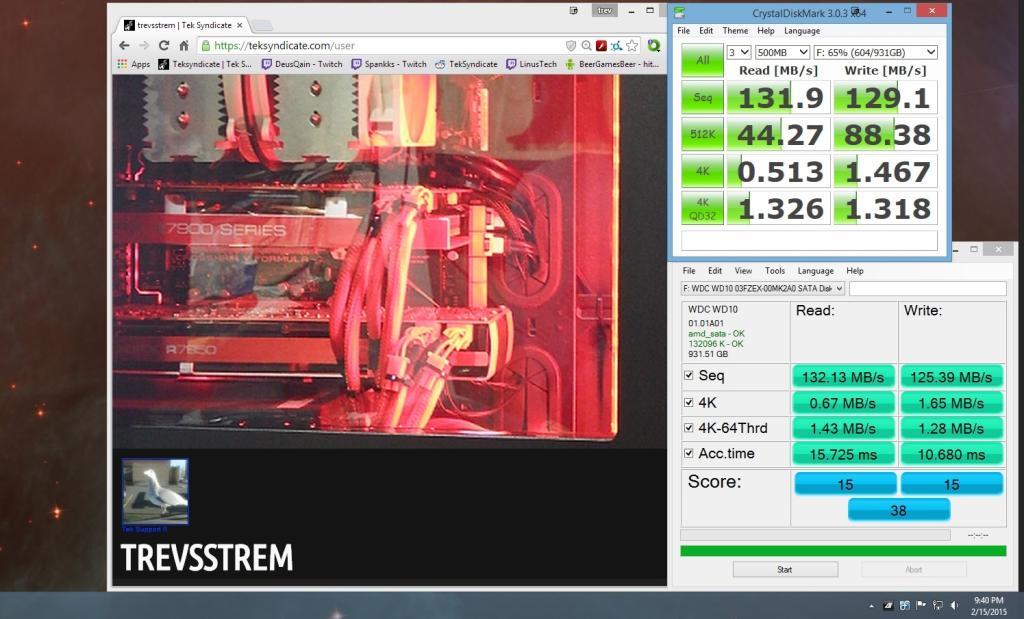
Running the benchmarks on my 1tb black and its taking forever..............

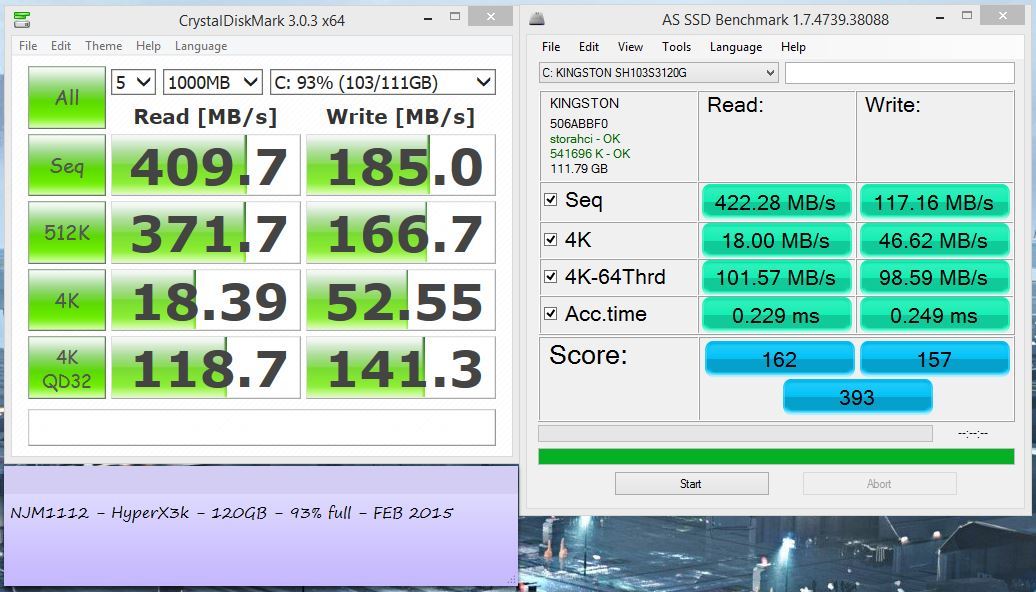
My OS, drive... good thing I'll be getting some 850evos in raid soon.

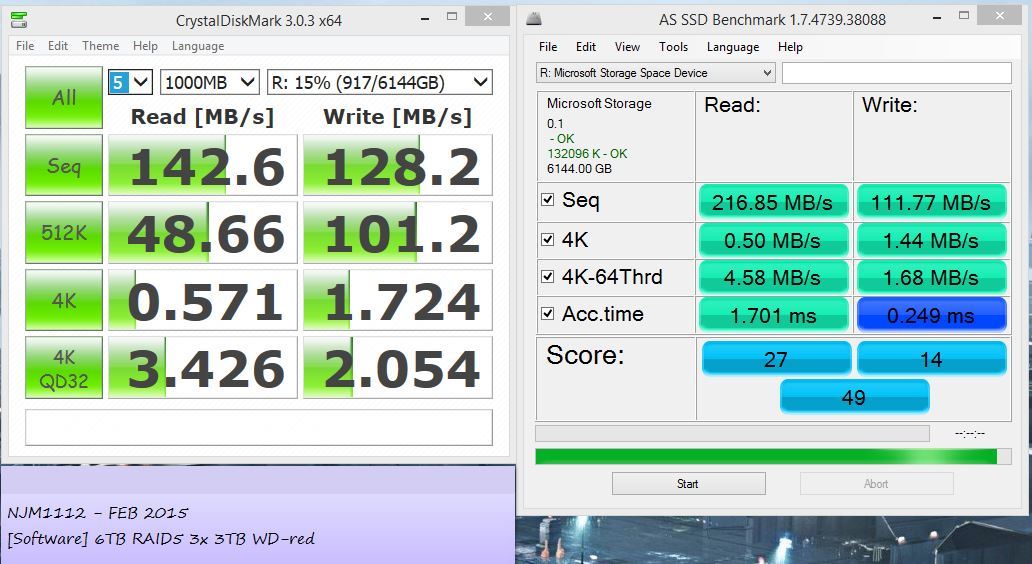
and my 6TB storage raid

note: as ssd crashed at the end of write acc. time. Instead of re running an hour benchmark I just took it as is.

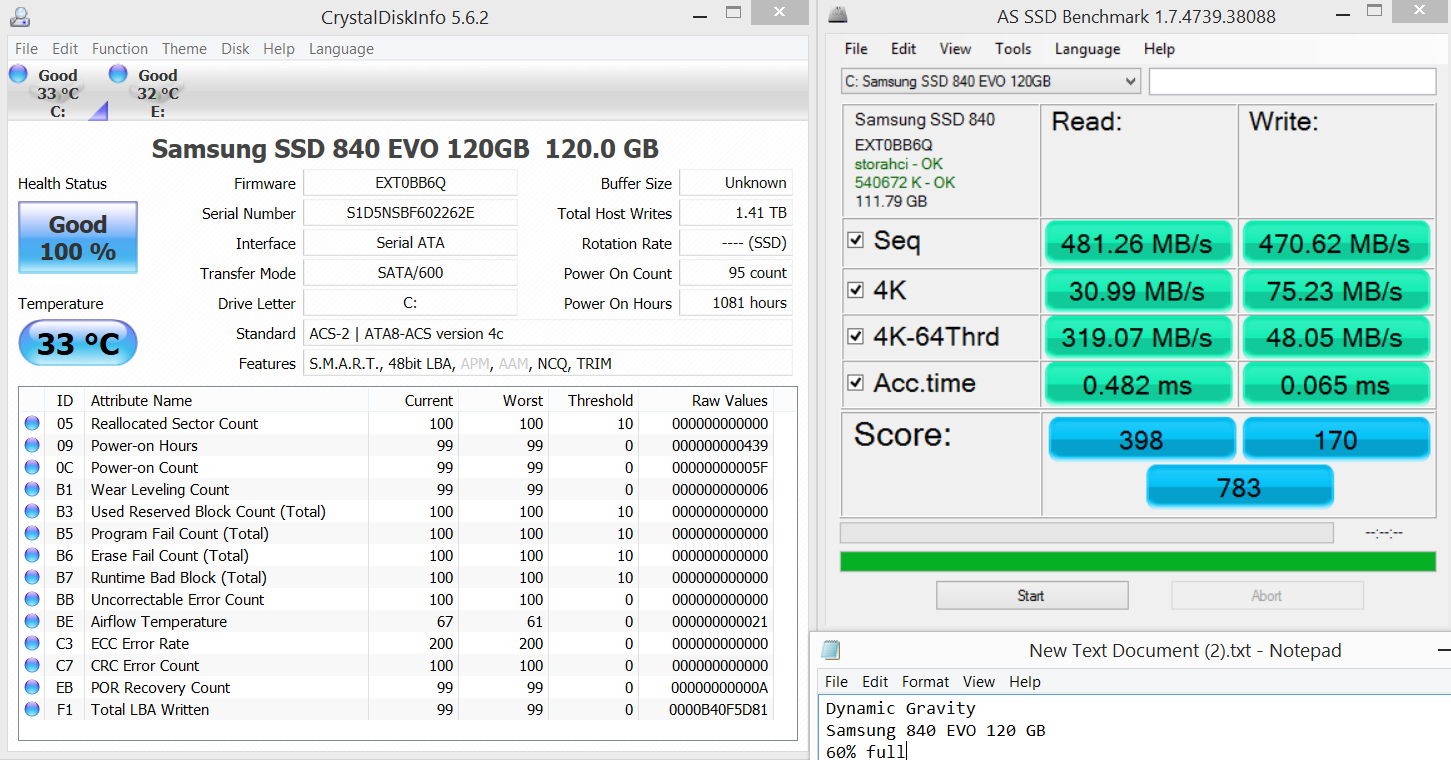
My OS drive (Non Raid) Samsung RAPID Off

Feb 2015

Disclaimer: All tests were run with a 16GB L1 Read/Write Cache using DDR3 2133 MHz system memory with 9-11-11-31 timings.

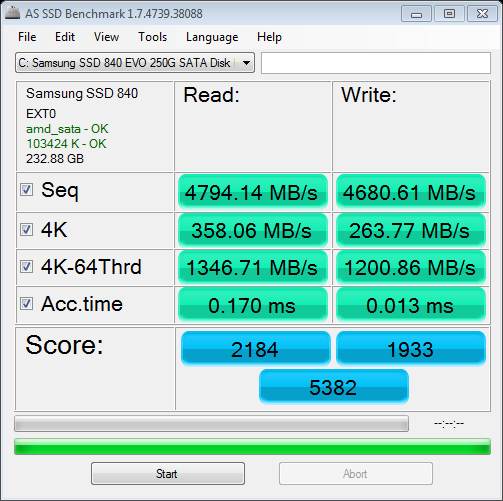
Samsung 840 EVO 250 GB SSD


-----------------------------------------------------------------------
CrystalDiskMark 3.0.3 Shizuku Edition x64 (C) 2007-2013 hiyohiyo
Crystal Dew World : http://crystalmark.info/
-----------------------------------------------------------------------
* MB/s = 1,000,000 byte/s [SATA/300 = 300,000,000 byte/s]

Sequential Read : 3660.864 MB/s
Sequential Write : 4298.852 MB/s
Random Read 512KB : 3590.129 MB/s
Random Write 512KB : 4580.971 MB/s
Random Read 4KB (QD=1) : 617.612 MB/s [150784.1 IOPS]
Random Write 4KB (QD=1) : 466.664 MB/s [113931.7 IOPS]
Random Read 4KB (QD=32) : 546.342 MB/s [133384.3 IOPS]
Random Write 4KB (QD=32) : 426.778 MB/s [104193.8 IOPS]

Test : 1000 MB [C: 64.7% (150.7/232.8 GB)] (x5)
Date : 2015/02/16 0:01:11
OS : Windows 7 Ultimate SP1 [6.1 Build 7601] (x64)

try doing it on a 6TB raid5...

What kind of wizardry is this? Some kind of Ram disk?

Excellent scores.

As previously stated in the top of the original post I made, 16GB L1 Read/Write Cache with DDR3 2133 MHz system RAM. PrimoCache is awesome, makes a single SSD act like a 10-drive RAID 0 SSD array on a RAID controller card.

The 1 g WD Black took 1 1/2 hours that AS SSD run isn't meant for hard drives I guess.


I had no idea ram could be used in such a way. That is awesome would it be worth it at say 8g instead of 16g. How hard is that to set up?

What real-world performance gains does it give? Gaming, rendering, etc. 

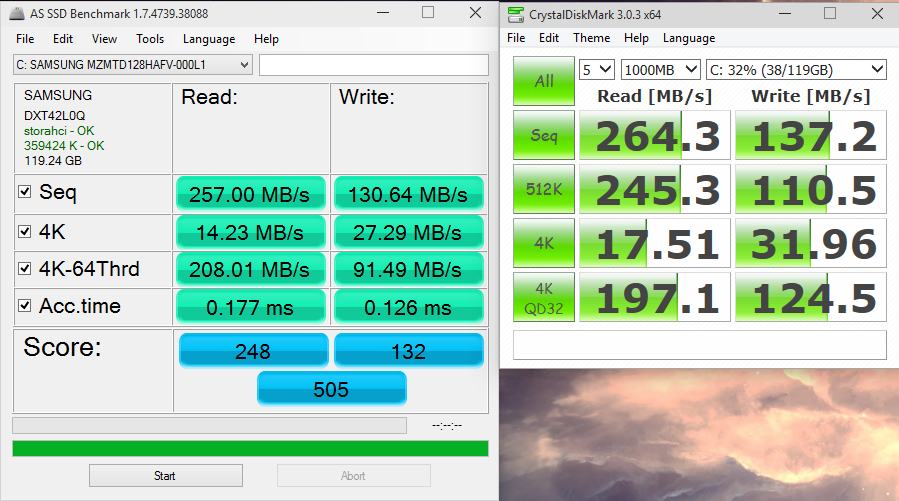
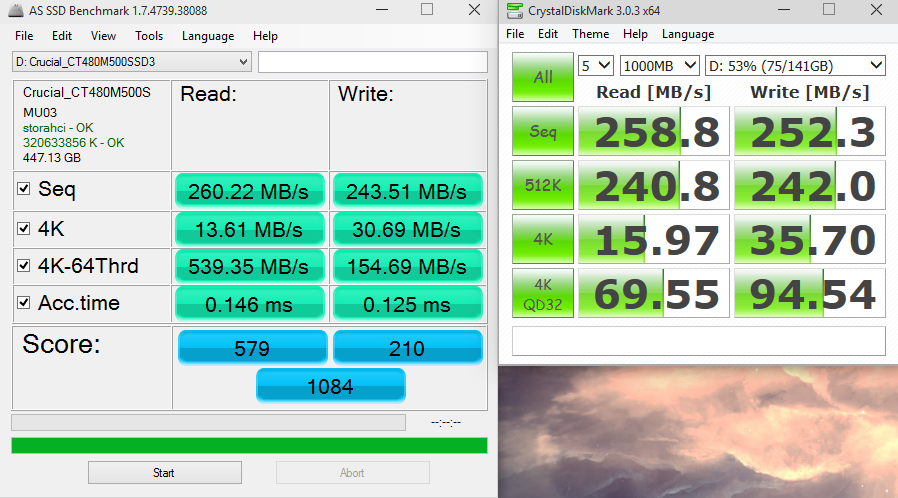
Both SSDs are in my laptop, typical MSATA drives.

Samsung DXT42L0Q 128GB (came with laptop), my OS drive.

Crucial M500 (MSATA) 480GB - I bought this one later as a secondary - it will probably be my OS drive for my desktop once I get a new motherboard.

Most people can get away with 8GB just fine, some professionals may want to use as much as 16-32GB depending on what the system will allow for max RAM and still allow for RAM usage elsewhere in programs. Some server farms use 128GB of L1 Cache in a Read only mode for large data RAID 5 cluster servers. 

In terms of everyday use, It will make downloading, installing, and loading programs from the drive effected by the Cache much quicker. It's also relatively easy to setup with PrimoCache, although if you want to use their software you need to buy a serial key. It's well worth it though if you find yourself transferring data around a lot between several different drives in your system.

Thanks I am going to look into that.