Very nice. As I love spread sheets (Why I used to play EvE, was like spread sheets in space lol). I’m currently using a SSD I did not see on your list I think is a viable option for some with some unique features that are a little overkill for home use maybe but I like high end hardware. In my rig I have a Samsung 883 DCT SSD. I was impressed by price as well as features of the SSD. Just thought I would share.
One of the really unique features I saw in a review was the cap that’s on the board to help in event of power loss to keep data from being corrupted.
Here was the review that mentioned the power loss protection and some other nice features…
Added your SSD on the list, Enterprise drives haven’t really been the focus of this spreadsheet, but I add them on request or if there is something interesting.
Thanks, I thought it was a good option, the high capacity drives are pricey but the lower end ones aren’t too bad. I’ve seen the 480GB one’s for only $118.00 or so. Useful I think. Still triple layer but I’m testing one now for longevity as a cache.
Hey, @stratego!
I made my own NVMe SSD whishlist with Bulgarian pricings and there are some newer models not on your tier list, like the PM981, Patriot P300, and more.
So I had this SX8200pro for a week now. Already have 10TBW on it just from benchmarks hahaha. Did a fresh install of Kubuntu on it and have my root and home partitions on it. Coming from a 860 EVO I don’t really “feel” a difference. The OS boots in about the same time and applications don’t seem to load any faster, but this is something I expected anyway. I have not finished transferring all my VMs to the drive yet, so I still have not seen how much snappier the performance in the VMs might be. I may move my games to the drive, but I decided to just use the 860 EVO as a dedicated game drive now.
As for performance numbers, well I don’t run Windows so I can’t verify the online review benchmarks. I have run some dd benchmarks, hdparm, gnome disk utility and PTS (mostly fio). dd write (with 1GB-8GB files) gives me anywhere from 1400MB/s to 1900MB/s, hdparm reads spits out 2400-2600MB/s, gnome disk utility gave me 2700-2900MB/s read and 1000-1200MB/s write. Running some comparison benchmarks with PTS shows the drive being a bit faster than a regular 970 with IOPS being in the 110K-120K range for both read and write. Drive does stay cool however; rarely did it break 55C in any of the benchmarks (it may be because it’s under my GPU which has 2x120mm fans).
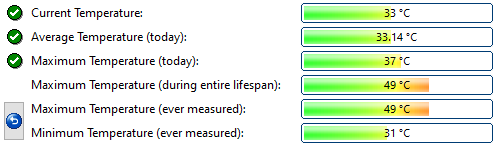
Performance is about where I’d expect, temperatures are a bit higher than I have, I never get over 49c for my SX8200 PRO 1TB
But generally yeah, from daily tasks data transfer is the one that benefits the most from a faster SSD, so you won’t notice a lot of difference by just doing simple things.
It’s been a while since the last update and I’ve had quite a few people asking to push for V4, so here it comes:
I’ve updated the spreadsheet with new drives, slowly transitioning to V4 to add more information about DRAM, IOPS, TBW, and Years of warranty, feel free to add any feature requests