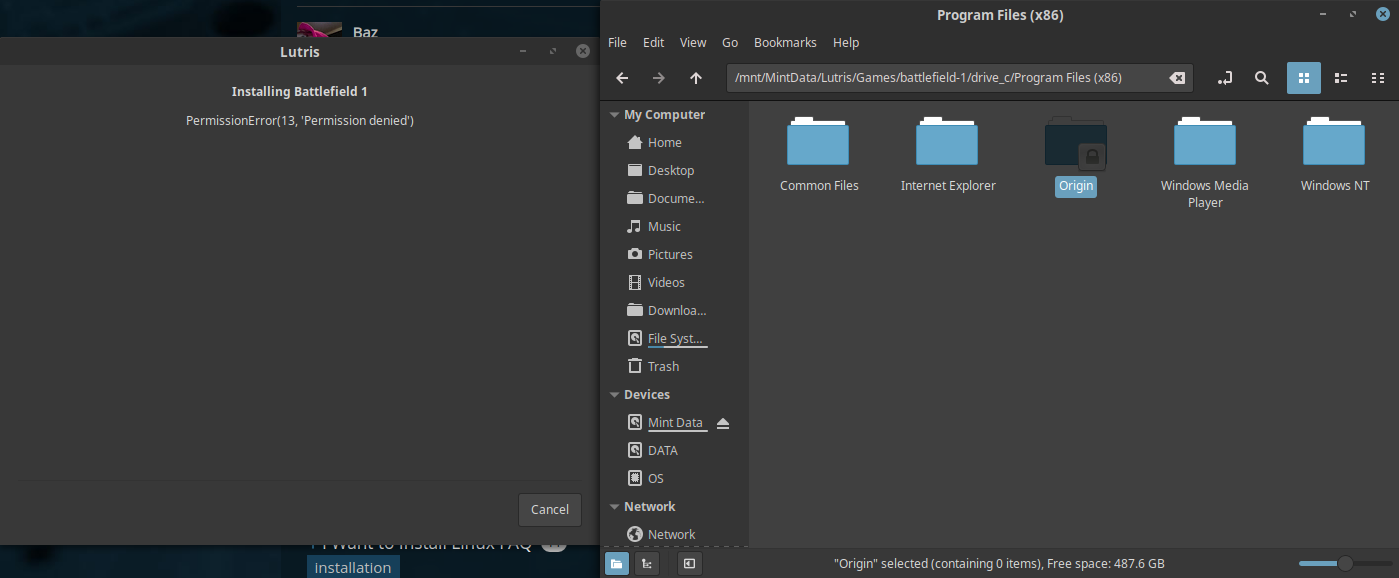
I am trying to install a game with lutris and I keep getting this error
PermissionError(13, ‘Permission denied’)
this is from right before the error
0029:err:wintab32:X11DRV_LoadTabletInfo Unable to initialize the XInput library.
0029:err:wintab32:LoadTablet LoadTabletInfo(0x1004c) failed
0044:err:wintab32:X11DRV_LoadTabletInfo Unable to initialize the XInput library.
0044:err:wintab32:LoadTablet LoadTabletInfo(0x10088) failed
Running /usr/bin/wine /home/*****/.cache/lutris/installer/battlefield-1/OriginThinSetup.exe /silent
ran it via the terminal and got this
Running /usr/bin/wine /home/*****/.cache/lutris/installer/battlefield-1/OriginThinSetup.exe /silent
2019-02-10 02:23:43,674: Error while completing task <bound method CommandsMixin.merge of <lutris.installer.interpreter.ScriptInterpreter object at 0x7f6329765d68>>: [Errno 13] Permission denied: ‘/mnt/MintData/Lutris/Games/Battlefield1/drive_c/Program Files (x86)/Origin/updateorigin.sh’
<class ‘PermissionError’> [Errno 13] Permission denied: ‘/mnt/MintData/Lutris/Games/Battlefield1/drive_c/Program Files (x86)/Origin/updateorigin.sh’
File “/usr/lib/python3/dist-packages/lutris/util/jobs.py”, line 30, in target
result = self.function(*args, **kwargs)
File “/usr/lib/python3/dist-packages/lutris/installer/commands.py”, line 261, in merge
self._killable_process(shutil.copy, src, dst)
File “/usr/lib/python3/dist-packages/lutris/installer/commands.py”, line 516, in _killable_process
result = result_obj.get() # Wait process end & reraise exceptions
File “/usr/lib/python3.6/multiprocessing/pool.py”, line 670, in get
raise self._value
Tried running it with sudo and origin started, but was stuck on the loading part.
so i checked the permissions section of the folder properties and it lists my account as the owner (not root). With folder access set to “Access Files”. Also, it is not really possible for me to run that command because the folder is created during the lutris setup and is deleted upon the closing of the error message dialog.
Hmm.
Thing is that if you’re able to run it with sudo but not as a normal user then the issue is with ownership and permissions, and judging by the log the issue is in the Origin directory, the script not being able to execute.
And you don’t need to run wine apps as root. Maybe try contacting the devs, might also python acting up inside wine or some sorts.
Edit: Apparmor isn’t blocking anything, the directory exists, the path is correct, you’re able to execute from the partition, and you have ownership of all files… (dunno why there’s a lock on the Origin folder tho)
Personally i’m out of ideas.