100% agree with what you wrote.
I actually originally went with ZFS because my previous TrueNAS bare metal server, was running ZFS because it offered the ability for me to create a pool across HW RAID HBAs. (Had two 8i LSI SAS controllers and 12 drives, so each HW RAID HBA was responsible for 6 drives and I wanted to be able to pull all of that together into a single pool. Traditional LSI MegaRAID – if I could span a LD across HBAs, it wasn’t something that was immediately obvious how to make that happen in their WebBIOS.
So, when I consolidated my servers from 4 down to 1, I stuck with that as it seemed easier for me to be able to move the data around, pull the drives, pop them into my then new “do-it-all” Proxmox server, create the 8-wide raidz2 vdev and then add that to the bulk storage pool.
(I think that there is a way to do that with the LSI WebBIOS for traditional RAID, but again, the success wasn’t necessarily going to be obvious.)
I assume that based on what you wrote, the RAID rebuild speed for a traditional HW RAID6 array would be just as terrible when the array is 70-80% full (vs. ZFS)?
No, I can’t replace 8 drives simultaneously with zpool replace. With my raidz2 pool, at best, I can only replace two drives simultaneously.
But again, I am not necessarily certain that it would be faster. Maybe if I had 8 more drive bays in my 36-bay chassis so that I would be able to pop the 8 new drives in, and then like you said, just dd them, and then yank them back out. But I would think that even with that, you’d still have to inform ZFS of the changes, which I imagine, would likely cause the resilvering anyways (because my bulk storage pool consists of three 8-wide vdevs, and I am only swapping/replace the drives from one of said 8-wide vdevs). Which means that for the resilvering process, it is still reading the data from the other 2 vdevs and resilvering that onto the new disks. (I see it in watch -n1 zpool iostat -vy main 1 1 where it is reading from all of the drives and writing to the new 12 TB drive that is replacing the old 6 TB drive.)
Uhh…it depends.
I was able to copy sequential data over GbE line speed without any issue.
But when I try to load a game from it as the iSCSI target/device, then it goes down to sub 20 MB/s reads. shrug
For most of the games that I play, when I have time, it’s not that big of a deal for me.
cf. above where this is a part of a three 8-wide vdev pool, and therefore; the observed zpool replace behaviour is that it is reading data from all of the drives in the pool, NOT just isolated to within its own vdev. (IIRC, as Saso Kiselkov describes it – it’s pool wide resilvering.)
No, I am actually using zpool replace as I am switching from using SATA drives to using SAS drives. So the pseudocode/command that I am issuing is zpool replace main /dev/disk/by-id/ata.... /dev/disk/by-id/scsi-3500....
The zpool expand is going to come later, at the end of all of the replacements, so that it will inflate this 3rd vdev capacity from being 8x 6 TB to 8x 12 TB (raidz2).
(Actually, I was reading the ZFS Administration Guide, and I might actually use/try the zpool set autoexpand=on main to expand the pool, and then turning that back off once the expansion/inflation is complete and confirmed.)
That would be true for my ZFS system as well.
If my LSI MegaRAID SAS 12 Gbps 9361-8i takes a dump, ZFS isn’t going to help neither because NONE of the HDDs would be enumerated by the LSI BIOS.
In fact, if my LSI MegaRAID 9361-8i takes a dump, the entire system won’t boot.
USUALLY, generally, and fortunately, LSI HW RAID controllers are quite robust. Out of all of the ones that I’ve had so far, NONE of them has died yet. [knocks on wood]
Conversely, I’ve already had a ZFS pool die on me back in April of 2007, which again, is why I stopped using it for like 17-18 years because NOBODY talks about what happens when ZFS triggers a kernel panic boot loop (and how you get out of it).
(sidebar: if my 9361-8i dies, I can just buy another one, pop it in, import the boot RAID6 array, and off I go. As long as the new/replacement 9361-8i is able to enumerate the remaining HDDs, ZFS (well Proxmox, but ZFS is the thing that’s actually going to be doing the work) will then import the ZFS pools that it finds and I should be back up and running. There are ways to save/export the LSI config, if I remember the MegaRAID WebBIOS user’s manual correctly, but I’ve never done it nor tried to. (Maybe I should look into that.  )
)
For the LSI HW RAID, as long as the new controller imports the config properly, the data should be consistent and there should be very little problems with bringing the array back up online. I am CERTAIN that this is neither a new problem, and that people have found a way to fix this, given that this isn’t a new problem.
The original mainline Solaris implementation, IMO, had “issues” because of the way disks are enumerated in Solaris (cxtydz nomenclature).
It’s about as bad as Linux’s /dev/sdi nomenclature because it can get scrambled.
This is one of the few things that I like about the ZFS on Linux implementation because I can add the physical device to the vdev via the /dev/disk/by-id path, which gives me a LOT more information, especially if/when one of the drive dies.
With the original Solaris nomenclature, trying to find/figure out which is the dead drive (out of 36) with their nomenclature scheme is a nightmare.
Um…are you sure about that?
Because each of my SAS 12 Gbps drives should be capable of around 200-ish MB/s sustained transfer rates. But for random I/O (which scrubbing and resilvering is (again, per Saso Kiselkov), even he states that these processes are more like random I/O in its data access patterns than sequential transfers.
I’ve yet to see my system top out at 24 * 200 MB/s = 4800 MB/s no matter HOW hard I try. Nominal speed is closer to around the 500 MB/s mark.
Even when you consider the fact that I only have 8 PCIe lanes to work with due to the MegaRAID SAS 12 Gbps HW RAID 8i, that’s still 96 Gbps, or should be capable of 12 GB/s at the interface level. (Each drive would be capable of 12 Gbps (1.5 GB/s) (mostly cached I/Os from the cache on each drive), but the physical media is really only good for about 200-ish MB/s sequential transfer rates.)
Yes and no.
Having the secondary ZFS intent log (i.e. SLOG) only makes it so that the sync acknowledgement is sent back to the system has the write having been fully committed to stable storage so that it can move on and issue/execute the next I/O operation. That may or may not necessarily mean that the write has actually been fully committed to stable storage. You’re just “faking” the acknowledgement being sent back. (vs. if you DON’T use a secondary ZFS intent log, then the acknowledgement that comes from a synchronous write means that it has actually been fully committed to stable storage before it moves on to the next I/O operation.
I (still) do.
But it’s on another system.
A secondary ZFS intent log isn’t going to help with the write hole that results due to a loss of power (which is the problem that the battery backup unit is designed to address).
Yes, but I would imagine, less so than you think given that Matt Ahrens, again, from his video, stated that metadata consumes <= 1% of total pool capacity.
So, I am not sure how much of that is cached in the adaptive replacement cache.
Again, per Matt Ahrens, it doesn’t “cache” the writes. It just reduces disk thrashing (a.k.a. atomic I/O operations) by filling a buffer, and the flushing said buffer so that writes can happen as contiguously as possible.
My original question has nothing to do with zvols. Nor raidz (specifically), for that matter.
Actually, come to think of it, on my current main Proxmox system, I don’t have ANY zvols on the system whatsoever.
Therefore; this point is not applicable (relative to my original question).
Why would there be a resilver operation being performed when you remove a disk???
If you have a RAID1 array and you remove a drive, there should be NO operations that are being issued.
This doesn’t make any sense at all.
Quote you:
What I copied-and-pasted explains what a virtual device (vdev) is and it is, most definitely, NOT block storage.
Read it again.
No. Try again, professor.
ONLY applicable for zvols.
vdevs aren’t zvols.
Please read the ZFS Administration Guide.
I’m not using ZFS 2.2.
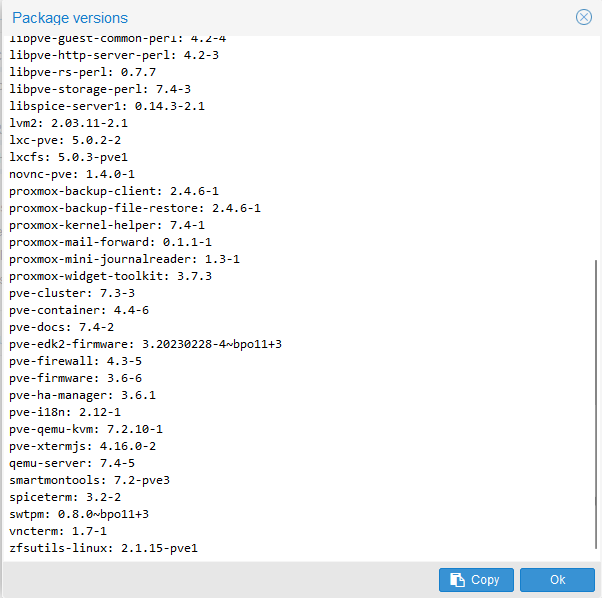
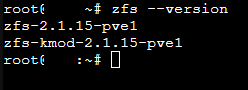
Therefore; from the OpenZFS documentation for OpenZFS 2.1 (which corresponds to the zfs --version that I am running:
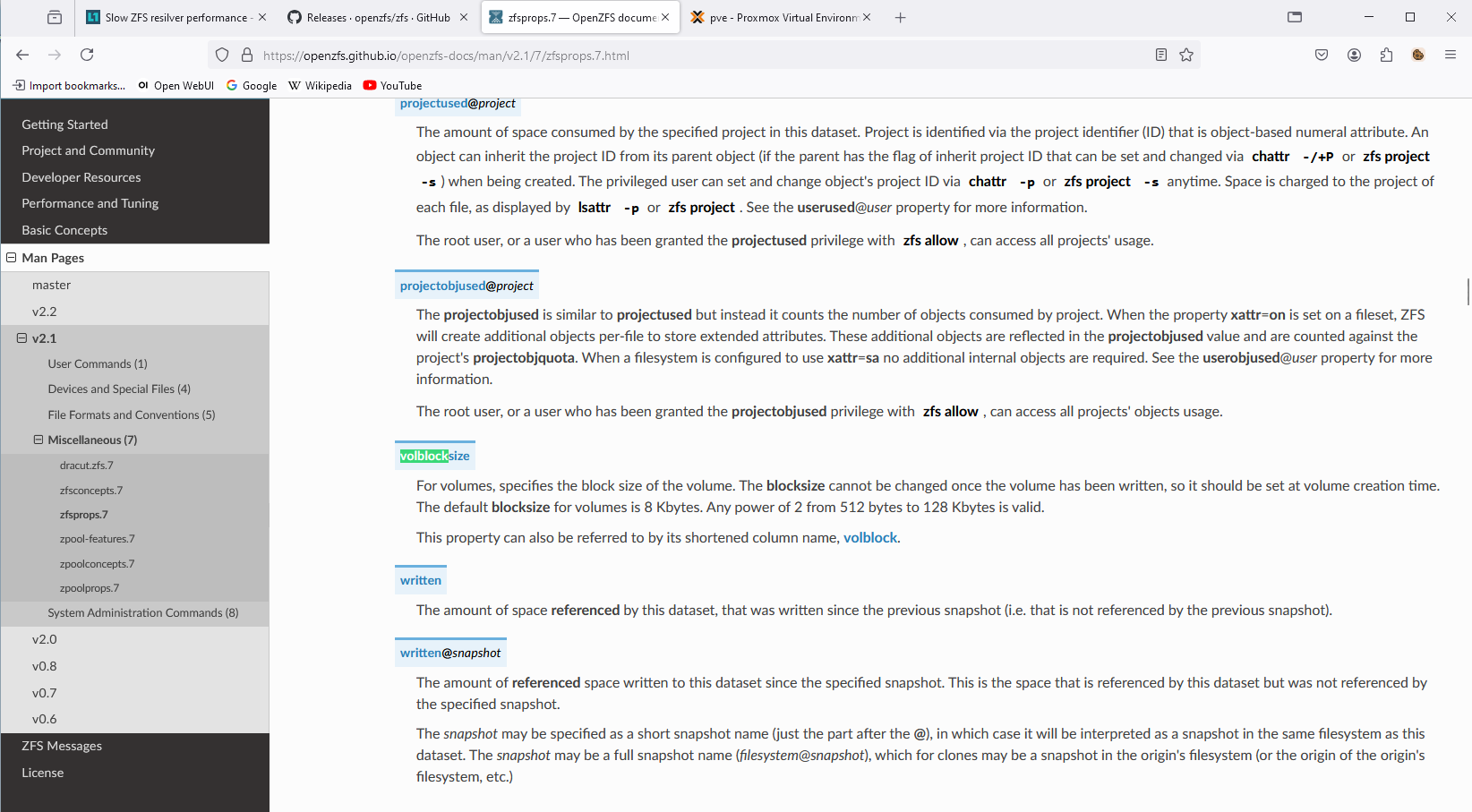
The default volblock(size) for zfs 2.1.15 (which is the zfs --version that I am running), is 8 kiB.
Above and beyond that – I. AM. NOT. USING. zvols.
vdevs. AREN’T. zvols.
What part of that don’t you seem to understand???
- It’s not
zfs get ashift, it’szpool get ashift.
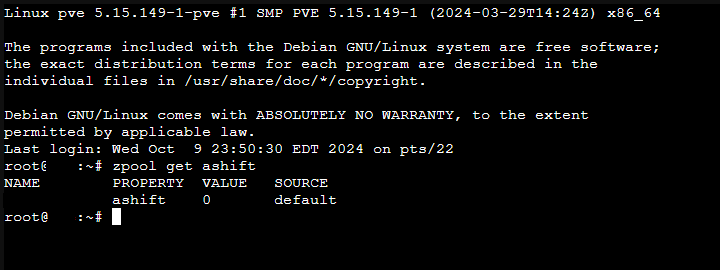
From the OpenZFS documentation:
The following properties can be set at creation time and import time, and later changed with the zpool set command:

ashift=ashift
    Pool sector size exponent, to the power of 2 (internally referred to as ashift). Values from 9 to 16, inclusive, are valid; also, the value 0 (the default) means to auto-detect using the kernel's block layer and a ZFS internal exception list.
(Source: zpoolprops.7 — OpenZFS documentation)
No.
If the drive reports back that the logical block size is 512 bytes, then that’s what the auto-detect is going to find/identify.
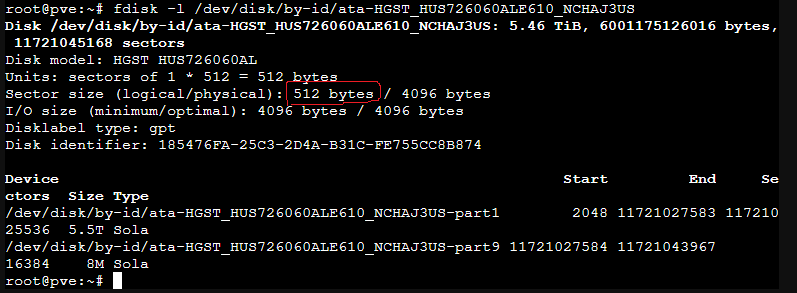
WTF?
No.
Patently wrong.
What is your fetish with volblocksize???
Again, volblocksize ONLY applies IF and ONLY IF you are using zvols, which I am not.
Again, vdev is NOT the same thing as a zvol.
Please study the variety of sources/references that has been provided to you so that you can learn more about what a vitrual device ACTUALLY is vs. what you think it means.
That’s LITERALLY, NOT how that math works. At all.
If you have 8 disks, according to your math – the total number of 4 kiB blocks that you would have available is EIGHT 4kiB blocks. (Each of the 8 drives contributes one 4 kiB block.)
Do yourself a favour, draw eight square boxes.
[] [] [] []
[] [] [] []
You want to write 16 kiB of data (whether it’s a 16 kiB text file, or a volblock (again, I have no idea why you have such a hard on for volblock, but that’s besides this point), so you will have this:
(where D = data)
[D] [D] [D] [D] [] [] [] []
And then as you said, you have two parity blocks for raidz2 (e.g. RAID6).
Let P = parity.
[D] [D] [D] [D]
[P] [P] [] []
At the end of the 8 blocks, you STILL have two empty 4 kiB blocks that were contributed by drive #7 and drive #8.
You used four 4 kiB blocks for data (for a total of 16 kiB). Two 4 kiB blocks for parity. And you’re left with two more.
(4 (data) + 2 (parity)) / 8 (total number of blocks available) = 6 / 8 = 0.75.
Even if you have FOUR drives (since the minimum number of drives required for RAID6/raidz2 is 4), if the first drive contributes TWO 4 kiB blocks, then ALL of the drives in the array/pool would also, likewise, be contributing TWO 4 kiB blocks each.
Like you said, your volblocksize is 16 kiB. 16 kiB / 4 drives = 4 kiB blocks (one 4 kiB block per drive).
(First row for data)
[] [] [] []
But then you also need parity.
So that will need a second 16 kiB volblock.
[] [] [] []
[] [] [] []
Now you start filling it with data/parity:
[D] [D] [D] [D]
[P] [P] [] []
You still end up with two empty 4 kiB blocks that are unused.
Therefore; even with a four drive RAID6 array/raidz2 pool, you still have eight 4 kiB blocks, and only SIX of them have “stuff” in it (whether it’s data or parity) and TWO are empty.
Again:
(4 (data) + 2 (parity)) / 8 = 6 / 8 = 0.75
(This conforms to your hard on for volblocksize which is a fixed block size, which, for traditional RAID, will also be true as well.)
The Google sheets that the student who is currently pursuing his Master’s in Computer Science (ibug) cites in the article that you cite, actually tells you and pre-calculates for you, what the parity cost is as a function of the number of drives you have, and the number of sectors it takes for your block size.
He also states a few things that are important and noteworthy:
"Accounting
Accounting the storage space for a RAIDZ array is as problematic as it seems: There’s no way to calculate the available space in advance without knowledge on the block size pattern.
ZFS works around this by showing an estimate, assuming all data were stored as 128 KiB blocks[7]"
(also cf. disk usage wrong when using larger recordsize, raidz and ashift=12 · Issue #4599 · openzfs/zfs · GitHub, illumos-gate/usr/src/lib/libzfs/common/libzfs_dataset.c at b73ccab03ec36581b1ae5945ef1fee1d06c79ccf · illumos/illumos-gate · GitHub, https://www.youtube.com/watch?v=sTvVIF5v2dw)
" Interestingly, neither of the refreservation sizes matches the RAID overhead as calculated in the Delphix spreadsheet[6], as you would expect some 6.0 GiB for the 16k-volblocksized ZVOL and some 8.0 GiB for the 8k-volblocksized one. Let’s just don’t forget that the whole accounting system assumed 128 KiB blocks and scaled by that[8]. So the actual meaning of 4.86G and 6.53G would be “the equivalent space if volblocksize had been 128 KiB”. If we multiply both values by 1.25 (overhead for 128 KiB blocks and 5-wide RAIDZ), we get 6.08 GiB and 8.16 GiB of raw disk spaces respectively, both of which match more closely the expected values. The final minor difference is due to the different amount of metadata required for different number of blocks."
When you issue the zpool create main raidz2 /dev/sd{a..h} command, it creates the raidz2 vdev consisting of drives /dev/sd{a..h} and also creates the dataset and mount the dataset for you, all in one go.
"Unless the -R option is specified, the default mount point is /pool. The mount point must not exist or must be empty, or else the root dataset will not be able to be be mounted. This can be overridden with the -m option."
(Source: zpool-create.8 — OpenZFS documentation)
No. The ZFS pools were created using the command as shown above.
Thank you. I am wrong. I stand corrected.
(That would make sense why when you create the ZFS storage via the GUI, why you can only store VM disks and CT containers and nothing else – because it creates a zvol block device, rather than ZFS dataset. That explains it now.)
(Again, as I have stated earlier, I used the command line, rather than the GUI, to create my ZFS pools.)
I’ve already tested this before.
Granted it was for something else entirely instead, but the point remains that if your pool does NOT have compression enabled (it’s off by default anyways) and you aren’t writing all zeros, then if you issue the command dd if=/dev/urandom of=1Gfile bs=1024k count=1024 and then you type in ls -l when you’re done, you’re going to get exactly and precisely 1073741824 bytes used for that file.