Wendel discussed at length issues regarding DDR5 stability issues caused by overheating.
So my question is, does anyone know if water-cooling your DDR5 sticks brings this issue under control?
Wendel discussed at length issues regarding DDR5 stability issues caused by overheating.
So my question is, does anyone know if water-cooling your DDR5 sticks brings this issue under control?
It would depend on how hot the loop would get. If you don’t get a better answer, here’s the companion thread for that video you can post in:
Thank you, I tried to find a post associated with that video but couldn’t
If anything, I’d say he’s made another case for not using liquid cooling at all, unless you have a system that’s fully designed for that all around and will cover all hot spots. That’s so much easier with air!
I’m actually still sticking with top-blowing CPU coolers with my most important workstations, mostly big dual fan variants from Noctua or beQuiet, because they’ll cover not just the CPU, but voltage regulators, DIMMS and everything else on the mainboard, better than front-to-back CPU coolers, way better than any water block in that regard, I’d say.
In terms of air-flow anything turning 90° can’t be great, but I’ve always felt better with that safety net and some quick benchmarking via Prime95/OCCT/HWinfo seems to bear this out, too: I don’t really tend to observe DRAM temps, but this time I did: DIMMs stay below 60°C even under synthetic peak load.
In my top workstation I got dual Kingston 48GB DDR5-5600 ECC DIMMs with a 7950X3D CPU and the Silverstone chassis uses Noctua 140mm fans all around, two front, two top, one back, because the main heat generator is an RTX 4090, with fans also at 90° to the low front to top back general air path. So if air cooling off those 450 Watts need to twist twice already, getting all hung up about twisting air for the extra 150 Watts for the CPU doesn’t make any sense, I’d say. It’s also a big case with all openings served by those fans. Incidentally I chose low pressure fans on the exhaust, high pressure ones in front, to avoid turning the chassis into an organ pipe or resonator.
Mainboard is an ASUS TUF GAMING X670E-PLUS WIFI, so he managed to get me scared some… perhaps time for a BIOS update, even if this is still Zen 4.
PBO is enabled, otherwise everything is on “AUTO”, no attempt at overclock, it’s a workstation designed for reliability and dual-use as a home-lab server.
I tend to do some overclocking tests on burn-in, some for curiosity, but mostly to gauge the safety margins: there might be hot days, a fan might fail etc. and I don’t want that to affect unobserved long-term operations.
I also got two Minisforum BD790i, one 3D the other without, there the CPU cooler fan doesn’t quite cover the SO-DIMM slots as well, but air flow seems decent enough. No ECC option there, unfortunately. Same with a Lenovo dual SO-DIMM LOQ laptop and a Topton Hawk Point mini-ITX.
I use the same “nude” dual 32GB DDR5-5600 CL40 Kingston Fury Impact SO-DIMMs which I used to buy at around €140 (including VAT) with all of those for easy interchange and a broad range of supported speed settings.
You’d think that being based on mobile hardware they should be safe: but it’s probably better to validate those assumptions!
Yeah, with DDR5 prices being where they are, you gotta take care of your DIMMs!
Luckily I got all of mine when they were affordable…
I’ve thought about tossing my ram into the loop with my build but first I wanted to test if air would make any difference on my ram… did a test that I thought I’d share!
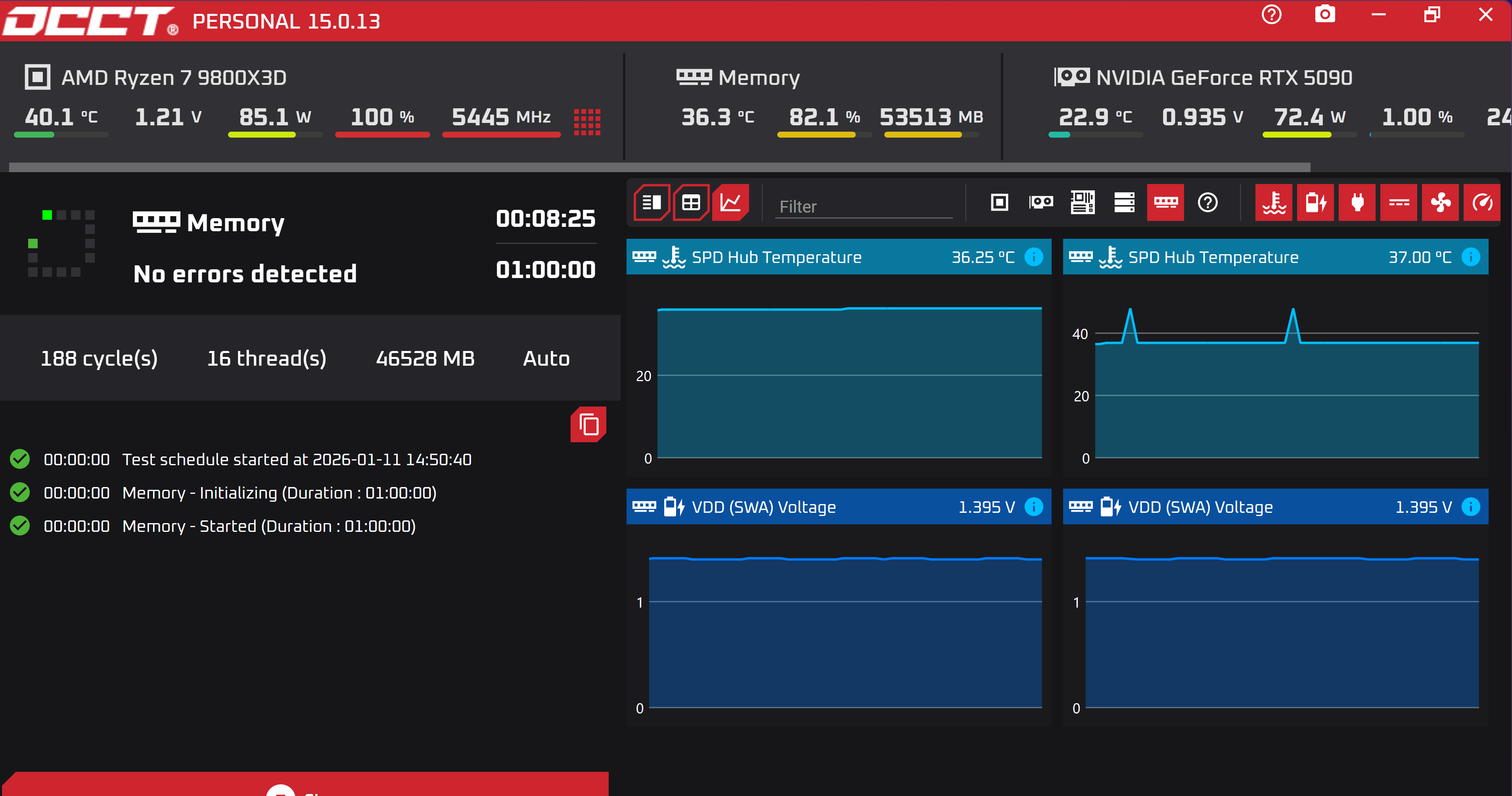
Ran a memory benchmark on my G.Skill Trident Z5 Neo Series 64GB CL30-40-40-96 (Expo I) set at 1.4v. Took around 5 minutes to heat soak properly… fans pointing at the memory were disconnected.
As you see below 37c is the peak and sat constant from 5-8 mins long.
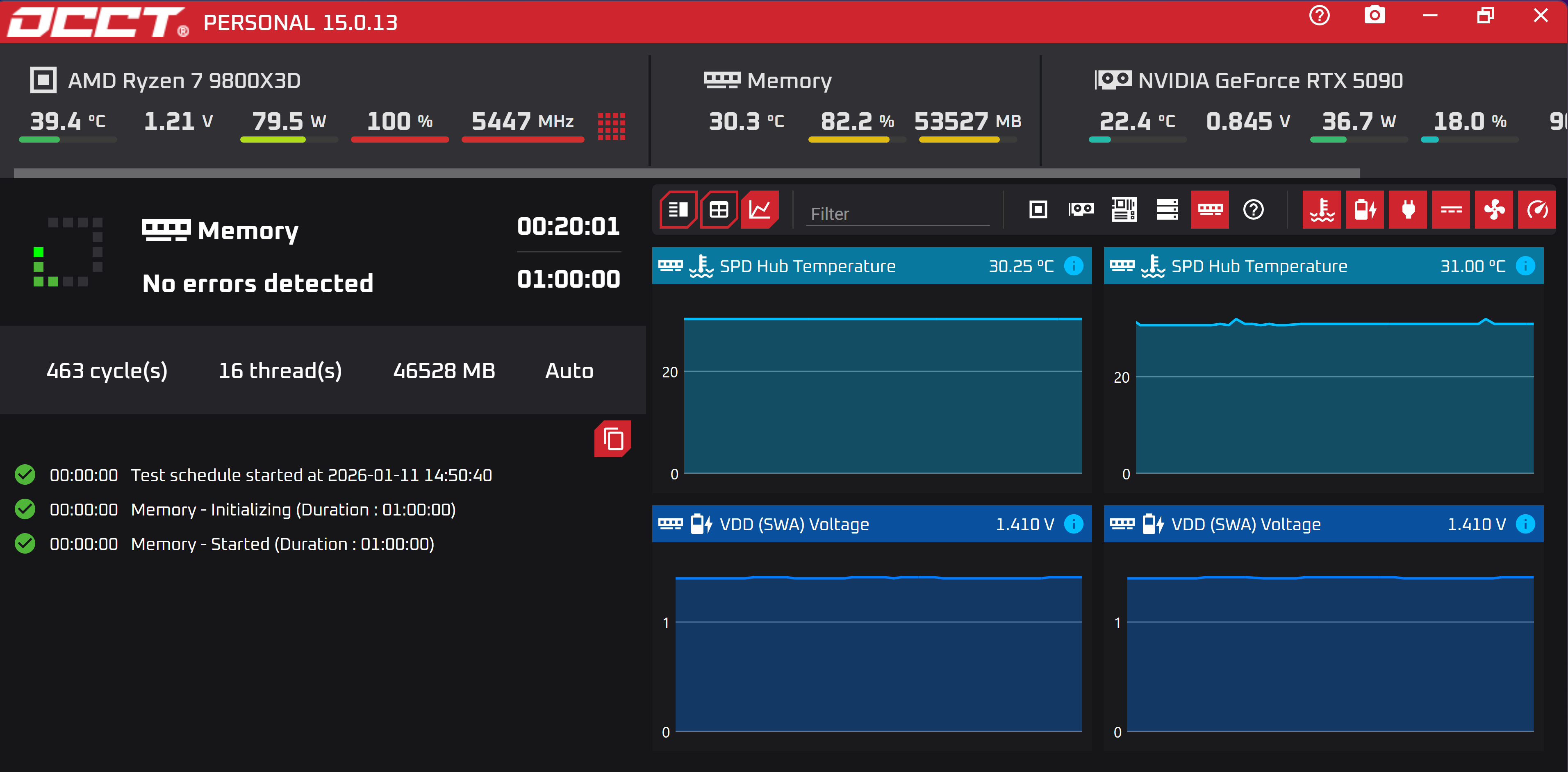
Then I plugged both 120mm fans (above and center’ish) sitting at 100% 3000+ rpm which blew my mind actually did something… let it sit for an additional 10 mins (18 mins in total) and the temps dropped to 31c
I expected maybe a couple C on an open air build like this but seeing a 37 to 31c drop blew me away.
Kept it going for sure and will make sure to always have air flowing overtop of them from now on.
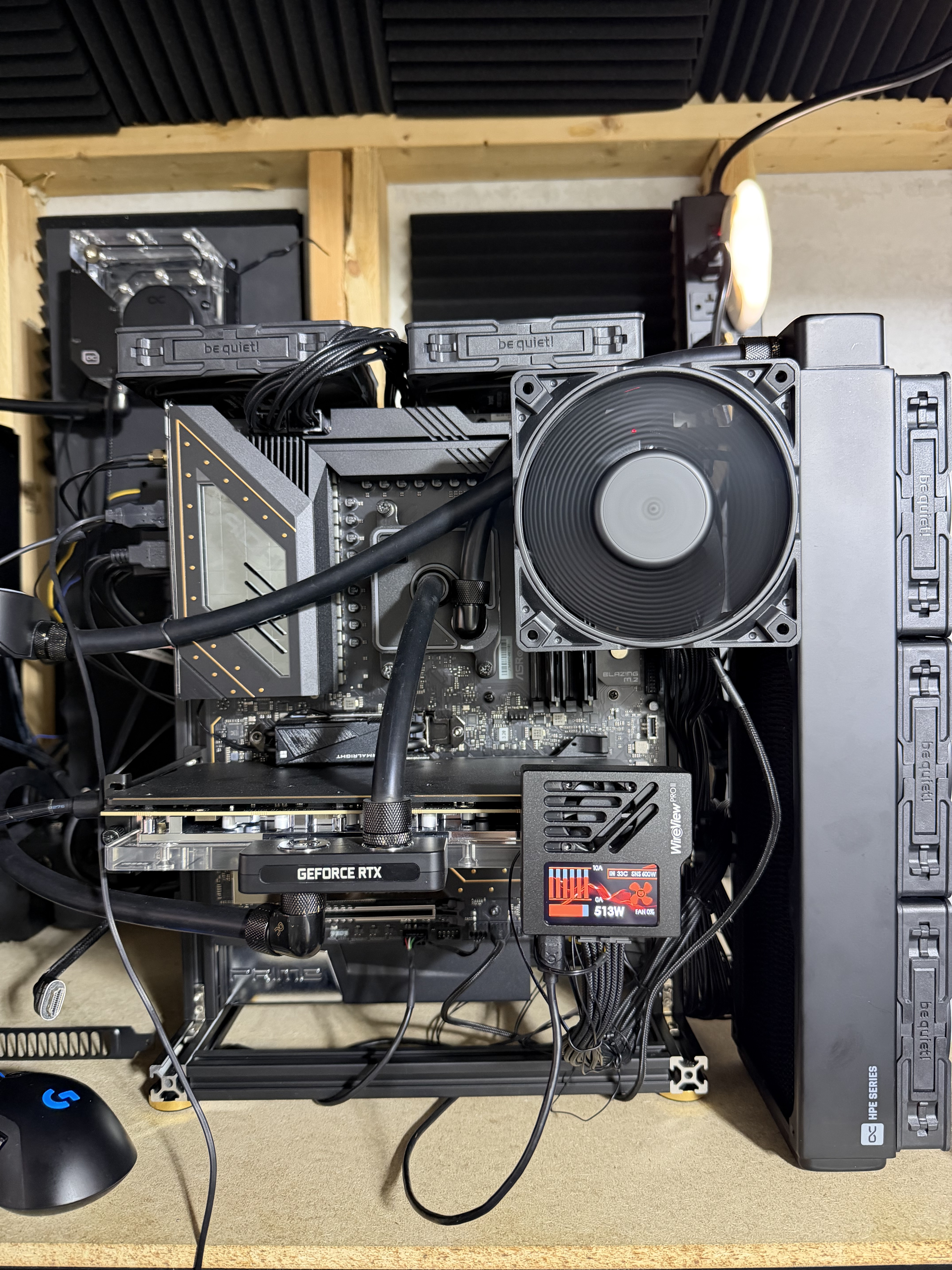
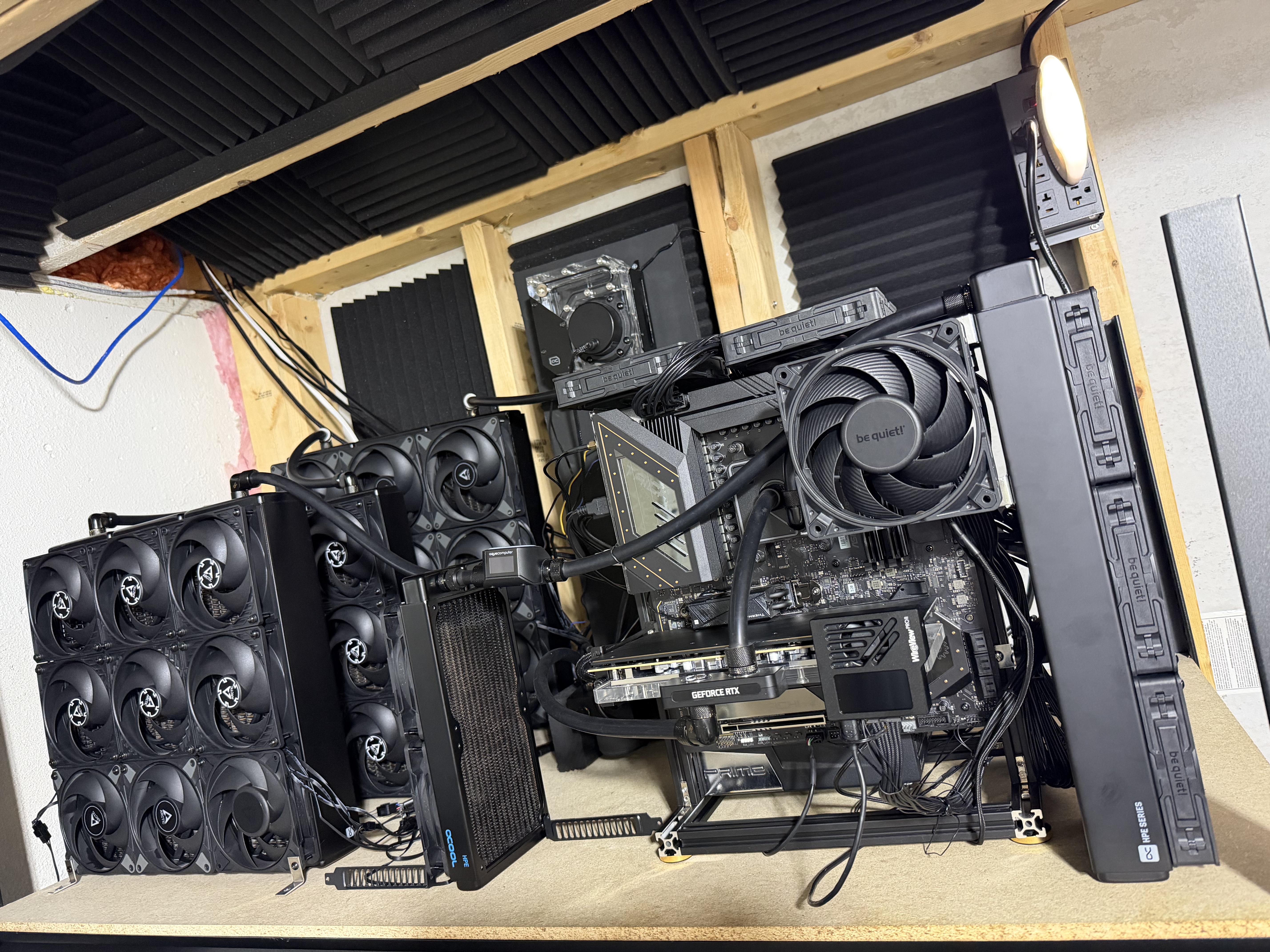
Images below of the fan mounting and the full build…
Yeah… it’s ugly… but this thing keeps the water ambient or one C above max 
That sensor is reporting the SPD hub temps though which aren’t necessarily going to line up with the DRAM temps.
Even the DIMMs with the two extra thermal diodes seem to be reporting significantly lower temperatures (>10C) than what the actual DRAM packages experience based on thermal imagining of them under load… but to be fair I’m not certain if temperatures being reported are from the SPD or from the thermal diodes in this case.
Sadly that’s the best I could pull from the sensors available on HWinfo or OCCT…
Wouldn’t it still be relative to overall cooling of the ram itself. It may be under by 10c or so but if I’m seeing 37c on the hub I shouldn’t be thermal throttling on the DRAM.
It works, but it’s like using a sledgehammer to crack a nut and makes your loop unnecessarily complicated.
The simplest, cheapest and easiest to handle solution is to place a 120-140 fan on your GPU that blows towards the RAM.
I’ve been doing it this way for years because even my last DDR4 system with 8 DIMMs was unstable without a fan.
I think you are right, with temperatures that low it is very unlikely the DRAM is in the undesirable zone (>65C).
Also another thing in your favor is you are on DR x8 RAM instead of DR x4 (some of the Threadrippers with heat issues were on this x4 memory) which should cut the heat output by half.
TechPowerUp got 1-3 °C with thermocouples on a single KD5AGUA80-56G460D open bench at 4800 1.1 V with higher clocks and voltages probably not being much different. Most thermal imagery I’ve come across is similarly best case for cooling.
The UDIMMs unstable at 50 °C SPD thing suggests to me the pads under the heatspreaders aren’t making contact, there’s some other major thermal fail, or bad DRAMs are getting through. Would need teardowns to tell and I don’t know of any. I’ve been tempted to take a look at the SPD and DRAM heatsinking on some of the UDIMMs I have but am not risking that anytime soon.
Rather unworkably loud for current gen workstations and, in my experience, it’s easy for the CPU air cooler to divert airflow from adjacent components. If the objective’s DRAM cooling then a CPU waterblock to make space for DIMM downflow’s the no fuss solution.
There’s also an argument for dGPU waterblocking to move heat away from DIMMs, though my experience is passthrough exhaust heating’s fairly minor under ~300 W and a waterblock isn’t going to do much for backplate temperatures. Don’t know of any data but a noticeable difference with 1200 W of Blackwell 6000s strikes me as plausible.
My >10C example was from a 40 component DIMM that was being OC’d, it would make sense that an 8 component DIMM doesn’t have as big of a temperature delta, the thermal plane is able to keep up with that small of a load.
It is interesting that some of the OEMs have started to stop using heatspreaders on their RDIMMs because it ends up reducing cooling performance; bad contact would be another con to using them.
Water-cooling DDR5 can help reduce temperatures and improve stability, especially under heavy load or overclocking, but for most users, good airflow and quality heatsinks are usually sufficient.