Should be this one 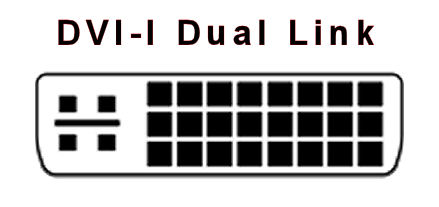
thats the one im using. 24pins, i dont know if itd make a difference, but i did have a red dvi port, and one colored gray.also sorry for the late reply
so, v-sync is disabled on cs:go
Okay odd. That cable and Display Port are the only ones that can give you 144hz. As for V-sync I got it mixed up, v-sync on should stop tearing but may introduce stutter. Vsync will be pointless for you once you get 144hz working on your monitor because vsync locks you in at 60fps.
Also I don't recall having to install drivers, but try using that CD.
Or use the ones on their website: https://www.asus.com/us/Monitors_Projectors/VG248QE/HelpDesk_Download/
Just want to say, Gold Star Al. Sooo much good advice. Well done man. I will be looking forward to how this ends up. OP wishing you good luck.

these are the ones on my graphics card, and the dvi cable says dual link. also going to try the site
yeah hes been a lot of help so far c: and thank you
quick question, i selected windows7 64bit, should i download all the utilities? because 2 of them look identical imo except for the version
Just the most recent one.
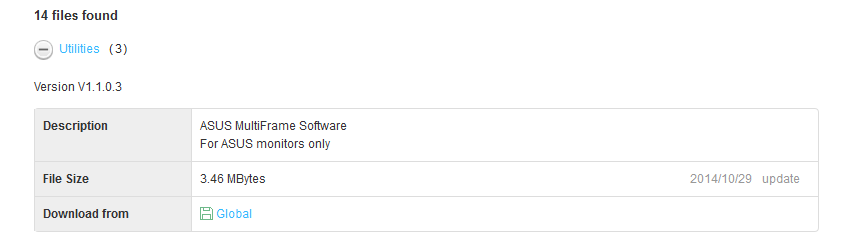
Also try swapping between the two dvi ports, can't really see the difference between them.
its downloading currently, in the (other) section, will i need the one called ASUS_VG248_Windows_7_WHQL?
Thanks trevsstrem, doing my best to figure this issue out XD
1 Like
You shouldn't have to download it, but it won't hurt anything, give it a shot.
tried, no application/.exe so i guess not. i also downloaded the one you screenied, went back into resolution/monitor to check if i could switch it to 144hz, nothing.
okay switch between your dvi outputs on your graphics card
that was the problem. i feel dumb now lol. i just didnt think it would matter between the two tbh

hahaha :) just curious, while i was sittin around earlier, i saw mixed feelings between 120/144, which would you suggest as my final question