Thank for sharing. Work with samsung 970 evo plus and
PCI Express x4 LED M.2 NVME SATA SSD NGFF B M Key 22110 PCIE ADAPTER. The system working after reset the bios with jumper short at jbat1 (beside pcie number 2)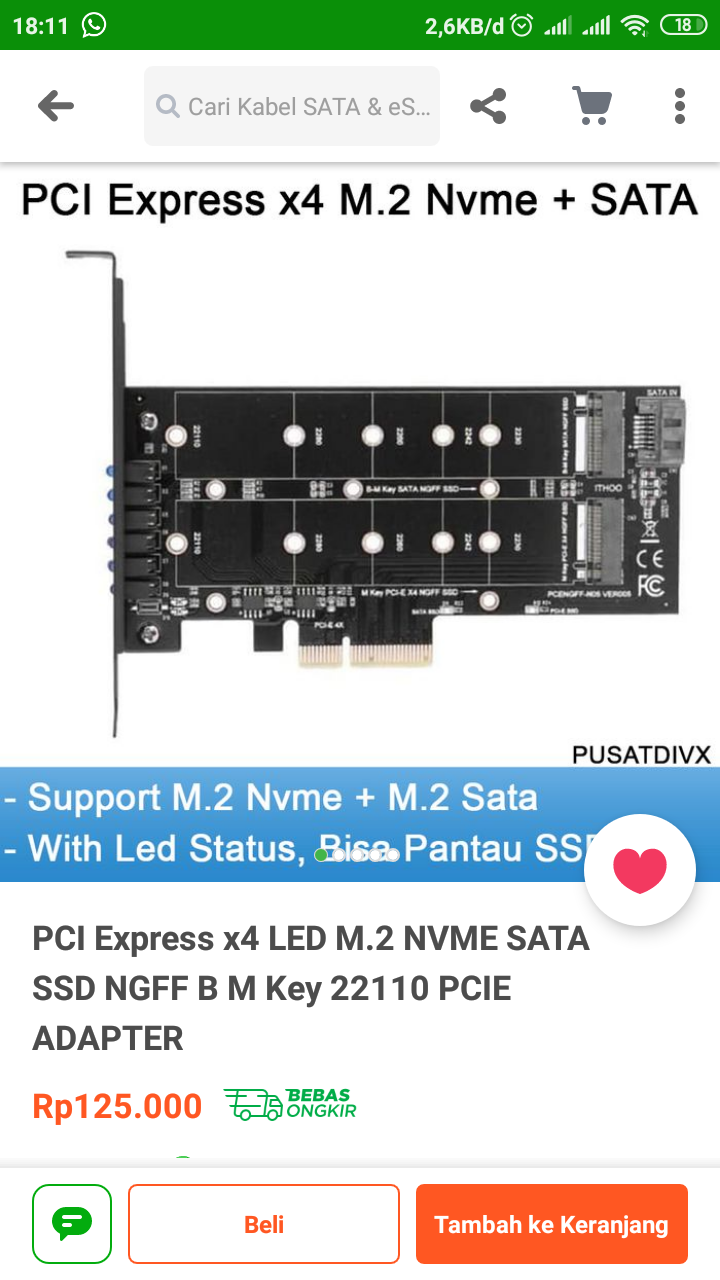
Good afternoon, Dear Telec!
My name is Mikhail. I apologize for my English. For a long time I had not a good practiсe.
I would like to ask you about updated BIOS (with NWME) for the motherboard MSI Z77A-43 rev 1.0. Could you send me a link to your bios file? I’ve tried to update it myself but failed.
Good afternoon, Dear colleagues!
My name is Mikhail. I apologize for my English. For a long time I had not a good practiсe.
I would like to ask you about updated BIOS (with NWME) for the motherboard MSI Z77A-43 rev 1.0. Could you send me a link to your bios file? I’ve tried to update it myself but failed.
Good afternoon, Dear felipelotero!
Did you find updated BIOS (with NWME) for the motherboard MSI Z77A-43?
If yes could you send me a link to your bios file? I’ve tried to update it myself but failed.
Hi, I have the same motherboard, could you share your modified bios file?
someone please have a bios already modified for Mpower z77 MSI? I’m not good at programming and I just have the same problem
See the google drive link in this thread.
Before updating, confirm that both BIOSes on your motherboard POST correctly. Read the OP carefully, it could save you a lot of headache later.
Good luck
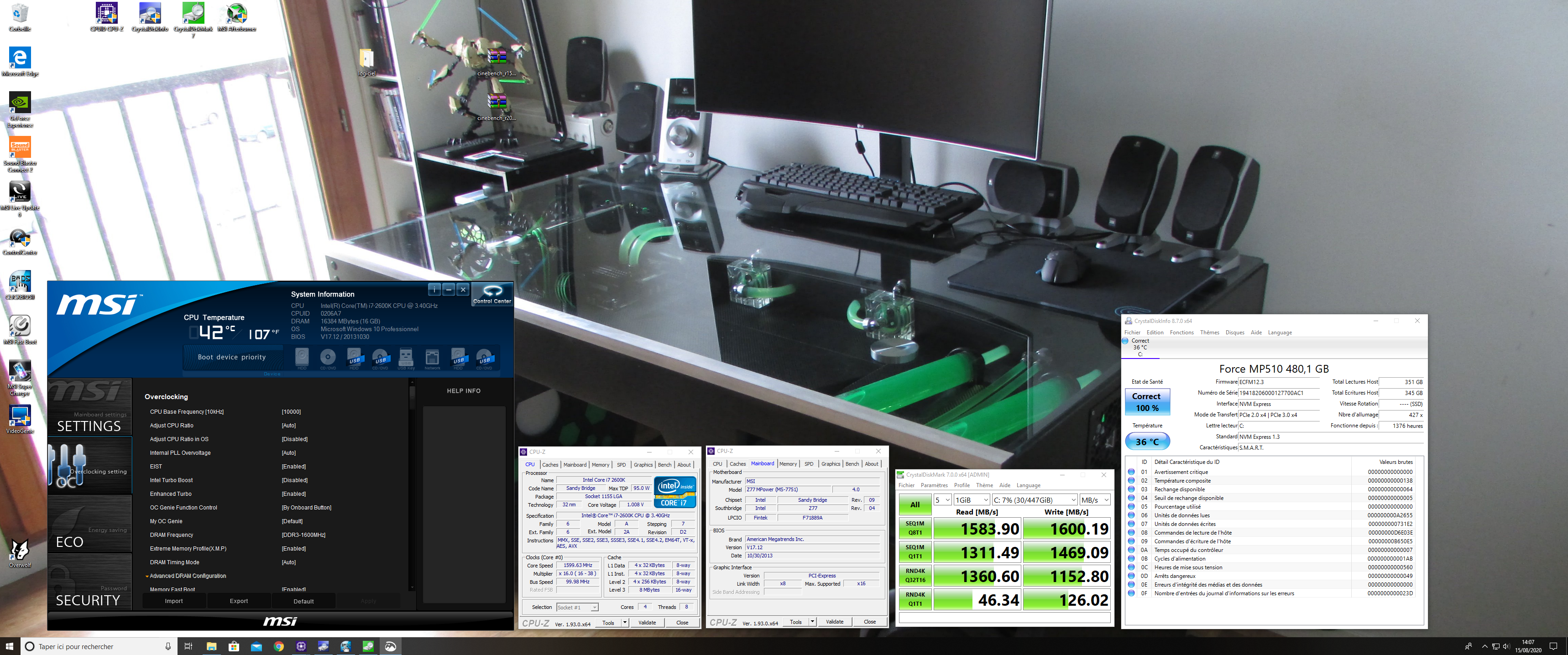
Tout d’abord bonjour à tous puis un grand merci à l’éditeur de ce topic qui m’a bien aider à réussir cette adaptation . Cela a parfaitement fonctionner pour ma part et je vous en remercie encore.
I’m using the google translator to ask if the file that kewiha shared worked for your MSI Z77A-G43 card, since I have the same card and I don’t have much experience to make the modification
It will not work for a Z77A-G43. It only works on Z77 Mpower. If Z77A-G43 does not have dual BIOS, I would not experiment with this in case it breaks the motherboard. Sorry
Does anyone know if the case light flashes according to SSD activity? I prepared my BIOS and I’m not brave enough to do it, but I’ll try! The whole procedure has to be done with UEFITool v0.25.1 to not create a bad file and wall my motherboard, ok?
I don’t think the activity light on the case flashes for pcie SSD activity. If I recall correctly, the uefitool version in the OP was needed to actually modify the bios file. It’s not a matter of breaking something if you use a wrong version.
I wouldn’t recommend this if you have a single BIOS board, but if you have dual BIOS, confirm the other bios works and then you should be good to go.
Hello, I have the MSI Z77 MPOWER board, can you please modify the Bios for this disc, the disc is Samsung 970 EVO Please help
hello my friend
are u still answering questions ?
i have same spec is you and i did everything u did , but last part i don’t understand what u mean .
can you please send me ur bois file please and thank you
please and thank you
i just want to confirm it with my bois 
This google drive link I used previously seems to still be working: E7751IMSnvme.HC0 - Google Drive
As a reminder, this is for a Z77 MPOWER motherboard, and I don’t know if there are multiple revisions, or have my board to confirm which revision I have. I strongly suggest that you make sure that both BIOSes are working on your board before attempting to flash this.
hello my friend
sorry i forget to tell what happened
i really thank you so much for ur guide it help me alot i had just issue at the end of ur guide i didn’t understand it so i had to figure it on my own
at the end its works perfect and thank you so much
i have question please
did u overclocked your cpu
i been almost running my cpu at 4.4 for almost 9 years do you think i can pop that to 4.8 or 4.9 what you think if yes i might need your help if you can please im doing it for project and fun and use everything i could on this pc i just love my pc 
let me know and thank you so much again 
sorry for my english
I just remember very very important thing
all * USB 3.0 PORTS (REAR) and front not working so its not only on the mother board even the adapter USB 3.0 PORTS don’t work either last time i remmber was working 6 month ago
so when I plug the USB it lights up but not detected doesn’t even make any sound
i did download the drivers from MSI 3.0 usb driver and still didn’t work did u had any issue withyour 3.0 in win 10 because in win 7 I didn’t had issue but win 10 yes sometimes work sometimes not but now nothing at all
thank you my friend
I’m glad you found the guide helpful. I was also very happy to get NVME boot support without much hassle.
I would not suggest overclocking your machine to 4.8 or 4.9 if it is already stable at 4.4. The extra 10% performance is not worth the risk to the hardware in my opinion. Personally, I ran my i5-3570k at 4.0 to 4.3 GHz throughout its life and thought that was a good balance of performance, minimal effort to make it stable, and low risk of damage.
If I remember correctly, the some of the back USB 3.0 ports on the Z77 MPOWER are connected to the Intel chipset, while others are connected to a Renesas controller. You might find that only some of the USB 3.0 ports aren’t working. If you plug a mouse or keyboard into them, you could see if they work in the BIOS. This may give you a hint if the problem is in Windows or if the USB 3.0 ports have died. Windows 10 should not need you to install drivers for the USB 3.0 ports to work, but you could try installing the intel chipset driver from the MSI website listed under Windows 8.1 (it should work on Windows 10 fine). I would not install the USB 3.0 drivers listed under Windows 7 on Windows 8 or above. Good luck, I know issues like this are frustrating.
hi my friend again thank you for being here and helping others
first of you all are u still using Msi Mpower z77 motherboard
2. my USB 3.0 still working if I insert 2.0 USB in the 3.0 port
so basically the 3.0 is working but not reading USB has 3.0 the blue color
i hope now i cleared my question to you
so please if u have still have the same motherboard
all i need from you is backup from your driver i can provide with software very small and can backup all your usb drivers
drivers in 1 minutes and put them 1 folder
please and thank you
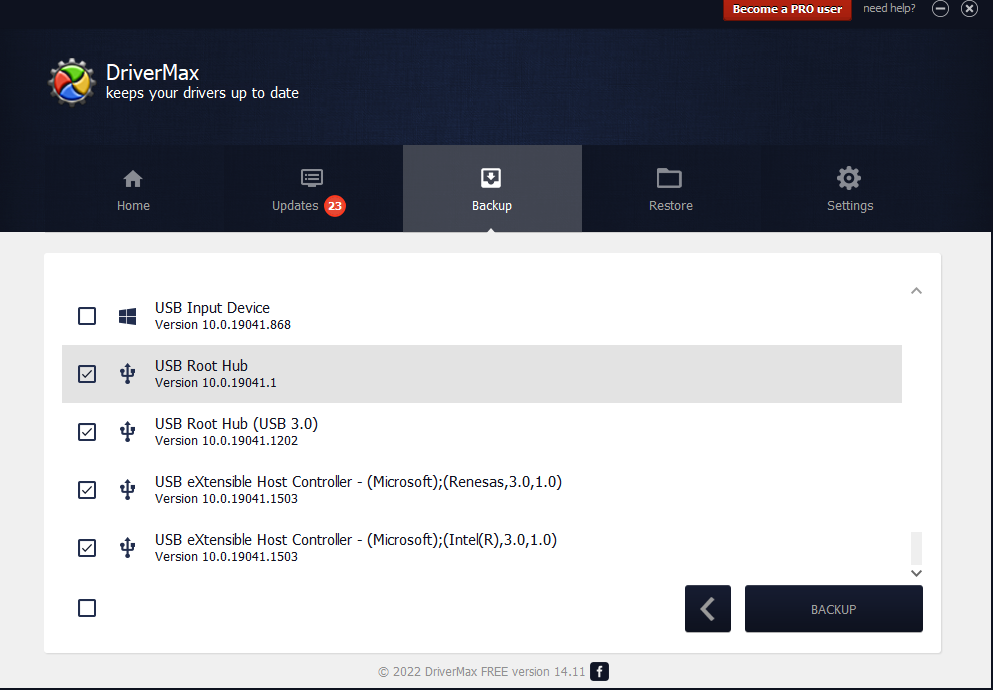
I would uninstall DriverMax and anything that claims to install drivers that wasn’t from a hardware vendor (e.g. MSI, Intel). These programs can be malware.
What you’re describing sounds like a hardware problem and not a software problem because your USB 3.0 ports work for USB 2.0 devices. I would try:
- Using your USB 3.0 device on another computer’s USB 3.0 port to confirm the USB 3.0 device isn’t the problem. I have a USB 3.0 flash drive that recently stopped working in USB 3.0 ports but it works in USB 2.0 ports.
- Using multiple different USB 3.0 devices on your MPOWER’s USB 3.0 ports. Maybe there is some reason that a particular USB 3.0 device doesn’t work on your MPOWER, but other USB 3.0 devices work.
Given the age of the motherboard, it’s possible that your MPOWER’s USB 3.0 ports only work as 2.0 ports now and that’s that. If that bothers you, there are PCIE x1 cards you can buy that provide USB 3.0 ports.
We’re pretty off-topic here. If you want to discuss things other than NVME BIOS modding, feel free to message me directly or make a new thread and @ me.