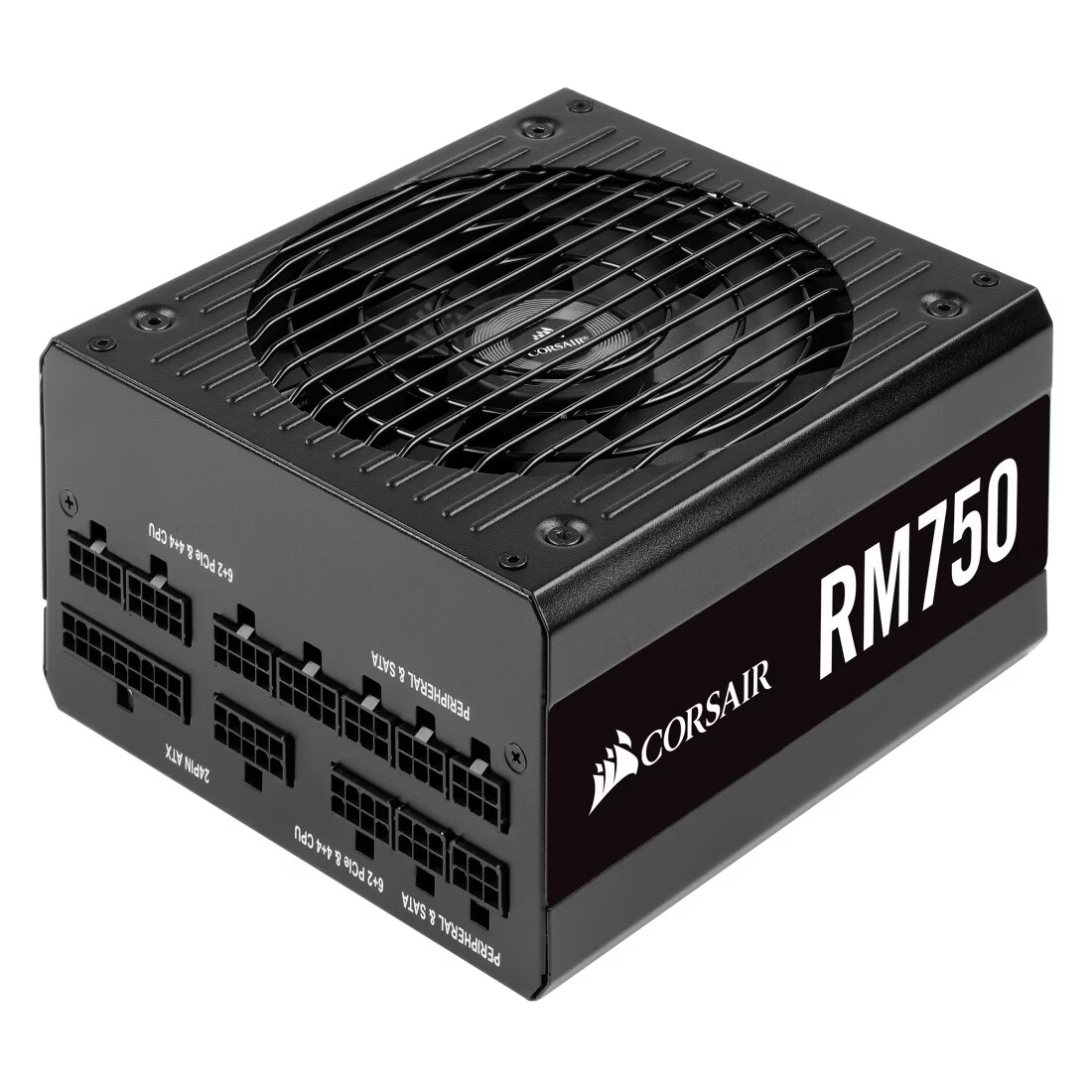
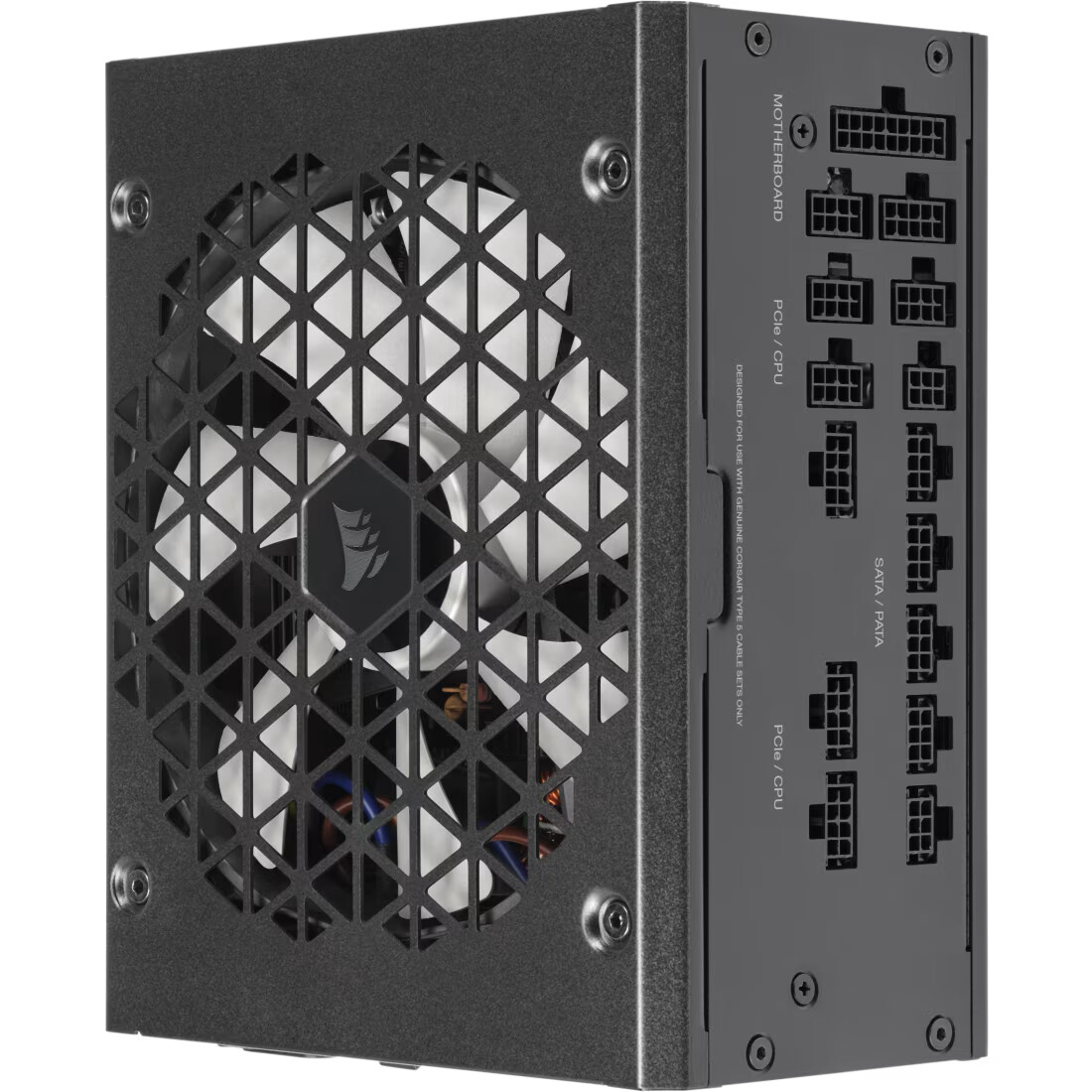
notably, this is a 160mm length PSU, and has 5x SATA power ports on the PSU
I am trying to accommodate est. 15x HDD’s, plus at least two SATA SSD’s. Technically, I have enough SATA Power Connectors, however the OEM SATA Power Cables’ plug locations are not flexible enough for me to be able to arrange all my drives well in the case. Its causing a lot of problems. So I am trying to figure out what options I might have in order to get more SATA power connectors into this system. Here are some options I am considering;
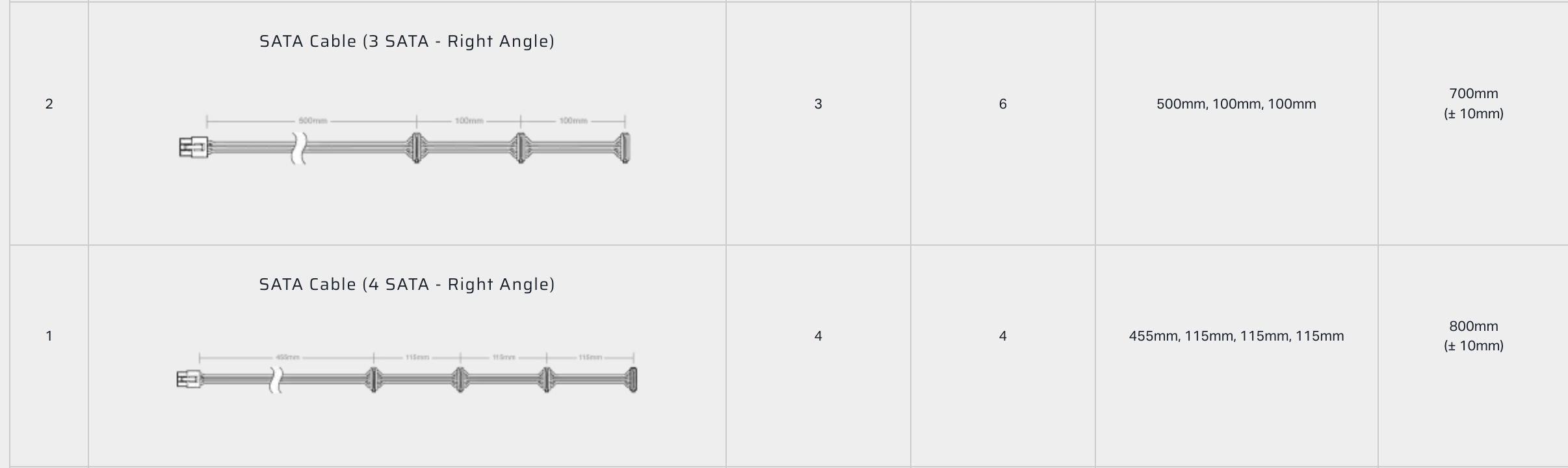
find some reliable third-party (who??) to make 5x custom SATA Power Cables for the PSU which are longer and have far more SATA connectors. The default OEM cables are ~750-800mm with 4x SATA connectors, I was thinking maybe I could get some custom cables that are more like ~900mm with 8-10x SATA connectors each. Not planning to use 8-10x HDD’s per cable, just want extras for more flexibility in cabling
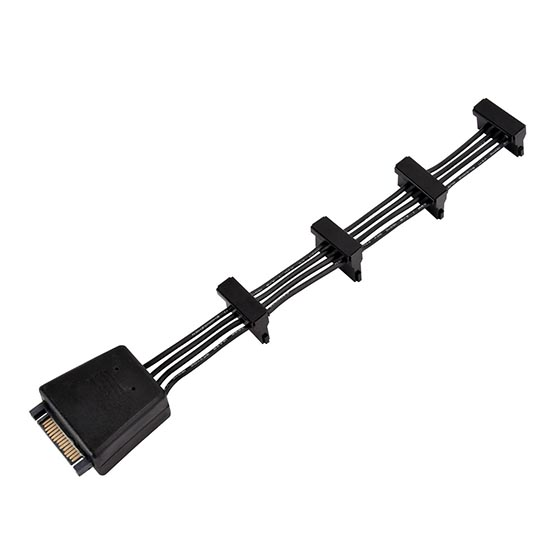
need a longer version of this with more power connectors ^
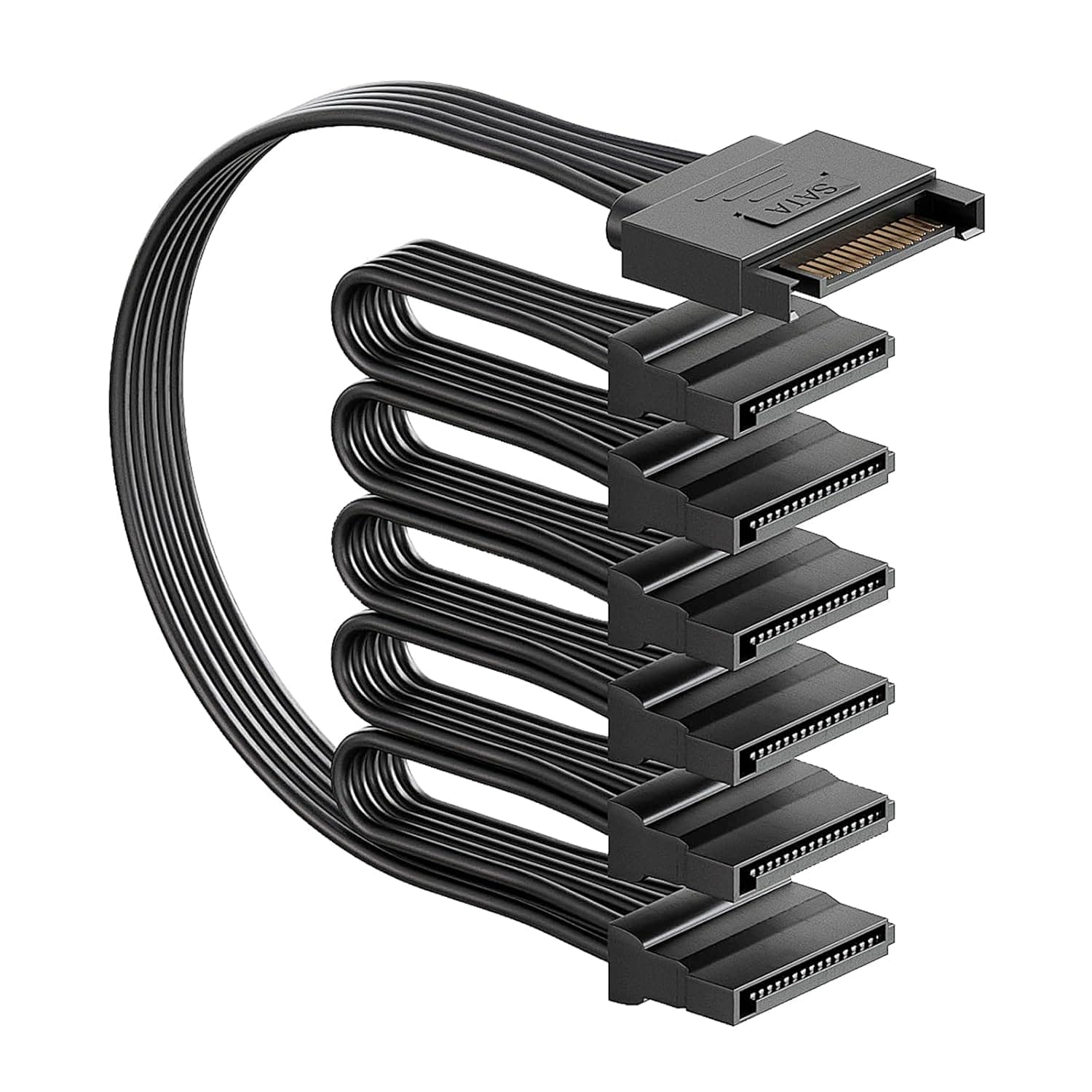
SATA power extension cables with splitter (example here) which I could attach to the end of the existing cables in order to add 1 or 2 more HDD to each existing cable - are these things safe???
a new PSU (which??) that comes with ~20 SATA power connectors out of the box ; this seems difficult since I need to stick to the 160mm PSU length, most of the “better” PSU’s I see are >160mm
Any thoughts on the best route for this? It seems like the SATA power extension + splitter would be the simplest, but I am not clear on the reliability of these things. I dont want to burn the house down with shitty power cables, or blow up a string of disks. Does not seem like there are first-party versions of this. I am not against getting a “better” PSU, especially one with an efficiency rating better than Gold, but I havent found any that fit.
One SATA power cable can power 4x HDDs. So all you need is get five 1x → 4x SATA power adapter. Y-cable or whatever.
Usually you use backplanes that run on Molex or a couple of SATA power cables along with staggered start of the HDDs so power-on power spike is handled more easily. And 20x HDD is 500W power spike on start/spinup without a proper backplane.
hf wiring 20x SATA + 20x SATA power. You’re just making things more complicated this way.
Yes and no. Buy from reputable vendor, then probably yes. From Aliexpress or ebay, most likely not. Thing is, all the power comes from that one SATA connector and the wires need to reflect the cumulative current going through them. Cheap power splitters don’t take that into account and thus the wires are too thin, which ultimately is a fire hazard.
I already have 5x SATA power cables attached (the variety with 4x SATA power connectors each) but due to the constraints of the case I cannot physically use all the connectors
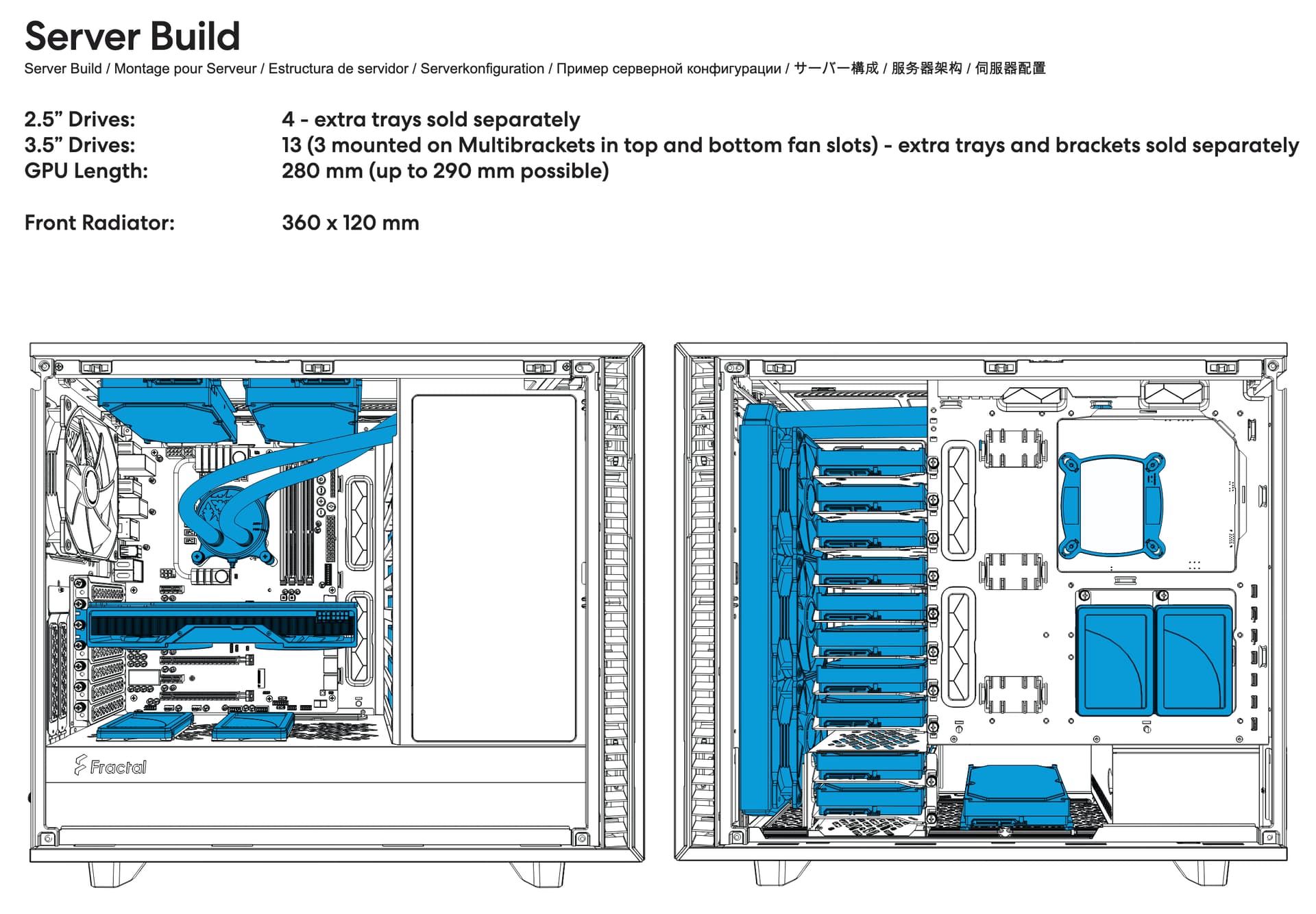
I have the server configured similar to this diagram, except I have 4x HDD on the floor in the extra drive cages (as opposed to 2x in drive cage and 1x sitting loose in the diagram), also my 2x SATA SSD’s are currently free-floating in awkward spots since the only spare power connectors are on the other HDD’s.
you will notice in this diagram they do not show PSU cables going to any of the drives ; that is because there is actually no possible way to wire up all the drives shown here using standard consumer parts as far as I can tell. No combination of 4x PSU SATA power cables (with 4x connectors each) can connect to all the drives shown. Especially because if you want to connect the 2x drives on the roof, you need a dedicated cable for that due to the distance required. And you need another dedicated cable for your 2x SATA SSD’s on the rear of the motherboard. If you want drives on the PSU shroud, that is another dedicated power cable. Then your remaining cables all need to manage to connect the rest of the drives in the stack and on the floor. I think its just not possible with 4x cables and afaict its only possible with 5x cables if you nix the drives on the PSU shroud and shove the rear SSD’s in between drives in the HDD stacks
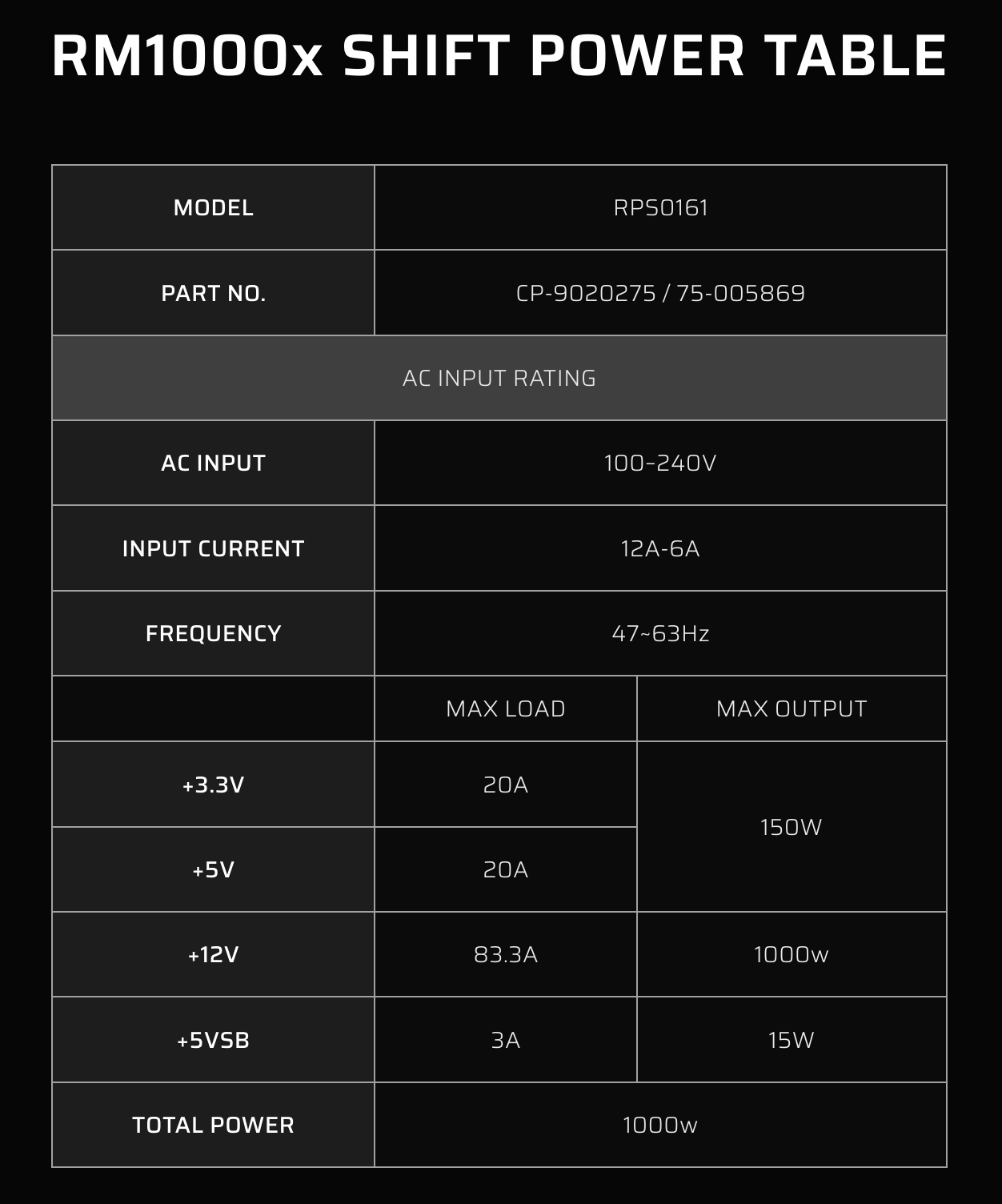
Regardless, I am also just now realizing that Corsair has a relatively new line of “Shift” PSU’s, of which the 1000W version might actually work for this since it appears to have 6x SATA power connectors
I keep digging through Amazon reviews for these things, and even from Cablematters there seem to be a handful of reviews that report electrical fires, melted connectors, and destroyed drives
There are some shady cables out there, but these brands seem pretty reputable. I wouldn’t be surprised if most of these reports of fires are from idiots who stringed too many of them together and overloaded them.
Whatever you wind up doing:
1.) Be sure to not overload your power cables.
As far as I am aware, each SATA power connector can supply 4.5 amps each at 3.3v 5v and 12v.
Your drives will usually say their max load at each voltage on the label. If you use splitters/adapters, add up all the drives you are attaching to a single connector and make sure the total doesn’t exceed 4.5A at any of those voltages.
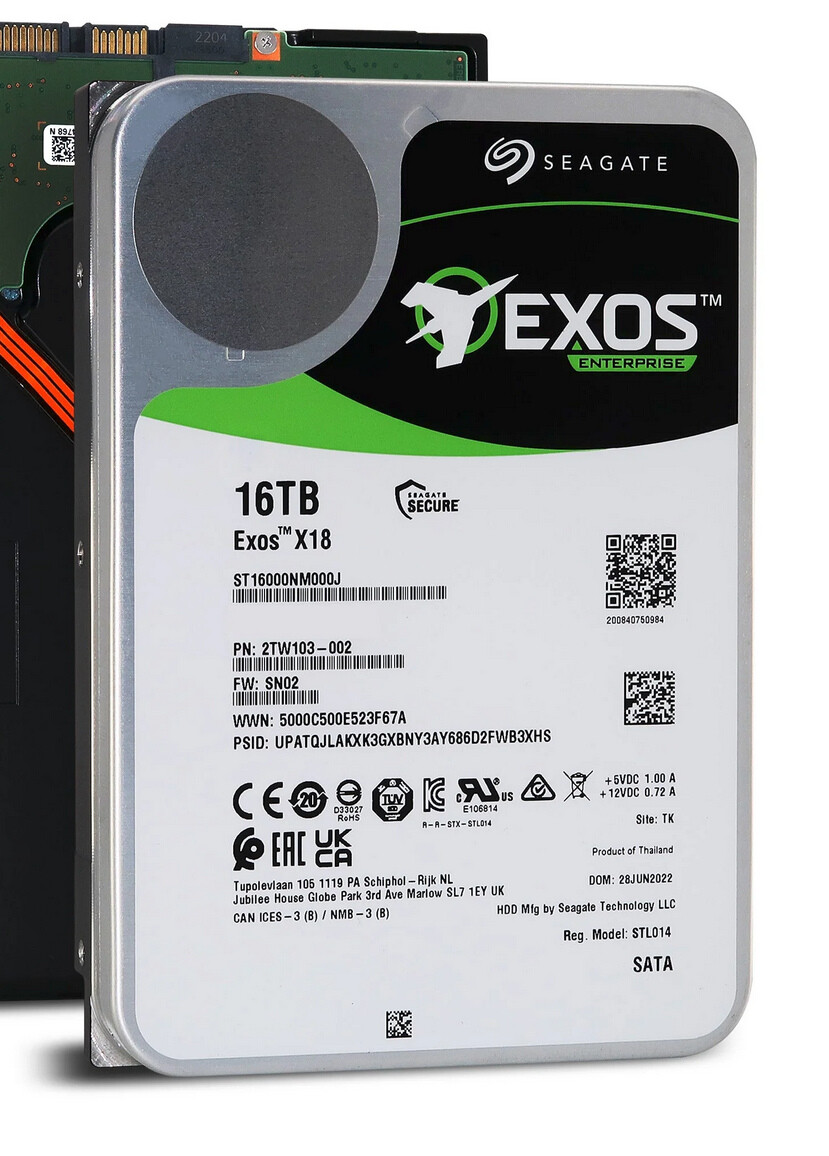
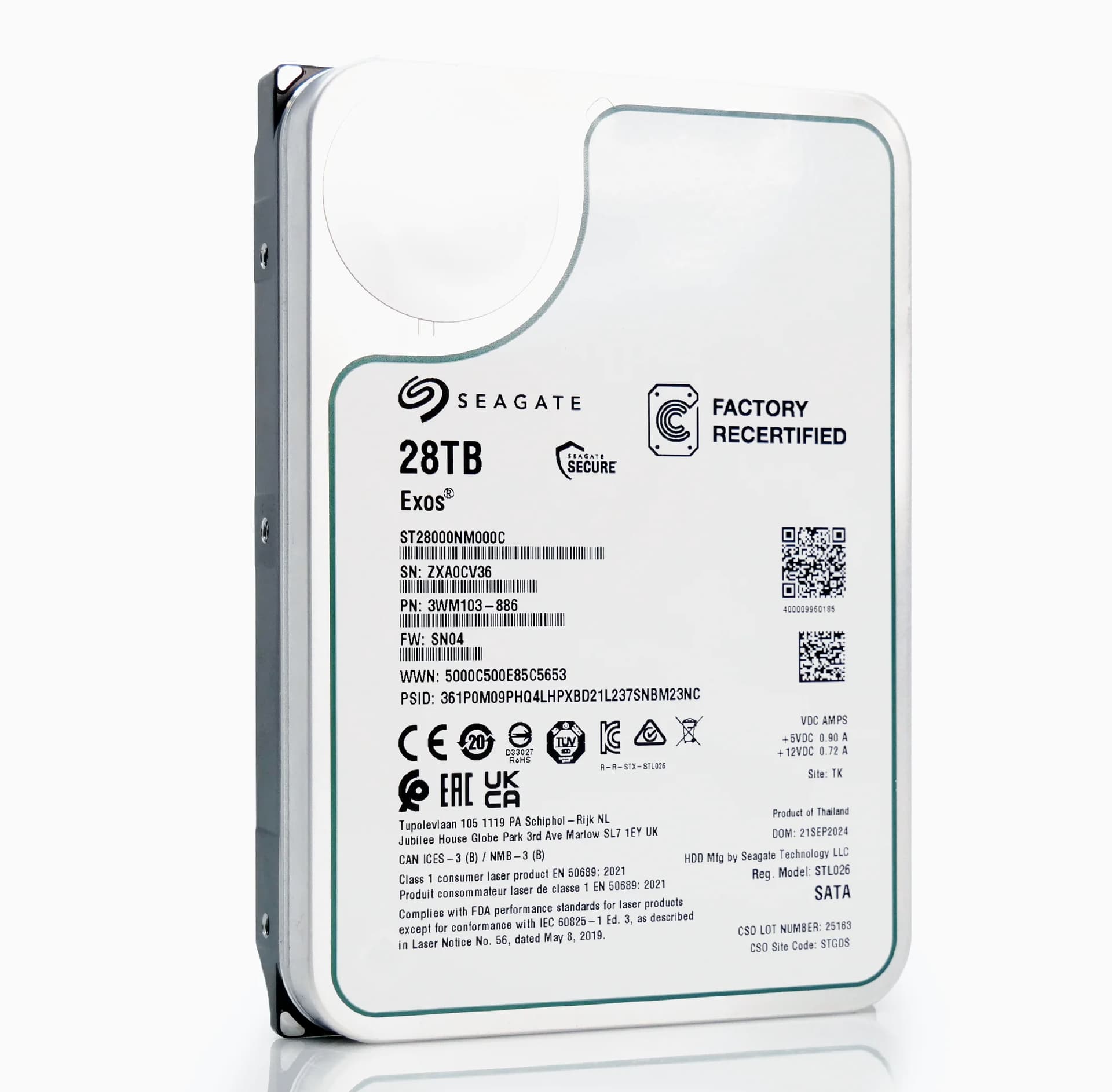
For instance, my 16TB Seagate Exos x18 drives in my server (sample image I found online, not my pic) look like this:
As you can see, it reports needing a peak of 1 amp at 5v and 0.72amps at 12v. That means that the most a single SATA connector can power is four of these. (4A at 5v and 2.88A at 12v.)
2.) Beware of sketchy cables.
It’s sometimes difficult to tell which are sketchy and which are not. I learned my lesson the hard way a few years back when I needed a 12v 8pin EPS extension for my motherboard. I can’t remember if I bought it at MicroCenter or if I got it on Amazon, but either way it looked pretty official.
That was until one day during an extended CPU rendering session I started smelling smoke…
Stick with trusted brands for these things, or you might regret it.
The likes of Startech, Cablematters and Silverstone are pretty reputable though.
If it were me I’d just get some type-3 pata/sata cables that were long enough and splice on some of the “sata easy crimp connectors” to it at the intervals I wanted and call it a day, you won’t need any special tools to do this.
If you wanted to go really dense on the PSU’s connectors, you can actually use 2 of the 6 pins on the PSU to carry 5v to the peripherals (most OEM cables only use 1 pin to keep cost down). I’m conservatively running 8 hdds per type-3 pata/sata connector from my PSU by doing this.
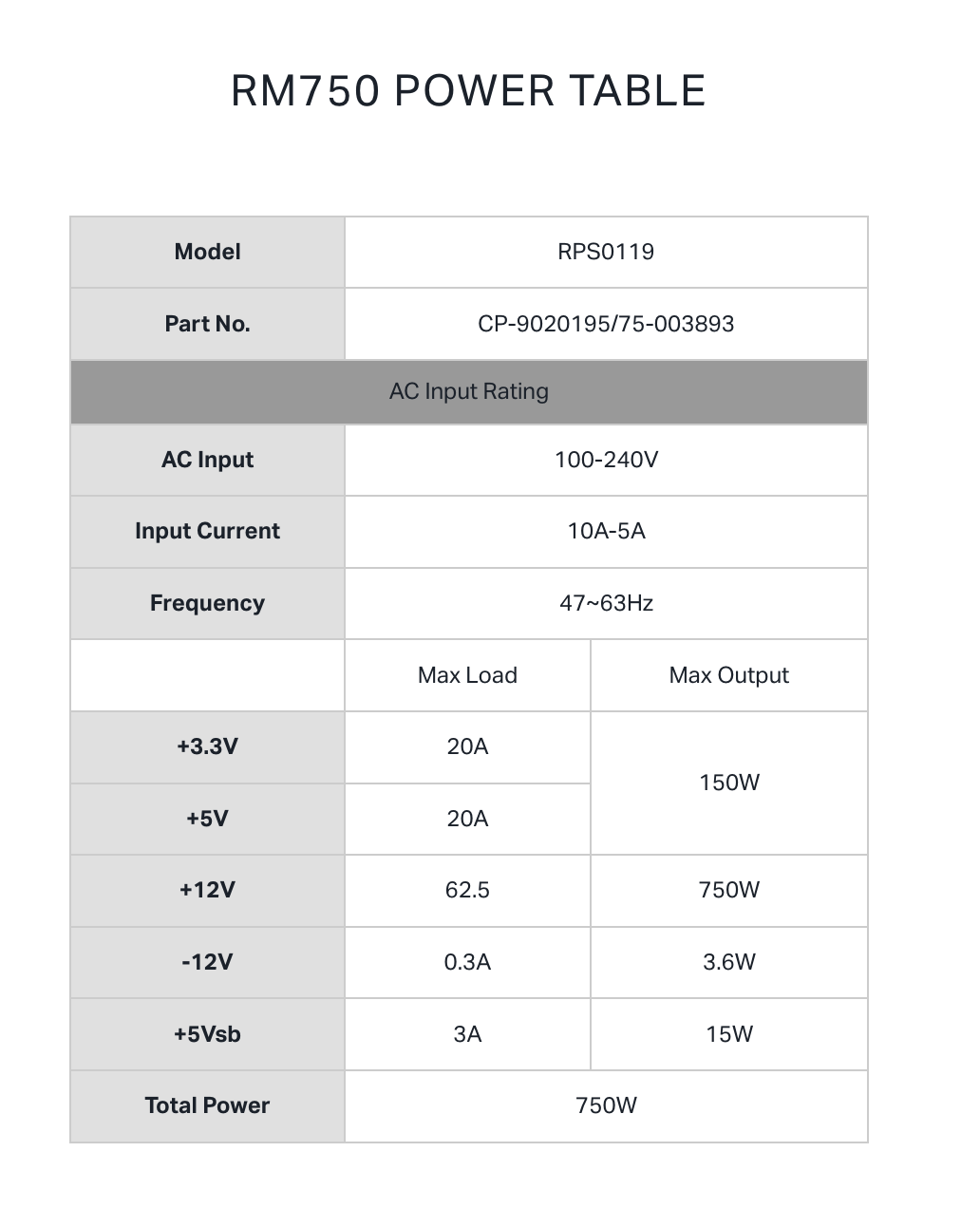
I’d stay away from that power supply for running many drives, it has a relatively weak 5v rail that the hdds will stress; even a lowly Corsair CX650M puts out more 5v power than it.
Comparing it to the Corsair RM750 that I already have running in the system, it appears that the RM1000x Shift has the same 5V capabilities? Am I missing something?
No you aren’t, I was just insinuating that if you’re going to the trouble of getting another PSU, might as well get one that’ll work even better with the amount of drives you’re planning on.
For reference, I’m pulling 15A on the 5v rail on an idle system with 16 relatively low power hdds, this figure will go up some during particularly stressful events (electrically stressful, not mechanically stressful) like sequential reads.
EDIT: turns out the hdds weren’t all idle with that power figure.
ok thanks yea that makes sense, mostly the Corsair RM1000X Shift seems appealing since it would give me 1x extra SATA power cable connector which would fix the cabling issues I am having since I would be able to get the last drives onto a separate power cable. The RM1000X Shift is 180mm long but I think it might actually fit since the connectors are on the side and not the front
Good chance aux 5 V is necessary if startup isn’t staggered or if the whole array can be active simultaneously. Absent specifics in the drive manuals figure ~1.5 A/3.5 drive from +5, plus the rest of the system’ll pull a few amps. Depends but 30 A is potentially minimal, so 40 A offers some margin.
IF the Corsair cables are copper, you could use something like 8x (or 10x?) Wago 211-2411 (Ebay.de) to extend them – no soldering or special tools required. But that’s a big if: if they are aluminum this could cause a fire in the long term.
Corsair sells extra cables, so the easiest solution seems to be simply buying 2-3 more cables for your PSU that have sata power connectors on them.
Though splitters would work as well, just make sure you only run 1 splitter per main power cable. But with only 15 drives that should still be easily doable.
I would just make sure you look at your PSU load when you have them fully connected. A general rule of thumb is 10w per HDD in use, as that is around the average power draw (some more, some less). So since your PSUY only allows 150w maximum combined draw on the 5v and 3.3v rails your 15HDDs will be right about at your maximum capability. Something you never really want to be at anyway, but definitely dont go over.
as per @EniGmA1987 I have already purchased all the extra SATA Power Cables for the current Corsair RM750 (this was one of the motivations behind that PSU; the unit was readily available AND had extra SATA power cables available for purchase) ; this the PSU is already maxed out at 5x SATA Power cables coming off the PSU. As described in the OP, the issue is not actually the number of cables or the number of SATA power connectors, its more so that even with 5x cables it becomes impractical and inflexible to arrange your drives nicely inside the case due to all the distance between the various HDD and SSD mounting locations.
that is why my first thought, was to find super long cables with tons of connectors, but ultimately thats just another item to have to source and purchase. The suggestion from @twin_savage to just make my own custom cables sounds valid, but I dont have any electrical experience with such things so I am kinda afraid that some mistake might burn the house down
I ordered that 5V Load Balancer, will try to mount it on the PSU shroud and replace some of the existing connections with it, that should help a lot.
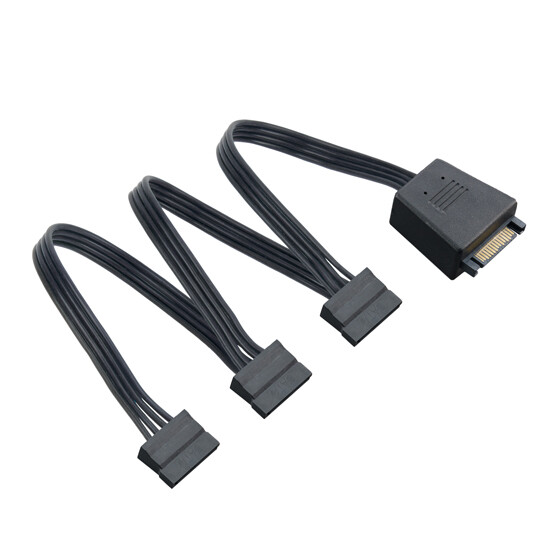
I also ordered this “Cable Matters 3-Pack 15 Pin SATA Power Splitter Cable” adapter. Notably, this item has been on Amazon for 10+ years with Zero 1-star or negative reviews, so it seems like this might help me to be able to attach my SATA SSD’s on the ends of the existing connectors more easily. Considering the comments in this thread about the electrical considerations of adding more and more SATA devices on a single power cable, it suggests that perhaps the bad reviews on the multi-connector variants of these adapters might be due to the wires getting overloaded maybe?
thanks for all the input on the topic, I was previously unaware of a lot of these details about how the computer electrical systems work and their considerations.
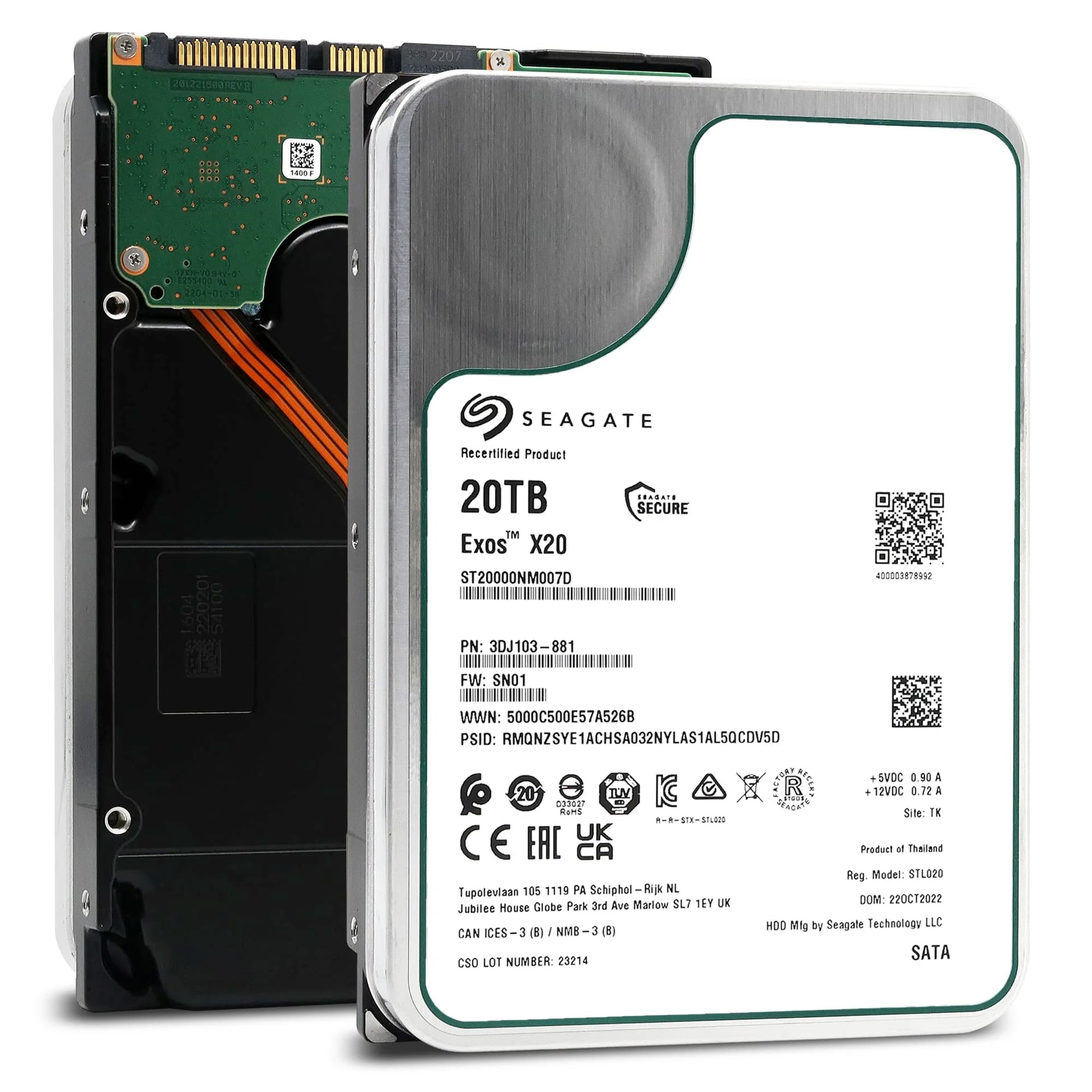
No. Refer to the power requirements and current traces Seagate provides in the drives’ user manuals to obtain minimum bounds. How much those need to be margined to accommodate other operating points in synchronized array operations is unclear but for ST20000NM007D ~1.5 A is only ~10% margin based on the AC to DC peak ratios.
Care to expand on this cryptic language a bit? What do you mean by “AC to DC peak ratios” in this context?
Edit: Okay, so I checked the Seagate spec, and it seems the drive actually returns current to the 12 VDC bus during startup. So that explains the “AC (Peak DC)” row in the datasheet, I guess. It being the “peak-to-peak” (peak current draw minus peak return current), and “DC (Peak DC)” just being the peak current draw then? Weird way to write the specs, I have to say.
Yup. Basically, Seagate really doesn’t know how much their drives can pull. But they do provide more clues than anything I’ve found for WD and Toshiba, which is helpful to supply sizing, and their drives’ actual peak DC operating point probably isn’t too much higher than the maximum values Seagate provides.
It’s the AC peaks which, when correlated across drives operating in an array, determine peak draw and thus minimum PSU rating. So take the DC data provided, apply the best available peak ratio, and margin for the guesstimation involved. Also, look through enough Seagate manuals, and you’ll find drives that show 1.5 A from +5 in the current traces. So, you know, if one wanted to interpret ~1.5 A as 2 A that’s probably not unreasonable.
Or cost down the solution and hope the result’s reliable enough. ¯\_(ツ)_/¯ I’ve had no luck finding rail capacities for stuff like Storinator XL60 or Exos X 5U84.
Other ways out of this are an oscilloscope with enough channels and enough current probes to monitor the rail or multiple Powenetics v2s. HX1000i and similar also offer some basic insight at lower bandwidth. FWIW my experience with the latter is > 1 A/active 3.5 is pretty easy to reach, though that’s with drives which aren’t quite as power efficient as the ones here.