Minisforum MS S1 Max Comfy UI Guide

This should work for about any Strix Halo platform, but I did this on the minisforum MS S1 MAX [New Release] MS-S1 MAX – Ryzen™ AI Max+ 395 Mini Workstation | Minisforum

AMD is leaning into AI on Windows, and making it easier for developers to get up and running. So I wanted to test that – on windows natively. No WSL!

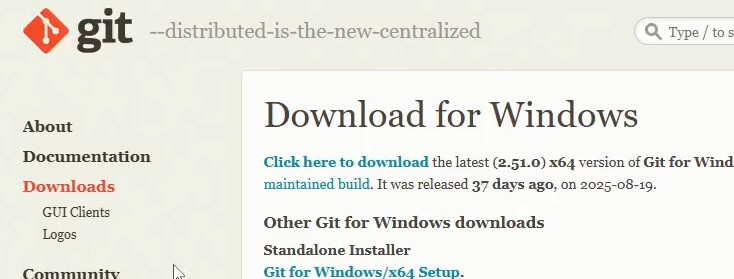
Start by downloading git for windows:
Next I like UV for managing Python projects on windows. It’s a replacement for pip and virtualenv. I am not quite ready to use it to replace python tooling everywhere but on windows it is pretty nice.

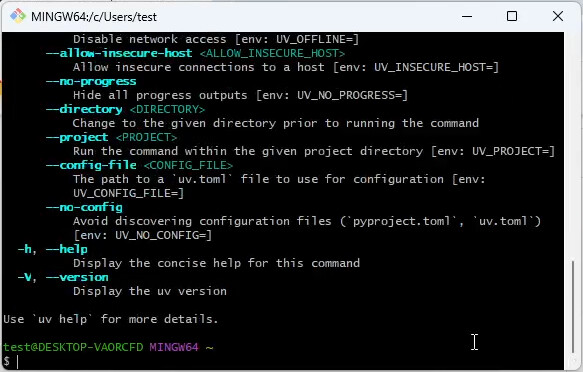
I ran gitbash and then uv to verify it was there/working:
image

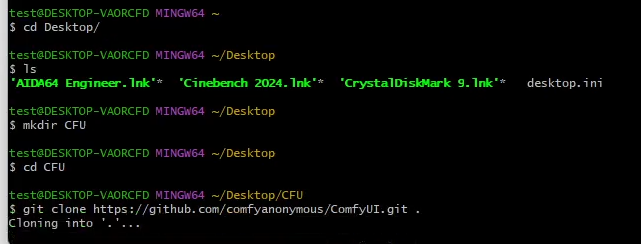
From there we can clone the ComfyUI git repository:
image

Once the git clone has finished, use notepad to open requirements.txt

we need to remove torchvision and torchaudio because installing the non ROCm version now will lead to problems when we get the AMD optimized/specific versions needed for this Ryzen AI Max 395+ platform.

delete ``torch torchvisionandtorchaudio``` (we will manually install them in a moment)
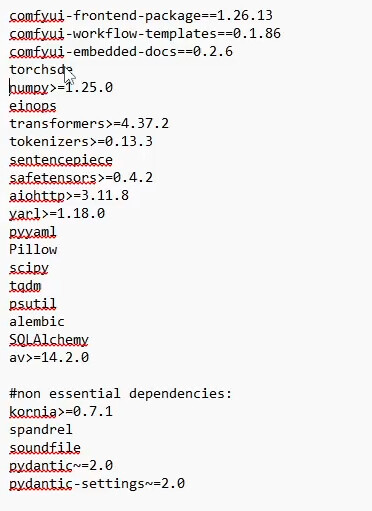
image

from here we can run uv venv .venv --python 3.12

image

image

then source .venv/Scripts/activate to activate the virtual environment.

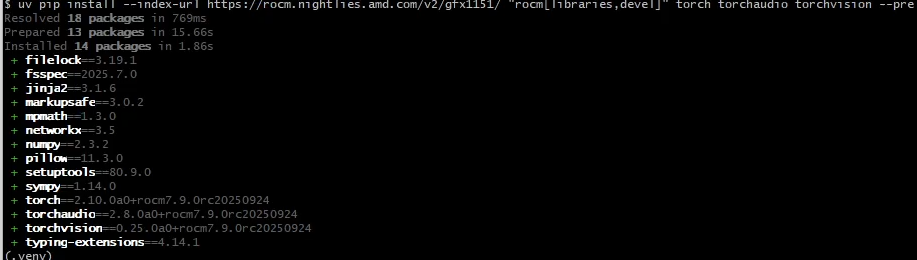
Now we want the gfx1151 nightlies

image

uv pip install --prerelease=allow --index-url https://rocm.nightlies.amd.com/v2/gfx1151/ "rocm[libraries,devel] torch torchaudio torchvision

…there are those dependencies we got rid of earlier! Except they’re coming from AMD.
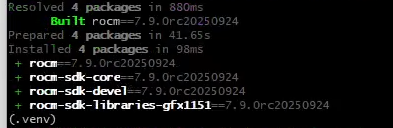
image

now we can just do a uv pip install to get the rest of what we need for ComfyUI
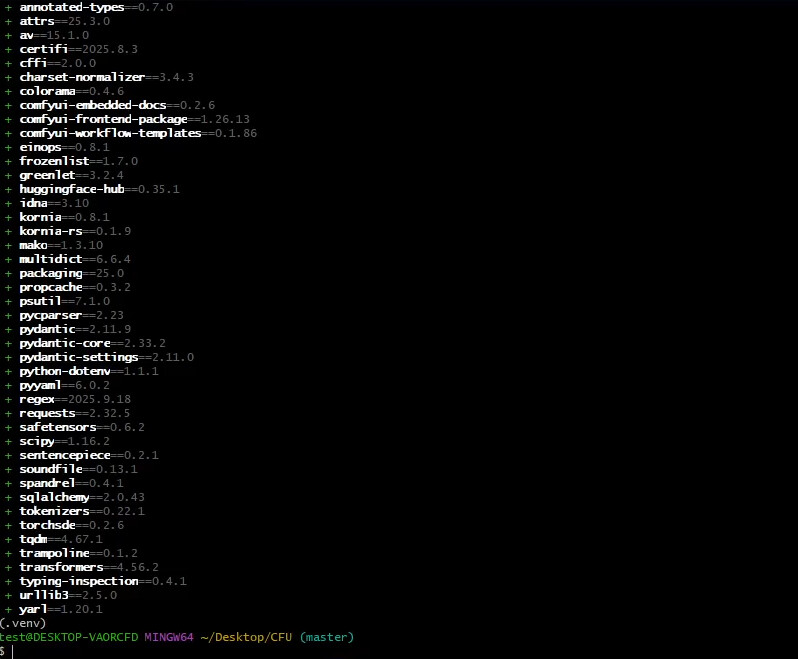
next we need the actual UI part.

mkdir custom_nodes && cd custom_nodes

then

git clone https://github.com/Comfy-Org/ComfyUI-Manager.git
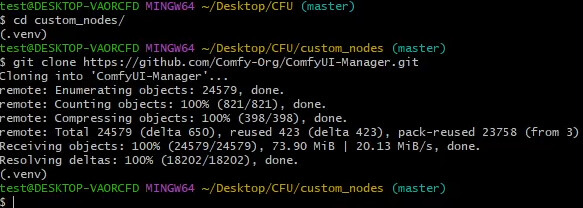
image

then just do uv run main.py from within the CFU folder made earlier.

image

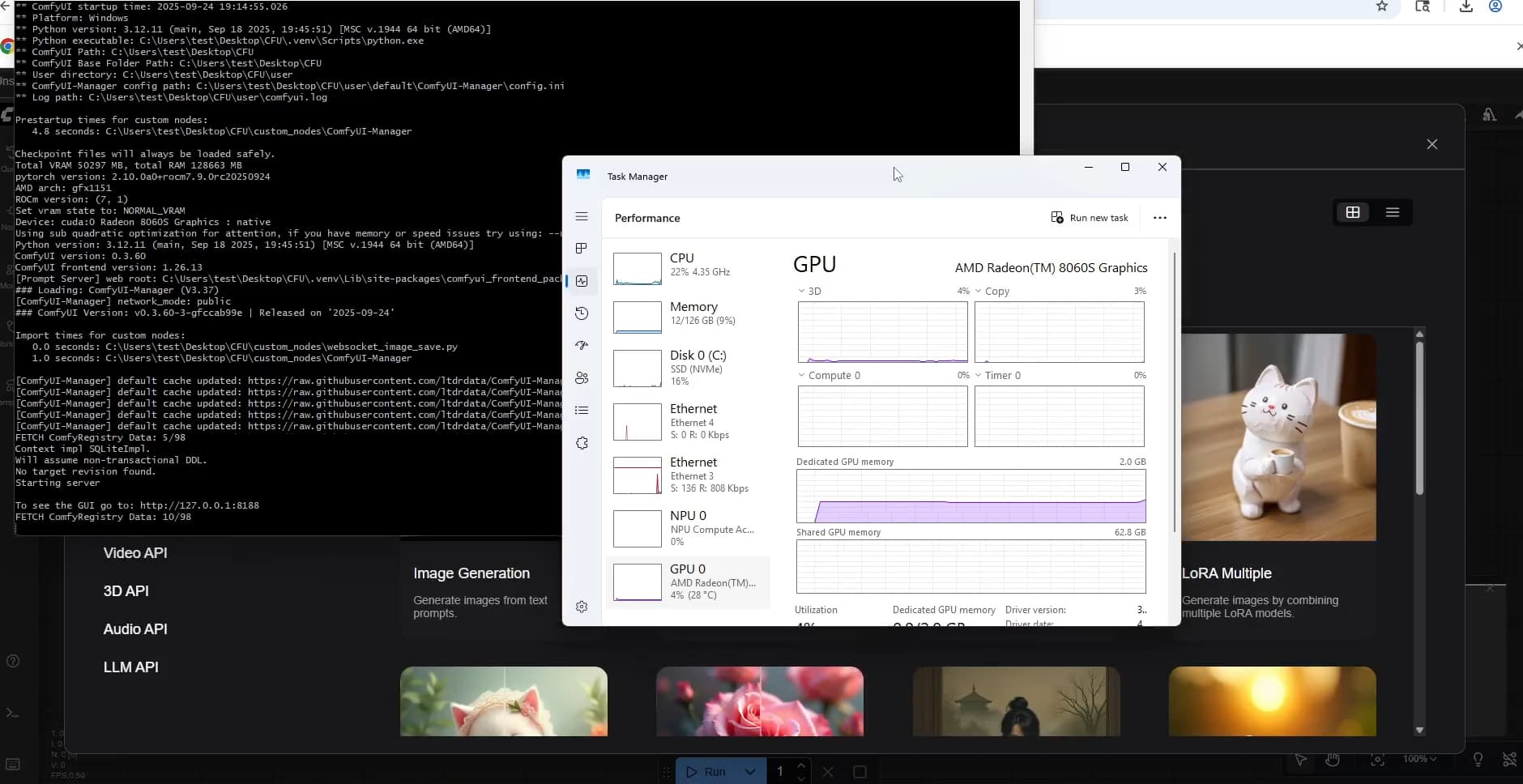
Now the site should come up on http://127.0.0.1:8188 after a few minutes!
6 Likes

Hey @wendell,

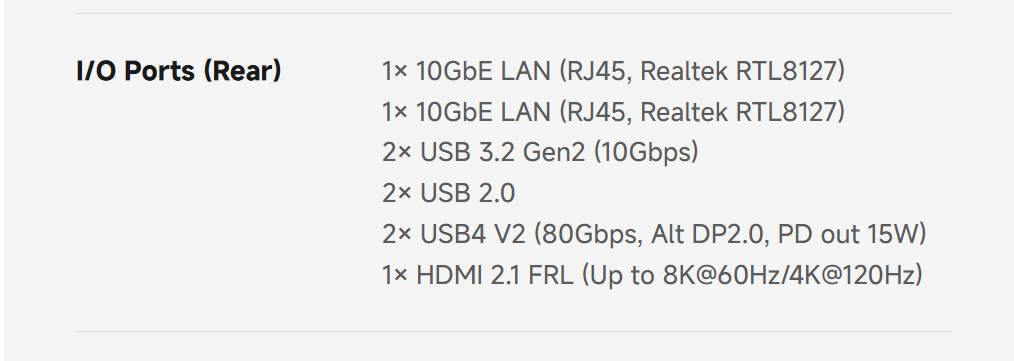
Sorry if this is off-topic, I didn’t see any thread that discusses the video you did on the Minisforum S1 Max. A bit curious about the USB 4.0 V2 80Gbps on this machine since, as far as I can tell, this is the first AMD machine that supports it. Can you please share the name of the USB controller? The only one that I am aware of that is available right now for USB 80Gbps is by Intel for Thunderbolt 5. According to the latest news I could find other USB 80Gbps controllers should still be some ways away.

1 Like

Don’t forget to go in the Adreline driver and set gpu dedicated memory to high vs it’s current default of 4. Did that on my Z13 with 64GB and got 32GB dedicated to the gpu and had a better time with comfy. Thanks for the write up though as it helped get comfy going for lols.

Also I noticed in the Adreline driver and AI section, didn’t see comfy, not sure if there is way to get it to see that to see what other performance tuning can done.

Hi, thanks for the very well explained guide.

Tutuapp

Did you ever get any feedback/info on what this controller is?

Unfortunately no :pensive:. If anyone else has this machine and can leave the information in this thread I would really appreciate it.
Anyway, I don’t want to make a side-track the main topic here which is ComfyUI on Windows and I also would not want to create a constant chatter here with no info on my question. If I happen to find the information I will leave an answer on this thread otherwise I won’t post.

barlow ridge, thought I replied oops

1 Like

From the minisforum offical User Manual, they are using Intel JHL9580 as controller.

seem to be stuck at the “uv pip install” prompt… I know uv pip install works as I get a usage dialogue after just typing that … but when I type the entire prompt it just gives me the greater than sign > nothing seems to happen. using the exact sintax making sure no accidental line breaks or spaces from copy and paste also tried typing in verbatim same both ways. not sure how to trouble shoot at this point since there is no error.

for others having this issue I have found the open double quotes was the issue… rookie mistake… I ended up closing the quote right after the sq bracket ], as shown below

“rocm[libraries,devel]” torch torchaudio torchvision

Appoligies fro jumping on an old thread

I’ve got the S1-Max and I’m having trouble with the rear USB4v2 ports - i can’t get tb4 video to my dell TB4 display or TB4 connection to a nvme hub but the ports are working as they will power up my iphone and allow connection to its data. I installed the Minisforum driver package and ran teh AMD adrenlin driver update (whcih sorted out a display driver issue on the front ports) - its all very frustrating as there is almost no tech presense for this system - its a wonderful system and i am very impressed with build and performance but tech info is very hard to come by

the other tb4 are the ones that do video the v2 is just data / high speed / pcie

Thanks

I cant get them to connect to an external nvme tb4 drive either - or take part in TB networking - are they only for extenal PCIE expansion ?

If you look at tehe spec, the ports are supported to support dp alt mode

I just did some testing with an msi oled monitor and the rear tb ports worked fine @ 500hz / dp alt mode? Sorry I thought the front usbc ports were what you meant. Anything in device manager showing problems?

this is in windows and there is nothing in teh display manager for them but they must work beacuse they charge my iphone and allow me to access its online storage via the back r2 ports - do you have a device mgr entry for them that you could show me ? this is a brand new build of winodws 11 not the factory install as i blew it awaya setting up a fast 4 tb NVME drive - i’ve loaded in the minisforum drivers and the amd adrenaline and the chipset drivers are the latest 7 nov. I’m thinking there is something special in the shipped windows build to support teh chipset that i dont have

PSA on the Linux side: there’s a bug with the initial r8169 module support for the RTL 8127 ethernet controllers this machine has. They will operate correctly but disappear when the machine has been shutdown and turned back on. The only way to fix this after it happens is to power cycle the whole machine.

This has been fixed in commit ae1737e7339b513f8c2fc21b500a0fc215d155c3 and mainlined in kernel 6.18. If you can’t upgrade to this kernel then run ethtool -s <if-name> wol g on both NICs as part of your startup or blacklist r8169 and install the official Realtek module (r8127) instead.

I managed to get Automatic1111 working with Strix Halo. A few extra lines to the startup script is all that was needed.

diff --git a/webui.sh b/webui.sh
index 89dae163..07ec3961 100755
--- a/webui.sh
+++ b/webui.sh
@@ -155,6 +155,9 @@ case "$gpu_info" in
     *"Navi 3"*) [[ -z "${TORCH_COMMAND}" ]] && \
          export TORCH_COMMAND="pip install torch torchvision --index-url https://download.pytorch.org/whl/nightly/rocm5.7"
     ;;
+    *"Strix Halo"*) export HSA_OVERRIDE_GFX_VERSION=11.5.1
+         export TORCH_COMMAND="pip install torch torchvision --index-url https://download.pytorch.org/whl/nightly/rocm7.1"
+    ;;
     *"Renoir"*) export HSA_OVERRIDE_GFX_VERSION=9.0.0
         printf "\n%s\n" "${delimiter}"
         printf "Experimental support for Renoir: make sure to have at least 4GB of VRAM and 10GB of RAM or enable cpu mode: --use-cpu all --no-half"

The stability and performance compared to my aging RX 6800 is underwhelming however. Maybe the nighties Wendell used for ComfyUI would work better with Automatic1111 as well but I have yet to try.