GregT
1
KVM Model:
PAAG-ET3122B
USB Interface (5-gigabit or 10-gigbit)
10 gigabit
Problem:
Macbook Pro M4 with Caldigit TS4 - KVM HID issue, cannot use mouse and keyboard
Other Notes:
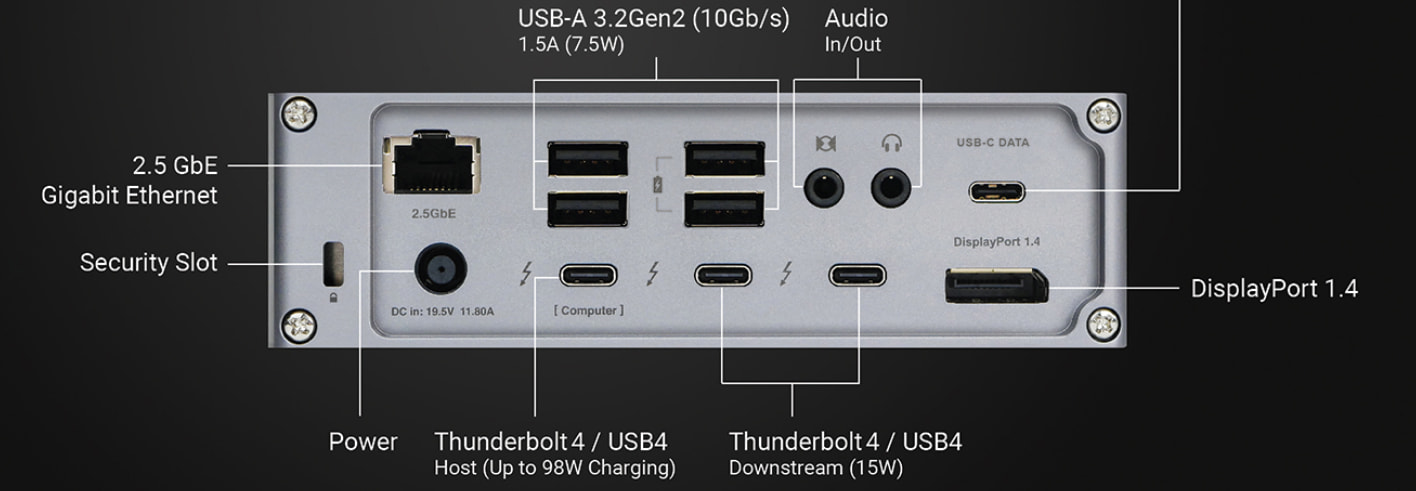
- the usc c cable is connected to the Caldigit TS4 thunderbolt 4 port as illustrated in the FAQ.
- the usb c cable is connected to the kvm on the (Data Only) port
- I have tried several different usb c cables with the same result
- the Caldigit TS4 is running the latest firmware
- the Caldigit TS4 setup does work with a Dell laptop running Linux
- HIDs are:
- Microsoft ergonomic keyboard - USB
- Logitech M720 Triathlon Mouse - Bluetooth USB dongle
- Plantronic Headset - Bluetooth USB dongle
Thanks in advance!
Are you sure you’re using the dedicated downstream port?
GregT
3
@Level1_Amber , I am using one of the Caldigit Thunderbolt 4 ports (15W) to connect to the KVM.
I found that by connecting the keyboard and mouse into the USB 3.2 ports on the front and rear that I can make the mouse and keyboard work.
I was able to use a usb hub plugged into the USB 3.2 ports and all three hid devices worked with the kvm and my MAC.
I did try all of the devices in all four HID ports, but no joy.
I found another forum post where the the usb 3.2 ports were used to solve a keyboard issue.
Level1Techs forum user solved the problem this way as well.
I will continue to monitor this and other threads to see if there are other solutions to try.
Thanks,
GregT
Some peripherals are not compatible in the USB-HID ports, or a problematic device has caused the HID stack to crash.
1 Like