Level1 Cephalopods - We like bonding and tentacles --- Everything Cluster: Ceph, Gluster, Lustre, BeeGFS, Kubernetes, Corosync, etc.etc

Welcome to the Cluster thread. I recently started a build log for my Ceph homelab cluster, but although I’m happy to see like minded people commenting and chatting, it also kind of derails the thread with peer-to-peer chatter (which I absolutely like and appreciate).

So let’s do this here. Talking clusters, helping with other clusters, getting help for your cluster, show pictures of your setup, discuss nice hardware and software we use for our stuff (or stuff we’d like to get in the future).

Storage Cluster, HPC Cluster, GPU cluster,etc…3x RPi or 30 nodes with Infiniband, doesn’t matter.

The Octopus (Cephalopod family) with multiple independent limbs and brains is doing a great job at all that, hence the name and picture.

Discuss!

1 Like

Do High Availability setups also qualify?

@Dutch_Master I’m not dogmatic on that. I just made the thread up and we have an edit button; Community decides what they want to talk about. Have anything in mind?

But I think non-strictly cluster with fail-over nodes still qualify to some degree. E.g. Active/active vs. active/passive setups are a bit different. But if you have an IBM zSeries in your Garage, that’s awesome stuff as well :wink:

Definition of cluster to me is multiple servers/machines communicating and sharing a single application in whatever form, usually aggregating resources for horizontal scaling in the process, but also for redundancy and HA.
Or short: computers working together with often above-average networking.

Quick tagging of maybe interested people, the regulars here don’t need a tag :wink:
@Gillymomo @Dendryte @CharlesJ

Anyone using Kubernetes with Rancher? I’m an old SuSE fanboy and next big rabbit hole, now that I have the hardware, is digging more into kubernetes (haven’t done much outside of TrueNAS scale point and click stuff really), basically all VMs, Proxmox LXC and a Docker VM here. I want to streamline most stuff and k3s looks like a good one-stop shop for all the nice services, VM DRAM usage slowly getting out of control, stuff isn’t cheap :wink:

3 Likes

Thanks for creating the thread.

I’ve spent the last few hours trying to figure out the 200MB/s write I have on Ceph. I didn’t normally test with T1 D1, but I’m kind of convinced at this point that’s just how fast it is. It scales find adding more threads or IODepth. Maybe it’s the difference between the ConnectX-4 and Intel chips. I’m unsure what the bottleneck is at this point.

I’ll probably get around to k8s eventually. No idea if I’d use Rancher or not. I’m more tempted to make it similar to our setup at work to get more familiar with the tools we use. For a homelab it really doesn’t make a lot of sense, but that’s not really why people have homelabs. If I can use a more simple setup for what I want to do I might do that. K8s would be more than tool than the goal.

I’ve started running Ceph about 3 years ago on a single machine for testing. Redundancy was just on the OSD level. Today I have the main ceph cluster running on 2 machines with a raspberry pie as a 3rd monitor node, and a replication single node cluster on another machine.
I would have another chassis but I would need a newer mainboard for it.
Hardware is all over the place.

That could solve my problem to get my HDDs into the cluster, I didn’t even think of that… Could be a PITA to get it to host level later. I keep my backup drives for now and backup to ZFS the old-fashioned rsync way. I want a bit more experience before commiting my HDD data fully to Ceph. But I will get to CephFS and RBD mirroring eventually.

Good old patchwork and cobbling things together that is available :slight_smile: It’s all nice if you can keep things uniform. I’m only facing differing memory bandwidth and board layouts atm, but with varying disks and other stuff as well, there certainly is headwind involved.

With 2x replication? Or some tweaked crush rules so pools still are fine despite 3rd node not having any OSDs?

Yeah with just two nodes, you gotta be creative, I know this first hand (I just ditched HA with 2 virtual nodes on one machine for the time being). We can’t all be @CharlesJ with MiniPC 6-nodes of awesome.

Always good and convenient to work with familiar tools. But if homelab is to do new things or more simple things compared to work, there are options.
Can’t really help you with that write problem, out of ideas beyond the two postings I commented on in my thread. It’s really wierd, especially because the other reads and 4k write IOPS look good/great.

It’s not really a PITA. Just add HDD OSDs in your new hosts. Create a new profile and crush rule with host failure domain and copy your data over, then you can remove the old pool if no longer needed.
EDIT: Actually, I think you can just change the crush rule directly and it will rebalance. Also look into MSR for a little more control over how data is placed.

Normally with three nodes four disks per node, you could only have 2+1EC with host level failure domain. You could do OSD level domain with 4+2, but you could end up with 4 chunks on one node and 2 on another.

With MSR, you can set it up with 3 failure domains and max of 2 osds per domain. First it would split your data across the nodes (3), but not use more than 2 OSDs per node for a PG. You could lose up to 2 OSDs, which would also mean a full node and still have your data.

If you added a fourth node, it would be rebalanced. Each of the 6 chunks would be spread across just 3 nodes, but it could pick PGs in all four nodes now, not just 3. You’d still get even usage across them, but if you lost a node you could fully rebuild with three, and if another was lost you’d still have access to your data.

More like SSF. They aren’t that small. You can always pick up a Nuc9, MS-01 or something for less and add it. Create a crush rules just for your 25gbe machines, one for only 10gbe or have it include both. That can give you more HA or storage options to play with out building a more expensive machine or lowering the performance on your cluster of fast OSDs.

Must… not post funny comment related to an anime subgenre for older people

I havent looked into this for my homelab - I saw this in Proxmox previously. What is the use case for this apart from learning for work purposes?

That’s kind of a hard answer to question. The easy answer is that there probably isn’t a good use case. Assuming you have decent backups and plan for recovery if a server goes down. They solve different problems and that may be fit for what you are trying to do. People aiming for high availability is probably the big one, although they likely have other single points of failure.

In my case, I knew I wanted at least a couple servers with ways of recovering to the other one. I didn’t want spinning disks or a NAS. I didn’t want a large case. I don’t particularly like ZFS (for no good reason). I think my performance needs fit within what I can get out of Ceph. How I have different processing, AI analysis etc on different machines having the distributed storage works pretty well.

I’ve had some bad experiences with raid 6, so I just wanted multiple copies of my data, and that’s basically what Ceph does, but all automatically and real time. That’s what attracted my attention initially.

3 Likes

Here is my non-instagrammable setup. Cable cleanup is ongoing and trying to replace more with white cables. This goes behind my cat friendly TV stand. Need to route some things differently and maybe move those top machines down to a shelf beside this.

Once the TV stand is replaced. Not too bad for a first attempt. Total depth 25cm / 1foot including the 2x4s.

2 Likes

I’ve seen a video regarding MSR. Looks interesting for a more granular placement on limited node setups (compared to desired k+m values)

Yeah I figure things out…probably will get out the screwdriver and see if I can install the two remaining HDDs and get them into an RBD or CephFS at the weekend. 2 physical machines with 2 drives each is what I’m working with then.
Can technically fit 5x HDD in each case, but only one node has >2x SATA. Plan is to go with 4xNVMe and 2x HDD per node eventually.

I’d say that it wasn’t intentional to include some interesting wording, but then I would be lying :wink: Just needed some catchy, topic-related, ambiguous stuff.

Homelab stuff…You got multiple servers, you wanna hook them together, get all the niceties from CoW and all the enterprise features. And Proxmox plays really nice with shared storage that isn’t node-specific, but globally available to everyone, be it file, block or object storage. Does one need it? probably not…but we want it, because it’s great and cool tech and we are nerds :slight_smile:

Nothing beats a good cover or shroud to abstract hardware from a normal living space. I mean we use cases for computers too and don’t run boards and stuff in the open, because it looks a bit cringe.

I do like the power distribution. But if you just don’t care about cable lengths or just use what you got, it’s hard to make everything fit nicely.

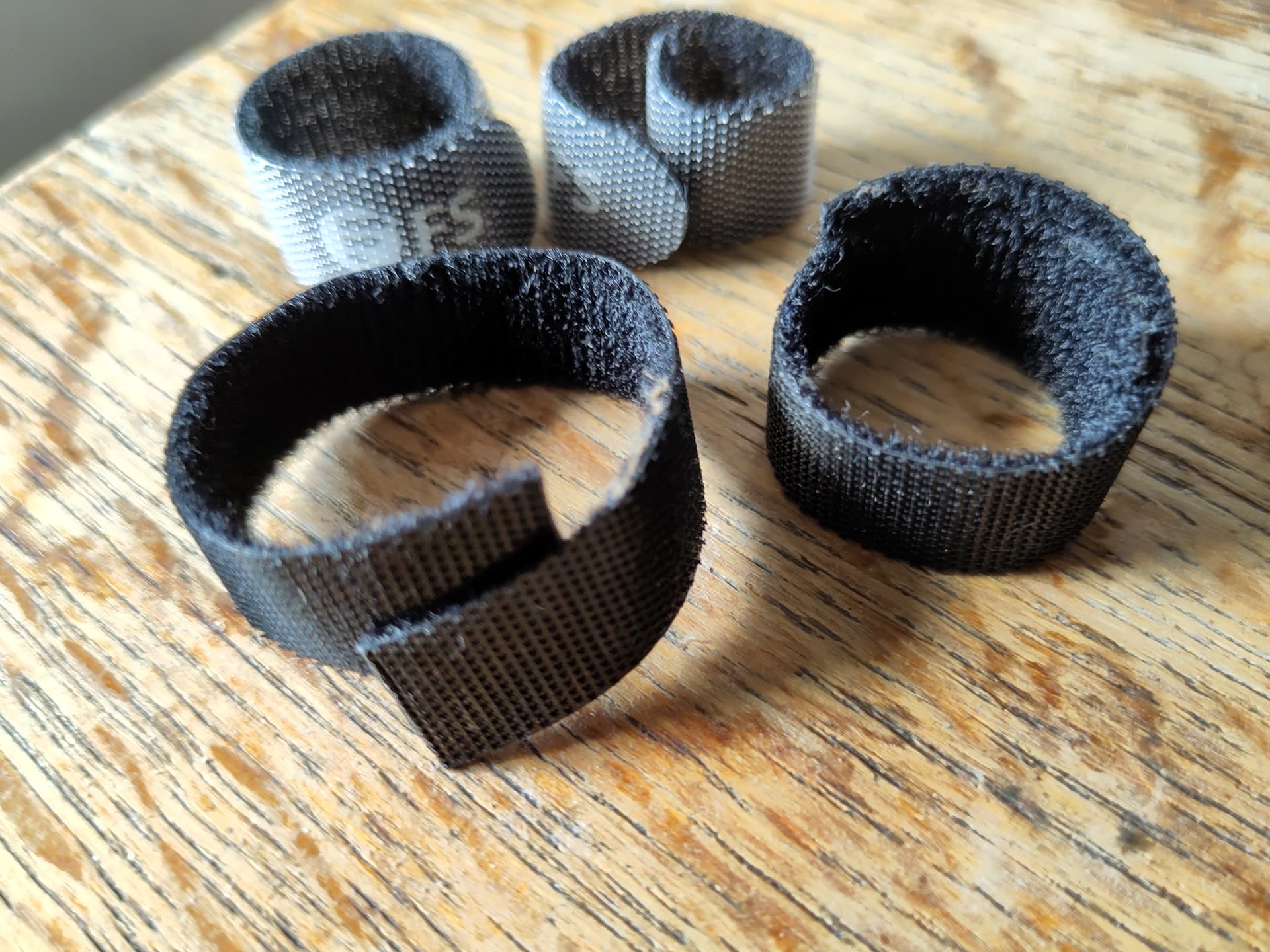
I’m stocking up ,to eventually make sense of my cabling, on these as they often come with new cables and hardware nowadays. I like them for multi-use instead of the classic plastic single-one cable binders:

2 Likes

Goal is eventually to get to 4. Because 3 is basically the minimum for all kinds of stuff and 4 allows for so much more, not just backfills (placement on k+m+1 or 3xrep with one more node than absolutely required).

Yeah, because people run CrystalDiskMark and that one doesn’t have a --fsync=1 option (every write in Ceph is). Results are very telling on consumer drives. I tested my various M.2 drives when I ran a test cluster on my workstation when I first learned about Ceph. The best of them got 2.k write IOPS where now my EoL first PCIe4 gen 7400 drives with the smallest capacity do 75k no problem. That’s ~40x or +4000% performance on writes. Can’t argue with that kind of disparity. And modern 4TB+ NVMe models are usually 200k+ and I’ve seen 400k stats on Gen5 drive data sheets, not even talking about the 3DWPD drives with even higher write IOPS.

To me, these drive stats are overkill for practical purposes. I don’t want 2k write IOPS per drive, but there is no way in hell I can capitalize on 400k write IOPS per drive in any Ceph setup I could imagine, outside of 128+ cores+HBM per node and other insanity. Because CPU+memory and Ceph is the bottleneck on writes there, not the drives.

If you can’t benchmark the cache, consumer drives just suck.
And if we include cache, I just post some 60GiB/s fio results straight out of my RBD cache :wink:

It’s all nice and fine if you build one giant server. But if you have to account for multiple nodes, not only performance scales, but also costs on a per node-basis. I certainly had to find a healthy balance of price/performance/features/power for my stuff. I failed, but it could have been a lot worse (1050€ for CPU+board+RAM was the “foundation” number I ended up with on the last server.)

And “good enough” or “feels good” are good judgements for what you NEED. I certainly am happy with the stuff I get even now. It works better than I expected it to be. But 3-4 nodes is certainly easier administration without improvised VMs, SR-IOV, multiple nodes on single machine and HA starts at 3, more efficient and more capacity comes with 4.

Yeah, 6 nodes with 10Gbit each will certainly allow for bonded 25/40Gbit clients to suck a lot of bandwidth out of the cluster. Number of nodes and placement really alleviate the comparably slower 10Gbit. Ceph is magic :wink:

I eventually settled on getting the CRS510. Flexibility on the 25Gbit ports, especially long-term, was the deciding factor. It’s a 10-year switch for me and I’m moving to another city soon. I might need some RJ-45 transceiver and a couple of SFP+ down the road and even now I want to connect another PC where I need fiber optics (>5 meters), but I don’t need a 4x AOC breakout for that.
And these things are just different with QSFP28 breakouts. But I do run one for the servers atm cause cheap and low-power. But I would have totally got the CRS504 if all I need is connecting nodes over nodes sitting beneath the switch, 4x4 breakout, done.

Atm runs on 1200RPM and I order some Noctua fans with the upcoming switch. Fully populated switch will probably still be noisy, but for the next 3 years of stuff I planned, should be “living-room compatible” judging from the RPMs I see now.

Live-migrating to another thread now :wink:

Oh and you can directly quote stuff by marking stuff with mouse, discourse forum software will give you a nice popup to do easy quotes

What kind of Noctua monstrosities are that? are these N100 boards or mini PCs without case? I guess giant ass Noctua fans are some top cover too :wink:

I recently watched a lecture from a Ceph conference and they mentioned some quirky AMD behavior on their clusters and their workaround, I decided to test this myself today:

Disabling IOMMU in BIOS.

I tested this (4k IOD=1 writes) just with a single node (other sadly needs it for NVMe passthrough). But if that node gets to write, 2x replication IOPS go up from ~1.2k to 2.5-2.7kish with 3.1k peaks during the test.

I wish I could test this with all nodes, but this difference is huge. But the price also is.

And also might make me reconsider how I deal with that, in the context of virtualization and the hyper-converged approach I’m going with.

So if you’re running AMD, this tweak can be a big difference.

edit: And it seems that CPU latency in general is improved:

ping RTT went down by quite a bit too
64 bytes from 192.168.50.5: icmp_seq=26 ttl=64 time=0.028 ms
64 bytes from 192.168.50.5: icmp_seq=27 ttl=64 time=0.029 ms
64 bytes from 192.168.50.5: icmp_seq=28 ttl=64 time=0.027 ms
64 bytes from 192.168.50.5: icmp_seq=29 ttl=64 time=0.030 ms
64 bytes from 192.168.50.5: icmp_seq=30 ttl=64 time=0.031 ms
64 bytes from 192.168.50.5: icmp_seq=31 ttl=64 time=0.026 ms
64 bytes from 192.168.50.5: icmp_seq=32 ttl=64 time=0.025 ms
64 bytes from 192.168.50.5: icmp_seq=33 ttl=64 time=0.030 ms
64 bytes from 192.168.50.5: icmp_seq=34 ttl=64 time=0.027 ms
64 bytes from 192.168.50.5: icmp_seq=35 ttl=64 time=0.030 ms

Something is off with IOMMU and AMD :angry:

2 Likes

I’m not sure. 140mm I think. They aren’t bare cases. just the MS-01 and the Nuc 9 Pros. I was a little worried about heat when i first started putting it together. Only 4 nodes planned at that time. I just have a loose ziptie holding them in place and they run at a very slow speed. Just to keep air moving through them, and particularlly on the NVME side of the MS-01. The Nuc 9s have a mesh side. There are some filters kind of hiding under some of them. I don’t like open cases, especially with cats.

Of course. That’s why I said “my” goals. Probably way faster than I need. But I’m still adding things to it. Getting up to four will give you that ability to come back from a node loss. Trying to run Ceph with three nodes really isn’t enough IMO.

Hope you figure out that AMD stuff. That does sound like a bit of a problem. So jealous of your ping times though. Do you know what made the difference there?

The more I hear about people using MS-01, the more I want one too. Awesome package. U.2 cooling or general M.2 heat making trouble? I mean CPU is fine until 90°C and NAND usually doesn’t complain until like 70s°C (high temp on my NVMe is 75°C). My CPUs are running 75-85°C under load all the time because I set fans rather low, same with the ConnectX NIC. Drives are fine actually, full-metal case does a lot of passive work so the 40mm fans don’t need much RPM.

4 Nodes is really the sweet spot. Having one more node than hosts required for replication or EC 2+1. I’m going for 4 nodes as well (“will eventually happen”). But benefit in cluster is that you can expand step-by-step and not have to buy everything in one go. Single nodes are more manageable for the budget.

I did some research on the IOMMU thing. And seems to be a problem with AMDs chiplet architecture, so applies to all AMD CPUs, desktop and server alike. Can’t be “fixed” other than turning off IOMMU. It’s a feature so to say. I can’t do anything about it right now. Eventually I have to decide and plan for no IOMMU or really sub-par Ceph performance I considered normal until now.

I use tuned package with network-latency profile (awesome tool). Turned ASPM off in BIOS and the NIC is now running bare-metal. NIC is configured as a bond and I sent pings to my workstation via 5m long DAC. Really nothing special, just some tool + bare-metal NIC without having virtual NICs via SR-IOV running + IOMMU disabled.
Enabling/diabling power saving options can do a lot with latency. And a more balanced and power-conserving policy inevitably leads to higher latency and much bouncier/volatile graphs.

Those really nice 25-30us will go down to 60-130us with more powersaving measures, saving ~10W per node in my case. It’s a tradeoff. Always max power and already ready just uses power (and heat).

The other server has to do all that and pings are more 40-55ish microseconds, while the virtual node with SR-IOV virtual NIC is more ~60-70us. And you know as well as I do that the slowest node drags down all others.
But at least I know what to expect looking forward with a third node :slight_smile:

I moved both nodes to Proxmox, helped greatly not virtualizing everything, both for power and latency. I still have a Proxmox VM in one Proxmox to account for the lack of 3rd physical node. Really aweful setup I want to get rid of asap. Corosync doesn’t like it either.

The controllers on the PM983 get warm. The way the cover and fan works on those there isn’t room for a heatsink. I have some .5mm copper ones I’ve got put on top, but that’s about all it can take. I do have small 4mm high heatsinks for the controller chips. The x710 card probably isn’t as good as the ones you are using. You can probably put a different network card for 25gb, but that will probably require some active cooling. They are good machines, but I’m not sure they’ll match what you are building from what I’ve seen on mine. Becareful they don’t end up being a bottleneck somehow.

Thanks, I’ll look into that tool. Haven’t used it before.

tuned-adm profile shows a list of options.

tuned-adm profile balanced sets balanced profile

has a daemon running, so profile gets loaded on boot. super easy to work with.

I wouldn’t bet on that. Both are rather old tech by 2025 standards. PCIe 3.0 chips after all. And ConnectX-4 is EoL. I have PCIe4x8 and PCIe5x8 on both server available. But I don’t see upgrading the NICs (I just bought) any time soon. They get hot though. 80mm case fans 20cm away certainly having trouble on low RPM.

Tuned definitely makes some difference, although nothing as impressive as your ping times. I do see it in the benchmarks somewhat, but there is a lot more to play with. I wonder how much of that is the network card, the rest of your system, 25gbe or even your switch.

That does go hand in hand with power usage. Powersave pushes it lower than I’ve seen it and some of the performance modes push it higher. The difference between the two settings 100W on just the machines, so it’s significant from the previous defaults either way. Enough for me to add two additional nodes or more with no change compared to performance. It might be worth it depending on how I plan to use it. I’ve love to be able to run EC somewhere from 6+2 to 10+3 and the power savings makes it more feasible.

I thought about this a while, but I think it’s more the minimum than the sweet spot. If you want want your data well protected, you can’t use replicas at 2. If you use replicas at 3 with only three machines, the protection isn’t really any better than raid5. To get raid like levels of efficency, you are looking at something like 4+2 minimum, which requires 6 nodes, 7 for safety. Ceph likes to scale, be it in a data center or a homelab and you just can’t get around that without compromises. (Yes, specific use cases means you can get away with less)

I’ve knowledge of AMD’s architecture is extremely basic, but could you get around this by pinning your nics/vfs to specific cores so that they only use a single chiplet? Or is it something more fundamental than that, an issue just with IOMMU and the chip regardless of what’s plugged in?

I tested the NICs before I ordered the switch. I didn’t see any difference after everything was plugged into the switch and bonded. I was under the impression that SFP+ and SFP28 are usually the same latency while the QSFP connections are a bit slower because of the 4 channels they use.
Not sure. Might be the direct CPU lanes I use (SFP+ running on chipset on the MS-01?). Can’t imagine Intel NIC itself being the culprit.

Yeah, power settings usually cause hardware to take more time to get out of sleep/power saving state which causes latency. 100W wouldn’t be worth it for me either, that is huge.
I see ~10W per node on my stuff and that’s an ok compromise for now. But with every additional node, the increase in power per node multiplies as well.
Power settings are a matter of compromises to me. And why I also use 65W TDP on my CPUs with manually tuned down max clocks.
It’s all fine if you have a single server. But with cluster, small things multiply into bigger things quickly.
And I think your approach to more powersaving on a per node-basis and just scaling performance “the Ceph way” via nodes is probably the best approach.

I’d love to get 4+2 , but I will settle with EC 2+1 for the foreseeable future (HDD pools) and 3x Replication (NVMe) for most stuff. size=3, min_size=2. Sadly one of the downsides of Ceph. Making 4+2 with 6 drives is just way easier on typical single-server storage. But we wanted to replace disks with nodes, so that’s what we have to work with :wink:

No clue. Seems very set in stone. And Ceph development in general doesn’t have hyper-converged setup in mind, so it’s easy for most admins to just turn it off and call it a day. They usually run separate OSD,MDS and RGW nodes after all.

I just leave it be for now and try to finally convince myself to kill some OSDs and make additional namespaces for the NVMe and make use of the HDDs with DB/WAL. Still an old ZFS pool on where I have to shuffle around data. Procrastinated migration stuff so to say.

But having 14.5TiB * 3 * 0.67 available for media, backups and non-IOPS-centric stuff and getting some experience with HDDs working in Ceph certainly will be interesting to see. I will just use 3 drives in Ceph for now and keep ZFS fallback backup drives ready in case I break something.

I’m building a similar setup. 3 * PC AM5s most likely instead of servers. I’m thinking of using kubeadm or okd (with KubeVirt) instead of Proxmox, haven’t decided yet.

Initially I was thinking of 3 nodes, but you got me thinking about a 4th. I’ll do more research into Ceph.

I’d like to use 1 or 2 NVME M.2 SSDs, but I’m not sure how well the second one will perform. I guess as long as the second SSD is connected to the CPU and not the chipset it should work at full speed. How do you use your SSDs (1 for Metadata & Wal/DB, the other for data or both SSDs for both purposes ?)

Another problem is the network speed. I have 25 Gb/s NICs, but even 1 SSD will saturate the link. Do you do any MLAG in your setup ? Do you use 100 Gb/s NICs instead ?

What is the purpose of ZFS in your setup ? Doesn’t Ceph handle all storage replication needs ? From what I’ve seen ZFS is basically RAID + some fancy features, but I don’t see how I’d make use of it in my setup.

I’m very noob when it comes to cooling/humidity. I plan to start with 0 cooling and 0 humifier devices, place the systems in the basement during winter/spring and monitor the situation. I’ll probably need some cooling :smiley:

Thanks for sharing this. I’ll definitely go through all the comments in these posts in the near future.

1 Like