Kernel level anti-cheat: how to mitigate the security issues?

Greetings everyone, just signed in this forum and I wish I can get some useful and interesting insights and guidance.

As you are aware, lots of games nowadays uses kernel level anti-cheat, and it seems to be a trend that is constantly growing up. I mean, literally almost every game (modern/recent one) has this “layer of security”, even single player games. Clearly there are lots of discussion about privacy and security concerns, kernel level is something to do not take easy and so there are lots of opinion whether you should avoid them or you can calm down and do not panic.

In my opinion, I don’t trust at all any service that goes on the Kernel and do some uncontrolled and (honestly) illegal stuff. I am not using my PC just for gaming, and people (especially newer generations) tends to ignore what PC stands for, which is Personal Computer (not Playstation Computer). Jokes a part, I have access to private and sensitive information, bank accounts, personal documents, etc., and I don’t want that a third party client which is supposed to avoid cheating on their “precious games” can also check how much money I do have, my passwords, everything basically just for this “security” practice.

But, and that’s why I am here, I do want to play video games and I have spent lots of money for my PC to have a good spec and have fun. and before giving up and just don’t play any video game at all because, again, all these games nowadays have an anti-cheat kernel level, I want to see how can I, if it is possible, mitigate any security issues.

Here are my list of questions for the most tech savvy and experts:

  • How can I check if an anti-cheat is still in execution even if the game is turned off completely?
  • Is there a way to monitor the activity of an anti-cheat at a network level?
  • Creating a partition and installing another copy of Windows (so dual booting 2 different Windows) and on one of them installing ONLY kernel level anti-cheat games, will I isolate what the Anti-Cheat is going to see am I doing on the other Windows partition?
  • Does anyone of you have my similar concerns and yet you are still playing videogames with anti-cheat? How did you overcome the privacy/security issues?

Sorry for the long thread, but I hope I can find some very constructive and helpful comments. Cheers!

1 Like

I don’t have this problem because my OS of choice is not supported by these games.

If they did support my OS of choice, I will vote with my wallet against these kinds of games.

No, you do not have rights to the kernel. This is my computer, not yours.


Just hang on. I think MS is resetting kernel access to a select few. I think they will remove access for cheat prevention to check soon because right now too much people have access to the kernel and it causes problems like that CrowdStrike incident.

3 Likes

Thanks for sharing your point of view on this, which I completely agree with.

Do you have any source of this information? Because there are games to be released soon during 2025 and they have already mentioned they will come with Kernel Level Anti-Cheat

See above with crowdstrike incident. That was a Kernel level issue and MS wants to evict people out so that these kinds of problems wont exist anymore.

Hopefully gaming kernel anticheat will be one of the evictees.

Games will still release and devs and studios will still put anticheat but hopefully the non-kernel level ones.

1 Like

Well, can’t say how to check it, but did cross with games, that keep the darn thing running from system start (or game start). Killing that thing resulted into “can’t start game → restart pc”. So yeah… its a concern.

There are firewalls, and there is Wireshark.

At this point I would maybe consider Steam’s “Remote play”, and divide two systems. I do hear myself, and understand how much of a hassle this sounds.

Well. I do take my personal computer as a place, where I don’t have anything openly sitting, that could cause damage. Meaning that if something happens, I will take damage, but not on a margin of my banking account authentication getting exposed.

If its file based → VeraCrypt (and if its REALLY important, a separate enclosure with a drive, which has a separate image of VeraCrypt).
If its web/cookie based → Two-factor auth.

I did consider getting one of those physical keys (maybe even with a fingerprint scanner). But still haven’t gotten to a point of actually buying one.

Apart from that I did consider buying a good AV+Firewall solution, but can’t say I found anything for my liking. Would’ve gone for Kaspersky, but that one is openly banned (including ISP level) in my current place of living.

Thanks for pointing that out! Well, at this point I really hope that this stupid trend will change eventually, my PC is only mine, there is no chance I will allow any corp or 3rd party entity getting a huge level of access just because they need to protect a game (which anyway, it doesn’t work).

@Draaksward Appreciate your points, but yes, as you said, it’s fairly complicated and it requires lot’s of steps.

Well, too bad, there are some games that I really want to play but, at this point, they will stay away from my PC because I don’t want to install any anti cheat. The end doesn’t justify the meaning, and this is an extremely anti privacy and security concerning. It’s really fascinated the amount of people that ignores what an anti cheat can does, or instead, they are conscious but still don’t care and so they install these software on their PC.

Some older AC’s on older games run as windows services and can be found in Services.mcs. (eg: punkbuster). Turn off automatic start up and manually enable/disable only when gaming. But this doesn’t help in the case of drivers.

You could uninstall/reinstall the drivers when not in use, but that is not very user friendly / pragmatic. Perhaps could be automated with a script but could be pain.

For inspecting what these processes are doing, sysintenals suite is very handy. Check out process explorer. Process Explorer - Sysinternals | Microsoft Learn

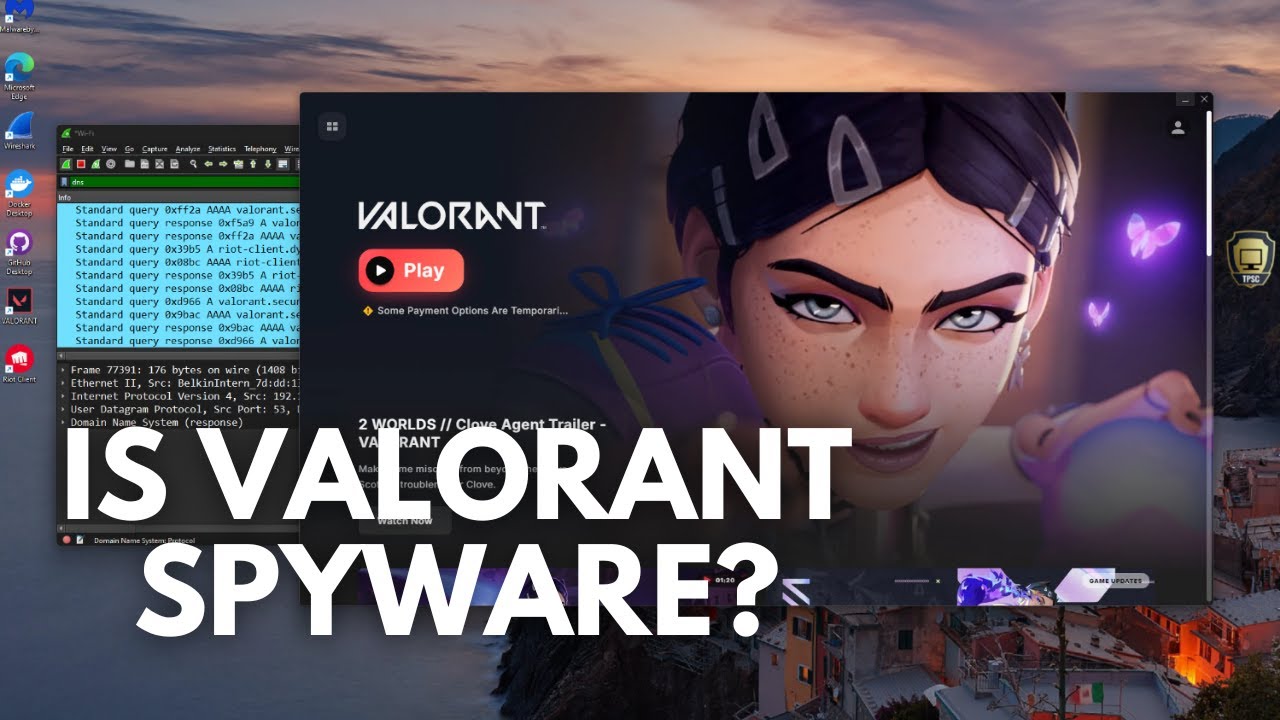
Wireshark. Traffic will usually all be encrypted, so you will see what endpoints the AC is talking too, but not the contents.

See also MTIM proxy.

Example video of inspecting Vangaurd (vgk.sys) with wireshark + process explorer.

Using another drive or another partition will unfortunately not protect it from the AC from accessing that drive, as the drivers have privileges to mount and read/write those other drives. I don’t think? most AC bother scanning the other windows partitions that aren’t actually running, as they are more focused on the currently running environment. But they could if they wanted. (unless you physically disconnect the other drive between uses)

Encrypting those partitions would protect from them reading the contents, but they could potential wipe the partition or ransomware it (eg: the compromised genshin impact driver could in theory).

Virtualization can protect the host. Unfortunately many AC detect virtualized environments so you have to play cat and mouse… Something something hypervisors, as referenced in a recent Level1Linux video:

Best mitigation and simplest solution is to avoid kernel mode AC altogether, or at the very least isolate it to another machine. Separate your gaming machine from your work/home use daily driver PC. (ideally on a VLAN because some AC will scan your network too… :face_vomiting:)


Please correct me if I have gotten any of the above wrong.

opinion time:

Kernel mode AC is malware adjacent, if not malware itself.

I myself have resolved to not buying games if they contain kernel mode cancer. I occasionally boot up my old windows machine for a few rounds of rainbow six siege, but I will never allow it on my daily driver.

3 Likes

That’s a thorough response, bravo

It’s literally the same approach as what Sony did in the 90’s:
You buy a CD from Celine Dion, it works just fine on the stereo, but when you insert the CD into your computer, it installed a program onto your computer.
That was backdooring back in the day. Nowadays, kernel-level AC potentially functions the same.
Although you could argue that if you listen to Celine Dion you deserve to get fucked

You think you own your computer? Silly consumer…

lol, perhaps a little harsh.

My heart hypervisor will go on.

1 Like

See, I went the route, of making a “gaming” computer, which has no access to sensitive info, but the dual booting, is a good idea.

I had dual booted in the past, but windows gets super salty about boot sectors, and a little sociopathic…

But, I was booting between a safe Linux, and a hostile windows OS.

Did not even think about having a “safe” version of windows.

But then, windows itself, proved itself to be hostile back when 10 launched, so I just presume anything a windows OS can touch, has been copied back to Redmond anyway.

They are not evil, just not trustworthy, IMHO

Dual booting 2 copies of windows, would isolate you from certain attack vectors, from some external actors though

+1 for sysinternal tools

Even though MS bought them out, they still seem capable of letting one control some aspects of windows that MS don’t want you to control, for now…

Dual booting still does not prevent a kernel mode driver from read/writing the other drive or partition. Doesn’t matter if the other drive is linux.

Unless you physically disconnect the other drive, its possible to mount and read/write. That’s why kernel mode is so dangerous.

This. Now most AC probably dont actually mount an mess with your other drives, and dual booting is still a decent mitigation against many vectors.

But its only a matter of time until compromised, given drivers are a high value target for bad actors (as has already happened; genshin ransomware. Or a rogue employee, as has already happened; counter strike ESEA bitcoin miner).

The incentives are there. The QA and trust is not… Something something reflections on trusting trust.

2 Likes

They take a little bite each time.
Companies don’t care about you, they care about profits.
They have whole teams that do psychoanalysis to consult what they can do to trojanize without raising red flags.

2 Likes

I suspect, it is only a matter of time, until the windows update, nerfs the bootloader to make one- or the other- installed windows unbootable

But, that is just my cynicism…

I don’t know about intentionally nerfing, but they have “accidentally” eaten many bootloaders over the years, wrecking grub, etc…

It’s a convenient mistake for them. Like this other recurring convenient mistake: “oops! our update “accidentally” reset all your privacy permissions to send maximum telemetry, we’re so sowwyyy”

tinfoil intensifies

3 Likes

I too, pray they are evicted.

Many AC’s already ask you to disable anti-virus / make an exception for them. If they get kicked from the kernel, perhaps their next request for the user is to put windows in Test mode to load their unsigned cancer driver… lol.

The irony is that in the end, it still wont stop cheaters… It only objectively makes everyone less secure…

1 Like

Well. I think you nailed it with “Playstation Computer”. And it works (you can usually spot the test subjects by the “minimal” amount of led lights, flowing from theyr pc cases, monitors, mice, keyboards, headphones, speakers, microphones…and even grandma).

I think a firewall would be enough. Just have it at “learning mode” to spot out that new connection (unless the payload with sensitive data will be sent using the existing one).

But are always forgetting that one anti privacy service, which is already running on your windows device. Its called Windows. And I’m not saying this out of paranoia.

In a scenario of data leakage due to some new update/existing feature, I wouldn’t really be surprised that it wasn’t the totally_not_a_virus_service, but windows once again re-imagening the data (which is totally not) collection policy.

And I am saying this as a person, who in somewhere to 20 years(if not more) installing windows, never had a license key… (and the only scenario for that would be my work PC, if I’ll need to install windows there)

You dont do anything, you just dont buy games with spyware installed.

Virtualization.
Dual Boot, separate OS + separate disk/partition fully encrypted without access. Without encryption it will have access to the rest of the data, which is unacceptable.
Dedicated pc only for gaming.

Convenient? No!

1 Like