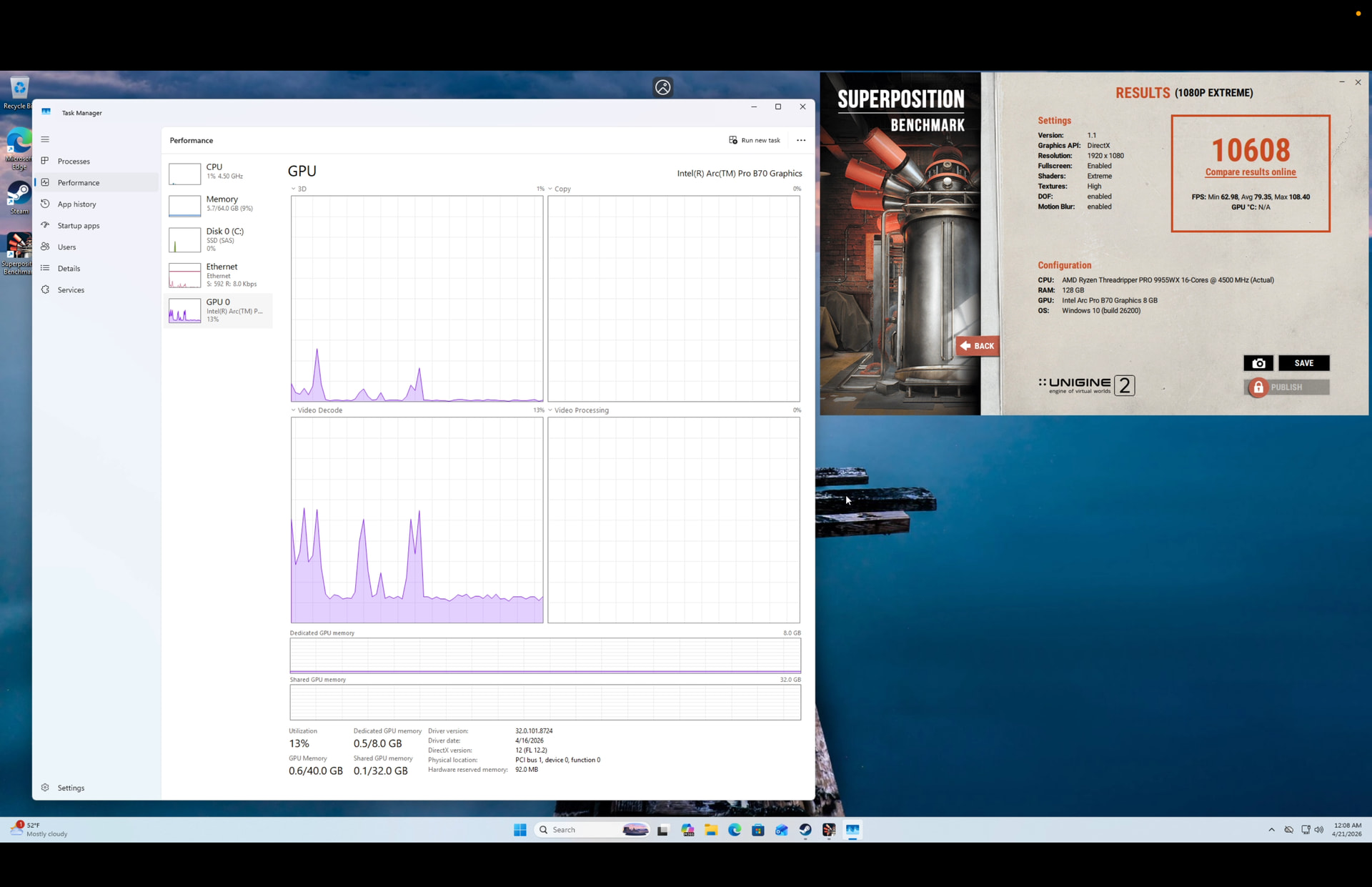
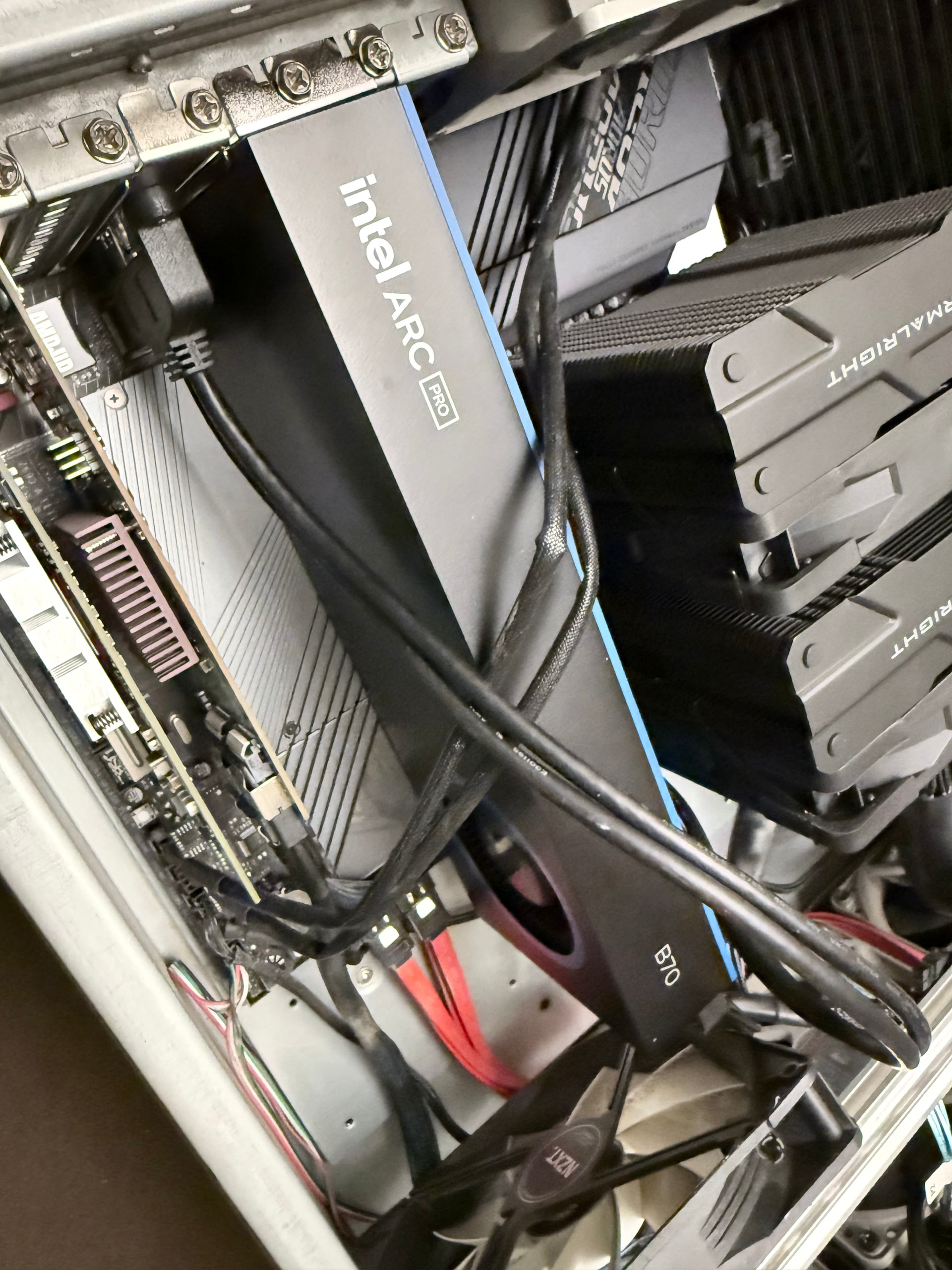
I am having trouble getting it to run with vllm, i get sigabort when it tries to talk to the device..
Can anyone share a set of working versions of kernel, oneapi etc etc? 
I am having trouble getting it to run with vllm, i get sigabort when it tries to talk to the device..
Can anyone share a set of working versions of kernel, oneapi etc etc?
Seems like there’s a dedicated Intel account named AICSS (Intel AI Get-to Market Customer Success and Solutions) now pushing some patches to llama.cpp, which is great. Seeing huge uplift with their public repo with their latest changes.
I saw that but hadn’t had a chance to test, I saw you had done some benchmarks in their PR though!
Is odd to me that the email on the GitHub account is a Gmail but looks like a nice amount of sycl develment lately in the llama.cpp repo.
So my 4 year old laptop (pre-ChatGPT release) with an RTX Quadro A5500 (aka undervolted/underclocked 3080 Ti - but with 16GB VRAM) runs this identical model.
On Q4_K, I see a solid 60tps however the 262k context window (-fit brings it down to 210k) tends to slow things down past 50k context fills to around 30tps. I also ran into a few edge cases in long coding sessions.
So I’ve switched to the Q5_X_L UD variant of unsloth, with F16 ctk but Q8 ctv to fit, which brings the -fit context window down to 140k. Multi-hour long coding sessions stay coherit much much longer.
I’m only seeing 40-45tps @ 20k context tests - which matches this Intel B70 ?! Either my DDR5 dual channel system is performing way above expectations offloading up|down MoE layers, or this B70 is vastly underperforming?
I’m on the fence to buying two R9700 or two B70s. I’m leaning towards the R9700, however, VFIO is very attractive to me for long-term usability of the GPU. So trying to gauge exactly the performance of the B70 - and it seems on par with my non-Ai laptop? That doesn’t seem right.
Using llama.cpp cuda backend.
Well, you say it’s a “non-AI laptop”, but it’s basically a machine with a dedicated GPU - not remotely related to the current crop of AI machines with unified memory.
Still…the fact is that the B70 isn’t really a particularly good prospect for LLM inference at the moment; the performance delta with the R9700 is measured in multiples rather than percent, which isn’t good given the 10% difference in price. The B65 might be a better cost/performance ratio, but time will tell. There may be some advances in performance over the next few months with that Intel account contributing more to the llama.cpp project, but “Pay now for performance that may come in a few months” isn’t a purchasing strategy I’d personally employ.
By comparison, Qwen3.5-35B-A3B-Q4_K_M runs around 3400t/s PP and 140-150t/s TG on a single R9700 without any optimisations using llama.cpp. Nowhere near 5090 performance, of course, but in the £1.2k price bracket it’s pretty much the only game in town (for now).
Don’t forget that we also have the R9600 coming soon - that may well take the “budget” crown (deliberately in quotes, because my brain is still in the 2010s when a £400 GPU was pretty out there), with slightly less compute but the same VRAM capacity and bandwidth (I think).
Just sharing my results here after messing with my setup for a while.
These results compare three llama.cpp execution paths on the same machine:
llama-bench build from the aicss-genai/llama.cpp forkpp512)| model | RTX 3090 (Vulkan) | Arc Pro B70 (Vulkan) | Arc Pro B70 (SYCL) | B70 best vs 3090 | B70 SYCL vs B70 Vulkan |
|---|---|---|---|---|---|
| TheBloke/Llama-2-7B-GGUF:Q4_K_M | 4550.27 ± 10.90 | 1236.65 ± 3.19 | 1178.54 ± 5.74 | -72.8% | -4.7% |
| unsloth/gemma-4-E2B-it-GGUF:Q4_K_XL | 9359.15 ± 168.11 | 2302.80 ± 5.26 | 3462.19 ± 36.07 | -63.0% | +50.3% |
| unsloth/gemma-4-26B-A4B-it-GGUF:Q4_K_M | 3902.28 ± 21.37 | 1126.28 ± 6.17 | 945.89 ± 17.53 | -71.1% | -16.0% |
| unsloth/gemma-4-31B-it-GGUF:Q4_K_XL | 991.47 ± 1.73 | 295.66 ± 0.60 | 268.50 ± 0.65 | -70.2% | -9.2% |
| ggml-org/Qwen2.5-Coder-7B-Q8_0-GGUF:Q8_0 | 4740.04 ± 13.78 | 1176.34 ± 1.68 | 1192.99 ± 5.75 | -74.8% | +1.4% |
| ggml-org/Qwen3-Coder-30B-A3B-Instruct-Q8_0-GGUF:Q8_0 | oom | 990.32 ± 5.34 | 552.37 ± 5.76 | ∞ | -44.2% |
| Qwen/Qwen3-8B-GGUF:Q8_0 | 4195.89 ± 41.31 | 1048.39 ± 2.66 | 1098.90 ± 1.02 | -73.8% | +4.8% |
| unsloth/Qwen3.5-4B-GGUF:Q4_K_XL | 5233.55 ± 8.29 | 1430.72 ± 9.68 | 1767.21 ± 21.27 | -66.2% | +23.5% |
| unsloth/Qwen3.5-35B-A3B-GGUF:Q4_K_M | 3357.03 ± 18.47 | 886.39 ± 6.14 | 445.56 ± 7.46 | -73.6% | -49.7% |
| unsloth/Qwen3.6-35B-A3B-GGUF:Q4_K_M | 3417.76 ± 17.84 | 878.15 ± 5.32 | 442.01 ± 6.51 | -74.3% | -49.7% |
| Average (excluding oom) | -71.1% |
tg128)| model | RTX 3090 (Vulkan) | Arc Pro B70 (Vulkan) | Arc Pro B70 (SYCL) | B70 best vs 3090 | B70 SYCL vs B70 Vulkan |
|---|---|---|---|---|---|
| TheBloke/Llama-2-7B-GGUF:Q4_K_M | 137.92 ± 0.41 | 58.61 ± 0.09 | 92.39 ± 0.30 | -33.0% | +57.6% |
| unsloth/gemma-4-E2B-it-GGUF:Q4_K_XL | 207.21 ± 2.00 | 89.33 ± 0.60 | 70.65 ± 0.84 | -56.9% | -20.9% |
| unsloth/gemma-4-26B-A4B-it-GGUF:Q4_K_M | 131.33 ± 0.14 | 42.00 ± 0.01 | 37.75 ± 0.32 | -68.0% | -10.1% |
| unsloth/gemma-4-31B-it-GGUF:Q4_K_XL | 31.49 ± 0.05 | 14.49 ± 0.04 | 18.30 ± 0.05 | -41.9% | +26.3% |
| ggml-org/Qwen2.5-Coder-7B-Q8_0-GGUF:Q8_0 | 98.96 ± 0.56 | 21.30 ± 0.03 | 55.37 ± 0.02 | -44.1% | +160.0% |
| ggml-org/Qwen3-Coder-30B-A3B-Instruct-Q8_0-GGUF:Q8_0 | oom | 37.69 ± 0.03 | 28.58 ± 0.09 | ∞ | -24.2% |
| Qwen/Qwen3-8B-GGUF:Q8_0 | 92.29 ± 0.17 | 19.78 ± 0.01 | 50.74 ± 0.02 | -45.0% | +156.5% |
| unsloth/Qwen3.5-4B-GGUF:Q4_K_XL | 162.58 ± 0.76 | 60.45 ± 0.06 | 79.09 ± 0.05 | -51.4% | +30.8% |
| unsloth/Qwen3.5-35B-A3B-GGUF:Q4_K_M | 148.01 ± 0.38 | 43.30 ± 0.05 | 37.93 ± 0.89 | -70.7% | -12.4% |
| unsloth/Qwen3.6-35B-A3B-GGUF:Q4_K_M | 148.64 ± 0.53 | 43.46 ± 0.02 | 36.87 ± 0.42 | -70.8% | -15.2% |
| Average (excluding oom) | -53.5% |
For each model, the host benchmark commands were:
llama-bench -hf <MODEL> -dev Vulkan0
llama-bench -hf <MODEL> -dev Vulkan2
Where:
Vulkan0 = RTX 3090Vulkan2 = Arc Pro B70For each model, the SYCL benchmark was run inside the Docker container with:
./build/bin/llama-bench -hf <MODEL> -dev SYCL0
Where:
SYCL0 = Arc Pro B70CPU: AMD Ryzen Threadripper 2970WX 24-Core Processor
RAM: 128 GiB total
GPUs:
Just a quick note. Someone on Reddit pointed out that some of the models running this specific SYCL built (version: 8851 (e365e658f)) produce garbage when tested in practice with llama-cli. I did a few quick tests to confirm this…
TheBloke/Llama-2-7B-GGUF:Q4_K_M - is completely broken.
ggml-org/Qwen2.5-Coder-7B-Q8_0-GGUF:Q8_0 - sometimes works just fine, sometimes gets completely lost and goes in loops. It seems something related to the termination of the responses is failing. It can answer technical questions just fine most of the time, but a simple “Hi” breaks it :D!
The rest, including Qwen/Qwen3-8B-GGUF:Q8_0 seem to be working fine. All the reasoning models seem fine too.
CraftComputing did a fantastic video on using the VFs for VDI/gaming and is worth watching:
There is a pinned comment in that video too, if you are going to use the VFs make sure you set your CPU model in Proxmox to “host” as the drivers don’t seem to work with emulated CPU models.
I wonder if it’s that it requires AVX2. x86-64v2 doesn’t support it but v3 does. I had to set v3 for my b50s to work correctly. It makes you think.
Thought that same thing too but tried the v3 and v4 profiles as well as the EPYC-Rome-v4 and EPYC-v4 profiles which have avx2 enabled and still had the same issue. But we were definitely on the same page thinking that.
I do wonder if ubuntu 26.04LTS released today would have any quiet optimizations to make things run a bit more smoothly.
i think that I will try a fresh install of ubuntu, and test this weekend.
This is a really solid set of benchmarks—thanks for sharing the details 
The scaling behavior you’re seeing (especially the big jump in throughput under concurrency vs single request) makes sense for vLLM, since it’s clearly optimized for batching rather than low-latency single streams. The TTFT jump at higher load is noticeable, but the TPOT staying relatively stable is a good sign.
Your observation about instability at higher memory utilization also tracks—these large models tend to become very sensitive around the edge, especially with dynamic FP8/Q8 setups. Running with a slightly lower VRAM target is usually the safer trade-off for stability.
Overall, it looks like the dual-GPU setup is where things become practically usable for this model size
Bought the Arc B70 because it seems like the best price to performance for local AI, also because I don’t want to support Nvidia, or OpenAI.
Figured I’d toss the result of me running similar benchmark out there:
Running off of main branch of vllm ~ manually built docker image.
Two B70s and Qwen 3.6 27b in dynamic FP8 mode
Test command:
vllm bench serve \
--model Qwen/Qwen3.6-27B \
--dataset-name random \
--random-input-len 1024 \
--random-output-len 512 \
--num-prompts 8 \
--request-rate inf \
--port 8000
Results after running a 3 or 4 times:
============ Serving Benchmark Result ============
Successful requests:                     8
Failed requests:                         0
Benchmark duration (s):                  30.18
Total input tokens:                      8192
Total generated tokens:                  4096
Request throughput (req/s):              0.27
Output token throughput (tok/s):         135.71
Peak output token throughput (tok/s):    168.00
Peak concurrent requests:                8.00
Total token throughput (tok/s):          407.12
---------------Time to First Token----------------
Mean TTFT (ms):                          4642.26
Median TTFT (ms):                        5204.50
P99 TTFT (ms):                           5205.42
-----Time per Output Token (excl. 1st token)------
Mean TPOT (ms):                          49.96
Median TPOT (ms):                        48.88
P99 TPOT (ms):                           56.89
---------------Inter-token Latency----------------
Mean ITL (ms):                           49.96
Median ITL (ms):                         48.88
P99 ITL (ms):                            52.25
Single request in actual usage hits about 20 t/s (fluctuating between ~18-23 t/s).
Docker launch params for context:
docker run -it \
--restart=always \
--network=vllm \
-p 8000:8000 \
--device /dev/dri:/dev/dri \
-v /dev/dri/by-path:/dev/dri/by-path \
-v ~/.cache/huggingface:/root/.cache/huggingface \
--env "VLLM_XPU_ENABLE_XPU_GRAPH=1" \
--ipc=host \
--privileged \
--name vllm-xpu-env -d \
vllm-xpu-env \
--model Qwen/Qwen3.6-27B \
--default-chat-template-kwargs '{"preserve_thinking": true}' \
--reasoning-parser qwen3 \
--tool-call-parser qwen3_coder \
--enable-auto-tool-choice \
--tensor_parallel_size 2 \
--trust-remote-code \
--gpu-memory-util 0.95 \
--max-num-seqs 8 \
--max-num-batched-tokens 8192 \
--max-model-len 204800 \
--no-enable-prefix-caching \
--enable-chunked-prefill \
--quantization fp8 \
--dtype bfloat16 \
--disable-custom-all-reduce \
--attention-backend TRITON_ATTN \
--port 8000 --host 0.0.0.0
For people using UBUNTU 26.04 - the MESA 26.2-DEV VULKAN drivers pretty much doubles the performance on the B70 for Token Generation. Intel Windows Vulkan Drivers is still faster but unstable. Looks like the MESA folks added “VK_NV_cooperative_matrix2” extension to the MESA drivers (also available on the Intel GPU’s) which LLAMA.CPP VULKAN uses.
Here’s how I built it
Created a ubuntu 26.04 VM using ubuntu-server as the base using libvirtd
Logged into the VM via VNC
then did the following in the VM
> apt install meson glslang-tools pkg-config libclc-21-dev python-is-python3 python3-mako libdrm-dev llvm-dev libllvmspirvlib-21-dev spirv-tools-dev clang libclang-dev libwayland-dev libwayland-client0 wayland-client wayland-protocols wayland-scanner++ xcb libxcb1-dev libxcb-randr0-dev libx11-xcb-dev libxcb-dri3-dev libxcb-present-dev libxcb-shm0-dev libxshmfence-dev libxrandr-dev
> mkdir /opt/src
> cd /opt/src
> git clone https://gitlab.freedesktop.org/mesa/mesa.git
> cd mesa
> meson setup builddir/ -Dbuildtype=release -Dgallium-drivers=[] -Dvulkan-drivers=intel -Dopengl=false -Dglx=disabled -Degl=disabled -Dgbm=disabled -Dgles1=disabled -Dgles2=disabled
> meson compile -C builddir/
Finally, copied the binary ‘builddir/src/intel/vulkan/libvulkan_intel.so’ SOMEWHERE and overwrite /lib/x86_64-linux-gnu/libvulkan_intel.so on the OS i’m trying to run llama-server (vulkan) (Ubuntu 26.04).
That’s the only file needed from the MESA 26.2-dev
Benchmarks under UBUNTU 26.04 - already faster than LLAMA-CPP using the SYCL backend.
root@nas:/storage/services/llamacpp# ./llama-bench -m /data/llm/models/Qwen3.6-35B-A3B-UD-Q4_K_XL.gguf
ggml_vulkan: Found 1 Vulkan devices:
ggml_vulkan: 0 = Intel(R) Graphics (BMG G31) (Intel open-source Mesa driver) | uma: 0 | fp16: 1 | bf16: 1 | warp size: 32 | shared memory: 49152 | int dot: 1 | matrix cores: NV_coopmat2
register_backend: registered backend Vulkan (1 devices)
register_device: registered device Vulkan0 (Intel(R) Graphics (BMG G31))
register_backend: registered backend CPU (1 devices)
register_device: registered device CPU (AMD Ryzen 9 5900XT 16-Core Processor)
load_backend: failed to find ggml_backend_init in /storage/services/llamacpp/libggml-vulkan.so
load_backend: failed to find ggml_backend_init in /storage/services/llamacpp/libggml-cpu.so
| model | size | params | backend | ngl | test | t/s |
|---|---|---|---|---|---|---|
| qwen35moe 35B.A3B Q4_K - Medium | 20.81 GiB | 34.66 B | Vulkan | 99 | pp512 | 1314.71 ± 5.72 |
| qwen35moe 35B.A3B Q4_K - Medium | 20.81 GiB | 34.66 B | Vulkan | 99 | tg128 | 78.72 ± 0.19 |
build: f3e8d149c (9070)
For anyone else experimenting, the new Gemma-4 MTP commit on llama.cpp yields a significant improvement in speed and works on SYCL, definitely worth trying out when combined with the new QAT models.
I have two b70 pros. Im using them through a proxmox LXC and llama cpp compiled with sycl support. they are working quet well. qwen 3.6 q8 keeps blowing up for some reason but q6-K-XL has been running great in very long 200000 context session with open code. I also have comfy ui running on one using vulkan too. they dont draw too much power and have acceptable performance. though their prompt processing is very slow.
Just got my b70 and wondered if anyone else is experiencing abnormally high levels of coil whine? Mine is audible from 10ft with other PC fans and AC running.
Yeah, mine is also like that.