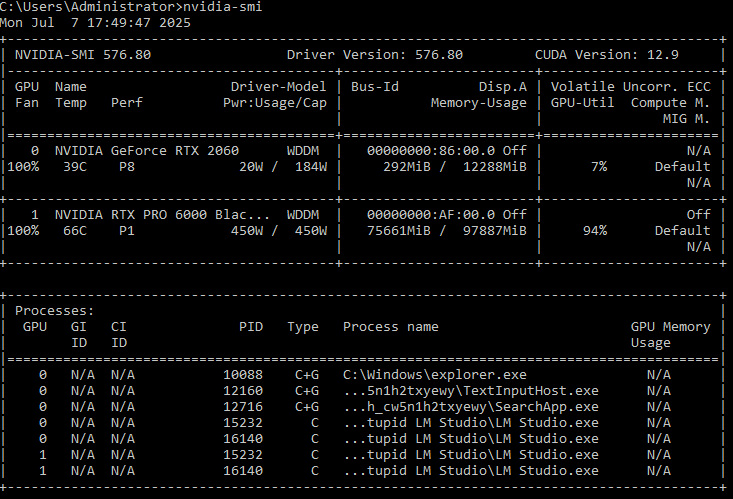
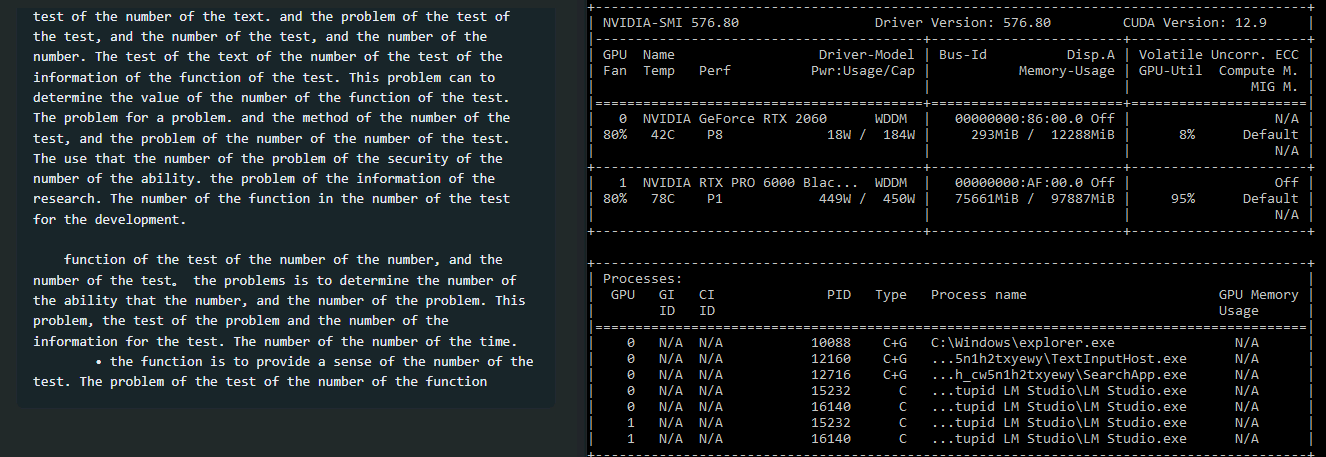
I just purchased a RTX 6000 Blackwell Workstation edition. I am using a supermicro board with dual Xeon Gold, 1TB of memory. Running Windows 2022 Server. I have been using nvidia-smi to limit the power usage to 450W. I have dual 850W power supplies; I have one 850W power-supply dedicated to the RTX 6000 itself and the other to the rest of the system.
I am using a Cooler Master CM-Stacker 810 Chassis with plenty of space, plenty of fans, and natively supports dual power supplies.
My issue is that even at limited to 450W the card quickly reaches 85C when using LM Studio with qwen2.5-72b-instruct. Now it also quickly cools back down to 36C in a few minutes when it is not processing a prompt but it is concerning that even the metal of my case outside the GPU area gets rather hot. CPU usage is 2% when the prompt is processing so that is not the issue. Note that I did not have this issue when I was using an AMD Radeon Pro 7900… now I could not run such as large model but I did not have the issue with heat… but the only change is that I upgraded to the RTX 6000.
The fans on the RTX 6000 minimum is 30%… I would love to set the minimum higher but I have not figured out how to do this via nvidia-smi in windows. I do not want to redefine the curve manually but only set the minimum to a higher speed. I know that I can use a 3rd party utility (maybe afterburner) but if I can get this accomplished by using nvidia-smi or another NVIDIA utility, it would be preferred.
For now I have used nvidia-smi to limit the watts to 300W and it seems to keep this within 60C.
Wendell tested this but I do not remember a discussion about the heat output from this card… I could have missed that part if he did discuss it. For the cost of it… I sure do not want to melt it or burn down my system. LOL. I think I can build an easy bake oven out of this GPU…
That’s on the high end of normal operating temps under heavy load so I personally wouldn’t worry too much. I’d bet the case is restricting airflow as it probably wasn’t designed with a high draw workstation card. That card will throttle at 93C so you’ve got a little bit of wiggle room.
Thanks stln187 for helping me put things into perspective. That card is too expensive for me to kill it early… like a small car.
I think my cooling solution may be good since once it stops dumping the heat in the case it cools pretty quickly. However, I do agree that the case was not designed with any idea of a high workstation card… since it can not draw off enough of the heat when that beast is putting it out that much BTU… using my case as a heat-sink LOL.
Oh BTW any idea of how to use nvidia-smi to bump up the default card fan speed so at least I can assist things on the front end, the fan ramp up is very conservative. Even going at full, the tank of a case that I have… I can not hear the fans.
Any recommendations that would fit an EATX, space for 14 drives & 2 power supplies? Obviously I do not buy cases very often… I have 3 CM-Stacker 810 LOL. But I am open if you have recommendations
I think the CM-Stacker 810’s are almost 20 years old. This is not mine but this case certainly supports some crazyness. But like I said I am open to recomendations, and my current one is already modded to increase airflow more than the normal 810 but cede the point you are making.
The age was estimated, I had the case myself, back then with my largest custom water cooling setup to date.
I still use one of the huge fans from this case in my NAS to cool the PCIe cards.
But I never found the airflow particularly good, it simply lacks the option to install three or four 140mm fans in the topcover.
I had to run the radiator externally, then everything was fine.
Describe your fan configuration, your heat problem must be related to the airflow
I run two RX7900XTX on an Epyc Rome system, the case is a Fractal Design Meshify 2, I mean two fans in and three fans out, works 24/7 without any heat problems.
edit: Is this a photo from the internet or actually your case?
If this is your case, you have the answer to why you’re having a temperature problem.
I’d bet heavily on “case issue”. I have a 5090 FE, which runs very slightly cooler than the card you have, though I let if pull the full 575w. The cooler on the card works, the problem is it dumps all that heat into the case. You then need to move it out of the case using the case fans. I have 8x 140mm fans in a fractal design define 7 xl and it mostly keeps up. The problem I had was the 5090 was blowing hot air onto the memory and SSDs. Had an SSD fail as a result. So after re-arranging PCIe card so the GPU exhaust is as clear as possible it’s better.
If you have a way to measure air temp in the case, I would start there. My guess is the card is fine, but it’s pulling in warm air reducing it’s ability to cool itself.
The 4090 that was in that machine was moved to a Torrent case, runs about 10c cooler with the airflow optimized case.
Janos it is just a crazy photo from the internet not of my setup.
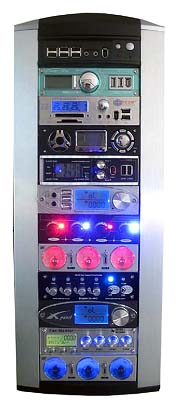
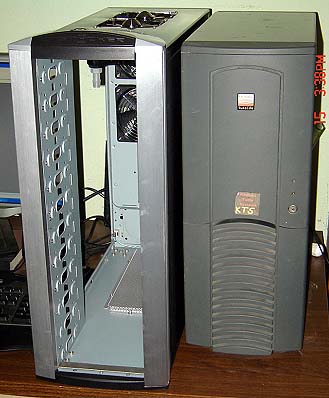
My setup looks like the one to the left with raid bay inserts except for the 2 fans in the top, I have only space for 1 (again this is not a pic of my setup but only an example). I may have to actually snap a picture of it, and stop being lazy.
I have 3 120 mm fans at the front of the case attached to raid bay inserts, inflow. 1 120mm high flow fan at back of the case exhaust. 1 80mm fan on the side of the case on top of the PCI portion, inflow. 1 80mm fan at the top of the case, exhaust. 4 92mm fans vertical mounted on the CPUs with flow directed at the 120 high flow fan at back of the case for exhaust. All are Notua fans.
Not the best of setups but after the 6000 Blackwell stops pumping heat I do get a very quick temperature drop to itself and to overall case.
But you are right, I may have to say goodbye to my old buddy.
I like this case! + SSI EEB to boot. Thanks for the recommendation. I think I buy cases every 20 years LOL… but do not mind paying a good price for something sturdy that will last.
I did a test ramping up the fans to 100% via MSI Afterburner, and 66C-67C was the range for me at 450W with 93%-95% utilization. I will test dialing this back since it does sound like a wind-tunnel now to something that will keep me around your temp but not sounding like I am taking off.
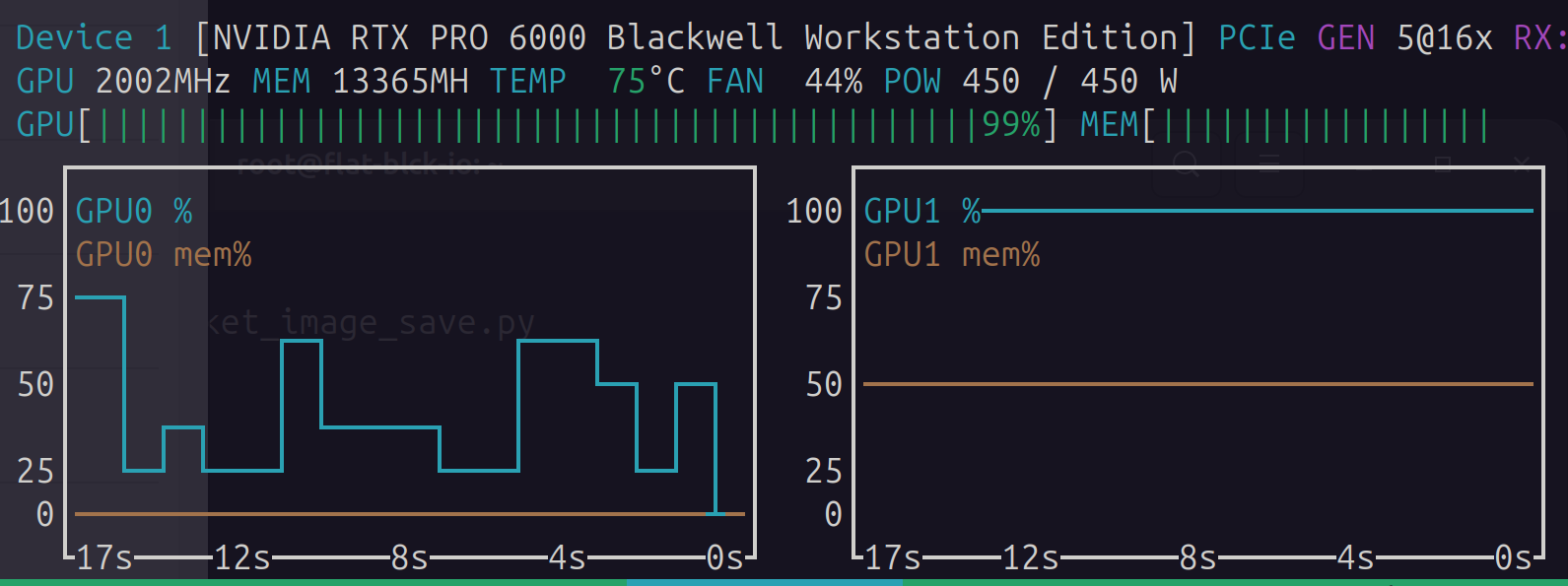
BTW 44% fan speed, I wonder what the fan curb looks like for you before it ramps up. It was not 100% speed for me even when it hit 85C. Strange.