Hello world,
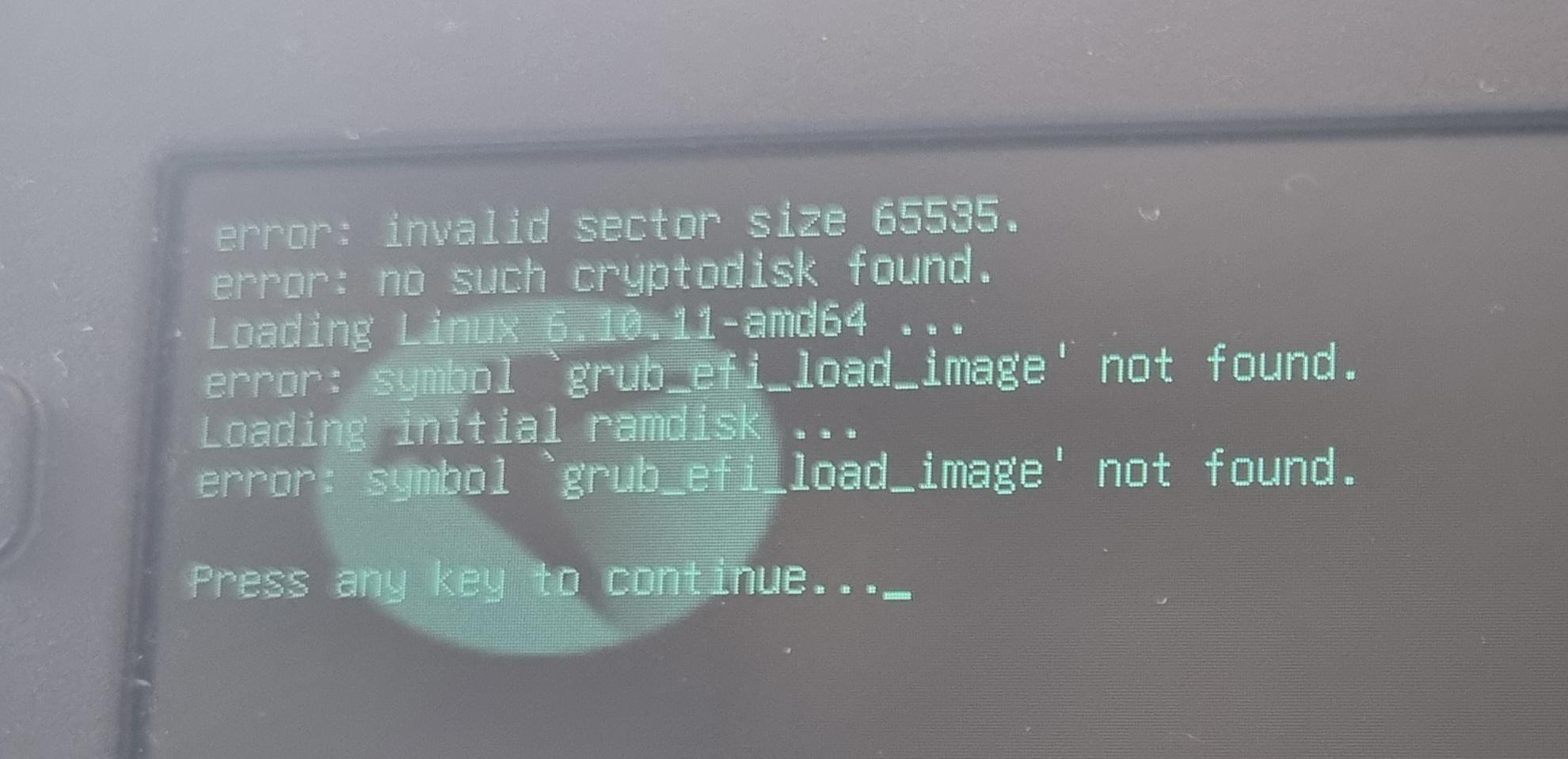
I have a Laptop where I can pull out the SSD quite easily. I was on my journey to update my Xbox controller firmware(I was later informed that it can make the controller worse, so I decided against it). I had swapped out the Linux SSD and put in my Windows 10,but that wasn’t up to date and it wouldn’t update so I was forced to upgrade it. Now I wanted to use my Linux again, I connected it and booted from it. I unlocked LUKS but grub failed to find the efi image.
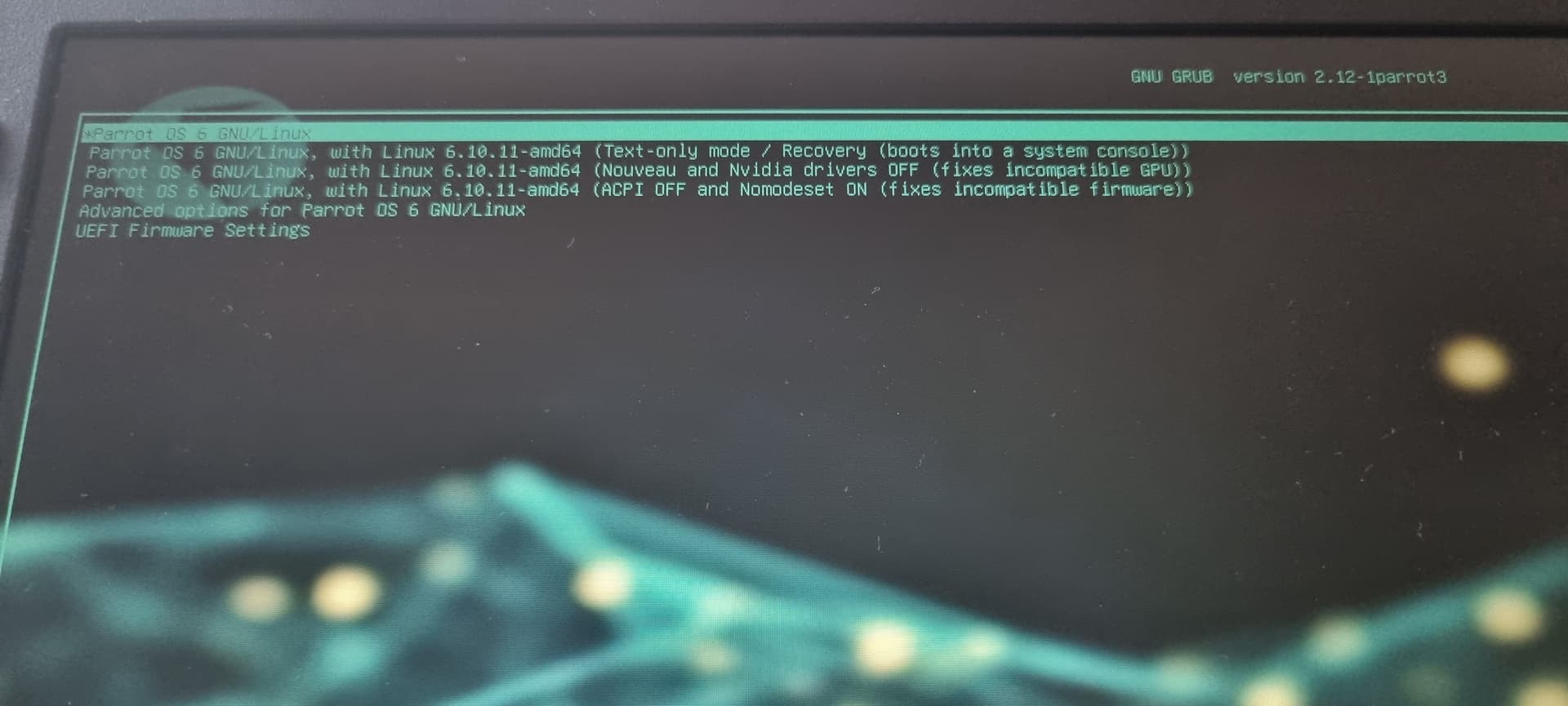
Grub menu opens and I can enter Grub console.
Secure boot is disabled
Running Dell laptop with Parrot desktop. And if I remember correctly I just put the laptop to hibernate and waited some time for it to fully suspend to disk.
Alvast bedankt
1 Like
Did hibernating work before? Doesn’t work with some filesystems
Can you try normal boot?
When I’ve had similar issues, I end up just using a live disk and chrooting in to fix it.
Yes, hibernating/suspend to disk did work flawlessly.
There are only five options in the GRUB menu.
- Parrot os 6 gnu/linux
- Same but with linux 6.10.11 text only
- Same but with linux 6.10.11 envy drivers off
- Same but with linux 6.10.11 acpi off
- Advanced options
- Uefi options
1-5 give me the same end result, no image found
I think I’d make a live USB and chroot in and re-do the boot stuff (grub etc.)
1 Like
I don’t know what to do then when using the USB stick.
Also did the same thing happen to Jayz ? (At the end of the video)
I tried what was written on the documentations page but I still run into the same error. I do have a LUKS encrypted partition so I used dev/mapper/luks-x to mount to /mnt maybe that is the mistake, maybe I need to remove LUKS but idk if that is going to create more issues. This is completely new for me so if someone would have an idea could please help me tread forward with caution.
Did you try the live USB?
I don’t know anything about ParrotOS or luks specifically. Something similar to your error happened when I changed the motherboard on my arch machine and I just had to chroot in and re-do grub… Some distros have a handy command for it, and on some it’s as easy as editing the config to what you want and then running the right grub-install and grub-mkconfig -o /boot/grub/grub.cfg
https://wiki.archlinux.org/title/GRUB
https://wiki.archlinux.org/title/GRUB#Generate_the_main_configuration_file
Is it worth checking that os-prober is installed, and not disabled as well?
I did that already.
I also unlocked the disks with cryptsetup, mounted them like in the guide. I installed grub again. I also upgraded the system. I think I’ll just move the home files somewhere and reinstall the whole system again. Kinda disappointed that this broke.
I might choose some other distro at the same time.
1 Like
Might have forgotten the right flags in the config to trigger unlocking the partition before loading it?
If it were me I think I’d just install fresh unless you have a bunch of highly-configured stuff worth dinking around for a couple of days to save it…