boom, your volumes should be mounted now. might need to reboot to update the ui
1 Like
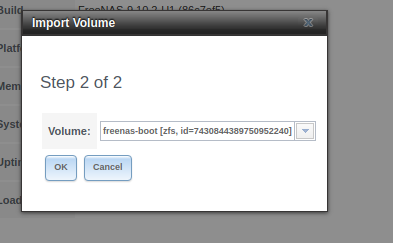
This became aviable in the web GUI which was not there before
bada bing bada boom.
zfs mount -a attempts to automount any recognized zvols, and zfs mount just lists mount points available in case you were wondering.
1 Like
Internet points for you… Well done sir!
1 Like
So now i just press OK and reboot my system and all my data should become visable?
should be, yeah. Might want to check the freenas documentation on finer details, i usually only work with freebsd.
1 Like
I have tried rebooting 2 times now. Still can’t see my volumes… Any idea of whats going wrong?
run zfs mount again, see if the volumes stayed mounted.
Its the same output as before, but now i can’t import volume in the web GUI
OK, so they don’t show up anywhere?
if they list with zfs mount, that means they’re mounted.
They show up in the shell but i can’t find the volume in the “Import volume” option anymore.
If it would be easier, we can jump to discord so that you can see the screen?
so they don’t show up in “view volumes” in the storage > volumes > view volumes?
are all the disks in the raid1 present in view disks?
I don’t use discord.
They dont show up in “View volumes”, but the disks show up in the “View disks” menu
I have made a “Join me” so that you can see my screen. use this link:
hm. Try
zpool import tank
zpool scrub tank```Replacing “tank” with “vault”?
yes. “tank” is zfs nomenclature for “volume”
Went through all the commands
[root@freenas ~]# zpool export Vault
[root@freenas ~]# zpool import Vault
[root@freenas ~]# zpool scrub Vault
now do zfs mount -a again and see if you get any import options
I do not get any options