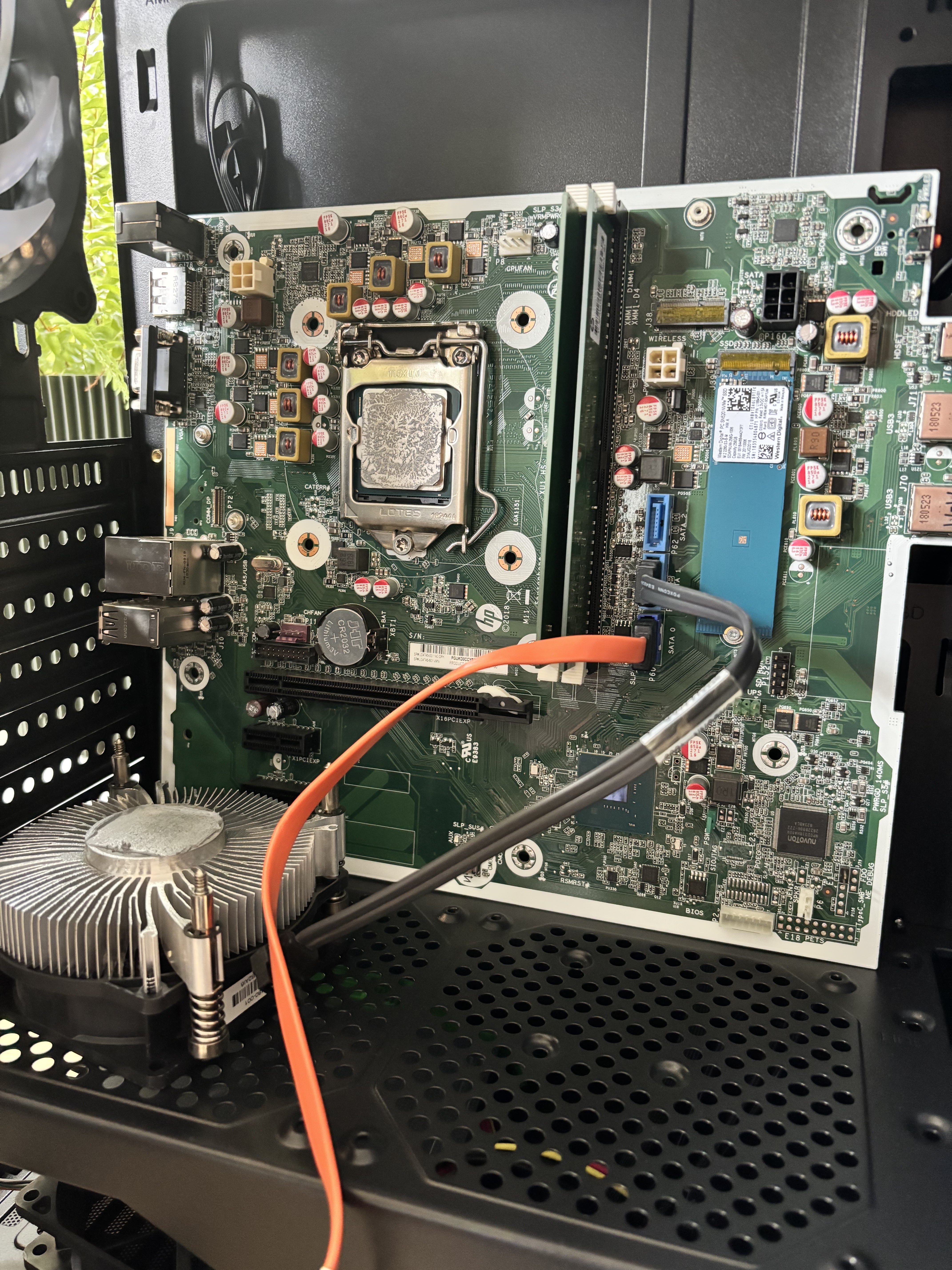
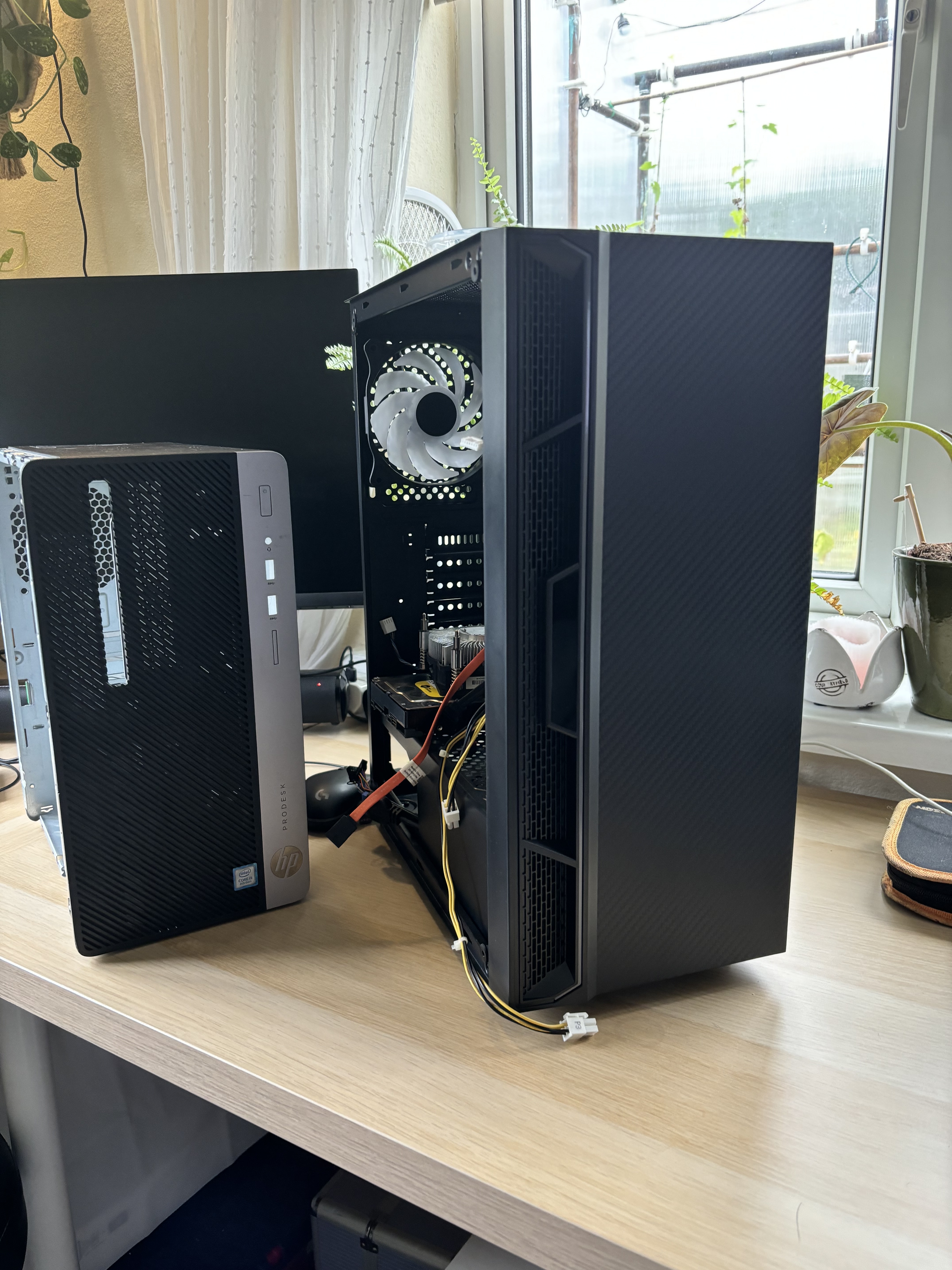
I am new to pc building and pretty clueless, but genuinely love messing around with all the bits.
I am trying to put together a very basic beginner gaming pc. I will only be using it for things like Zenless Zone Zero, Sims, Valorant, and some older games like Thief and the divisive 2008 release of Prince of Persia. (I miss those old games!)
So, what I have is:
HP ProDesk 400 G5 with i5 8500
MSI Radeon RX580
And naturally the power supply of the ProDesk is only 180w, and I think I should have minimum 500w to run the gpu.
But this is where my little brain falls short - I don’t have a lot to spend, and I don’t want to buy the wrong thing. Is it possible to run this gpu on this motherboard!? I think I need the 2 of the 4 pin connectors, and a pci-e connector from the power supply, but I can’t see any that have the right cables - which is fine if all it means is having to get a converter, but I just don’t know!
Help please!
I’m in the UK, and would like to stick to a budget of under £50 for the psu.
Here are some pictures of the old HP tower and what I was trying to build the pc into. Already running into a headache with the motherboard not really fitting the standard mounting points
I could only add 2 pics as I’m a new user, so let me know if anything else will be helpful!
Thanks again for all the help! Honestly if the HP machine is not the right thing to be getting on with then I will try find something more suitable, any advice is appreciated!
With Dell and HP boxes you tend to be really stuck to their mobo/PSU/case integration. It can be worked around, the effort is likely not worth the pain though.
Worse thing is I have a Dell SFF and got the HP on recommendation as a replacement… those front panel connectors are integrated on the mobo in a very inconvenient way…
Originally I wanted to build the whole thing from scratch, but was told it wasn’t a good idea (though I’m not sure why not tbh). I spent £160 on the HP, but essentially could take the money and look for the parts and do it that way.
So, having taken onboard all the bits you awesome ppl have come back with - I decided to nope the HP. Would something like this be a better bet as a starting point:
Personally not a fan of the display connections on that.
The ASRock B550M Pro4 has HDMI, DP and VGA. Depends on what your monitor(s) have available though.
This does not narrow it down one bit
From personal experience:
Type
Rating
Remark
Kingston NV 1
Is fine for general purpose software dump, not great with mixed workloads
Kingston KC3000
Very satisfied with this for medium general purpose use
Kingston DC2000B
Am currently (ab)using one in a Cache application, so far, holding up great!
Thank you for the feedback - you make a really good point about the outputs that I hadn’t considered tbh. I have some homework!
I was looking at NV2 for the SSD, but only as a start - as I was thinking of this as an upgradeable part for future.
I thought that I would try get the best I can afford for CPU and mobo and settle on cheaper for the rest until I can spend on better bits. I don’t have an issue going for used either - I’m just not very knowledgeable and worried about getting taken advantage of!