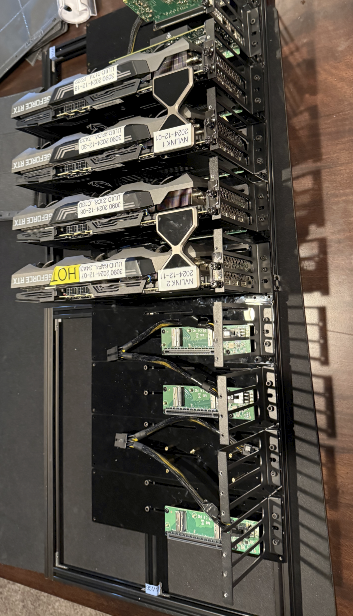
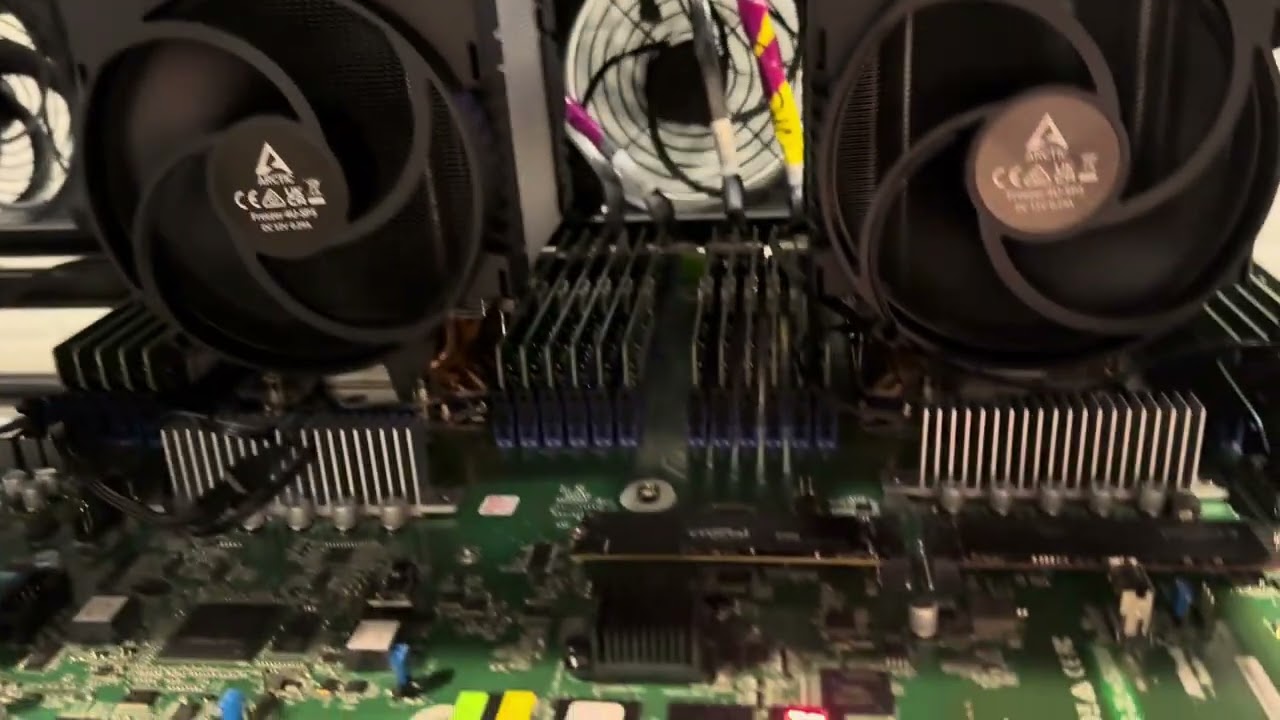
I have the new Asrock Rack TURIN2D24G-2L+/500W motherboard, got it all rolling ootb with ram/cpu/m.2 storage and OS, then go to attach GPUs (5090’s) exactly the same way as I did on my previous gen Genoa setup (actually the same mobo, Asrock put sticker over the model name and a new bios eprom) via MCIO to host card, system will not post and stuck on code 94 (PCIe enumeration I believe) this is with just 1 GPU. Any thoughts out there, really weird!
Which chips did you upgrade to? And which MCIO carrier card did you have attached to the ports on the mobo? How are the ports currently configured for speed and biurcation? My guess is pcie gen 5 is failing to negotiate and if u hard set the mcio port to gen4 it will work but basically no info on the config to go off.
Yes apologies it was a hasty post out of frustration, so it’s mcio to an mcio x16 gen 5 adapter. No it’s not the gen I have tried even at gen 3, no dice. code 94.
Starting to think it’s a bad board (it is rev 1 with no bios update yet from factory) I have emailed asrock rack support on it. They sell the full GPU server solution so is all working, just something is off here.
Do please keep us posted on what asrocks support has to say, I have found them responsive despite my… unconventional… use of their hardware. I also have an inference rig based on their TURIN2D24G-2L+ board but am mostly running a rack of ampere cards due to cost. The only weird efi/pcie/boot issue I have run into so far was trying to get the flexboot bios working to iscsi iser/rdma the whole thing preboot.
Can I just ask, so you have ampere cards hooked up the same way (mcio to pcie adapter?) and they booted from the board fresh out of the box, no bios tweaks? It’s almost like my board is set to not have have GPU, it’s so strange.
I tried 4 diff GPU, from ampere to Blackwell, you plug it in code 94, unplug the GPU and it posts?!
Installed the Genoa version of this board, flashed to support Turin cpu and same code 94, so putting this down to Turin cpu, it’s always worked on Genoa. Mass frustration!
I doubt it, using an AMD tool and its been in 2 different boards now, this is some kind of bios nonsense for sure, code 94 is PCIe enumeration, Asrock Rack sell a GPU server with the Turin board and a backplane for the GPU they designed so it def works, I’ll wait until tomorrow for their support team
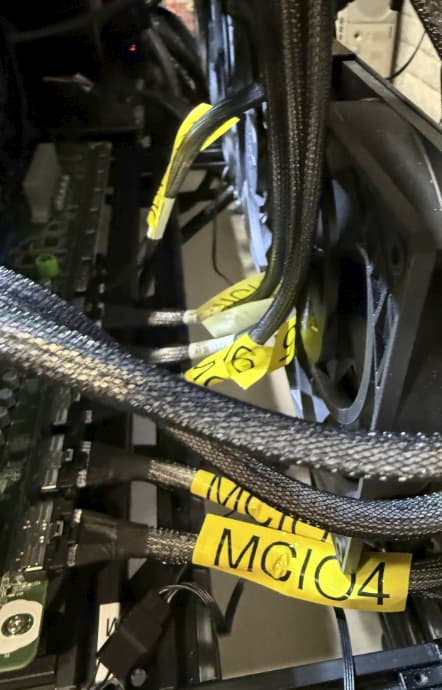
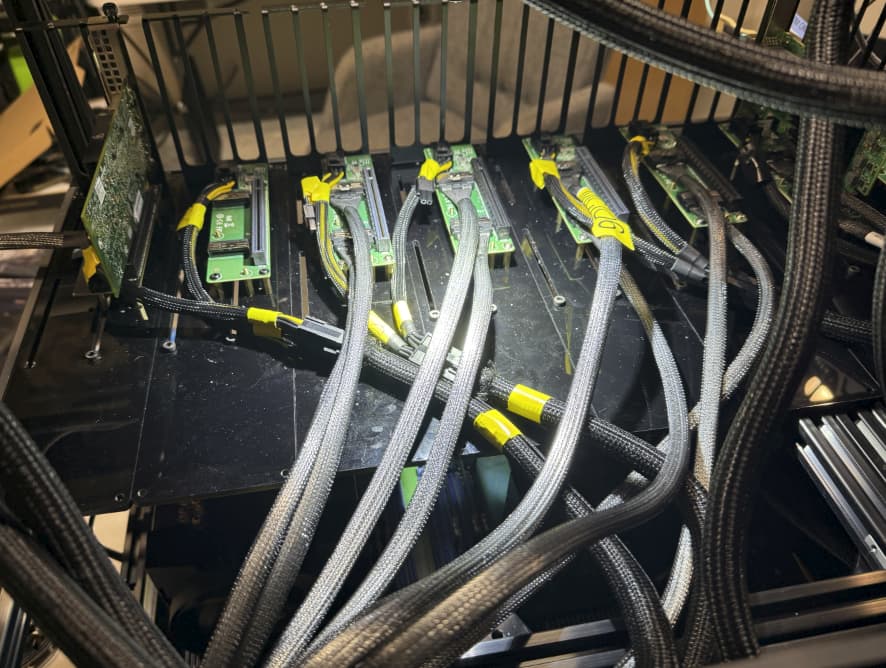
Its worth mentioning the MCIO numbering is out of order and cabled kind of flipped where mcio 4 goes in the first 0-7 lanes and mcio 3 goes in 8-15 so you end up cabling 4,3 then 6,5 then 8,7… assuming you are leaving the mcio config x16 in all the bios options.
I have run x4x4x4x4 for storage and x8x8 for NICs, and x4x4x8 in one weird case, simultaneously with the x16 GPUs.
Appreciate the pics etc, yup all done as I have done in the past with the genoa board inc the odd to even on ports. So Asrock gave me a new BIOS, it allowed it to post but over 4 GPU and in a world of hurt still. Genoa boards worked OOTB, Turin, nightmare,
Related but unfortunate: I grabbed a pair of 9015’s off the bench at work today on my way out the door (The i-know-they-work-fine kind, not the i-wonder-if-these-work kind)
I swapped out my 9334’s at home with these and can absolutely confirm same ram, same pcie/mcio setup, same cards, same bios, same same… Turin chips will get stuck at #94 on the ol error-o-meter without some kind of patch. I fiddled with the bios options for a half hour of beard scratching trying to figure out why they would do this. I attached a mellanox 100g nic and it was connected/detected just fine to MCIO 10. Soooooo… JANK!
Do you remember which BIOS version you had before when it was working? You can try downgrading the BIOS version back to what it was. Asrock is good at keeping old BIOS revisions available for just this kind of thing.
Were you using 5090’s before? I know @wendell mentioned there was a older VBIOS version that was preventing RTX Pro 6000’s from working correctly but I have no idea if this affects 5090’s too.
I have 10.12 and 10.20 laying around, I requested access to the 11.06 from the guy who shared another version on dropbox last time I needed to fiddle with the bios.
Both 10.12 and 10.20 have very similar behavior with video cards connected and a Turin chip in the sockets. With genoa chips both of these bios versions seem to work fine with the 5+ video cards I tested.
OK guys I appreciate all of this, I just cannot get past 4 x GPU (5090) on the Turin so gonna have to buy some Genoa today, I am asking Asrock though quite intensely, how they have a 8 GPU solution with Turin thats all working OOTB but if you buy the motherboard its impossible to get it to work…
Try turning off PCIE hot plug on all MCIO ports and see if that helps improve things at all.
I have managed to get from zero GPUs back to 2+mellanox nic over lunch today. Will have to keep adding ONE cable at a time and see what happens when I cross the numa boundary later lol
Turning off PCIE hot plug on all MCIO ports seems to have been the missing piece for my setup. Everything else (ram, cabling, gpus, nic, storage, os, etc.) is all identical to before the chip change.
Hopefully final reply unless something goes wildly wrong after rebooting.
POST with 5x 3090’s MCIOd to the turin2d24g with dual epyc 9015s.
The turin upgrade made model hot loading about 50% faster than the previous genoa 9334’s.
Feel free to send me any blackwell cards you want tested
Hi, I have just tried to assemble my server with the TURIN2D24G-2L+, 2x Epyc 9575F, 4x RTX 5090 and am hitting the same problem. Connecting any GPU to any MCIO port immediately results in POST failure with code 94.
I’ve tried everything:
Use a different GPU
Use a different device breakout
Use a different set of MCIO cables
Use a different set of ports on the motherboard
Flip the order of MCIO cables
Set link width to x8/x8 and connect only one MCIO cable
Reduce link max speed to Gen4
Disable PCIe Hotplug for all ports
Disable Resizable Bar
Disable SATA and CXL
And yet, absolutely nothing works.
I haven’t found any evidence that BIOS version 11.06 exists. Mine is version 10.14 and there is no other version listed on the site. Where did you get it?