Enabling confidential computing features on Threadripper Pro 9000 series and RTX Pro 6000

Hello!

So, I’ve just built a shiny new Threadripper Pro 9975wx system Part of my goal here was to enable Confidential Computing, and TEE (Trusted Execution Environment) for Secure Enclaves and AI.

One example of an application is Secure Minions.
I’ve followed these steps and confirmed that my RTX Pro 6000 card does support TEE, but I need CPU platform that will set up the prerequisites for this to work.

I’m logging my process here, and as it’s not been successful so far, maybe you can help!

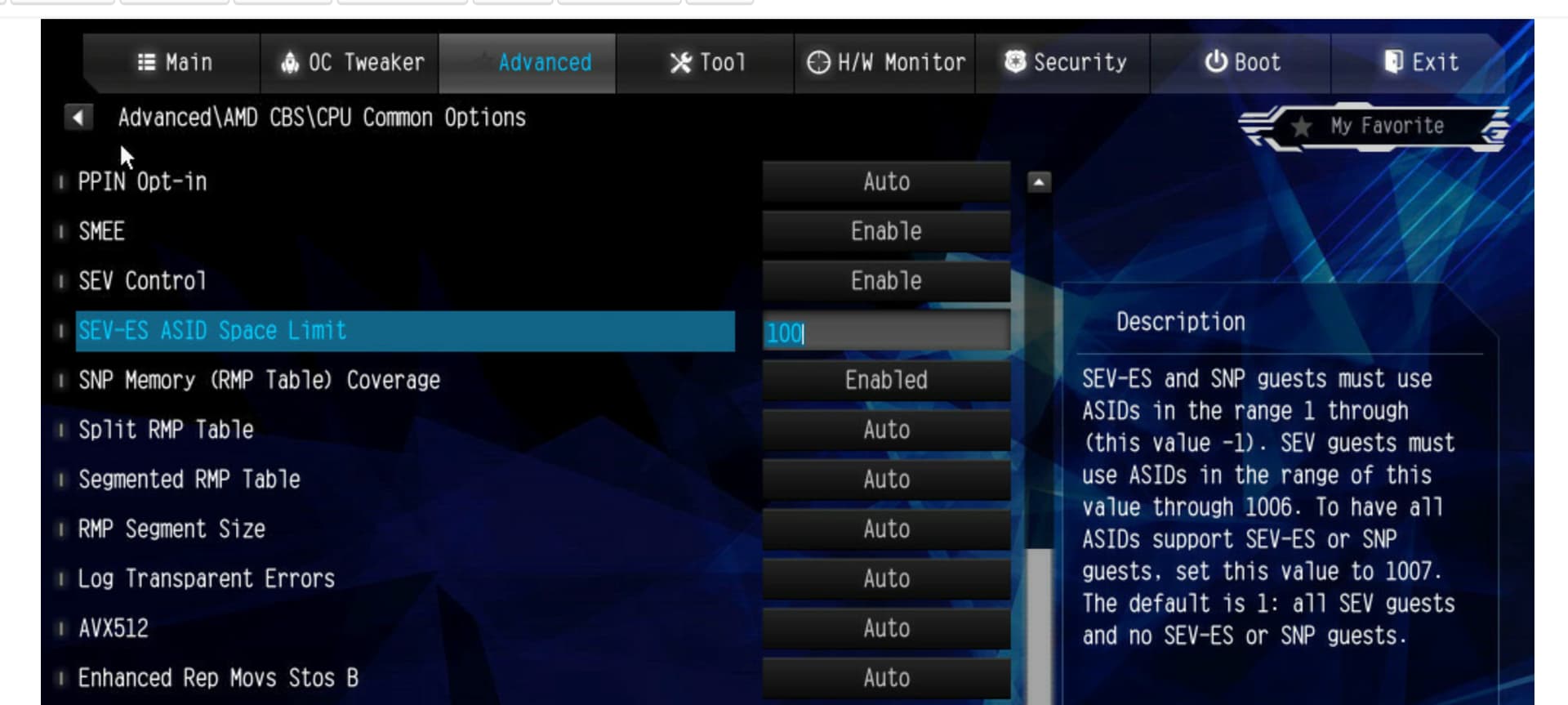
First of all, I’ve enabled these features for SEV-SNP in my bios: SEV-SNP: Memory for the RMP table has not been reserved by BIOS · Issue #68 · AMDESE/AMDSEV · GitHub

You can see that my processor supports all the features that I need, I think:

processor	: 63
vendor_id	: AuthenticAMD
cpu family	: 26
model		: 8
model name	: AMD Ryzen Threadripper PRO 9975WX 32-Cores
stepping	: 1
microcode	: 0xb008112
cpu MHz		: 1223.141
cache size	: 1024 KB
physical id	: 0
siblings	: 64
core id		: 31
cpu cores	: 32
apicid		: 63
initial apicid	: 63
fpu		: yes
fpu_exception	: yes
cpuid level	: 16
wp		: yes
flags		: fpu vme de pse tsc msr pae mce cx8 apic sep mtrr pge mca cmov pat pse36 clflush mmx fxsr sse sse2 ht syscall nx mmxext fxsr_opt pdpe1gb rdtscp lm constant_tsc rep_good amd_lbr_v2 nopl xtopology nonstop_tsc cpuid extd_apicid aperfmperf rapl pni pclmulqdq monitor ssse3 fma cx16 pcid sse4_1 sse4_2 x2apic movbe popcnt aes xsave avx f16c rdrand lahf_lm cmp_legacy svm extapic cr8_legacy abm sse4a misalignsse 3dnowprefetch osvw ibs skinit wdt tce topoext perfctr_core perfctr_nb bpext perfctr_llc mwaitx cpb cat_l3 cdp_l3 hw_pstate ssbd mba perfmon_v2 ibrs ibpb stibp vmmcall fsgsbase tsc_adjust bmi1 avx2 smep bmi2 erms invpcid cqm rdt_a avx512f avx512dq rdseed adx smap avx512ifma clflushopt clwb avx512cd sha_ni avx512bw avx512vl xsaveopt xsavec xgetbv1 xsaves cqm_llc cqm_occup_llc cqm_mbm_total cqm_mbm_local user_shstk avx_vnni avx512_bf16 clzero irperf xsaveerptr rdpru wbnoinvd amd_ppin cppc arat npt lbrv svm_lock nrip_save tsc_scale vmcb_clean flushbyasid decodeassists pausefilter pfthreshold avic v_vmsave_vmload vgif x2avic v_spec_ctrl vnmi avx512vbmi umip pku ospke avx512_vbmi2 gfni vaes vpclmulqdq avx512_vnni avx512_bitalg avx512_vpopcntdq la57 rdpid bus_lock_detect movdiri movdir64b overflow_recov succor smca fsrm avx512_vp2intersect flush_l1d sev sev_es sev_snp debug_swap amd_lbr_pmc_freeze
bugs		: sysret_ss_attrs spectre_v1 spectre_v2 spec_store_bypass srso spectre_v2_user
bogomips	: 7999.87
TLB size	: 192 4K pages
clflush size	: 64
cache_alignment	: 64
address sizes	: 46 bits physical, 57 bits virtual
power management: ts ttp tm hwpstate cpb eff_freq_ro [13] [14]

I’m running Fedora Server 42 on this one, but I might switch back to arch if I need a newer kernel. I assumed that this might be a better supported setup, and Cockpit is very nice.

I’ve followed several tutorials, but mainly this one.

It looks like kmd_sev.amd is enabled:

 cat /sys/module/kvm_amd/parameters/sev
Y

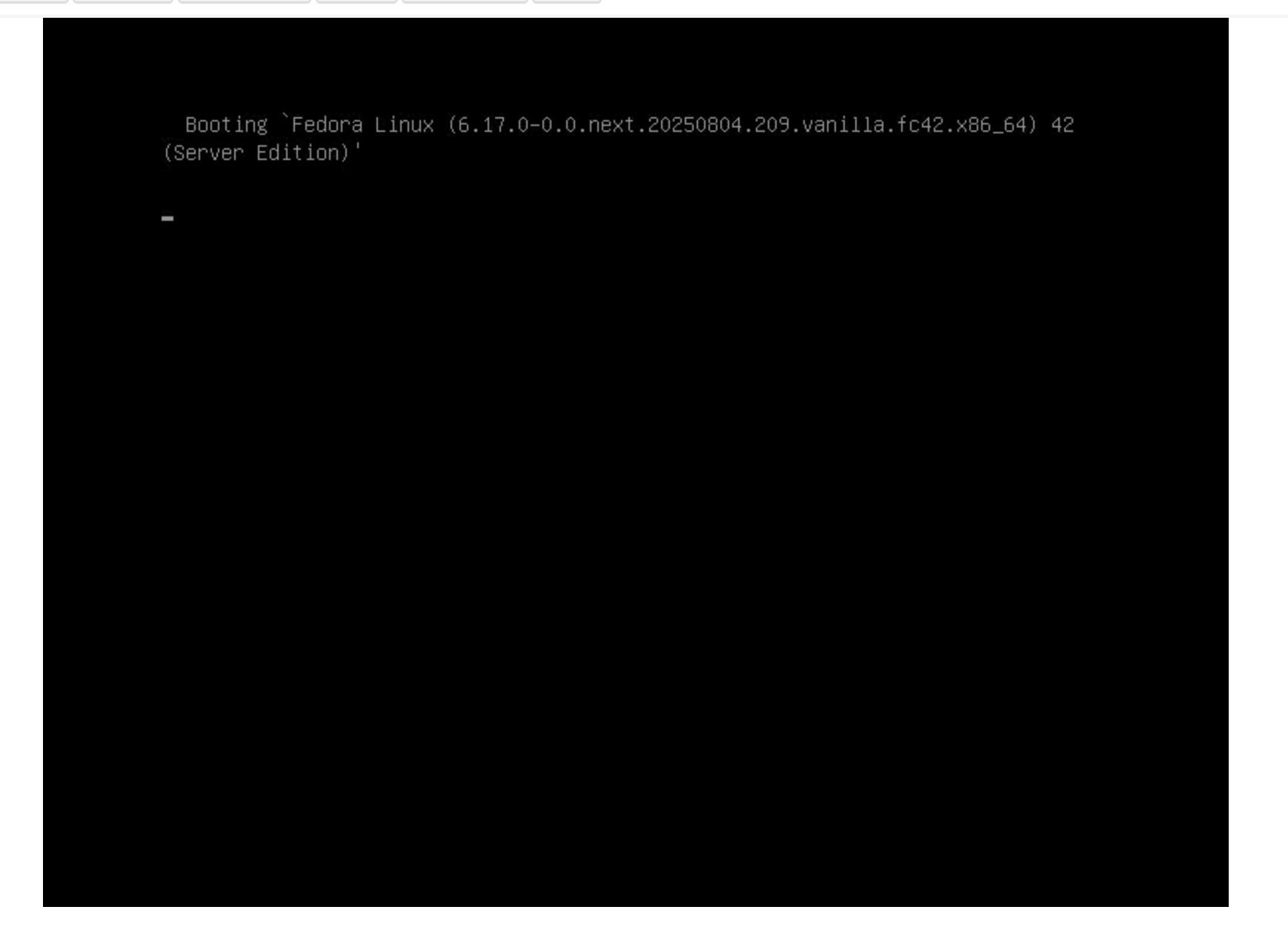
Unfortunately, I’m getting a blank screen at boot when I try to add mem_encrypt=1 to the kernel boot options.

sevctl gives me the following output:

sevctl ok
[ PASS ] - AMD CPU
[ FAIL ]   - Microcode support
[ FAIL ]   - Secure Memory Encryption (SME)
[ PASS ]   - Secure Encrypted Virtualization (SEV)
[ PASS ]     - Encrypted State (SEV-ES)
[ FAIL ]     - Secure Nested Paging (SEV-SNP)
[ SKIP ]       - VM Permission Levels
[ SKIP ]         - Number of VMPLs
[ PASS ]     - Physical address bit reduction: 6
[ PASS ]     - C-bit location: 51
[ PASS ]     - Number of encrypted guests supported simultaneously: 1006
[ PASS ]     - Minimum ASID value for SEV-enabled, SEV-ES disabled guest: 560128733
[ PASS ]     - SEV enabled in KVM: enabled
[ PASS ]     - SEV-ES enabled in KVM: enabled
[ FAIL ]     - Reading /dev/sev: /dev/sev not readable: No such file or directory (os error 2)
[ FAIL ]     - Writing /dev/sev: /dev/sev not writable: No such file or directory (os error 2)
[ PASS ]   - Page flush MSR: DISABLED
[ PASS ] - KVM supported: API version: 12
[ PASS ] - Memlock resource limit: Soft: 8388608 | Hard: 8388608
Error: One or more tests in sevctl-ok reported a failure

If I could get mem_encyption to turn on, and boot, then I might be one step closer to the goal. Next, I might try a newer kernel, as this is very new hardware.

I did also see this thread: How to enable SEV-SNP on EPYC Milan for a Linux VM host?

Linux geary 6.15.8-200.fc42.x86_64 #1 SMP PREEMPT_DYNAMIC Thu Jul 24 13:26:52 UTC 2025 x86_64 GNU/Linux```

Cheers!

1 Like

Remove the kernel flag. Try TSME=enabled in UEFI instead.

2 Likes

I can try TSME, but is it possible to use sev to isolate VM memory at the same time? I think I need it enabled so that /dev/sev is present, and the ccp module is in control.

EDIT: yes, I need the /dev/sev device to be present.

So, back at it.

I installed a new 6.16 kernel with copr using these instructions:
https://fedoraproject.org/wiki/Kernel_Vanilla_Repositories

Fedora 42 just implemented support in this release:

There’s this article: Comprehensive AMD SEV vTPM Support in Linux Kernel 6.16 Enhances Confidential Computing - LinuxConfig

 cpuid -1 -l 0x8000001f
CPU:
   AMD Secure Encryption (0x8000001f):
      SME: secure memory encryption support    = true
      SEV: secure encrypted virtualize support = true
      VM page flush MSR support                = false
      SEV-ES: SEV encrypted state support      = true
      SEV-SNP: SEV secure nested paging        = true
      VMPL: VM permission levels               = true
      RMPQUERY instruction support             = true
      VMPL supervisor shadow stack support     = true
      Secure TSC supported                     = true
      virtual TSC_AUX supported                = true
      hardware cache coher across enc domains  = true
      SEV guest exec only from 64-bit host     = true
      restricted injection                     = true
      alternate injection                      = true
      full debug state swap for SEV-ES/SEV-SNP = true
      disallowing IBS use by host              = true
      VTE: SEV virtual transparent encryption  = true
      VMGEXIT parameter support                = true
      virtual TOM MSR support                  = true
      IBS virtual support for SEV-ES/SEV-SNP   = true
      PMC virtual support for SEV-ES/SEV-SNP   = true
      RMPREAD instruction                      = true
      guest intercept control support          = true
      segmented RMP support                    = true
      VMSA register protection support         = true
      SMT protection support                   = true
      secure AVIC support                      = true
      allowed SEV features support             = true
      SVSM communication page MSR support      = false
      VIRT_RMPUPDATE & VIRT_PSMASH MSR support = false
      write to hypervisor in-used allowed      = true
      IBPB on entry support                    = true
      encryption bit position in PTE           = 0x33 (51)
      physical address space width reduction   = 0x6 (6)
      number of VM permission levels           = 0x4 (4)
      number of SEV-enabled guests supported   = 0x3ee (1006)
      minimum SEV guest ASID                   = 0x4ccf8979 (1288669561)

Looks good

dmesg:

[    0.000000] SEV-SNP: RMP table physical range [0x0000000054600000 - 0x0000000074cfffff]

…

[   50.316082] kvm_amd: Nested Virtualization enabled
[   50.316083] kvm_amd: Nested Paging enabled
[   50.316085] kvm_amd: LBR virtualization supported
[   50.316087] kvm_amd: SEV disabled (ASIDs 2234086327 - 1006)
[   50.316089] kvm_amd: SEV-ES disabled (ASIDs 1 - 2234086326)
[   50.316090] kvm_amd: SEV-SNP disabled (ASIDs 1 - 2234086326)
[   50.316150] kvm_amd: Virtual VMLOAD VMSAVE supported
[   50.316151] kvm_amd: Virtual GIF supported
[   50.316152] kvm_amd: Virtual NMI enabled

okay

I’m only seeing the entires for the times I booted with:

[    0.000000] Command line: BOOT_IMAGE=(hd5,gpt2)/vmlinuz-6.16.0-264.vanilla.fc42.x86_64 root=/dev/mapper/fedora-root ro rd.lvm.lv=fedora/root rd.luks.uuid=luks-20912fe6-c121-464a-8f28-7a89649a7e70 nomodeset rhgb quiet iommu=1 iommu_amd=on

If I enable encryption, it just hangs with no output like:

GRUB_CMDLINE_LINUX="rd.lvm.lv=fedora/root rd.luks.uuid=luks-20912fe6-c121-464a-8f28-7a89649a7e70 nomodeset rhgb nosplash debug iommu=1 iommu_amd=on kvm_amd.sev=1 mem_encrypt=on"

I’d like to get debug output at this phase of boot, but I’m not sure how :thinking:

Trying 6.17:
I confirmed that the current config has SEV enabled also.

Installing:
 kernel                                     x86_64 6.17.0-0.0.next.20250804.209.vanilla.fc42   copr:copr.fedorainfracloud.org:group_kernel-   0.0   B
 kernel-core                                x86_64 6.17.0-0.0.next.20250804.209.vanilla.fc42   copr:copr.fedorainfracloud.org:group_kernel-  98.6 MiB
 kernel-modules                             x86_64 6.17.0-0.0.next.20250804.209.vanilla.fc42   copr:copr.fedorainfracloud.org:group_kernel-  94.6 MiB
 kernel-modules-core                        x86_64 6.17.0-0.0.next.20250804.209.vanilla.fc42   copr:copr.fedorainfracloud.org:group_kernel-  67.6 MiB

Still hung!

It might be time to try to contact AsRock /AMD and seeing what’s up.

Last I looked at this it seemed to be you could only enable confidential computing on a gpu that has been assigned to a virtual machine. Looks like you might be trying to do it on a bare metal host? Also might have better luck with Ubuntu as that’s the distro that nvidia tends to favor.

2 Likes

Yes, I’m trying to do it on a virtual machine, which is why I’m attempting to enable SEV to isolate the VMs from the host. First, I need SME to work through, that’s a prerequisite as far as I can tell.

The hypervisor needs to work in conjunction with the processor, so you can’t just enable TSME for transparent ram encryption. Theres a table somewhere that I looked at…

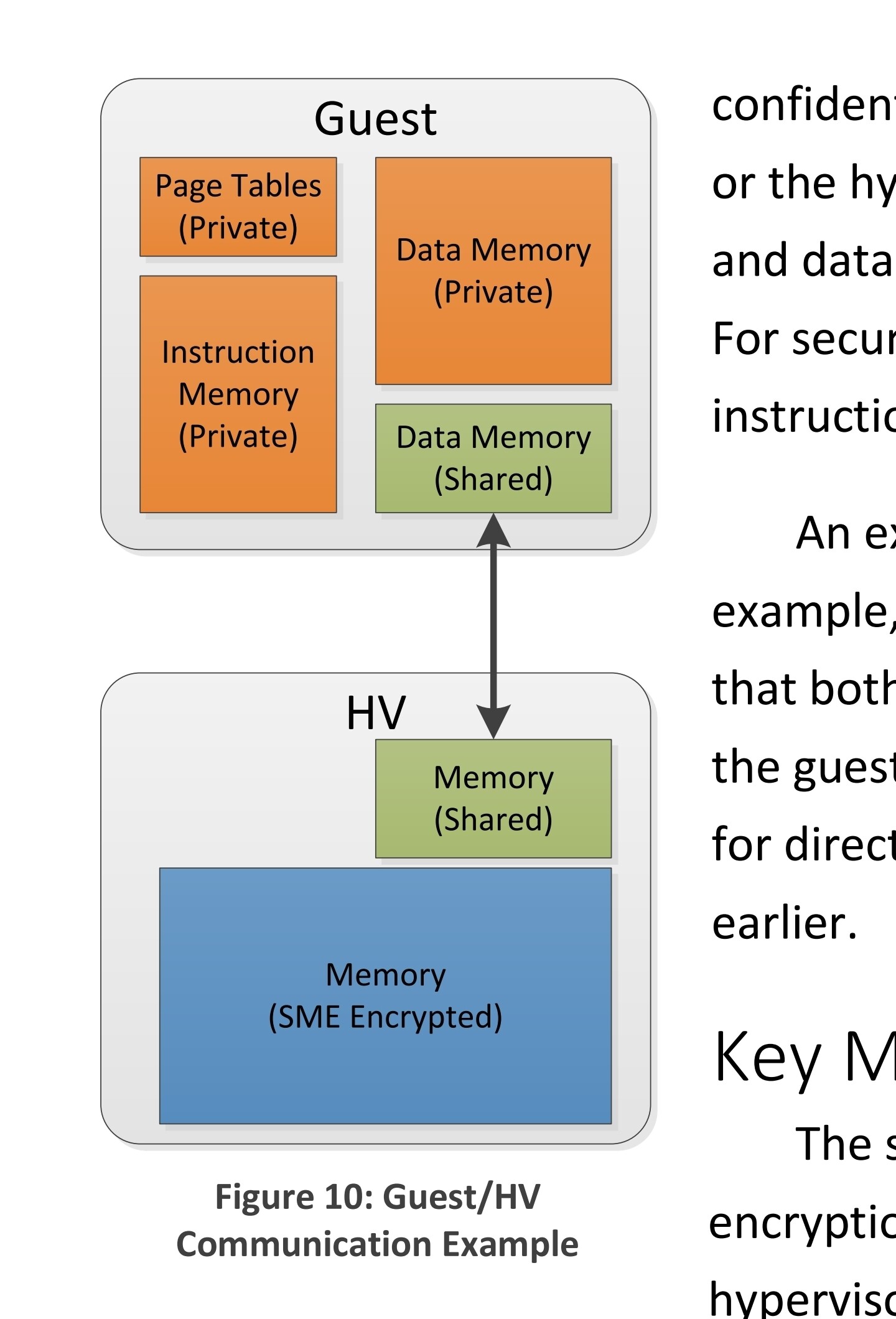
Here’s a whitewater on SME that shows this diagram for SEV on page 12.
https://www.amd.com/content/dam/amd/en/documents/epyc-business-docs/white-papers/memory-encryption-white-paper.pdf

This repo has some good information and tools, but it’s a bit out of date.

I can try to dual boot some distros or something, but SME should be the easy part! Good idea for testing…

EDIT: Looking around, I can’t find any information on Threadripper PRO parts. It looks like even though the BIOS can be set for it, and the CPU has the flags for it, the microcode might be locked down so that only EPYC processors can use SME.

SEV, SEV-ES and SEV-SNP are for isolating guests with encryption from each other and the host. To avoid unnecessary double encryption, you don’t want to enable TSME (or SMEE for EPYC?) in UEFI.

For kvm_amd module, set sev=1, sev-es=1 and sev-snp=1.

And /dev/sev is accessible to QEMU.

Purely educated guess. I believe you need to have kernel for both host and guests compile with: CONFIG_AMD_MEM_ENCRYPT=y, CONFIG_KVM_AMD_SEV=y and kernel command line memory_encrypt=1 for guest at the least.

Maybe try with a dummy soft video card first rather than your Nvidia passed through.

1 Like

Yep, absolutely. I do actually have all three flags set, and my kernel boot config has both of those set…

I don’t have TSME turned on, but let me double check that SMEE isn’t either.

1 Like

In my BIOS, when I enable SMEE, it enables SEV control, which I need to have turned on according to some documentation I read.


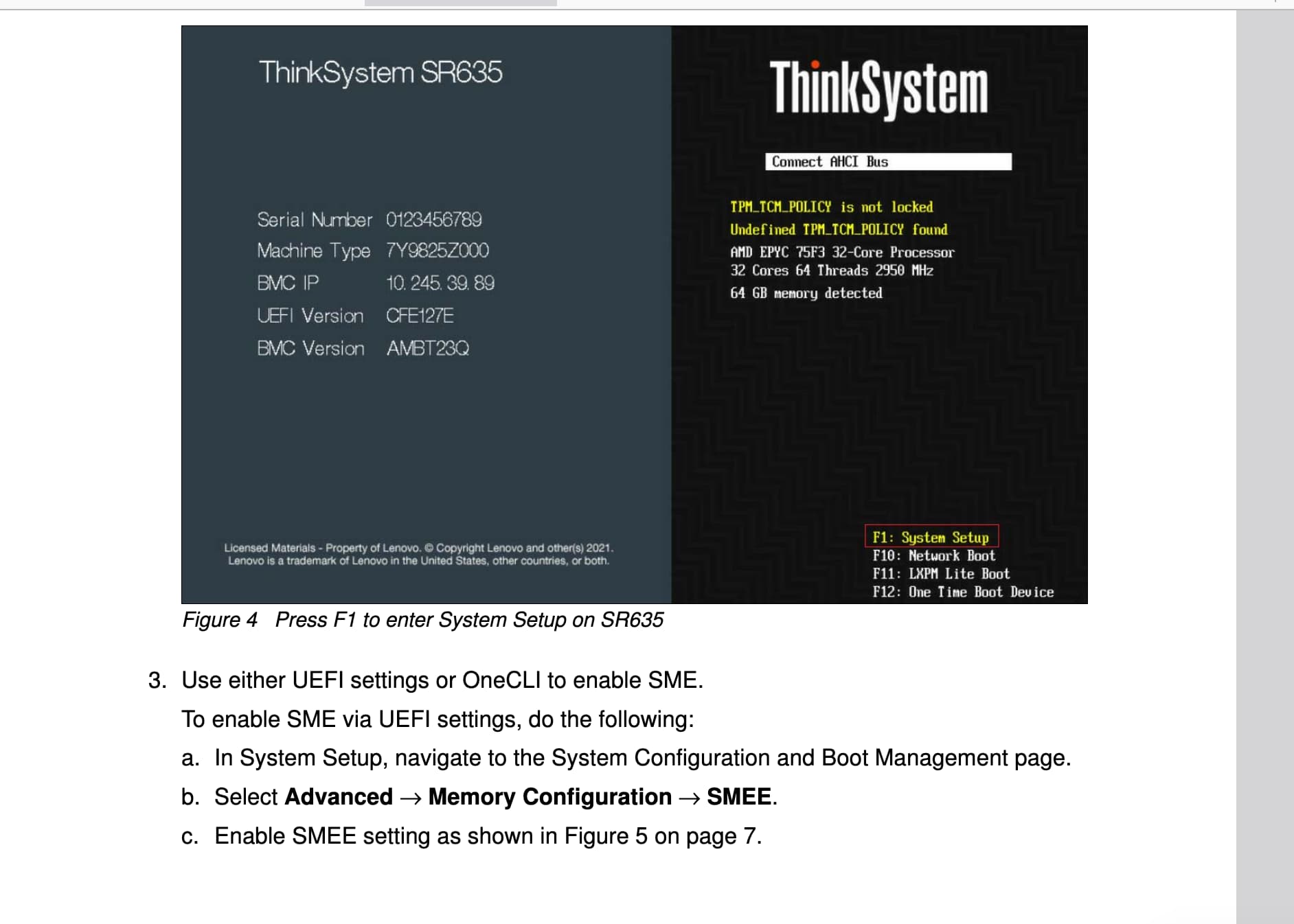
Same thing here: https://www.amd.com/content/dam/amd/en/documents/epyc-technical-docs/user-guides/using-amd-secure-encrypted-virtualization-encrypted-state-on-think-system-servers.pdf

Before, it was disabled and my dmesg said I had no RMT tables allocated.

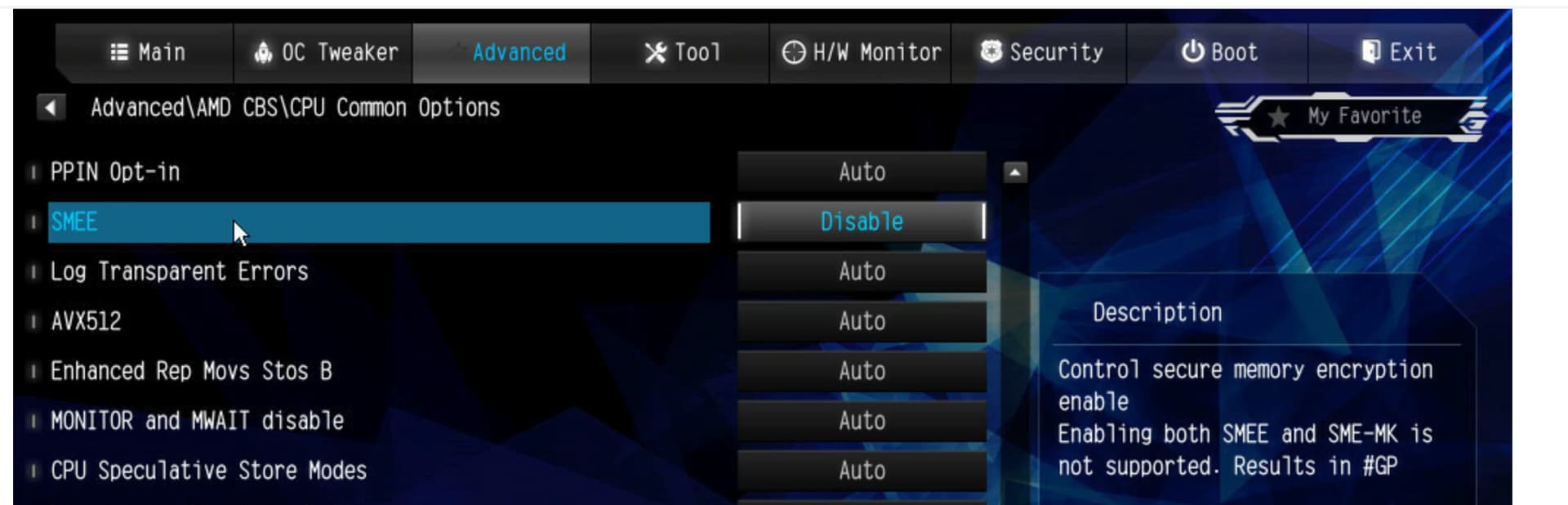
What is SME-MK? My bios needed reset after I enabled it before. Will experiment.

Oh. I guess SMEE stands for “SME Enable” - a master switch of all SME features.

SME-MK stands for “SME with Multiple keys”. When this is enabled, each VM can get its own unique key. Interestingly without enabling SME-MK, the host’s administrator is still able to spy on guest VMs as all share the same key with the host’s key.

I assume you’re getting black screen when booting the host. Maybe look into Nvidia’s driver config or try to debug with a serial console.

1 Like

Hmm, interesting.
I tried:
Disable SMEE, boot with kvm_amd.sev=1 mem_encrypt=on: she boots, no /dev/sev device and not enabled in module
Enable SME-MK, boot with kvm_amd.sev=1 mem_encrypt=on: she boots, no /dev/sev device and not enabled in module
Disable SME-MK, Enable SMEE, Disable SEV control, boot with kvm_amd.sev=1 mem_encrypt=on: she boots, no /dev/sev device and not enabled in module
Disable SME-MK, Enable SMEE, Enable SEV control, boot with kvm_amd.sev=1 mem_encrypt=on: no boot, black screen, nothing.

I’m accessing the host bios/boot screen via the IPMI BMC Web UI Console, and I’ve got the GPUs on vfio (no drivers installed, nouveu and nova_core blacklisted,) so I’m not sure that’s in effect.

I will try the BMC serial console! Great idea.

When you create the guest which firmware file do you choose. The following is a screenshot from virt-manager but in the settings menu where I’d usually have to choose the OVMF firmware image there is a dedicated one for SEV too.

Feels to me that this would be something that is required.

1 Like

NVIDIA GPU Confidential Computing Demystified this was a fun read

1 Like

I struggled testing this for the review, too, fwiw. It looked like I got the cpu flags on the host but closing the loop was… elusive.

1 Like

Once I finish benchmarking the new oai oss release Ill give it a shot

1 Like

Yes, unfortunately I can’t even get to the point of launching a guest, as I can’t get SME enabled on the host, let alone SEV…

Let me check my firmware version as well.

Thanks folks!

1 Like
# cat /sys/module/kvm_amd/parameters/sev_es 
Y
# cat /sys/module/kvm_amd/parameters/sev_snp
Y
# cat /sys/module/kvm_amd/parameters/sev
Y
# dmesg | grep -i kvm
[   24.744868] kvmfr: creating 1 static devices
[   24.757307] kvmfr: kvmfr_module_init: module loaded
[   25.157554] kvm_amd: TSC scaling supported
[   25.157558] kvm_amd: Nested Virtualization enabled
[   25.157559] kvm_amd: Nested Paging enabled
[   25.157561] kvm_amd: LBR virtualization supported
[   25.157563] kvm_amd: SEV enabled (ASIDs 100 - 1006)
[   25.157565] kvm_amd: SEV-ES enabled (ASIDs 1 - 99)
[   25.157566] kvm_amd: SEV-SNP enabled (ASIDs 1 - 99)
[   25.157680] kvm_amd: Virtual GIF supported
[   25.157682] kvm_amd: Virtual NMI enabled

Well this is an hour of my life I would like back.

1 Like

What the heck! May I ask what your secret is? What board? What O/S?
Super stoked that it worked!

3 hours later…

Aug 05 16:31:30  kernel: ccp:psp_check_sev_support: ccp 0000:0a:00.5: psp does not support SEV
Aug 05 16:31:30  kernel: ccp:tee_alloc_cmd_buffer: ccp 0000:0a:00.5: tee: ring address: high = 0x4 low = 0xcf280000 size = 32768
Aug 05 16:31:30 kernel: ccp 0000:0a:00.5: tee enabled
Aug 05 16:31:30  kernel: ccp 0000:0a:00.5: psp enabled
# cpuid -1 -l 0x8000001f
CPU:
   AMD Secure Encryption (0x8000001f):
      SME: secure memory encryption support    = true
      SEV: secure encrypted virtualize support = true
      VM page flush MSR support                = false
      SEV-ES: SEV encrypted state support      = true
      SEV-SNP: SEV secure nested paging        = true
      VMPL: VM permission levels               = true
      RMPQUERY instruction support             = true
      VMPL supervisor shadow stack support     = true
      Secure TSC supported                     = true
      virtual TSC_AUX supported                = true
      hardware cache coher across enc domains  = true
      SEV guest exec only from 64-bit host     = true
      restricted injection                     = true
      alternate injection                      = true
      full debug state swap for SEV-ES/SEV-SNP = true
      disallowing IBS use by host              = true
      VTE: SEV virtual transparent encryption  = true
      VMGEXIT parameter support                = true
      virtual TOM MSR support                  = true
      IBS virtual support for SEV-ES/SEV-SNP   = true
      PMC virtual support for SEV-ES/SEV-SNP   = false
      RMPREAD instruction                      = false
      guest intercept control support          = false
      segmented RMP support                    = false
      VMSA register protection support         = true
      SMT protection support                   = true
      secure AVIC support                      = false
      allowed SEV features support             = false
      SVSM communication page MSR support      = false
      VIRT_RMPUPDATE & VIRT_PSMASH MSR support = false
      write to hypervisor in-used allowed      = false
      IBPB on entry support                    = false
      encryption bit position in PTE           = 0x33 (51)
      physical address space width reduction   = 0x6 (6)
      number of VM permission levels           = 0x4 (4)
      number of SEV-enabled guests supported   = 0x3ee (1006)
      minimum SEV guest ASID                   = 0x1fe (510)

Ok its time for me to move onto other things for today. For whatever reason

# cpuid -1 -l 0xc0010131
CPU:
   0xc0010131 0x00: eax=0x00000000 ebx=0x00000000 ecx=0x00000000 edx=0x00000000

The cpu is refusing to advertise SEV. Tried many a thing, including some debauchery manually poking stuff in the bios through the BMI and using discrete tpm/firmware tpm and and and…

Not sure why the kvm_amd module thinks SEV is enabled when its most definitely not.

But hey good news, its not just you! AMD SEV does not appear to be working on threadripper pro.

2 Likes