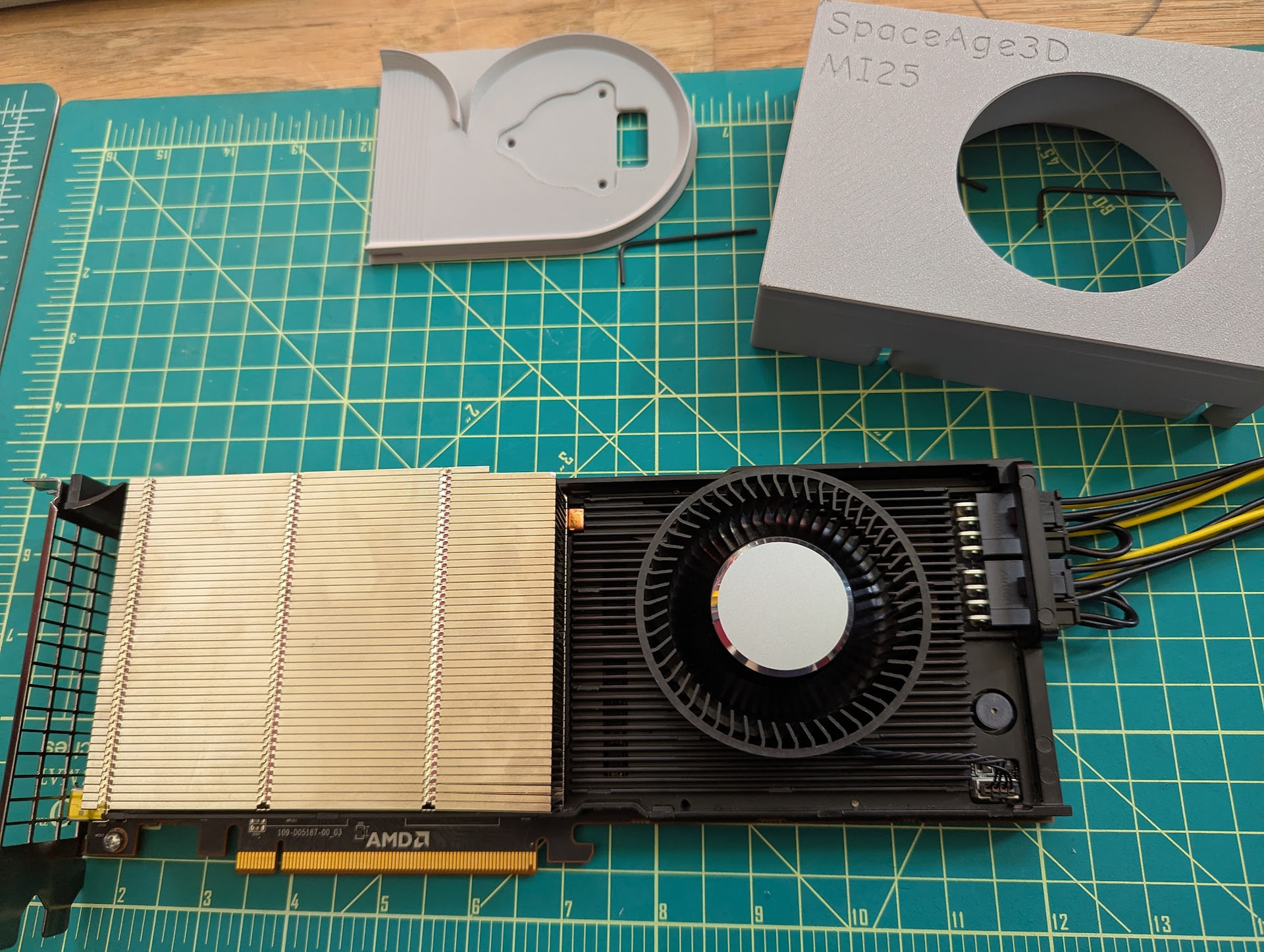
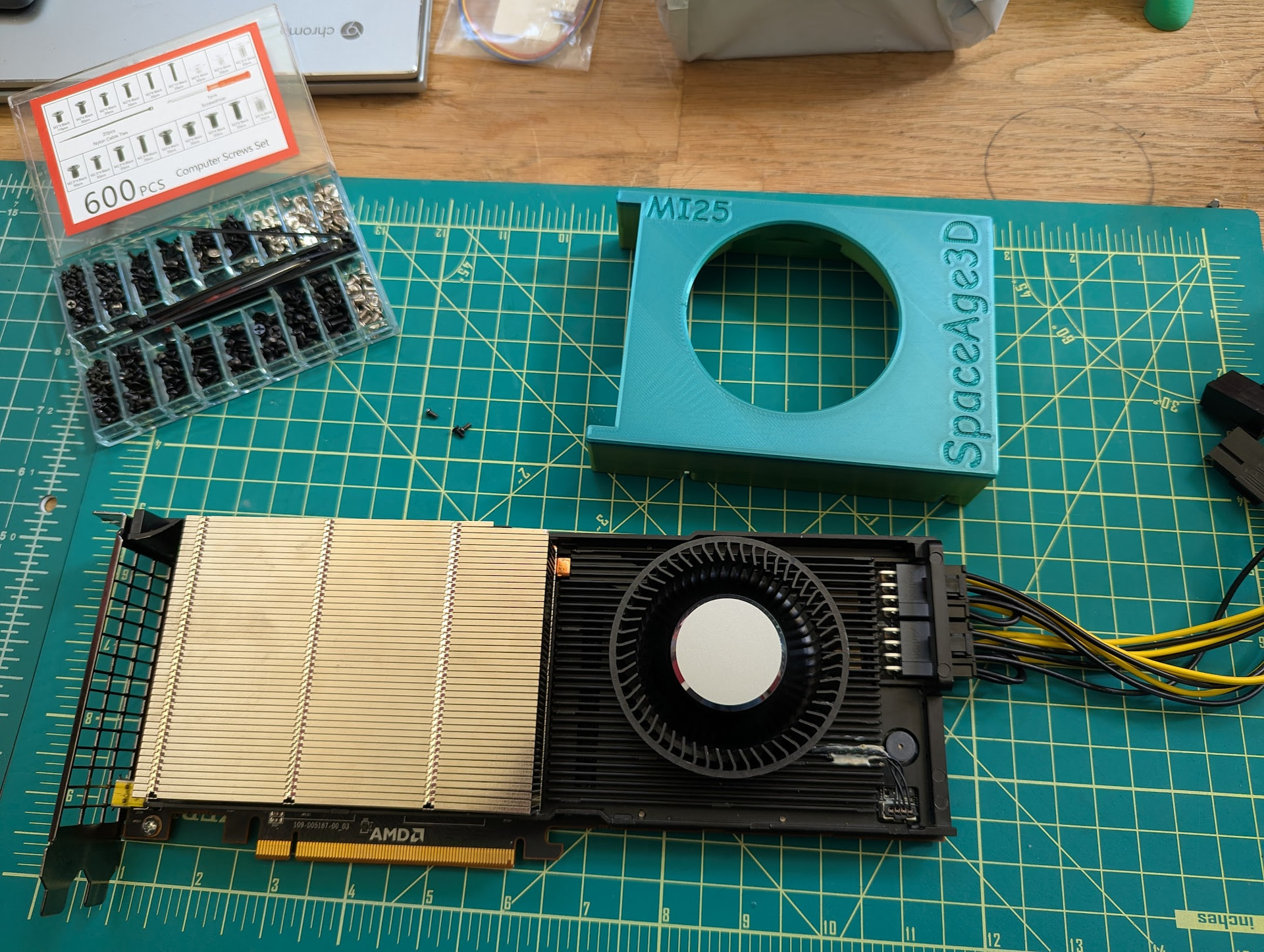
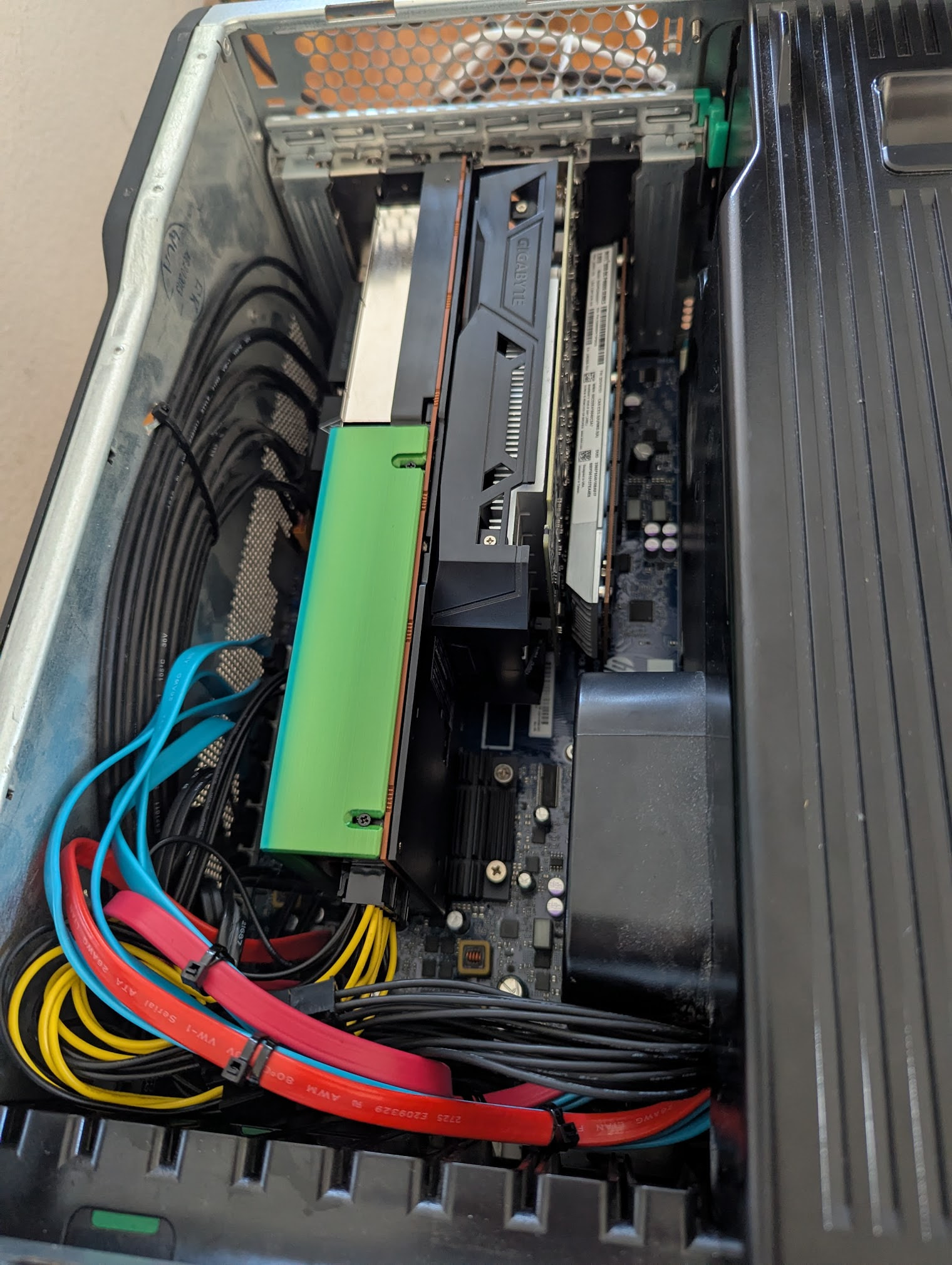
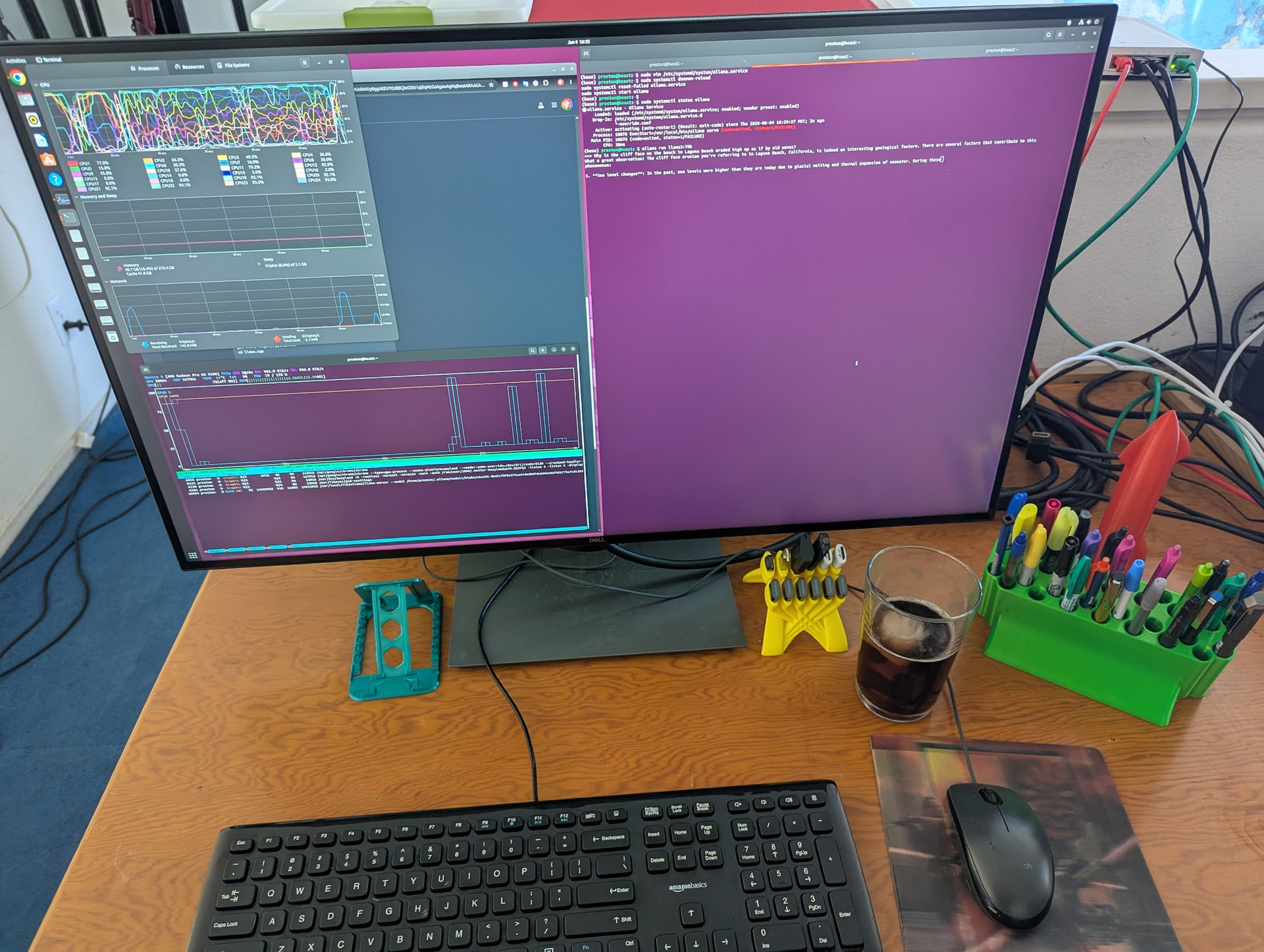
Have an AMD Instinct MI25 GPU, which as a datacenter GPU relies on airflow in the server, and thus lacks a fan. There are fan/duct designs out there, none of which I particularly liked, so iterated on an elaborate 3D-printed fan/duct design. Was very nearly done…
Then had one of those moments when you feel like the village idiot.
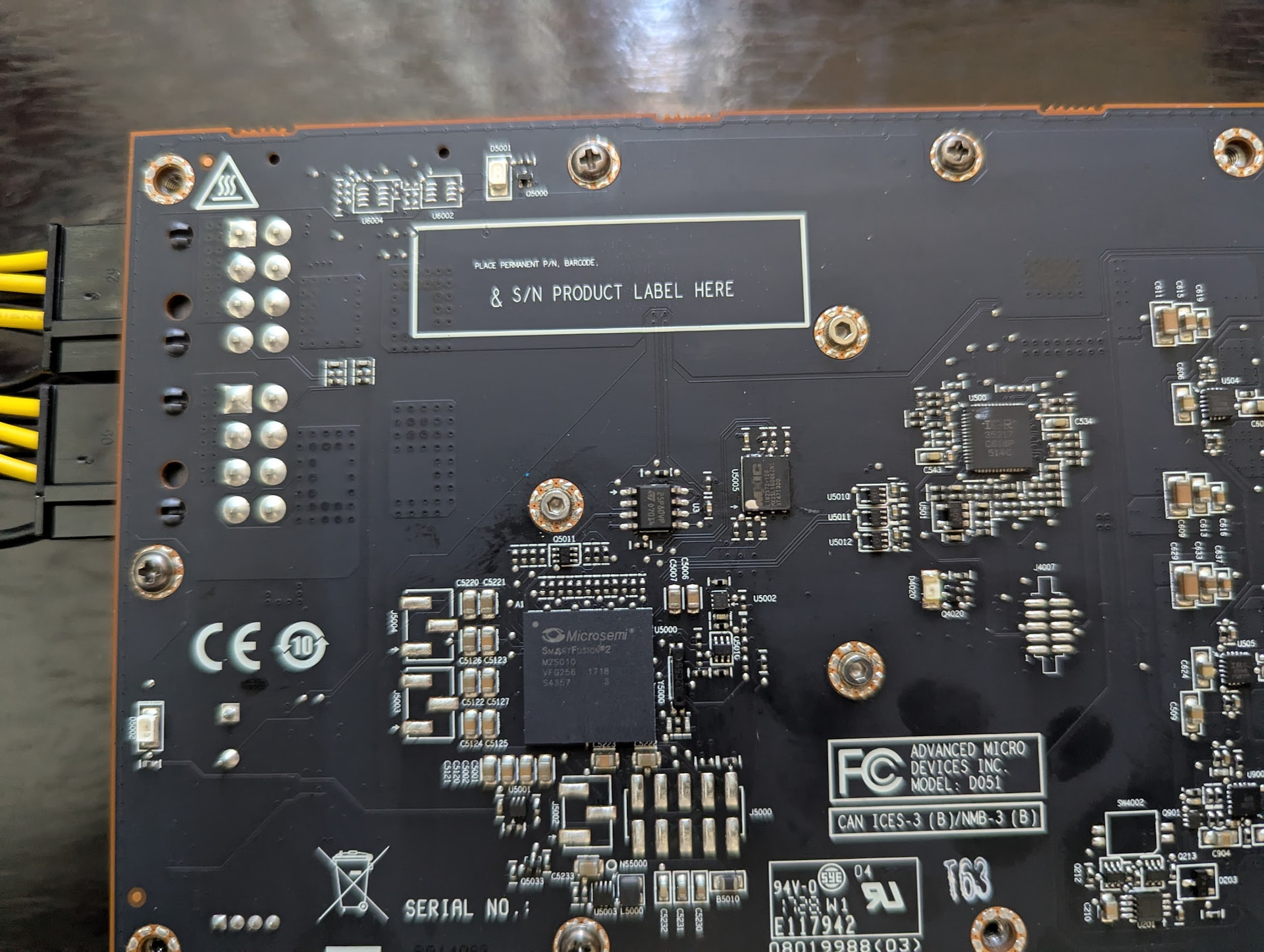
Guess what? When I thought to look, found the card comes pre-drilled(!!) with mounting holes for the fan. This on a datacenter GPU that never shipped with a fan.
Well, that simplifies things considerably. Now to re-design the duct to fit…
Later: Belatedly realized the MI25 is in fact a sibling of the AMD Radeon PRO WX 9100. Presumably this is the same card with a different BIOS, and only one (disabled) video output.
does it really save that much in manufacturing costs when they make these graphics accelerator cards that dont include display adapters? its so convenient to not have to buy a separate display adapter just to see the images being rendered by the accelerator.
shame that literally every graphics accelerator that includes sr-iov happens to not come with display adapter. i’d pay so much for such a card!
Thats not the point. This is a datacenter card with a “passive” heatsink that expects server grade fans to push air through it. Anything blocking the exhaust vents like display outs is bad and would require to make a thicker card.
Also since this is for a rack server the customer is not going to connect screens to it.
So they go for the slimmer option and remove the display outs
The intel b50 and similar gen pro cards have sriov and display outs. They are also thicc.
Should also note, using AI (Microsoft Copilot) proved useful. Did a pass through the Linux log (from boot), feeding each irregularity to Copilot, and got back a lot of useful information.
Note that you should read and understand before running any AI-suggested commands. There were a few cases where the AI made (repeated) useless suggestions, which I skipped. But it did save me a lot of time, with explanations that would have taken quite a lot of digging. The level of understanding of obscure Linux log entries shown by the AI was unexpected.
I had bungled an earlier attempt at installing ollama, and that left a mess.
For the fan, look for “BFB1012SHA01”. (There might be others.) Need a custom 3D printed duct, which yields a much more elegant solution than … all the other alternatives.
And now I am starting over. Wanted to run Debian 13, but at the end found for the MI25 we need ROCm 5.7 (last version to support the MI25). For ROCm 5.7 we need Ubuntu 22 (not 24), and not Debian.
It’s the same issue with the Cycling world. I’ve had conversations with Product Managers on “Why not upgrade this? It would be a $1 part!” $1 turns into $10-$20 by the time you factor in all the costs and extra overhead:
Sourcing the parts
Storing them
Adding the tooling/staff to install that part
The extra step to install the part that may add additional time per unit
Keeping extra on hand for RMA
On top of all that, there are multiple people that touch a product before it makes it to you, and they all want a cut.
Plus, as @starshipeleven correctly pointed out, it would block much needed airflow on top of adding cost.
Basically, there is no upside to adding a video port on a card built to do AI work.
While this is technically correct, I dont think the parts cost in this specific case was much of a factor in the choice. These cards were sold for 15k a pop, with a very significant margin since its basically the same hardware (even mostly the same board as OP discovered there are holes for fan mounts) as the workstation card which retailed for an order of magnitude less, at 1.5k dollars. An it has the display outs.
At this price point, making a slimmer card that fits in more servers is of the utmost priority, all things that are not strictly necessary can go
Computing workloads using GPUs as parallel calculation accelerators (rendering images is basically just highly parallel calculations at the end of the day), and technology like VDI (virtual desktop infrastructure) used to centralize all computers worth of computing power into a couple racks for a large office. It’s an evolution of thin clients, more or less. All workstations in the office are run and images rendered on the server. The people at the desks only have a tiny and weak device that streams the screen like remote desktop. This has advantages for data security, device lifecycle, sometimes helps saving money by purchasing less licenses of expensive workstation software (since now you can easily hot-seat the “workstation” since it’s just a virtual machine), and all sorts of things
AI started in GPUs as a form of professional GPU compute software and still runs on GPUs to this day for the mid end of the spectrum. There are some npus but they are either tiny and extremely weak (meant for basic edge stuff like camera image recognition) or very high end and used only by large businnesses.
Slight irony here as at present pricing the MI25 is ~$100, and the WX9100 is ~$400. Basically the same(?) card, but the MI25 is more trouble to use, and has only one (mini-DP) video output.
If I put a price on my time, have spent more than the price difference.
That said, having converted one MI25, doing a second would be a lot easier. The more like OEM fan seems to be working well. Not room for another card in the box, though.
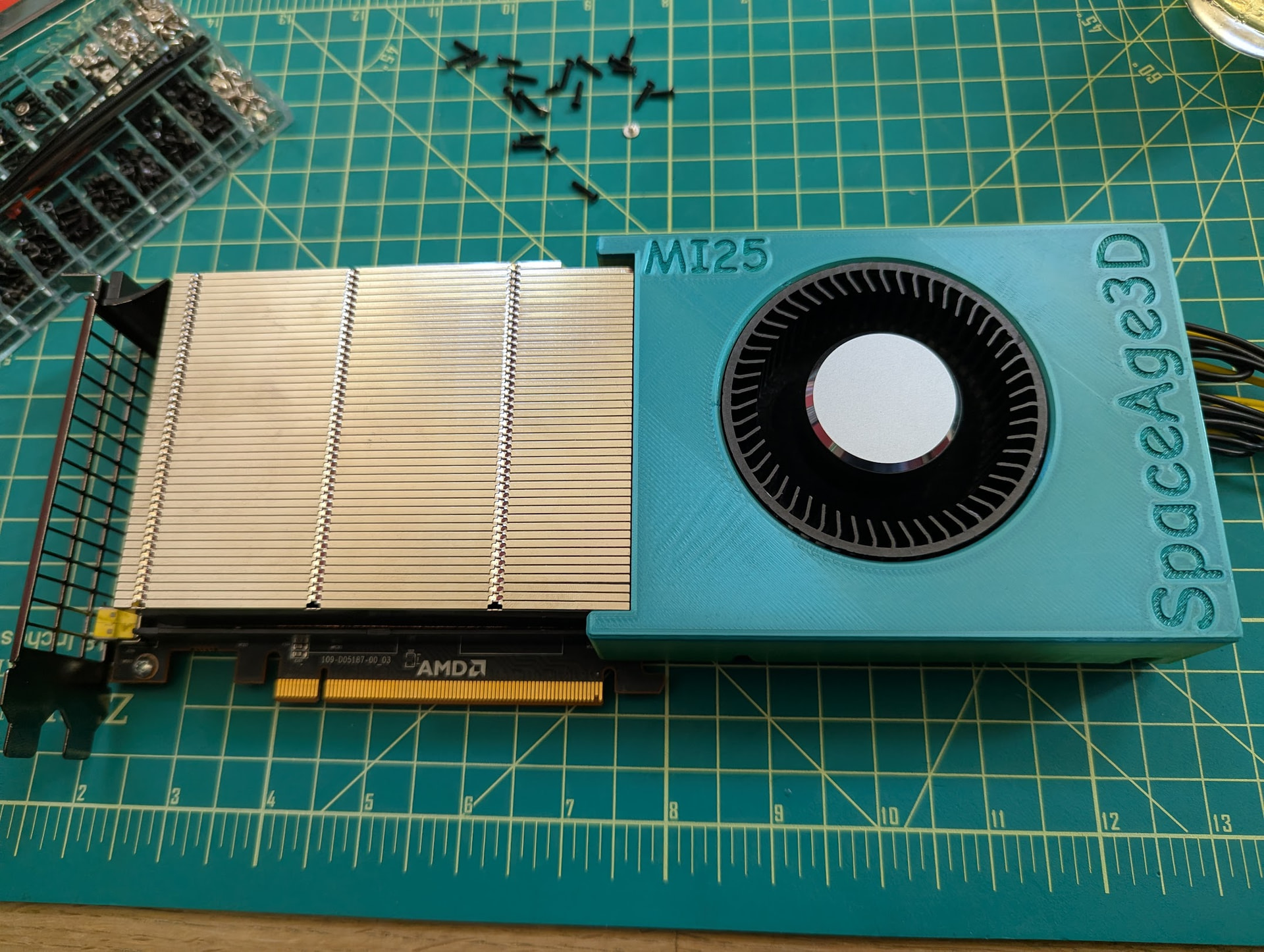
Ran a variety of LLMs, and the GPU stays (relatively) cool - in the 70-80C range, so the fan/duct design works. Fan is near-silent, so the GPU-specific fan works well with the 3D-printed duct.
Was somewhat skeptical of my duct design … but it works!
Attach the GPU fan (needs 2mm screws) though the existing holes in the card.
Plug in the fan’s 4-pin connector to the card.
Glue down the fan-cable to keep away from the fan.
Attach the custom duct using same holes/screws as for original cover.
That gets you working GPU hardware.
Also, IMHO this is a much cleaner solution than the existing offerings.
You also want ROCm 5.7, as the last version to support the MI25 / WX9100. Easiest to just run this in a pre-built Docker image. If you want a native install, this pretty much locks you to Ubuntu 22 (not 24), as the latest version compatible with ROCm 5.7.
Was not satisfied with my prior install of Ubuntu 22 / ROCm / ollama on the server. Started over.
Again, the AI (Microsoft Copilot) was hugely helpful, saved me a lot of time, but also needed help.
Seems ROCm 5.7 does not want to use the WX9100. Also seems for fan support we really want the AMD ATOMBIOS PowerPlay tables from the WX9100 copied into the MI25 BIOS.
There are somewhat-disused existing tools … that do not work.
Well, let us see just how much these AI-tools can do. Opened up vscode with example BIOS files from the MI25 and WX9100 cards, and started iterating on code to parse ATOMBIOS data and copy in/out PowerPlay tables.
The first iteration was wrong - failed to dump known/good BIOS files.
When prompted, Copilot iterated until the dump worked.
Asked for options to save/load the PowerPlay tables. Tried and failed to load an MI25 BIOS with WX9100 tables. Then …
LATER: Note that I abandoned this approach as the MI25 BIOS, even with fan parameters in the “PP” tables (set at runtime), seems to be incapable of proper fan control. (see next)
So … this was tedious. Seems use of the MI25 BIOS is best supported for running LLMs. But the MI25 BIOS lacks (working) fan control. Copying the fan control parameters from the WX9100 into the MI25 BIOS is possible, but flashing the modified BIOS fails.
Turns out we can modify the BIOS fan control parameters at runtime (through the “pp_table” sysfs file) … but in the end the MI25 BIOS just does not seem to do fan control properly. (So even if we could flash a modified BIOS, it would still not work.)
Where this ends is created a service that runs a script to actively monitor and control the MI25 fan. So far, this seems to work. The needed scripts are in:
Still iterating at this. (Hey. I am retired. And stubborn.)
The MI25 fan cooling is sorted (see before).
Spent a lot of time with Microsoft Copilot. Pasting Linux journal segments, or CMake build output, and getting back good answers is impressive. (This is turning into a very clean Linux install.) Sorting the MI25 / LLM install is more of a mixed bag. The LLM seems to “know” quite a lot, which saves me a lot of research time … but some of what it “knows” just is not so.
Yes, this is a well-known behavior. This the first chance / reason I had to spend a significant chunk of time in practice.
My guess is that Copilot operates off what it can find on the web, and community knowledge in this specific area is thin.
The suggestions keep cycling between llama.cpp, vLLM, ollama, and … cycling between ROCm 5.4.3 and 6 and 7 …
Moderately convinced I should stick with ROCm 5.4.3, as supporting gfx900 (the MI25 family), at least for now. ROCm 5.4.3 is installed and working. There was a problem with hipcc not finding the standard system includes, which improved after:
apt install libstdc+±12-dev
(Not sure why…)
Currently focused on getting llama.cpp working, but not so much relying on Copilot. To be more exact, the current llama.cpp works, but does not see the GPU. Current versions do not support ROCm 5.4.3, so going to backstep to see what works.
Have as yet no notion how Vulkan fits in. Seems to be used as a backend (sometimes?) for the tools that run LLMs. Will admit I am not yet acquainted with this landscape.