The Build
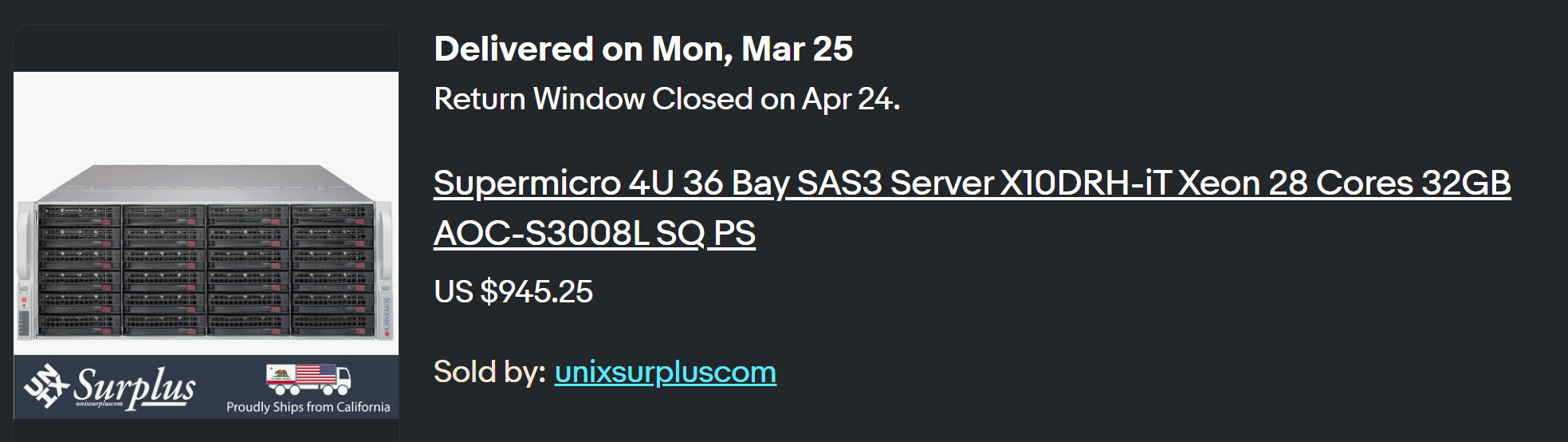
eBay Affiliate Listing for Disk Shelf:
The Fitness Tests
Smartctl
The first tool in your toolbox is smartctl

It’s going to take 900 minutes for that test to complete! A watched pot never boils:
And a selection of failures:
Error 7 occurred at disk power-on lifetime: 47833 hours (1993 days + 1 hours)
  When the command that caused the error occurred, the device was active or idle.

sudo apt-get install smartmontools lsscsi mailutils ksh lvm2
git clone https://github.com/ezonakiusagi/bht.git
cd bht
./bht /dev/drive1 /dev/drive2 /dev/drive3
To check on the status of the test run, execute bht with --status option:
$ cd /path/to/test/data
$ bht --status
So on my system it shook out like:
INFO: changing to /home/w/fitdrive/bht.
no pools available
no pools available
no pools available
no pools available
no pools available
no pools available
no pools available
ATTN: this hard drive testing process will wipe all data
ATTN: on the following hard drives:
ATTN: /dev/sdi /dev/sdj /dev/sdk /dev/sdl /dev/sdm /dev/sdn /dev/sdo
ATTN: ARE YOU SURE YOU WANT TO PROCEED?: yes
INFO: collecting SMART data from each drive.
INFO: WDCWD30EFRX-68EUZN0 / WD-WMC4N0E9FHA7
INFO: WDCWD30EFRX-68EUZN0 / WD-WMC4N0DA443P
INFO: WDCWD30EFRX-68EUZN0 / WD-WMC4N0E1PN2L
INFO: HGSTHDN724030ALE640 / PK1234P8JMU31P
INFO: WDCWD30EFRX-68EUZN0 / WD-WCC4NHSL2LUL
INFO: WDCWD30EFRX-68EUZN0 / WD-WCC4NFLDULC4
INFO: WDCWD30EFRX-68EUZN0 / WD-WMC4N0E6V977
INFO: Running badblocks on /dev/sdi.
INFO: ==> output to /home/w/fitdrive/bht/disks/WDCWD30EFRX-68EUZN0_WD-WMC4N0E9FHA7.
INFO: ==> [WDCWD30EFRX-68EUZN0|WD-WMC4N0E9FHA7]
INFO: Running badblocks on /dev/sdj.
INFO: ==> output to /home/w/fitdrive/bht/disks/WDCWD30EFRX-68EUZN0_WD-WMC4N0DA443P.
INFO: ==> [WDCWD30EFRX-68EUZN0|WD-WMC4N0DA443P]
INFO: Running badblocks on /dev/sdk.
INFO: ==> output to /home/w/fitdrive/bht/disks/WDCWD30EFRX-68EUZN0_WD-WMC4N0E1PN2L.
INFO: ==> [WDCWD30EFRX-68EUZN0|WD-WMC4N0E1PN2L]
INFO: Running badblocks on /dev/sdl.
INFO: ==> output to /home/w/fitdrive/bht/disks/HGSTHDN724030ALE640_PK1234P8JMU31P.
INFO: ==> [HGSTHDN724030ALE640|PK1234P8JMU31P]
INFO: Running badblocks on /dev/sdm.
INFO: ==> output to /home/w/fitdrive/bht/disks/WDCWD30EFRX-68EUZN0_WD-WCC4NHSL2LUL.
INFO: ==> [WDCWD30EFRX-68EUZN0|WD-WCC4NHSL2LUL]
INFO: Running badblocks on /dev/sdn.
INFO: ==> output to /home/w/fitdrive/bht/disks/WDCWD30EFRX-68EUZN0_WD-WCC4NFLDULC4.
INFO: ==> [WDCWD30EFRX-68EUZN0|WD-WCC4NFLDULC4]
INFO: Running badblocks on /dev/sdo.
INFO: ==> output to /home/w/fitdrive/bht/disks/WDCWD30EFRX-68EUZN0_WD-WMC4N0E6V977.
INFO: ==> [WDCWD30EFRX-68EUZN0|WD-WMC4N0E6V977]
Note This Testing IS Destructive.
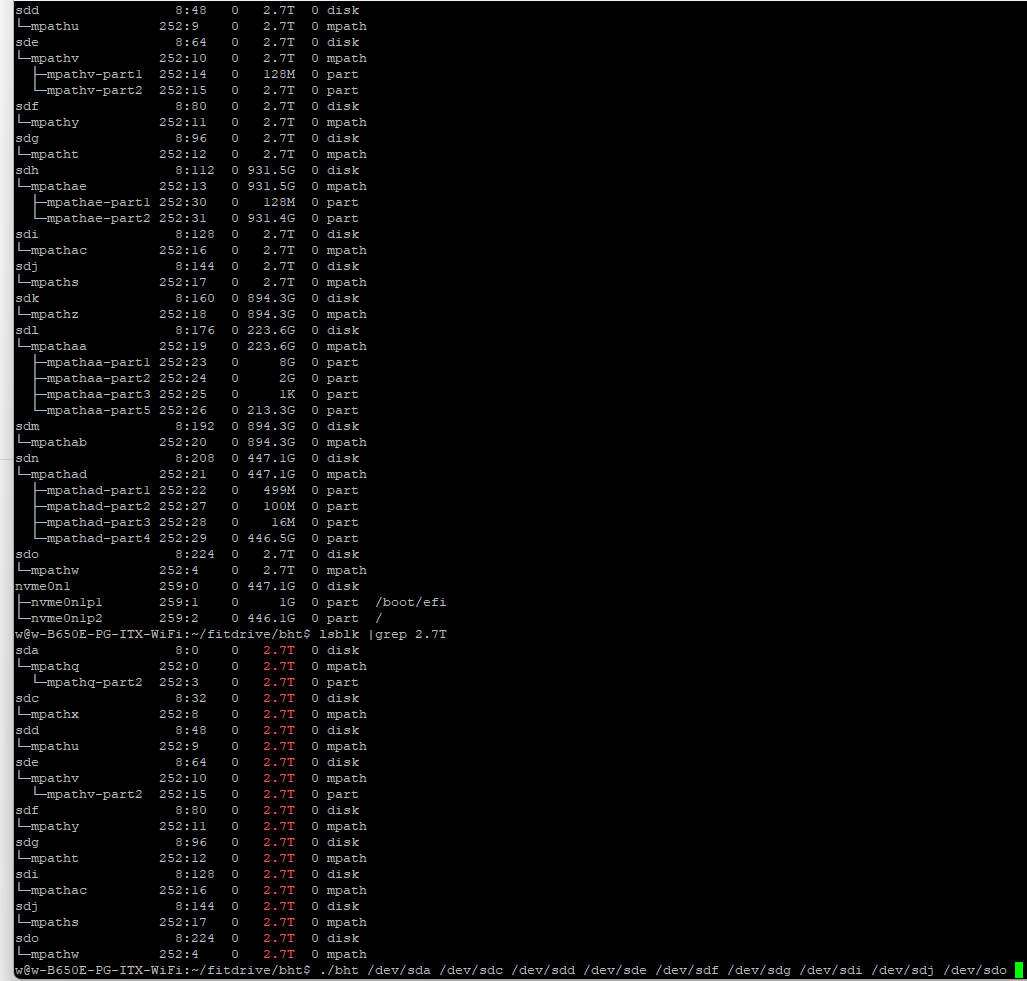
Bonus Rounds – what about Multipath?
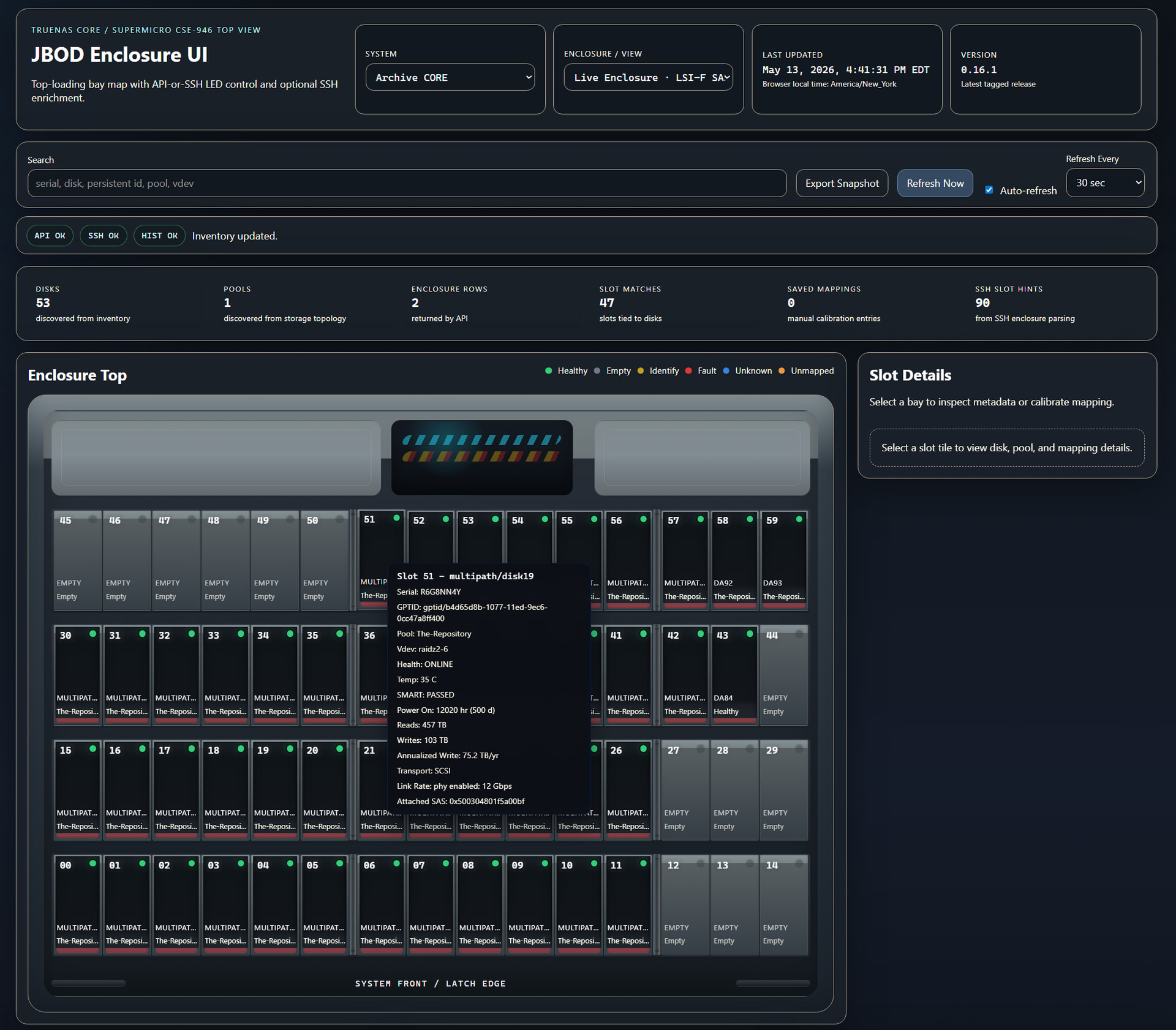
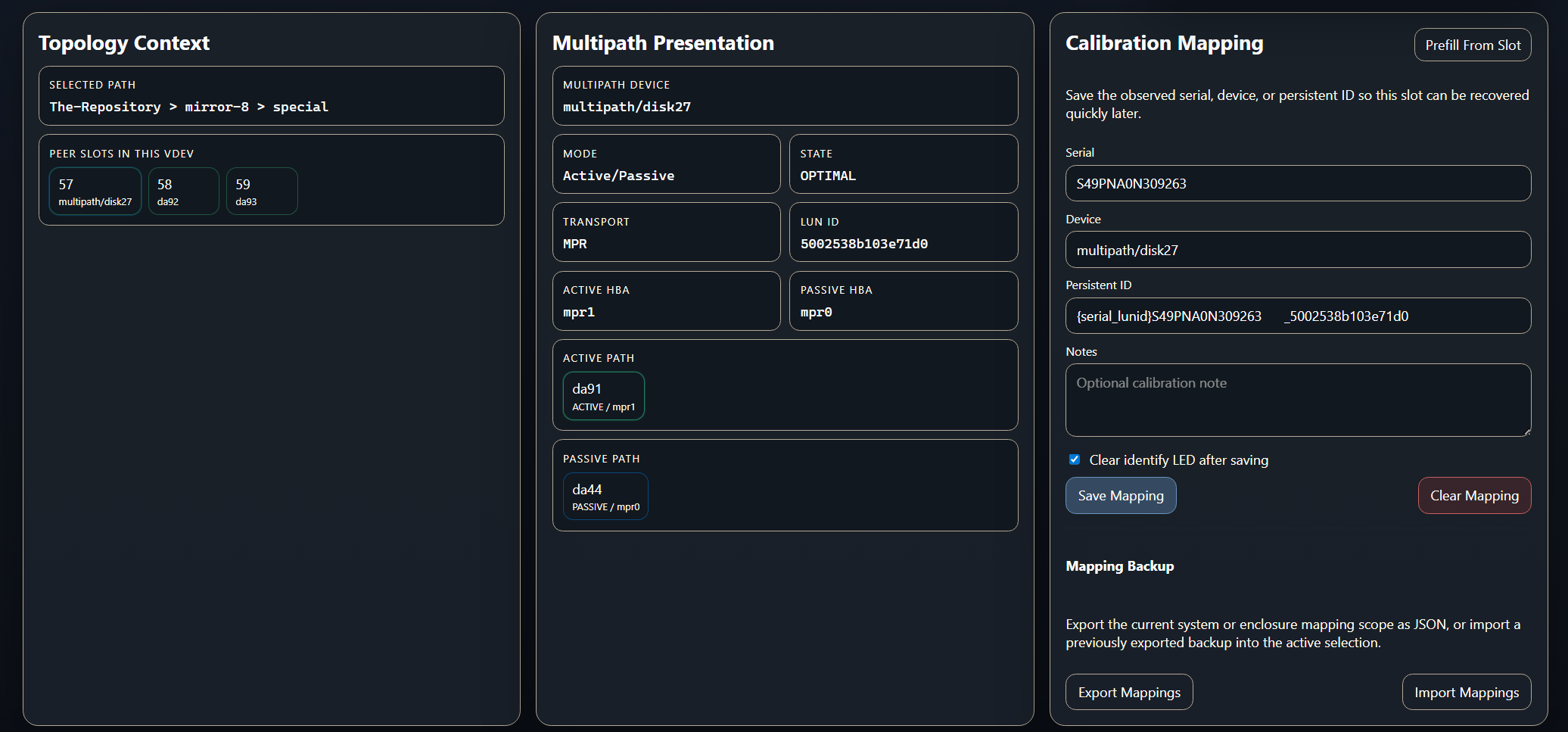
With dual-controller SAS shelves, the same physical drive may be reachable through two SAS paths. Without multipath, Linux can expose the same disk twice. Multipath combines those paths into one block device so you do not accidentally write to the same disk through two independent /dev/sdX devices.
You might be able to enable multipath on your setup!
sudo apt update
sudo apt install -y multipath-tools lsscsi sg3-utils

sudo tee /etc/multipath.conf >/dev/null <<'EOF'
defaults {
    user_friendly_names yes
    find_multipaths no
}
EOF

sudo systemctl enable --now multipathd
sudo systemctl restart multipathd
sudo multipath -r
Check what can be seen by the system:
lsblk -S -o NAME,HCTL,VENDOR,MODEL,SERIAL
lsscsi -t
sudo multipath -ll
ls -l /dev/disk/by-id/dm-*
It can be worth it to setup multipath for redundancy and better performance. Typically SAS drives can do multipath connections natively but SATA drives cannot unless you have a sata interposer card either built-in to your enclosure OR that sits between your drive and the backplane. (Netapp is usually an extra-card-between-drive-and-backplane type of setup.)
Setting Up the ZFS Pool
ZFS AnyRaid is not quite ready yet? For this kind of use case? But It was fun to experiment with it in its current state.
zpool status tank
  pool: tank
 state: ONLINE
status: Some supported and requested features are not enabled on the pool.
        The pool has uneven levels of redundancy across top-level vdevs.
       action: Enable all features using 'zpool upgrade'.
  scan: scrub repaired 0B in 18:42:11 with 0 errors on Sun May  3 06:42:11 2026
config:

        NAME             STATE     READ WRITE CKSUM
        tank             ONLINE       0     0     0
          raidz3-0       ONLINE       0     0     0
            mpath3t00    ONLINE       0     0     0
            mpath3t01    ONLINE       0     0     0
            mpath3t02    ONLINE       0     0     0
            mpath3t03    ONLINE       0     0     0
            mpath3t04    ONLINE       0     0     0
            mpath3t05    ONLINE       0     0     0
            mpath3t06    ONLINE       0     0     0
            mpath3t07    ONLINE       0     0     0
            mpath3t08    ONLINE       0     0     0
            mpath3t09    ONLINE       0     0     0
            mpath3t10    ONLINE       0     0     0
            mpath3t11    ONLINE       0     0     0
            mpath3t12    ONLINE       0     0     0
            mpath3t13    ONLINE       0     0     0
            mpath3t14    ONLINE       0     0     0
            mpath3t15    ONLINE       0     0     0
            mpath3t16    ONLINE       0     0     0
            mpath3t17    ONLINE       0     0     0
            mpath3t18    ONLINE       0     0     0
            mpath3t19    ONLINE       0     0     0
          raidz3-1       ONLINE       0     0     0
            mpath4t00    ONLINE       0     0     0
            mpath4t01    ONLINE       0     0     0
            mpath4t02    ONLINE       0     0     0
            mpath4t03    ONLINE       0     0     0
            mpath4t04    ONLINE       0     0     0
            mpath4t05    ONLINE       0     0     0
            mpath4t06    ONLINE       0     0     0
            mpath4t07    ONLINE       0     0     0
            mpath4t08    ONLINE       0     0     0
            mpath4t09    ONLINE       0     0     0
            mpath4t10    ONLINE       0     0     0
            mpath4t11    ONLINE       0     0     0
            mpath4t12    ONLINE       0     0     0
            mpath4t13    ONLINE       0     0     0
            mpath4t14    ONLINE       0     0     0
            mpath4t15    ONLINE       0     0     0
          raidz2-2       ONLINE       0     0     0
            mpath10t00   ONLINE       0     0     0
            mpath10t01   ONLINE       0     0     0
            mpath10t02   ONLINE       0     0     0
            mpath10t03   ONLINE       0     0     0
            mpath10t04   ONLINE       0     0     0
            mpath10t05   ONLINE       0     0     0
NOTE: The uneven (mixed raidz2 and 3) is not recommended as explained in the video. If one vdev has a failure, the entire pool is lost.
I created another pool with the other drives:
zpool status suspool
  pool: suspool
 state: ONLINE
status:
  scan: scrub repaired 0B in 05:16:33 with 0 errors on Sun May  3 11:16:33 2026
config:

        NAME             STATE     READ WRITE CKSUM
        suspool          ONLINE       0     0     0
          raidz1-0       ONLINE       0     0     0
            mpath8t00    ONLINE       0     0     0
            mpath8t01    ONLINE       0     0     0
            mpath8t02    ONLINE       0     0     0
            mpath8t03    ONLINE       0     0     0
          raidz1-1       ONLINE       0     0     0
            mpath6t00    ONLINE       0     0     0
            mpath6t01    ONLINE       0     0     0
            mpath6t02    ONLINE       0     0     0
            mpath6t03    ONLINE       0     0     0
If you really want “one big pool” I could suggest mergerfs but it has a lot of downsides. Better to treat the two pools like datasets in one big pool.
Performance
We are able to saturate 10 gigabit networking! That was not entirely expected.
I mean theoretically we could do 42 × 180 MB/s = 7,560 MB/s
But there are bottlenecks in this netapp diskshelf, especially with sata disks. Real world?
SAS shelf ceiling: ~10 GB/s usable
Drive sequential read: ~7.5 GB/s ideal
Real sequential read: ~2.5–4.0 GB/s
RAIDZ sequential write: ~6.1 GB/s ideal
Real sequential write: ~2.0–3.5 GB/s
Random read IOPS: ~3k–4k best-case
Random write IOPS: ~100–300 realistic
This is actually.. not awful! The performance is very uneven however:
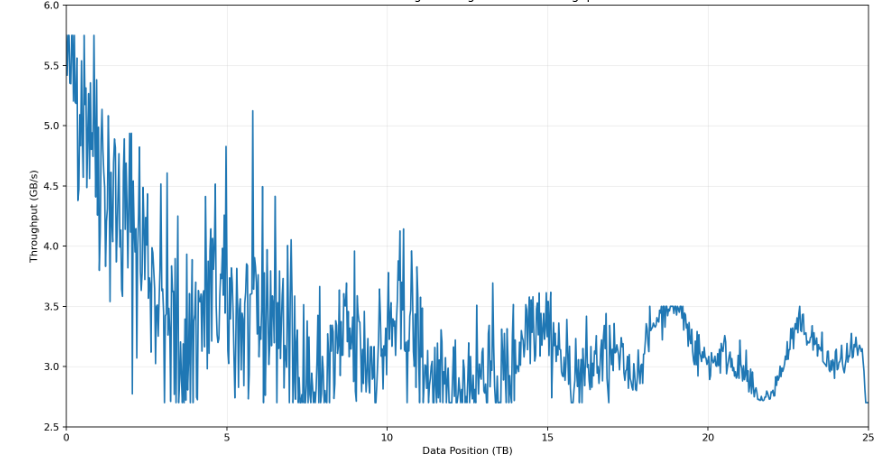
Still.. this isn’t as bad as I was expecting and the I/O almost doesn’t drop below 3 gigabytes/sec.
What about the small SSDs?
The disk shelf was more of a bottleneck than expected. Each Sata SSD drive can do 500 megabytes per second so spreading them around can make a big difference. That is by far the best part of the pool.
Final Notes
Remember to try to locate the sata SSD drives elsewhere than the front row of each shelf of disks for airflow reasons. And try to populate the front four spots of each drawer if you’re using this disk shelf.

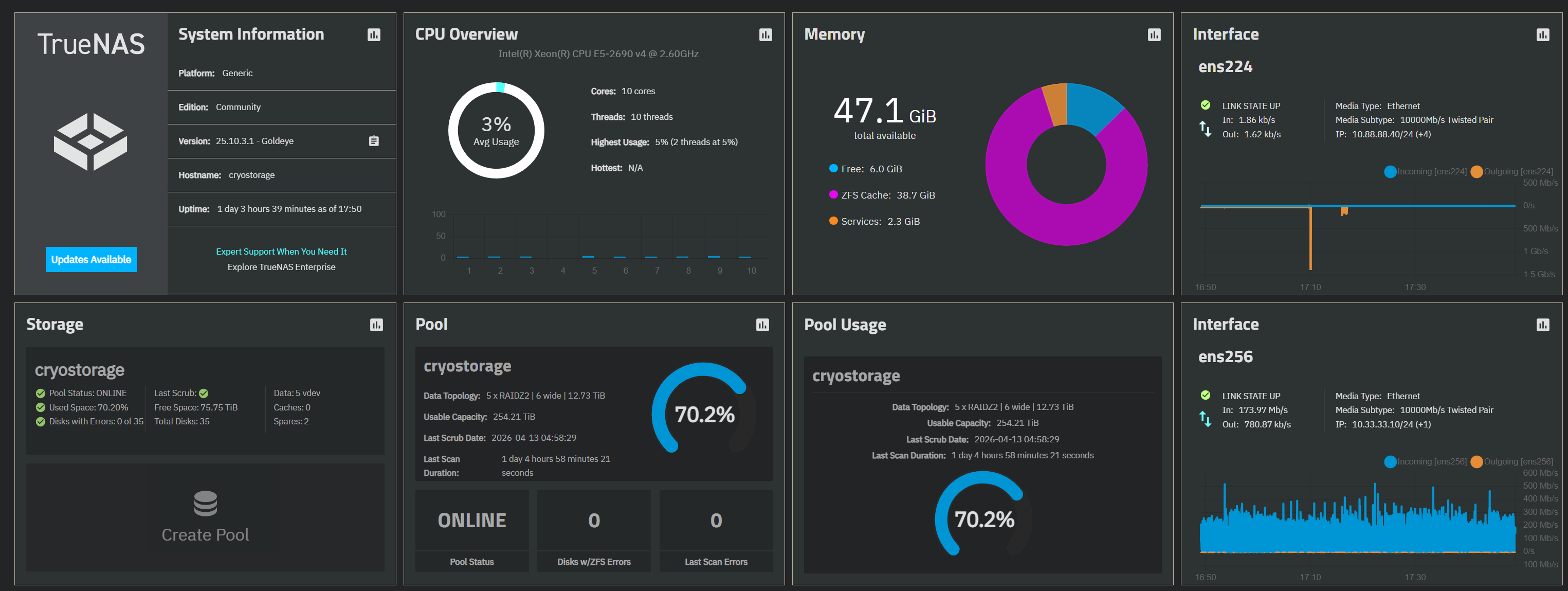
 , guess i have a project for this weekend now.