[Blog] My Journey migrating from windows to Linux

Boots fine using generic driver on windows 11. Soon as I install the nvidia driver the display dies and get a code 43 on the display driver.

<domain type="kvm">
  <name>win11</name>
  <uuid>520532ea-6c72-4743-946e-60928d969537</uuid>
  <metadata>
    <libosinfo:libosinfo xmlns:libosinfo="http://libosinfo.org/xmlns/libvirt/domain/1.0">
      <libosinfo:os id="http://microsoft.com/win/11"/>
    </libosinfo:libosinfo>
  </metadata>
  <memory unit="KiB">67108864</memory>
  <currentMemory unit="KiB">67108864</currentMemory>
  <vcpu placement="static">32</vcpu>
  <os firmware="efi">
    <type arch="x86_64" machine="pc-q35-8.2">hvm</type>
    <firmware>
      <feature enabled="yes" name="enrolled-keys"/>
      <feature enabled="yes" name="secure-boot"/>
    </firmware>
    <loader readonly="yes" secure="yes" type="pflash">/usr/share/OVMF/OVMF_CODE_4M.ms.fd</loader>
    <nvram template="/usr/share/OVMF/OVMF_VARS_4M.ms.fd">/var/lib/libvirt/qemu/nvram/win11_VARS.fd</nvram>
    <boot dev="hd"/>
  </os>
  <features>
    <acpi/>
    <apic/>
    <hyperv mode="custom">
      <relaxed state="on"/>
      <vapic state="on"/>
      <spinlocks state="on" retries="8191"/>
      <vendor_id state="on" value="flatsystem"/>
    </hyperv>
    <kvm>
      <hidden state="on"/>
    </kvm>
    <vmport state="off"/>
    <smm state="on"/>
  </features>
  <cpu mode="host-passthrough" check="none" migratable="on">
    <topology sockets="1" dies="1" cores="32" threads="1"/>
  </cpu>
  <clock offset="localtime">
    <timer name="rtc" tickpolicy="catchup"/>
    <timer name="pit" tickpolicy="delay"/>
    <timer name="hpet" present="no"/>
    <timer name="hypervclock" present="yes"/>
  </clock>
  <on_poweroff>destroy</on_poweroff>
  <on_reboot>restart</on_reboot>
  <on_crash>destroy</on_crash>
  <pm>
    <suspend-to-mem enabled="no"/>
    <suspend-to-disk enabled="no"/>
  </pm>
  <devices>
    <emulator>/usr/bin/qemu-system-x86_64</emulator>
    <disk type="block" device="disk">
      <driver name="qemu" type="raw" cache="none" io="native" discard="unmap"/>
      <source dev="/dev/nvme1n1p1"/>
      <target dev="sda" bus="sata"/>
      <address type="drive" controller="0" bus="0" target="0" unit="0"/>
    </disk>
    <disk type="file" device="cdrom">
      <driver name="qemu" type="raw"/>
      <source file="/home/ptrck/Downloads/en-us_windows_11_business_editions_version_23h2_updated_may_2024_x64_dvd_97f0b7e9.iso"/>
      <target dev="sdb" bus="sata"/>
      <readonly/>
      <address type="drive" controller="0" bus="0" target="0" unit="1"/>
    </disk>
    <controller type="usb" index="0" model="qemu-xhci" ports="15">
      <address type="pci" domain="0x0000" bus="0x02" slot="0x00" function="0x0"/>
    </controller>
    <controller type="pci" index="0" model="pcie-root"/>
    <controller type="pci" index="1" model="pcie-root-port">
      <model name="pcie-root-port"/>
      <target chassis="1" port="0x10"/>
      <address type="pci" domain="0x0000" bus="0x00" slot="0x02" function="0x0" multifunction="on"/>
    </controller>
    <controller type="pci" index="2" model="pcie-root-port">
      <model name="pcie-root-port"/>
      <target chassis="2" port="0x11"/>
      <address type="pci" domain="0x0000" bus="0x00" slot="0x02" function="0x1"/>
    </controller>
    <controller type="pci" index="3" model="pcie-root-port">
      <model name="pcie-root-port"/>
      <target chassis="3" port="0x12"/>
      <address type="pci" domain="0x0000" bus="0x00" slot="0x02" function="0x2"/>
    </controller>
    <controller type="pci" index="4" model="pcie-root-port">
      <model name="pcie-root-port"/>
      <target chassis="4" port="0x13"/>
      <address type="pci" domain="0x0000" bus="0x00" slot="0x02" function="0x3"/>
    </controller>
    <controller type="pci" index="5" model="pcie-root-port">
      <model name="pcie-root-port"/>
      <target chassis="5" port="0x14"/>
      <address type="pci" domain="0x0000" bus="0x00" slot="0x02" function="0x4"/>
    </controller>
    <controller type="pci" index="6" model="pcie-root-port">
      <model name="pcie-root-port"/>
      <target chassis="6" port="0x15"/>
      <address type="pci" domain="0x0000" bus="0x00" slot="0x02" function="0x5"/>
    </controller>
    <controller type="pci" index="7" model="pcie-root-port">
      <model name="pcie-root-port"/>
      <target chassis="7" port="0x16"/>
      <address type="pci" domain="0x0000" bus="0x00" slot="0x02" function="0x6"/>
    </controller>
    <controller type="pci" index="8" model="pcie-root-port">
      <model name="pcie-root-port"/>
      <target chassis="8" port="0x17"/>
      <address type="pci" domain="0x0000" bus="0x00" slot="0x02" function="0x7"/>
    </controller>
    <controller type="pci" index="9" model="pcie-root-port">
      <model name="pcie-root-port"/>
      <target chassis="9" port="0x18"/>
      <address type="pci" domain="0x0000" bus="0x00" slot="0x03" function="0x0" multifunction="on"/>
    </controller>
    <controller type="pci" index="10" model="pcie-root-port">
      <model name="pcie-root-port"/>
      <target chassis="10" port="0x19"/>
      <address type="pci" domain="0x0000" bus="0x00" slot="0x03" function="0x1"/>
    </controller>
    <controller type="pci" index="11" model="pcie-root-port">
      <model name="pcie-root-port"/>
      <target chassis="11" port="0x1a"/>
      <address type="pci" domain="0x0000" bus="0x00" slot="0x03" function="0x2"/>
    </controller>
    <controller type="pci" index="12" model="pcie-root-port">
      <model name="pcie-root-port"/>
      <target chassis="12" port="0x1b"/>
      <address type="pci" domain="0x0000" bus="0x00" slot="0x03" function="0x3"/>
    </controller>
    <controller type="pci" index="13" model="pcie-root-port">
      <model name="pcie-root-port"/>
      <target chassis="13" port="0x1c"/>
      <address type="pci" domain="0x0000" bus="0x00" slot="0x03" function="0x4"/>
    </controller>
    <controller type="pci" index="14" model="pcie-root-port">
      <model name="pcie-root-port"/>
      <target chassis="14" port="0x1d"/>
      <address type="pci" domain="0x0000" bus="0x00" slot="0x03" function="0x5"/>
    </controller>
    <controller type="sata" index="0">
      <address type="pci" domain="0x0000" bus="0x00" slot="0x1f" function="0x2"/>
    </controller>
    <controller type="virtio-serial" index="0">
      <address type="pci" domain="0x0000" bus="0x03" slot="0x00" function="0x0"/>
    </controller>
    <interface type="network">
      <mac address="52:54:00:e8:c9:ca"/>
      <source network="default"/>
      <model type="e1000e"/>
      <address type="pci" domain="0x0000" bus="0x01" slot="0x00" function="0x0"/>
    </interface>
    <serial type="pty">
      <target type="isa-serial" port="0">
        <model name="isa-serial"/>
      </target>
    </serial>
    <console type="pty">
      <target type="serial" port="0"/>
    </console>
    <channel type="spicevmc">
      <target type="virtio" name="com.redhat.spice.0"/>
      <address type="virtio-serial" controller="0" bus="0" port="1"/>
    </channel>
    <input type="tablet" bus="usb">
      <address type="usb" bus="0" port="1"/>
    </input>
    <input type="mouse" bus="ps2"/>
    <input type="keyboard" bus="ps2"/>
    <tpm model="tpm-crb">
      <backend type="emulator" version="2.0"/>
    </tpm>
    <graphics type="spice" autoport="yes">
      <listen type="address"/>
      <image compression="off"/>
    </graphics>
    <sound model="ich9">
      <address type="pci" domain="0x0000" bus="0x00" slot="0x1b" function="0x0"/>
    </sound>
    <audio id="1" type="spice"/>
    <video>
      <model type="none"/>
    </video>
    <hostdev mode="subsystem" type="pci" managed="yes">
      <driver name="vfio"/>
      <source>
        <address domain="0x0000" bus="0x01" slot="0x00" function="0x0"/>
      </source>
      <address type="pci" domain="0x0000" bus="0x05" slot="0x00" function="0x0"/>
    </hostdev>
    <hostdev mode="subsystem" type="pci" managed="yes">
      <driver name="vfio"/>
      <source>
        <address domain="0x0000" bus="0x01" slot="0x00" function="0x1"/>
      </source>
      <address type="pci" domain="0x0000" bus="0x06" slot="0x00" function="0x0"/>
    </hostdev>
    <redirdev bus="usb" type="spicevmc">
      <address type="usb" bus="0" port="2"/>
    </redirdev>
    <redirdev bus="usb" type="spicevmc">
      <address type="usb" bus="0" port="3"/>
    </redirdev>
    <watchdog model="itco" action="reset"/>
    <memballoon model="virtio">
      <address type="pci" domain="0x0000" bus="0x04" slot="0x00" function="0x0"/>
    </memballoon>
  </devices>
</domain>

Some other stuff

Kernel command line: BOOT_IMAGE=/BOOT/ubuntu_2cbl38@/vmlinuz-6.8.0-36-generic root=ZFS=rpool/ROOT/ubuntu_2cbl38 ro amd_iommu=on iommu=pt vfio-pci.ids=10de:22ba,10de:26b1 quiet splash vt.handoff=1
[   23.549551] VFIO - User Level meta-driver version: 0.3
[   23.601375] vfio_pci: add [10de:22ba[ffffffff:ffffffff]] class 0x000000/00000000
[   23.618134] vfio-pci 0000:01:00.0: vgaarb: deactivate vga console
[   23.618150] vfio-pci 0000:01:00.0: vgaarb: VGA decodes changed: olddecodes=io+mem,decodes=none:owns=none
[   23.619064] vfio_pci: add [10de:26b1[ffffffff:ffffffff]] class 0x000000/00000000
[  199.687055] vfio-pci 0000:01:00.1: enabling device (0000 -> 0002)
01:00.0 VGA compatible controller [0300]: NVIDIA Corporation AD102GL [RTX 6000 Ada Generation] [10de:26b1] (rev a1)
	Subsystem: NVIDIA Corporation AD102GL [RTX 6000 Ada Generation] [10de:16a1]
	Kernel driver in use: vfio-pci
	Kernel modules: nvidiafb, nouveau, nvidia_drm, nvidia
01:00.1 Audio device [0403]: NVIDIA Corporation AD102 High Definition Audio Controller [10de:22ba] (rev a1)
	Subsystem: NVIDIA Corporation AD102 High Definition Audio Controller [10de:16a1]
	Kernel driver in use: vfio-pci
	Kernel modules: snd_hda_intel

There’s your problem. You didn’t pay NVIDIA the extortionate sum required to use the hardware you already purchased.

I have this graphics card as well.

RTX 6000 Ada Linux driver crash:

aleksey.izmailov

Apr 26 '23

Just to update on this and close the topic. I’ve talked to Nvidia and was informed that vGPU approach is required whether it’s a pass-through mode or splitting GPU to multiple users. vGPU requires a valid license and installation of video driver on the host and on the guest. To my best knowledge there is no way to directly pass through a professional GPU without using vGPU.

Before I’ve figured out the solution with vGPU I’ve tried all kinds of Proxmox tricks like setting kernel boot parameters, changing GPU PCIe physical slot, etc. GPU was visible in the guest OS but the driver would not work with it. On the same guest VM I can pass RTX 3090 without issues.
RTX 6000 Ada works fine with the same linux driver on bare metal.

Kudos,
Alex

Someone got theirs to work to their liking though.

Passthrough RTX 6000 Ada to Proxmox VM - Linux driver crash - follow-up/better solution?:

maier

Jul 6

I also got this:

NVRM: GPU 0000:01:00.0: RmInitAdapter failed! (0x11:0x45:2525]
NVRM: GPU 0000:01:00.0: rm_init_adapter failed, device minor number 0

while trying to pass a whole NVIDIA RTX 6000 Ada to an Ubuntu 20.04 VM under Proxmox.

But my simple solution was to set the so called display mode to ā€œcomputeā€ with the displaymodeselector tool.
Then this GPU apparently also works without problems in the VM.

I’m writing this because the solution here sends me to the wrong track, apart from the fact that the vGPU User Guide gave me the crucial hint about the tool.

I don’t need a license and installation of vGPU video driver on the host and on the guest to passthrough the whole GPU.

Why this was never necessary for e.g. RTXA5000, is something I don’t understand.

Regards,
Macke

3 Likes

< vendor_id state=ā€˜on’ value=ā€˜eu123346789ab/ > < hidden state=ā€˜on’/>

seems like you’ve got hidden set, but the vendor id value being random crap sometimes helps, too.

virsh edit (id) should do it.

start there, but there may be more to do. Also if the performance sucks, we can enable huge pages and do cpu pinning, but one step at a time.

Is there a display attached to this gpu?

When you start the VM do you see the tiano core efi boot logo/screen on the monitor attached to the gpu?

I have this gpu and can try this setup tomorrow to be sure, but I think its fine if you just pass through the whole thing.

IOMMU=on (not auto) may have to be set in the bios as well. As well as PCIE AER=on

3 Likes

Is the display attached to this gpu?

Yes, well not my primary display, but a monitor is attached to it.

When you start the VM do you see the tiano core efi boot logo/screen on the monitor attached to the gpu?

Yes, even see the spinning windows loading sprite for a few seconds before it stops and the monitor turns off. I can login to the host through remote desktop just fine after a few seconds.

IOMMU, SR-IOV, amd PCIEAER are set (not auto) in the bios

Error changing VM configuration: unsupported configuration: unsupported HyperV Enlightenment feature: hidden

I did try putting hidden state in the kvm section under features along with the vendor_id with no luck.

ahhh I gotchufam, jeez I cant believe this bug is back.

so, what you gotta do and this is so stupid I am so sorry, is this

Changing the validation schema is the next step, this will allow us more detailed configuration steps. virsh uses your default editor and will check syntax once you exit it.
Backing up your XML should be the first step:
sudo virsh edit win10
Replace <domain type='kvm'> with:
<domain type='kvm' xmlns:qemu='http://libvirt.org/schemas/domain/qemu/1.0'>


thhen you can use this style overrides:

 <qemu:commandline>
        <qemu:arg value='-cpu'/>
        <qemu:arg value='host,hv_time,kvm=off,hv_vendor_id=null'/>
      </qemu:commandline>
    </domain>

everything old in the 2019 is new agian in 2024 it seems, sorry, I should check this. whats the host distro again?

5 Likes

Tried updating the domain schema and adding the commandline block like suggested and still getting the nvidia 43 error. Just for grins I rolled back to the microsoft display driver and looks like that is still working just fine.

ok, lets try loading the vbios. sometimes if the host bios inits the cart it can’t be re-inited in a vm. its okay though we can load our own rom.

lets try this rom to start from techpowerup

in the section for the gpu do

     <rom file='/usr/share/vgabios/somethingfromtechpowerup.bin'/>

be sure to create and chmod 755 /usr/share/vgabios -R

for this gpu you might actually want sr-iov disabled

also btw protip, pass through the video and audio devices both

 <hostdev mode="subsystem" type="pci" managed="yes">
      <driver name="vfio"/>
      <source>
        <address domain="0x0000" bus="0x01" slot="0x00" function="0x1"/>
      </source>
      <address type="pci" domain="0x0000" bus="0x06" slot="0x00" function="0x0"/>
    </hostdev>

need both functions. they might both b there, im bored on my phone but it looks like maybe you just have the video but not audio function. that can also cause code 43.

2 Likes

Disabled SR-IOV and tried without a rom file and with two different rom files, the specific one for the pny card I have and the nvidia one you suggested.

Disabling SR-IOV had no change in behavior, bios shows up on screen, spinning sprite, monitor turns off, code 43

With SR-IOV on or off with romfile the display clears but bios never shows up on display.

I didn’t really have a strong opinion of nvidia before but this experience is making me want to toss the 4000 SFF and 6000 Ada at the wall, then smash them with a hammer and go buy some AMD cards.

Appreciate everyones help tho <3

1 Like

whats the distro and platform you’re on? I can try this tomorrow probably, its probably something really silly or minor change in some distro. The actual pro cards like you have usually dont penalize virtualization, so it is likely something more subtle, like maybe needing to pass through the parent device, or virtual functions.

try removing the vendor_id alltogether too.

in /etc/modprobe…d/kvm.conf add

options kvm ignore_msrs=Y
options kvm report_ignored_msrs=N

and reboot

one user reported this worked for them:

<qemu:commandline>
    	<qemu:arg value="-cpu"/>
    	<qemu:arg value="host,topoext=on,invtsc=on,hv-time,hv-relaxed,hv-vapic,hv-spinlocks=0x1fff,hv-vpindex,hv-synic,hv-stimer,hv-reset,hv-frequencies,host-cache-info=on,l3-cache=off,-amd-stibp"/>
	</qemu:commandline>
<cpu mode='host-passthrough' check='none'>
      <topology sockets='1' dies='1' cores='6' threads='1'/>
      <feature policy='disable' name='hypervisor'/>
</cpu>
...
<hyperv>
      <relaxed state="on"/>
      <vapic state="on"/>
      <spinlocks state="on" retries="8191"/>
      <vendor_id state="on" value="whatever"/>
    </hyperv>
    <kvm>
      <hidden state="on"/>
    </kvm>

right after you start the vm do

 dmesg | grep BAR

any output there?

Edit: soon ā„¢

2 Likes

Ubuntu 24.04 on a fairly fresh install. Up to date with dist-upgrade, standard 6.8 kernel running on the Asus wrx90 board with an amd thread ripper pro.

I’ve given up for the night but I’ll try the suggestions in the morning. Oh I have resizable bar disabled at the moment fwiw.

@wendell, I was wondering if @eousphoros’s problem with his Nvidia card could be related to the fact that Ubuntu 24.04 uses Wayland instead of Xorg as the default display server protocol.

[    0.992872] pci 0000:e1:00.0: BAR 1 [mem 0x10000000000-0x107ffffffff 64bit pref]
[    0.992880] pci 0000:e1:00.0: BAR 3 [mem 0x10800000000-0x10801ffffff 64bit pref]
[    0.992886] pci 0000:e1:00.0: BAR 5 [io  0xf000-0xf07f]
[    0.993085] pci 0000:e1:00.1: BAR 0 [mem 0xba080000-0xba083fff]
[    0.993591] pci 0000:e3:00.0: BAR 0 [mem 0xb4000000-0xb7ffffff]
[    0.993599] pci 0000:e3:00.0: BAR 1 [mem 0xb8000000-0xb803ffff]
[    0.993607] pci 0000:e3:00.0: BAR 2 [io  0xe000-0xe07f]
[    0.993995] pci 0000:e4:00.4: BAR 0 [mem 0xba200000-0xba2fffff 64bit]
[    0.999939] pci 0000:01:00.0: BAR 0 [mem 0xf1000000-0xf1ffffff]
[    0.999947] pci 0000:01:00.0: BAR 1 [mem 0x11000000000-0x11fffffffff 64bit pref]
[    0.999955] pci 0000:01:00.0: BAR 3 [mem 0x12000000000-0x12001ffffff 64bit pref]
[    0.999960] pci 0000:01:00.0: BAR 5 [io  0x1000-0x107f]
[    1.000157] pci 0000:01:00.1: BAR 0 [mem 0xf2080000-0xf2083fff]
[    1.000366] pci 0000:02:00.0: BAR 0 [mem 0x12004000000-0x12004ffffff 64bit pref]
[    1.000382] pci 0000:02:00.0: BAR 3 [mem 0x12005808000-0x1200580ffff 64bit pref]
[    1.000492] pci 0000:02:00.0: VF BAR 0 [mem 0x12005400000-0x1200540ffff 64bit pref]
[    1.000494] pci 0000:02:00.0: VF BAR 0 [mem 0x12005400000-0x120057fffff 64bit pref]: contains BAR 0 for 64 VFs
[    1.000508] pci 0000:02:00.0: VF BAR 3 [mem 0x12005910000-0x12005913fff 64bit pref]
[    1.000510] pci 0000:02:00.0: VF BAR 3 [mem 0x12005910000-0x12005a0ffff 64bit pref]: contains BAR 3 for 64 VFs
[    1.000818] pci 0000:02:00.1: BAR 0 [mem 0x12003000000-0x12003ffffff 64bit pref]
[    1.000834] pci 0000:02:00.1: BAR 3 [mem 0x12005800000-0x12005807fff 64bit pref]
[    1.000935] pci 0000:02:00.1: VF BAR 0 [mem 0x12005000000-0x1200500ffff 64bit pref]
[    1.000937] pci 0000:02:00.1: VF BAR 0 [mem 0x12005000000-0x120053fffff 64bit pref]: contains BAR 0 for 64 VFs
[    1.000951] pci 0000:02:00.1: VF BAR 3 [mem 0x12005810000-0x12005813fff 64bit pref]
[    1.000953] pci 0000:02:00.1: VF BAR 3 [mem 0x12005810000-0x1200590ffff 64bit pref]: contains BAR 3 for 64 VFs
[    1.001449] pci 0000:04:00.4: BAR 0 [mem 0xf2300000-0xf23fffff 64bit]
[    1.001573] pci 0000:04:00.5: BAR 2 [mem 0xf2200000-0xf22fffff]
[    1.001581] pci 0000:04:00.5: BAR 5 [mem 0xf2400000-0xf2401fff]
[    1.009173] pci 0000:87:00.0: BAR 0 [mem 0xb0000000-0xb0007fff 64bit]
[    1.009427] pci 0000:88:00.0: BAR 0 [mem 0xb0400000-0xb043ffff 64bit]
[    1.009434] pci 0000:88:00.0: BAR 2 [mem 0xb0440000-0xb044ffff 64bit]
[    1.009722] pci 0000:89:00.0: BAR 0 [mem 0xb0c00000-0xb0c03fff 64bit]
[    1.010417] pci 0000:8a:00.0: BAR 0 [mem 0xb0b00000-0xb0b03fff 64bit]
[    1.013969] pci 0000:8d:00.0: BAR 0 [mem 0xb0a00000-0xb0a07fff 64bit]
[    1.014730] pci 0000:8e:00.0: BAR 5 [mem 0xb0980000-0xb09803ff]

Tried the kvm settings and alternative qemu command line options. While it did seem like the spinning sprite stayed on the screen for a bit longer ultimately the result was the same.

To add, out of morbid curiosity I tried the game ready drivers instead of the quadro driver branch. Same result

1 Like

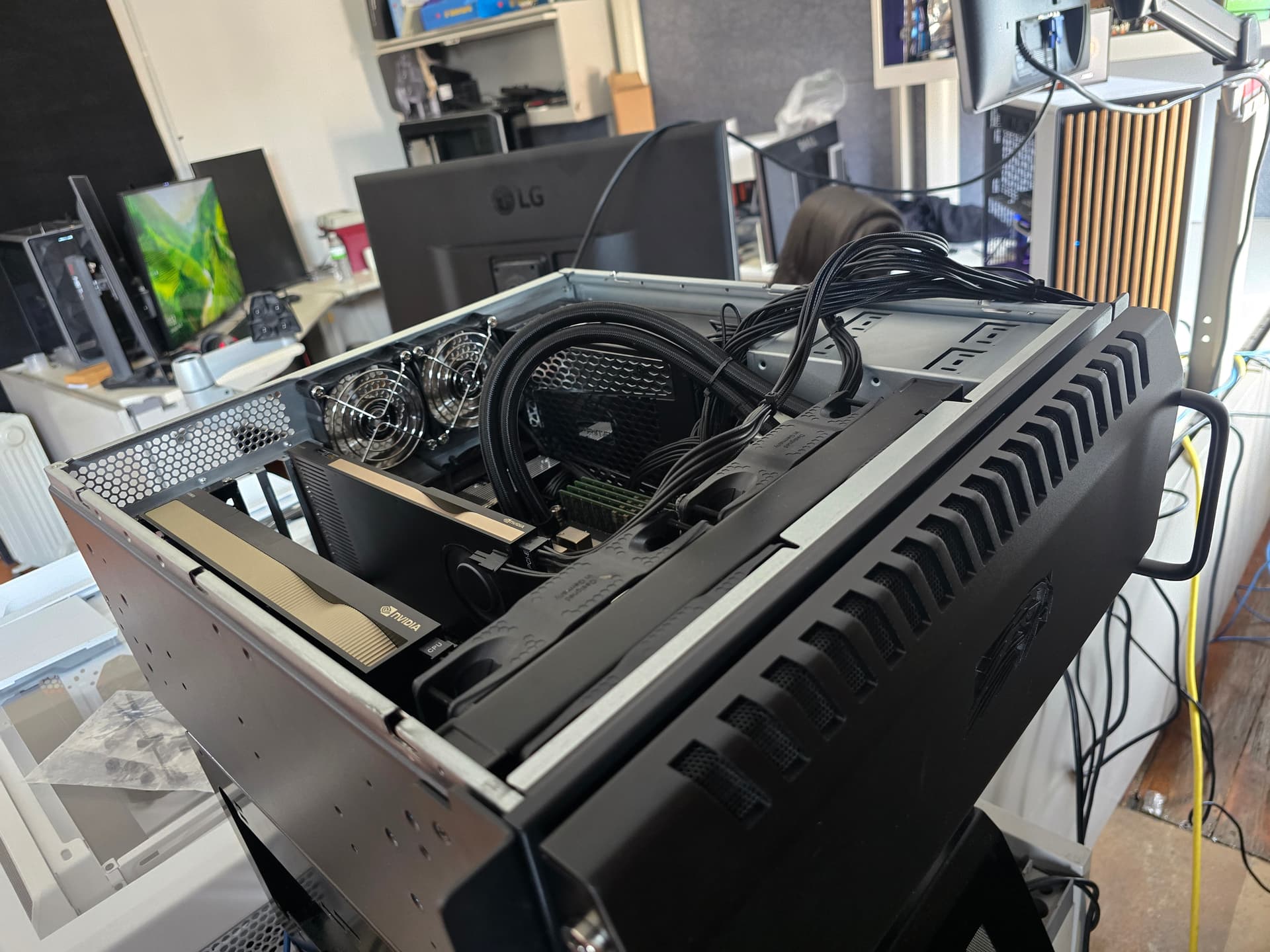
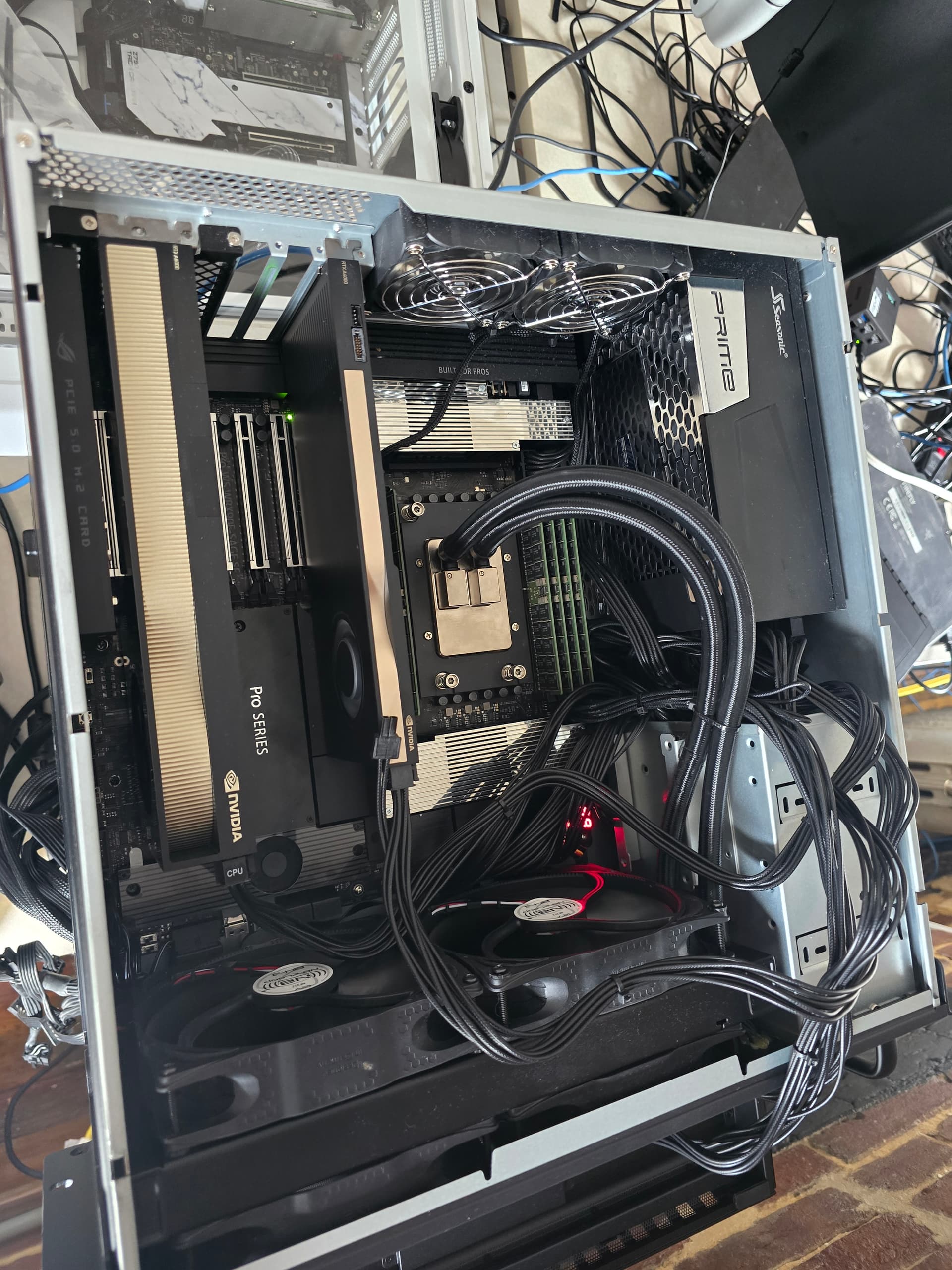
Im building a similar system rn, pic above, to test . Interestingly the a0 post hang for me on the asus occurs when both nvidia gpus have a diaplay connected. Haveto unplug one to boot.

Asuuusssss!

Do you see the bios screen on your pass through card? Ideally the first card in the system is for linux, and second is for passtrhough.

I didnt disable usb4 or vga yet but thats the first thing ill do when i encounter problems

I’ve tried leaving the pass through card unplugged while I boot and leaving it plugged in on boot. Neither seemed to elicit any change, but when I do post and the pass through card is plugged in, the bios goes to the pass through card till the desktop loads.

Does swapping gpu order so the passthrough card is farther from the cpu and host card is nearer the cpu make a difference?

Any idea on how to do that practically? I haven’t tried changing the PCIe slot the cards are in. Current the SFF card is in the top slot and the 6000 is in the 3rd slot from the top.

Fwiw, here is my current xml

<domain xmlns:qemu="http://libvirt.org/schemas/domain/qemu/1.0" type="kvm">
  <name>win11</name>
  <uuid>520532ea-6c72-4743-946e-60928d969537</uuid>
  <metadata>
    <libosinfo:libosinfo xmlns:libosinfo="http://libosinfo.org/xmlns/libvirt/domain/1.0">
      <libosinfo:os id="http://microsoft.com/win/11"/>
    </libosinfo:libosinfo>
  </metadata>
  <memory unit="KiB">67108864</memory>
  <currentMemory unit="KiB">67108864</currentMemory>
  <vcpu placement="static">32</vcpu>
  <os firmware="efi">
    <type arch="x86_64" machine="pc-q35-8.2">hvm</type>
    <firmware>
      <feature enabled="yes" name="enrolled-keys"/>
      <feature enabled="yes" name="secure-boot"/>
    </firmware>
    <loader readonly="yes" secure="yes" type="pflash">/usr/share/OVMF/OVMF_CODE_4M.ms.fd</loader>
    <nvram template="/usr/share/OVMF/OVMF_VARS_4M.ms.fd">/var/lib/libvirt/qemu/nvram/win11_VARS.fd</nvram>
    <boot dev="hd"/>
  </os>
  <features>
    <acpi/>
    <apic/>
    <hyperv mode="custom">
      <relaxed state="on"/>
      <vapic state="on"/>
      <spinlocks state="on" retries="8191"/>
      <vendor_id state="on" value="123456789ab"/>
    </hyperv>
    <kvm>
      <hidden state="on"/>
    </kvm>
    <vmport state="off"/>
    <smm state="on"/>
    <ioapic driver="kvm"/>
  </features>
  <cpu mode="host-passthrough" check="none" migratable="on">
    <topology sockets="1" dies="1" cores="32" threads="1"/>
  </cpu>
  <clock offset="localtime">
    <timer name="rtc" tickpolicy="catchup"/>
    <timer name="pit" tickpolicy="delay"/>
    <timer name="hpet" present="no"/>
    <timer name="hypervclock" present="yes"/>
  </clock>
  <on_poweroff>destroy</on_poweroff>
  <on_reboot>restart</on_reboot>
  <on_crash>destroy</on_crash>
  <pm>
    <suspend-to-mem enabled="no"/>
    <suspend-to-disk enabled="no"/>
  </pm>
  <devices>
    <emulator>/usr/bin/qemu-system-x86_64</emulator>
    <disk type="block" device="disk">
      <driver name="qemu" type="raw" cache="none" io="native" discard="unmap"/>
      <source dev="/dev/nvme1n1p1"/>
      <target dev="sda" bus="sata"/>
      <address type="drive" controller="0" bus="0" target="0" unit="0"/>
    </disk>
    <disk type="file" device="cdrom">
      <driver name="qemu" type="raw"/>
      <source file="/home/ptrck/Downloads/en-us_windows_11_business_editions_version_23h2_updated_may_2024_x64_dvd_97f0b7e9.iso"/>
      <target dev="sdb" bus="sata"/>
      <readonly/>
      <address type="drive" controller="0" bus="0" target="0" unit="1"/>
    </disk>
    <controller type="usb" index="0" model="qemu-xhci" ports="15">
      <address type="pci" domain="0x0000" bus="0x02" slot="0x00" function="0x0"/>
    </controller>
    <controller type="pci" index="0" model="pcie-root"/>
    <controller type="pci" index="1" model="pcie-root-port">
      <model name="pcie-root-port"/>
      <target chassis="1" port="0x10"/>
      <address type="pci" domain="0x0000" bus="0x00" slot="0x02" function="0x0" multifunction="on"/>
    </controller>
    <controller type="pci" index="2" model="pcie-root-port">
      <model name="pcie-root-port"/>
      <target chassis="2" port="0x11"/>
      <address type="pci" domain="0x0000" bus="0x00" slot="0x02" function="0x1"/>
    </controller>
    <controller type="pci" index="3" model="pcie-root-port">
      <model name="pcie-root-port"/>
      <target chassis="3" port="0x12"/>
      <address type="pci" domain="0x0000" bus="0x00" slot="0x02" function="0x2"/>
    </controller>
    <controller type="pci" index="4" model="pcie-root-port">
      <model name="pcie-root-port"/>
      <target chassis="4" port="0x13"/>
      <address type="pci" domain="0x0000" bus="0x00" slot="0x02" function="0x3"/>
    </controller>
    <controller type="pci" index="5" model="pcie-root-port">
      <model name="pcie-root-port"/>
      <target chassis="5" port="0x14"/>
      <address type="pci" domain="0x0000" bus="0x00" slot="0x02" function="0x4"/>
    </controller>
    <controller type="pci" index="6" model="pcie-root-port">
      <model name="pcie-root-port"/>
      <target chassis="6" port="0x15"/>
      <address type="pci" domain="0x0000" bus="0x00" slot="0x02" function="0x5"/>
    </controller>
    <controller type="pci" index="7" model="pcie-root-port">
      <model name="pcie-root-port"/>
      <target chassis="7" port="0x16"/>
      <address type="pci" domain="0x0000" bus="0x00" slot="0x02" function="0x6"/>
    </controller>
    <controller type="pci" index="8" model="pcie-root-port">
      <model name="pcie-root-port"/>
      <target chassis="8" port="0x17"/>
      <address type="pci" domain="0x0000" bus="0x00" slot="0x02" function="0x7"/>
    </controller>
    <controller type="pci" index="9" model="pcie-root-port">
      <model name="pcie-root-port"/>
      <target chassis="9" port="0x18"/>
      <address type="pci" domain="0x0000" bus="0x00" slot="0x03" function="0x0" multifunction="on"/>
    </controller>
    <controller type="pci" index="10" model="pcie-root-port">
      <model name="pcie-root-port"/>
      <target chassis="10" port="0x19"/>
      <address type="pci" domain="0x0000" bus="0x00" slot="0x03" function="0x1"/>
    </controller>
    <controller type="pci" index="11" model="pcie-root-port">
      <model name="pcie-root-port"/>
      <target chassis="11" port="0x1a"/>
      <address type="pci" domain="0x0000" bus="0x00" slot="0x03" function="0x2"/>
    </controller>
    <controller type="pci" index="12" model="pcie-root-port">
      <model name="pcie-root-port"/>
      <target chassis="12" port="0x1b"/>
      <address type="pci" domain="0x0000" bus="0x00" slot="0x03" function="0x3"/>
    </controller>
    <controller type="pci" index="13" model="pcie-root-port">
      <model name="pcie-root-port"/>
      <target chassis="13" port="0x1c"/>
      <address type="pci" domain="0x0000" bus="0x00" slot="0x03" function="0x4"/>
    </controller>
    <controller type="pci" index="14" model="pcie-root-port">
      <model name="pcie-root-port"/>
      <target chassis="14" port="0x1d"/>
      <address type="pci" domain="0x0000" bus="0x00" slot="0x03" function="0x5"/>
    </controller>
    <controller type="sata" index="0">
      <address type="pci" domain="0x0000" bus="0x00" slot="0x1f" function="0x2"/>
    </controller>
    <controller type="virtio-serial" index="0">
      <address type="pci" domain="0x0000" bus="0x03" slot="0x00" function="0x0"/>
    </controller>
    <interface type="network">
      <mac address="52:54:00:e8:c9:ca"/>
      <source network="default"/>
      <model type="e1000e"/>
      <address type="pci" domain="0x0000" bus="0x01" slot="0x00" function="0x0"/>
    </interface>
    <serial type="pty">
      <target type="isa-serial" port="0">
        <model name="isa-serial"/>
      </target>
    </serial>
    <console type="pty">
      <target type="serial" port="0"/>
    </console>
    <channel type="spicevmc">
      <target type="virtio" name="com.redhat.spice.0"/>
      <address type="virtio-serial" controller="0" bus="0" port="1"/>
    </channel>
    <input type="tablet" bus="usb">
      <address type="usb" bus="0" port="1"/>
    </input>
    <input type="mouse" bus="ps2"/>
    <input type="keyboard" bus="ps2"/>
    <tpm model="tpm-crb">
      <backend type="emulator" version="2.0"/>
    </tpm>
    <graphics type="spice" autoport="yes">
      <listen type="address"/>
      <image compression="off"/>
    </graphics>
    <sound model="ich9">
      <address type="pci" domain="0x0000" bus="0x00" slot="0x1b" function="0x0"/>
    </sound>
    <audio id="1" type="spice"/>
    <video>
      <model type="none"/>
    </video>
    <hostdev mode="subsystem" type="pci" managed="yes">
      <driver name="vfio"/>
      <source>
        <address domain="0x0000" bus="0x01" slot="0x00" function="0x0"/>
      </source>
      <address type="pci" domain="0x0000" bus="0x05" slot="0x00" function="0x0"/>
    </hostdev>
    <hostdev mode="subsystem" type="pci" managed="yes">
      <driver name="vfio"/>
      <source>
        <address domain="0x0000" bus="0x01" slot="0x00" function="0x1"/>
      </source>
      <address type="pci" domain="0x0000" bus="0x06" slot="0x00" function="0x0"/>
    </hostdev>
    <redirdev bus="usb" type="spicevmc">
      <address type="usb" bus="0" port="2"/>
    </redirdev>
    <redirdev bus="usb" type="spicevmc">
      <address type="usb" bus="0" port="3"/>
    </redirdev>
    <watchdog model="itco" action="reset"/>
    <memballoon model="virtio">
      <address type="pci" domain="0x0000" bus="0x04" slot="0x00" function="0x0"/>
    </memballoon>
  </devices>
  <qemu:commandline>
    <qemu:arg value="-fw_cfg"/>
    <qemu:arg value="opt/ovmf/X-PciMmio64Mb,string=65536"/>
    <qemu:arg value="-machine"/>
    <qemu:arg value="kernel_irqchip=on"/>
    <qemu:arg value="-acpitable"/>
    <qemu:arg value="file=/usr/share/seabios/SSDT1.bin"/>
  </qemu:commandline>
</domain>

Do you want the sff card to be host or guest?

Edit: i had a typo snd meant near and far from cpu. Sounds like your layout is how it should be

The idea is with the video decoders/encoders on the SFF card and a decent amount of vram it would make a great host GPU, then I could toss the 6000 between windows or linux vm’s for gaming or work .