bedHedd's Jelly Star LineageOS + Rooting adventure

introduction

I got this unihertz jelly star as a low stakes test bench to learn how to root android phones. The following is my experience and a aggregate of multiple guides for getting my computer setup to root my phone. If you want to read more about the process of writing the guide, stick around for the post-mortem writeup

“guide/walk through”

I followed these guides and will be quoting the instructions with my own experiences on fedora 39. This guide assumes no responsibility for any bricked phones. If you aren’t certain, ask a language model to explain what the commands are doing, or look what the commands do.
Note some of these commands might need to be run with sudo. I have intentionally left them out so that you can review the commands before running them.

These two guides helped in writing the overall guide

getting my computer and phone setup

Fedora does not natively have adb installed, we’ll need to install adb and enable fastboot.
These guides were helpful in writing this section

  1. install android tools
    •  dnf install android-tools
      
  2. download the android-udev-rules from this repository. follow the instructions
  1. enable fastboot

    •  groupadd adbusers and sudo usermod -a -G adbusers $(whoami)
      
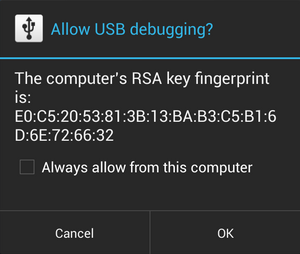
  2. enable developer mode, usb debugging, and allow the computer usb debugging permissions on the phone

    I reposted it here

    Enabling USB Debugging on an Android Device

    The steps to enable USB debugging depend on the version of Android running on the target device, as indicated in the following table:

    Android Device Instructions
    Android 4.0 and newer (Jelly Bean) Enable the USB Debugging option under Settings > Developer options.For Android 4.2 and newer, Developer options is hidden by default; use the following steps:1. On the device, go to Settings > About .2. Tap the Build number seven times to make Settings > Developer options available.3. Then enable the USB Debugging option. Tip: You might also want to enable the Stay awake option, to prevent your Android device from sleeping while plugged into the USB port. For more information, see Unlocking Jelly Bean and Higher Devices
    Kindle Fire devices Select Settings > Security and set Enable ADB to On.For more information, see the Amazon documentation.

    If you are running Android 4.2.2 or later, you may see the following dialog when you connect your device to your PC running RAD Studio:

    Click OK to allow USB debugging on your PC. If you accidentally click Cancel, disconnect your device from your PC and connect it back to make the dialog show up again on your device.

  3. plug in your phone and verify that the device shows up when adb devices is run

    • adb devices
      List of devices attached
      JELLYS0000010000	device
      
  4. remove your sd card if one is installed

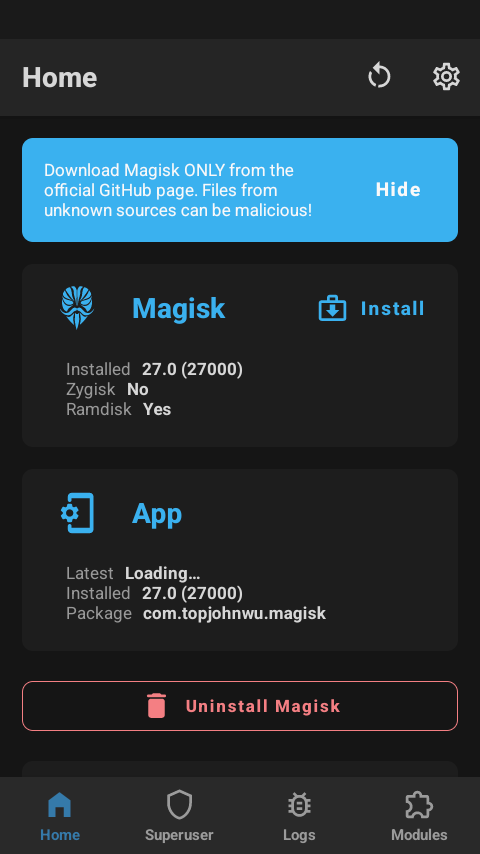
  5. install magisk from the official github page onto your phone

rooting the phone

this section will help root the phone and prepare the images. Instructions adapted from the reddit post linked above

  1. start by build version using adb
    • adb shell "'getprop' | grep  -e 'ro.build.flavor'"
      [ro.build.flavor]: [sys_mssi_g58v89c2k_dfl_tee-user]    
      
    • note the version: in my case it is g58v89c2k_dfl_tee
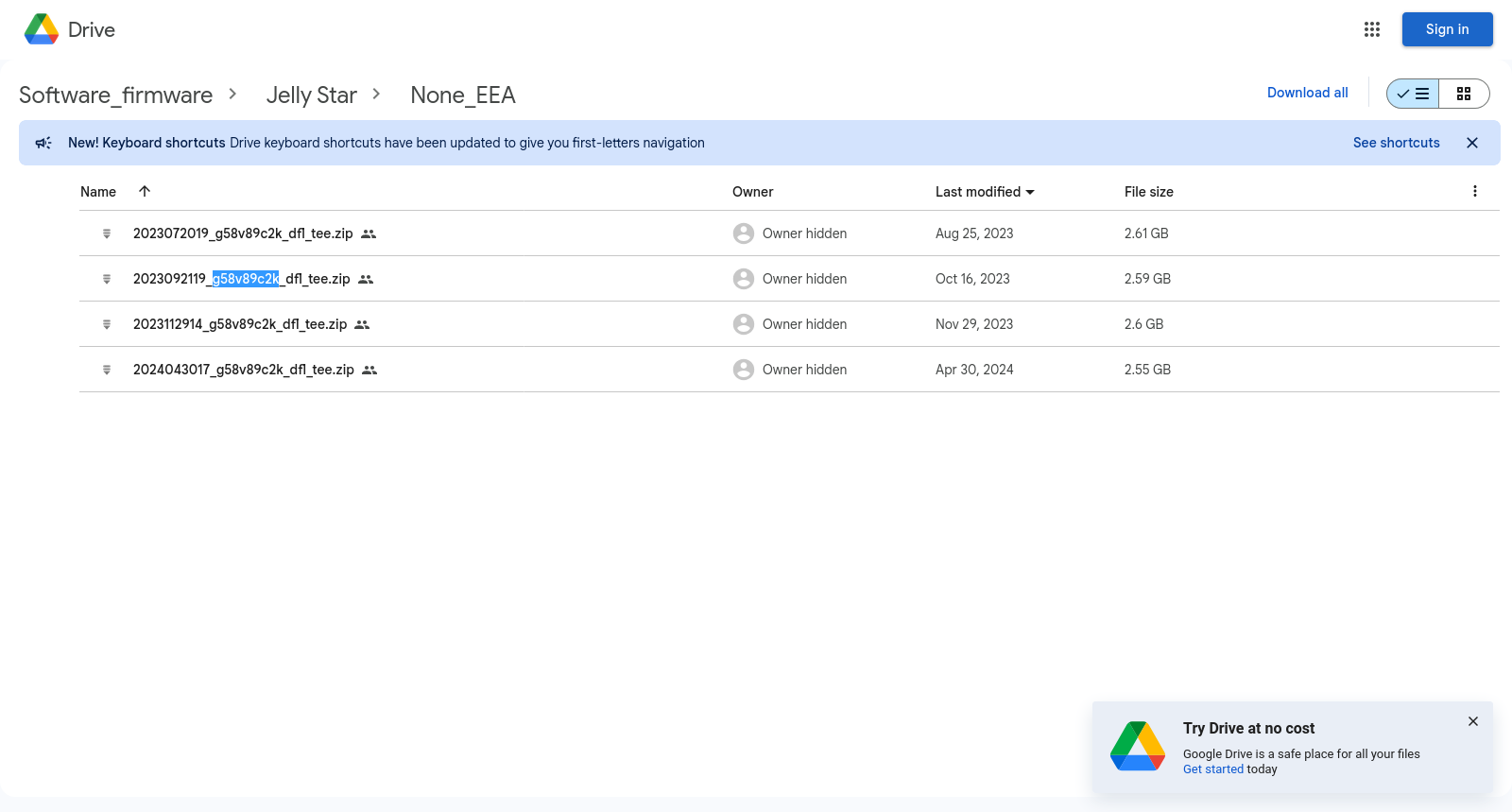
  2. find the version on unihertz google drive and download it. For my phone, it is within the None_EEA folder. I searched for g58v89c2k on the drive page
  3. extract the zip and copy the following files (or note the file paths to the files):
    • boot.img
    • vbmeta.img
  4. copy boot.img to your phone
  5. open magisk on your phone, navigate to the install portion, insert the file, and patch the boot.img
  6. copy the patched file from your phone to the pc in a location that you can access. The filename will have a structure of magisk_patched*.img. I personally put it in my stock_root_images folder with the boot.img, vbmeta and other img files
  7. with the phone plugged in, run the adb devices command and verify that the device shows up. Sample output below
    • adb devices
      List of devices attached
      JELLYS0000010000	device
      
  8. reboot to the bootloader using adb reboot bootloader
    • the unihertz logo should be pop up and stay frozen on the phone
  9. confirm the phone shows up in when fastboot devices shows up

flashing LineageOS

This section follows the guide “DeGoogle the Unihertz Jelly Star” written by Chris McWain. You will need to follow similar instructions to the previous sections getting developer mode enabled on the phone, and patching the boot and vbmeta images. If you already followed the previous steps, you can skip to step 8/9 of these instructions

  1. start by build version using adb
    • adb shell "'getprop' | grep  -e 'ro.build.flavor'"
      [ro.build.flavor]: [sys_mssi_g58v89c2k_dfl_tee-user]    
      
    • note the version: in my case it is g58v89c2k_dfl_tee
  2. find the version on unihertz google drive and download it. For my phone, it is within the None_EEA folder. I searched for g58v89c2k on the drive page
  3. extract the zip and copy the following files (or note the file paths to the files):
    • boot.img
    • vbmeta.img
  4. copy boot.img to your phone
  5. open magisk on your phone, navigate to the install portion, insert the file, and patch the boot.img
  6. copy the patched file from your phone to the pc in a location that you can access. The filename will have a structure of magisk_patched*.img. I personally put it in my stock_root_images folder with the boot.img, vbmeta and other img files
  7. with the phone plugged in, run the adb devices command and verify that the device shows up. Sample output below
    • adb devices
      List of devices attached
      JELLYS0000010000	device
      
  8. reboot to the bootloader using adb reboot bootloader
    • the unihertz logo should be pop up and stay frozen on the phone
  9. confirm the phone shows up in when fastboot devices shows up
  10. Download the latest LineageOS.
    • note follow the naming rules on the readme before downloading.
    • 命名规则 / Naming rules
      
      {arm|a64|arm64}_{a|b}{v|g}{N|S}-{signed|vndklite|secure|personal}
      |               |    |    |     |
      |               |    |    |     signed: Signed with maintainer's keys
      |               |    |    |     vndklite: For VNDKLite devices,
      |               |    |    |               or for read-writeable /system on regular devices
      |               |    |    |     personal: With personal mods, for reference
      |               |    |    |     secure: Superuser removed and system props spoofed
      |               |    |    |
      |               |    |    N: No Superuser
      |               |    |    S: *Built* with PHH Superuser (app needed)
      |               |    |    (Z): *Built* with eremitein's Dynamic Superuser (not offered here)
      |               |    |
      |               |    v: Vanilla, i.e. no GAPPS
      |               |    g: With regular GAPPS
      |               |    o: With Android Go GAPPS
      |               |    (f): With built-in MicroG and FLOSS replacements of GAPPS (not offered here)
      |               |
      |               a: "A-only", i.e. system-as-system (deprecated since Android 12)
      |               b: "AB", i.e. system-as-root
      |
      arm: ARM 32-bit (deprecated since Android 12)
      a64: ARM 32-bit with 64-bit binder
      arm64: ARM 64-bit
      
    • in my case I will be using the bvN file as I want the b: "AB", i.e. system-as-root, v: Vanilla, i.e. no GAPPS, N: No Superuser. We will use magisk to root the phone
  11. Extract the LineageOS package. Place it within the same folder as your patched images
  12. run the following flashboot command while inside of your patched images
    • fastboot flashing unlock
      
    • fastboot flash vbmeta_a vbmeta.img 
      
    • fastboot flash vbmeta_vendor_a vbmeta_vendor.img 
      
    • fastboot reboot fastboot
      
    • fastboot -l devices
      
      • note: we want this command to confirm that fastboot can still send commands to our phone
    • fastboot delete-logical-partition product
      
    • fastboot erase system_a
      
    • fastboot flash system_a <path to lineageOS.img> 
      
      • note: replace <path to lineageOS.img> with the actual path. In my case it is lineage-20.0-20240818-UNOFFICIAL-arm64_bvN.img
    • fastboot --set-active=a
      
    • fastboot erase userdata
      
    • adb reboot bootloader
      
  13. LineageOS should now boot onto your phone, follow the setup and enter the system. Do not sign into any accounts as we will be adding microg, which involves flashing and rooting the phone again
  14. Transfer the latest Magisk.apk and boot.img to your phone. If your phone is connected to your computer, just copy the files to a directory you can access on your phone
  15. Install Magisk, and open the app. Within the app click the install button. when prompted, select the boot.img file from directory you placed it in in the previous step. Disconnect your phone from your pc and reconnect it.
  16. With your phone reconnected, access the directory with your patched boot image, in my case it is magisk_patched-27000_nUXhT.img
    • note: your file might look different after the -27000_nUXhT.img that is uniquely generated. For the next step pick the file that is magisk_patched-* where * is the text after the -
  17. Root the lineageos phone to install microg
    • fastboot devices
      
    • adb reboot bootloader
      
    • fastboot flash boot_a magisk_patched-27000_nUXhT.img
      
    • fastboot reboot
      
  18. Setup the phone and install microG. I installed f-droid to install microg.

Additional help/notes

help my device does not show up in fastboot

use this section if you get a empty output from fastboot devices or fastboot -l devices.

  1. start by getting lsusb. I have stripped out the usb to the relevant device
    • lsusb
      ... 
      Bus 001 Device 015: ID 0e8d:201d MediaTek Inc. Jelly Star
      ...
      
      • note down the id in my case it is 0e8d
  2. add a entry to udev
    • sh -c "echo '# MediaTek Inc. Jelly Star' >> /etc/udev/rules.d/51-android.rules"
      sh -c "echo 'SUBSYSTEM==\"usb\", ATTR{idVendor}==\"0e8d\", MODE=\"0666\", GROUP=\"plugdev\"' >> /etc/udev/rules.d/51-android.rules"
      
  3. reload udev
    • udevadm control --reload-rules
      udevadm trigger
      

help I’m stuck in orange state

No worries my friend, stay calm, you can still recover from this

  1. power down your phone. If you are stuck in a boot loop follow these instructions to enter recovery mode, which includes options you can use to power down the device
    I've copied the instructions here in case the post gets deleted
  2. Download and install SP Flash Tool V6, the instructions have been adapted from this reddit guide also linked above Jelly Star Rooted link
    Using the instructions from reddit
  3. Launch SP Flash Tool V6. Instructions adapted from the flashing stock rom section of How to use the SP Flash Tool for MTK based devices.
4 Likes

post-mortem

Thanks for the write up. Just successfully flashed my Star. One thing that was a scare for me is when I tried to flash vbmeta_a for the first time. I hadn’t seen on the screen but when you run fastboot flashing unlock you have to hit volume up on the phone to confirm unlocking the bootloader

Also, the last fastboot devices just before adb reboot bootloader didn’t show any devices for me. It wasn’t until I was in the bootloader that fastboot devices worked.

Can you tell me who this Andy Yan guy is? When will I know it’s time to grab a new build from him? Will upgrading to the next release be the same process?

I dunno it was the version of lineage that works for unihertz devices and was linked by reddit and the Chris McWain guide

For what it’s worth it seems to be the latest version so I’m hopeful that the next stable release will work.

I can’t remember, on the stock rom did the phone vibrate when you hit the hardware home/back buttons? Have you been able to turn off the software ones and allow more real estate like on the stock rom?

Pretty sure it did

I just used gestures and had it minimized/hidden

I was able to disable the software nav completely with this comment:
set prop persist.sys.phh.mainkeys 1
Make sure that you switch back to 3 button navigation before doing it.

1 Like

Decided to pull the trigger. Before I wipe & flash, does the backlight still work from LineageOS?

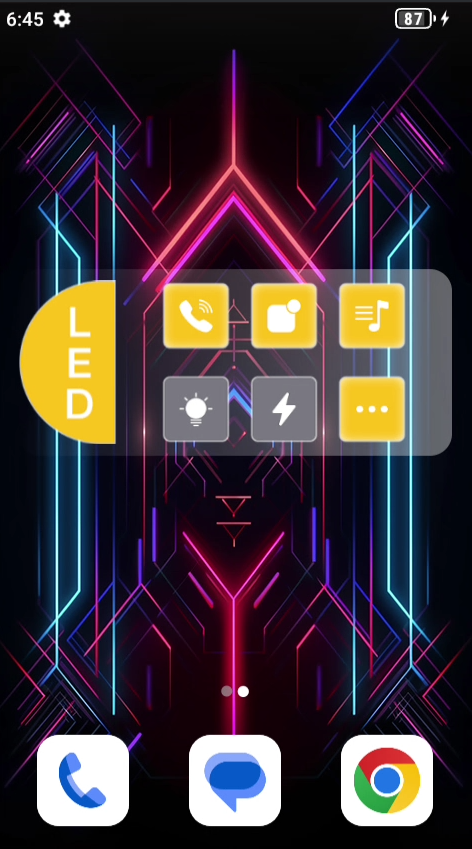
By default comes with this widget:

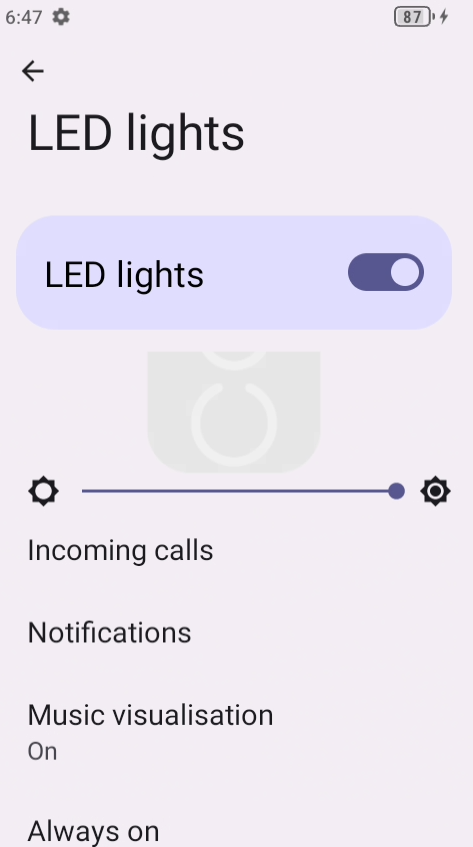
I don’t really care about the widget, but would still like to retain control over turning it on, brightness, etc:

This feels like one of those custom things that could lose function on Lineage. So I will pull the APK’s first just in case.

List and sort packages:
adb shell 'pm list packages -f' | sed -e 's/.*=//' | sort

The ones that look LED related:

com.agui.ledbeltdebug
com.agui.ledbeltwidget
com.agui.ledsettings
com.agui.providers.ledbelt

We can get some information on these via dumpsys:
adb shell dumpsys package com.agui.ledsettings

But I want to back them up.

get path:

adb shell pm path com.agui.ledsettings

package:/system/system_ext/app/AguiLEDSettings/AguiLEDSettings.apk

pull:
adb pull /system/system_ext/app/AguiLEDSettings/AguiLEDSettings.apk

Repeat for each APK of interest.

I will be dumping all of them before wipe. To automate:

#!/bin/bash

packages=$(adb shell pm list packages)

APK_DIR="apks"
mkdir -p "$APK_DIR"

for pkg in $packages; do
    package_name=${pkg:8}

    apk_path=$(adb shell pm path "$package_name" | cut -d':' -f2)

    if [ -z "$apk_path" ]; then
        echo "Failed to get APK path for $package_name."
        continue
    fi

    adb pull "$apk_path" "$APK_DIR/$package_name.apk"
done

echo "APK's extracted to: '$APK_DIR'"

Dumped about 250 APK’s ~ 2.4GB total.


Playing with it now, this thing is so cute! The more I hold it the more I like it. The fact it has a microSD slot + headphone jack means I have a dedicated mp3 player! Dongles be damned!

It does not, it is a good thing you extracted it out definitely make sure to have a backup of stock so that you can flash it back

I haven’t used it recently because it is a travel phone and the screen is a little too small send messages

2 Likes

Also, yes it does vibrate on those buttons in stock. Confirming, since I am still on stock as I get everything ready.

1 Like

So I am watching logcat while toggling the light.

Turn light on from widget:

2023-07-18 20:53:52.006  1491-1640  SettingsProvider        system_server                        V  packageValueForCallResult, name = led_belt_always_on_enabled, value : Bundle[{_track_generation=android.util.MemoryIntArray@ba, value=0, _generation_index=3, _generation=65}]
2023-07-18 20:53:52.007  1491-1640  SettingsProvider        system_server                        V  name : led_belt_always_on_enabled appId : 1000
2023-07-18 20:53:52.009  1491-1491  LedBeltController       system_server                        D  invalidateLightStatesLocked targetLEDType 113, mCurLEDLightType -1
2023-07-18 20:53:52.009  1491-1491  LedBeltController       system_server                        D  invalidateLightStatesLocked turn off light id = 100, type = 100, lightstate = null
2023-07-18 20:53:52.009  1491-1491  LedBeltController       system_server                        D  invalidateLightStatesLocked turn off light id = 102, type = 102, lightstate = null
2023-07-18 20:53:52.009  1491-1491  LedBeltController       system_server                        D  invalidateLightStatesLocked turn off light id = 103, type = 103, lightstate = null
2023-07-18 20:53:52.009  1491-1491  LedBeltController       system_server                        D  invalidateLightStatesLocked turn off light id = 107, type = 107, lightstate = null
2023-07-18 20:53:52.009  1491-1491  LedBeltController       system_server                        D  invalidateLightStatesLocked turn off light id = 110, type = 110, lightstate = null
2023-07-18 20:53:52.009  1491-1491  LedBeltController       system_server                        D  invalidateLightStatesLocked turn off light id = 111, type = 111, lightstate = null
2023-07-18 20:53:52.009  1491-1491  LedBeltController       system_server                        D  invalidateLightStatesLocked turn off light id = 112, type = 112, lightstate = null
2023-07-18 20:53:52.009  1491-1491  LedBeltController       system_server                        D  invalidateLightStatesLocked turn off light id = 114, type = 114, lightstate = null
2023-07-18 20:53:52.014  1491-1491  LedBeltController       system_server                        D  invalidateLightStatesLocked flashing light id = 113, type = 113, lightstate = LedBeltLightState{mColor=0, mPlayerId=0, mLedColors=[0, 0, 0, 0, 0], mLedColorsId=3, mScore=1.0, mBrightness=-1, mPattern=0, mForceUpate=false, mAlwaysOn=false, mIsRandom=false}
2023-07-18 20:53:52.015  1491-1599  LedBeltStats            system_server                        D  report uid:1000 ledId:3 brightness:60 splitIds:[1, 2]
2023-07-18 20:53:52.016  1491-1491  ContextImpl             system_server                        W  Calling a method in the system process without a qualified user: android.app.ContextImpl.sendBroadcast:1189 com.agui.server.ledbelt.LedBeltBroadcast$SettingsObserver.onChange:93 android.database.ContentObserver.onChange:154 android.database.ContentObserver.onChange:170 android.database.ContentObserver.onChange:188 
2023-07-18 20:53:52.016  1491-1599  LedBeltStats            system_server                        D  [updateFlattenTimers] hasTimerRunning:true state:true

Turn light off from widget:

2023-07-18 21:01:00.303  1491-2017  SettingsProvider        system_server                        V  name : led_belt_always_on_enabled appId : 1000
2023-07-18 21:01:00.305   790-1359  MtkAudioResamplerDyn    audioserver                          D  MtkAudioResamplerDyn InBuffer::reset!!
2023-07-18 21:01:00.306  1491-1491  LedBeltController       system_server                        D  invalidateLightStatesLocked targetLEDType -1, mCurLEDLightType -1
2023-07-18 21:01:00.306  1491-1491  LedBeltController       system_server                        D  invalidateLightStatesLocked turn off light id = 100, type = 100, lightstate = null
2023-07-18 21:01:00.306  1491-1491  LedBeltController       system_server                        D  invalidateLightStatesLocked turn off light id = 102, type = 102, lightstate = null
2023-07-18 21:01:00.306  1491-1491  LedBeltController       system_server                        D  invalidateLightStatesLocked turn off light id = 103, type = 103, lightstate = null
2023-07-18 21:01:00.306   790-1359  MtkAudioResamplerDyn    audioserver                          D  MtkAudioResamplerDyn InBuffer::reset!!
2023-07-18 21:01:00.306  1491-1491  LedBeltController       system_server                        D  invalidateLightStatesLocked turn off light id = 107, type = 107, lightstate = null
2023-07-18 21:01:00.306  1491-1491  LedBeltController       system_server                        D  invalidateLightStatesLocked turn off light id = 110, type = 110, lightstate = null
2023-07-18 21:01:00.306  1491-1491  LedBeltController       system_server                        D  invalidateLightStatesLocked turn off light id = 111, type = 111, lightstate = null
2023-07-18 21:01:00.306  1491-1491  LedBeltController       system_server                        D  invalidateLightStatesLocked turn off light id = 112, type = 112, lightstate = null
2023-07-18 21:01:00.306  1491-1491  LedBeltController       system_server                        D  invalidateLightStatesLocked turn off light id = 113, type = 113, lightstate = null

Have not fixed date on device so out of box thinks its 2023

Looks like it is turning on/off each LED individually, sequentially with ID: 100,102,103,107,110,111,112,114,113

I guess that’s why its called the LedBelt.

It may be gimmicky, but might as well try to preserve the functionality.

Also extracted was: com.android.fmradio.apk

Hopefully simply installing these APK’s into Lineage is enough to get these working.

The button when pressed:

2023-07-18 21:11:24.769  1491-1667  AguiFunctionCtrl        system_server                        I  <isFactoryTestMode>, isFactoryMode=false
2023-07-18 21:11:24.769  1491-1667  AguiFunctionCtrl        system_server                        I  <customizeInterceptKeyBeforeQueueing>, ref=0
2023-07-18 21:11:24.770  1491-1667  A55LShortcutFunction    system_server                        D  <shortcutInterceptKeyInternal>, down=true keyCode=305 , isScreenOn=false
2023-07-18 21:11:24.770  1491-1667  WindowManager           system_server                        I  <interceptKeyBeforeQueueing> customizeInterceptKeyBeforeQueueing : keyCode:305  res=-1
2023-07-18 21:11:24.770  1491-1667  WindowManager           system_server                        I  <interceptKeyBeforeQueueing> customizeInterceptKeyBeforeQueueing : keyCode:305                     
2023-07-18 21:11:24.934  1491-1667  AguiFunctionCtrl        system_server                        I  <isFactoryTestMode>, isFactoryMode=false
2023-07-18 21:11:24.935  1491-1667  AguiFunctionCtrl        system_server                        I  <customizeInterceptKeyBeforeQueueing>, ref=0
2023-07-18 21:11:24.935  1491-1667  A55LShortcutFunction    system_server                        D  <shortcutInterceptKeyInternal>, down=false keyCode=305 , isScreenOn=false
2023-07-18 21:11:24.936  1491-1667  WindowManager           system_server                        I  <interceptKeyBeforeQueueing> customizeInterceptKeyBeforeQueueing : keyCode:305  res=-1
2023-07-18 21:11:24.936  1491-1667  WindowManager           system_server                        I  <interceptKeyBeforeQueueing> customizeInterceptKeyBeforeQueueing : keyCode:305
2023-07-18 21:11:25.438  1491-1581  A55LShortcutFunction    system_server                        D  short press

Looks like some sort of shortcut with key code: 305

Handled by: com.agui.shortcutsettings.apk

1 Like

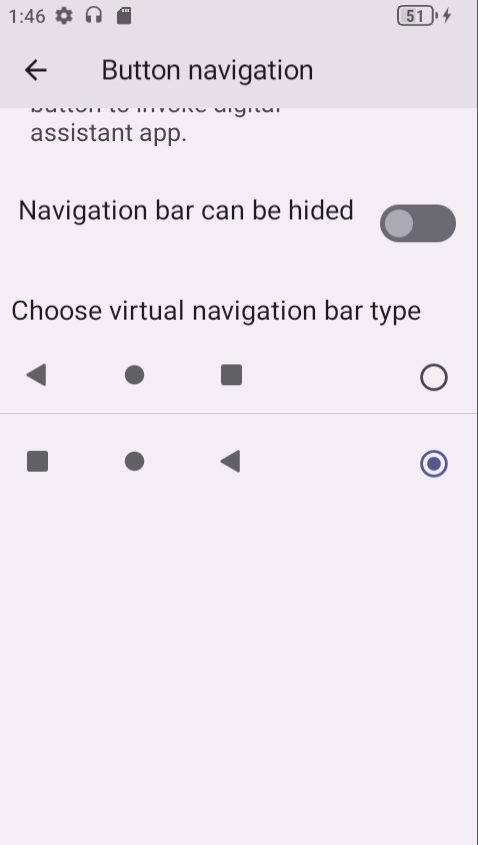
Another thing I noticed was the ‘back’ and ‘recent’ navigation buttons were flipped, so the left button is back. I am used to back being on the right for a decade. Having the navigation buttons flipped hurts my brain.

There is a way to switch the virtual buttons, but not the physical buttons?:

(also, looks like a typo? not sure ‘hided’ is a word, perhaps should be ‘hidden’ instead)

What is the default navigation bar configuration on Lineage, and can these buttons be swapped?

Looks like you can tweak it if rooted: [Guide] Swap back and recent keys on Android 11 | XDA Forums

2 Likes

I decided to (try) to figure that out.
figure-it-out-3249497597

Gonna download all images for sake of backup, as I don’t trust random google drive links not to simply vanish without notice one day. Not sure why Unihertz doesn’t host them “more officially” on their own site. Perhaps to save on bandwidth serving multi-GB files?

Anywho, lets peek @ 2025050811_g58v89c2k_dfl_tee.zip:

sha256: 1e37b900ebe7eef85c86c7158ed270a603d443e1bac4741bf2b611126b18bc7c

Unzipping we can find various .img files.

.
├── APDB_MT6789___W2409
├── APDB_MT6789___W2409_ENUM
├── boot.img
├── DbgInfo_LR13.R2.MP_AGOLD_TK_MD_5M_G58_MOLY_LR13_R2_MP_V106_6_P3_2023_11_14_11_09_1_ulwctg_n
├── download_agent
│   ├── DA_BR.bin
│   ├── flash.xml
│   └── flash.xsd
├── dpm.img
├── dtbo.img
├── gz.img
├── lk.img
├── logo.bin
├── mcupm.img
├── md1img.img
├── MDDB_InfoCustomAppSrcP_MT6789_S00_MOLY_LR13_R2_MP_V106_6_P3_1_ulwctg_n.EDB
├── MDDB.META_MT6789_S00_MOLY_LR13_R2_MP_V106_6_P3_1_ulwctg_n.EDB
├── MDDB.META.ODB_MT6789_S00_MOLY_LR13_R2_MP_V106_6_P3_1_ulwctg_n.XML.GZ
├── MT6789_Android_scatter.txt
├── MT6789_Android_scatter.xml
├── pi_img.img
├── preloader_g58v89c2k_dfl_tee.bin
├── scp.img
├── spmfw.img
├── sspm.img
├── super.img
├── tee.img
├── userdata.img
├── vbmeta.img
├── vbmeta_system.img
├── vbmeta_vendor.img
└── vendor_boot.img

Using AIK - Android Image Kitchen: [TOOL] Android Image Kitchen - Unpack/Repack Kernel Ramdisk [Win/Android/Linux/Mac] | XDA Forums

./unpackimg.sh <path to .img>

./unpackimg.sh /2025050811_g58v89c2k_dfl_tee/boot.img

Android Image Kitchen - UnpackImg Script
by osm0sis @ xda-developers
 
Supplied image: boot.img
 
Setting up work folders...
 
Image type: AOSP
 
Signature with "AVBv2" type detected.
 
Splitting image to "split_img/"...
ANDROID! magic found at: 0
BOARD_KERNEL_CMDLINE 
BOARD_PAGE_SIZE 4096
BOARD_OS_VERSION 12.0.0
BOARD_OS_PATCH_LEVEL 2023-11
BOARD_HEADER_VERSION 4
BOARD_HEADER_SIZE 1584
 
Unpacking ramdisk (as root) to "ramdisk/"...
 
Compression used: lz4-l
4937 blocks
 
Done!

tree:

.
├── debug_ramdisk
├── dev
├── first_stage_ramdisk
│   ├── debug_ramdisk
│   ├── dev
│   ├── metadata
│   ├── mnt
│   ├── proc
│   ├── second_stage_resources
│   └── sys
├── init
├── metadata
├── mnt
├── proc
├── second_stage_resources
├── sys
└── system
    └── etc
        └── ramdisk
            └── build.prop

19 directories, 2 files

Not much interesting in there other than finding a string in ramdisk/system/etc/ramdisk/build.prop which looks to be based off a GSI build:

ro.bootimage.build.fingerprint=Android/gsi_arm64/generic_arm64:12/SGR1.231107.001.A4/11389296:user/release-keys

But no APK’s in there.

I am not sure which image the APK’s are in, and not finding clear answers in search results. So I am just blindly exploring.

Seems most images (eg: 2025050811_g58v89c2k_dfl_tee/vbmeta_system.img) won’t open:

Android Image Kitchen - UnpackImg Script
by osm0sis @ xda-developers
 
Supplied image: vbmeta_system.img
 
Removing old work folders and files (as root)...
 
Setting up work folders...
 
Unrecognized format.
Error!

Maybe something different in the image parsing. Maybe different header sizes. I have never tried opening an .img before so not sure what I am doing tbh.

2 Likes

Not sure if there is an existing app for extra / non-standard hardware buttons. I wonder if driver is needed or some sort of magic to listen to input?

Gathering info on Stock Jelly to diff against Lineage:

adb shell dumpsys input

says:

INPUT MANAGER (dumpsys input)

Input properties:
  persist.input.velocitytracker.strategy = default

Input Manager State:
  Interactive: true
  System UI Lights Out: false
  Pointer Speed: 0
  Pointer Acceleration: 3.000
  Pointer Gestures Enabled: true
  Show Touches: true
  Pointer Capture: Disabled, seq=0

Event Hub State:
  BuiltInKeyboardId: -2
  Devices:
    1: mt6789-mt6366 Headset Jack
      Classes: KEYBOARD | SWITCH
      Path: /dev/input/event4
      Enabled: true
      Descriptor: 51b48df63a82026f1e5f8d2da317285e6cf2d6fc
      Location: ALSA
      ControllerNumber: 0
      UniqueId: 
      Identifier: bus=0x0019, vendor=0x0000, product=0x0000, version=0x0000
      KeyLayoutFile: /system/usr/keylayout/Generic.kl
      KeyCharacterMapFile: /system/usr/keychars/Generic.kcm
      ConfigurationFile: 
      VideoDevice: <none>
    2: fingerprint_key
      Classes: KEYBOARD
      Path: /dev/input/event3
      Enabled: true
      Descriptor: 7c5a7d970b87e09497143238aa4085d015b51f1c
      Location: 
      ControllerNumber: 0
      UniqueId: 
      Identifier: bus=0x0000, vendor=0x0000, product=0x0000, version=0x0000
      KeyLayoutFile: /system/usr/keylayout/Generic.kl
      KeyCharacterMapFile: /system/usr/keychars/Generic.kcm
      ConfigurationFile: 
      VideoDevice: <none>
    3: mtk-pmic-keys
      Classes: KEYBOARD
      Path: /dev/input/event0
      Enabled: true
      Descriptor: 485d69228e24f5e46da1598745890b214130dbc4
      Location: 
      ControllerNumber: 0
      UniqueId: 
      Identifier: bus=0x0019, vendor=0x0001, product=0x0001, version=0x0001
      KeyLayoutFile: /system/usr/keylayout/Generic.kl
      KeyCharacterMapFile: /system/usr/keychars/Generic.kcm
      ConfigurationFile: 
      VideoDevice: <none>
    -1: Virtual
      Classes: KEYBOARD | ALPHAKEY | DPAD | VIRTUAL
      Path: <virtual>
      Enabled: true
      Descriptor: a718a782d34bc767f4689c232d64d527998ea7fd
      Location: 
      ControllerNumber: 0
      UniqueId: <virtual>
      Identifier: bus=0x0000, vendor=0x0000, product=0x0000, version=0x0000
      KeyLayoutFile: /system/usr/keylayout/Generic.kl
      KeyCharacterMapFile: /system/usr/keychars/Virtual.kcm
      ConfigurationFile: 
      VideoDevice: <none>
    4: mtk-kpd
      Classes: KEYBOARD
      Path: /dev/input/event1
      Enabled: true
      Descriptor: 9a244e01c90550ca2eb2798ffe20d8731e811765
      Location: 
      ControllerNumber: 0
      UniqueId: 
      Identifier: bus=0x0019, vendor=0x0000, product=0x0000, version=0x0000
      KeyLayoutFile: /system/usr/keylayout/Generic.kl
      KeyCharacterMapFile: /system/usr/keychars/Generic.kcm
      ConfigurationFile: 
      VideoDevice: <none>
    5: cap_touch
      Classes: KEYBOARD | TOUCH | TOUCH_MT
      Path: /dev/input/event2
      Enabled: true
      Descriptor: 4bb8a2435dba96ad6c532f44922c30bce0d5d849
      Location: 
      ControllerNumber: 0
      UniqueId: 
      Identifier: bus=0x0018, vendor=0x0000, product=0x0000, version=0x0000
      KeyLayoutFile: /system/usr/keylayout/Generic.kl
      KeyCharacterMapFile: /system/usr/keychars/Generic.kcm
      ConfigurationFile: 
      VideoDevice: <none>
  Unattached video devices:
    <none>

Input Reader State (Nums of device: 6):
  Device 5: fingerprint_key
    EventHub Devices: [ 2 ] 
    Generation: 15
    IsExternal: false
    AssociatedDisplayPort: <none>
    AssociatedDisplayUniqueId: <none>
    HasMic:     false
    Sources: 0x00000101
    KeyboardType: 1
    ControllerNum: 0
    Keyboard Input Mapper:
      Parameters:
        OrientationAware: false
        HandlesKeyRepeat: false
      KeyboardType: 1
      Orientation: 0
      KeyDowns: 0 keys currently down
      MetaState: 0x0
      DownTime: 34843798213000
  Device 3: mtk-kpd
    EventHub Devices: [ 4 ] 
    Generation: 9
    IsExternal: false
    AssociatedDisplayPort: <none>
    AssociatedDisplayUniqueId: <none>
    HasMic:     false
    Sources: 0x00000101
    KeyboardType: 1
    ControllerNum: 0
    Keyboard Input Mapper:
      Parameters:
        OrientationAware: false
        HandlesKeyRepeat: false
      KeyboardType: 1
      Orientation: 0
      KeyDowns: 0 keys currently down
      MetaState: 0x0
      DownTime: 140483289181000
  Device 6: mt6789-mt6366 Headset Jack
    EventHub Devices: [ 1 ] 
    Generation: 18
    IsExternal: false
    AssociatedDisplayPort: <none>
    AssociatedDisplayUniqueId: <none>
    HasMic:     false
    Sources: 0x80000101
    KeyboardType: 1
    ControllerNum: 0
    Switch Input Mapper:
      SwitchValues: 0
    Keyboard Input Mapper:
      Parameters:
        OrientationAware: false
        HandlesKeyRepeat: false
      KeyboardType: 1
      Orientation: 0
      KeyDowns: 0 keys currently down
      MetaState: 0x0
      DownTime: 0
  Device 4: mtk-pmic-keys
    EventHub Devices: [ 3 ] 
    Generation: 12
    IsExternal: false
    AssociatedDisplayPort: <none>
    AssociatedDisplayUniqueId: <none>
    HasMic:     false
    Sources: 0x00000101
    KeyboardType: 1
    ControllerNum: 0
    Keyboard Input Mapper:
      Parameters:
        OrientationAware: false
        HandlesKeyRepeat: false
      KeyboardType: 1
      Orientation: 0
      KeyDowns: 0 keys currently down
      MetaState: 0x0
      DownTime: 140200404961000
  Device 2: cap_touch
    EventHub Devices: [ 5 ] 
    Generation: 100
    IsExternal: false
    AssociatedDisplayPort: <none>
    AssociatedDisplayUniqueId: <none>
    HasMic:     false
    Sources: 0x00001103
    KeyboardType: 1
    ControllerNum: 0
    Motion Ranges:
      X: source=0x00001002, min=0.000, max=479.000, flat=0.000, fuzz=0.000, resolution=0.000
      Y: source=0x00001002, min=0.000, max=853.000, flat=0.000, fuzz=0.000, resolution=0.000
      PRESSURE: source=0x00001002, min=0.000, max=1.000, flat=0.000, fuzz=0.000, resolution=0.000
      SIZE: source=0x00001002, min=0.000, max=1.000, flat=0.000, fuzz=0.000, resolution=0.000
      TOUCH_MAJOR: source=0x00001002, min=0.000, max=979.651, flat=0.000, fuzz=0.000, resolution=0.000
      TOUCH_MINOR: source=0x00001002, min=0.000, max=979.651, flat=0.000, fuzz=0.000, resolution=0.000
      TOOL_MAJOR: source=0x00001002, min=0.000, max=979.651, flat=0.000, fuzz=0.000, resolution=0.000
      TOOL_MINOR: source=0x00001002, min=0.000, max=979.651, flat=0.000, fuzz=0.000, resolution=0.000
    Keyboard Input Mapper:
      Parameters:
        OrientationAware: false
        HandlesKeyRepeat: false
      KeyboardType: 1
      Orientation: 0
      KeyDowns: 0 keys currently down
      MetaState: 0x0
      DownTime: 140478462270000
    Touch Input Mapper (mode - DIRECT):
      Parameters:
        GestureMode: MULTI_TOUCH
        DeviceType: TOUCH_SCREEN
        AssociatedDisplay: hasAssociatedDisplay=true, isExternal=false, displayId=''
        OrientationAware: true
        Orientation: ORIENTATION_0
      Raw Touch Axes:
        X: min=0, max=480, flat=0, fuzz=0, resolution=0
        Y: min=0, max=854, flat=0, fuzz=0, resolution=0
        Pressure: unknown range
        TouchMajor: min=0, max=255, flat=0, fuzz=0, resolution=0
        TouchMinor: unknown range
        ToolMajor: min=0, max=255, flat=0, fuzz=0, resolution=0
        ToolMinor: unknown range
        Orientation: unknown range
        Distance: unknown range
        TiltX: unknown range
        TiltY: unknown range
        TrackingId: min=0, max=65535, flat=0, fuzz=0, resolution=0
        Slot: min=0, max=4, flat=0, fuzz=0, resolution=0
      Calibration:
        touch.size.calibration: GEOMETRIC
        touch.pressure.calibration: none
        touch.orientation.calibration: none
        touch.distance.calibration: none
        touch.coverage.calibration: none
      Affine Transformation:
        X scale: 1.000
        X ymix: 0.000
        X offset: 0.000
        Y xmix: 0.000
        Y scale: 1.000
        Y offset: 0.000
      Viewport INTERNAL: displayId=0, uniqueId=local:0, port=0, orientation=0, logicalFrame=[0, 0, 480, 854], physicalFrame=[0, 0, 480, 854], deviceSize=[480, 854], isActive=[1]
      DisplayWidth: 480px
      DisplayHeight: 854px
      PhysicalWidth: 480px
      PhysicalHeight: 854px
      PhysicalLeft: 0
      PhysicalTop: 0
      InputDeviceOrientation: 0
      Translation and Scaling Factors:
        XScale: 0.998
        YScale: 0.999
        XPrecision: 1.002
        YPrecision: 1.001
        GeometricScale: 0.998
        PressureScale: 0.000
        SizeScale: 0.004
        OrientationScale: 0.000
        DistanceScale: 0.000
        HaveTilt: false
        TiltXCenter: 0.000
        TiltXScale: 0.000
        TiltYCenter: 0.000
        TiltYScale: 0.000
      Last Raw Button State: 0x00000000
      Last Raw Touch: pointerCount=0
      Last Cooked Button State: 0x00000000
      Last Cooked Touch: pointerCount=0
      Stylus Fusion:
        ExternalStylusConnected: false
        External Stylus ID: -1
        External Stylus Data Timeout: 9223372036854775807
      External Stylus State:
        When: 9223372036854775807
        Pressure: 0.000000
        Button State: 0x00000000
        Tool Type: 0
  Device -1: Virtual
    EventHub Devices: [ -1 ] 
    Generation: 3
    IsExternal: false
    AssociatedDisplayPort: <none>
    AssociatedDisplayUniqueId: <none>
    HasMic:     false
    Sources: 0x00000301
    KeyboardType: 2
    ControllerNum: 0
    Keyboard Input Mapper:
      Parameters:
        OrientationAware: false
        HandlesKeyRepeat: false
      KeyboardType: 2
      Orientation: 0
      KeyDowns: 0 keys currently down
      MetaState: 0x0
      DownTime: 0
  Configuration:
    ExcludedDeviceNames: []
    VirtualKeyQuietTime: 0.0ms
    PointerVelocityControlParameters: scale=1.000, lowThreshold=500.000, highThreshold=3000.000, acceleration=3.000
    WheelVelocityControlParameters: scale=1.000, lowThreshold=15.000, highThreshold=50.000, acceleration=4.000
    PointerGesture:
      Enabled: true
      QuietInterval: 100.0ms
      DragMinSwitchSpeed: 50.0px/s
      TapInterval: 150.0ms
      TapDragInterval: 300.0ms
      TapSlop: 20.0px
      MultitouchSettleInterval: 100.0ms
      MultitouchMinDistance: 15.0px
      SwipeTransitionAngleCosine: 0.3
      SwipeMaxWidthRatio: 0.2
      MovementSpeedRatio: 0.8
      ZoomSpeedRatio: 0.3
      Viewports:
        Viewport INTERNAL: displayId=0, uniqueId=local:0, port=0, orientation=0, logicalFrame=[0, 0, 480, 854], physicalFrame=[0, 0, 480, 854], deviceSize=[480, 854], isActive=[1]

UnwantedInteractionBlocker:
  mPreferStylusOverTouchBlocker:
    mActiveStyli: {}
    mLastTouchEvents: 
    mDevicesWithMixedToolType: {}
    mCanceledDevices: {}
  mEnablePalmRejection: false
  isPalmRejectionEnabled (flag value): false
  mPalmRejectors: None

Input Classifier State:
  Motion Classifier:
    <nullptr>

Input Dispatcher State:
  DispatchEnabled: true
  DispatchFrozen: false
  InputFilterEnabled: false
  FocusedDisplayId: 0
  FocusedApplications:
    displayId=0, name='ActivityRecord{e6fd6b7 u0 com.android.launcher3/com.android.searchlauncher.SearchLauncher} t8}', dispatchingTimeout=50000ms
  FocusedWindows:
    displayId=0, name='40a6841 com.android.launcher3/com.android.searchlauncher.SearchLauncher'
  FocusRequests:
    displayId=0, name='40a6841 com.android.launcher3/com.android.searchlauncher.SearchLauncher' result='OK'
  Pointer Capture Requested: false
  Current Window with Pointer Capture: None
  TouchStates: <no displays touched>
  Display: 0
    logicalSize=480x854
        transform (ROT_0) (IDENTITY)
    Windows:
      0: name='[Gesture Monitor] swipe-up', id=98, displayId=0, inputConfig=NOT_FOCUSABLE | TRUSTED_OVERLAY | SPY, alpha=1.00, frame=[0,0][0,0], globalScale=1.000000, applicationInfo.name=[Gesture Monitor] swipe-up, applicationInfo.token=<null>, touchableRegion=[-4799,-8539][4800,8540], ownerPid=2209, ownerUid=10177, dispatchingTimeout=50000ms, hasToken=true, touchOcclusionMode=BLOCK_UNTRUSTED
        transform (ROT_0) (IDENTITY)
      1: name='[Gesture Monitor] edge-swipe', id=80, displayId=0, inputConfig=NOT_FOCUSABLE | TRUSTED_OVERLAY | SPY, alpha=1.00, frame=[0,0][0,0], globalScale=1.000000, applicationInfo.name=[Gesture Monitor] edge-swipe, applicationInfo.token=<null>, touchableRegion=[-4799,-8539][4800,8540], ownerPid=1762, ownerUid=10176, dispatchingTimeout=50000ms, hasToken=true, touchOcclusionMode=BLOCK_UNTRUSTED
        transform (ROT_0) (IDENTITY)
      2: name='stylus-handwriting-event-receiver-0', id=95, displayId=0, inputConfig=NOT_FOCUSABLE | NOT_TOUCHABLE | TRUSTED_OVERLAY | SPY | INTERCEPTS_STYLUS, alpha=1.00, frame=[0,0][0,0], globalScale=1.000000, applicationInfo.name=stylus-handwriting-event-receiver-0, applicationInfo.token=<null>, touchableRegion=[-4799,-8539][4800,8540], ownerPid=1491, ownerUid=1000, dispatchingTimeout=50000ms, hasToken=true, touchOcclusionMode=BLOCK_UNTRUSTED
        transform (ROT_0) (IDENTITY)
      3: name='f613433 NavigationBar0', id=85, displayId=0, inputConfig=NOT_FOCUSABLE | TRUSTED_OVERLAY | WATCH_OUTSIDE_TOUCH, alpha=1.00, frame=[0,854][0,854], globalScale=1.000000, applicationInfo.name=, applicationInfo.token=<null>, touchableRegion=<empty>, ownerPid=1762, ownerUid=10176, dispatchingTimeout=50000ms, hasToken=true, touchOcclusionMode=BLOCK_UNTRUSTED
        transform (ROT_0) (TRANSLATE)
            1.0000  -0.0000  0.0000
            -0.0000  1.0000  -854.0000
            0.0000  0.0000  1.0000
      4: name='2e7e91d StatusBar', id=86, displayId=0, inputConfig=NOT_FOCUSABLE | TRUSTED_OVERLAY, alpha=1.00, frame=[0,0][480,33], globalScale=1.000000, applicationInfo.name=, applicationInfo.token=<null>, touchableRegion=[0,0][480,33], ownerPid=1762, ownerUid=10176, dispatchingTimeout=50000ms, hasToken=true, touchOcclusionMode=BLOCK_UNTRUSTED
        transform (ROT_0) (IDENTITY)
      5: name='recents_animation_input_consumer', id=96, displayId=0, inputConfig=NOT_VISIBLE | TRUSTED_OVERLAY, alpha=1.00, frame=[0,0][480,854], globalScale=1.000000, applicationInfo.name=recents_animation_input_consumer, applicationInfo.token=0xb400007b358f5e30, touchableRegion=[0,0][480,854], ownerPid=1491, ownerUid=1000, dispatchingTimeout=50000ms, hasToken=true, touchOcclusionMode=BLOCK_UNTRUSTED
        transform (ROT_0) (IDENTITY)
      6: name='40a6841 com.android.launcher3/com.android.searchlauncher.SearchLauncher', id=6578, displayId=0, inputConfig=DUPLICATE_TOUCH_TO_WALLPAPER, alpha=1.00, frame=[0,0][480,854], globalScale=1.000000, applicationInfo.name=ActivityRecord{e6fd6b7 u0 com.android.launcher3/com.android.searchlauncher.SearchLauncher} t8}, applicationInfo.token=0xb400007b358f7630, touchableRegion=[0,0][480,854], ownerPid=2209, ownerUid=10177, dispatchingTimeout=50000ms, hasToken=true, touchOcclusionMode=BLOCK_UNTRUSTED
        transform (ROT_0) (IDENTITY)
      7: name='589c8d5 ActivityRecordInputSink com.android.launcher3/com.android.searchlauncher.SearchLauncher', id=6603, displayId=0, inputConfig=NO_INPUT_CHANNEL | NOT_FOCUSABLE, alpha=1.00, frame=[0,0][0,0], globalScale=0.000000, applicationInfo.name=, applicationInfo.token=<null>, touchableRegion=[-4799,-8539][4800,8540], ownerPid=1491, ownerUid=1000, dispatchingTimeout=0ms, hasToken=false, touchOcclusionMode=BLOCK_UNTRUSTED
        transform (ROT_0) (IDENTITY)
      8: name='Wallpaper BBQ wrapper#78', id=78, displayId=0, inputConfig=NO_INPUT_CHANNEL, alpha=1.00, frame=[0,0][480,854], globalScale=1.000000, applicationInfo.name=, applicationInfo.token=<null>, touchableRegion=<empty>, ownerPid=1762, ownerUid=10176, dispatchingTimeout=5000ms, hasToken=false, touchOcclusionMode=BLOCK_UNTRUSTED
        transform (ROT_0) (IDENTITY)
      9: name='4e16b7d com.android.systemui.ImageWallpaper', id=77, displayId=0, inputConfig=NOT_FOCUSABLE | NOT_TOUCHABLE | PREVENT_SPLITTING | IS_WALLPAPER, alpha=1.00, frame=[0,0][0,0], globalScale=1.000000, applicationInfo.name=, applicationInfo.token=<null>, touchableRegion=<empty>, ownerPid=1762, ownerUid=10176, dispatchingTimeout=50000ms, hasToken=true, touchOcclusionMode=BLOCK_UNTRUSTED
        transform (ROT_0) (IDENTITY)
  Global monitors on display 0:
    0: 'PointerEventDispatcher0 (server)', 
  RecentQueue: length=10
    KeyEvent, age=19127ms
    KeyEvent, age=18526ms
    KeyEvent, age=18123ms
    KeyEvent, age=18073ms
    KeyEvent, age=18023ms
    KeyEvent, age=17973ms
    KeyEvent, age=17922ms
    KeyEvent, age=17871ms
    KeyEvent, age=17821ms
    KeyEvent, age=17798ms
  PendingEvent: <none>
  InboundQueue: <empty>
  ReplacedKeys: <empty>
  CommandQueue: <empty>
  Connections:
    707: channelName='bc3751f com.agui.studentmodel/com.agui.studentmodel.StudentModelActivity (server)', windowName='bc3751f com.agui.studentmodel/com.agui.studentmodel.StudentModelActivity (server)', status=NORMAL, monitor=false, responsive=true
      OutboundQueue: <empty>
      WaitQueue: <empty>
    644: channelName='6de57 com.android.settings/com.android.settings.Settings (server)', windowName='6de57 com.android.settings/com.android.settings.Settings (server)', status=NORMAL, monitor=false, responsive=true
      OutboundQueue: <empty>
      WaitQueue: <empty>
    524: channelName='ec6b485 pip-dismiss-overlay (server)', windowName='ec6b485 pip-dismiss-overlay (server)', status=NORMAL, monitor=false, responsive=true
      OutboundQueue: <empty>
      WaitQueue: <empty>
    446: channelName='40a6841 com.android.launcher3/com.android.searchlauncher.SearchLauncher (server)', windowName='40a6841 com.android.launcher3/com.android.searchlauncher.SearchLauncher (server)', status=NORMAL, monitor=false, responsive=true
      OutboundQueue: <empty>
      WaitQueue: <empty>
    501: channelName='[Gesture Monitor] edge-swipe (server)', windowName='[Gesture Monitor] edge-swipe (server)', status=NORMAL, monitor=false, responsive=true
      OutboundQueue: <empty>
      WaitQueue: <empty>
    506: channelName='[Gesture Monitor] swipe-up (server)', windowName='[Gesture Monitor] swipe-up (server)', status=NORMAL, monitor=false, responsive=true
      OutboundQueue: <empty>
      WaitQueue: <empty>
    504: channelName='4e16b7d com.android.systemui.ImageWallpaper (server)', windowName='4e16b7d com.android.systemui.ImageWallpaper (server)', status=NORMAL, monitor=false, responsive=true
      OutboundQueue: <empty>
      WaitQueue: <empty>
    577: channelName='707d4fd InputMethod (server)', windowName='707d4fd InputMethod (server)', status=NORMAL, monitor=false, responsive=true
      OutboundQueue: <empty>
      WaitQueue: <empty>
    480: channelName='9add76e ScreenDecorOverlay (server)', windowName='9add76e ScreenDecorOverlay (server)', status=NORMAL, monitor=false, responsive=true
      OutboundQueue: <empty>
      WaitQueue: <empty>
    402: channelName='recents_animation_input_consumer (server)', windowName='recents_animation_input_consumer (server)', status=NORMAL, monitor=false, responsive=true
      OutboundQueue: <empty>
      WaitQueue: <empty>
    570: channelName='stylus-handwriting-event-receiver-0 (server)', windowName='stylus-handwriting-event-receiver-0 (server)', status=NORMAL, monitor=false, responsive=true
      OutboundQueue: <empty>
      WaitQueue: <empty>
    684: channelName='583c747 com.google.android.dialer/com.google.android.dialer.extensions.GoogleDialtactsActivity (server)', windowName='583c747 com.google.android.dialer/com.google.android.dialer.extensions.GoogleDialtactsActivity (server)', status=NORMAL, monitor=false, responsive=true
      OutboundQueue: <empty>
      WaitQueue: <empty>
    510: channelName='861911e SecondaryHomeHandle0 (server)', windowName='861911e SecondaryHomeHandle0 (server)', status=NORMAL, monitor=false, responsive=true
      OutboundQueue: <empty>
      WaitQueue: <empty>
    694: channelName='dbd5cfe com.agui.toolbox/com.agui.toolbox.EntryActivity (server)', windowName='dbd5cfe com.agui.toolbox/com.agui.toolbox.EntryActivity (server)', status=NORMAL, monitor=false, responsive=true
      OutboundQueue: <empty>
      WaitQueue: <empty>
    215: channelName='PointerEventDispatcher0 (server)', windowName='PointerEventDispatcher0 (server)', status=NORMAL, monitor=true, responsive=true
      OutboundQueue: <empty>
      WaitQueue: <empty>
    508: channelName='cc1ff21 EdgeBackGestureHandler0 (server)', windowName='cc1ff21 EdgeBackGestureHandler0 (server)', status=NORMAL, monitor=false, responsive=true
      OutboundQueue: <empty>
      WaitQueue: <empty>
    246: channelName='c9a24ae NotificationShade (server)', windowName='c9a24ae NotificationShade (server)', status=NORMAL, monitor=false, responsive=true
      OutboundQueue: <empty>
      WaitQueue: <empty>
    489: channelName='ab0dca9 ScreenDecorOverlayBottom (server)', windowName='ab0dca9 ScreenDecorOverlayBottom (server)', status=NORMAL, monitor=false, responsive=true
      OutboundQueue: <empty>
      WaitQueue: <empty>
    728: channelName='789d34d com.android.settings/com.android.settings.SubSettings (server)', windowName='789d34d com.android.settings/com.android.settings.SubSettings (server)', status=NORMAL, monitor=false, responsive=true
      OutboundQueue: <empty>
      WaitQueue: <empty>
    502: channelName='2e7e91d StatusBar (server)', windowName='2e7e91d StatusBar (server)', status=NORMAL, monitor=false, responsive=true
      OutboundQueue: <empty>
      WaitQueue: <empty>
    421: channelName='c3b4a25 ShellDropTarget (server)', windowName='c3b4a25 ShellDropTarget (server)', status=NORMAL, monitor=false, responsive=true
      OutboundQueue: <empty>
      WaitQueue: <empty>
    494: channelName='f613433 NavigationBar0 (server)', windowName='f613433 NavigationBar0 (server)', status=NORMAL, monitor=false, responsive=true
      OutboundQueue: <empty>
      WaitQueue: <empty>
  AppSwitch: not pending
  Configuration:
    KeyRepeatDelay: 50ms
    KeyRepeatTimeout: 400ms
    LatencyTracker:
      mTimelines.size() = 4
      mEventTimes.size() = 4
    LatencyAggregator:
      Sketches:
        mDownSketches[0]->num_values = 774 size = 0.6KB mMoveSketches[0]->num_values = 19226 size = 1.4KB
        mDownSketches[1]->num_values = 491 size = 0.5KB mMoveSketches[1]->num_values = 7461 size = 1.2KB
        mDownSketches[2]->num_values = 491 size = 0.5KB mMoveSketches[2]->num_values = 7461 size = 1.2KB
        mDownSketches[3]->num_values = 491 size = 0.5KB mMoveSketches[3]->num_values = 7461 size = 2.2KB
        mDownSketches[4]->num_values = 491 size = 1.0KB mMoveSketches[4]->num_values = 7461 size = 2.4KB
        mDownSketches[5]->num_values = 491 size = 1.0KB mMoveSketches[5]->num_values = 7461 size = 2.4KB
        mDownSketches[6]->num_values = 491 size = 1.0KB mMoveSketches[6]->num_values = 7461 size = 2.4KB
      mNumSketchEventsProcessed=20000
      mLastSlowEventTime=34494957241748
      mNumEventsSinceLastSlowEventReport = 409
      mNumSkippedSlowEvents = 0


Input Manager Service (Java) State:
  Gesture Monitors (implemented as spy windows):
    0: name='[Gesture Monitor] swipe-up', inputChannelToken=android.os.BinderProxy@f2d329f displayId=0
    1: name='[Gesture Monitor] edge-swipe', inputChannelToken=android.os.BinderProxy@674e57a displayId=0

adb shell getevent -p

says:

add device 1: /dev/input/event4
  name:     "mt6789-mt6366 Headset Jack"
  events:
    KEY (0001): 0072  0073  00a4  0246 
    SW  (0005): 0002  0004  0006  0007 
  input props:
    <none>
add device 2: /dev/input/event3
  name:     "fingerprint_key"
  events:
    KEY (0001): 001c  0057  0066  0067  0069  006a  006c  008b 
                008f  009e 
  input props:
    <none>
add device 3: /dev/input/event0
  name:     "mtk-pmic-keys"
  events:
    KEY (0001): 0074  00fa 
  input props:
    <none>
add device 4: /dev/input/event1
  name:     "mtk-kpd"
  events:
    KEY (0001): 0072  0073  00f9 
  input props:
    <none>
add device 5: /dev/input/event2
  name:     "cap_touch"
  events:
    KEY (0001): 0011  0012  0016  0018  001f  0020  002c  002e 
                002f  0032  0067  0069  006a  006c  0074  009e 
                00ac  014a  0244 
    ABS (0003): 0000  : value 0, min 0, max 1080, fuzz 0, flat 0, resolution 0
                0001  : value 0, min 0, max 2160, fuzz 0, flat 0, resolution 0
                002f  : value 0, min 0, max 4, fuzz 0, flat 0, resolution 0
                0030  : value 0, min 0, max 255, fuzz 0, flat 0, resolution 0
                0032  : value 0, min 0, max 255, fuzz 0, flat 0, resolution 0
                0035  : value 0, min 0, max 480, fuzz 0, flat 0, resolution 0
                0036  : value 0, min 0, max 854, fuzz 0, flat 0, resolution 0
                0039  : value 0, min 0, max 65535, fuzz 0, flat 0, resolution 0
  input props:
    INPUT_PROP_DIRECT

We can also watch live events when pressing buttons!:

adb shell getevent -t

red button down:

[  156285.015560] /dev/input/event1: 0001 00f9 00000001
[  156285.015560] /dev/input/event1: 0000 0000 00000000

red button up:

[  156288.382032] /dev/input/event1: 0001 00f9 00000000
[  156288.382032] /dev/input/event1: 0000 0000 00000000

power button down:

[  156322.526845] /dev/input/event0: 0001 0074 00000001
[  156322.526845] /dev/input/event0: 0000 0000 00000000

power button up:

[  156323.449230] /dev/input/event0: 0001 0074 00000000
[  156323.449230] /dev/input/event0: 0000 0000 00000000

Volume

volume up, down (pressed):

[  157086.520492] /dev/input/event1: 0001 0073 00000001
[  157086.520492] /dev/input/event1: 0000 0000 00000000

volume up, up (unpress):

[  157087.418918] /dev/input/event1: 0001 0073 00000000
[  157087.418918] /dev/input/event1: 0000 0000 00000000

volume down, down (pressed):

[  157179.229100] /dev/input/event1: 0001 0072 00000001
[  157179.229100] /dev/input/event1: 0000 0000 00000000

volume down, up (unpressed):

[  157179.788719] /dev/input/event1: 0001 0072 00000000
[  157179.788719] /dev/input/event1: 0000 0000 00000000

Navigation Bar

left (back), down:

[  158102.649798] /dev/input/event2: 0001 009e 00000001
[  158102.649798] /dev/input/event2: 0000 0000 00000000

left (back), up:

[  158103.379826] /dev/input/event2: 0001 009e 00000000
[  158103.379826] /dev/input/event2: 0000 0000 00000000

right (recents), down:

[  157921.306021] /dev/input/event2: 0001 0244 00000001
[  157921.306021] /dev/input/event2: 0000 0000 00000000

right (recents), up:

[  157922.860953] /dev/input/event2: 0001 0244 00000000
[  157922.860953] /dev/input/event2: 0000 0000 00000000

middle (home), down:

[  158163.454097] /dev/input/event2: 0001 00ac 00000001
[  158163.454097] /dev/input/event2: 0000 0000 00000000

middle (home), up:

[  158164.560478] /dev/input/event2: 0001 00ac 00000000
[  158164.560478] /dev/input/event2: 0000 0000 00000000

Observations:

  1. Looks like 00000001 is on and 00000000 is off, classic.
  2. Not sure why it sends 2 events per action. First the ID and on or off, then all 0’s… Is the second event with all 0 meant to clear something?
  3. The volume up, volume down button, and red button appear to all be same path: /dev/input/event1

EDIT: re #2, found -l arg: adb shell getevent -l and it lists the second event as SYN_REPORT. whatever that means…

/dev/input/event1: EV_KEY       00f9                 DOWN                
/dev/input/event1: EV_SYN       SYN_REPORT           00000000            
/dev/input/event1: EV_KEY       00f9                 UP                  
/dev/input/event1: EV_SYN       SYN_REPORT           00000000  

So we are most interested in getting input from the red programmable button which appears to be: /dev/input/event1 with ID: 00f9 and device name: mtk-kpd:

4: mtk-kpd
      Classes: KEYBOARD
      Path: /dev/input/event1
      Enabled: true
      Descriptor: 9a244e01c90550ca2eb2798ffe20d8731e811765
      Location: 
      ControllerNumber: 0
      UniqueId: 
      Identifier: bus=0x0019, vendor=0x0000, product=0x0000, version=0x0000
      KeyLayoutFile: /system/usr/keylayout/Generic.kl
      KeyCharacterMapFile: /system/usr/keychars/Generic.kcm
      ConfigurationFile: 
      VideoDevice: <none>

messing around more, looks like we can perfrom keypresses through adb via: adb shell input keyevent <id>

adb shell input keyevent 3 presses home.
not sure how these ID’s map to the ones above

Can someone on LineageOS run these ‘getevent’ commands to check if the red button is detected, check if the pressing the red button produces any output?


My end goal / win-state is to be able to enable/disable the ledbelt with the red programmable button on Lineage, just like you can on stock.
1 Like

This is a fantastic guide, thank you for sharing this! I successfully got a rooted LineageOS on my Jelly Star, however I’m unable to use it because of what seems to be a silly caveat: locked APN settings.

Digging through the folders with root access, the potential default APN storage locations look to be:

telephony.db
apns-conf.xml

Both of which do not host the default APN settings that I need to edit. The stock android 13 allows APN settings edit, which is required for my sim to connect to service. Does anyone know how to edit the APN settings on this, or where they are stored?

2 Likes

Got busy. Device sat on my desk for months… Finally coming back to this…

Found also in adb shell getprop some properties related to the button and led belt

[ro.agui.double_press]: [com.agui.shortcutsettings,Shortcut_function_led_belt]
[ro.agui.keymap]: [VOLUMEUP,VOLUMEDOWN,FUNC1,APPSWITCH,BACK,HOME]
[ro.agui.led_belt]: [yes]
[ro.agui_a55l_shortcut_function]: [yes]
[ro.agui_a85_shortcutfunction]: [no]

Did some poking, looking at the function setLedBeltState(), might be able to set led state by writing to /dev/lampbelt_leds:

maybe like:
echo -e "\x01\x00\x00\x00\x01\x00\x00\x00\x00\x00\x00\x00\x??\x??\x??\x??\x??\x??\x??\x??" > /dev/lampbelt_leds

where the last 8 values are probably 0 or 1 to set on or off.

but of course fails to write to /dev on non-rooted, so can’t test yet.

If someone who is rooted wants to play with the above command and see if they can get their lights to go.

Because installing the LED APKs on lineage fails due to signature mismatch (sigh… ), as tested by someone who dm’d me


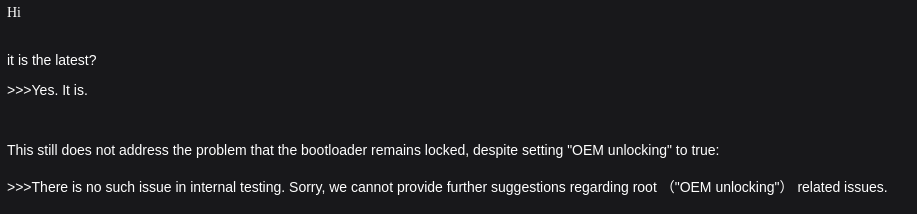
Finally getting around to flashing, and I am stuck on the vbmeta flash stage with FAILED (remote: 'No support by lock control'):

Despite enabling “OEM Unlock” in developer options… Have toggled on and off and rebooted multiple times. Despite this, ro.boot.flash.locked remains stuck at 1.

fastboot flashing unlock
OKAY [  5.015s]
Finished. Total time: 5.015s
fastboot flash vbmeta vbmeta.img
Sending 'vbmeta_a' (8 KB)                          OKAY [  0.003s]
Writing 'vbmeta_a'                                 FAILED (remote: 'No support by lock control')
fastboot: error: Command failed

Which suggests it’s not actually unlocked.

I emailed support, and of course they cannot provide assistance:

I wonder if I got a non-unlock-able dud…

The entire reason I bought this phone was to root it. I am extremely irritated and was looking forward to tinkering. If I can’t unlock this then it useless to me and I will just resell it.

Not happy… :frowning:

I fucking loathe locked devices. It my computer. I accept the risks. Give me root, or give me death. Why is mobile computing so awful? I don’t need to unlock my desktop PC to install Linux.

1 Like

Also, bad news from the GSI maintainer, Andy Yan:

https://xdaforums.com/t/gsi-14-lineageos-21-pre-qpr2-light-trebledroid-based.4752540/post-90463722

And one personal FYI - I’ve finally made the tough decision to migrate away from daily-driving GSI and AOSP as a whole.
It’s inevitable that sooner or later I would return to being a “normie”, or a “power user” at best - AOSP going on a decline is just the final straw. To think that I’ve been using AOSP-based stuff since the first Android I owned… It’s been a ride for sure.
The implication on this GSI is that now I won’t even be able to test “Light” fully, merely the basics. If you notice regressions from previous releases, do let know.

Welp… Android is dead. Fuck google. Linux phones only for me going forward it look like…

1 Like

That was the same for my jelly star. Also my opnsense router

1 Like

Totally understandable. So absolutely no rush or pressure with this.

But out of morbid curiosity since I have hit a roadblock in my unlocking, could you see if

/dev/lampbelt_leds exists and can you turn on LED’s by writing to it?

1 Like

Yeah the only reason I got into high gear is because I needed the jelly star for travel

1 Like