Thanks for the data @catsay it was actually pretty helpful. I have made a lot of changes to the gpu-pt-check.sh script in the repository. It should now be able to report for every GPU in your system if it could be passed through to a VM or if the IOMMU groups wouldn’t allow it.
If I mock your data, the script reports:
GPU ID: 26:00.0 - GPU IOMMU group: 16
Success: GPU with ID '26:00.0' could be passed through to a virtual machine!
GPU ID: 27:00.0 - GPU IOMMU group: 17
Success: GPU with ID '27:00.0' could be passed through to a virtual machine!
----------------------------------------------
Success: There seems to be at least one GPU in this system that can be passed through to a VM!
Which is probably correct. There is still room for improvement. But I’d need to collect more data from other computers first.
The next thing I’ll try to add to the script will be some logic to check if the virtualization technologies have been enabled in the UEFI. I also wonder is there is a simple way to tell if an iGPU has been disabled in the UEFI.
I have still no clue how I could check how the GPUs and the notebook screen are connected.
edit:
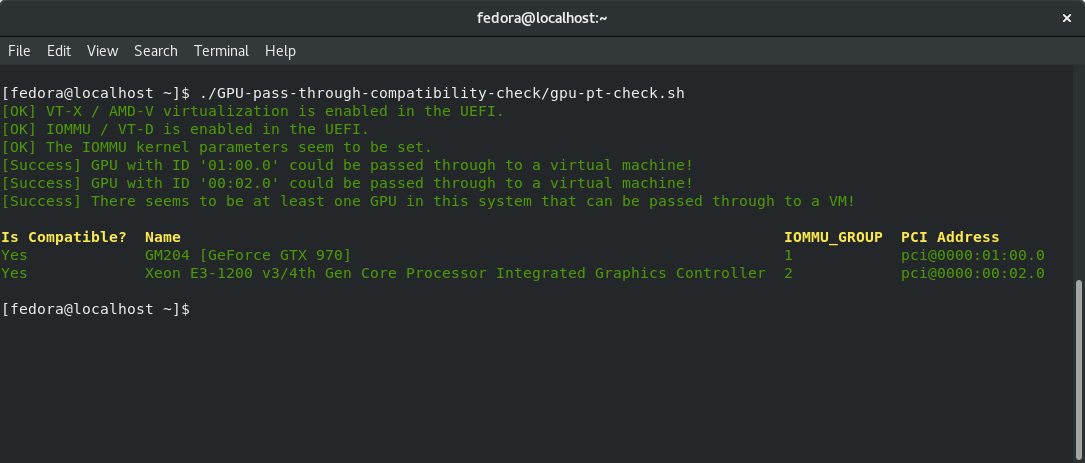
The gpu-pt-check.sh script now automatically checks if AMD-V / VT-X and if AMD’s IOMMU and Intels VT-D is enabled in the UEFI. It also checks if the IOMMU kernel parameters are set. I also improved the logic for checking if the IOMMU groups allow a GPU to be passed to a VM and made the script print the information in a more readable way.
I think this looks pretty okay:
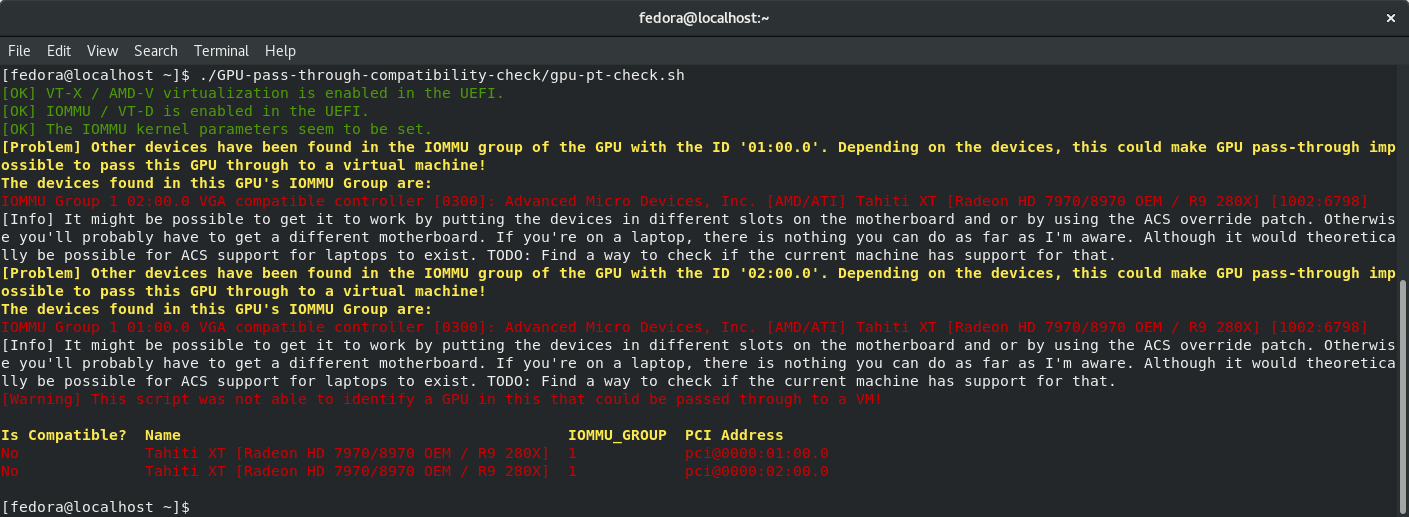
In some cases it may still report inaccurately. For instance I found a case where you could only pass all GPUs together:
Edit2:
The script can now handle cases like the one mentioned above.
I also added logic to
- detect if the device is a laptop
- detect the laptop name
- detect the BIOS version
- detect if the laptop is MUXed or MUX-less (I couldn’t test this one yet)
And the script is now automatically logging all the information to a log file and it also creates extremely detailed hardware/system logs now.
Edit3:
I’m not sure how I should go about the automatic VM creation.
If this is possible, I think it would be best to first create a normal VM and virtual disk, then install windows and all the tools / drivers on it that would be required to verify that it works as expected. Then I would actually delete the VM, but keep the virtual disk. And every time I’d check another laptop a new VM would be created automatically using something like this:
sudo virt-install --name=win-gpu-pt-vm \
--disk path="$VHD_FILE" \
--machine q35 \
--boot uefi \
--vcpus=2 \
--memory=2048 \
--os-variant=win10
--host-device $GPU_ID
This way I wouldn’t have to go through the hassle of fixing the VM’s config because the whole hardware layout changed etc. I could also simply specify to use something like 50% of the available RAM and CPU cores (which is bound to vary on different laptops).
I’m also trying to figure out the exact implications of MUXed/MUX-less laptops when it comes to GPU passthrough.