I went for 1600 for that extra headroom (when I was buying it, I hoped that the 5090, when it would come out, would have the 12v sorted out…). But thanks for the advice.
1 Like
That should be enough, But strange story. Is there a way you can make the system crash. Because what I’m reading its almost always random.
how stable is the system if you disable all ram overclocking and just put them on the speed that is on the ram
Unreal engine 5, aren’t you just running out of ram ? if I’m in that program my pc gets hot. and ram runs full quickly.
some extra fan’s over the motherboard. over the ram and over the network card.
@Draaksward when i just got my 7950x at the start i didn’t use case fan’s that was unstable. Never had a issue again after i added about 3 case fan’s to my system
I think I had something like this in the era of north/south bridge. Never again an asus mobo
1 Like
Well now days there are a lot of things getting really hot on the mobo. m2 hardisk, network cards. 10 gb really gets hot. I also didn’t had any problems and need of case fans sinse the north south bridge time (those fans where annoying)
Although I never used 10gb cards (for me, 1-2GB is more than enough, even in a scenario of transmitting a 4k game by Steam link), M.2s… yeah, they are an annoyance to say the least.
I think I need to start sending Noctua bills for sponsoring their a12x25 fans. I have 12 of them, and I’m not considering any other 120 fan ever again 
1 Like
12 noctua fans in the system should be enough. I currently am on 3 fans on the rad. and 2 fans blowing over the motherboard
1 Like
That’s worth investing, especially with an AIO!
The 7950x or in general all non X3D clock like crazy if cooled properly.
My 7950x is calm as it should be, but it has both a 420AIO plus cooling for the VRM… and I run it in the 135W or what it is ECO mode, can’t remember the number could also be 105W. Eitherway performance is good and VRMs are cool enough
1 Like
The PSU that was in-system for multiple failed CPUs would kind of be my primary suspect here. Secondary being your power delivery to said PSU.
Basically, if voltage in is all over the place, most things will have a bad time about it. In the Intel case, any droop leads to a request for more more, then leading to a spike. Do that enough, CPU gets unhappy. AMD side is more likely to crash outright.
Just for testing purposes, set a low PPT (90W or less) and try a +5 or +10 Curve Optimizer value. If it does stabilize or even just improves stability noticeably, a change of PSU and a UPS would probably be suggested. Even a surge protector rather than full UPS would be a considerable improvement.
1 Like
Do your crashes have any correlation with anything going on in the house? After I moved into some neighborhood, I started getting crashes randomly, on a desktop that had been stable before I moved. The thing that clued me in to check on the power was one case where I was playing a game on a laptop, and the instant I heard the washing machine in the garage stop, the laptop locked up.
I think the power in that house, or maybe even the whole neighborhood, was screwy. I bought a crude AC power monitoring thing, and it reported all sorts of impulses on the hot line and on the neutral line.
One of my family members had a work laptop that stopped being able to charge and had to get at-home service (motherboard replacement). I eventually contacted the power company, and they temporarily put in a monitoring thing on our panel for two weeks. They said it didn’t find anything specific, but they planned to replace the neighborhood’s old transformer anyway (it was 20 or more years old, I don’t recall exactly).
Now I’m not in that neighborhood anymore, but I sure hope that neighborhood’s power has gotten better since then.
The cheapest way to check if the power is the issue would be to bring the PC somewhere else, maybe a friend’s house in a different neighborhood, and run it for a good number of hours, long enough that you’d usually encounter a crash at home.
1 Like
Hey, just a quick update.
Mostly random, but I felt like there is a correlation to heavy USB activity (like copying lots of data to a USB flash drive or NVMe drive attached via USB 3).
Not as far as I can tell. At least I’m reasonably sure it’s uncorrelated to anything going on in the apartment, as the crashes happened both during the day and also during the night when everything else was turned off (so no TV running, no other PCs, no toasters or microwaves etc.)
All in all, this is currently hard to debug because I wanted to continue trying some of the logical next steps (that is, testing without the GPU, testing outside the case etc.)
In order to continue testing, I added back the other RAM stick but that unfortunately did not cause the system to become more unstable again like it was before I went down from 2 to 1 stick.
So currently, the system is somehow more stable again, even with the JEDEC profiles active on two ram sticks (something that was totally unusable before).
Remember, this is the hardware configuration that used to crash during the oobe setup after a clean Windows reinstallation.
So, I went through these steps:
- system crashing often, very unstable
- reduced to one ram stick, system got more stable (about one crash per session)
- added back one ram stick, system stability didn’t change
The system remains unstable (my last shutdown crashed with a bsod), but this is currently very annoying to debug.
Tomorrow I will reinstall Windows and do some intense USB transfer testing (this used to crash both Windows and Linux during my initial tests) and when I manage to reproduce it more reliably, I will continue with basically this:
So:
- Test without GPU
- Remove MB from case and test it on the cardboard box with another keyboard / mouse and nothing else attached
- Loosen the screws on the CPU cooler a bit to make sure this has no effect
Going by my gut feeling, I will probably order another pair of MB and CPU and if my timing goes well I might be able to cross-test both boards with both CPUs. Either that, or I will test with another PSU (which I’d also have to order and return again… ugh).
how many case fan’s do u have.
and usb is that directly in to computer or trough a hub ?
Three case fans.
My mouse and keyboard are attached through a hub, the data transfer tests were always done without hubs on 4 different ports: front USB 2 (type A), front USB 3 (type A), front USB 3 (type C), rear USB C
how are the temps ? should be enough but still
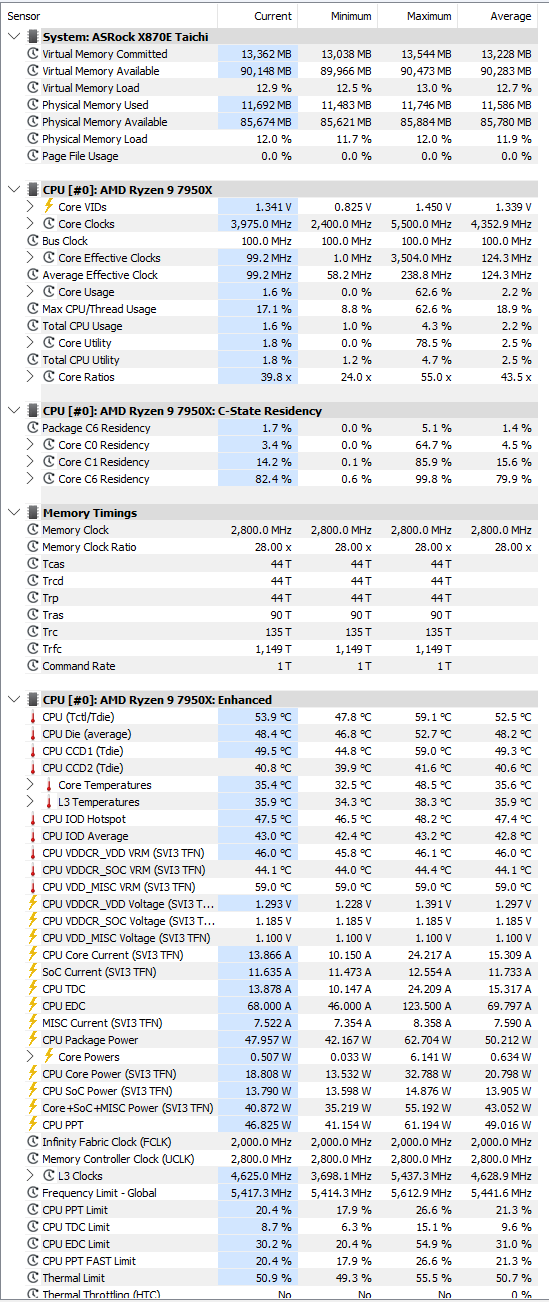
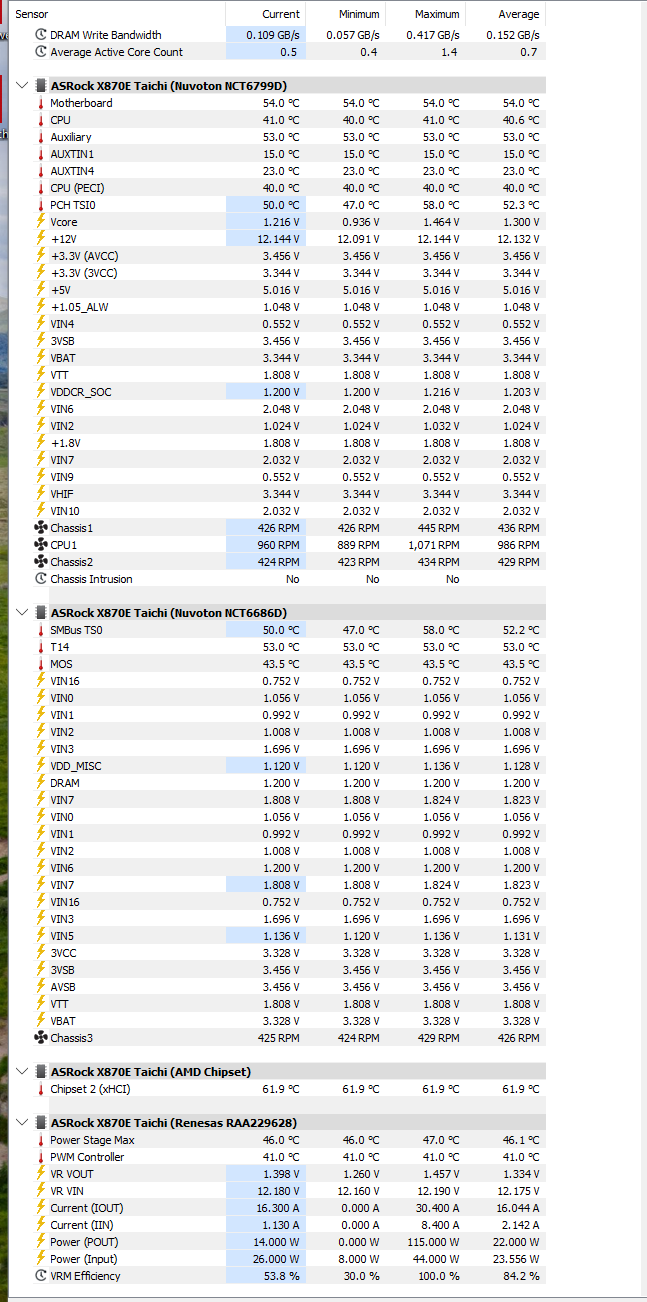
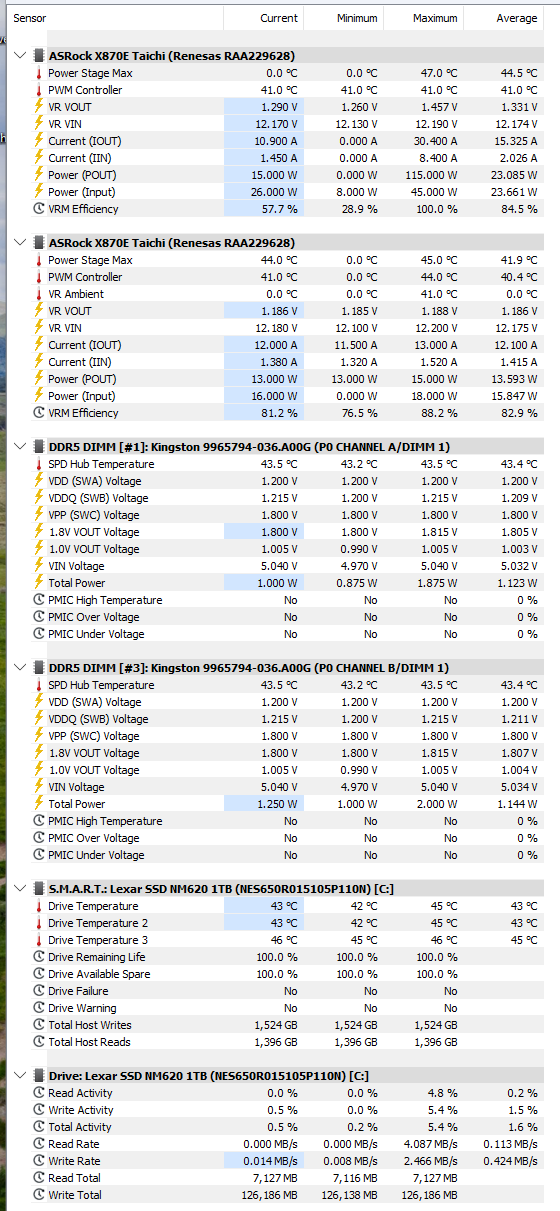
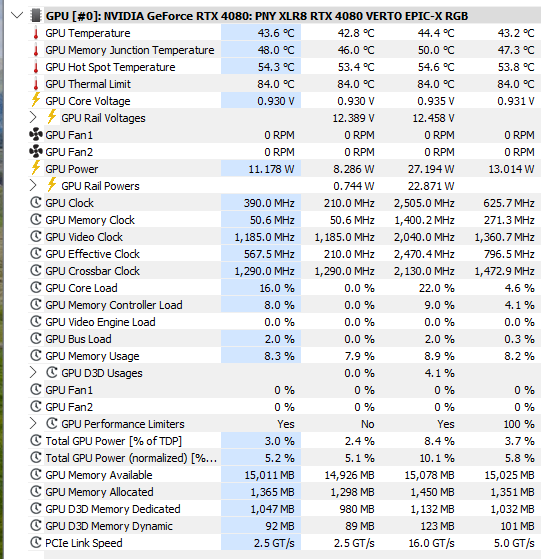
Those temps look really good. better then mine, But my system might be in a not ideal air place 
Did the hard disk change between intel and amd systems ?
Could it be the externals usb is defective. ?
Do u have old hard disks in the system ?
All tests have been done with just one SSD and nothing else.
I did test it with the same SSD that I used on the Intel system before (990 Pro) but that was also unstable. Right now I’m on the Lexar and it doesn’t make a difference.
All tested USB devices work perfectly on my old Desktop, so I don’t think this is the case.
Tomorrow I will do a test with a wireless Logitech K400+ which includes a trackpad, so that will just be one single USB device in total, nothing else.
My goal is to test this configuration:
- PSU, MB, CPU
- one RAM stick (confirmed OK)
- one NVMe SSD (confirmed OK)
- Logitech K400+ via USB (confirmed OK)
- UEFI defaults
- Install Windows from USB, detach USB drive after installing
If that is then still unstable, it could be the PSU, MB or CPU. I don’t believe it’s the power, but if it is, then I don’t want such a sensitive system either way.
1 Like
logitech shouldn’t trip the system. testing it on the other system should have ruled out the hard disks.
could it be the power delivery from the wall ?
This has been the topic in a lot of the above posts. Some people claim this could be the case, but my opinion on this is that I find it improbable.
Even if it were the case, I wouldn’t want to keep a system that reacts this badly to power that none of the other desktops in this household have any issue with. I want a system that I can trust as far as the reliability goes, and this would not be it. Power delivery is something I have no influence over and I want a robust (i.e. “normal”) system that does not behave like a little snowflake.
2 Likes
it can be bad ground. worth eliminating.
Because we now more systems where instable. and if all the parts are changed and it keeps being unstable.
temps are good. that is go’s wrong with usb make’s me think of grounding isue’s to.
I’m living in a old house in the Netherlands. don’t have ground on any of my sockets. I have a line running from my kitchen to have a good ground