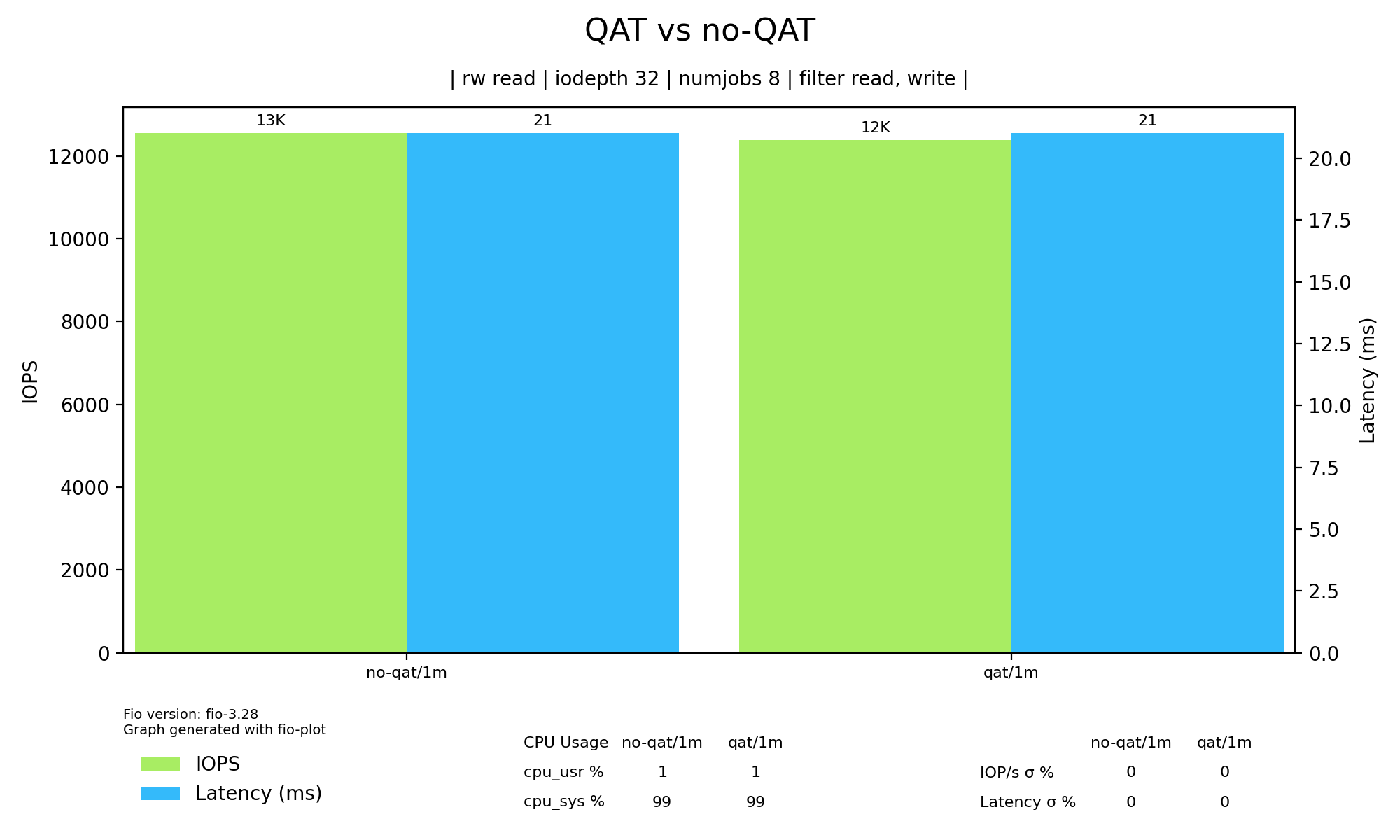
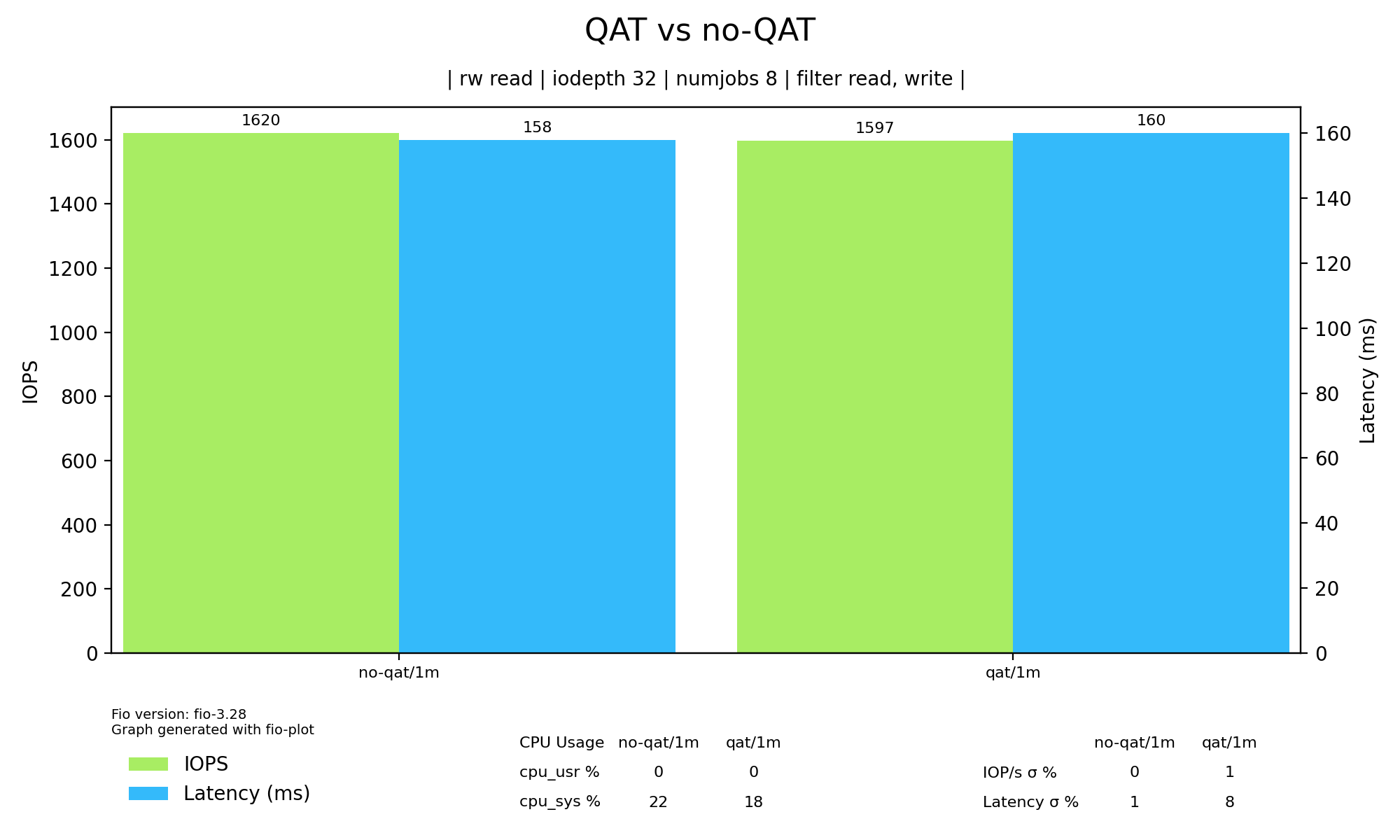
TL;DR I am looking for input from people interested in some before and after benchmarks for ZFS using an Intel 8970 QAT card for acceleration. I know ZFS is tough to benchmark but if you have something you want me to benchmark before I start using this system let me know what.
Here is the machine we will be talking about:
Dell R730XD
2xE5-2683 v4 @ 2.10GHz
512GB RAM
Disks:
8xHUSMH8020BSS204 200GB SAS (SSD)
4xSSDPE2KX010T801 1TB NVMe
12xST12000NM0027 12TB SAS (spinner)
So, because I am crazy I decided to buy an Intel 8970 to play around with accelerating ZFS, not just for performance but to take some stress off the CPU. It has not been fun, QAT is very hard to use, at least in this generation of hardware. Maybe the newer generations are easier but it has taken a lot of time just to get something working.
It took a lot of trial and error to get this working but these are the steps I took.
First, I installed some needed packages with this:
apt-get install -y build-essential \
                   libnl-genl-3-dev \
                   libudev-dev \
                   pkg-config \
                   yasm
Next I exported a variable and create the directory to contain the new module:
export ICP_ROOT=/opt/intel/QAT
mkdir -p $ICP_ROOT
cd $ICP_ROOT
Next I downloaded the archive:
curl https://downloadmirror.intel.com/649693/QAT.L.4.15.0-00011.tar.gz -o QAT.L.4.15.0-00011.tar.gz && tar -zxof QAT.L.*.tar.gz && chmod -R o-rwx *
This is not the latest but it builds and works. The latest version doesn’t compile correctly and I haven’t spent the time to find out when it breaks.
Next I ran configure:
./configure --enable-kapi --enable-qat-lkcf
Not sure if this is needed but I then unload the existing in-tree modules and uninstall them:
rmmod qat_c62x && rmmod intel_qat
make uninstall
Then I build and install the new drivers:
make && make install
This should build and install the drivers, but you now need to compile ZFS to use QAT, with this:
apt-get install zfs-dkms
After this you either unload and reload or just reboot to load the new ZFS. Upon reboot, ZFS will not use QAT to accelerate, to get it to use QAT you have to run these commands:
echo 1 > /sys/module/zfs/parameters/zfs_qat_checksum_disable
echo 0 > /sys/module/zfs/parameters/zfs_qat_checksum_disable
echo 1 > /sys/module/zfs/parameters/zfs_qat_compress_disable
echo 0 > /sys/module/zfs/parameters/zfs_qat_compress_disable
echo 1 > /sys/module/zfs/parameters/zfs_qat_encrypt_disable
echo 0 > /sys/module/zfs/parameters/zfs_qat_encrypt_disable
Sooner or later I will likely put this in a script that is ran on startup, but for now it is late and I just run it manually. This should allow me to turn it off and on to benchmark also.
You can verify it is actually using QAT with this command:
cat /proc/spl/kstat/zfs/qat
I want to run some benchmarks do determine if it is worth losing a x16 slot for this card. So I am looking for input on how to benchmark this.
For the 8xSSDs, I was going to do a RAID10 setup. For the 4xNVME I was going to also do a RAID10, or possibly even just a RAID1, then for the 12xspinners I was going to do 2xRAIDZ2 vdevs.