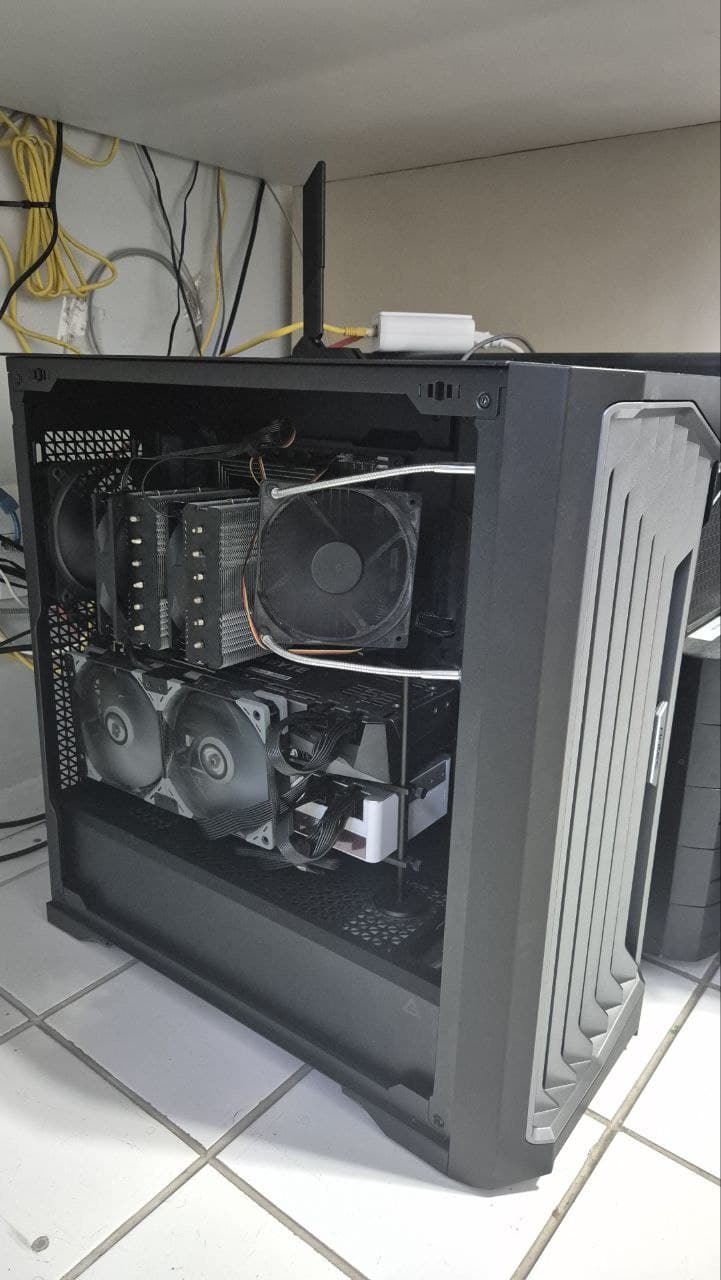
I’m “reasonably” satisfied with the clean runs that completed yesterday on the server. If/when that box is recycled into a workstation I’ll burn it in over a weekend.
I realized during testing that it was quite possible to push the CPU into thermal throttle despite the rather large double fan 140mm cooler so that will need to be addressed as well.
A huge THANK YOU! to you to everyone for your feedback and input as well as pointing out some other top shelf threads here on the forum
140 dual towers are often worse than 120 duals, noise-normalized, but throw an AVX workload onto a few cores on a recent Ryzen it’ll it hit 95 °C with a good 360 AIO unless Ta is on the lower side or the curves aren’t noise constrained. How many cores to funnel boost power into depends on the processor, thermal solution, and workload but usually it’s 4-8.
If you don’t want thermal throttling at all you’ll need to delid. So the question’s really more whether there’s enough throttling often enough it has noticeable perf effect. Not any different with Arrow Lake and older Intel’s worse.
If your memory temps are nice and low and it’s currently stable try maxing “Refresh Interval” (tREFI). Should be good for a noticeable bump in the mlc numbers.
I’ll note that a small fan, even a 4cm one, perhaps installed with a bracket mounted to the two screws near the top of the board and closest to the memory slot and blowing at the DIMMs from one side, would do very well keeping the modules much cooler than they otherwise would have been in a closely spaced 2DPC configuration, without server-grade case airflow that would nonetheless be incorrectly oriented in a typical desktop tower. Cooler temperature also means less risk of certain kinds of corruption or more tREFI margin, though it probably wouldn’t help with the overclocking much, not at typical 2DPC frequencies.
I’m under the impression that blindly maximizing tREFI is inadvisable if you use the system for production purposes. Lower 2DPC frequencies meant even longer effective tREFI in us, if you peg it at 65535. There’s a diminishing return after a certain point, where 2x stock value would shave off maybe 10ns in latency, but 4x would only reduce it further by 5ns, and start introducing thermal instability.
I’ve personally found manually setting up the correct impedance and termination resistance settings to be important for 2DPC tuning, but those are almost certainly board and memory module specific. Blindly copying values from sources with presumably different setups did not work for me.
Either way watch out if you are doing this on a production machine. Unstable overclock could easily do a lot of damage. Benchmarks are also non-indicative if there are a lot of background tasks. If you don’t need more than 128GB, one of those 2x64GB kits that are now coming out might do better and cause much less headache, but they do cost money.
Me, I’m happy enough with a tuned 4800MT/s setup, for now.
With DDR5 I haven’t seen even this much, presumably partly because of the subchannels and tRFCsb. Default tREFI’s 3.9 μs and with the 48 GB modules I’ve looked at benches and power draw don’t move seem to beyond measurement to measurement variability past ~5 μs. So it’s not apparent to me there’s value in high tREFIs.
They are potentially specific to the board and module combination, as well as processor and socket, and can vary with production tolerances on the parts. On all the 48 GB B- and M-die kits I’ve worked with varying termination settings off what training autos to has had no effect on stable tightens and overclocks. It does make some difference but seems useful mainly when a config happens to be close enough to stability all it needs is a minor nudge.
Pretty much what I do is find the highest 2DPC 2R overclock I can get stable and then tighten. Most configs I see are fairly similar in terminations and voltages selected.
Yeah, now that 2x64’s available I wouldn’t bother with 4x32 outside of the special case of already having 2x32, needing to go to 128, and being willing to accept 2PDC downclock to reuse the existing 2x32.
This was exactly the case I was in. While I would certainly love to get more speed out of the current RAM configuration, I’ll be running the current 32x4 until I can justify upgrading the lab server (aka it’s out of capacity/we need more resources)
I’ve heard that, at least on Zen 4 desktop, tRFC2, tRFCsb, and the associated refresh logic are not implemented or used. Increasing tREFI from 3.9μs to 10μs dropped mlc-measured latency from ~105ns to ~90ns, and increased all read bandwidth from ~57GB/s to ~62GB/s on my setup, the former roughly in line with theoretical calculations from the ~410ns tRFC. Those 32Gb chips on my setup really need all that tRFC nanoseconds; A reduction to as much as 350ns would not POST.
I’ve found mine simply won’t train without the impedance and termination settings set at anywhere above 4000MT/s, on the previous BIOS with AGESA 1.2.0.3c. Might be a board quirk; It also never self-recovered on failed overclock, and required shorting the CMOS reset headers every time.
tRFC2 applies above 85 °C, so it’s probably rarely used on desktop. Even with all the hot testing I’ve done pushing 1DPC 2R and 2DPC 2R as hard as I can the highest SPD I’ve hit is 80 °C. And I’m not 100% that isn’t a monitoring glitch as usually ~65 °C is the highest I see (~40 °C ΔT, so 85 °C’d be a pretty high ambient).
tRFCsb I’ve seen the same claims but, if they’re correct, it doesn’t make sense it’s settable on every AM5 board I’ve worked on. The DDR5 documentation I’m aware of suggests slight effects to varying it (like ±1% on memory metrics, so probably unmeasurable in benches) and it may also be a setting where some minimum is silently enforced. So, from what I’ve been able to piece together, I think it’s not so much that tightening tRFCsb matters as that DDR5 gets a few percent of perf gain from having tRFCsb compared to not having it.
With the ASRock boards I’ve worked on it depends what you’re fiddling with, how you’re fiddling with it, and what CPU and kit it is. But, overall, roughly even odds they’ll fail down to DDR5-3600 from an attempted 2DPC 2R overclock versus bricking and needing flashback.
I’ve some CPU+board+DIMM combinations where anything over DDR5-4000 is a giant wall of nope. Others where 4400 trains on auto but most manual tweaks off the auto terminations fall back to 3600. And still others where termination and drive tinkering at 5200 is basically binary—either boots or doesn’t train, no in between.