AI Disclosure:
I’ve been a pretty big skeptic like most SWE’s and I still don’t know what are the formal rules around AI stuff. I try to keep most of my words my own, but for guides and such I’ve been speaking my verbal thoughts into a text to speech model and then that into an LLM to help speed up the process. All these thoughts and opinions are my own. I then went back and rewrote like 90% of the output into my own words. I also used coding agents to help put together the attached repo and generate the graphic.
Intro
I’ve always been a huge scifi nerd and I’ve always dreamed of I want to be able to ask my computer. I never thought that something like that would come in our lifetime so of course I wanted to figure it out. I started ripping apart all the different harnesses and have been working on similar tooling at work. So yes, I gave my assistant access to my email. Funny thing is, when I first started playing with AI at home, I was nervous enough about what I was connecting that I bought the machine its own router! So I thought that I could help ease everyone else’s worries about this stuff and help set up some really cool systems that I’ve been taking advantage of.
My homelab started with a Raspberry Pi in college. Over the last five years or so I put my old PC back to work, upgraded from Ryzen 5 2600 it to a Ryzen 9 5950X, and got into Proxmox with some encouragement from Wendell and the folks here. I followed the Forbidden Router guide. For a while the setup stayed pretty much as it was. Lots of little upgrades here and there, but I had many more plans for it. Finding a free evening to figure out why something didn’t work was usually the hard part.
That’s where LLMs made a difference for me. Us tech janitors really value our time and I started to think about how I could manage it better. Anytime I thought something would take too much time or “wasn’t practical” because of time constraints, I’d start to have the LLM do it. Slowly, with time, I could keep giving it bigger and complex tasks now to the point where its writing most of my code daily even at work now. I went from hardly working on anything to picking up those half-finished projects again and starting ones I’d never even do specially around home assistant.
I was really into LLMs even before the hype. Been trying to run models since the week llama.cpp came out the week the first llama model came out. Running LLMs is no easy task and I was on a hunt for hardware options. Spending $2000 on a just a GPU? That sounded like crazy talk 12 months ago (oh now nieve I was).
Last year lucky enough to snag a Framework desktop right before the RAMpocalypse. Wendell was hyping up Strix so long and he’s never steered me wrong before (He got me down these rabbit holes  ) plus I was looking for a new gaming setup anyway. I knew that the bandwidth issues were going to really slow the thing down and that things were gonna be rough at launch and wow it was. If I was not a uber-nerd there would have been no way for me to figure stuff out. I was manually compiling llama.ccp builds with special flags and patches. Nothing was intuitive just yet, I was really banking on the community here to do something and man did they blow my expectations out of the water! I couldn’t have picked a better machine for this. It took a while for the software to catch up, but using it today feels nothing like it did last year. It’s aged like a fine wine, right down to the price. This is the first computer I’ve owned that would cost me more to buy today than I paid for it.
A few months back tried to start a guide on the forum trying to organize my first initial setup, but it was still very complex and kinda hard to follow along. If you like boring guides that ones perfect for you. You could also prob give an LLM that link and it should be able to set something up similar for you. I also tagged a lot of sources because I wanted people to go any explore things on their own! So check that out if you’re interested. Some things have changed and I’ve explored some things that have made things a lot easier.
I thought that for Devember I could put together a more concise guide that’s more opinionated based on things I’ve learned using these systems. This will lean heavy on a Strix machine but you can still do something very similar without one! So here’s my homelab, I know a lot of this kit is not exactly reachable for most people, but i want to inspire others to just find any machine and start using Proxmox! It’s amazing how much you can lean on it to do very complex tasks. Wendell says he’s cooking up some more stuff here, so I’m excited to see what he has in store because I’ve been using lots of frontier models for this work, but it would be cool to do most of it offline.
There are many Homelab, but this one’s mine
My homelab is on 2 floors, my house is 90 years old and the landlord has no plans to upgrade anything. If I have 2 of these machines plugged in upstairs then the breaker flips :). I can’t have the AC unit on an vacuum at the same time up there  . God gotta love when its Made in America am i right? Downstairs is the main router, Strix router, and Little Boy: my Framework Desktop. They connect through a coax to ethernet adapter. Upstairs is a rasberry pi kvm, the services router, and Bertha, the main Proxmox host for all my services, not just LLM stuff, file sharing, plex, reverse proxy, home assistant, know all the usual stuff. See it doesn’t need to be pretty it just needs to work! Although I did get a new fancy Antec x Noctua case for Bertha she was in need of an upgrade.
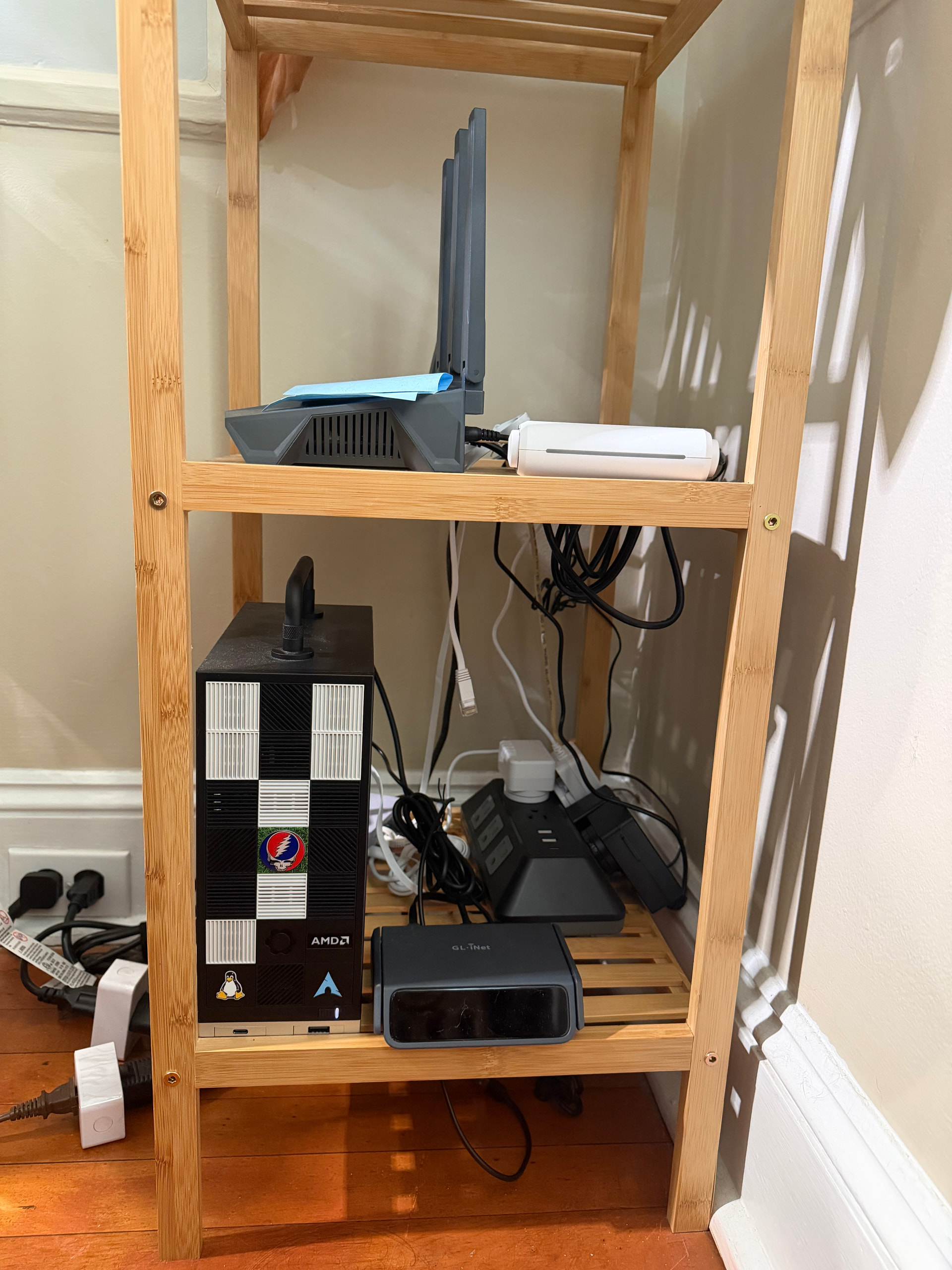
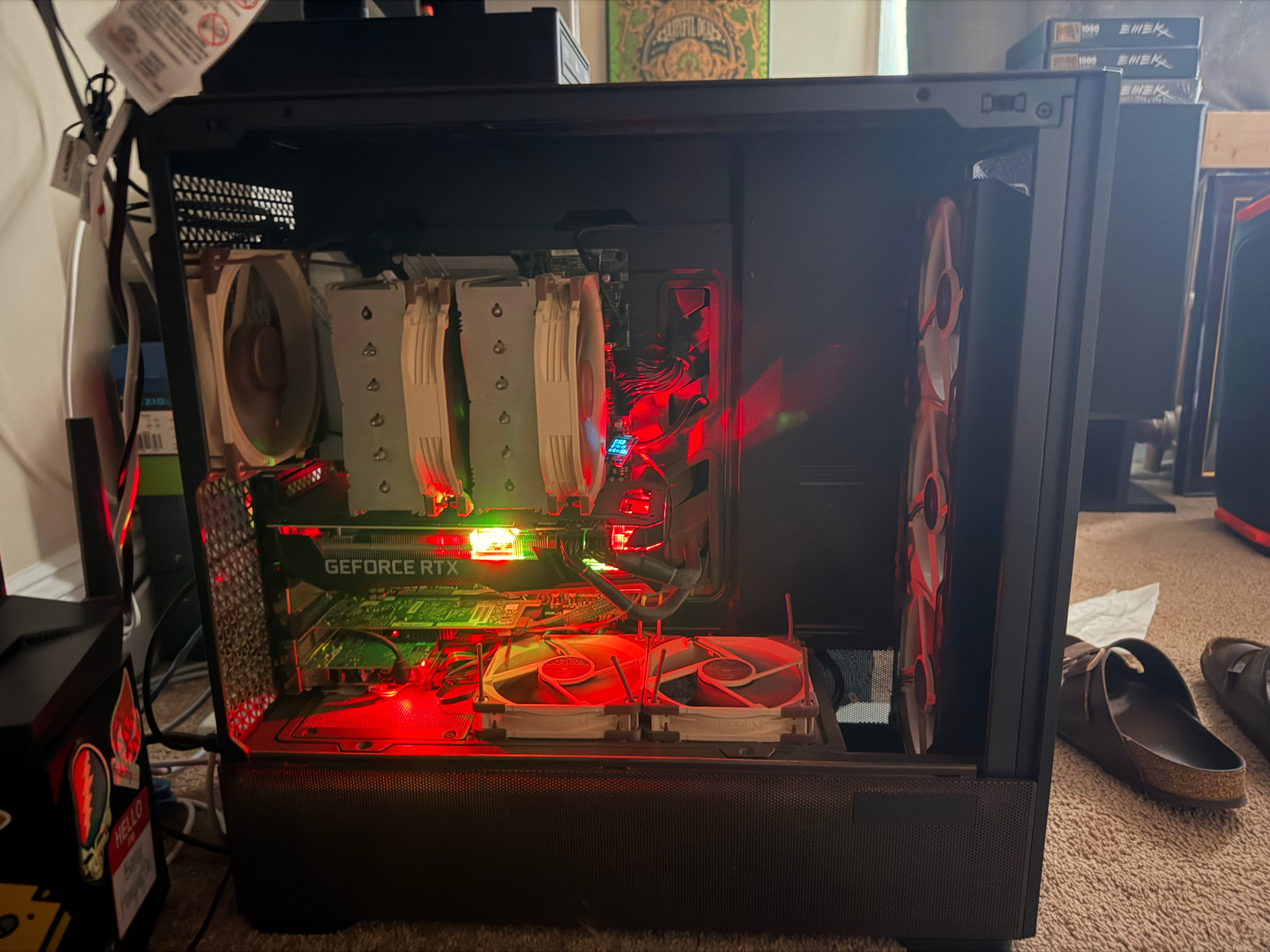
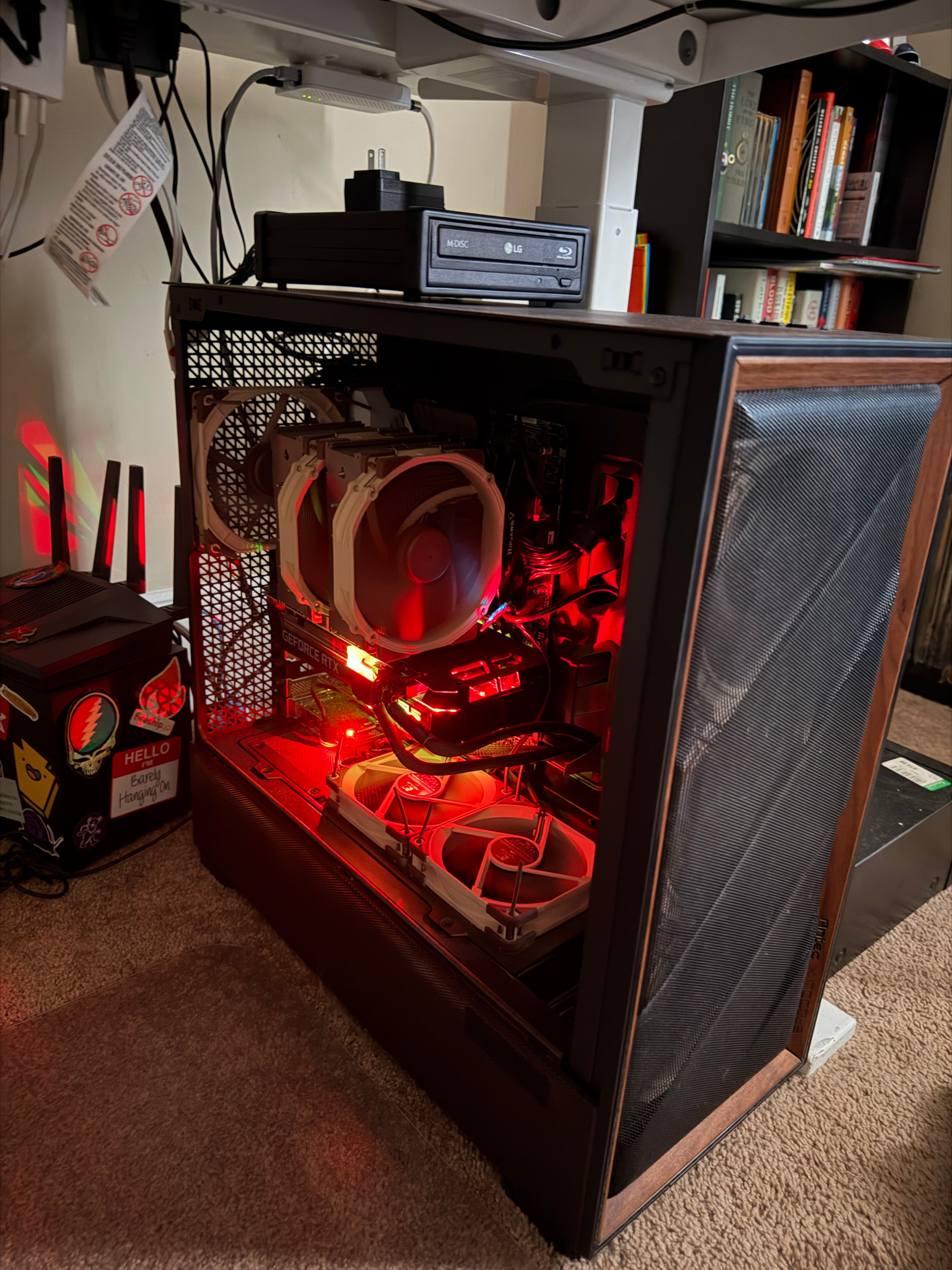
Overal Design
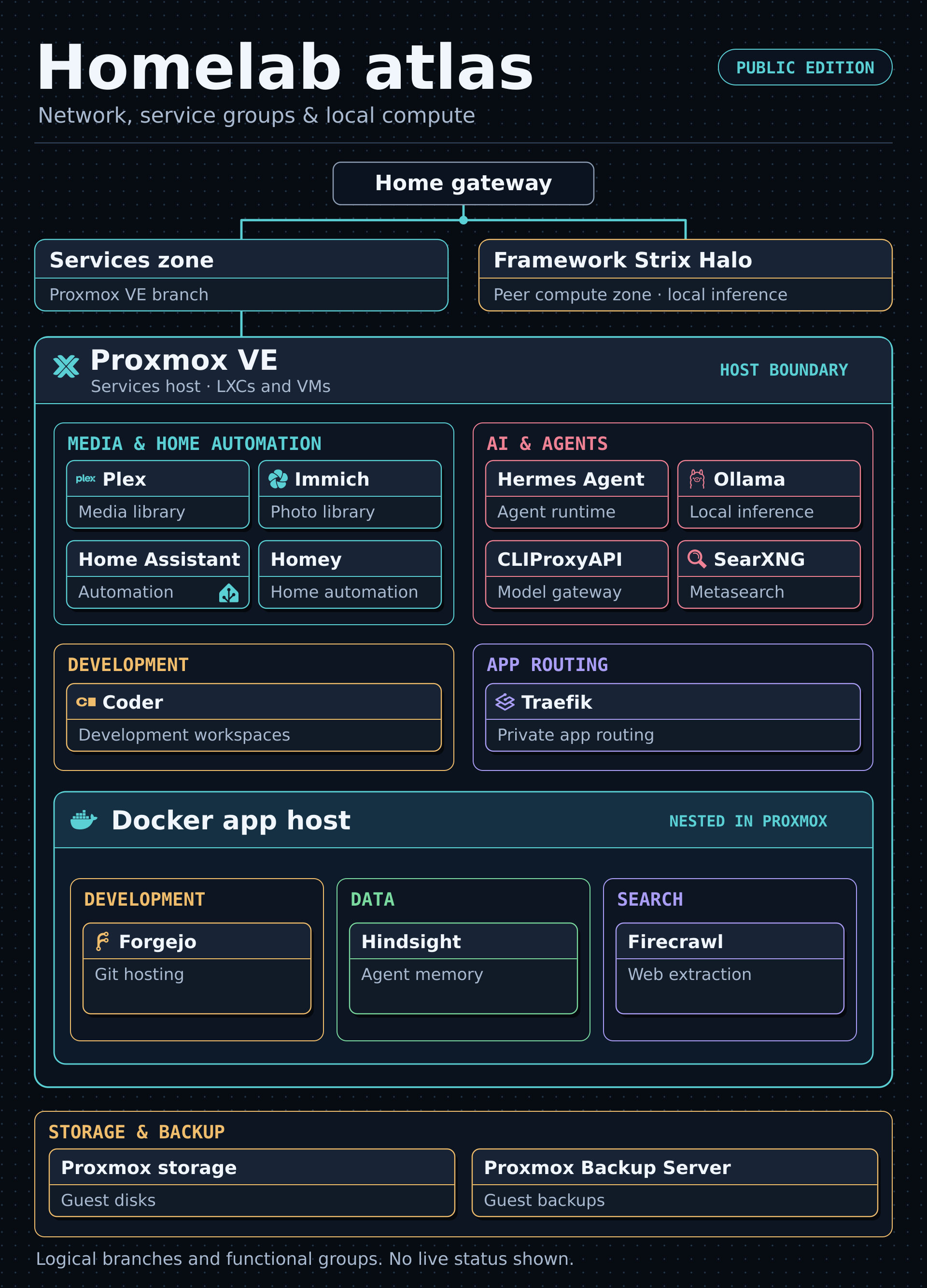
These days i have 3 routers, but you only need one really I’m just being extra . I’ve got one router for the Proxmox lab and another for the Framework Desktop where I run models. GliNet routers have a speical Tailscale plugin, it auto forwards a machine’s LAN addresses so you don’t need to use the Tailscale IPs (yes ik its not as secure this is a homelab). I also use Traefik as a reverse proxy to route me to all my services. I have a domain in Cloudflare DNS and I point it to the LAN address of the Traefik LXC (if you dont have GliNet routers point to tailscale LAN address). DNS with SSL certs for all of my services, one configuration. If you’re curious about this setup there are many guides you can find on YouTube and I’m sure there’s some in this forum. Here’s a highlevel example:
Setting up Inference
For Proxmox i like to lean heavy on Community Scripts, but you can set up your system anyway you want. Using just docker works great too! I have Traefik and CLIProxyAPI as LXCs from the scripts site. Proxy is really helpful because you can have all of your models in one place and all of your different model agent runners all point to the same endpoint and you only have to log in once. Not only do I have my cloud models, but I also have my local models in there. There’s Unsloth which is a great option for LLM engine. Also, so is Lemonade.
If you don’t have a Strix machine and you’re doing this yourself, Community Scripts has Unsloth and lemonade scripts. If Proxmox machine you’re using has a GPU you mount the hardware devices to the LXC and allow it to run GPU processes. Need to have GPU drivers installed on the host machine though. There are guides online on how to set this stuff up if your curious.
But on Strix Halo I’ve been using Strix Halo Toolboxes. Donato is doing magic over there go give him a star on Github!  . His AI cockpit is extremely helpful if you’re struggling with trying to figure out how to download models and custom engines. What I’ve done for myself is I’ve taken all of his toolbox images and converted them into an OCI image with one more program a really like llama-swap. This is a handy little tool that quickly will allow you to switch what models are loading and what model engine is running. That has been extremely helpful for local inference. I’ve really been leaning heavy on Halogen Flash after Wendell’s video about it. Not gonna get into it here, but if you haven’t checked out Halogen yet and you’re on AMD, I highly suggest you do.
It has really been changing the game on local LLM stuff and having llama-swap in front allows me to quickly switch between halogen-flash and llama.cpp models on the fly. Now, llama-swap has an image that’s perfect if you’re using Nvidia, but there’s no version of it that has all the optimizations for Strix Halo like Donato’s custom builds. I thought I could blend the two together. I’ve created a llama-swap container that uses all of the engines and their optimizations that Danato made. Frankenstein’s monster, if you will. I wanted it to be super easy and I also wanted it to have proper slot configurations and load balancing for Strix Halo machine.
Okay, so once you have all those together. You sign into your providers and add your local models to the list in CLI proxy. Then add a new http router in Traefik: “cliproxyapi.example.com”. Then you can use then as the custom endpoint in your agent harness. And you never have to think about logging into each machine again.
Choose your character!
This section could be a whole write itself! What harness you use is really up to you. Its a lot of personal preferences and vibes right now. Don’t believe anyone who scoffs at your choice use what tools you like and give you enjoyment, its the same old story as the distro wars. I really like using Pi because it reminds me of vim in how basic yet extremely powerful and customizable it can be. For us tech janitors, I think it’s the perfect one. All the other ones really aren’t all that open. Their plug-in systems make them feel more closed off and rigid and less customizable. I highly suggest you spend time building out an agent you’re really comfortable with and you like and has tools that you use because once you have one going then you can explore orchestration and other options.
Why I use Hermes and T3 Code together
Once I could reach the lab from anywhere, I still had to remember where I’d left off. That was especially annoying with AI. I’d spend an evening explaining a project, then open a coding session the next day and find myself telling the story again. I also had the opposite problem: I’d given my coding assistant so many different jobs that a request to fix one function came with a whole lab’s worth of baggage.
These days Hermes is the assistant I come back to. Primarily use it for my day-to-day tasks, non-coding work kind of stuff. Has memory systems. You can easily attach it to things like your email. A lot of pre-configured things are all in a nice bundled package for you. I can pick up the conversation about my Proxmox setup with the same helper that knows why I set it up that way. When there’s code to work on, Hermes can open the project in T3 Code and give the job to Pi, the coding assistant I’ve set up the way I like. The connection is through MCP, which gives Hermes tools to start a T3 thread, send it a request, and read what comes back. I can open that same thread myself. I don’t have to take a chat summary’s word for what happened in the terminal.
Hermes is really good at being an Orchestration layer and managing multiple “bots”. You can then use these bots to go and do delegation in other places of agents with smaller scopes, which are the isolated agents in T3 Code. They run on a separate machine, not from the Hermes LXC. This also prevents Hermes from, you know, doing things that it shouldn’t do on its own machine. It loves to just go and do its own thing and sometimes that creates unwanted results you don’t want from coding agents but you do want from an assistant. T3 MCP has a permission system to prevent it from running unwanted commands if you so desire that security stuff.
Here’s a small example. I wanted to know if the GitHub CLI worked on my Framework Desktop from my laptop. We’d already tried it on another machine, but that didn’t tell me whether the Framework was signed in or what its account could see. From our conversation, Hermes started a T3 thread on the Framework. Pi ran hostname and checked GitHub from there. The login worked. I didn’t have to give it an ssh key for Framework and worry about its access on that machine.
So whenever I have a project that I want to work on, I create a generalized Hermes bot that’s kind of the leader of the project, and it knows everything about the project, it has a memory about the project, and its job is just controlling and understanding the project. Then, when I need to get things done on a particular project, I go to that bot chat and I ask it to implement something, we chat a bit, and then it will spin up a T3 thread or however many it needs in separate work trees or whatever, go and do the work, and then when it’s done, it will report back to me. For a long time I was struggling because I would have to juggle remembering all these different threads and all what every single one was for and now I just have like one area I can just ask general questions too.
Note: Important thing I’ve noticed when using orchestration layers, You should break your agents into two groups: agents with and without memory. Agents with memory handle management, while agents without memory just handle work. It’s a very important distinction and I find that when you divide up work like this, the agents just tend to get things done faster and better. LLMs don’t do good with strategic programming, They can’t understand the total concept of the whole system and when they have memory they tend to have a lot of that and when they try and go and do the work they end up falling apart
Conclusion
So yeah, I’ve got a LLM in my email now and its amazing and I wish everyone did to. We can make that a reality and not sell our privacy in the process or give up security. If you guys liked this maybe I’ll update my old post and make it more streamlined, let me know if anyone would be interested in that! I hope that this inspires you to want to build a similar home lab. I have had so much fun doing this over the years and it has bringing me lots of joy to be able to share some things that I’ve figured out with you  . I hope this guy can help some of you cut through some of the overhype and actually find practical uses for this extremely awesome technology. Be bold! Code is cheap! Nothing is too hard to build now u just have to want to go and just do it.
I want to thank all the people who have made these tools I mentioned because they have done all the work here. I just bundled them up into something simple for Strix users go and please support their projects! Give everyone a stars please!
Heres a link to my custom fork of llama-swap for Strix halo its WIP right now, but it works!
Tip: Copy this guide into LLM and it can prob help u set something like this up. I’ll add a comment to this post to help your agent out!
"
PS
I know that this had been a mostly positive look on LLMs but i wanted to provide an example of a time where, you know, they haven’t come through. I have consistently had this issue with Bertha where indiscriminately it’ll just the all the fans will stop working. You could go for months without a problem, and then boom. I’ve done more than just troubleshoot with AI, trust me. I’ve tried everything from ripping the whole machine apart to putting it back together. Only way to fix it is to turn the machine off. In the OS I can see they’re all reporting zero RPM, even though that’s not the fan profiles that are set, I’ve tried to have AI go and investigate this, try and figure out any patterns. It’s been impossible and I can’t figure it out. It is the mobo from my first PC back in 2018 so hopefully soon we’ll be getting a new motherboard, but I gotta save up  . Just wanted to let people know, you know, it’s not the end-all be-all, there’s still ways to go.