I’m constantly getting errors if I extract a tar with a wine prefix in it. What methods can you use to archive a wine prefix?
I want to archive wine prefixes so I can speed up and easily transfer prefixes between PC’s.
I’m constantly getting errors if I extract a tar with a wine prefix in it. What methods can you use to archive a wine prefix?
I want to archive wine prefixes so I can speed up and easily transfer prefixes between PC’s.
What errors are you getting when extracting the tar?
When creating tar, I was able to by pass this error by deleting dosdevices folder’
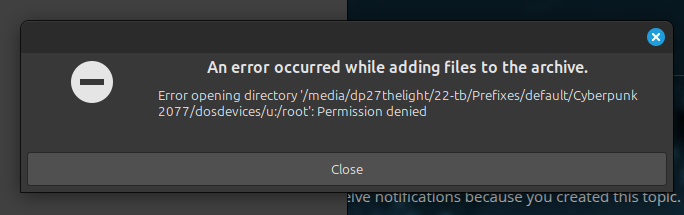
When extracting tar
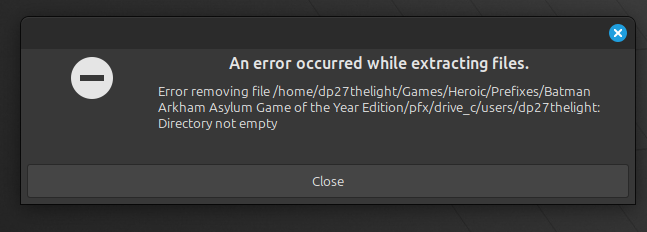
It’s a spitball but what parameters are you creating with? You need to preserve symlinks. The creation is where you “create” the extraction issue.
preserve symlinks isn’t an option when compressing.
I then tried terminal commands
tar -hcvf archive.tar /path/to/directory
tar -hxf archive.tar
What options are they’re to successfully tar a wineprefix? The prefix contains both wine/proton aka drive_c/pfx
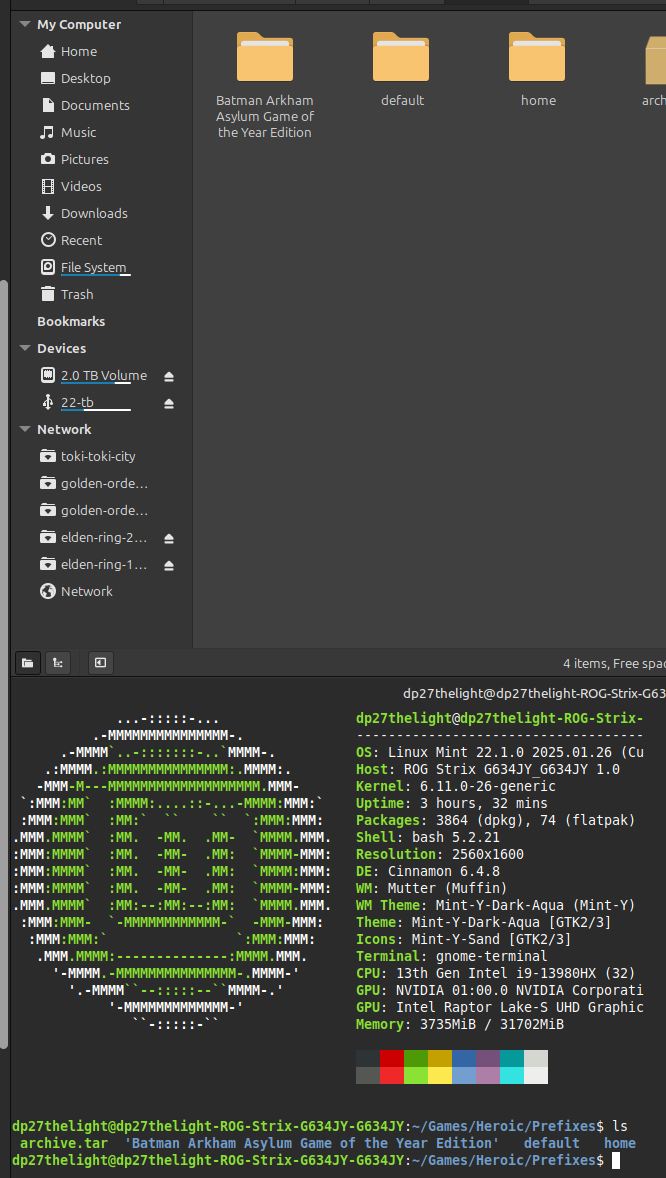
Whether using the terminal or applications. You can see my directory naming in the photo.
I did get an error related to the length of the directory.
'Batman Arkham Asylum Game of the Year Edition'Does this happen to be an NTFS formatted drive? There are some limitations on the length of the total path, not just last directory name.
Unsure how to fix that in Linux, if so.
Sounds like you are using a crappy front end…don’t. If a “tool” doesn’t do what you need it to it’s no longer a tool, it’s a hindrance.
I simple search would answer this in spades (how to preserve and extract preserving) other wise you are untaring /dev/ devices and blam, errors.
He’s running Linux and Wine…If he was doing something on NTFS in Linux those NTFS issues would be present before the archiving issues.
Only using ext4 and using simple right-click compress folder
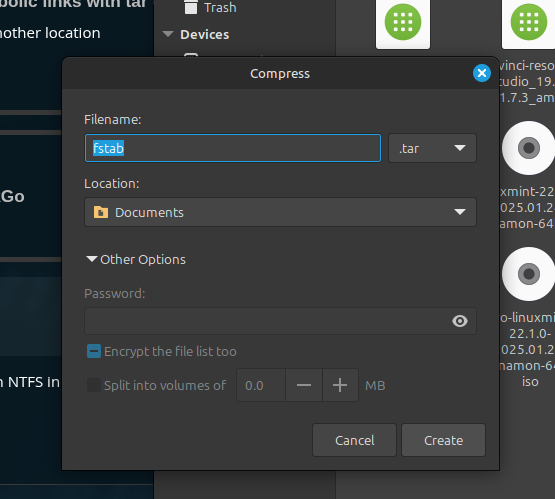
I also tired Brasero to make an ISO. The purpose of using ISO/TAR/7z is to increase transfer speed between PC/hard drive/Network.
Brasero has worked for some games, but file integrity failed on some games I tested. Wineprefrix is even more challenging compared to a game directory.
I don’t know how to package a wine prefix without issue’s.
I can simply transfer files without any form of compression, but transfer speeds aren’t as good.
Stop with the front ends… ;p Unless your front end allows you to modify the command used (some do) so you can have a compress with “My Wine Syntax” to select from. The one screenshot shows Cin is your DE but I’ve not touched Caja / Nautilus / etc in years. Either way learn the syntax for preserving symlinks when creating and extracting. I suspect your filemanager preset is adding the dosdevices symlinks (/dev/everypossibleblockdevice) as full paths. Which again means you’re trying to extract block devices on the other machine which you A) can’t do B) could only do as root if you could. Also when you tar and use a syntax to preserve permissions you can also extract in a way that nukes that.
Well transfer speeds are kinda a pointless metric if your machine spends 12 hours targz the thing before it transfers the first bit heh. That said you still need to know your syntax. If you’re transferring with rsync you need to know the difference between -l and -L. How is all this faster than just using rsync?!
Why do you want to archive the prefix? You can archive the game files and create the prefix again if you want to use it later. I see no reason to archive the prefix as a whole.
If you don’t already keep the game files and the prefix separated, now is a great chance to do so as well, it will make life much easier in the future.
@VoodooMagic Keeping the prefix makes more sense. It sucks redoing all the .net stupidity and other dependency crap over and over.
That said I still question why OP isn’t just using rsync.
More so though just use Bottles [https://usebottles.com/]. At least then you can rsync but also back up the prefix details with json/yaml and recreate automatically. The only crappy thing about bottles is you being on a debian distro will likely be stuck with flatcrap…