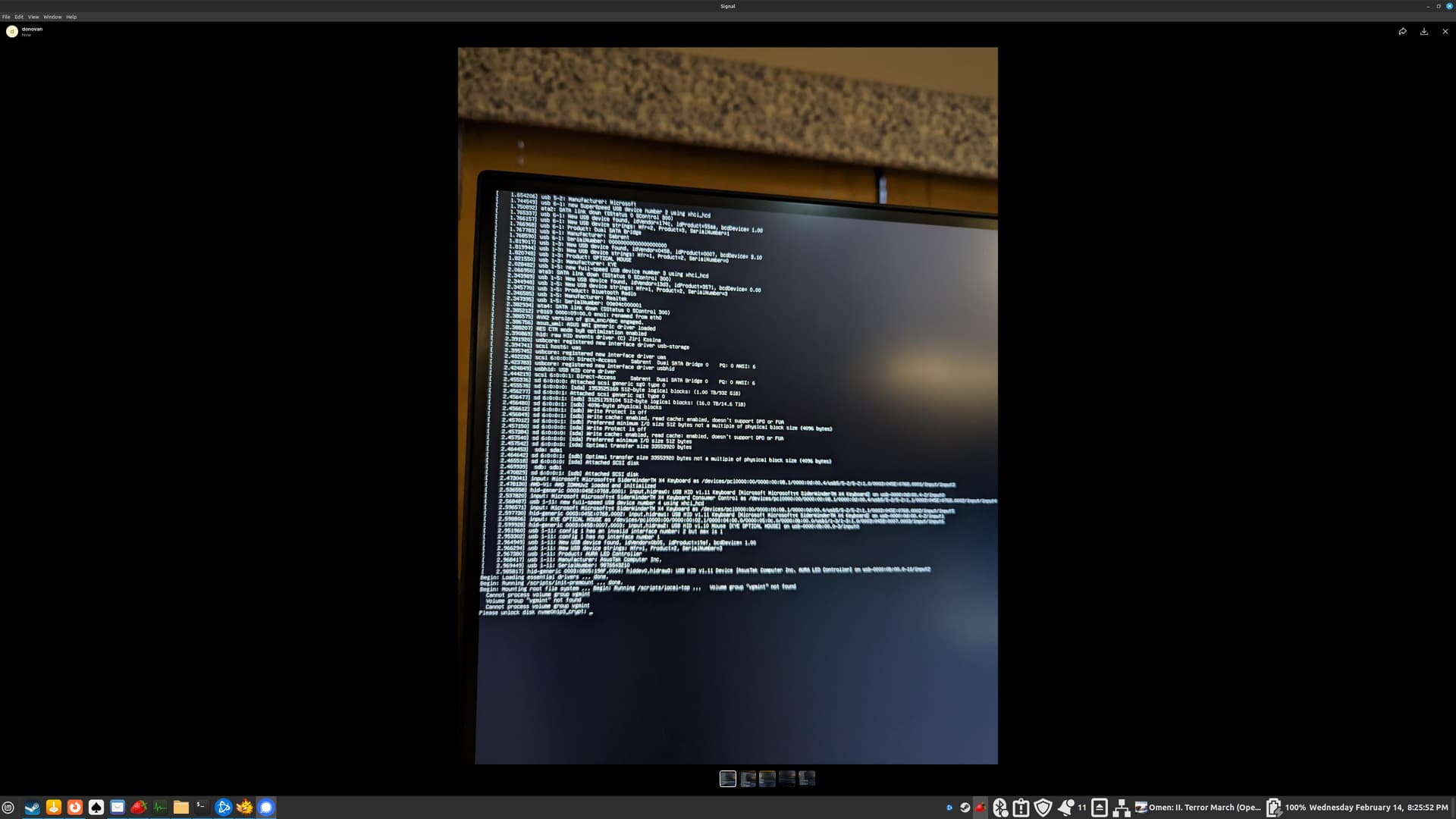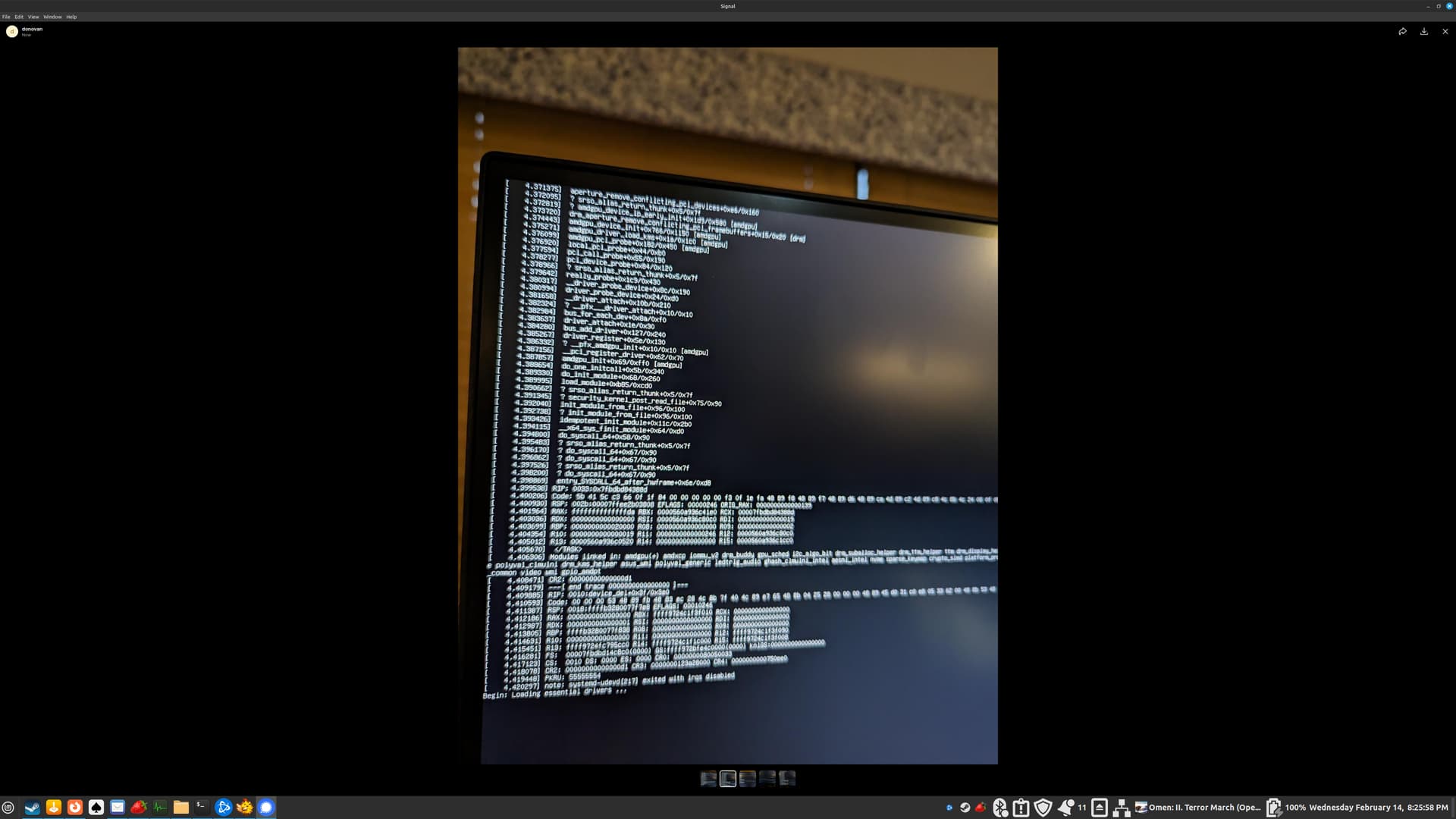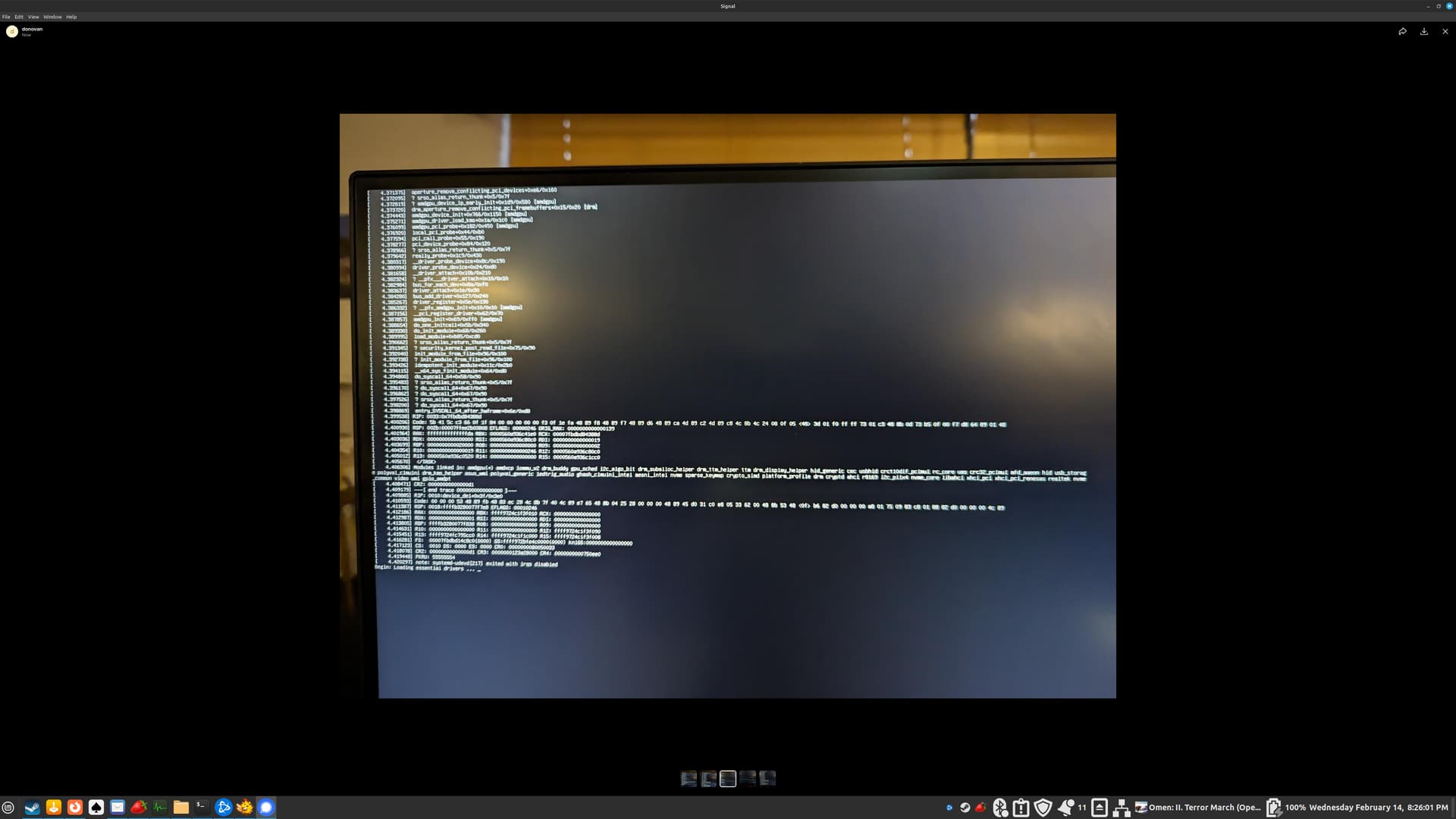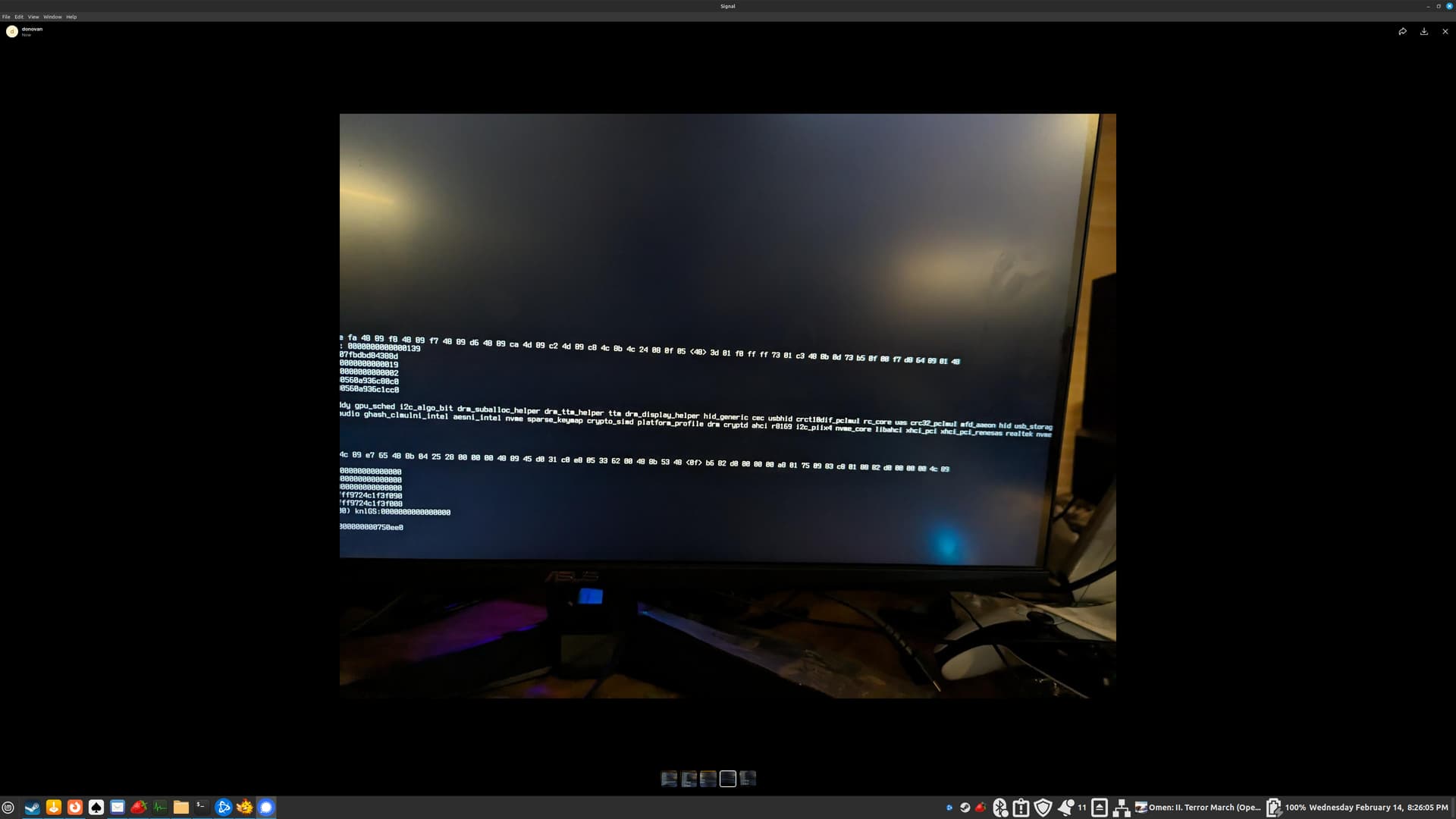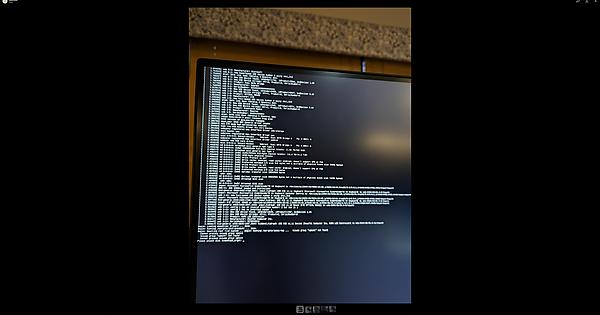
Some nights ago, I was installing programs (vlc, dolphin emu, virtual-box) via the software manager, along with trying to get a ps5 controller to bluetooth connect to the computer without a cable. These basically appear regardless of weather I'm trying to get into the install on my NVME ssd, or a live USB. *Would running 'boot repair' from a live USB of Mint 21.3 cinnamon have any negative effects?*


dlf@dlf:~$ inxi -Fxxxrz
System:
  Kernel: 6.5.0-18-generic x86_64 bits: 64 compiler: N/A
    Desktop: Cinnamon 6.0.4 tk: GTK 3.24.33 wm: muffin vt: 7 dm: LightDM 1.30.0
    Distro: Linux Mint 21.3 Virginia base: Ubuntu 22.04 jammy
Machine:
  Type: Desktop System: ASUS product: N/A v: N/A serial: <superuser required>
  Mobo: ASUSTeK model: TUF GAMING B650-PLUS WIFI v: Rev 1.xx
    serial: <superuser required> UEFI: American Megatrends v: 1807
    date: 09/26/2023
Battery:
  Device-1: ps-controller-battery-7c:66:ef:37:d7:01 model: N/A serial: N/A
    charge: N/A status: Charging
CPU:
  Info: 8-core model: AMD Ryzen 7 7800X3D bits: 64 type: MT MCP smt: enabled
    arch: Zen 3 rev: 2 cache: L1: 512 KiB L2: 8 MiB L3: 96 MiB
  Speed (MHz): avg: 3590 high: 4912 min/max: 400/5050 cores: 1: 3575
    2: 3444 3: 3763 4: 4903 5: 4768 6: 400 7: 4244 8: 400 9: 3649 10: 3972
    11: 3420 12: 4912 13: 3875 14: 4153 15: 4711 16: 3259 bogomips: 134137
  Flags: avx avx2 ht lm nx pae sse sse2 sse3 sse4_1 sse4_2 sse4a ssse3 svm
Graphics:
  Device-1: AMD vendor: Sapphire driver: N/A pcie: speed: 16 GT/s lanes: 16
    bus-ID: 03:00.0 chip-ID: 1002:747e class-ID: 0300
  Device-2: AMD vendor: ASUSTeK driver: N/A pcie: speed: 16 GT/s lanes: 16
    bus-ID: 0d:00.0 chip-ID: 1002:164e class-ID: 0300
  Display: x11 server: X.Org v: 1.21.1.4 driver: X: loaded: ati,vesa
    unloaded: fbdev,modesetting,radeon gpu: N/A display-ID: :0 screens: 1
  Screen-1: 0 s-res: 3840x2160 s-dpi: 96 s-size: 1016x572mm (40.0x22.5")
    s-diag: 1166mm (45.9")
  Monitor-1: default res: 3840x2160 hz: 88 size: N/A
  OpenGL: renderer: llvmpipe (LLVM 15.0.7 256 bits)
    v: 4.5 Mesa 23.2.1-1ubuntu3.1~22.04.2 direct render: Yes
Audio:
  Device-1: AMD driver: snd_hda_intel v: kernel pcie: speed: 16 GT/s
    lanes: 16 bus-ID: 03:00.1 chip-ID: 1002:ab30 class-ID: 0403
  Device-2: AMD vendor: ASUSTeK driver: snd_hda_intel v: kernel pcie:
    speed: 16 GT/s lanes: 16 bus-ID: 0d:00.1 chip-ID: 1002:1640 class-ID: 0403
  Device-3: AMD Family 17h HD Audio vendor: ASUSTeK driver: snd_hda_intel
    v: kernel pcie: speed: 16 GT/s lanes: 16 bus-ID: 0d:00.6 chip-ID: 1022:15e3
    class-ID: 0403
  Device-4: Sony Wireless Controller type: USB
    driver: playstation,snd-usb-audio,usbhid bus-ID: 1-7:8 chip-ID: 054c:0ce6
    class-ID: 0300
  Sound Server-1: ALSA v: k6.5.0-18-generic running: yes
  Sound Server-2: PulseAudio v: 15.99.1 running: yes
  Sound Server-3: PipeWire v: 0.3.48 running: yes
Network:
  Device-1: Realtek RTL8125 2.5GbE vendor: ASUSTeK driver: r8169 v: kernel
    pcie: speed: 5 GT/s lanes: 1 port: d000 bus-ID: 09:00.0 chip-ID: 10ec:8125
    class-ID: 0200
  IF: eno1 state: up speed: 1000 Mbps duplex: full mac: <filter>
  Device-2: Realtek vendor: AzureWave driver: rtw89_8852be v: kernel pcie:
    speed: 2.5 GT/s lanes: 1 port: c000 bus-ID: 0a:00.0 chip-ID: 10ec:b852
    class-ID: 0280
  IF: wlp10s0 state: up mac: <filter>
  Device-3: Sony Wireless Controller type: USB
    driver: playstation,snd-usb-audio,usbhid bus-ID: 1-7:8 chip-ID: 054c:0ce6
    class-ID: 0300
Bluetooth:
  Device-1: IMC Networks Bluetooth Radio type: USB driver: btusb v: 0.8
    bus-ID: 1-5:2 chip-ID: 13d3:3571 class-ID: e001 serial: <filter>
  Report: hciconfig ID: hci0 rfk-id: 0 state: up address: <filter>
    bt-v: 3.0 lmp-v: 5.2 sub-v: 91cb hci-v: 5.2 rev: dfb7
Drives:
  Local Storage: total: 17.28 TiB used: 13.11 TiB (75.9%)
  ID-1: /dev/nvme0n1 vendor: Samsung model: SSD 980 PRO 2TB size: 1.82 TiB
    speed: 63.2 Gb/s lanes: 4 type: SSD serial: <filter> rev: 5B2QGXA7
    temp: 30.9 C scheme: GPT
  ID-2: /dev/sda type: USB vendor: SanDisk model: SSD PLUS 1000GB
    size: 931.51 GiB type: SSD serial: <filter> scheme: GPT
  ID-3: /dev/sdb type: USB vendor: Seagate model: ST16000NM001G-2KK103
    size: 14.55 TiB type: HDD rpm: 7200 serial: <filter> scheme: GPT
Partition:
  ID-1: / size: 1.79 TiB used: 55.63 GiB (3.0%) fs: ext4 dev: /dev/dm-1
    mapped: vgmint-root
  ID-2: /boot size: 1.61 GiB used: 324.2 MiB (19.7%) fs: ext4
    dev: /dev/nvme0n1p2
  ID-3: /boot/efi size: 511 MiB used: 6.1 MiB (1.2%) fs: vfat
    dev: /dev/nvme0n1p1
Swap:
  ID-1: swap-1 type: partition size: 976 MiB used: 0 KiB (0.0%) priority: -2
    dev: /dev/dm-2 mapped: vgmint-swap_1
Sensors:
  Message: No sensor data found. Is lm-sensors configured?
Repos:
  Packages: apt: 2671
  No active apt repos in: /etc/apt/sources.list
  Active apt repos in: /etc/apt/sources.list.d/jonaski-strawberry-jammy.list
    1: deb [signed-by=/etc/apt/keyrings/jonaski-strawberry-jammy.gpg] https://ppa.launchpadcontent.net/jonaski/strawberry/ubuntu jammy main
  Active apt repos in: /etc/apt/sources.list.d/official-package-repositories.list
    1: deb http://packages.linuxmint.com virginia main upstream import backport
    2: deb http://ftp.usf.edu/pub/ubuntu jammy main restricted universe multiverse
    3: deb http://ftp.usf.edu/pub/ubuntu jammy-updates main restricted universe multiverse
    4: deb http://ftp.usf.edu/pub/ubuntu jammy-backports main restricted universe multiverse
    5: deb http://security.ubuntu.com/ubuntu/ jammy-security main restricted universe multiverse
  Active apt repos in: /etc/apt/sources.list.d/signal-xenial.list
    1: deb [arch=amd64 signed-by=/usr/share/keyrings/signal-desktop-keyring.gpg] https://updates.signal.org/desktop/apt xenial main
Info:
  Processes: 416 Uptime: 2d 16h 37m wakeups: 1 Memory: 30.55 GiB
  used: 11.75 GiB (38.5%) Init: systemd v: 249 runlevel: 5 Compilers:
  gcc: 11.4.0 alt: 11/12 Shell: Bash v: 5.1.16 running-in: gnome-terminal
  inxi: 3.3.13
CPU: AMD Ryzen 7 7800X3D 4.2 GHz 8-Core Processor
CPU Cooler: Thermalright Peerless Assassin 120 SE 66.17 CFM CPU Cooler
Motherboard: Asus TUF GAMING B650-PLUS WIFI ATX AM5 Motherboard
Memory: Corsair Vengeance 32 GB (2 x 16 GB) DDR5-6000 CL36 Memory
Storage: Samsung 980 Pro w/Heatsink 2 TB M.2-2280 PCIe 4.0 X4 NVME Solid State Drive
Video Card: Sapphire PULSE Radeon RX 7800 XT 16 GB Video Card
Case: Corsair 4000D Airflow ATX Mid Tower Case
Power Supply: Corsair RM750x (2021) 750 W 80+ Gold Certified Fully Modular ATX Power Supply
/etc/default/grub
# If you change this file, run 'update-grub' afterwards to update
# /boot/grub/grub.cfg.
# For full documentation of the options in this file, see:
#   info -f grub -n 'Simple configuration'

GRUB_DEFAULT=0
GRUB_TIMEOUT_STYLE=hidden
GRUB_TIMEOUT=0
GRUB_DISTRIBUTOR=`lsb_release -i -s 2> /dev/null || echo Debian`
GRUB_CMDLINE_LINUX_DEFAULT="quiet splash"
GRUB_CMDLINE_LINUX=""

# Uncomment to enable BadRAM filtering, modify to suit your needs
# This works with Linux (no patch required) and with any kernel that obtains
# the memory map information from GRUB (GNU Mach, kernel of FreeBSD ...)
#GRUB_BADRAM="0x01234567,0xfefefefe,0x89abcdef,0xefefefef"

# Uncomment to disable graphical terminal (grub-pc only)
#GRUB_TERMINAL=console

# The resolution used on graphical terminal
# note that you can use only modes which your graphic card supports via VBE
# you can see them in real GRUB with the command `vbeinfo'
#GRUB_GFXMODE=640x480

# Uncomment if you don't want GRUB to pass "root=UUID=xxx" parameter to Linux
#GRUB_DISABLE_LINUX_UUID=true

# Uncomment to disable generation of recovery mode menu entries
#GRUB_DISABLE_RECOVERY="true"

# Uncomment to get a beep at grub start
#GRUB_INIT_TUNE="480 440 1"