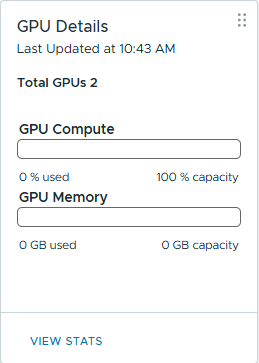
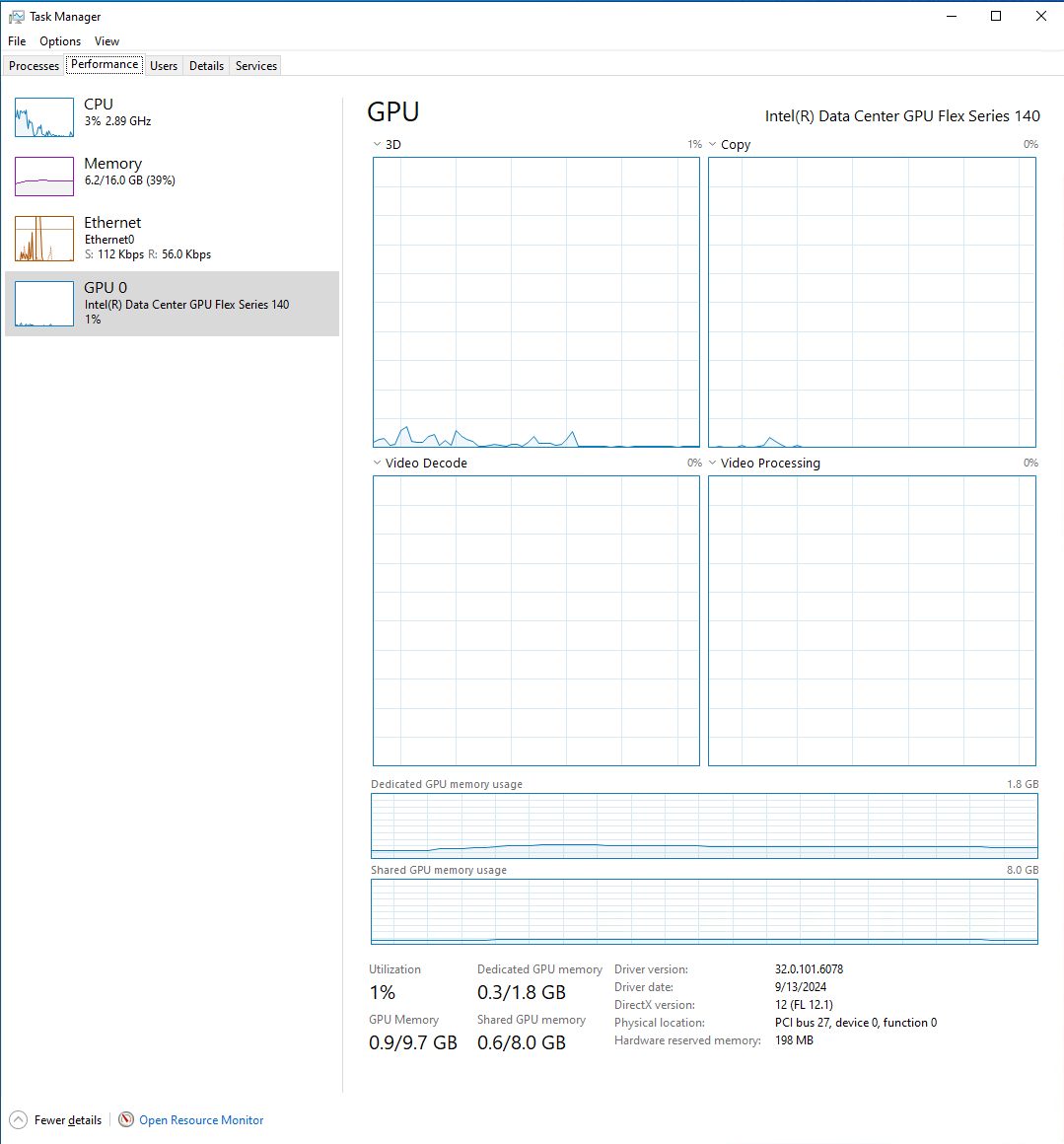
I have attached the GPU to the VM in shared mode and I can see that’s working. Google earth is definitely accelerated. But VCenter doesn’t have any indication of the VM being attached to the card and no utilization, etc. The wierdest part to me is 0 GB Capacity / 0 B Memory.
Funny that the GPU is there, but not showing VRAM capacity. Nvidia has nvidia-smi, Intel should have something similar, can’t remember the name though.
Also, did you install the driver for your ESXi version and is it listed under “Software Packages”?
Does anything change using “Shared Direct” mode? I never used the shared mode.
I tried share direct mode first in ESXI it’s exactly the same. What I read was shared direct mode was more like a pass-through and shared was for SR-IOV I know Nvidia stuff definitely uses share direct mode though. I was careful to make sure and install the driver for 8 along with the tools.
Just flew through the readme contained in the driver package and phew, this seems complicated. I see why nvidia is way easier and why that costs extra! Maybe a bit to much more…
You VFed your GPUs, so while adding the correct VF to your VM you would also have to set two parameters on the VM and make sure all memory is reserved. I guess you did that.
And to get usage data you would have to install “Intel Device Manager for VMware* vCenter Server” or use esxcli intdcgpu telemetry cli commands. There is no word if the GPU Details card is supposed to show that.
Maybe it works different in Enhanced Direct Path IO mode without manually setting up VFs