Hello everyone, I am experiencing a problem. My host machine is running on Manjaro Linux. I am using Virtual Machine Manager for virtualization of different operating systems. I have a CentOS virtual machine that will not connect to the internet when the host machine is connected to a VPN. If I don’t connect the host to a VPN then everything works as expected and there is internet access within the CentOS virtual machine. I know that the interface changes on the host when you use a VPN. It changes to tun0. I am wondering if there is a way to share this interface with the virtual machines in Virtual Machine Manager so that I can have the VPN connected to my host and still get internet access from within my virtual machine when I am using that. Any input is appreciated. Thank you for your time and I look forward to hearing from you. Have a great day.
Hey, could you provide us with some more information?
For example, I assume by “Virtual Machine Manager” you mean virt-manager?
What does your libvirtd network configuration look like?
And how do you connect to your VPN? The “default” client the “they” offer?
On my desktop, I have a similar setup(some VMs in virt-manager, using VPN on host), it works without issues or further configuration(the VM gets access “through” the VPN).
I’m using the default NAT network for the VM.
Greetings from Germany.
Sounds like your vms are bridged non-nat. And your VPN is set up to only carry the initiated traffic. Iether NAT at the host, or allow multiple IPs accross the VPN. (Option 2 may require VPN client on every VM.
Maybe as a last or alternative resort, check out → https://tailscale.com/ (it’s legit and free for personal use up to 20 devices). It uses WireGuard and works really well. I setup a subnet router, and use it as an exit node to route my traffic from the road.
Hey max1220, most certainly.
For example, I assume by “Virtual Machine Manager” you mean virt-manager?
1.) Correct, I am talking about virt-manager.
What does your libvirtd network configuration look like?
2.) For Virtual Network Interface I am using the Network Source from the dropdown menu called, “Virtual network ‘default’ : NAT”
virsh net-list --all
 Name      State    Autostart   Persistent
--------------------------------------------
 default   active   yes         yes
brctl show
bridge name	bridge id		STP enabled	interfaces
virbr0		8000.525400e8be50	yes
And how do you connect to your VPN? The “default” client the “they” offer?
3.) Correct
I am using ExpressVPN, depending on your VPN provider, your mileage may vary.
I think I have got it figured out now. My host is connected to the VPN and I have internet now in the virtual machine as well. Here’s what I did:
1.) Open up virt-manager and click Edit → Connection Details
2.) Click on the Virtual Networks tab
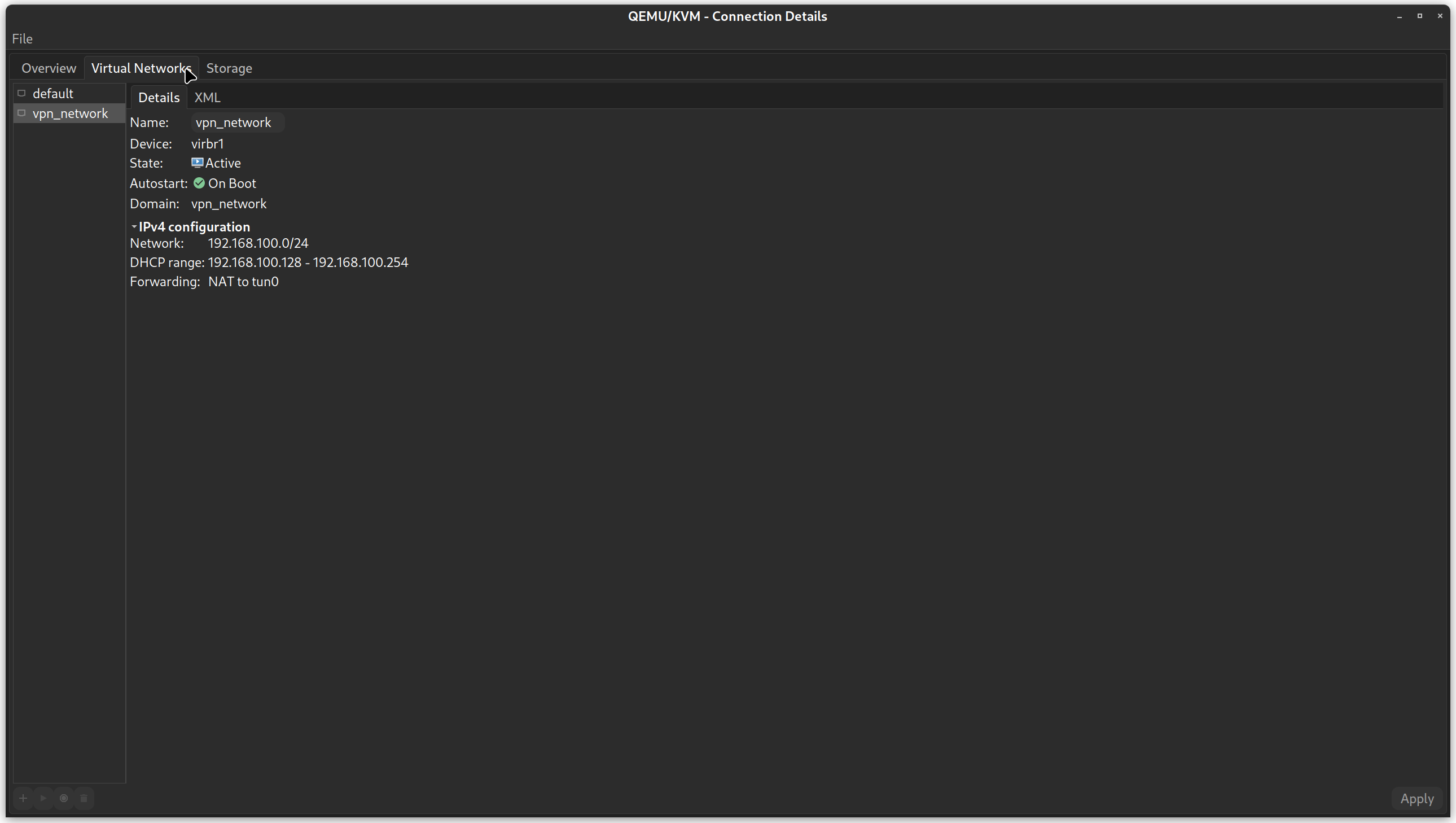
3.) Down on the bottom left of Virtual Networks window, click on the + icon to create a new virtual network.
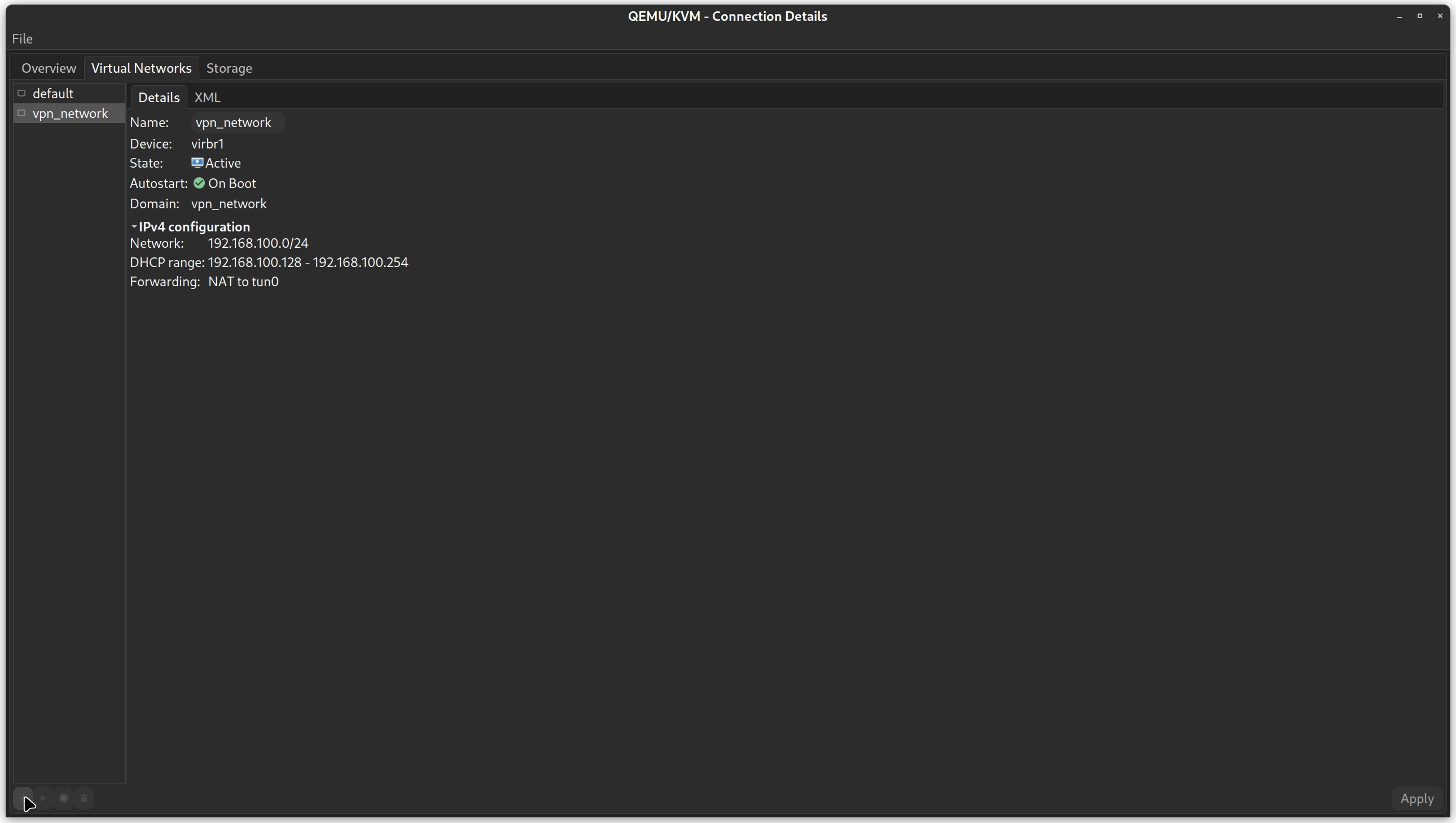
4.) In the window that pops up, change the name of the connection to something that makes sense for you. I named mine vpn_network.
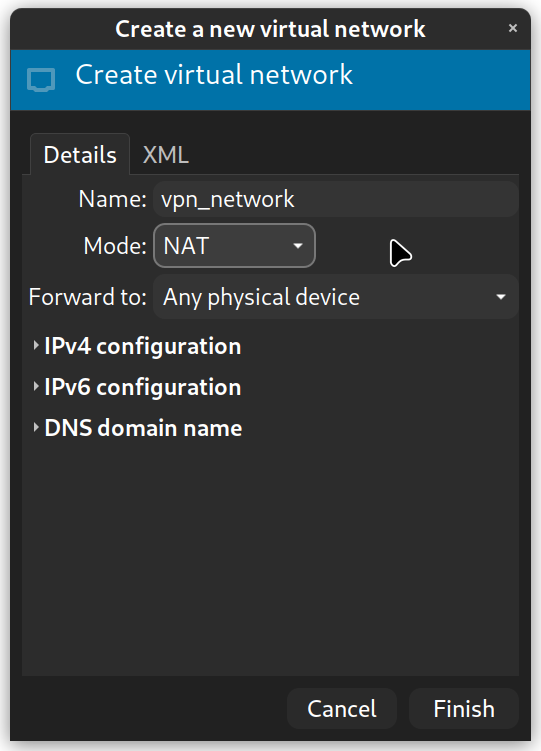
5.) In the “Mode:” drop-down menu select NAT.

6.) In the “Forward to:” drop-down menu, select “Physical device”.

7.) In the “Device:” field type in tun0
***(If you’re on Linux and you don’t know what the interface is called that your host machine uses for the VPN connection just open a terminal and execute the command ip addr show and it should give you an idea. It should have the POINTOPOINT parameter in the interface details next to the name.) Here’s an example:
7: tun0: <POINTOPOINT,MULTICAST,NOARP,UP,LOWER_UP> mtu 1500 qdisc fq state UNKNOWN group default qlen 100 link/none inet 10.116.0.18 peer 10.116.0.17/32 scope global tun0 valid_lft forever preferred_lft forever
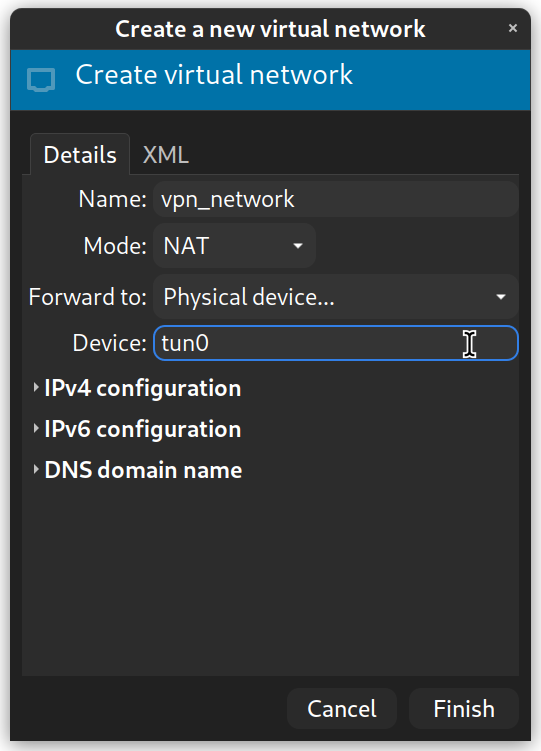
8.) Leave the IPv4 configuration, IPv6 configuration, and DNS domain name menus the way that they are unless you need something really special and you know what you’re doing.
9.) Click “Finish” to add the Virtual Network.
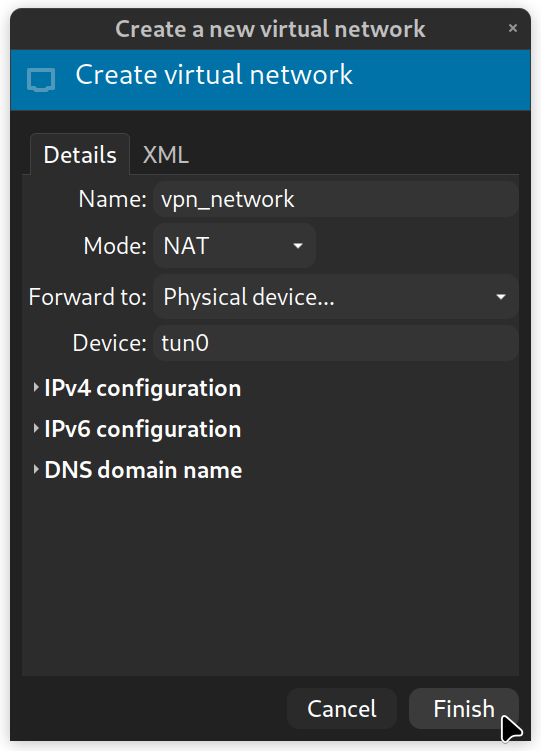
10.) Close the Connection Details window and go back to virt-manager where your virtual machines are located in the GUI.

11.) Select the Virtual Machine that you want to change the network connection for so that you can access the internet from your VM while your host is connected to a VPN.

12.) Select Edit → Virtual Machine Details and click on the “Show virtual hardware details” icon. It looks like a little circle with an i inside of it.
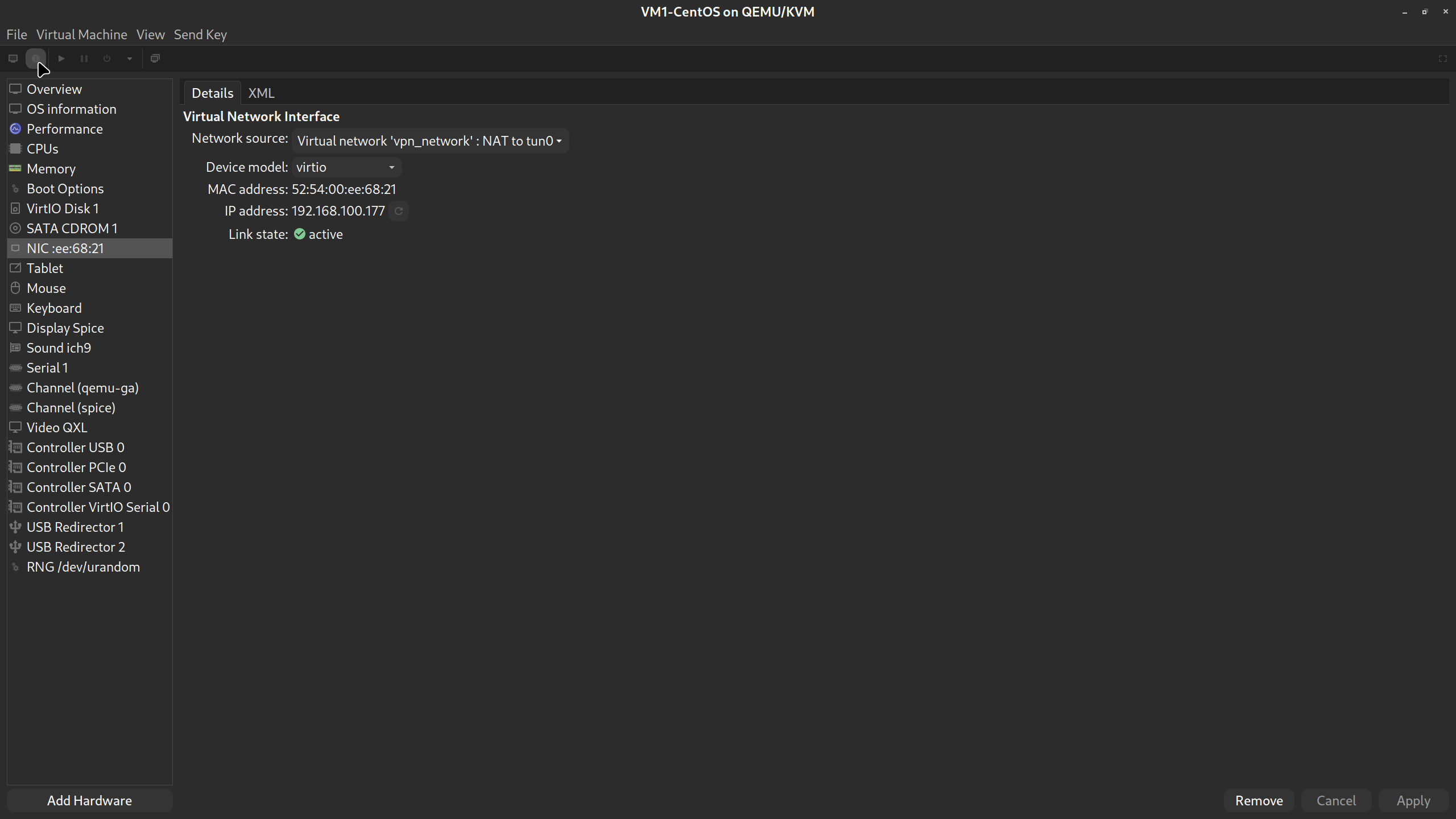
13.) In the left menu pane select the item NIC:xx:00:00. It’ll be different for you but it starts with NIC.
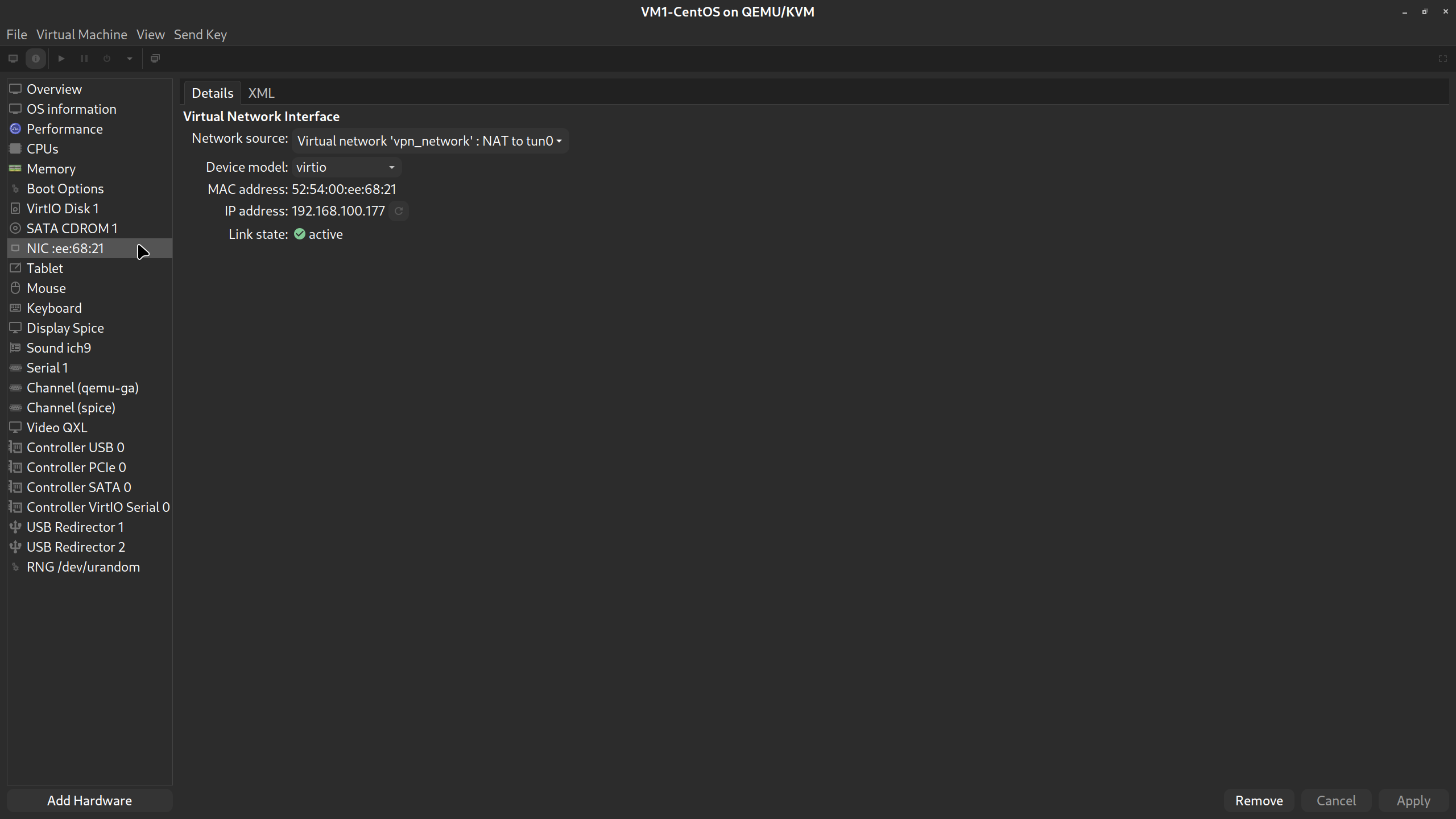
14.) Now in the main window on the Details tab, select the drop-down menu next to where it says, “Network source:” and select the Virtual Network that you created earlier that is being forwarded to tun0.
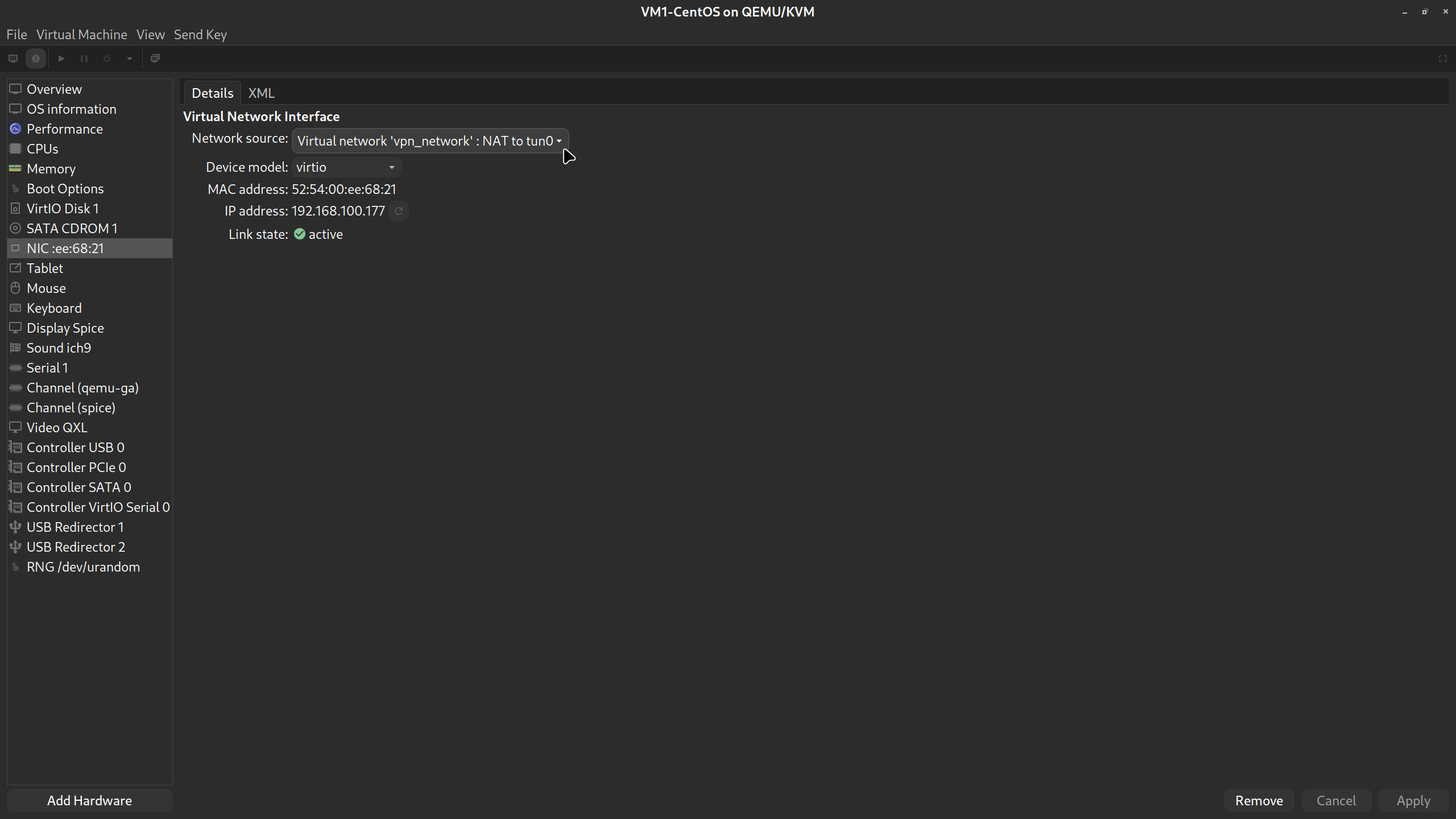
15.) Now click “Apply” in the lower right corner of the current window and you’re good to go.
Thank you for finding that out and providing screenshots, I’m sure others will find this useful.
I just don’t get why you need to do that. I wonder…
My VPN client uses wireguard, and seems to use iptables rules to force all network traffic to the VPN.
Chain INPUT (policy ACCEPT)
target     prot opt source               destination
piavpn.INPUT  all  --  anywhere             anywhere
LIBVIRT_INP  all  --  anywhere             anywhere
Maybe your iptables rules order is wrong? Maybe your client uses routes? Could be interesting to see the output of ip r and iptables -L.
It might be that the PIA-vpn client has an if-up rule, that creates an interface like “tun0” when activated, and sets the ip tables rules to funnel traffic.
If one does not always use the VPN, then the tun0 interface might not always exist?
I use Mullvad, so when active, it creates an interface called wg-mullvad and forwards local traffic to it.
When I use it in my gateway, I have to direct forwarded traffic through it as well.
So I set up custom IPtable rules. (I should really upgrade to nftables)
I don’t know if the VPN software can have custom if-up and if-down runes to switch traffic to go to tun0 when up, and ethX when down?
You’re welcome max1220, I hope somebody finds this useful someday and if not, I have it for my own reference I guess.
I don’t know why I need to do that to make it work either to be honest. I just had the idea of trying to create a separate network for the VM to connect to that was routed to tun0 and, by luck, it worked. I have these same entries in my iptables as well but instead of piavpn.INPUT I use expressvpn so the entry is xvpn.INPUT and I also have the LIBVIRT_INP entry as well. I know that the way that expressvpn does things when you turn it on they overwrite your /etc/resolv.conf file so that you are forced to use their DNS servers so maybe that has something to do with it? I don’t know why it would but thats the only thing I can think of with respect to why it would operate any different than yours does.
Hey Trooper_ish, from your previous statement:
“If one does not always use the VPN, then the tun0 interface might not always exist?”
That’s exactly right. If I have not turned the VPN “on” or connected to it then the tun0 interface is not present in the output of ip addr show and, at least in my mind, does not exist.
In my case I was getting error "network is already in use “wlp1s0” , which is my main wlan because the IP address were conflicting
I had to change the mask in IPv4 configuration from /27 to /25 and it worked , for anyone else reading this.
I also use mullvad, and as explained just above, I managed to share “some” internet to my VM. My host is ubuntu 22 and my VM is windows 10. I had to install the redhat virtiio lan driver to finally have some kind of network adapter inside windows VM.
But still, DHCP was not working so I tried to manually setup the IP according to the mask that I had chosen in the first step in my host. It did connect BUT i just cannot get DNS to work.
Basically in my win10 VM, ping -a (some ip) works, but DNS doesnt work
Even when entering custom DNS such as 8.8.8.8 (google) or others, impossible to get DNS working
I already tried e1000e instead of virtiio in the NIC settings, no change
also tried doing a “Route” instead of “NAT” inside connection details, and now I dont even have IP access
any ideas?
I am having this issue but the steps listed didn’t work. I am using Ubuntu with Win 10 VM. I however am using an exit node in my terminal via tailscale through Mullvad. Does anyone know how to fix it to get internet on the VM? I need this on so friends can connect to my Jellyfin on my host as the VPN blocks it.