My first post here but pretty long time vfio user. I built a Team Red system early this year but hadn’t gotten VFIO working until recently. I was previously using an Intel Skylake & an RX580 which is where I had the most experience with VFIO.
Might also be worth mentioning that I mostly use VFIO to mess around with other Linux distributions so it’s possible I’m missing some Windows nuances. Of particular note, my interest in getting VFIO working again was renewed because of the Plasma 6 beta and managing 4+ distroes in a multi-boot scenario is annoying.
I built the following system:
AMD 7950x
ASUS B650 PRIME PLUS
32GB memory
PowerColor RX 7900XT
Fresco Logic FL1100 USB 3.0 Host Controller (PCIe USB expansion card)
Gentoo Linux as the host OS, 6.6.5-gentoo-dist (sys-kernel/gentoo-kernel), OpenRC
I haven’t tried to get resizable bar working yet, so I have Above 4G Decoding Enabled and Resizable BAR disabled in my BIOS. Otherwise my BIOS setup was pretty standard (SVM, IOMMU, etc). I have an iGPU on my 7950x so I switch that to my primary display when I want to boot in VFIO mode.
These are the key adjustments I made that seemed to be important to getting it working that maybe weren’t exactly straight forward:
- I’ve never had luck with the q35 chipset on the old Skylake system. That seems to be the case on this system as well. I tried using q35 initially for a long time, but I didn’t have any results until I switched to i440FX. The guest would initialize but the hardware wouldn’t.
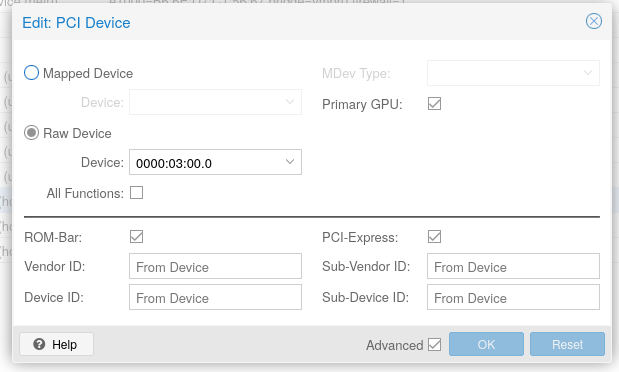
- Disable ROM BAR on the Graphics/VGA portion. libvirt threw errors when trying to start a VM that it couldn’t get a ROM for 03:00.0
- My 7900XT has four “components” and I couldn’t get things working until all of those components were bound to vfio-pci. The Graphics and Audio portions were easy to get bound but there were two other components that were getting bound to i2c_designware_pci and xhci_pci. I made some kernel config adjustments for those to be compiled as modules instead of builtin so vfio-pci could bind to those components without having to restort to shell scripting shenanigans in my initramfs.
- Some guests seem like they may be sensitive to the defined CPU topology. I was having horrible micro freezes in an Arch Linux guest that seemed to go away after defining the topology more accurately
Related to the ROM BAR error, this was what I saw in the libvirt logs when I had that option enabled:
2023-12-07T18:28:33.359928Z qemu-system-x86_64: vfio-pci: Cannot read device rom at 0000:03:00.0
Device option ROM contents are probably invalid (check dmesg).
Skip option ROM probe with rombar=0, or load from file with romfile=
Related to the CPU topology thing, this is what I added to my xml that seems to have been the trick:
  <cpu mode="host-passthrough" check="none" migratable="on">
    <topology sockets="1" dies="1" cores="10" threads="2"/>
    <feature policy="require" name="topoext"/>
  </cpu>
I’m using 10c/20t of my 16c/32t which is how I got those numbers.
Not sure if it was the topoext feature or the topology definition itself. I think by default libvirt was treating each “thread” as its own CPU, like I had 20x 1c/1t CPUs.
Related to the components bullet, I found that libvirt logs at least a portion of the output when it’s starting a VM to /var/log/libvirt/qemu/[VM name].log. Sometimes the errors that are displayed in virt-manager aren’t particularly useful, but for example I saw this error in one of those log files:
2023-02-27T22:18:41.369723Z qemu-system-x86_64: vfio: Cannot reset device 0000:03:00.0, depends on group 15 which is not owned.
That’s what helped me determined that I actually needed to worry about the stuff getting bound to i2c_designware_pci and xhci_pci even though they were in separate IOMMU groups from my graphics and audio. Of course, “group 15” relates to the IOMMU group.
 Devices in other ports can still be accessed and grabbed via the USB port passthrough. So I had to forgo the 10GB NIC and added a Fresco 3.0 USB card instead. The mechanical HDDs of my storage PC are limiting the transfer speed anyways, so 2,5 GB is still plenty. Boot up takes a long time, 1 min to 2 total after enabling IOMMU and the second GPU. A lot of time is spend booting the host OS - I’ll dig through dmesg to find out if anything is stalling. It’s a fresh install with nearly no modification.