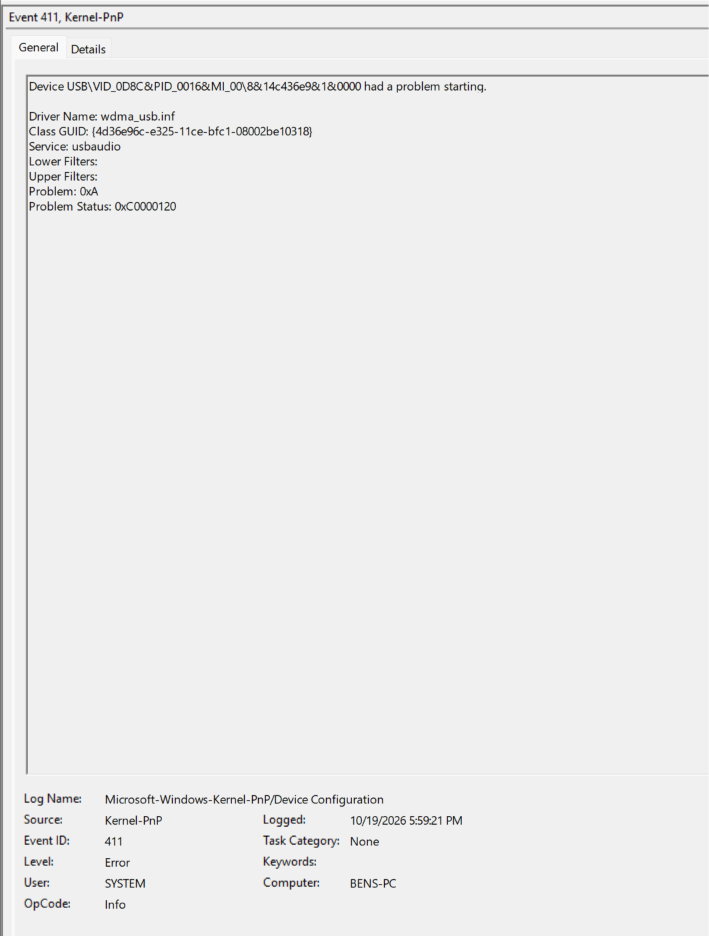
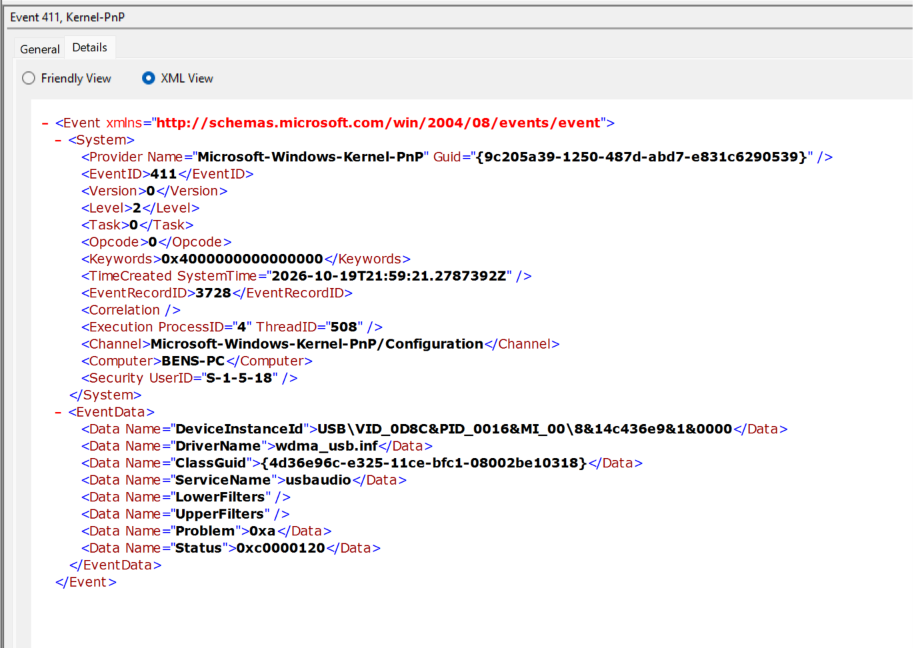
I have the USW-KM314 Switch where the USB-Audio occasionally decides to not start properly causing my speakers (connected to the 3.5mm jack) to not work. I have tried multiple solutions including updating Microsoft’s wdma_usb.inf driver, setting the hub power management so that windows cannot turn it off, disabling fast boot/startup, and trying different USB cables/ports. None of these options seem to work. What’s worse is that I cannot diagnose why it is happening. It only happens occasionally. To fix, I uninstall the device, power the switch off by unplugging, and then re-plug the switch back in. I’m debating on switching back to analog audio/getting an external DAC. I do not believe the device should be starting incorrectly as much as it does. Any ideas for how to trouble shoot this would be greatly appreciated. Error codes are below:
The device is the KM USB-Audio. This is the device that gets enabled by Ctrl + Ctrl + Alt + A + 2. For some reason it does not start properly. This only occurs when I start my computer up.
I wish I could say I knew what caused it, but it only occurs sometimes. Sometimes I can go days without the issue happening. Tonight it has happened twice with me restarting my computer.
I’m only considering getting a DAC if I can’t fix this issue. This device was intended to function as my DAC so that I could press a button and switch the USB/audio between my personal PC and my work PC. I have been troubleshooting this for awhile now and am starting to get to my wits end
This issue also does happen with my work laptop as well (though not nearly as frequently) which made me think it was either a windows issue or a KM switch issue.
This is something I have been troubleshooting ever since you helped me solved enabling USB audio back in July of 2024. For periods of time it would work great and then it would stop forcing me to uninstall the device and reboot the KM switch. I’ve tried multiple methods of fixing it, but none have resulted in a permanent fix which is why I figured I’d try coming here before looking into other stuff. Could always try and go back to the analog audio before considering a DAC. I just liked the idea of getting this to work since it results in 2 less cables for my setup and I like using the KM switch because it does all of the USB and audio switching at once.
Hmm. Let me try the DAC option you suggested. I was originally thinking getting an audio interface, but this might be much simpler considering I could connect it into my current USB Hub.
Would an RMA/replacement even be possible at this point? I ordered the switch back in July 2023 (and didn’t even get the USB audio working until 2024). Let me know what you think?
I will try the DAC option/switching back to analog audio for a bit and see where I end up. If I like it, I won’t worry about replacing the switch. If not, I’ll send you a message about replacing the switch.
I appreciate your help on this topic Amber. Thanks again.