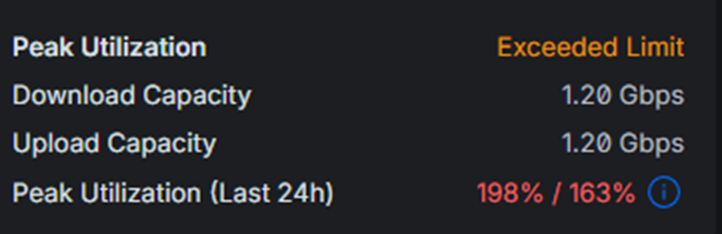
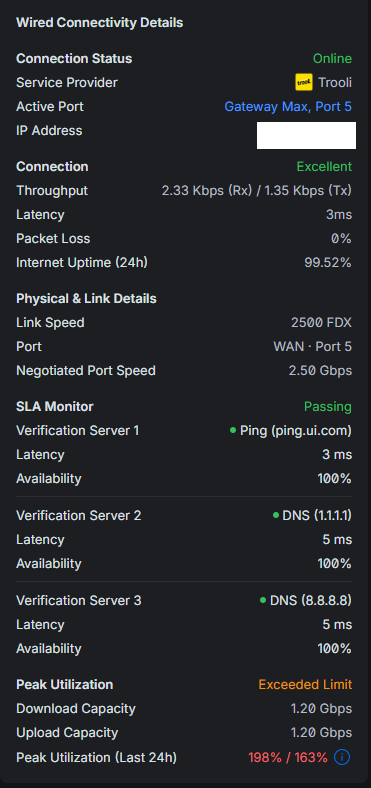
But when I go to the WAN section, it says this - how can I being exceeding the limit, when I’m not exceeding the limit. I’ve even over estimated the maximum speeds.
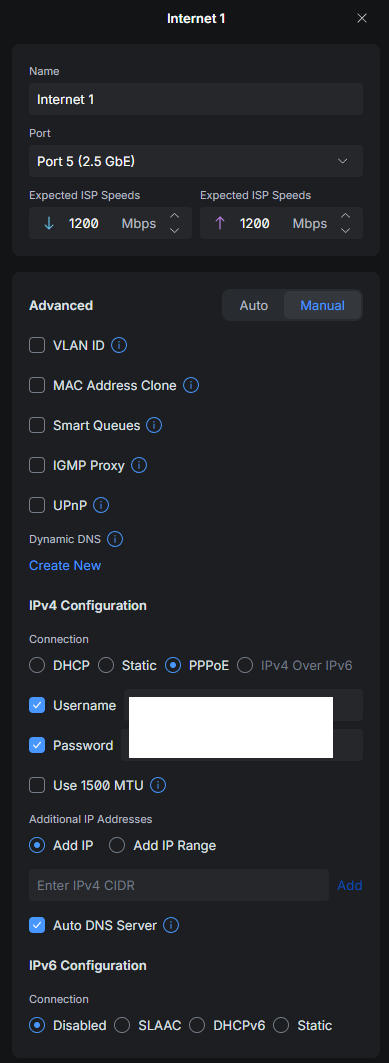
When I click ‘Exceeded Limit’, it lets me change it. But I’ve now changed it to in excess of the tested speed and yet it still claims that I’ve ‘exceeded limit’’ ?!?!?
Here’s a few other screenshots if useful, it looks like a error somewhere, but I’m not that fussed, like I say, just curious
It might be a bug.
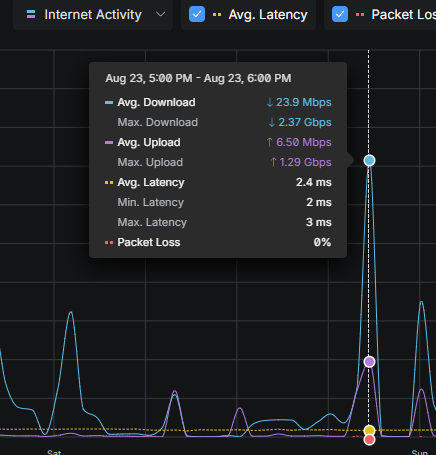
On the Dashboard tab, check the internet activity and see if there has been some kind of peak in the last 24 hours.
Also, after changing the expected speed, it might take up to 24 hours for the error to be removed.
It displays a lot of traffic info in “In the past 24 hours.”
I would try to remove the expected speed and see what happens.
Additionally, a reboot might “fix” it.
It might be a good idea to post it on the Unifi Community forum so perhaps they can fix it.