Hi,
Since I switched to Linux mid-last year, I’ve been unable to sort by date of file creation on my network shares (assuming that’s what “Created” means at all…). OS has made no difference: I was originally on Mint+Cinnamon (nemo explorer) and now am on CachyOS+Plasma(Dolphin explorer) and neither arrangement has worked.
When I was on Windows, I used SMB to share, but a short ways into switching to Mint, I changed to NFS. I don’t remember if the share type made a difference, but I think it didn’t.
Since, I’ve had to sort by date modified, which is flawed for the way I use the NAS, and results in less-than-ideal workflows.
It is worth noting there are files from all kinds of sources on the NAS, which fall under this need to sort by date created - pictures from my phone (synced to the NAS via Syncthing), GoPro footage, files downloaded from the internet from when I was using Windows and Mint and now this OS… just a melting pot.
If anyone has any pointers (ha!), I’d be glad. Currently, selecting “Sort by → Created” simply sorts by name.
Cheers
In WHAT? Mint+Cin suggests you are using Nemo/Caja? You don’t say what application “isn’t sorting” correctly. Does ls sort correctly? Does pcmanfm sort correctly? Spacefm? WHAT isn’t sorting correctly?
He mentioned Dolphin (KDE)
Sorry, I mightn’t’ve made it clear enough - I’m currently using CachyOS with KDE Plasma, which comes with Dolphin as a file explorer. It is sorting items within the file explorer that is not working, i.e. within GUI
Also nemo but that’s it. I’ve also found nautilus/caja/nemo to be “duplo blocks” and never work as I’d expect hence has he tried ls or nor universal FM.
K but if you fire up a term and try various ls commands to or ls piped to sort do things work? Dolphin should be sorting, the nemo/caja/nautilus I’d be suspect of in general. Again anytime I’ve tried them they are kinda “duplo blockish” (for kids, big, basic and dumb).
Have you tried nfs 3 over 4? or vice versa?
All my NFS shares are 3 (4 made my structuring a small nightmare) spacefm, pcmanfm, pcmanfm-qt, ls all sort correctly. What filesystem are you sharing over nfs? Do you have it mounted on the nfs host in a way that does not log various atime/mtime etc…like on an SSD to conserve or delay various writes?
It’s not Dolphin. My Dolphin works fine on sort by Created, just checked. Can you check in the terminal via ls -lt --time=birth?
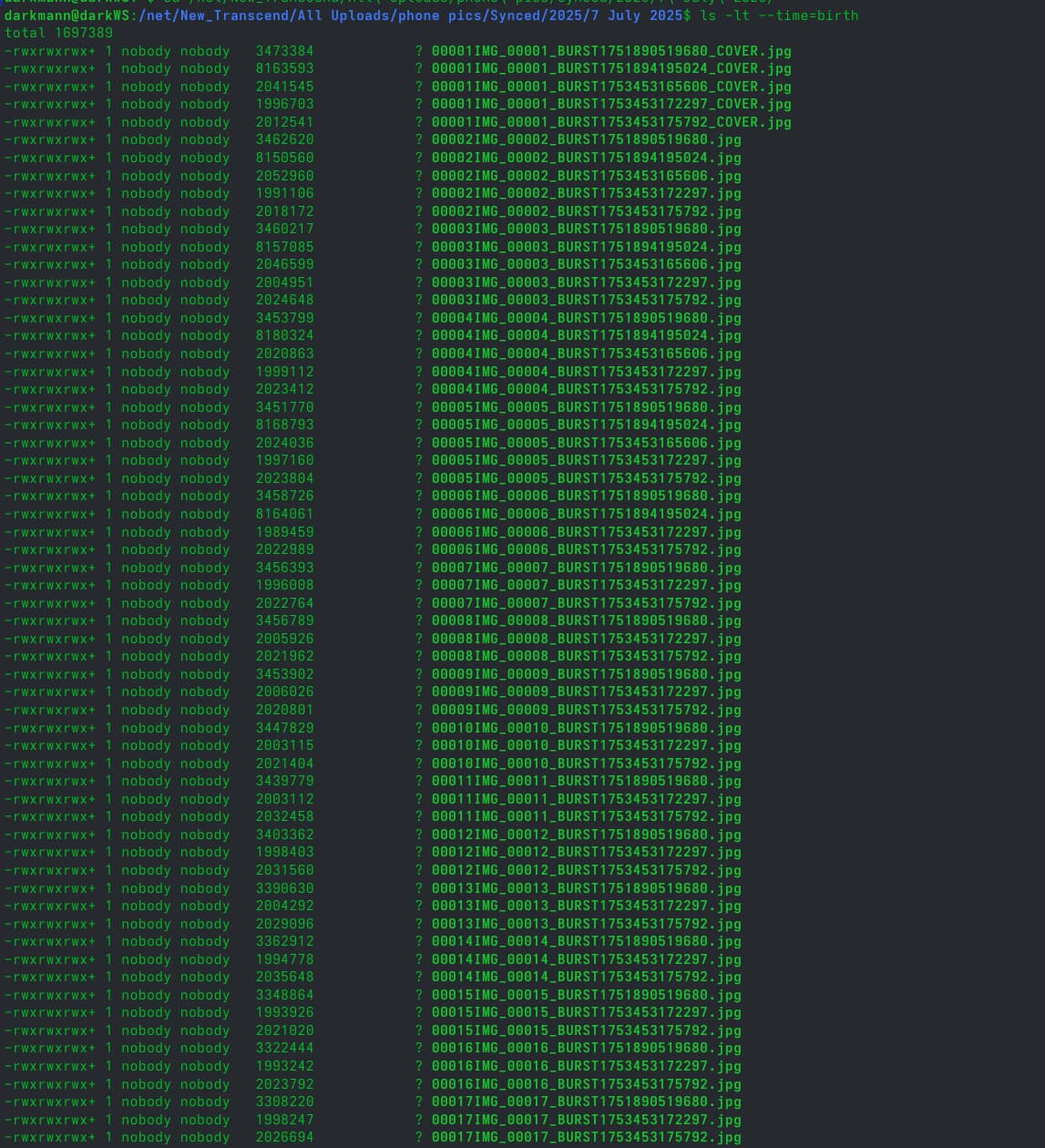
(I hazarded it wasn’t Dolphin in my original post, as I mentioned it didn’t work in Nemo either - to add to that, I was about to reply to @anon21802893 that I had not tried any CLI commands so far as it is so far outside the scope of my usage of the NAS in its typical daily operation that trying to verify using CLI commands never crossed my mind at all)
I think those question marks look a bit sus.
“Transcend” in that file path brings me back to what I said (edit in previous post). Is your NFS share an SSD mounted (on the host / NFS server) in a way that ignores atime/mtime/ctime meaning there is no sortable time data to share to clients.
Ignore the naming.
The dataset in particular is on a ZFS pool of two samsung 4TB 2.5" SSDs, shared from TrueNAS CORE.
yeah, when those files were created, something didn’t write the metadata correctly…certainly not a,b,c,whatevertime.
So…looks like the files themselves are sus, not Nemo or Dolphin 
That’s my guess too. Or some app writing the stuff not being POSIX-compliant or whatever
So, those were pictures from my phone, as I’m sure you ascertained. However, the same occurs when I repeat the ls on a dir of files downloaded from the internet to the NAS through this CachyOS install. (no screenshot of the nature documentaries here )
And here is from the SONY a6700:
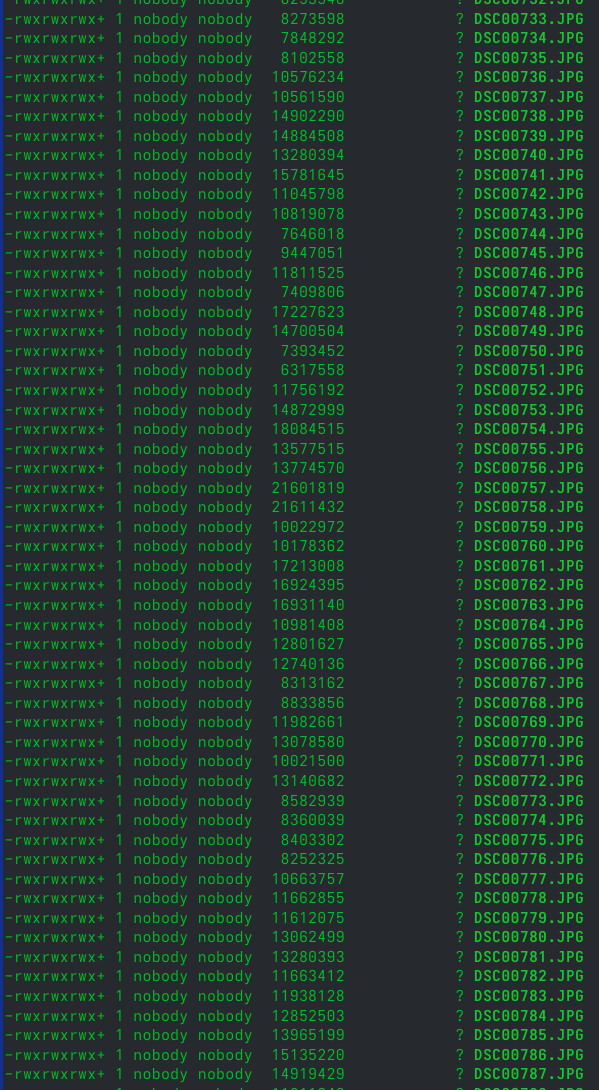
So I don’t think the origin of the files is the issue - this is pointing towards something FS or share option or protocol related, methinks.
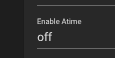
I did see this just now on the dataset options.
However, I don’t believe this affects creation time (?), just access time (?), and it’s not an option I’ve ever fiddled with in the past.
(and, again, this did work in Windows - and I’ve checked with the ls on folders that I know did sort by date created on Windows, on files from that time, and they show the ?s now on this setup)
Yes when you use ls ? == no date/time. You’re NFS is sharing SSD’s which are again likely mounted on the host/NFS server to ignore (a|m|c) time to reduce drive wear. Meaning no times for client mounts to sort by.
As a side note ctime is typically not the column file managers sort by when sorting by time. Normally a or m time is what the fm will use…which sucks IMO…heh. Getting ctime normally requires using the stat command.
(bottom half of stat on my .xinitrc for example from RAID array on real platter drives)
Access: 2025-08-01 12:26:34.268313398 -0000
Modify: 2025-07-04 10:16:47.908064617 -0000
Change: 2025-07-04 10:16:47.926320035 -0000
Birth: 2025-07-04 10:16:47.908064617 -0000
so if you’ve mounted the volume as a media volume, often the case from phones and cameras, file date/time isnt part of the protocol.
I am not sure how an SMB share is being mounted. But for MTP (media transfer protocol) style mounts, this is normal. It’s even like this on windows.
But mounting as a normal file share/protocol should have the dates.
Yeah no, none of the run/media/whatever stuff -

from my fstab.
Everything that has originated from a phone or a camera currently exists as its own files on the NAS - all my screenshots of the ls -lt --time=birth are of folders of files that are no longer live on their original devices. I.E. the a6700’s pictures were transferred off of its SD card onto the NAS, and the phone’s pictures, brought onto the NAS via Syncthing, are pulled out of the “live”/synced folder and archived monthly. Nothing is mounted as media (unless there’s something I’m missing).
Sounds like you’re thinking “around” the issue. i.e. side stepping everything you need to check. NAS has SSD, SSD are likely mounted to ignore a|c|m check how the NAS is mounting the SSD, anything else is likely a waste of time until you ensure the NAS drives / NFS host/server is mounting the SSD’s in a way that DOES write/record a|c|m time.
i.e. ensure the NAS /etc/fstab doesn’t have something like noatime in the mount params.
If you log into the NAS cd to the shared NFS directories and use stat on a file and see empty “access|modify|change|birth” times when your drives are mounted to ignore those. Fix the mount, problem solved.
If you want to double check things while in the shared directories do a touch testfile ; stat testfile and see if it also has or doesn’t have times recorded to rule out how the files were synced vs the drives being mounted to ignore times to save on writes.
If stat returns time/dates for the file you test then the issue is elsewhere but rule things out step by step…
The only thing I can find in the TrueNAS documentation is regarding the atime settings of the resultant datasets once they are built on top of the zpools. The user has no input at this granularity upon mounting the drives into TrueNAS itself, nor in the pool creation menu. There is nothing of value within the fstab of the NAS. The user is not expected to be modifying the fstab in this scenario. Not how TrueNAS works.
Here is your stat:


OK well stat is returning times (gudish) so then we can likely throw the mount options theory out the window. Now I’d turn to the NFS Server settings or client mount options.
This said you can also derive that the sorting issue isn’t a filemanger issue, something NAS side / client side isn’t sharing times as seen by the ls returning ?.
Unrelated -but- I just realized I missed my classic bad joke…touch butt ; stat butt