I’m looking at building a thrifty but fast Ryzen server inside an Inwin IW-RS104-07 chassis [1] and putting some enterprise U.2 drives in it, but I’m not sure how they would connect to the mobo. From the specs on the Inwin site, you get your choice of backplane, but I’ve only ever built consumer PCs so I don’t really understand the options. Can anyone decipher which backplane I should use with a Ryzen ASRock mobo [3] (B650D4U-2L2T/BCM)?
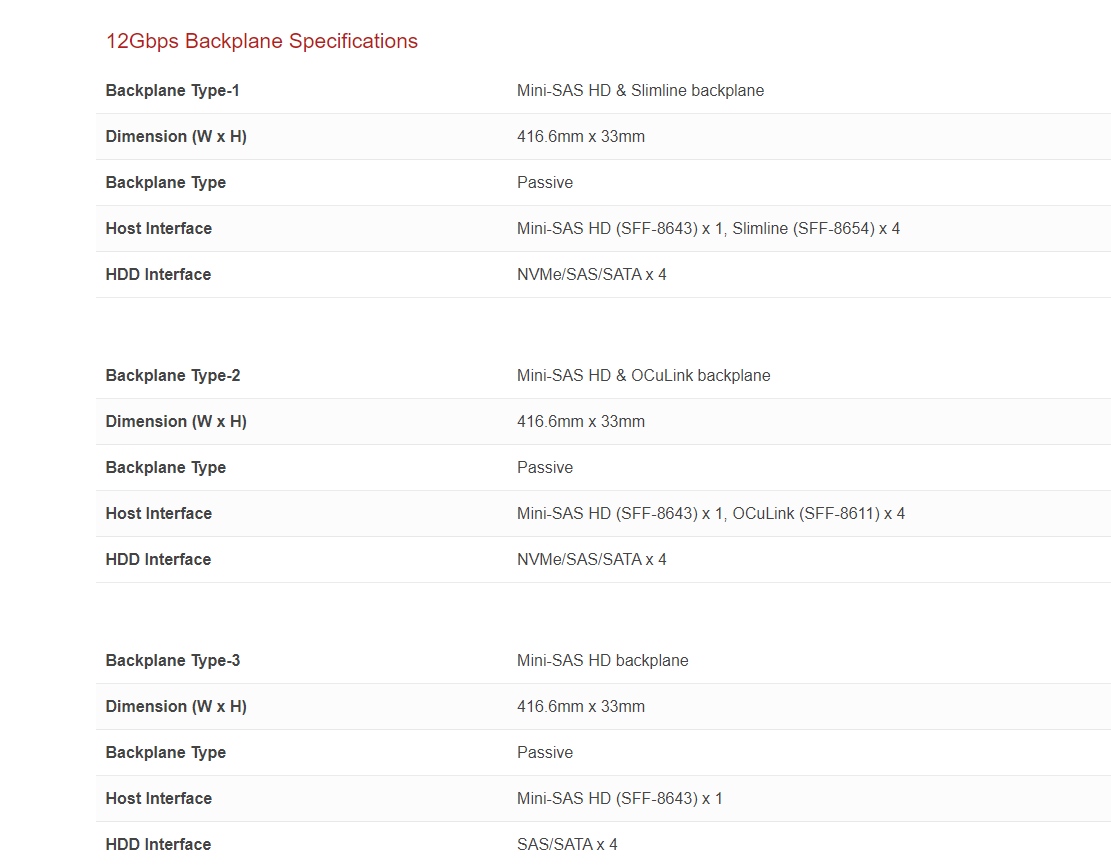
Here’s what the specs look like for the backplanes:
I assume I would need a PCI-E adapter card like this “PCIE to U.2 Adapter Card, PCIE X16 to 4 Port U.2 NVME SFF-8643/8639” from Amazon [2]. What I’m a little confused about is that the backplanes have 1x SFF-8643 or 4x SFF-8654 - If that single SFF-8643 cable would carry data for all 4 U.2 drives, why would I need an adapter card with 4 ports then?
I’m just sorta lost at this point and I feel like I’m missing something. I’m looking to run 4x U.2 enterprise drives that are PCI-E 4.0 in a software RAID configuration and get the most bandwidth out of them. Any advice on how these would hook up would be greatly appreciated!
P.S. A few years ago I built a couple Ryzen 5950X ASrock Rack servers, referencing a thread that was here on the forums, and they turned out great and have been running flawlessly ever since.
Hi, no advise from me on U.2 Drives but keen to understand the possibility. In my view a 7950X is the perfect homelab server CPU right now, when combined with ECC memory. Really cost efficient package, lower energy use and higher performance in most homelab scenarios. I use ASUS B650E-E with 4 NVMEs and ECC and also a EPYC 8004, to compare, for my observation.
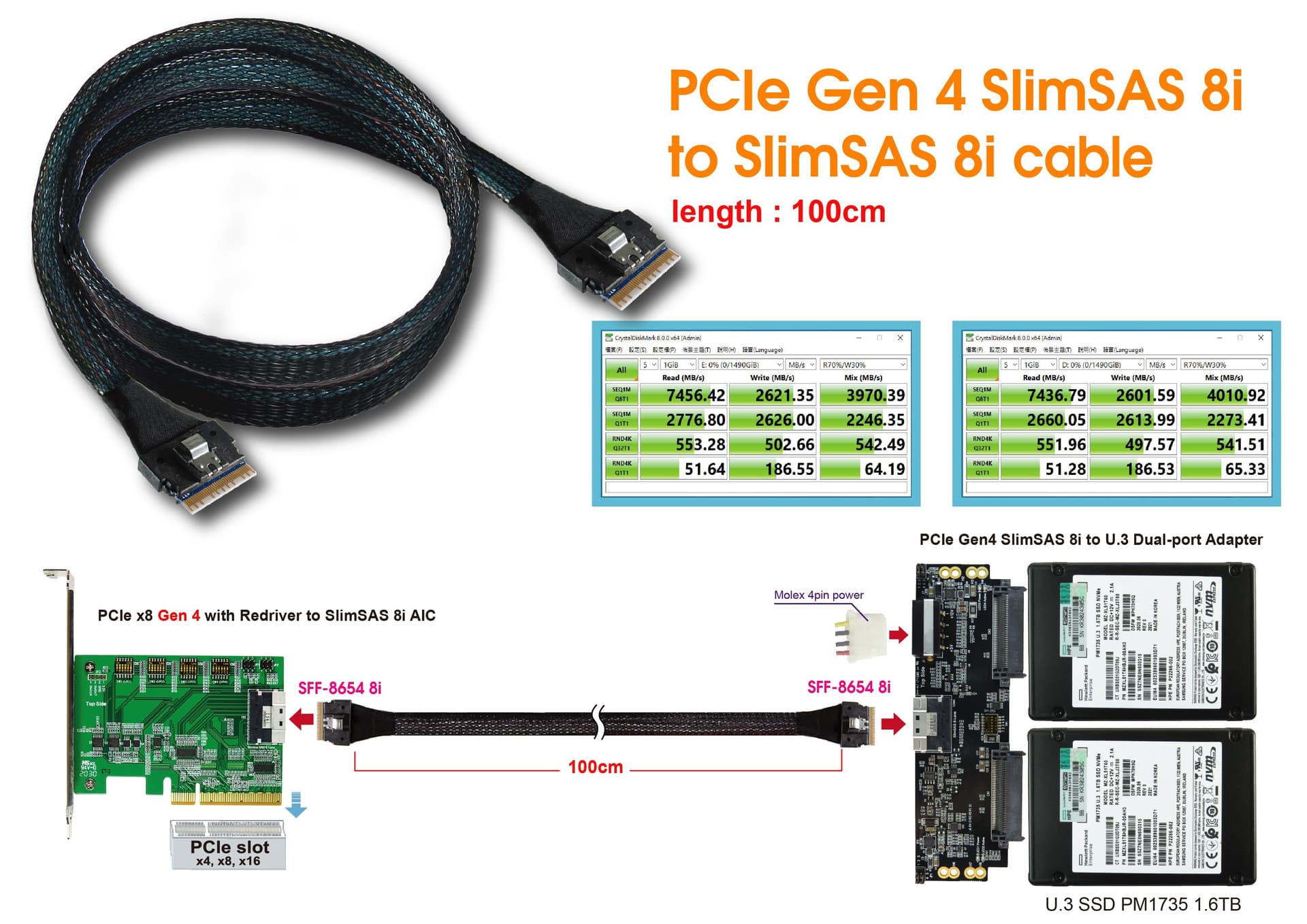
It seems like I would probably need a PCI-e redriver board (or a controller like the Highpoint SSD7580b) to be able to drive long enough cables to reach the INWIN’s hot swap bays:
I suspect if your mobo has SFF-8654 ports on it, then you don’t have to worry about this because it will be redriving them to boost the signal, but since I’m trying to DIY it via the PCI-E x16 slot, then I might have to worry about it. In a smaller case, this might not be an issue. So using a proper RAID controller card rather than a dumb PCI-E adapter board might be necessary.
Those specs make a lot more sense to me compared to that INWIN backplane. Also, this Startech backplane fits in a single 5.25 inch bay, which means I could look at other generic chassis instead. Perhaps with a smaller case, I could get away without needing a retimer board…
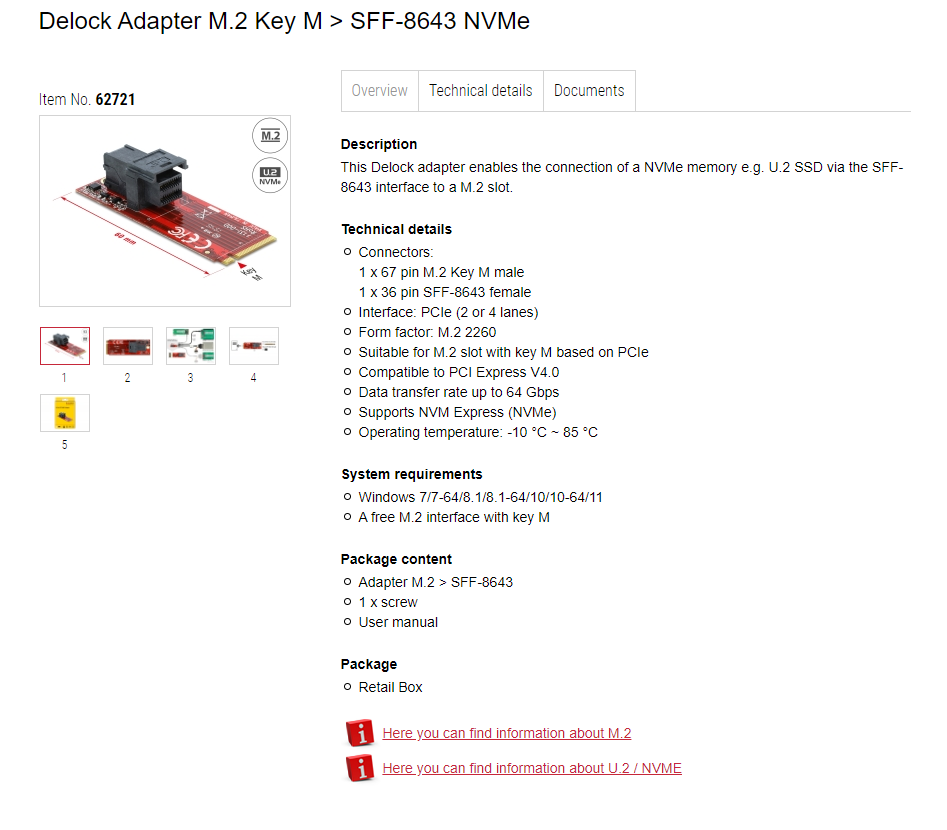
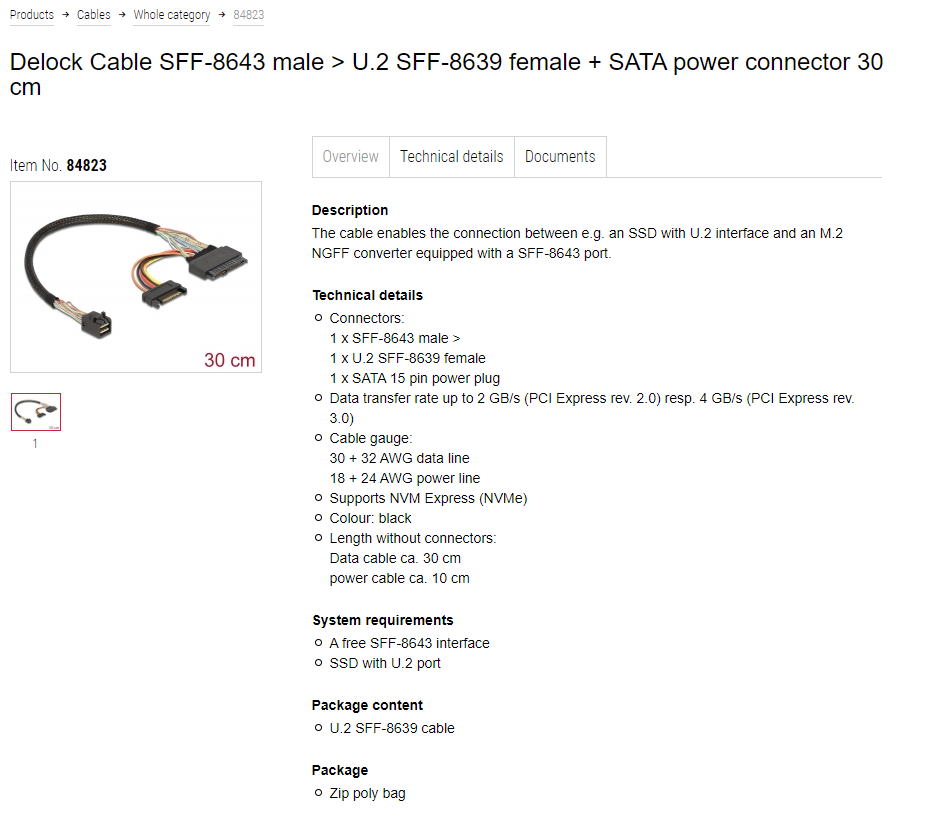
I know Wendell has been running his U.2 PCIe endeavors for ages and he’s what inspired me to try optane, to try Solidigm and what not. Also, to try and find cables for obscure Slimsas 4i to U.2. So far I’ve found that I can use
The M.2 adapter is 4.0 compatible and the cable 3.0, but thus far I’ve been getting PCI4.0 speeds out of this combination without issues. Strange.
I’m waiting for the processor for the Treadripper to arrive so I can try more with more PCIE lanes available. The current state of AM5 And socket 1700 pcie lanes is apalling and depressing (not to mention slot layout, sigh). Anyway, the difference between enterprise SSD and consumergrade SSD is pretty huge. My Firecuda 5400, Corsair 700 PCIe5 and Samsung 980Pro all jumps wildly in speed where as micron 7400 is dead stable. Odd indeed. I am also awaiting a HBA adapter from Microchip HBA-1200up-16i
(as I can only post two images due to me being a noob here )
As this is so much easier to connect with 2xU.2 or U.3 to 8i Slimsas . I just hate that it is so frickin hard to convert between connectors and that some are almost exclusive to the enterprise market.

 )
)