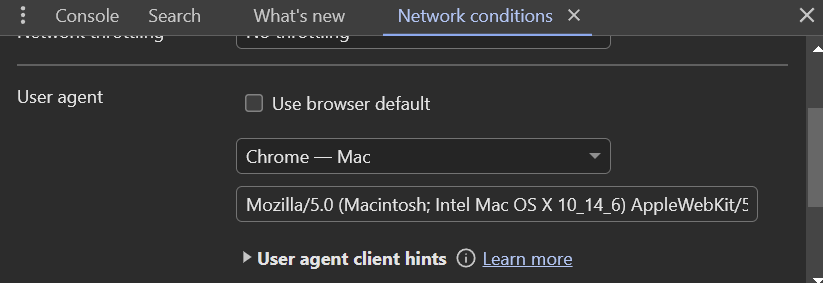
Windows doesn’t want you to download straight ISOs from their site, and downloading the media maker and going through all that is annoying as hell. If you are on windows, it takes away your ability to do the direct ISO download when it sees you are on windows. This will make it think you’re not on windows and grant you that option.
Open chrome (not sure how to easily change user agent on firefox)
The download should appear. If it hasn’t, ctrl shift r to refresh without cache.
Hope it works for you. It has worked for me over the last couple of years when they removed that ability. Helps save some time every time I need to update my ventoy ISO. They seem to want you to actually get windows 11, though, and so allow direct downloads for their ISOs. lol
Windows users are second class citizens to toaster users. Useless AI bs and taking away features instead of useful features that would actually earn them upgrades like raid1 for boot drives. I can see why they would want to hinder people going back to windows 10, but their inconsistency based on what you are on tells a different story.
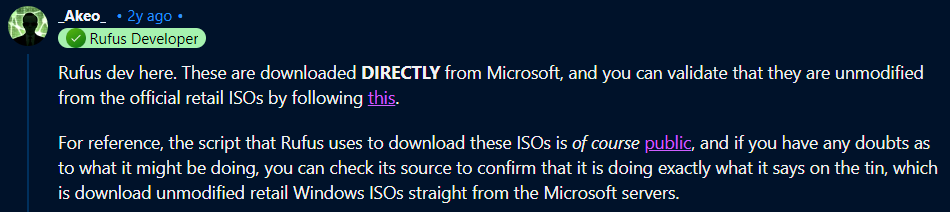
Direct from Microsoft. They get a new download link every 24 hours cause that’s how long the microsoft links last. Microsoft even links to Rufus in a lot of their web pages on how to make a bootable USB from an ISO file. Its plenty safe.
Yes Im sure. That is why in order to download the ISOs with Rufus you have to have auto updates turned on, because it has to pull a new download link every time you try. The script to do so is also available on Github. You can also hash check the SHA-1 of the ISO to verify it is unmodified.
Do you really think official Microsoft support pages would link to what software to use if that software was inserting malware?
Ahh … Now there is the linked relevant evidence. I’ve got issues going thru third parties for software that should be gotten from the source. Way to many times the third party source is infected.
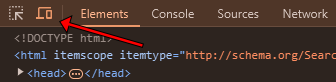
It’s a great feature of the inspection panel. Being able to just drag to change the viewport width without having to resize the entire browser window to see how content reacts is very handy when looking for issues with responsive layouts.
The GUI shortcut can also be found in the top left of the inspection panel.
I kept getting an error before downloading. I changed user agent to Chrome-Chrome OS, then I was able to get to the 32bit/64bit download buttons. Downloading as I type.