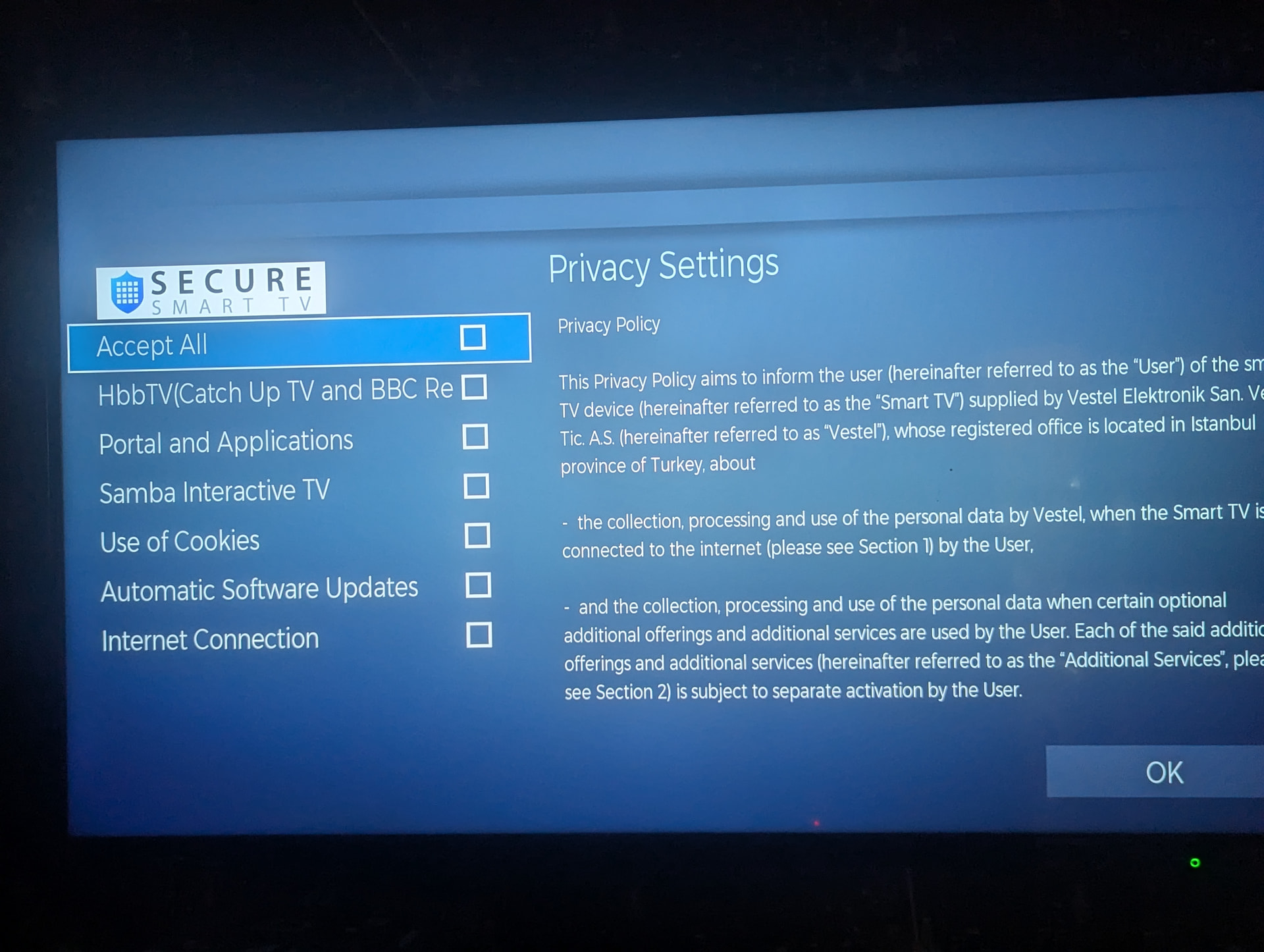
My Toshiba TV won’t let me disable the WiFi or even change any network settings without agreeing to a lot of terms and conditions as soon as you select WiFi settings this comes up and it won’t let me past until I agree what do I do?
1 Like
Change the WiFi password or block the TV by MAC address. Does a TV need internet?
(I’ve never given any display ever access to the internet.)
1 Like
You could open it up, and cover the motherboard in a few layers of aluminum foil to electrically isolate it. The foil should act as a faraday bag, blocking EM radiation (including wifi).
1 Like
https://shkspr.mobi/blog/2020/01/toshiba-vestel-engineering-menu-4725/
Apprently there is a service menu for Vestel TV’s (sometimes even telnet).
whether or not you can do it (or break it) there either is a different question.
assuming it’s a ‘bespin’ midlfe t&c update and not a new buy - if new maybe you want to consider returning.
if not new, factory reset is an important step. and never connect it again. if you only mac block, and reset or change your router, it’ll happily let it pass traffic & everything it stored.
I normally create a hotspot on my phone with a basic password to temporarily let something register and begin its process of spying before I sweep the rug out from under it and kill the hotspot.
Long term i manage it with Unify and my Pihole, killing ports or specific phone homes as I see fit.
just before i mac blocked it on the wifi i accepted the minimum i could to pass it and get to the wifi settings, once i got to the wifi settings i tried to remove the wifi details and i found there is no way to remove the wifi credentials from the tv without a full reset.
so i have mac blocked the tv from the wifi, this is where things went wrong i must have left it connected long enough to download a firmware update and now it wont stop asking to update the firmware, there is no cancel, just “later” i cant find any way to stop it so i just updated the tv.
UNEXPECTED WIN.
because i disabled the portal options and blocked the wifi, all the menus are missing for all the streaming apps and all the BS that they usually stuff the tv with and its sooo fast. I used to think my remote was a POS but it turns out the tv was just lagging the whole time running all the apps on the homescreen, every remote button push registers now, I can get through the menus in a fraction of the time, im not mashing buttons like a caveman.
The tv must need to download all the apps again after a firmware update. because i blocked it just before the update none of them got reloaded.
4 Likes
Probably too late to help, but… does it require actual internet access to confirm this screen? If not, maybe you could
-
Put your phone in airplane mode.
-
Create a new randomly named hotspot/pw.
-
Connect TV to that hotspot (that has no internet access), and agree to whatever you have to.
-
Turn off your phone’s hotspot and never use that wifi name/pw again. So because phone was in airplane mode, TV would then never have ever seen internet at any point.
I don’t know if this will work, but am curious.
2 Likes
Yea I feel your pain!
My LG tv that i’ve had for several years (not sure of the manufacturing date or when I purchased it) Recently just updated the terms and services (auto updates were turned off) with in the past 2 months enabling spyware on what I watch and play on the tv. The only option I was given to the popup was a button saying ok and no instructions on how to turn it off if I didn’t agree to it.
So I did the next best thing and unplugged it from the ethernet port (I never connect to wifi if I can connect to ethernet) as it’s not connected via wifi.
WiFi on Television?